Introduction
Data virtualization is a technology that enables an application to retrieve and manipulate data without requiring technical details about the data, such as how it is formatted at the source or where it is physically located. It provides a single point of access to disparate data sources, delivering a unified, “logical” view of an organization’s entire data landscape.
The importance of these platforms lies in their ability to provide “data at the speed of business.” By eliminating the need for data replication, organizations can reduce storage costs, minimize data latency, and ensure that analysts are working with the most current information. Key real-world use cases include real-time business intelligence, streamlined cloud migrations (where the virtual layer hides the underlying move from the end-user), and creating a unified “Customer 360” view from multiple CRM and billing systems. When evaluating these tools, users should look for advanced query optimization, broad connectivity to legacy and modern sources, robust security/masking capabilities, and a user-friendly semantic layer.
Best for: Large-scale enterprises with hybrid-cloud environments, data engineers tasked with reducing ETL technical debt, and business intelligence teams requiring real-time access to distributed data.
Not ideal for: Organizations with very small, centralized data sets where a single relational database is sufficient, or scenarios where massive, complex data transformations are required that might be more efficiently handled by a dedicated data warehouse or lakehouse.
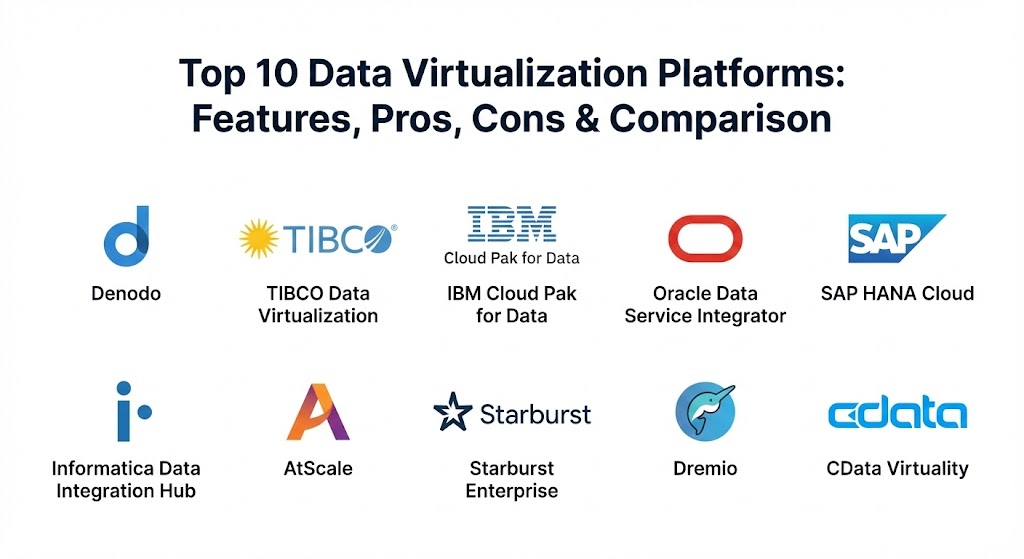
Top 10 Data Virtualization Platforms
1 — Denodo
Denodo is widely considered the industry leader in the data virtualization space. It offers a comprehensive logical data management platform that provides high-performance data integration and abstraction across the broadest range of enterprise data sources.
- Key features:
- Dynamic Query Optimizer that rewrites queries for maximum speed.
- Integrated Data Catalog for easy discovery and self-service.
- Advanced AI-powered recommendations for data integration.
- Support for “Data Fabric” and “Data Mesh” architectures.
- Cloud-native deployment with automated scaling.
- Robust security with row- and column-level access controls.
- Pros:
- Exceptional performance even with massive, heterogeneous datasets.
- The most mature and feature-rich tool on the market today.
- Cons:
- Can be complex and expensive for mid-sized organizations.
- Requires a significant initial configuration to reach peak performance.
- Security & compliance: SOC 2, ISO 27001, GDPR, HIPAA, and FIPS 140-2 compliant. Includes advanced data masking and SSO integration.
- Support & community: Offers elite enterprise support, a vast library of training via Denodo Academy, and a very active global user community.
2 — TIBCO Data Virtualization
TIBCO Data Virtualization (formerly Cisco Information Server) is a battle-tested platform known for its ability to handle complex data modeling and high-concurrency environments.
- Key features:
- Advanced caching and federation engines to boost query speeds.
- Unified web-based studio for designing and testing data models.
- Native integration with TIBCO Spotfire and other major BI tools.
- Multi-layered security framework with centralized policy management.
- Support for streaming data sources and IoT integration.
- Extensive pre-built connectors for legacy and modern APIs.
- Pros:
- Excellent for complex, multi-layered data modeling and business logic.
- Strong stability and reliability in mission-critical deployments.
- Cons:
- The user interface can feel more technical and less modern than competitors.
- Performance can degrade under extremely high parallel query loads if not tuned correctly.
- Security & compliance: Provides encrypted data transmission, role-based access control (RBAC), and is HIPAA and GDPR ready.
- Support & community: Robust support via phone and email; comprehensive documentation with a new troubleshooting guide for 2026.
3 — IBM Cloud Pak for Data (Data Virtualization)
IBM’s solution is built on its “Data Constellation” technology, allowing users to query data across disparate sources as if they were one single, large database.
- Key features:
- Part of a modular platform for integrated AI and data management.
- Automatic discovery of new data sources via metadata harvesting.
- Collaborative “Canvas” interface for both technical and non-technical users.
- Integrated data governance and automated lineage tracking.
- Optimized for hybrid multi-cloud environments (AWS, Azure, IBM Cloud).
- Built-in AI lifecycle management from data prep to model deployment.
- Pros:
- 8x faster access to distributed data compared to traditional ETL methods.
- Perfect for organizations looking to combine virtualization with heavy AI/ML workflows.
- Cons:
- Best value is achieved when using the full IBM Cloud Pak ecosystem.
- The licensing model can be difficult to navigate for standalone virtualization needs.
- Security & compliance: Managed by IBM Cloud with support for SOC 1/2/3, ISO, and rigorous data privacy tools.
- Support & community: World-class enterprise support and a massive global network of IBM-certified consultants.
4 — Oracle Data Service Integrator
Oracle’s virtualization tool focuses on creating reusable, bidirectional “data services” that allow applications to read and write to disparate sources seamlessly.
- Key features:
- Bidirectional data services (supports both Read and Write operations).
- Standards-based, declarative modeling approach (no-code/low-code).
- “Smart Scan” technology to offload processing to the source database.
- Integrated with Oracle WebLogic and the broader Fusion Middleware.
- Sophisticated update mapping for heterogeneous data sources.
- Global metadata management for consistency across services.
- Pros:
- Unmatched stability and performance for Oracle-centric environments.
- The bidirectional support is a rare and highly valuable feature.
- Cons:
- Limited third-party connectivity compared to vendor-neutral tools like Denodo.
- Primarily designed for developers rather than business analysts.
- Security & compliance: Leverages Oracle’s Advanced Security, including Database Vault and Transparent Data Encryption.
- Support & community: Backed by Oracle’s global support infrastructure and extensive technical knowledge base.
5 — SAP HANA Cloud (Smart Data Access)
SAP HANA uses its “Smart Data Access” (SDA) feature to provide a high-performance virtualization layer, making it the natural choice for SAP-heavy enterprises.
- Key features:
- In-memory processing for extreme query performance.
- SDA allows querying remote data without moving it into HANA.
- Native integration with SAP S/4HANA and SAP Analytics Cloud.
- Multi-model engine supporting relational, spatial, and graph data.
- Consumption-based pricing model for cloud-native flexibility.
- Integrated data aging and tiering to manage storage costs.
- Pros:
- The fastest virtualization option for organizations already running on SAP HANA.
- Seamlessly combines transactional (OLTP) and analytical (OLAP) workloads.
- Cons:
- Can be prohibitively expensive for non-SAP data workloads.
- Requires SAP-specific expertise to manage effectively.
- Security & compliance: Fully managed security including SSO, audit logs, and compliance with major global standards.
- Support & community: High-level enterprise support and a large community of SAP experts and user groups.
6 — Informatica Data Integration Hub
Informatica approaches virtualization through its broader data management stack, emphasizing data quality and governance as part of the virtualization process.
- Key features:
- AI-powered “CLAIRE” engine for automated data discovery.
- Integrated data masking and quality checks within the virtual layer.
- Publish/subscribe model for efficient data distribution.
- End-to-end data lineage and impact analysis.
- Native connectors for over 100 SaaS and on-premise applications.
- Unified governance and metadata management.
- Pros:
- Best-in-class for organizations where data quality and compliance are the top priorities.
- Exceptional metadata management and visibility.
- Cons:
- Can introduce performance overhead due to the depth of its security and quality checks.
- Generally requires a larger investment in the Informatica platform.
- Security & compliance: Comprehensive support for HIPAA, GDPR, and SOX with integrated row-level security.
- Support & community: Extensive documentation, professional training, and a highly active “Informatica Network” community.
7 — AtScale
AtScale focuses on “Semantic Layer” virtualization, specifically designed to bridge the gap between complex data sources (like Hadoop or Snowflake) and BI tools (like Tableau or Power BI).
- Key features:
- Universal Semantic Layer for consistent business definitions.
- “Autonomous Data Engineering” that optimizes performance via smart caching.
- No-code modeling interface for business users.
- Support for multi-cloud and hybrid-cloud architectures.
- Integrated security and governance that inherits source permissions.
- Direct integration with Excel and major BI platforms.
- Pros:
- Simplifies complex data for business users like no other tool on this list.
- Dramatically reduces the time spent on manual performance tuning.
- Cons:
- Less focused on “real-time” transactional virtualization than Denodo or TIBCO.
- Primarily a tool for analytics rather than operational data services.
- Security & compliance: SOC 2, HIPAA, and GDPR compliant. Supports SSO and Kerberos.
- Support & community: Strong professional support and a growing ecosystem of analytics partners.
8 — Starburst Enterprise
Built on Trino (formerly PrestoSQL), Starburst is a high-performance distributed SQL query engine designed for the “Data Lakehouse” era.
- Key features:
- Massive parallel processing (MPP) for high-speed distributed queries.
- “Warp Speed” smart indexing and caching.
- Connectivity to over 50 data sources, including NoSQL and Object Storage.
- Built-in security and governance with fine-grained access control.
- “Stargate” for cross-region and cross-cloud querying.
- Optimized for large-scale data lakes (S3, ADLS, GCS).
- Pros:
- Unrivaled performance for querying data across massive cloud object stores.
- Open-core approach provides high flexibility and no vendor lock-in.
- Cons:
- Requires a more technical team to manage the distributed cluster architecture.
- Lacks some of the “logical modeling” depth found in pure virtualization plays.
- Security & compliance: SOC 2 Type II, ISO 27001, and HIPAA compliant.
- Support & community: Excellent enterprise support from the creators of Trino; massive open-source community.
9 — Dremio
Dremio is a “Data Lakehouse” platform that uses its unique “Reflections” technology to provide high-performance data virtualization directly on top of cloud storage.
- Key features:
- “Reflections” technology (smart materialization) to accelerate queries.
- Semantic layer for self-service data discovery.
- Integrated data catalog with lineage and wiki-style documentation.
- Native support for Apache Iceberg and Delta Lake.
- Open-source core based on Apache Arrow for high-speed data transfer.
- User-friendly “SQL Runner” and visual modeling tools.
- Pros:
- Incredibly fast and easy to set up for data lake environments.
- Provides a very modern, “SaaS-like” user experience.
- Cons:
- Less effective for managing traditional legacy relational databases than Denodo.
- Advanced performance features are locked behind the enterprise license.
- Security & compliance: Includes SSO, encryption, and row-level security; GDPR and HIPAA ready.
- Support & community: Very helpful online community and responsive professional support services.
10 — CData Virtuality
CData Virtuality is a versatile platform that combines data virtualization with automated data replication, giving users the flexibility to choose the best method for each use case.
- Key features:
- Over 300 pre-built connectors for clouds, databases, and APIs.
- Hybrid approach: Virtualization for real-time and Replication for heavy analytical loads.
- Automated data lineage and metadata management.
- SQL-based modeling for rapid development.
- Support for high-availability and load-balanced environments.
- Lightweight architecture that can run on-prem or in the cloud.
- Pros:
- The most flexible tool for teams that need both virtualization and ELT/CDC.
- Very fast time-to-value due to the massive library of connectors.
- Cons:
- May not have the “military-grade” query optimization of Denodo for the most complex queries.
- The dual approach (Virtualization + Replication) can be confusing for beginners.
- Security & compliance: Standard SSO, encryption at rest/transit, and detailed audit logs.
- Support & community: Good technical support and an extensive library of video tutorials.
Comparison Table
| Tool Name | Best For | Platform(s) Supported | Standout Feature | Rating (Gartner) |
| Denodo | Multi-Cloud Enterprises | Any (Cloud / On-Prem) | Dynamic Query Optimizer | 4.6 / 5 |
| TIBCO DV | Complex Modeling | Windows, Linux, Cloud | Visual Studio Modeler | 4.3 / 5 |
| IBM Cloud Pak | AI-Integrated Teams | Hybrid Multi-Cloud | Data Constellation Design | 4.5 / 5 |
| Oracle DSI | Oracle Ecosystems | Oracle / Middleware | Bidirectional Data Services | 4.4 / 5 |
| SAP HANA | SAP-Heavy Firms | SAP Cloud / On-Prem | In-Memory Acceleration | 4.5 / 5 |
| Informatica | Data Governance | Multi-Cloud, SaaS | CLAIRE AI Intelligence | 4.4 / 5 |
| AtScale | Business Intelligence | Cloud / Hybrid | Universal Semantic Layer | 4.6 / 5 |
| Starburst | Big Data / Data Lakes | Cloud-Native (Trino) | Distributed SQL (MPP) | 4.7 / 5 |
| Dremio | Data Lakehouse | Cloud Object Storage | “Reflections” Acceleration | 4.6 / 5 |
| CData Virtuality | Multi-Source Flex | SaaS, Cloud, On-Prem | Virtualization + ETL Hybrid | 4.5 / 5 |
Evaluation & Scoring of Data Virtualization Platforms
To choose the right tool, it is essential to evaluate candidates against a weighted rubric that reflects the reality of modern data management.
| Category | Weight | Evaluation Criteria |
| Core Features | 25% | Query optimization, metadata management, and semantic layer depth. |
| Ease of Use | 15% | Self-service capabilities, no-code/low-code UI, and ease of discovery. |
| Integrations | 15% | Number of pre-built connectors and compatibility with modern BI/AI stacks. |
| Security | 10% | Data masking, SSO, RBAC, and compliance (GDPR/HIPAA). |
| Performance | 10% | Latency, concurrency handling, and caching efficiency. |
| Support | 10% | Documentation quality, speed of support response, and training resources. |
| Price / Value | 15% | TCO relative to efficiency gains and reduction in ETL infrastructure. |
Which Data Virtualization Platform Is Right for You?
The “perfect” platform depends on where your data currently lives and who needs to access it.
- Solo Users & Small Teams: Most do not need a full enterprise virtualization platform. Lightweight open-source query engines (like Dremio’s free tier) or simple SQL-based connectors might suffice.
- Small to Medium Businesses (SMBs): Look for ease of connectivity and value. CData Virtuality or AtScale provide quick “plug-and-play” connectivity to common SaaS apps and BI tools without the massive overhead of a legacy platform.
- Mid-Market Enterprises: If your data is largely in the cloud, Dremio or Starburst offer high performance for a modern stack. If you have significant technical debt across legacy servers, TIBCO or Informatica offer the necessary depth.
- Large Enterprises: For truly global, hybrid-cloud environments where you need one single “source of truth,” Denodo remains the gold standard. If you are already locked into a major vendor like Oracle, SAP, or IBM, their native tools offer the tightest integration and best support.
- AI-First Organizations: If your goal is to feed high-quality, real-time data into machine learning models, IBM Cloud Pak for Data and Denodo provide the most mature pipelines for automated data preparation.
Frequently Asked Questions (FAQs)
1. Is data virtualization the same as a data warehouse? No. A data warehouse physically replicates and stores data in a central location. Data virtualization creates a virtual view and queries the data at its source without storing it locally.
2. Does data virtualization slow down source databases? It can if queries are not optimized. However, leading platforms like Denodo use “Query Pushdown” to minimize the impact and “Smart Caching” to avoid hitting the source for every request.
3. Is data virtualization secure? Yes, it is often more secure than moving data. It allows you to define a single security policy in the virtual layer that is automatically applied across all sources, regardless of their native security features.
4. Can I use data virtualization for cloud migration? Yes. You can use the virtual layer to provide a consistent access point for users. Behind the scenes, you can move data from on-prem to the cloud without changing the users’ connection details.
5. How much does these tools cost? Pricing is typically enterprise-level, often based on CPU cores, data volume, or number of connectors. Cloud versions often use a consumption-based “pay-as-you-go” model.
6. Do I still need ETL if I use data virtualization? Usually, yes. While virtualization can replace many ETL tasks, physical data movement is still better for massive, batch-heavy analytics or long-term historical archiving.
7. What is a “Semantic Layer”? A semantic layer turns technical database terms (like CUST_ID_01) into business terms (like Customer Name). It allows business users to build their own reports without knowing SQL.
8. Can data virtualization handle unstructured data? Advanced platforms (like IBM and Denodo) can connect to NoSQL, JSON, and even document-based storage, though it is primarily used for structured and semi-structured data.
9. How do these tools handle high concurrency (many users at once)? Leading tools use advanced load balancing and caching. For massive concurrency, tools built on MPP engines (like Starburst) are particularly effective.
10. Is there an open-source option for data virtualization? Yes. Trino (formerly Presto) is a very popular open-source distributed query engine that serves as the foundation for many enterprise virtualization tools.
Conclusion
The data landscape of 2026 is too complex and fast-moving for physical data movement to be the only solution. Data Virtualization Platforms provide the agility needed to bridge the gap between siloed data and actionable insights. When choosing a tool, remember that visibility is the first step to value. The “best” tool is the one that makes your most critical data invisible to the end-user while making its insights crystal clear.