Introduction
Vector search tooling refers to the specialized software and databases designed to store, index, and retrieve “embeddings”—numerical representations of data that capture its semantic meaning. Unlike traditional relational databases that look for exact matches in rows and columns, vector tools use mathematical distance metrics (like Cosine Similarity or Euclidean Distance) to find the most “similar” items in a multi-dimensional space.
The importance of these tools has skyrocketed because they unlock the value of unstructured data, which accounts for roughly 80% of all enterprise information. By converting text, images, audio, and video into vectors, organizations can now query their entire knowledge base with natural language.
Key real-world use cases include:
- Retrieval-Augmented Generation (RAG): Providing LLMs with real-time, private company data to prevent “hallucinations.”
- Semantic Product Discovery: Allowing users to search for “clothes for a mountain hike” and receiving results like “waterproof jackets” and “thermal boots” even without keyword matches.
- Anomaly Detection: Identifying fraudulent transactions or cybersecurity threats by finding data points that are “mathematically distant” from normal behavior.
- Multi-modal Search: Using an image of a vintage chair to find similar furniture pieces across a global catalog.
When evaluating these tools, users should prioritize latency (query speed), recall (accuracy of results), scalability (handling billions of vectors), and hybrid search capabilities (combining keywords with vectors).
Best for: AI engineers, data scientists, and enterprise architects building intelligent applications. It is ideal for industries like e-commerce, healthcare (medical imaging), and finance that handle massive amounts of unstructured data.
Not ideal for: Simple CRUD applications or small businesses with purely structured data (e.g., a basic inventory list or accounting ledger) where a traditional SQL database remains more efficient and cost-effective.
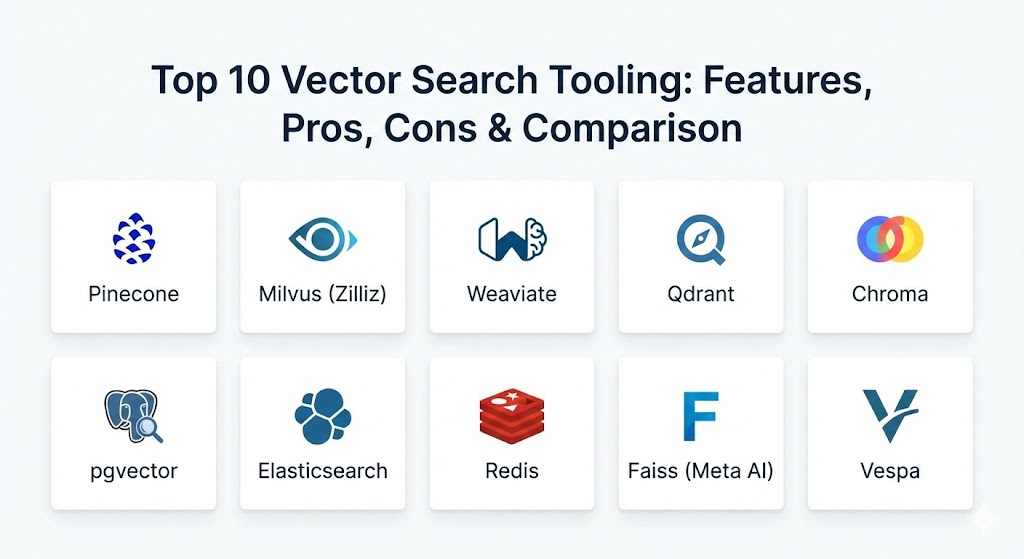
Top 10 Vector Search Tooling Tools
1 — Pinecone
Pinecone is widely recognized as the pioneer of the managed vector database category. It is a cloud-native, serverless platform designed to handle high-performance vector search without requiring the user to manage any underlying infrastructure.
- Key features:
- Fully managed, serverless architecture that scales automatically.
- Metadata filtering that allows users to narrow down searches based on specific attributes.
- Real-time index updates where new data is searchable in seconds.
- Support for “namespaces” to isolate data within a single index.
- Integrated monitoring and usage-based billing.
- One-click integration with LangChain, LlamaIndex, and OpenAI.
- Pros:
- The “zero-ops” experience—no clusters to manage or hardware to provision.
- Incredible developer experience with an extremely low barrier to entry.
- Cons:
- Proprietary and closed-source; you are locked into their platform.
- Can become expensive for extremely high-throughput production workloads.
- Security & compliance: SOC 2 Type II, HIPAA (on Enterprise plans), GDPR, and encryption at rest/transit.
- Support & community: Excellent documentation; 24/7 priority support for enterprise customers; active Slack and community forums.
2 — Milvus (Zilliz)
Milvus is a leading open-source distributed vector database built for massive scalability. It is designed to handle trillions of vectors and is the preferred choice for organizations that want to self-host or use a managed version through Zilliz Cloud.
- Key features:
- Distributed, cloud-native architecture based on Kubernetes.
- Support for multiple indexing algorithms (HNSW, IVF, DiskANN).
- Hybrid search that combines vector similarity with scalar filtering.
- Storage-computing separation for independent scaling of resources.
- High availability with automated failover and data redundancy.
- Milvus Lite for running on-device or in edge environments.
- Pros:
- Extremely high performance for large-scale, multi-billion vector datasets.
- Open-source flexibility with a massive ecosystem of contributors.
- Cons:
- High operational complexity; requires a dedicated team to manage distributed clusters.
- Requires significant memory (RAM) overhead to maintain high-speed indexes.
- Security & compliance: RBAC, TLS encryption, SOC 2, and ISO 27001 compliance (via Zilliz).
- Support & community: Huge GitHub community (over 25k stars); robust enterprise support via Zilliz.
3 — Weaviate
Weaviate is an open-source vector database that stands out for its “vector-first” modular architecture. It doesn’t just store vectors; it also handles the vectorization process itself through built-in modules for models like OpenAI, Hugging Face, and Cohere.
- Key features:
- Built-in vectorization modules that simplify the data pipeline.
- GraphQL and REST interfaces for intuitive querying.
- Hybrid search (BM25 + Vector) out of the box.
- Multi-tenancy support for SaaS applications.
- Schema-based data modeling that captures complex relationships.
- Cross-region replication for disaster recovery.
- Pros:
- The integrated vectorization saves developers from managing external embedding scripts.
- Excellent for complex data models where relationships are as important as the vectors.
- Cons:
- Memory consumption can be high due to its modular design and HNSW indexing.
- Managed cloud pricing can be steeper than more “bare-bones” serverless options.
- Security & compliance: OIDC, API keys, SOC 2 Type II, and GDPR readiness.
- Support & community: Exceptional tutorials; active Discord; enterprise-grade SLAs available.
4 — Qdrant
Qdrant (pronounced “quadrant”) is a high-performance vector search engine written in Rust. It has gained a reputation for being exceptionally fast, resource-efficient, and easy to deploy via a single Docker image.
- Key features:
- Rust-based engine providing high safety and extreme performance.
- Advanced “Payload Filtering” that supports complex JSON query conditions.
- Asynchronous indexing to maintain search speed during data ingestion.
- Support for both dense and sparse vectors (useful for hybrid search).
- Snapshot and backup functionality for easy migration.
- Integrated Web UI for data visualization and management.
- Pros:
- Very low latency and high throughput even on modest hardware.
- The payload filtering is among the most flexible and powerful in the industry.
- Cons:
- As a newer player, the ecosystem of third-party plugins is still maturing.
- Horizontal scaling is slightly more complex than the cloud-native design of Milvus.
- Security & compliance: SOC 2 Type II, TLS, SSO, and granular API key management.
- Support & community: Known for very responsive maintainers on GitHub; growing repository of tutorials and use-case guides.
5 — Chroma
Chroma is an open-source embedding database designed for simplicity and developer speed. It is often the first choice for developers building AI agents and small-to-medium RAG applications due to its “one-line” installation process.
- Key features:
- Lightweight and easy to run in a Python notebook or as a standalone service.
- Simple API focused on three core functions: add, get, and query.
- Pluggable embedding functions for various LLM providers.
- Built-in support for persisting data to disk with zero configuration.
- Integrated with major AI frameworks like LangChain and AutoGPT.
- Active work on horizontal scaling and “serverless” versions.
- Pros:
- The fastest way to go from “zero to prototype” in the vector world.
- Entirely free and open-source with no hidden usage caps for self-hosters.
- Cons:
- Not currently suitable for massive, multi-billion vector enterprise deployments.
- Lacks the deep administrative and monitoring tools found in Pinecone or Milvus.
- Security & compliance: Varies by deployment; basic authentication and TLS support.
- Support & community: Massive growth in the developer community; very popular for hackathons and POCs.
6 — pgvector (PostgreSQL Extension)
pgvector is an open-source extension that adds vector search capabilities to PostgreSQL. For many organizations, this is the most logical choice because it allows them to use their existing database infrastructure for vector search.
- Key features:
- Adds a
vectordata type to standard PostgreSQL tables. - Supports Exact and Approximate Nearest Neighbor (ANN) search (HNSW and IVFFlat).
- L2 distance, Inner Product, and Cosine Distance support.
- Works with any programming language that has a PostgreSQL client.
- Allows combining relational SQL queries (JOINs, WHERE) with vector search.
- Supported by managed services like AWS Aurora, Google Cloud SQL, and Azure.
- Adds a
- Pros:
- No need to manage a second database; vectors live right next to your metadata.
- Leverages the legendary reliability and security of the PostgreSQL ecosystem.
- Cons:
- Performance can lag behind specialized vector databases at the 100M+ vector scale.
- Configuring the HNSW index parameters requires a solid understanding of database tuning.
- Security & compliance: Inherits all PostgreSQL security features (SSO, RBAC, SSL, SOC 2/HIPAA via cloud providers).
- Support & community: Backed by the global PostgreSQL community; massive amounts of documentation.
7 — Elasticsearch (Vector Support)
Elasticsearch has integrated dense vector search into its widely-used distributed search engine. It is the gold standard for organizations that need to combine traditional full-text keyword search with modern vector similarity.
- Key features:
- Native support for
dense_vectorfields. - HNSW-based ANN search integrated into the Query DSL.
- Hybrid search with Reciprocal Rank Fusion (RRF) for top-tier relevance.
- Integrated “Inference API” to generate embeddings within the cluster.
- Massive scalability for logging and search use cases.
- Powerful data visualization through Kibana.
- Native support for
- Pros:
- The best “all-in-one” solution for complex, enterprise-grade search requirements.
- Deeply mature ecosystem with advanced security, auditing, and observability.
- Cons:
- Can be extremely expensive and RAM-heavy to run at large vector scales.
- High complexity; managing an Elasticsearch cluster is a full-time job.
- Security & compliance: FedRAMP, SOC 2, HIPAA, GDPR, and granular document-level security.
- Support & community: World-class enterprise support from Elastic NV; vast global user community.
8 — Redis (Vector Support)
Redis, the world’s most popular in-memory data store, has expanded into vector search through its Redis Stack and Redis Cloud offerings. It is optimized for use cases where sub-millisecond latency is the highest priority.
- Key features:
- In-memory vector indexing for ultra-low latency queries.
- Support for HNSW and FLAT (Brute force) indexing.
- Hybrid search across vectors, tags, and numeric fields.
- Real-time data expiration (TTL) for temporary embeddings.
- High availability via Redis Sentinel and Cluster.
- Simplified “Search and Query” module with a SQL-like syntax.
- Pros:
- Unmatched speed for real-time recommendation engines and fraud detection.
- If you already use Redis for caching, the learning curve is near zero.
- Cons:
- Storage costs are higher because the data is primarily stored in RAM.
- Less suitable for massive “cold” knowledge bases where latency isn’t critical.
- Security & compliance: ACLs, TLS, SOC 2 Type II, and ISO 27001.
- Support & community: Huge community; top-tier enterprise support from Redis Inc.
9 — Faiss (Meta AI)
Faiss (Facebook AI Similarity Search) is not a database but a highly optimized library for similarity search and clustering of dense vectors. It is the “engine” that many other vector tools use under the hood.
- Key features:
- Includes algorithms for searching sets of vectors of any size.
- Support for GPU acceleration (NVIDIA) for massive performance gains.
- C++ implementation with Python wrappers.
- Advanced quantization techniques to compress vectors for memory efficiency.
- Supports both in-memory and on-disk (MMAP) index management.
- Highly customizable for researchers and specialized engineering teams.
- Pros:
- Absolute maximum performance; it is the benchmark by which all others are measured.
- Completely open-source and free to use for any scale.
- Cons:
- Not a database; lacks an API, management UI, persistence, or security layer.
- Requires manual effort to handle multi-user access and data updates.
- Security & compliance: N/A (It is a library, not a service).
- Support & community: Managed by Meta AI; standard GitHub issue support.
10 — Vespa
Vespa is a heavy-duty “big data” serving engine developed by Yahoo. It is designed for applications that require low-latency computation over huge datasets, combining search, recommendation, and AI in a single platform.
- Key features:
- Real-time processing of vectors, text, and tensors.
- Support for “Rank Profiles” where you can write custom AI scoring logic.
- Automated horizontal scaling and data rebalancing.
- Native support for ML models (ONNX, TensorFlow, PyTorch).
- Built-in high availability and disaster recovery.
- Advanced streaming and batch processing capabilities.
- Pros:
- Perhaps the most powerful tool on this list for “Big Data + AI” scale.
- Allows for extremely complex custom ranking logic that other databases can’t handle.
- Cons:
- Steepest learning curve; requires significant architecture planning.
- Overkill for 95% of standard RAG or recommendation applications.
- Security & compliance: ISO 27001, SOC 2, and rigorous data anonymization features.
- Support & community: Strong presence in the “Big Tech” community; enterprise support via Vespa.ai.
Comparison Table
| Tool Name | Best For | Platform(s) Supported | Standout Feature | Rating (Gartner Peer Insights) |
| Pinecone | Production AI / Zero Ops | Cloud (SaaS) | Managed Serverless | 4.8 / 5 |
| Milvus | Large-scale (Billions) | Kubernetes / Cloud | Distributed Performance | 4.7 / 5 |
| Weaviate | Modular AI / Hybrid | Cloud / Docker | Built-in Vectorization | 4.6 / 5 |
| Qdrant | High Speed / Filtering | Docker / Rust / Cloud | Rust-based Performance | 4.8 / 5 |
| Chroma | Rapid Prototyping | Python / Docker | Developer Simplicity | 4.5 / 5 |
| pgvector | PostgreSQL Users | On-prem / Cloud | SQL Integration | 4.7 / 5 |
| Elasticsearch | Enterprise Hybrid Search | On-prem / Cloud | Mature Search Ecosystem | 4.5 / 5 |
| Redis | In-Memory Latency | On-prem / Cloud | Sub-ms Query Speed | 4.6 / 5 |
| Faiss | Researchers / Libraries | Library (C++/Python) | Absolute Raw Performance | N/A |
| Vespa | Big Data / Custom Ranks | Docker / Cloud | Tensor Processing | 4.4 / 5 |
Evaluation & Scoring of Vector Search Tooling
Selecting a vector tool in 2026 requires looking beyond just “how many stars it has on GitHub.” Use the following weighted scoring to guide your internal PoC (Proof of Concept).
| Category | Weight | Evaluation Criteria |
| Core Features | 25% | Multi-index support (HNSW/IVF), hybrid search, and filtering capabilities. |
| Ease of Use | 15% | API quality, documentation, management UI, and setup time. |
| Integrations | 15% | Native connectors for LangChain, LlamaIndex, and major LLM providers. |
| Security & Compliance | 10% | Encryption, SOC 2, HIPAA, and role-based access control (RBAC). |
| Performance | 10% | Latency (p99) and throughput (QPS) at your expected scale. |
| Support & Community | 10% | Response time for critical issues and active community troubleshooting. |
| Price / Value | 15% | Total cost of ownership (TCO) including engineering and infrastructure. |
Which Vector Search Tooling Tool Is Right for You?
The right choice depends heavily on your scale and your team’s operational maturity.
- Solo Users & Prototypers: Start with Chroma. It allows you to build a working AI app in an afternoon with zero infrastructure setup. If you need a hosted version immediately, Pinecone’s free tier is excellent.
- Small to Medium Businesses (SMBs): If you already use PostgreSQL, pgvector is almost certainly the right choice. It prevents “data sprawl” and utilizes your existing team’s SQL skills. If you need more specialized features, Qdrant offers the best balance of price and speed.
- Mid-Market to Large Enterprise: If your data lives in the multi-billion range and you have a DevOps team, Milvus is the standard. If you want to offload all operational headaches to a vendor, Pinecone’s enterprise tier or Zilliz Cloud are the top picks.
- Complex Search Needs: If your application depends on a mix of text relevance (BM25) and semantic relevance (Vectors), Elasticsearch or Weaviate provide the most mature hybrid search architectures.
- Latency-Critical Apps: For real-time fraud detection or high-frequency recommendations, Redis is the gold standard for sub-millisecond response.
Frequently Asked Questions (FAQs)
1. What is an “Embedding”? An embedding is a list of numbers (a vector) that represents the “meaning” of a piece of data. For example, the vector for “cat” will be mathematically closer to the vector for “kitten” than it is to “airplane.”
2. Why can’t I just use a regular SQL database for vectors? Standard databases are designed for exact matches. To find the “most similar” vector in a regular database, you would have to compare your query to every single row, which is incredibly slow. Vector tools use indexing (like HNSW) to skip most of the data and find results in milliseconds.
3. What is HNSW? Hierarchical Navigable Small Worlds (HNSW) is a popular graph-based algorithm for Approximate Nearest Neighbor (ANN) search. It is highly favored for providing a great balance between search speed and accuracy.
4. How does vector search handle security? Security is a major concern. Leading tools provide role-based access control (RBAC) and encryption. In 2026, many are adopting “Permission-aware retrieval,” which ensures the AI only searches documents the specific user is authorized to see.
5. Is managed or self-hosted better? Managed (SaaS) is better for speed-to-market and small teams. Self-hosted is better for cost at massive scales or for industries with strict data residency requirements (where data cannot leave a private cloud).
6. Do these tools work with images and video? Yes. As long as you have an “encoder” model to turn the image or video into a vector, these tools can store and search them just as easily as text.
7. What is Hybrid Search? Hybrid search combines vector search (meaning) with keyword search (exact terms). This is crucial because vector search can sometimes miss specific names or IDs that keyword search easily finds.
8. Can I change my embedding model later? This is a “typical mistake.” If you change your model (e.g., from OpenAI to an open-source model), you must re-vectorize your entire database, as vectors from different models are not compatible.
9. How much RAM do I need? Vector indexes are RAM-intensive. A rough rule of thumb is that 10 million vectors with 1536 dimensions will require roughly 32GB to 64GB of RAM to maintain high-speed HNSW search.
10. What is “Retrieval-Augmented Generation” (RAG)? RAG is the process of using a vector search tool to find relevant facts and then feeding those facts to an LLM (like GPT-4) so it can give an accurate, data-backed answer to a user’s question.
Conclusion
Vector search tooling has become the “intelligent” layer of the 2026 data stack. Choosing the right tool isn’t just about speed; it’s about finding the platform that fits your operational capacity and long-term data strategy. Whether you choose the managed simplicity of Pinecone, the open-source power of Milvus, or the integrated convenience of pgvector, the goal remains the same: transforming raw, unstructured data into actionable, searchable knowledge.