Introduction
GPU cluster scheduling tools are specialized software platforms designed to manage, allocate, and optimize how high-performance computing resources are shared across an organization. Think of them as the “traffic controllers” for a supercomputing environment. They ensure that compute-intensive jobs—such as training a trillion-parameter model or running complex climate simulations—are assigned to the right GPUs at the right time, maximizing throughput while minimizing latency and power consumption.
The importance of these tools stems from the extreme cost and scarcity of GPUs. A single enterprise GPU server can cost as much as a luxury vehicle, and its electricity consumption is significant. An effective scheduler prevents “GPU fragmentation” (where small fragments of unused memory prevent large jobs from running) and enables “fair-share” policies so that one researcher doesn’t monopolize the entire cluster. Key evaluation criteria include native GPU awareness (understanding memory and interconnects like NVLink), support for “gang scheduling” (ensuring all parts of a distributed job start at once), and the ability to burst to the cloud when on-premises capacity is reached.
Best for: Machine learning (ML) engineering teams, research institutions, AI startups scaling their training pipelines, and enterprise IT departments managing hybrid cloud environments. It is essential for any organization moving beyond a few standalone workstations into a centralized “AI Factory” model.
Not ideal for: Individual developers working on a single local GPU or small teams that rely exclusively on managed “serverless” AI platforms (like OpenAI’s API or mid-tier Vertex AI) where the underlying infrastructure is entirely hidden from the user.
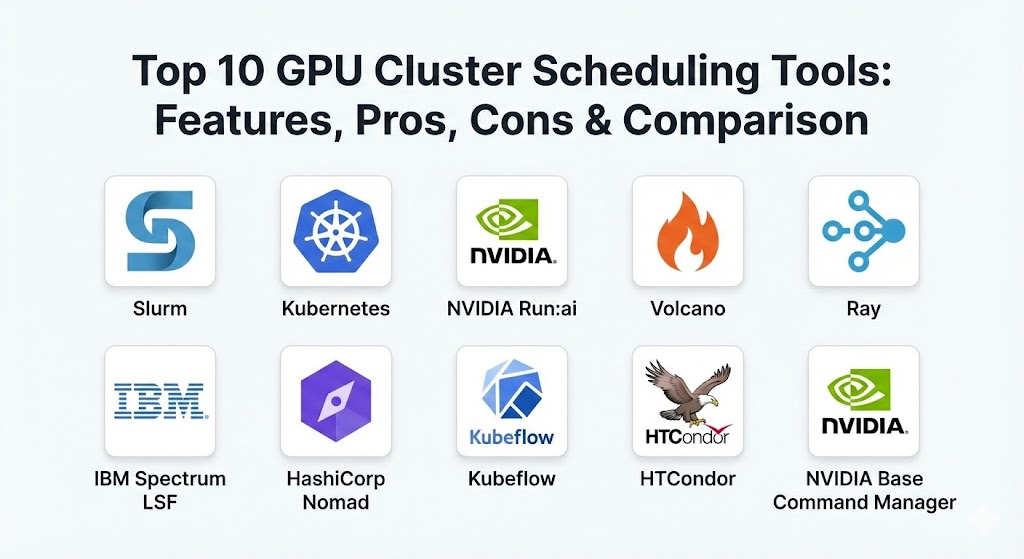
Top 10 GPU Cluster Scheduling Tools
1 — Slurm (Simple Linux Utility for Resource Management)
Slurm is the undisputed king of the High-Performance Computing (HPC) world. It is an open-source, fault-tolerant, and highly scalable cluster management and job scheduling system used by many of the world’s most powerful supercomputers.
- Key features:
- Highly sophisticated job queuing and prioritization logic.
- Native support for Message Passing Interface (MPI) for multi-node training.
- Advanced “fair-share” algorithms to ensure equitable resource access.
- Support for “GRES” (Generic Resource) scheduling specifically for GPUs.
- Robust accounting and historical reporting for budget tracking.
- Extreme scalability, capable of managing tens of thousands of nodes.
- Integrated “topology-aware” scheduling to minimize data latency.
- Pros:
- Battle-tested in the most demanding research environments on Earth.
- Completely open-source with a massive, knowledgeable community.
- Cons:
- Steep learning curve; requires significant Linux administration expertise.
- Lacks a native modern web UI, relying primarily on command-line tools.
- Security & compliance: Supports MUNGE for authentication, Linux PAM, and granular access control lists (ACLs). Compliance varies based on the underlying OS implementation.
- Support & community: Extensive documentation and a very active mailing list; commercial support is available via SchedMD.
2 — Kubernetes (with GPU Device Plugins)
While originally designed for web microservices, Kubernetes (K8s) has become the de-facto standard for container orchestration. By using the NVIDIA GPU Device Plugin, K8s can treat GPUs as first-class resources, making it a powerful tool for cloud-native AI.
- Key features:
- Automated container deployment, scaling, and self-healing.
- Namespace-based resource isolation for different teams or projects.
- Seamless integration with cloud-native storage and networking.
- Support for “Fractional GPUs” (with specific hardware/software configurations).
- Rich ecosystem of operators (like the NVIDIA GPU Operator) for automation.
- Declarative configuration (YAML) for Infrastructure as Code (IaC) workflows.
- Pros:
- Excellent for production inference and MLOps where reliability is key.
- Provides a unified platform for both training jobs and web-based AI APIs.
- Cons:
- The default scheduler is not optimized for batch AI workloads (requires extensions).
- High operational complexity (“The K8s Tax”) for small teams.
- Security & compliance: Robust RBAC (Role-Based Access Control), Secret management, SOC 2, and HIPAA readiness depending on the provider (EKS, GKE, AKS).
- Support & community: The largest community in the orchestration space; endless tutorials, plugins, and enterprise support from Red Hat, VMware, and others.
3 — NVIDIA Run:ai
Run:ai (recently acquired by NVIDIA) is a specialized orchestration layer that sits on top of Kubernetes. It is designed specifically to solve the “Kubernetes batch problem” by adding a sophisticated scheduler tailored for data science.
- Key features:
- Virtualized GPU pooling that allows for “GPU Fractioning” (splitting one GPU for multiple users).
- Elastic GPU quotas that allow users to go over their limit if resources are idle.
- Advanced “fair-share” scheduling for Kubernetes environments.
- Integrated dashboard for data scientists to launch jobs without YAML.
- Automated job preemption (pausing lower-priority jobs for urgent work).
- Support for high-availability distributed training across hundreds of GPUs.
- Pros:
- Dramatically increases GPU utilization rates—often by 2x to 5x.
- Simplifies the user experience for researchers who aren’t K8s experts.
- Cons:
- Requires an existing Kubernetes cluster as a foundation.
- Proprietary software with associated licensing costs (unlike Slurm or raw K8s).
- Security & compliance: Full integration with enterprise SSO, SOC 2 Type II, and audit logging.
- Support & community: Enterprise-grade support from NVIDIA; growing community through the NVIDIA AI Enterprise suite.
4 — Volcano
Volcano is a cloud-native batch scheduling system built on Kubernetes. It was created to bridge the gap between traditional HPC schedulers (like Slurm) and the containerized world of Kubernetes.
- Key features:
- Gang Scheduling: Ensures a job only starts if all required pods can run.
- Priority-based preemption and re-scheduling.
- Support for complex job dependencies and task sequencing.
- Native integration with popular ML frameworks like PyTorch and TensorFlow.
- “Fair-share” scheduling across different namespaces.
- Optimized for high-throughput job submission.
- Pros:
- Brings “Slurm-like” intelligence to a cloud-native Kubernetes environment.
- Completely open-source and part of the Cloud Native Computing Foundation (CNCF).
- Cons:
- Still requires the user to manage the underlying Kubernetes complexity.
- Community is smaller than the core Kubernetes or Slurm communities.
- Security & compliance: Inherits Kubernetes’ security model (RBAC, Network Policies).
- Support & community: Active CNCF project with growing adoption by major tech firms.
5 — Ray
Ray is an open-source unified framework for scaling AI and Python applications. While it includes a scheduler, it is more accurately described as a “distributed execution engine” that simplifies moving from a laptop to a thousand-GPU cluster.
- Key features:
- Simple Python-first API (adding
@ray.remoteto parallelize code). - Native libraries for distributed training (Ray Train) and tuning (Ray Tune).
- Dynamic resource allocation that scales up/down based on task needs.
- Support for “actors” which maintain state across distributed tasks.
- Global Control Store for tracking cluster state in real-time.
- Cross-platform support (runs on K8s, Slurm, or bare metal).
- Simple Python-first API (adding
- Pros:
- Preferred by Python developers for its simplicity and lack of infrastructure “boilerplate.”
- Excellent for complex workloads like Reinforcement Learning (RL).
- Cons:
- Not a full-fledged cluster manager; usually runs inside another scheduler like K8s.
- Can be difficult to debug distributed state issues in very large clusters.
- Security & compliance: Supports TLS for inter-node communication; enterprise features available via Anyscale.
- Support & community: Very fast-growing community; spearheaded by Anyscale (founded by the creators of Ray).
6 — IBM Spectrum LSF (Load Sharing Facility)
IBM Spectrum LSF is the enterprise alternative to Slurm. It is a powerful workload management platform designed for distributed computing environments, especially in industries like EDA (Electronic Design Automation) and genomics.
- Key features:
- Advanced GPU-aware scheduling with support for NVIDIA NVLink.
- Enterprise-grade reliability with guaranteed SLAs.
- Integrated license management (ensuring software licenses are available before running).
- “Multi-cluster” capability for global organizations with disparate data centers.
- Rich graphical interface for both administrators and end-users.
- Dynamic resource borrowing between different business units.
- Pros:
- Exceptionally stable and supported by IBM’s global enterprise infrastructure.
- Best-in-class for managing software licenses alongside hardware resources.
- Cons:
- High licensing costs make it inaccessible for startups or small research labs.
- Can feel “heavy” compared to modern, lightweight cloud-native tools.
- Security & compliance: ISO 27001, SOC 2, and high-level government-grade security certifications.
- Support & community: World-class 24/7 support; extensive training and certification programs.
7 — HashiCorp Nomad
Nomad is a flexible, lightweight orchestrator that can manage both containerized and non-containerized applications. It is often touted as the “simple alternative to Kubernetes.”
- Key features:
- Single binary architecture—no complex “control plane” setup required.
- Native GPU support via the device plugin system.
- Ability to schedule Docker containers, raw binaries, and VMs.
- Multi-region and multi-cloud federation out of the box.
- Seamless integration with HashiCorp Vault (secrets) and Consul (networking).
- High-throughput scheduling for batch jobs.
- Pros:
- Much easier to learn and maintain than Kubernetes.
- Ideal for “Edge AI” or hybrid environments with mixed hardware.
- Cons:
- Much smaller ecosystem than Kubernetes for ML-specific tools (like Kubeflow).
- Community-contributed GPU plugins are less mature than NVIDIA’s K8s plugins.
- Security & compliance: Integrated with Vault for mTLS and secret management; FIPS 140-2 support.
- Support & community: Strong corporate backing from HashiCorp; clear documentation and professional support.
8 — Kubeflow
Kubeflow is more than just a scheduler; it is a comprehensive MLOps platform built on Kubernetes. It uses the “Training Operator” to manage distributed GPU workloads.
- Key features:
- Integrated Jupyter Notebooks for rapid experimentation.
- Kubeflow Pipelines for automating end-to-end ML workflows.
- Native operators for PyTorch, TensorFlow, MXNet, and XGBoost.
- Centralized dashboard for managing experiments and models.
- Integrated metadata tracking to compare different training runs.
- Multi-user support with isolated workspaces.
- Pros:
- Provides a complete “lab-to-production” pipeline in one platform.
- Highly extensible with many community-developed components.
- Cons:
- Installation is notoriously difficult; requires a highly skilled K8s team.
- Often considered “overkill” if you only need basic job scheduling.
- Security & compliance: Relies on Kubernetes and Istio for security; suitable for enterprise environments.
- Support & community: Large community backed by Google, Arrikto, and IBM; extensive online documentation.
9 — HTCondor
Developed by the University of Wisconsin-Madison, HTCondor is a specialized workload management system for “High Throughput Computing” (HTC). It is designed to harness every idle CPU and GPU cycle in a distributed network.
- Key features:
- Opportunistic Computing: Runs jobs on “idle” machines and pauses them if the owner returns.
- Job Checkpointing: Automatically saves job state to resume on another node if interrupted.
- ClassAds: A sophisticated match-making system between job requirements and hardware.
- Excellent for large-scale, independent tasks (bag-of-tasks).
- Scalability to hundreds of thousands of cores across global networks.
- Pros:
- Free and open-source with a long history of academic excellence.
- The best tool for scavenging unused compute power across an organization.
- Cons:
- Not ideal for “tightly coupled” parallel jobs (like large-scale MPI).
- Configuration syntax is unique and has a learning curve.
- Security & compliance: Supports Kerberos, GSI, and SSL authentication.
- Support & community: Strong academic community; annual “Condor Week” conferences and active support.
10 — NVIDIA Base Command Manager (formerly Bright Cluster Manager)
Base Command Manager is a comprehensive cluster management solution that automates the deployment and management of the entire GPU infrastructure stack, from the OS to the scheduler.
- Key features:
- Full-stack automation: Installs OS, drivers, CUDA, and schedulers (Slurm/K8s).
- Centralized monitoring of GPU health, power, and temperature.
- “Cloud Bursting”: Automatically extends your on-prem cluster into AWS or Azure.
- Support for managing multiple schedulers (e.g., Slurm and K8s) on one cluster.
- Health checking system that disables failing nodes automatically.
- Pros:
- Eliminates the “manual labor” of building and maintaining a GPU cluster.
- Provides a single, professional interface for the entire hardware lifecycle.
- Cons:
- Significant licensing costs (enterprise software).
- Can feel restrictive for users who want to customize every Linux kernel parameter.
- Security & compliance: FIPS 140-2, SOC 2, and rigorous enterprise security standards.
- Support & community: Premium enterprise support from NVIDIA; widely used in Fortune 500 data centers.
Comparison Table
| Tool Name | Best For | Platform(s) | Standout Feature | Rating (Gartner/TrueReview) |
| Slurm | Research / HPC | Linux | Advanced Fair-Share | 4.8 / 5 |
| Kubernetes | Production AI / APIs | Multi-Cloud | Ecosystem / Flexibility | 4.7 / 5 |
| NVIDIA Run:ai | Maximizing Utilization | K8s-based | GPU Fractioning | 4.9 / 5 |
| Volcano | Batch jobs on K8s | K8s-native | Gang Scheduling | 4.4 / 5 |
| Ray | Python Developers | Any | Distributed Python API | 4.7 / 5 |
| IBM Spectrum LSF | EDA / Enterprise | Linux / Unix | License Management | 4.6 / 5 |
| Nomad | Simple Orchestration | Any | Single-Binary Ease | 4.5 / 5 |
| Kubeflow | Full-stack MLOps | Kubernetes | End-to-End Pipelines | 4.3 / 5 |
| HTCondor | Throughput / Scavenging | Multi-OS | Job Checkpointing | 4.4 / 5 |
| Base Command | Cluster Management | Bare Metal | Full-Stack Automation | 4.7 / 5 |
Evaluation & Scoring of GPU Cluster Scheduling Tools
| Category | Weight | Evaluation Criteria |
| Core Features | 25% | GPU awareness, fair-share policies, gang scheduling, and preemption. |
| Ease of Use | 15% | Installation complexity, quality of the UI, and user experience for researchers. |
| Integrations | 15% | Compatibility with cloud providers, storage, and frameworks (PyTorch/TensorFlow). |
| Security | 10% | RBAC, encryption, audit logs, and compliance with industry standards. |
| Performance | 10% | Scheduling latency, scalability, and impact on workload throughput. |
| Support | 10% | Availability of enterprise support, documentation, and community help. |
| Price / Value | 15% | Cost of licensing vs. efficiency gains and total cost of ownership (TCO). |
Which GPU Cluster Scheduling Tool Is Right for You?
Selecting the right tool depends heavily on your team’s expertise and the nature of your AI workloads.
- Solo Users & SMBs: If you have 1-8 GPUs, a scheduler might be overkill. However, if you are growing, Ray is the easiest way for developers to scale Python code, while Nomad is the easiest way for IT to manage servers.
- Academic & Research Labs: Slurm remains the gold standard. It is free, powerful, and every computational researcher already knows how to use it. For large-scale distributed tasks, HTCondor is the best way to utilize idle machines.
- Cloud-Native Startups: If your team is already comfortable with Docker, Kubernetes is the natural choice. Adding Volcano will give you the batch capabilities you need without leaving the K8s ecosystem.
- Enterprise AI Factories: If you are managing hundreds of H100s, you cannot afford idle time. NVIDIA Run:ai is the premier choice for maximizing ROI through fractional GPUs and elastic quotas. For a “turnkey” experience, NVIDIA Base Command Manager takes the pain out of infrastructure management.
- Modern MLOps: If your goal is to automate the entire lifecycle from data ingestion to model serving, Kubeflow provides the most comprehensive (though complex) toolkit.
Frequently Asked Questions (FAQs)
1. What is “Gang Scheduling” and why is it important for GPUs? Gang scheduling ensures that all parts of a distributed job (which may span 100+ GPUs) start at the exact same time. Without it, half a job might start and wait for the other half, wasting expensive GPU cycles in an “idle” state.
2. Can I run Slurm and Kubernetes on the same cluster? Yes. Tools like NVIDIA Base Command Manager allow you to partition your cluster so that some nodes run Slurm for batch research while others run Kubernetes for production inference.
3. What is “GPU Fractioning”? GPU Fractioning (offered by Run:ai and NVIDIA MIG) allows you to split a single physical GPU into multiple “virtual” GPUs. This is ideal for lightweight tasks like model debugging or small-scale inference.
4. Does Kubernetes support GPUs natively? Not exactly. Kubernetes requires a “Device Plugin” (usually from NVIDIA) to “see” the GPUs and allocate them to containers.
5. Why is “Fair-Share” scheduling important? In a shared cluster, one user could submit 1,000 jobs and block everyone else. Fair-share algorithms dynamically adjust priorities so that users who haven’t used the cluster recently are moved to the front of the line.
6. Can these tools manage GPUs in the cloud? Yes. Most modern schedulers can manage “Hybrid Cloud” environments, where they treat on-premise servers and rented cloud instances (AWS/Azure/GCP) as a single pool of resources.
7. What is “Job Preemption”? Preemption allows a high-priority job (like a production model update) to “bump” a low-priority job off the cluster. The low-priority job is usually paused or checkpointed to be resumed later.
8. Is there a free version of enterprise tools like Run:ai? Run:ai is proprietary, but open-source alternatives like Volcano provide similar batch scheduling features for free, though they lack the advanced UI and virtualization of Run:ai.
9. How do these tools handle hardware failures? Advanced managers (like Base Command) perform “health checks.” If a GPU starts throwing errors or overheating, the scheduler will automatically stop sending jobs to that node and alert the admin.
10. What is the “Head Node” in a GPU cluster? The head node (or master node) is the server that runs the scheduling software. It doesn’t usually run the actual AI code; it just manages the “Worker Nodes” where the GPUs reside.
Conclusion
The “best” GPU cluster scheduling tool is no longer just about moving bits and pieces of data; it is about maximizing the “Return on Compute.” As hardware costs continue to rise, the intelligence of your scheduler becomes your greatest competitive advantage. Whether you choose the battle-hardened reliability of Slurm, the cloud-native flexibility of Kubernetes, or the AI-specific optimization of Run:ai, the goal remains the same: ensuring your researchers spend their time building models, not fighting over hardware.