Introduction
ITIL Change Management Tools are specialized software platforms designed to govern the lifecycle of a Change Request (CR). They provide a structured environment to record, evaluate, plan, and track changes from inception to post-implementation review. These tools act as the “guardrails” of the IT department, ensuring that every update—whether it’s a minor software patch or a massive server migration—is properly vetted by the Change Advisory Board (CAB) and documented for compliance.
The importance of these tools lies in their ability to eliminate “shadow IT” and reduce the Mean Time to Repair (MTTR) by providing a clear audit trail. Real-world use cases include automating the approval of standard (low-risk) changes, managing complex release schedules to avoid “change collisions,” and maintaining an accurate Configuration Management Database (CMDB). When evaluating these tools, users should look for native ITIL alignment, automated risk scoring, collision detection, and seamless integration with DevOps pipelines.
Best for: Large enterprises with complex IT environments, Managed Service Providers (MSPs), and organizations in regulated sectors like banking or healthcare that require strict adherence to governance and compliance standards.
Not ideal for: Tiny startups or teams with fewer than five people where a simple Trello board or spreadsheet might suffice, or pure development shops that haven’t yet adopted formal service management structures.
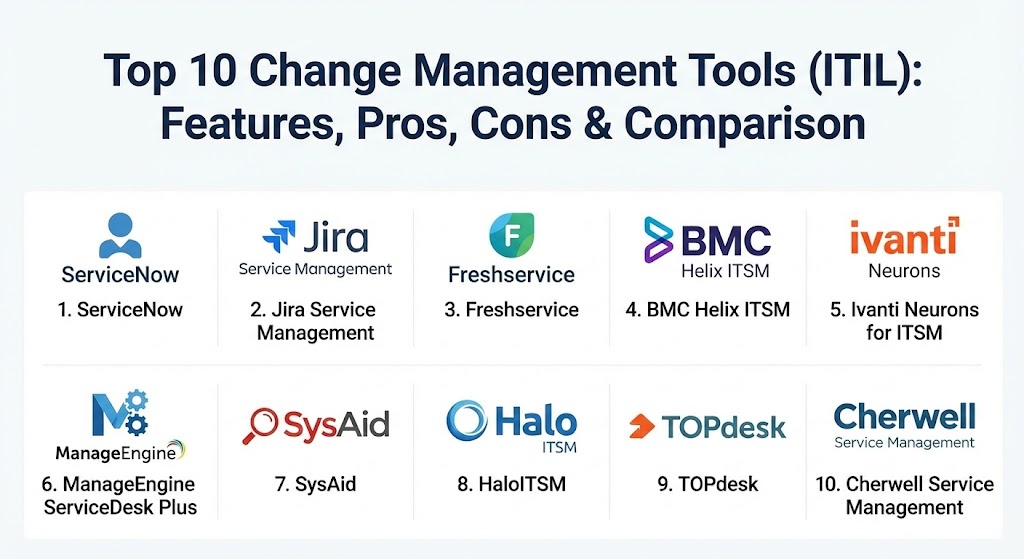
Top 10 Change Management Tools (ITIL)
1 — ServiceNow ITSM
ServiceNow is the undisputed heavyweight champion of the ITIL world. It is a cloud-based platform that offers a massive suite of tools, with its Change Management module serving as the industry benchmark for enterprise-grade governance.
- Key features:
- Automated risk assessment and impact calculation.
- Advanced Change Advisory Board (CAB) Workbench for meeting management.
- Seamless integration with the ServiceNow CMDB for real-time impact analysis.
- DevOps Change Velocity to automate approvals for low-risk CI/CD pipelines.
- Multimodal change tracking (Standard, Normal, Emergency).
- Sophisticated conflict detection for overlapping change windows.
- Pros:
- Virtually unlimited scalability and customization options.
- The most comprehensive ecosystem of third-party integrations available.
- Cons:
- Extremely high cost and complex implementation requiring specialist consultants.
- The interface can feel overwhelming for smaller, less mature teams.
- Security & compliance: SOC 1 Type 2, SOC 2 Type 2, ISO 27001, HIPAA, FedRAMP, and GDPR compliant.
- Support & community: Extensive documentation, a massive “Now Community,” and a formal “ServiceNow University” for certifications.
2 — Jira Service Management (Atlassian)
Jira Service Management (JSM) is the go-to choice for organizations that already live in the Atlassian ecosystem. It bridges the gap between traditional ITIL processes and modern, fast-moving DevOps teams.
- Key features:
- Native integration with Jira Software and Bitbucket for dev-to-ops visibility.
- Automated change intake from CI/CD tools like Jenkins or GitHub.
- Visual change calendars to prevent schedule conflicts.
- Risk assessment forms and automated approval workflows.
- Incident and problem management links to track “failed changes.”
- Low-code/no-code form builder for custom Change Requests.
- Pros:
- Familiar interface for developers, fostering better collaboration between teams.
- Excellent value for money compared to legacy enterprise platforms.
- Cons:
- Advanced ITIL features (like complex CMDB relationships) are not as deep as ServiceNow.
- Can become cluttered as the number of “projects” and custom fields grows.
- Security & compliance: SOC 2, ISO 27001, HIPAA (Enterprise plan), GDPR, and SSO support.
- Support & community: Strong documentation, Atlassian University, and a huge global user community.
3 — Freshservice (by Freshworks)
Freshservice is designed with “modern simplicity” in mind. It provides a clean, intuitive user experience that prioritizes rapid deployment and employee adoption without sacrificing ITIL rigor.
- Key features:
- Integrated CMDB for visual mapping of change impacts.
- Automated approval workflows based on change type or risk level.
- “Change Lifecycle” visual builder to map custom stages.
- Sandbox environment for testing changes before going live.
- Mobile app for CAB members to approve changes on the go.
- AI-powered “Freddy” for suggesting risk levels based on historical data.
- Pros:
- One of the shortest setup times in the industry (often days vs months).
- Very intuitive UI that requires minimal training for end-users.
- Cons:
- Customization depth is more limited than ServiceNow or BMC.
- Larger enterprises may find the reporting features less robust for hyper-complex needs.
- Security & compliance: SOC 2, ISO 27001, HIPAA, GDPR, and data residency options.
- Support & community: 24/7 email and phone support; active community forum and knowledge base.
4 — BMC Helix ITSM
BMC Helix is a pioneer in the ITSM space, offering a “cognitive” approach to change management. It is built for large-scale, multi-cloud environments that require AI-driven insights.
- Key features:
- Cognitive Automation that uses ML to categorize and route change requests.
- Live chat and virtual agents for change status updates.
- High-velocity change management for agile and DevOps environments.
- Multi-cloud management capabilities to track changes across AWS, Azure, and on-prem.
- Advanced analytics for measuring change success rates and trends.
- Pros:
- Powerful enough to handle the most complex global IT infrastructures.
- Strong emphasis on proactive problem management linked to changes.
- Cons:
- The UI, while improved, can still feel “clunky” and “legacy” in certain modules.
- High licensing costs and high administrative overhead.
- Security & compliance: FedRAMP, SOC 2, ISO 27001, HIPAA, and GDPR.
- Support & community: Global enterprise support; extensive technical documentation and formal training.
5 — Ivanti Neurons for ITSM
Ivanti focuses on “self-healing” IT. Their change management tool is part of a broader platform that emphasizes automation and endpoint security.
- Key features:
- Automated risk calculations based on real-time endpoint data.
- Visual workflow designer for multi-level approval paths.
- Voice-to-text features and mobile-first design for technicians.
- Integration with Ivanti Unified Endpoint Management (UEM).
- Post-Implementation Review (PIR) automation.
- Pros:
- Excellent for companies that want to tie change management closely to device security.
- Highly flexible deployment (on-prem, cloud, or hybrid).
- Cons:
- The vendor’s rapid acquisitions have led to some interface inconsistencies.
- Can be difficult to navigate for those not using the full Ivanti suite.
- Security & compliance: SOC 2, ISO 27001, GDPR, and FIPS 140-2.
- Support & community: Strong partner network and formal support tiers; extensive web-based resources.
6 — ManageEngine ServiceDesk Plus
ManageEngine is known for being the “practical” ITIL tool. It offers a massive feature set at a price point that is accessible to the mid-market and smaller enterprises.
- Key features:
- Comprehensive Change Management module with 24 stages of workflow.
- Visual Change Advisory Board (CAB) management.
- Integration with OpManager for monitoring alerts before/after changes.
- Collision detection and blackout window management.
- Built-in Project Management to handle large-scale changes.
- Pros:
- Incredible value for money; very feature-rich for its price bracket.
- Easy integration with other ManageEngine tools (AD management, monitoring).
- Cons:
- The UI can feel a bit dated and “form-heavy.”
- Reporting can be slow when dealing with massive datasets.
- Security & compliance: GDPR, HIPAA, and ISO 27001; SOC 2 Type II for cloud versions.
- Support & community: Very active community; frequent webinars and a large library of “how-to” videos.
7 — SysAid
SysAid stands out for its focus on automation and built-in “AI Service Desk” features, aiming to reduce the manual effort involved in standard ITIL processes.
- Key features:
- Workflow automation for standard change types.
- Dynamic forms that change based on user input.
- Asset management integration to track change impact on hardware.
- Built-in remote control to implement changes directly.
- AI Benchmarks to compare your change success against industry peers.
- Pros:
- Great all-in-one solution for small-to-midsize IT departments.
- Strong emphasis on “productivity” and reducing ticket-handling time.
- Cons:
- Not as “customizable” as the top-tier enterprise platforms.
- The interface can be less polished than modern SaaS competitors.
- Security & compliance: SOC 2, GDPR, HIPAA, and ISO 27001.
- Support & community: Excellent customer success program; active “SysAid Community” for sharing best practices.
8 — HaloITSM
HaloITSM is a rising star in the industry, praised for its modern, lightning-fast interface and “everything included” pricing model.
- Key features:
- Highly responsive, modern web UI.
- “Best Practice” ITIL templates included out of the box.
- Drag-and-drop workflow designer.
- Deep integration with Microsoft 365 and Azure DevOps.
- Multi-tenant capabilities for service providers.
- Pros:
- One of the fastest and most modern interfaces on the market.
- Transparent pricing with no hidden module costs.
- Cons:
- Smaller ecosystem compared to giants like ServiceNow or Atlassian.
- Fewer third-party consultants available for custom implementations.
- Security & compliance: ISO 27001, SOC 2, and GDPR compliant.
- Support & community: Known for highly responsive and personalized technical support.
9 — TOPdesk
TOPdesk is a European favorite, focusing on “Service Excellence” and ease of use. It is particularly popular in the education, healthcare, and public sectors.
- Key features:
- Simple, modular design.
- Collaborative change management for cross-departmental changes.
- Strong focus on Knowledge Management integrated with Change.
- Easy-to-configure “Change Templates.”
- Visual planning boards for teams.
- Pros:
- Very easy to adopt for teams transitioning from email/spreadsheets.
- Strong focus on the “human side” of service management.
- Cons:
- Lacks some of the advanced AI/Predictive features of US-based competitors.
- Not ideal for highly technical DevOps-heavy environments.
- Security & compliance: ISO 27001, GDPR, and ISAE 3402.
- Support & community: Highly rated support; strong European user group presence.
10 — Cherwell Service Management (by Ivanti)
Cherwell was long known for its “codeless” platform. While now part of Ivanti, it remains a favorite for organizations that need deep customization without writing thousands of lines of code.
- Key features:
- Codeless architecture for building custom change workflows.
- mApps (Mergeable Applications) to quickly add new functionality.
- Strong visual relationship mapping in the CMDB.
- Flexible licensing options (Concurrent vs. Named users).
- Integrated dashboard and reporting engine.
- Pros:
- Extremely high flexibility for unique business processes.
- Concurrent licensing can be much cheaper for large, part-time teams.
- Cons:
- Future roadmap is slightly uncertain following the Ivanti acquisition.
- Can be complex to set up despite being “codeless.”
- Security & compliance: SOC 2, HIPAA, GDPR, and ISO 27001.
- Support & community: Dedicated user groups and extensive online training resources.
Comparison Table
| Tool Name | Best For | Platform(s) Supported | Standout Feature | Rating (Gartner) |
| ServiceNow | Global Enterprises | Cloud / SaaS | AI Impact Analysis | 4.5 / 5 |
| Jira Service Mgmt | DevOps Teams | Cloud / Data Center | Atlassian Ecosystem | 4.5 / 5 |
| Freshservice | Mid-market SMBs | Cloud / SaaS | Ease of Use | 4.5 / 5 |
| BMC Helix | Multi-cloud / AI | Cloud / On-prem | Cognitive Automation | 4.3 / 5 |
| Ivanti Neurons | Endpoint-heavy Org | Cloud / Hybrid | Self-healing Integration | 4.2 / 5 |
| ManageEngine | Budget-conscious | Cloud / On-prem | Integrated Assets | 4.3 / 5 |
| SysAid | All-in-one IT | Cloud / On-prem | Productivity AI | 4.5 / 5 |
| HaloITSM | Modern Experience | Cloud / SaaS | Modern UI Speed | 4.8 / 5 |
| TOPdesk | Public Sector/Health | Cloud / SaaS | Collaborative Focus | 4.4 / 5 |
| Cherwell | Custom Workflows | Cloud / On-prem | Codeless Platform | 4.2 / 5 |
Evaluation & Scoring of Change Management Tools
The following scoring rubric reflects the criteria most critical for ITIL-aligned organizations.
| Category | Weight | Evaluation Criteria |
| Core ITIL Features | 25% | Multi-stage workflows, CAB management, CMDB integration, and risk scoring. |
| Ease of Use | 15% | UI/UX, mobile access, and how quickly users can submit/approve changes. |
| Integrations | 15% | Connections to CI/CD tools, monitoring software, and Active Directory. |
| Security & Compliance | 10% | Audit trails, data encryption, and industry-standard certifications. |
| Performance | 10% | Uptime, system speed, and conflict detection accuracy. |
| Support | 10% | Documentation, vendor responsiveness, and community resources. |
| Price / Value | 15% | Licensing costs relative to functionality and potential TCO. |
Which Change Management Tool Is Right for You?
Selecting the right tool depends on your organization’s ITIL maturity and technical culture.
- Solo Users & Micro-Teams: You likely don’t need a dedicated tool. Stick to simple kanban boards until your change volume exceeds 5-10 per week.
- SMBs (100–500 employees): Freshservice or ManageEngine offer the best balance of ITIL features and cost. They are easy to set up and don’t require a dedicated administrator.
- DevOps-Centric Orgs: If your developers outnumber your Ops staff, Jira Service Management is the natural choice. It reduces the “friction” between code commits and change approvals.
- Large/Global Enterprises: If you have thousands of employees and complex compliance needs, ServiceNow or BMC Helix are the standard. They provide the “air-tight” governance required for high-risk environments.
- Budget-Conscious but Growing: HaloITSM provides a premium, modern experience without the “enterprise tax” associated with the larger vendors.
Frequently Asked Questions (FAQs)
1. What is the difference between Change Management and Change Enablement? ITIL 4 shifted the terminology to “Change Enablement” to emphasize that the process should facilitate changes rather than just “manage” (or block) them, though the tools used remain largely the same.
2. Why do I need a CMDB for Change Management? A Configuration Management Database (CMDB) shows the relationships between IT assets. Without it, you can’t accurately predict that rebooting “Server A” will take down “Application B.”
3. Can these tools automate approvals? Yes. “Standard” changes (routine, low-risk, pre-authorized) are often automated. Modern tools use AI and historical data to identify which changes can be fast-tracked.
4. What is a “Change Collision”? This occurs when two different changes are scheduled for the same time on the same system, or on related systems, potentially causing a conflict or outage.
5. Do these tools support Agile? Most modern tools (like JSM and Freshservice) have specific features for Agile Change, allowing for faster iterations than the traditional, slow CAB process.
6. What is the CAB (Change Advisory Board)? The CAB is a group of stakeholders that meets to evaluate and approve high-risk changes. These tools provide “CAB Workbenches” to manage agendas and minutes.
7. Can I host these tools on-premises? While the world is moving to SaaS, vendors like ManageEngine, BMC, and Ivanti still offer robust on-premises versions for high-security environments.
8. How do these tools help with audits? Every change, approval, and rejection is timestamped and logged. During an audit, you can prove that every modification to your production environment followed the proper procedure.
9. What is a “Normal” vs “Emergency” change? A Normal change follows the full process. An Emergency change bypasses certain steps (like the full CAB) to address an immediate issue, but it must still be documented post-facto.
10. Do these tools integrate with Microsoft Teams or Slack? Yes, most modern ITSM tools allow for “ChatOps,” where managers can approve or deny change requests directly from their chat application.
Conclusion
Implementing a Change Management tool is not just about software; it’s about shifting the culture of your IT department toward accountability and risk awareness. Whether you choose the massive ecosystem of ServiceNow or the streamlined simplicity of Freshservice, the goal remains the same: ensuring that changes move the business forward without breaking it. The “best” tool is ultimately the one that your team will actually use, rather than bypass.