Introduction
CPQ for Manufacturing is a specialized category of software designed to automate the sales cycle for highly customizable products. Unlike generic CPQ tools, manufacturing-focused solutions are built to handle “Engineer-to-Order” (ETO) and “Configure-to-Order” (CTO) workflows. They ensure that every quote generated is not only profitable but also physically buildable, by checking configurations against real-world engineering rules and current supply chain data.
The importance of these tools lies in their ability to eliminate “quote errors”—those costly mistakes where a salesperson promises a feature that engineering can’t deliver or at a price that erodes the margin. Key real-world use cases include generating instant 3D visualizations of a custom machine, automatically creating a Bill of Materials (BOM) for the ERP system upon quote acceptance, and managing global price lists across various currencies and distributor networks. When evaluating these tools, manufacturers should look for CAD integration, robust rules engines, and seamless hand-offs between CRM and ERP systems.
Best for: Industrial equipment manufacturers, automotive suppliers, medical device companies, and high-tech hardware firms. It is ideal for sales engineers, operations managers, and distributors who manage complex product catalogs.
Not ideal for: Manufacturers of simple, high-volume commodity goods with fixed pricing and no customization. These businesses are better served by standard e-commerce platforms or basic CRM quoting modules.
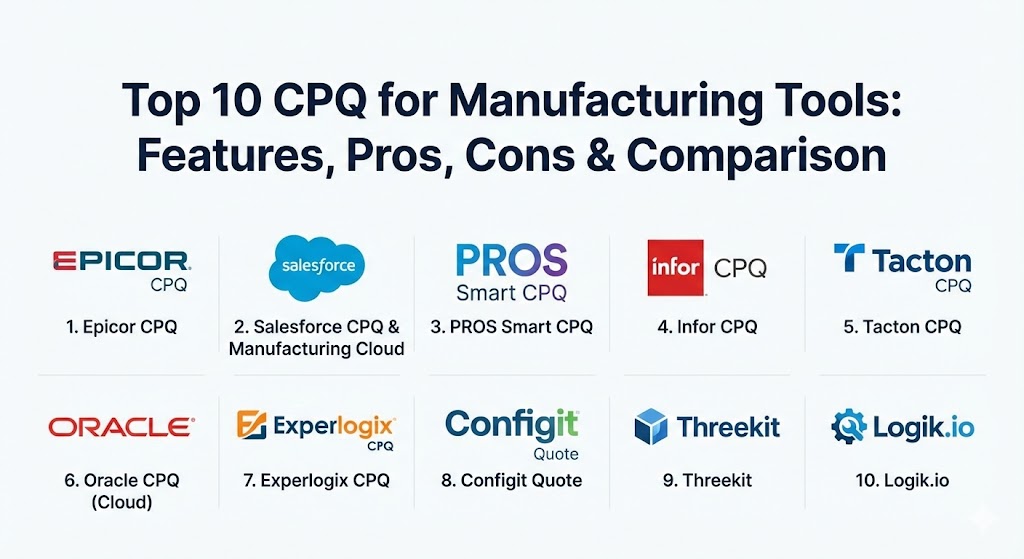
Top 10 CPQ for Manufacturing Tools
1 — Epicor CPQ (formerly KBMax)
Epicor CPQ is widely regarded as a powerhouse for heavy manufacturing. It stands out for its advanced 3D visualization and its ability to handle extremely complex product rules that bridge the gap between sales and the shop floor.
- Key features:
- High-end 3D visual configurator with real-time rendering.
- Snap block-based rules engine (no heavy coding required).
- Automatic generation of CAD drawings (SolidWorks, Autodesk).
- Dynamic BOM and routing generation for ERP systems.
- Multi-language and multi-currency support for global sales.
- Seamless integration within the Epicor ERP ecosystem.
- Pros:
- The visual “drag-and-drop” configuration significantly boosts customer engagement.
- Reduces the burden on engineering by automating technical drawings.
- Cons:
- Initial setup for 3D assets can be time-consuming.
- Can be expensive for smaller manufacturers without complex ETO needs.
- Security & compliance: SOC 2 Type II, GDPR, and ISO 27001 compliant; supports SSO and granular role-based access.
- Support & community: Extensive documentation and dedicated enterprise support teams; strong presence in the Epicor user group community.
2 — Salesforce CPQ & Manufacturing Cloud
Salesforce offers a highly scalable CPQ solution that, when paired with Manufacturing Cloud, provides a 360-degree view of the customer, from the initial lead to the long-term production contract.
- Key features:
- Deep integration with the world’s #1 CRM platform.
- Guided selling to lead reps through complex product selections.
- Contracted pricing and volume-based discount management.
- Advanced Approval workflows to ensure margin protection.
- Integration with Manufacturing Cloud for production forecasting.
- Huge ecosystem of AppExchange plugins for specialized needs.
- Pros:
- If you already use Salesforce, the data continuity is unmatched.
- Extremely scalable; grows from small shops to global conglomerates.
- Cons:
- Native 3D visualization is not as robust as competitors (requires third-party add-ons).
- Configuration often requires specialized “Salesforce Admin” expertise.
- Security & compliance: HIPAA, SOC 2, PCI DSS, and FedRAMP compliant; top-tier encryption.
- Support & community: Massive global community (Trailhead) and a vast network of certified implementation partners.
3 — PROS Smart CPQ
PROS leverages artificial intelligence and machine learning to optimize pricing. It is specifically designed for large manufacturers that deal with massive SKU counts and volatile commodity pricing.
- Key features:
- AI-driven price optimization based on market data and win-loss history.
- High-performance configuration engine for massive product catalogs.
- Algorithmic cross-sell and up-sell recommendations.
- Real-time pricing updates for omnichannel sales (direct and partner).
- Integration with SAP, Microsoft Dynamics, and Salesforce.
- Mobile-ready for field sales teams.
- Pros:
- Excellent at maximizing margins in industries with thin profits.
- Handles high-concurrency and massive data sets without slowing down.
- Cons:
- The AI requires a significant amount of historical data to be effective.
- More focused on pricing than on “engineering” visualization.
- Security & compliance: SOC 2 Type II, GDPR, and ISO 27001.
- Support & community: Professional services focused on data science and pricing strategy; comprehensive online help portal.
4 — Infor CPQ
Infor CPQ is built specifically for “configure-to-order” manufacturers. It provides a robust link between the point of sale and the manufacturing process, ensuring that what is sold is exactly what gets built.
- Key features:
- Visual configuration (2D and 3D) for an immersive sales experience.
- Dynamic generation of localized manufacturing instructions.
- Seamless integration with Infor CloudSuite ERPs.
- Automated generation of personalized proposals and catalogs.
- Dealer portal capabilities to empower external sales networks.
- Rules-based pricing and automated discounts.
- Pros:
- Strong “shop-floor” DNA; the tool understands manufacturing constraints.
- Great for manufacturers who rely heavily on a dealer/distributor model.
- Cons:
- User interface can feel a bit more utilitarian than “modern” SaaS tools.
- Best suited for those already within or moving to the Infor ecosystem.
- Security & compliance: SOC 1 & 2, HIPAA (if applicable), and GDPR.
- Support & community: Strong enterprise support; dedicated user groups via Infor Communities.
5 — Tacton CPQ
Tacton is a leader in “Smart Manufacturing” CPQ. Its unique constraint-based configuration engine is designed specifically for manufacturers of highly complex, engineered-to-order industrial equipment.
- Key features:
- Constraint-based solver that finds the “best” configuration (not just a valid one).
- Native integration with CAD systems for automated engineering.
- Sustainability/CO2 footprint calculation per configuration.
- Visualize complex products in Augmented Reality (AR).
- Advanced localized pricing for global sales operations.
- Strong B2B e-commerce capabilities.
- Pros:
- The “best-fit” solver prevents sales reps from making suboptimal choices.
- Inclusion of sustainability metrics is a major differentiator for modern RFPs.
- Cons:
- High complexity means a longer implementation cycle.
- Premium pricing reflects its position as a high-end industrial solution.
- Security & compliance: ISO 27001, GDPR, and SOC 2 compliant.
- Support & community: High-touch customer success model; robust technical documentation for engineers.
6 — Oracle CPQ (Cloud)
Oracle CPQ is a highly mature platform known for handling the most complex configuration and pricing logic in the world. It is the go-to for many Fortune 500 manufacturing companies.
- Key features:
- Powerful scripting and logic engine for intricate product relationships.
- “Big Machines” legacy—built for high-volume, high-complexity deals.
- Integrated “Deal Management” to analyze margin and discount impact.
- Multi-channel support for direct, partner, and e-commerce sales.
- Deep integration with Oracle Cloud ERP and E-Business Suite.
- Automated renewals and subscription management for service contracts.
- Pros:
- Unrivaled stability and performance for global, multi-billion dollar enterprises.
- Exceptional at managing complex, multi-tiered approval hierarchies.
- Cons:
- The UI can be intimidating for casual users.
- Configuration often requires “Oracle-specific” technical skills.
- Security & compliance: FedRAMP, HIPAA, SOC 1/2/3, and PCI DSS.
- Support & community: Global 24/7 support and a massive ecosystem of Oracle partners.
7 — Experlogix CPQ
Experlogix is the preferred CPQ solution for companies operating within the Microsoft Dynamics and NetSuite ecosystems. It is known for its “logic everywhere” approach that mirrors the ERP’s complexity.
- Key features:
- Deep, native integration with Microsoft Dynamics 365 and NetSuite.
- Ability to handle complex BOMs and multi-level configurations.
- Real-time validation of configuration rules to prevent errors.
- Automated document generation (quotes, orders, work instructions).
- Support for “Kit” and “Bundle” configurations.
- User-friendly “Modeling” environment for non-programmers.
- Pros:
- If you use Microsoft Dynamics, the integration is so seamless it feels like one tool.
- Quick time-to-value compared to the larger enterprise suites.
- Cons:
- Limited standalone functionality; heavily reliant on the host CRM/ERP.
- Visual configuration is less advanced than Epicor or Tacton.
- Security & compliance: SOC 2 Type II and GDPR compliant.
- Support & community: Excellent localized support through a vast partner network.
8 — Configit Quote
Configit is unique because it is built on “Virtual Tabulation” technology, which allows it to handle billions of possible product combinations with lightning-fast speed without needing to call the server.
- Key features:
- Virtual Tabulation (VT) technology for instant configuration.
- “Configuration Lifecycle Management” (CLM) approach.
- Offline configuration capabilities for field sales in remote areas.
- Strong focus on “Single Source of Truth” for product data.
- Integration with SAP and other major PLM systems.
- Multi-layered security for sensitive engineering data.
- Pros:
- Incredible performance; there is literally zero “lag” when picking options.
- Ensures 100% alignment between sales, engineering, and manufacturing.
- Cons:
- Primarily focused on configuration; may need other tools for advanced “price optimization.”
- Targeted at very high-complexity manufacturers (e.g., Automotive).
- Security & compliance: ISO 27001, GDPR, and SOC 2.
- Support & community: Expert-level consulting services; detailed developer and admin portals.
9 — Threekit
While many CPQ tools added 3D later, Threekit started as a 3D visualization company. It is the best choice for manufacturers who want “Visual Commerce” to be their primary competitive advantage.
- Key features:
- Photorealistic 3D, Augmented Reality (AR), and Virtual Photography.
- “Virtual Photographer” creates thousands of product images automatically.
- Headless CPQ architecture (API-first).
- Real-time configuration directly on the e-commerce storefront.
- Integration with Salesforce, Logik.io, and BigCommerce.
- CAD-to-3D asset pipeline.
- Pros:
- The best visual experience available on the market today.
- Dramatically reduces the need for physical product photography.
- Cons:
- Requires a separate logic engine or CRM to handle complex pricing and quotes.
- Asset creation (3D modeling) requires specific design skills.
- Security & compliance: SOC 2 Type II and GDPR.
- Support & community: Modern, fast-paced support with a heavy focus on the “User Experience.”
10 — Logik.io
Logik.io is a “next-generation” configuration engine built by the original creators of BigMachines (Oracle CPQ). It is designed to be the high-speed logic layer for Salesforce CPQ or e-commerce.
- Key features:
- High-speed, headless configuration engine.
- Built natively on the Salesforce platform (Lightning-ready).
- “Attribute-based” configuration rather than SKU-based.
- Extremely fast solving for thousands of rules.
- Unified engine for both sales-led and self-service (e-commerce).
- Lightweight admin experience.
- Pros:
- Solves the performance “lag” often associated with older Salesforce CPQ setups.
- Extremely modern, clean, and fast for both admins and users.
- Cons:
- Relatively new company; smaller community than the legacy giants.
- Requires an existing CRM or platform (like Salesforce) to function.
- Security & compliance: SOC 2 Type II and GDPR.
- Support & community: Very responsive, agile support team; growing partner network.
Comparison Table
| Tool Name | Best For | Platform(s) Supported | Standout Feature | Rating (Gartner) |
| Epicor CPQ | Heavy ETO Mfg | Epicor, Salesforce, Web | CAD Automation & 3D | 4.7 / 5 |
| Salesforce CPQ | Scalability / CRM | Salesforce Ecosystem | CRM Integration | 4.4 / 5 |
| PROS Smart CPQ | Price Optimization | Multi-Platform, SaaS | AI Pricing Engine | 4.5 / 5 |
| Infor CPQ | CTO Manufacturers | Infor ERP, Web | Shop-floor Alignment | 4.2 / 5 |
| Tacton CPQ | Industrial Equip. | SaaS, CAD Integrated | Constraint-based Solver | 4.6 / 5 |
| Oracle CPQ | Global Enterprise | Oracle, Salesforce, SaaS | Deal Management | 4.5 / 5 |
| Experlogix | MS Dynamics Users | MS Dynamics, NetSuite | Native ERP Logic | 4.4 / 5 |
| Configit Quote | High Complexity | SAP, Windows, Web | Virtual Tabulation | 4.3 / 5 |
| Threekit | Visual Commerce | Headless, E-commerce | Photorealistic AR | 4.8 / 5 |
| Logik.io | Performance | Salesforce, Web | High-speed Solving | 4.7 / 5 |
Evaluation & Scoring of CPQ for Manufacturing
| Category | Weight | Evaluation Criteria |
| Core Features | 25% | Config rules engine, 2D/3D visualization, CAD/BOM automation. |
| Ease of Use | 15% | Admin experience, guided selling UI, and mobile access. |
| Integrations | 15% | Seamless flow between CRM, ERP, and CAD systems. |
| Security & Compliance | 10% | SOC 2, ISO 27001, and data residency requirements. |
| Performance | 10% | Speed of the solver for complex rules and massive catalogs. |
| Support & Community | 10% | Implementation partners, documentation, and training. |
| Price / Value | 15% | ROI through reduced quote errors and faster sales cycles. |
Which CPQ for Manufacturing Tool Is Right for You?
- Solo / Small Custom Shops: You may not need a full CPQ suite. However, if you are growing, Experlogix or Logik.io offer faster entry points, especially if you already use Microsoft or Salesforce.
- Mid-Market Manufacturers: If you have high-complexity products but a medium-sized sales team, Epicor CPQ offers the best balance of visual “wow factor” and back-end automation.
- Large Global Enterprises: Oracle CPQ and Salesforce CPQ are the safest bets for handling multi-national tax laws, complex approval hierarchies, and massive user counts.
- Engineering-Heavy Firms: If your main goal is to stop Sales from bothering Engineering, Tacton or Configit are the specialized tools built to solve that specific friction.
- Visual/Consumer-Facing Mfg: If you sell high-end custom goods (like luxury furniture or custom vehicles) where look is everything, Threekit is your best choice.
Frequently Asked Questions (FAQs)
1. What is the difference between CPQ and a standard Product Configurator?
A product configurator only handles the “picking” of options. CPQ adds the “Price” (complex discounting/currency) and the “Quote” (generating the professional document and legal terms).
2. Can CPQ software really create CAD drawings?
Yes. Tools like Epicor CPQ and Tacton can automatically generate SolidWorks or Autodesk files based on the configuration, saving engineers hours of manual work.
3. Does CPQ work with my existing ERP?
Most enterprise CPQ tools have pre-built connectors for major ERPs like SAP, Oracle, NetSuite, and Microsoft Dynamics.
4. How long does implementation take?
For manufacturing, expect 3 to 9 months. The complexity lies in “digitizing” your engineering rules and pricing logic.
5. How does CPQ improve margins?
It prevents “rogue discounting” by sales reps and ensures that all costs (materials, labor, shipping) are accurately reflected in the final price.
6. Can customers use CPQ themselves?
Yes. Many manufacturers now embed “Self-Service” CPQ on their websites, allowing customers to configure products and see prices before ever talking to a rep.
7. Is “Headless CPQ” important?
Only if you want a custom front-end experience. Headless allows the logic to live in one place while powering a mobile app, a website, and a salesperson’s CRM simultaneously.
8. What is “Constraint-Based” configuration?
Instead of a “If A, then B” flowchart, a constraint solver looks at all rules at once to find a solution. This is essential for products where everything affects everything else.
9. Will CPQ replace my sales team?
No. It empowers them to spend less time on spreadsheets and more time selling, while ensuring they don’t sell something that can’t be built.
10. What is a “Nested BOM”?
In manufacturing CPQ, this is a Bill of Materials where one configured component contains other configured components. Advanced CPQs handle this effortlessly.
Conclusion
The “best” CPQ for manufacturing is the one that aligns your sales team’s promises with your factory’s capabilities. Whether you prioritize AI-driven pricing, photorealistic 3D visuals, or deep ERP integration, the goal remains the same: faster, more accurate, and more profitable quotes. By automating the technical heavy lifting, you allow your sales team to focus on building relationships while your engineers focus on innovation rather than fixing quote errors.