Introduction
Spend Analytics is the process of collecting, cleansing, classifying, and analyzing expenditure data with the goal of reducing procurement costs, improving efficiency, and monitoring compliance. While traditional accounting software tracks how much was spent, spend analytics tools explain where, to whom, and how effectively that money was utilized. These tools ingest “dirty” data from multiple Enterprise Resource Planning (ERP) systems, normalize vendor names (e.g., merging “IBM” and “I.B.M.”), and categorize transactions into logical buckets like “IT Hardware” or “Logistics.”
The importance of these tools lies in their ability to uncover “maverick spend” (unauthorized buying outside of negotiated contracts) and “tail spend” (low-value, high-volume purchases that often go unmonitored). Real-world use cases include identifying supplier consolidation opportunities, tracking diversity spend, and benchmarking internal prices across different global business units. When evaluating tools, users should look for AI-driven classification accuracy, the ability to handle multi-currency/multi-ERP environments, and the speed of data refresh cycles.
Best for: Chief Procurement Officers (CPOs), CFOs, and Category Managers in mid-to-large enterprises who need to move beyond spreadsheets to drive strategic savings and ensure global compliance.
Not ideal for: Small businesses with minimal supplier variety or companies where spend is highly centralized and can be managed effectively through a basic accounting system like QuickBooks or Xero.
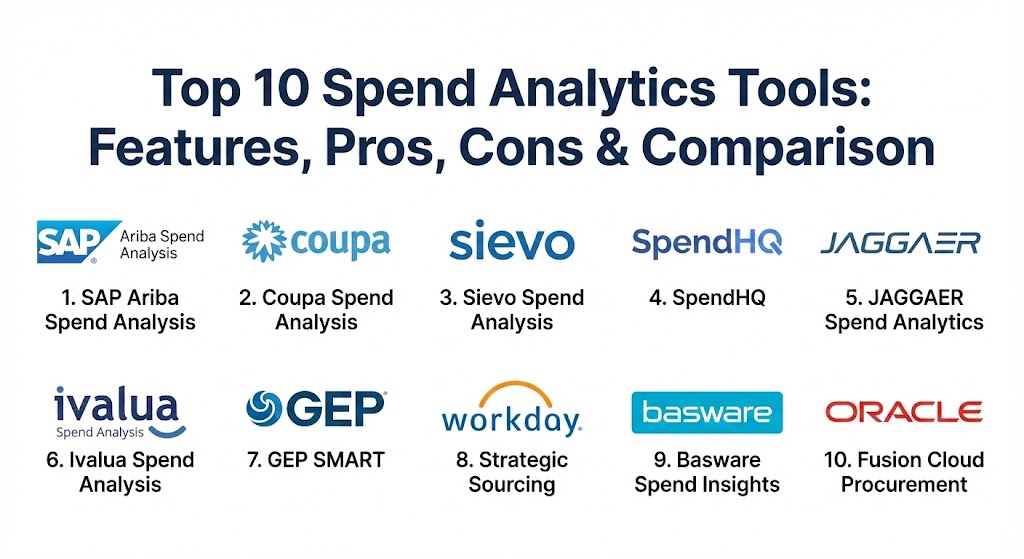
Top 10 Spend Analytics Tools
1 — SAP Ariba Spend Analysis
SAP Ariba is a global leader in spend management, offering a comprehensive suite that leverages the massive Ariba Network to provide market-based benchmarking alongside internal analytics.
- Key features:
- Automated data cleansing and classification services.
- Integration with the SAP Business Network for peer benchmarking.
- Multi-ERP data consolidation capabilities.
- Advanced opportunity identification for sourcing.
- Detailed “Spend Cube” visualizations (Supplier, Commodity, and Time).
- Integration with ESG and risk data.
- Pros:
- Unmatched data enrichment—it uses “community intelligence” from millions of other transactions.
- Seamless integration for existing SAP customers.
- Cons:
- High cost and complex implementation for non-SAP environments.
- User interface can feel “heavy” and corporate.
- Security & compliance: ISO 27001, SOC 2, HIPAA, and GDPR compliant; uses data isolation and regular penetration testing.
- Support & community: Extensive global support network; huge user community (SAP Ariba Live); tiered support levels (Standard vs. Expert).
2 — Coupa Spend Analysis
Coupa is renowned for its “User-Centric” approach, focusing on a modern, intuitive interface and AI-driven “Community Intelligence” that provides real-time prescriptive recommendations.
- Key features:
- AI-powered fraud detection that flags suspicious invoices in real-time.
- “Prescriptive Insights” that suggest specific actions to save money.
- Unified platform for all business spend (Procurement, Travel, Expenses).
- Benchmarking against $8 trillion+ in anonymized community spend.
- Out-of-the-box dashboards requiring minimal IT setup.
- Supplier diversity and sustainability tracking.
- Pros:
- High user adoption due to the simple, “Amazon-like” interface.
- Community intelligence provides context that most tools lack (e.g., “others pay 10% less for this”).
- Cons:
- Reporting customization can be difficult for highly specific niche needs.
- Premium pricing reflects its market leader status.
- Security & compliance: ISO 27001, SOC 1/2, GDPR, and PCI DSS compliant.
- Support & community: Strong online resources and a proactive “customer success” model; annual “Coupa Inspire” conference.
3 — Sievo Spend Analysis
Sievo is a “best-of-breed” specialist tool focusing specifically on procurement analytics. It is highly regarded for its superior data cleansing and ability to calculate “Realized Savings.”
- Key features:
- Specialized “Direct Materials” budgeting and forecasting.
- Advanced data extraction from any ERP or source system.
- Carbon footprint (CO2) analytics integrated with spend data.
- Supplier risk and diversity dashboards.
- “What-if” scenario simulation for future spend events.
- De-duplication of materials and vendors across global systems.
- Pros:
- Best-in-class data classification quality and transparency.
- Excellent at tracking “Value” beyond just price (e.g., sustainability and risk).
- Cons:
- Focused solely on analytics; does not handle the “buying” part of procurement.
- Can be overkill for organizations with simple, clean data.
- Security & compliance: SOC 2 Type II, ISO 27001, and GDPR compliant; secure data encryption at rest and in transit.
- Support & community: Highly personalized support; strong thought leadership in the procurement space.
4 — SpendHQ
SpendHQ focuses on “Speed to Insight,” designed specifically for procurement teams who want a simple, high-impact tool without the complexity of a full ERP suite.
- Key features:
- Procurement Performance Management (PPM) to track team productivity.
- Deep category-level insights (drilling down from “IT” to “Cloud Storage”).
- Quick implementation (often weeks instead of months).
- 40+ native integrations with ERP and financial systems.
- Document module for managing supplier agreements.
- Diversity and ESG data enrichment.
- Pros:
- Intuitive, graphical dashboards that are ready for executive presentations.
- Lower barrier to entry for mid-market companies.
- Cons:
- Lacks the deep B2B/EDI networking of SAP or Coupa.
- Limited functionality for transactional purchasing workflows.
- Security & compliance: SOC 2 compliant; follows industry-standard data privacy regulations.
- Support & community: Excellent “White Glove” onboarding and proactive account management.
5 — JAGGAER Spend Analytics
JAGGAER (formerly SciQuest) offers a robust, intelligence-driven engine that focuses heavily on the “Source-to-Pay” ecosystem, particularly strong in higher education and manufacturing.
- Key features:
- AI-driven “JAI” (Jaggaer Artificial Intelligence) for autonomous insights.
- Predictive compliance analytics to identify breaches before they occur.
- Unified data foundation across multiple ERPs.
- Automated policy enforcement and maverick spend flagging.
- Benchmarking against industry-specific market indices.
- Supplier intelligence and ESG risk scoring.
- Pros:
- Deep expertise in specific verticals (e.g., R&D, Direct Materials).
- Strong ability to connect spend data back to strategic sourcing events.
- Cons:
- The interface can be complex for casual users.
- Some advanced modules require additional licensing.
- Security & compliance: FIPS 140-2, SOC 1/2, ISO 27001, and GDPR compliant.
- Support & community: Solid documentation and global support; “JAGGAER REV” user conference.
6 — Ivalua Spend Analysis
Ivalua is the “Chameleon” of spend analytics. It is highly praised for its flexibility and the ability to customize the platform to match unique, complex business processes.
- Key features:
- Single code base for the entire Source-to-Pay suite.
- Advanced “Direct Spend” management for manufacturing.
- Highly configurable dashboards with no-code tools.
- Integration with external risk and sustainability data sources.
- Comprehensive supplier lifecycle management.
- Multi-currency and multi-tax support for global operations.
- Pros:
- If you have a unique way of working, Ivalua can be bent to fit it without “custom code.”
- High user satisfaction scores for platform reliability.
- Cons:
- The extreme flexibility can lead to longer implementation cycles if not managed well.
- Requires a more technical admin team to leverage its full potential.
- Security & compliance: ISO 27001, SOC 1/2, HIPAA, and GDPR.
- Support & community: Strong professional services and partner network; detailed training academy.
7 — GEP SMART
GEP SMART provides a unified, cloud-native platform that integrates spend analytics directly into the sourcing and procurement workflow.
- Key features:
- AI-powered “Spend Classification” and “Opportunity Identification.”
- Mobile-first design for on-the-go analytics and approvals.
- Integration with real-time commodity market pricing.
- ESG and supplier diversity tracking built-in.
- Automated “Savings Tracker” to bridge the gap between procurement and finance.
- Global e-invoicing and tax compliance modules.
- Pros:
- A “unified” platform—analytics, sourcing, and contracts all share the same data.
- Modern, visually appealing user interface.
- Cons:
- Transitioning from a legacy system to a unified platform can be a major cultural shift.
- Premium pricing for the full suite.
- Security & compliance: ISO 27001, SOC 1/2 Type II, GDPR, and PCI DSS.
- Support & community: Global support centers; recognized by Gartner as a market leader.
8 — Workday Strategic Sourcing
Formerly Scout RFP, Workday Strategic Sourcing brings spend analytics into the Workday ecosystem, emphasizing collaboration and project management.
- Key features:
- Real-time visibility into the sourcing pipeline.
- Collaborative “Request for Quote” (RFQ) and evaluation tools.
- Integration with Workday Financial Management.
- Automated savings tracking against contract goals.
- Supplier performance scorecards.
- Simple, modern interface focused on stakeholder engagement.
- Pros:
- Excellent for organizations already using Workday for HR or Finance.
- Very strong collaborative features for cross-functional teams.
- Cons:
- Spend analytics is less “deep” compared to data-heavy specialists like Sievo.
- Primarily focused on “Indirect Spend.”
- Security & compliance: SOC 1/2/3, ISO 27001, HIPAA, and GDPR.
- Support & community: Backed by Workday’s massive enterprise support infrastructure.
9 — Basware Spend Insights
Basware is a leader in AP Automation and e-invoicing, and its Spend Insights tool leverages that granular invoice data to provide deep financial visibility.
- Key features:
- “Gen-AI” powered insights (ask questions in natural language).
- 100% data capture from all invoices (electronic and paper).
- Predictive payment risk analytics.
- “CFO Cockpit” for executive-level financial planning.
- Benchmarking against the Basware Network.
- Cash flow forecasting based on historical spend patterns.
- Pros:
- Incredible accuracy because it works directly from the “Golden Source”—the invoice.
- Excellent for improving “Touchless” invoice processing.
- Cons:
- Less focus on the “upstream” sourcing process compared to SAP or GEP.
- UI is more finance-centric than procurement-centric.
- Security & compliance: ISO 27001, SOC 1/2, and global tax compliance support.
- Support & community: Solid technical support; focus on global tax and e-invoicing compliance expertise.
10 — Oracle Fusion Cloud Procurement
Oracle provides a heavy-duty, enterprise-grade analytics engine designed for global corporations with complex, multi-entity structures.
- Key features:
- Embedded AI for automated spend classification.
- Integration with Oracle Cloud ERP for real-time financial data.
- Procurement “Advisor” that suggests cost-saving opportunities.
- Global visibility into supplier risk (Financial, ESG, and Cybersecurity).
- Automated contract non-compliance flagging.
- High-scale data processing for millions of transactions.
- Pros:
- Powerful enough for the world’s largest, most complex corporations.
- Deeply integrated with the broader Oracle technology stack.
- Cons:
- Steep learning curve for non-technical users.
- Deployment can be a multi-year project for global firms.
- Security & compliance: FedRAMP, SOC 1/2, ISO 27001, and HIPAA.
- Support & community: Vast global support network and partner ecosystem; Oracle University training.
Comparison Table
| Tool Name | Best For | Platform(s) Supported | Standout Feature | Rating (Gartner Peer Insights) |
| SAP Ariba | Global Enterprises | Cloud / Hybrid | Market Benchmarking | 4.4 / 5 |
| Coupa | User-Centric UX | SaaS / Mobile | Community Intelligence | 4.6 / 5 |
| Sievo | Data Purists | SaaS | Realized Savings Tracking | 4.7 / 5 |
| SpendHQ | Mid-Market / Speed | Cloud | Rapid Implementation | 4.5 / 5 |
| JAGGAER | Higher Ed / Manufacturing | Cloud / SaaS | AI Compliance Alerts | 4.3 / 5 |
| Ivalua | High Customization | Cloud / Single Code | No-Code Configuration | 4.5 / 5 |
| GEP SMART | Unified S2P | Cloud / Mobile | Unified Workflow | 4.4 / 5 |
| Workday | Collaborative Sourcing | SaaS | Workday Integration | 4.6 / 5 |
| Basware | Invoice Data Depth | SaaS | Gen-AI Natural Language | 4.4 / 5 |
| Oracle Fusion | Complex Global Firms | Cloud | Enterprise-Grade Scale | 4.3 / 5 |
Evaluation & Scoring of Spend Analytics Tools
The following weighted rubric reflects the priorities of a modern procurement department seeking long-term value.
| Criteria | Weight | What We Evaluate |
| Core Features | 25% | Data cleansing, classification accuracy, and opportunity identification. |
| Ease of Use | 15% | Intuitiveness for casual users and quality of visualizations. |
| Integrations | 15% | Native connectors for ERPs (SAP, Oracle, NetSuite) and 3rd-party data. |
| Security & Compliance | 10% | Certifications (SOC 2, ISO) and ability to handle global data privacy. |
| Performance | 10% | System uptime and speed of data processing/refresh. |
| Support & Community | 10% | Documentation, onboarding, and active user networks. |
| Price / Value | 15% | ROI potential and total cost of ownership (TCO). |
Which Spend Analytics Tool Is Right for You?
Selecting a tool requires an honest assessment of your data “maturity” and your team’s technical appetite.
- Small Businesses (SMBs): Avoid the giants. Focus on tools like SpendHQ that offer quick results without needing a dedicated IT team to maintain the integrations.
- Mid-Market Companies: If you want a tool that employees will actually use, Coupa is the leader in user adoption. If you have “messy” data from acquisitions, Sievo is the expert in cleaning it up.
- Global Enterprises: You likely need the ecosystem of SAP Ariba or Oracle Fusion. These provide the global support and multi-entity governance that smaller players lack.
- Budget-Conscious vs. Premium: Many specialist tools (like SpendHQ) offer “modular” pricing where you pay only for analytics. Premium suites (like GEP or Ivalua) cost more but eliminate the cost of integrating multiple separate tools.
- Direct vs. Indirect Spend: If your main goal is managing office supplies and travel (Indirect), almost any tool works. If you are a manufacturer managing complex Bills of Materials (Direct), prioritize Sievo, Ivalua, or SAP Ariba.
Frequently Asked Questions (FAQs)
1. What is the difference between spend analytics and a normal budget? A budget is a plan for what you intend to spend. Spend analytics is a reality check that analyzes actual invoices and payments to see if you stuck to the plan and where money was leaked.
2. How long does it take to see results? For “Cloud-native” tools, you can see initial dashboards in 4–8 weeks. Full enterprise integration across multiple global ERPs typically takes 6–12 months.
3. Do I have to manually enter my receipts? No. Modern tools automatically pull data from your ERP, bank feeds, and AP systems via APIs. Some even use OCR (Optical Character Recognition) to read paper invoices.
4. Will these tools replace my finance team? No. They automate the “grunt work” of data entry and classification, allowing your team to stop being data “cleaners” and start being strategic “advisors.”
5. What is “Maverick Spend”? Maverick spend occurs when employees buy items from unapproved vendors or outside of negotiated contracts, often leading to higher prices and increased risk.
6. Can these tools detect fraud? Yes. Many (like Coupa) use AI to flag “duplicate invoices,” “suspiciously rounded numbers,” or vendors whose bank details have changed unexpectedly.
7. What is “Tail Spend”? Tail spend represents the 80% of your suppliers that only account for 20% of your spend. It is often unmanaged and full of hidden savings opportunities.
8. Do these tools handle multiple currencies? Yes. Enterprise tools automatically convert all global spend into a single “functional currency” (like USD or EUR) for unified reporting.
9. Can spend analytics help with ESG goals? Absolutely. Many tools now enrich your spend data with 3rd-party rankings to show you exactly how much of your budget is going to “green” or diverse suppliers.
10. What is a “Spend Cube”? A spend cube is a 3-dimensional view of your data: What was bought (Commodity), Who bought it (Department/Unit), and From Whom (Supplier).
Conclusion
Spend Analytics is no longer just about “finding savings”; it’s about financial transparency in an unpredictable world. Whether you choose a “best-of-breed” specialist like Sievo or a unified powerhouse like Coupa, the real winner is the organization that stops guessing and starts acting on data. The “best” tool isn’t the one with the most features—it’s the one your team will actually use to drive change.