Introduction
Robotics Vision Inspection Tools are integrated systems composed of industrial cameras, specialized lighting, and sophisticated software that enable robots to see, interpret, and verify their surroundings. Unlike traditional sensors that only detect presence or absence, these tools use complex algorithms and deep learning to identify defects, measure dimensions with sub-millimeter precision, and guide robotic arms in real-time.
The importance of these tools is rooted in the “Zero Defect” manufacturing philosophy. They eliminate human fatigue, provide 24/7 consistency, and offer digital traceability for every part produced. Key real-world use cases include high-speed sorting on food production lines, verifying the integrity of medical device packaging, and guiding robotic “pick-and-place” systems in cluttered e-commerce warehouses. When choosing a tool, evaluators should prioritize processing latency, AI training simplicity, integration with existing PLCs (Programmable Logic Controllers), and environmental ruggedness.
Best for: Quality assurance managers, automation engineers, and plant directors in high-precision industries like electronics, automotive, pharmaceuticals, and aerospace. It is ideal for large-scale manufacturers looking to achieve Industry 4.0 standards.
Not ideal for: Low-volume “mom and pop” workshops where human visual inspection is still more cost-effective, or industries where the products are so variable (e.g., artisanal crafts) that an AI cannot be effectively trained.
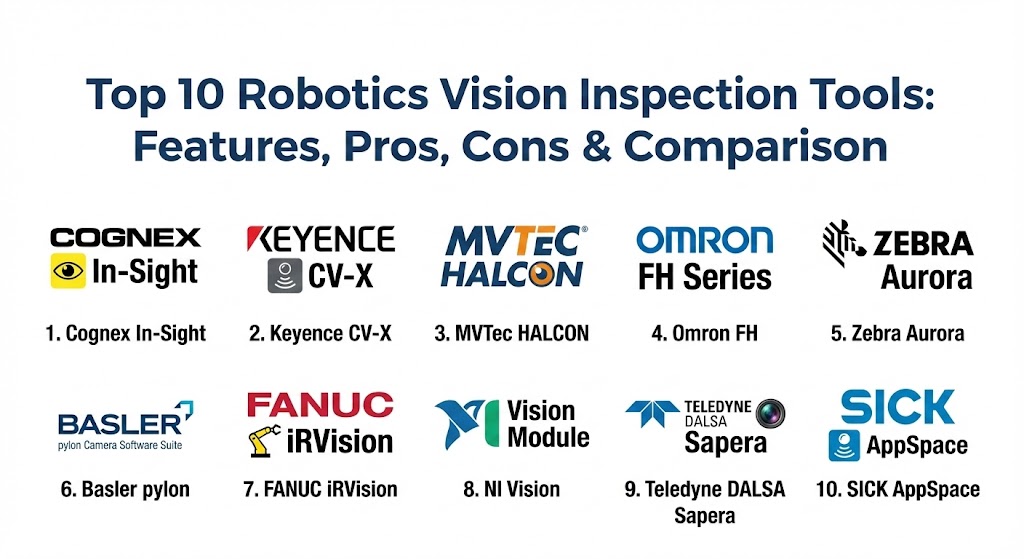
Top 10 Robotics Vision Inspection Tools
1 — Cognex In-Sight Series
Cognex is widely considered the industry benchmark for vision systems. The In-Sight series offers a range of standalone smart cameras that combine high-speed image acquisition with powerful AI-based “edge learning.”
- Key features:
- Integrated “Edge Learning” for rapid defect classification without complex programming.
- High-resolution sensors ranging from VGA up to 12MP.
- Modular lighting and lens options for different working distances.
- Patented PatMax algorithms for precise part location and alignment.
- Support for high-speed protocols like EtherNet/IP and PROFINET.
- Comprehensive “EasyBuilder” interface for rapid deployment.
- Pros:
- Industry-leading accuracy in part localization and feature detection.
- The most extensive library of pre-built inspection tools in the market.
- Cons:
- Premium pricing can be high for simple applications.
- Proprietary hardware can limit flexibility for those wanting a software-only approach.
- Security & compliance: SOC 2, HIPAA-ready data handling, and encrypted communication protocols.
- Support & community: World-class support with global “Certified Training Centers” and a massive online knowledge base.
2 — Keyence CV-X Series
Keyence is known for its “engineer-first” design, offering controller-based vision systems that prioritize speed and ease of setup. The CV-X series is designed for ultra-high-speed production lines.
- Key features:
- LumiTrax technology that captures shape, color, and surface features in one shot.
- 14-core high-speed processors for sub-millisecond inspection cycles.
- Auto-Teaching functions that learn acceptable part variations automatically.
- Support for up to 64-megapixel cameras for wide-field-of-view inspections.
- Intuitive “Navigator” software that guides users through setup.
- 3D inspection capabilities using multi-spectrum lighting.
- Pros:
- Fastest processing speeds in the industry for complex 3D inspections.
- Hardware and software are perfectly tuned for out-of-the-box performance.
- Cons:
- Highly closed ecosystem; you must use Keyence hardware with Keyence software.
- Documentation is detailed but can be overwhelming for beginners.
- Security & compliance: Multi-level user access controls, detailed audit trails, and GDPR compliance.
- Support & community: Direct sales model ensures highly technical support engineers visit your site for setup and troubleshooting.
3 — MVTec HALCON
HALCON is the de facto standard for developers and system integrators who need a software-only solution. It provides a comprehensive library for machine vision that works with any camera.
- Key features:
- Over 2,100 operators for 2D, 3D, and deep learning-based vision.
- Support for multi-core, GPU, and instruction set acceleration (AVX, NEON).
- Sophisticated 3D vision, including surface matching and bin picking.
- “Deep Learning Tool” for easy labeling and training of AI models.
- Cross-platform support (Windows, Linux, macOS, and embedded systems).
- Advanced OCR (Optical Character Recognition) for reading challenging industrial codes.
- Pros:
- Ultimate flexibility; works with virtually any industrial camera or interface.
- The most powerful algorithmic library available for custom-built vision rigs.
- Cons:
- Requires high-level programming knowledge (C++, C#, or Python).
- No integrated hardware, meaning the user must source their own cameras and lighting.
- Security & compliance: ISO 9001 certified development; supports secure runtime environments.
- Support & community: Extensive developer documentation and a large global network of certified integration partners.
4 — Omron FH Series
Omron specializes in the “Connected Factory.” The FH series is designed to integrate seamlessly with robotic controllers and PLCs to create a unified automation environment.
- Key features:
- AI Scratch Detect Filter that mimics the human eye’s ability to see faint flaws.
- High-speed image transfer through EtherCAT for real-time robotic guidance.
- Multi-camera synchronization for 360-degree part inspection.
- Large capacity image buffers for high-speed continuous shooting.
- Integrated safety features that comply with collaborative robot (cobot) standards.
- Pros:
- Deepest integration with the Sysmac automation platform for total machine control.
- Excellent AI tools for detecting cosmetic defects on reflective surfaces.
- Cons:
- The software interface can be less intuitive for users not familiar with Omron ecosystems.
- Best performance is locked behind using Omron-specific hardware.
- Security & compliance: FIPS 140-2 compatibility and secure data logging for pharmaceutical audits.
- Support & community: Strong global presence with emphasis on “Automation Centers” for proof-of-concept testing.
5 — Zebra Aurora (formerly Matrox Imaging)
Following Zebra’s acquisition of Matrox, the Aurora suite combines decades of imaging expertise with modern scanning technology. It is a favorite for logistics and high-volume packaging.
- Key features:
- Aurora Vision Studio for no-code, flowchart-based application development.
- Deep learning tools for OCR and anomaly detection.
- Multi-protocol support (GigE Vision, CoaXPress) for hardware flexibility.
- 3D tools for height, volume, and tilt measurement.
- Industrial-grade smart cameras with built-in liquid lenses for auto-focus.
- Pros:
- The flowchart-based IDE is one of the fastest ways to build complex logic without code.
- Exceptional at reading damaged or low-contrast barcodes in logistics settings.
- Cons:
- Brand transition from Matrox to Zebra is still ongoing, which can cause support fragmentation.
- High-end 3D features can be expensive.
- Security & compliance: SOC 2 Type II, ISO 27001, and secure boot hardware features.
- Support & community: Extensive support for legacy Matrox hardware and a robust global training program.
6 — Basler pylon Camera Software Suite
Basler is the leading manufacturer of industrial cameras, and their pylon suite is the essential SDK for managing their hardware and building lightweight vision applications.
- Key features:
- High-performance drivers for GigE, USB 3.0, and CoaXPress interfaces.
- vTools for basic inspection tasks (counting, measurement, code reading).
- Lightweight footprint suitable for embedded PCs and ARM processors.
- Visual camera configuration and testing tools.
- Support for all major programming languages (C++, C#, Java, Python).
- Pros:
- The most cost-effective entry point for high-quality industrial vision.
- “Open” philosophy allows for easy integration into custom-built software stacks.
- Cons:
- Lacks the deep “all-in-one” AI inspection suites of Cognex or Keyence.
- Users must be comfortable with some level of coding to build a full inspection line.
- Security & compliance: GDPR compliant and support for encrypted image streaming.
- Support & community: Massive user community and the “Vision Campus” educational platform.
7 — FANUC iRVision
FANUC iRVision is unique because it is built directly into the robot’s brain. It requires no external PC, as the vision processing happens on the robot controller itself.
- Key features:
- 2D and 3D vision guidance for part picking, placing, and palletizing.
- Automatic calibration between the camera and the robot’s coordinate system.
- Visual Line Tracking for picking parts off a moving conveyor.
- Directly programmable via the FANUC Teach Pendant.
- “Error Proofing” tools to verify assembly steps in real-time.
- Pros:
- Zero latency between vision perception and robot movement.
- No external hardware (PCs/Controllers) to fail or maintain.
- Cons:
- Only works with FANUC robots.
- Less flexible for high-resolution quality inspection compared to dedicated vision systems.
- Security & compliance: Highly secure proprietary OS with no external internet vulnerabilities.
- Support & community: Backed by the world’s largest industrial robotics support network.
8 — NI (National Instruments) Vision Module
NI offers a high-performance vision platform for engineers who need to combine imaging with high-speed data acquisition (DAQ) and scientific testing.
- Key features:
- Integration with NI LabVIEW and Vision Builder for Automated Inspection.
- FPGA-based image processing for ultra-low latency requirements.
- Support for high-end scientific cameras and thermal imaging.
- Extensive machine learning and pattern matching libraries.
- Real-time OS support for deterministic inspection timing.
- Pros:
- The best choice for R&D and laboratory environments where vision is part of a larger test.
- Incredible control over timing and hardware-level signal processing.
- Cons:
- Very steep learning curve; requires knowledge of the NI ecosystem.
- Pricing is geared toward high-end engineering budgets.
- Security & compliance: NIST standards compliant and suitable for aerospace validation.
- Support & community: Premium engineering support and a vast “Alliance Partner” network.
9 — Teledyne DALSA Sapera
Teledyne is a powerhouse in high-resolution imaging. Their Sapera software is designed for multi-camera setups and high-speed line scan applications (like inspecting continuous rolls of paper or metal).
- Key features:
- Support for ultra-high-resolution line-scan cameras (up to 16K).
- Astrocyte AI training platform for visual defect detection.
- Synchronized multi-camera acquisition for complex 3D reconstruction.
- Real-time image processing on frame grabbers to offload the host CPU.
- Robust SDK for Windows and Linux.
- Pros:
- The “go-to” for web inspection and continuous manufacturing processes.
- Handles massive data throughput better than almost any other software.
- Cons:
- Requires specialized hardware (frame grabbers) for peak performance.
- Not designed for “quick and dirty” simple inspections.
- Security & compliance: ISO 9001 and support for secure military-grade imaging standards.
- Support & community: High-level technical support for complex integration projects.
10 — SICK AppSpace
SICK is famous for its industrial sensors, and AppSpace is their eco-system for creating custom applications on their smart cameras and 3D sensors.
- Key features:
- 3D Vision Sensors for height-based sorting and volume measurement.
- Browser-based GUIs for monitoring inspection results on any device.
- Integrated lighting and high-quality lenses in a compact IP67 housing.
- “SensorApps” that allow for modular functionality (e.g., label check, presence check).
- Seamless integration with SICK’s safety LIDAR and sensor networks.
- Pros:
- Extremely rugged hardware designed for the harshest industrial environments.
- Perfect for “Logistics 4.0” applications like high-speed sorting and dimensioning.
- Cons:
- Developing custom apps requires knowledge of SICK’s proprietary API.
- Higher cost than basic smart cameras.
- Security & compliance: CE, UL, and FIPS 140-2 compatibility for industrial security.
- Support & community: Excellent global service with strong presence in logistics and intralogistics.
Comparison Table
| Tool Name | Best For | Platform(s) Supported | Standout Feature | Rating (Gartner Peer Insights) |
| Cognex In-Sight | Precision QC | Proprietary / Web | Edge Learning AI | 4.8 / 5 |
| Keyence CV-X | High-Speed Lines | Dedicated Controller | LumiTrax Imaging | 4.7 / 5 |
| MVTec HALCON | Custom Integrators | Windows, Linux, ARM | 2,100+ Operators | 4.9 / 5 |
| Omron FH | Connected Factory | Sysmac / Controller | AI Scratch Detect | 4.6 / 5 |
| Zebra Aurora | Logistics / Packaging | Windows, Smart Cam | Flowchart IDE | 4.5 / 5 |
| Basler pylon | Low-Cost / Embedded | Win, Linux, ARM | Developer SDK | 4.7 / 5 |
| FANUC iRVision | Robot Guidance | Robot Controller | No External PC | 4.6 / 5 |
| NI Vision | R&D / Test | Windows, Real-Time | FPGA Processing | 4.4 / 5 |
| Teledyne DALSA | Web Inspection | Windows, Linux | 16K Line Scan | 4.5 / 5 |
| SICK AppSpace | Harsh Environments | Web / Proprietary | Rugged IP67 Hardware | 4.6 / 5 |
Evaluation & Scoring of Robotics Vision Inspection Tools
The following rubric shows the weighting used to evaluate these tools in a production environment.
| Category | Weight | Key Considerations |
| Core Features | 25% | 2D/3D support, AI capabilities, and algorithmic accuracy. |
| Ease of Use | 15% | No-code options, training time for AI, and UI clarity. |
| Integrations | 15% | Compatibility with PLCs, robots, and factory networks (Industry 4.0). |
| Security & Compliance | 10% | Encryption, audit logs, and industry-standard certifications. |
| Performance | 10% | Latency, processing speed, and image acquisition rates. |
| Support & Community | 10% | Documentation, global support network, and training resources. |
| Price / Value | 15% | Total cost of ownership vs. performance gains. |
Which Robotics Vision Inspection Tool Is Right for You?
Selecting a vision tool is as much about your environment as it is about the software.
- Solo Integrators vs SMB: If you are building a custom machine on a budget, Basler pylon cameras combined with a lightweight PC are a perfect start. For a turnkey solution, Zebra Aurora offers great value.
- Mid-Market Manufacturers: If your goal is to reduce human error on a high-speed assembly line, Cognex In-Sight or Keyence CV-X are the safest and most powerful bets.
- Enterprise & Global Plants: If you need to manage hundreds of lines globally, Omron FH or SAP-integrated vision tools provide the centralized data and connectivity required for large-scale operations.
- Robotics Specialists: If you only use one brand of robot, such as FANUC, stick with their native tools like iRVision to simplify your hardware stack.
- R&D and Specialized Lab Teams: If you are performing high-speed scientific testing or medical imaging, the NI Vision platform is the only choice that offers the required hardware-level control.
Frequently Asked Questions (FAQs)
1. What is the difference between machine vision and computer vision? Machine vision is the application of computer vision in industrial environments, usually involving controlled lighting and specific hardware (PLCs) to drive a mechanical action like rejecting a part.
2. Can vision tools see defects invisible to the human eye? Yes. By using multi-spectral or UV lighting and high-resolution sensors, these tools can detect microscopic cracks, chemical residues, or heat signatures that humans cannot see.
3. Do I need an AI expert to set up these tools? Not necessarily. Modern “Edge Learning” tools from Cognex and Keyence allow quality managers to train systems by simply showing them examples of “Good” and “Bad” parts.
4. How does 3D vision work in robotics? It typically uses “Stereo Vision” (two cameras), “Structured Light” (projecting a grid), or “Time of Flight” (measuring light speed) to create a depth map, allowing robots to pick up stacked items.
5. Can these tools work in low-light environments? Yes, but they require specialized industrial lighting (ring lights, backlights, or dome lights) to ensure the camera gets a high-contrast image regardless of ambient light.
6. What is “Pick-and-Place” guidance? It is a process where the vision system identifies the 3D position and orientation of a part in a bin, telling the robot arm exactly how to rotate its gripper to pick it up.
7. Is cloud connectivity required for these tools? Generally, no. Most industrial vision happens “at the edge” (on the camera or local controller) for speed and security. Cloud is used for long-term data analytics.
8. Can a vision system be used for safety? Yes. Certain vision sensors are “safety-rated,” meaning they can trigger an emergency stop if a human hand enters a dangerous zone.
9. What is OCR in an industrial context? Optical Character Recognition (OCR) is used to read date codes, lot numbers, and serial numbers printed on products to ensure they match the production schedule.
10. How long does it take to implement a new vision line? A simple 2D smart camera can be deployed in a day. A complex 3D robotic guidance system for a multi-SKU line can take 3 to 6 months to calibrate and test.
Conclusion
Robotics Vision Inspection has evolved from a luxury to a necessity. In 2026, the competitive advantage belongs to manufacturers who can inspect 100% of their products with 99.9% accuracy. Whether you choose the powerhouse performance of Cognex, the speed of Keyence, or the open-source flexibility of MVTec, the key is to choose a tool that balances technological depth with the everyday skills of your factory floor team.