Introduction
Chemical Process Simulation Software is a category of computer-aided engineering (CAE) tools used to model the physical and chemical behavior of industrial processes. By solving complex sets of mass and energy balance equations alongside thermodynamic correlations, these systems simulate how raw materials transform into finished products. In a modern context, these tools go beyond simple flowsheeting; they integrate real-time plant data, economic analysis, and carbon footprint tracking to provide a holistic view of the production lifecycle.
The importance of these tools lies in their ability to “fail fast” in a virtual world. Whether designing a new carbon-capture facility or optimizing an existing refinery, simulation prevents costly errors during construction and operation. Key real-world use cases include de-bottlenecking production lines, training plant operators using high-fidelity dynamic models, and conducting safety studies like Pressure Safety Valve (PSV) sizing. When evaluating these tools, users should prioritize thermodynamic accuracy, the depth of the component library, ease of integration with other enterprise systems (like ERPs), and the ability to handle both steady-state and dynamic simulations.
Best for: Process design engineers, R&D scientists, and plant operations managers in industries such as oil and gas, petrochemicals, pharmaceuticals, food and beverage, and renewable energy. These tools are essential for mid-to-large-scale engineering firms and global manufacturing enterprises.
Not ideal for: Small businesses with very basic chemical mixing needs (where simple spreadsheets might suffice), or academic users who only require basic property lookups without complex unit operations. It is also not a substitute for 3D piping design (CAD), though the two often work in tandem.
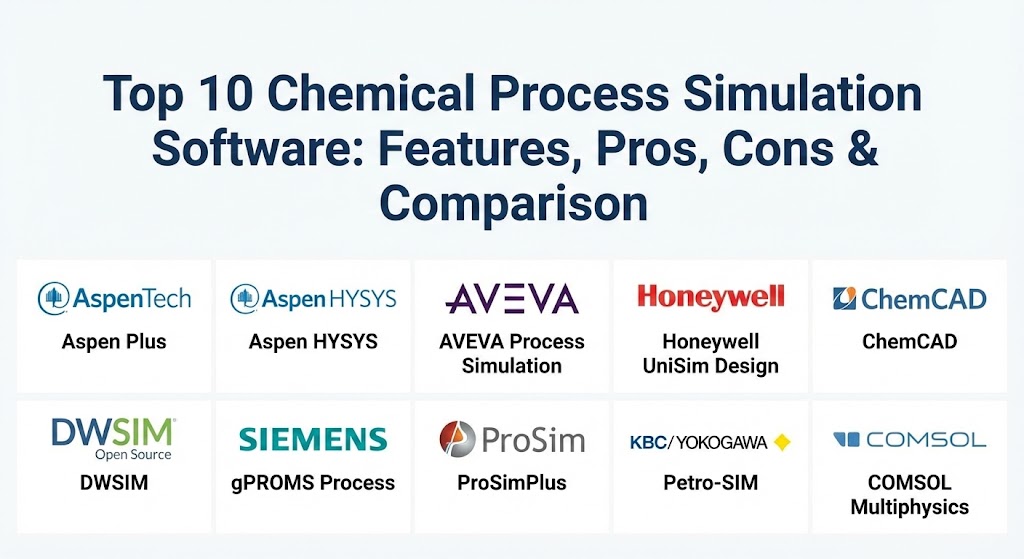
Top 10 Chemical Process Simulation Software
1 — Aspen Plus (AspenTech)
Aspen Plus is widely regarded as the industry benchmark for steady-state chemical process modeling. It is the go-to tool for bulk chemicals, specialty chemicals, and pharmaceutical industries, offering an unrivaled physical property database.
- Key features:
- Extensive database containing over 37,000 components and 127 property methods.
- Integrated economic evaluation for estimating capital and operating costs.
- Advanced modeling for solids, electrolytes, and complex polymers.
- Seamless integration with Aspen Energy Analyzer for pinch analysis.
- Capability to simulate carbon capture and hydrogen production pathways.
- Strong “Equation-Oriented” solver for complex optimization problems.
- Pros:
- The global standard; most chemical engineers are trained on this platform.
- Extremely stable thermodynamic engines that can handle highly non-ideal mixtures.
- Cons:
- High cost of licensing makes it difficult for smaller startups to adopt.
- The user interface, while powerful, has a steep learning curve for beginners.
- Security & compliance: Supports Enterprise SSO, data encryption at rest/transit, and is SOC 2 compliant for cloud deployments.
- Support & community: World-class support with a massive global user base, extensive training webinars, and professional certifications.
2 — Aspen HYSYS (AspenTech)
While Aspen Plus focuses on complex chemistry, Aspen HYSYS is the preferred expert for the oil and gas, refining, and gas processing industries. It excels in vapor-liquid equilibria and dynamic modeling.
- Key features:
- Specialized “Upstream” and “Midstream” templates for oil platforms and gas plants.
- Industry-leading dynamic simulation capabilities for “what-if” safety scenarios.
- Integrated pipe segment modeling for overland and subsea pipelines.
- Automated flare system analysis to ensure plant safety.
- Real-time connection to plant data for digital twin performance monitoring.
- Pros:
- The “gold standard” for the petroleum industry with specialized crude assay management.
- Dynamic mode allows for highly accurate operator training and control system testing.
- Cons:
- Limited capability for solids and complex electrolyte systems compared to Aspen Plus.
- Significant hardware requirements for running high-fidelity dynamic models.
- Security & compliance: GDPR ready, ISO 27001 certified for cloud instances, and robust audit trails.
- Support & community: Access to the AspenTech support portal and a dedicated community for the energy sector.
3 — AVEVA Process Simulation
Formerly known as SimCentral, AVEVA Process Simulation is a modern, cloud-native platform designed for the “New Energy” era. It utilizes a simultaneous-solving approach rather than the traditional sequential-modular method.
- Key features:
- Unified environment for steady-state, fluid flow, and dynamic modeling.
- Open-access equations that allow engineers to see and edit the underlying math.
- Native cloud-collaboration tools for global engineering teams.
- Optimized workflows for hydrogen, carbon capture, and circular economy projects.
- Direct integration with the AVEVA Unified Engineering ecosystem.
- Pros:
- Much more intuitive and “clean” user interface than legacy competitors.
- Simultaneous solving allows for much faster convergence on complex recycled flows.
- Cons:
- Being a newer platform, it has a smaller library of legacy models available for reference.
- Some specialized chemical modules are still in development compared to Aspen.
- Security & compliance: SOC 2 Type II, ISO 27001, and advanced role-based access controls (RBAC).
- Support & community: Strong enterprise support and a growing community focused on digital transformation.
4 — Honeywell UniSim Design
Honeywell UniSim Design is a versatile simulation suite that is highly respected for its high-fidelity dynamics, making it a favorite for creating Operator Training Simulators (OTS).
- Key features:
- Interactive “Live” simulation that responds immediately to user changes.
- High-fidelity dynamic models that mimic real-time plant physics with extreme precision.
- Integration with Honeywell’s Experion PKS for control system validation.
- Specialized tools for safety analysis, including blowdown and relief sizing.
- Multi-user environment for collaborative large-scale project design.
- Pros:
- Exceptionally stable for long-term dynamic runs and training scenarios.
- Direct link to real-world control hardware makes it the best for “Digital Twin” operations.
- Cons:
- Licensing can be complex and expensive depending on the required modules.
- Less focus on “new-age” green chemicals compared to AVEVA.
- Security & compliance: NERC CIP compliant for utility use cases; follows strict Honeywell Cybersecurity guidelines.
- Support & community: Excellent global technical support and specialized onsite training for plant operators.
5 — ChemCAD (Datacor)
ChemCAD is a modular suite of tools known for its “engineering-first” approach and ease of use. It is a popular choice for mid-market firms and specialty chemical manufacturers.
- Key features:
- Integrated modules for thermophysical properties, equipment sizing, and costing.
- Highly customizable “User-Added” subroutines via Python or Excel.
- Advanced distillation modeling with mass-transfer calculations.
- Dynamic simulation for batch processing and control system design.
- Detailed safety analysis tools including DIERS for relief system design.
- Pros:
- Significantly more affordable than the Aspen or Honeywell suites for smaller teams.
- The software is lightweight and runs very fast on standard professional workstations.
- Cons:
- The property database is not as deep as Aspen Plus for highly exotic materials.
- Less advanced in “Digital Twin” cloud-integration features compared to AVEVA.
- Security & compliance: Support for encrypted project files and local audit logs; primarily on-premise focus.
- Support & community: High-quality, personalized technical support directly from experienced chemical engineers.
6 — DWSIM (Open Source)
DWSIM is the world’s most popular free, open-source chemical process simulator. It is an incredible resource for startups, students, and independent consultants who need rigorous results without the enterprise price tag.
- Key features:
- CAPE-OPEN compliant, allowing it to interface with other simulators and property packages.
- Support for Windows, Linux, macOS, Android, and iOS.
- Advanced thermodynamic models including PC-SAFT and GERG-2008.
- Python scripting environment for building custom unit operations.
- Multivariate optimization and sensitivity analysis utilities.
- Pros:
- Completely free and open-source; the code is available on GitHub for audit.
- Highly active developer and community support; bugs are often fixed in days.
- Cons:
- Occasional stability issues or “crashes” compared to commercial, paid software.
- Missing some of the highly specialized inorganic and electrolyte databases.
- Security & compliance: Varies (Self-managed). Users are responsible for their own data security.
- Support & community: Robust volunteer community on forums and GitHub; extensive video tutorials available on YouTube.
7 — gPROMS Process (Siemens Energy)
gPROMS is an equation-oriented platform that focuses on high-fidelity, mechanistic modeling. It is often used by R&D-heavy companies to bridge the gap between lab-scale and industrial-scale production.
- Key features:
- Advanced multiscale modeling from the molecular level to the plant level.
- Global system analysis for identifying the most sensitive process variables.
- Dynamic optimization to find the best startup/shutdown procedures.
- Custom modeling environment for creating proprietary “black box” technologies.
- Integration with gPROMS Digital Applications for real-time plant monitoring.
- Pros:
- The most powerful tool for “first-principles” modeling where empirical data is lacking.
- Excellent for complex reactions where transport phenomena (diffusion/mixing) are critical.
- Cons:
- Requires a much higher level of mathematical expertise than “drag-and-drop” simulators.
- Implementation times for custom models can be quite long.
- Security & compliance: ISO 27001, SOC 2, and enterprise-grade SSO.
- Support & community: Expert consulting services from Siemens and high-level technical documentation.
8 — ProSimPlus (ProSim)
ProSimPlus is a French-developed steady-state simulator that is particularly popular in Europe for its precision in specialty chemicals and pharmaceuticals.
- Key features:
- Integrated energy efficiency and pinch analysis (Simulis Pinch).
- Highly specialized modules for nitric acid production and fertilizer plants.
- Capability to handle complex electrolytes and solids with high accuracy.
- Direct link to Microsoft Excel for simple, automated data reporting.
- Modular interface allowing users to pay only for the sectors they need.
- Pros:
- Exceptional thermodynamic accuracy, especially for complex mixtures.
- The software is notably stable and less prone to “solver failures” in non-ideal systems.
- Cons:
- Smaller global market share means it can be harder to find trained staff compared to Aspen.
- Less focus on the “upstream” oil and gas sector.
- Security & compliance: GDPR ready and supports encrypted project exports.
- Support & community: Very high-quality technical support; strong presence in European industrial clusters.
9 — Petro-SIM (KBC/Yokogawa)
Petro-SIM is a specialized simulation tool built on the HYSYS engine but enhanced with KBC’s proprietary kinetic models for refinery units.
- Key features:
- Detailed kinetic reactor models for FCC, Hydrocracking, and Reformers.
- Integrated “Crude Assay” management for optimizing refinery feedstock.
- Ability to model the entire value chain from production to blending.
- Real-time optimization (RTO) for maximizing refinery profit margins.
- Direct connection to Yokogawa’s control and asset management systems.
- Pros:
- The best tool in the market for optimizing the “bottom line” of a refinery.
- Kinetic models are based on decades of real-world refining data.
- Cons:
- Highly specialized for refining; not ideal for general-purpose chemical design.
- User interface can feel dense due to the sheer amount of technical data.
- Security & compliance: ISO compliant, robust audit trails, and secure data handling for sensitive corporate data.
- Support & community: Expert consulting from KBC and a strong community of refinery operations professionals.
10 — COMSOL Multiphysics (Chemical Reaction Engineering Module)
COMSOL is different from traditional “flowsheet” simulators; it focuses on the 2D and 3D modeling of physical phenomena like heat transfer, fluid flow, and chemical reactions in specific equipment.
- Key features:
- Fully coupled multiphysics modeling (e.g., how a reaction affects temperature and fluid flow).
- 3D visualization of concentration and temperature gradients inside a reactor.
- LiveLink for integration with major CAD software like SolidWorks.
- Capability to create custom standalone “Apps” for non-experts to use.
- Extensive library of reaction kinetics and transport property models.
- Pros:
- The only tool on this list that can tell you where in a tank a hot spot will occur.
- Unrivaled for R&D and designing new pieces of chemical equipment.
- Cons:
- Extremely computationally intensive; requires high-end workstations or clusters.
- Not designed for modeling a “whole plant” flowsheet with hundreds of units.
- Security & compliance: Enterprise SSO, encrypted storage, and SOC 2 compliance for cloud-shared models.
- Support & community: Excellent documentation, global training workshops, and a massive academic community.
Comparison Table
| Tool Name | Best For | Platform Supported | Standout Feature | Rating (Gartner/TrueReview) |
| Aspen Plus | Specialty Chemicals | Windows, Cloud | 37k+ Component Database | 4.6 / 5 |
| Aspen HYSYS | Oil & Gas | Windows, Cloud | Dynamic Safety Analysis | 4.5 / 5 |
| AVEVA Process | Sustainable Energy | Cloud-Native | Simultaneous Solver | 4.7 / 5 |
| Honeywell UniSim | Operator Training | Windows | High-Fidelity Dynamics | 4.4 / 5 |
| ChemCAD | Mid-Market / SMB | Windows | Intuitive Modular UI | 4.3 / 5 |
| DWSIM | Startups / Students | Multi-Platform | Free & Open Source | 4.6 / 5 |
| gPROMS | Mechanistic R&D | Windows, Cloud | Custom Equation-Oriented | 4.2 / 5 |
| ProSimPlus | European Specialty | Windows | Thermodynamic Accuracy | 4.4 / 5 |
| Petro-SIM | Refinery Profit | Windows | KBC Kinetic Models | 4.5 / 5 |
| COMSOL | Equipment R&D | Windows, Linux | 3D Multiphysics Coupling | 4.8 / 5 |
Evaluation & Scoring of Chemical Process Simulation Software
To determine which tool offers the best value for your organization, we have applied a weighted scoring rubric based on current 2026 industry standards.
| Criterion | Weight | Evaluation Notes |
| Core Features | 25% | Thermodynamics, component library, and unit operation depth. |
| Ease of Use | 15% | UI design, drag-and-drop capability, and learning curve. |
| Integrations | 15% | API access, Excel/Python links, and cloud collaboration. |
| Security & Compliance | 10% | SSO, GDPR, audit logs, and encryption. |
| Performance | 10% | Solver speed, convergence stability, and hardware efficiency. |
| Support & Community | 10% | Documentation, training, and global user groups. |
| Price / Value | 15% | ROI, licensing flexibility, and total cost of ownership. |
Which Chemical Process Simulation Software Tool Is Right for You?
Selecting a simulation tool is a strategic decision that affects your team’s productivity for years.
- Solo Users vs SMB vs Mid-Market: If you are an independent consultant or a small firm, DWSIM or ChemCAD are the best starting points due to their low cost and low hardware requirements.
- Enterprise & Global Players: If you need to manage assets across multiple continents with thousands of engineers, Aspen Plus or AVEVA Process Simulation provide the governance and scale needed.
- Budget-Conscious vs Premium Solutions: For zero-budget projects, DWSIM is the clear winner. For high-stakes projects where a 1% efficiency gain equals millions of dollars, the premium kinetic models in Petro-SIM or gPROMS pay for themselves.
- Feature Depth vs Ease of Use: If you need the deepest possible chemistry, Aspen Plus is necessary. If you need a tool that a new hire can learn in a week, AVEVA or ChemCAD are superior.
- Security & Compliance Requirements: If your organization handles sensitive government or proprietary “black box” data, prioritize tools with ISO 27001 and SOC 2 cloud certifications like Aspen or Siemens.
Frequently Asked Questions (FAQs)
1. What is chemical process simulation software? It is software used to simulate the material and energy balances of chemical plants. It predicts how chemicals will react and flow through equipment like pumps, columns, and reactors.
2. Is it the same as CAD software? No. CAD (Computer-Aided Design) is for the physical drawing and 3D layout of pipes and vessels. Simulation software is for the “invisible” physics and math happening inside those pipes.
3. Can I use these tools for environmental modeling? Yes. Modern tools include modules for calculating carbon emissions, assessing wastewater treatment, and modeling the lifecycle of green hydrogen and biofuels.
4. Is it difficult to learn? Most professional tools have a steep learning curve. However, newer tools like AVEVA and DWSIM have modernized their interfaces to be much more user-friendly than legacy platforms.
5. Does it run in the cloud? Yes, most top-tier vendors now offer cloud-native versions (like AVEVA) or cloud-hosted versions of their desktop software to allow for better team collaboration and massive parallel computing.
6. Can it predict a plant explosion? While it can’t predict “when,” dynamic simulation is used for “Relief and Flare” studies to ensure that if a pressure surge occurs, the safety systems are large enough to prevent an explosion.
7. How accurate is the data? Accuracy depends on the “Property Method” chosen. For common chemicals, they are extremely accurate. For exotic or new materials, engineers must often validate the simulation against real-world lab data.
8. What is “Steady-State” vs “Dynamic” simulation? Steady-state assumes the plant is running at a constant rate forever. Dynamic simulation accounts for changes over time, such as starting a pump, stopping a reactor, or a power failure.
9. Can I integrate these tools with Python? Yes, tools like DWSIM, ChemCAD, and Aspen allow users to write Python scripts to create custom calculations or automate hundreds of simulation runs.
10. Do I need a chemical engineering degree to use these? Technically, no, but practically, yes. Without a deep understanding of thermodynamics and mass transfer, it is very easy to create a simulation that “converges” but represents a physical impossibility.
Conclusion
In 2026, choosing a chemical process simulation tool is no longer just about solving mass balances; it is about choosing a partner for your digital transformation journey. For established giants, Aspen Plus remains the gold standard, while AVEVA is rapidly gaining ground with its modern, cloud-first approach. For the innovators and the budget-conscious, DWSIM has proven that open-source can compete with the best in the world. Ultimately, the “best” tool is the one that allows your engineers to innovate faster, safer, and more sustainably.