Introduction
Cartography and Map Design tools enable users to collect, analyze, and style geographic information. Unlike basic navigation apps, these professional tools provide control over every layer of a map—from the curvature of contour lines to the transparency of thematic overlays. They are the “Photoshop” of geography, used to tell stories with data that a simple spreadsheet cannot convey.
The importance of these tools lies in their ability to reveal hidden patterns, such as the relationship between environmental factors and public health or the optimal route for a logistics fleet. Key real-world use cases include disaster management (mapping flood zones), election coverage (interactive precinct results), and retail expansion (site selection based on demographic heat maps). When evaluating these tools, users should look for strong vector rendering, coordinate system support, data integration flexibility, and print/web export quality.
Best for: GIS analysts, urban designers, academic researchers, and developers building location-aware apps. It is also ideal for marketing teams needing to visualize customer density.
Not ideal for: Casual users who only need to pin a few locations for a trip; standard tools like Google My Maps are better suited for non-technical personal use.
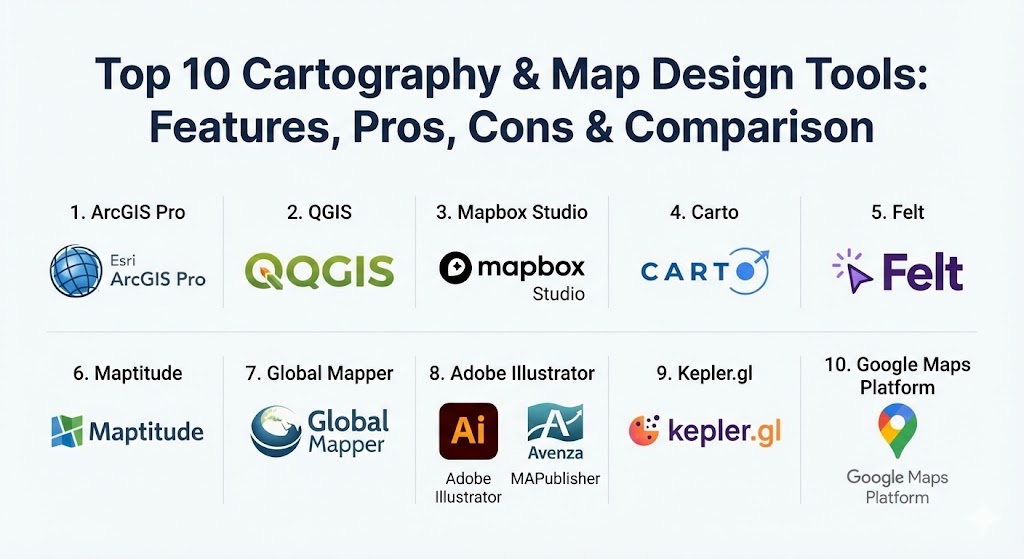
Top 10 Cartography & Map Design Tools
1 — ArcGIS Pro
ArcGIS Pro is the industry-standard desktop software for geographic information systems (GIS). Developed by Esri, it is a powerhouse for scientific analysis and high-end cartographic production.
- Key features:
- Advanced 2D, 3D, and 4D visualization and modeling.
- Deep integration with ArcGIS Online for cloud sharing.
- Artificial Intelligence (GeoAI) for predictive spatial modeling.
- Extensive library of scientific analysis tools.
- Professional-grade print layout and publishing tools.
- High-precision editing and data management.
- Pros:
- The most comprehensive feature set in the world for spatial analysis.
- Industry-standard; excellent for career advancement and enterprise networking.
- Cons:
- Very high cost; licensing can be prohibitive for individuals.
- Steep learning curve requiring formal training for advanced tasks.
- Security & compliance: SOC 2, FedRAMP, HIPAA, and GDPR compliant with enterprise SSO.
- Support & community: Massive global community; extensive documentation, certifications, and 24/7 technical support.
2 — QGIS
QGIS is the premier free and open-source cartography tool. It is a community-driven alternative that rivals commercial software in depth and flexibility.
- Key features:
- Support for virtually all spatial data formats (vector and raster).
- Massive ecosystem of thousands of community-made plugins.
- Advanced “Print Layout” for creating high-quality static maps.
- Python API (PyQGIS) for automation and custom tool development.
- Cross-platform support (Windows, macOS, Linux).
- Integrated “Processing Toolbox” with GRASS and SAGA tools.
- Pros:
- Completely free with no licensing fees for any use.
- Unmatched flexibility; if a feature doesn’t exist, there’s likely a plugin for it.
- Cons:
- User interface can be cluttered and inconsistent across plugins.
- Performance can lag with extremely large vector datasets.
- Security & compliance: Community-vetted; security depends on user configuration and plugin sources.
- Support & community: Incredible community support on StackExchange and dedicated QGIS user groups globally.
3 — Mapbox Studio
Mapbox Studio is a web-based design suite that allows designers and developers to create custom, high-performance vector maps for web and mobile apps.
- Key features:
- Pixel-level control over map styles (roads, water, labels).
- High-performance rendering via WebGL.
- Data-driven styling that changes based on zoom levels.
- 3D terrain and building extrusions.
- Seamless integration with mobile and web SDKs.
- Real-time data visualization capabilities.
- Pros:
- The best tool for creating “modern,” beautiful maps for high-traffic websites.
- Excellent developer documentation and API accessibility.
- Cons:
- Usage-based pricing can scale rapidly for popular applications.
- Requires some technical knowledge to fully implement in an app.
- Security & compliance: ISO 27001, SOC 2, and GDPR compliant.
- Support & community: Robust documentation; enterprise support available for high-tier plans.
4 — Carto
Carto (formerly CartoDB) is a cloud-native platform focused on location intelligence and spatial data science for business decision-making.
- Key features:
- SQL-driven spatial analysis and visualization.
- Deep integration with data warehouses like Snowflake and BigQuery.
- Drag-and-drop “Builder” interface for non-technical users.
- Pre-built templates for common business use cases (site selection).
- Access to massive data libraries (demographics, points of interest).
- Collaborative workflows within the browser.
- Pros:
- Perfect for businesses that need to analyze location data without a GIS degree.
- Cloud-native approach eliminates the need for expensive local hardware.
- Cons:
- Limited advanced cartographic “fine-tuning” compared to ArcGIS or QGIS.
- Pricing is geared toward enterprise-level budgets.
- Security & compliance: SOC 2 Type II, GDPR, and HIPAA compliant.
- Support & community: Dedicated success managers for enterprise clients; active technical blog.
5 — Felt
Felt is a modern, collaborative mapping tool designed to be the “Figma for maps.” It focuses on ease of use and real-time team collaboration.
- Key features:
- Real-time cursor presence and collaborative drawing tools.
- Effortless “drag and drop” for spatial data files (GeoJSON, Shapefile).
- High-performance browser rendering for massive datasets.
- Integrated data library for quick basemap overlays.
- Instant sharing via web links.
- Pros:
- The most intuitive mapping tool currently on the market.
- Built for modern web workflows—no software installation required.
- Cons:
- Still growing its library of advanced scientific analysis tools.
- Best for visualization/collaboration rather than deep geoprocessing.
- Security & compliance: SOC 2 Type II and GDPR compliant.
- Support & community: Growing community; fast response times via in-app help.
6 — Maptitude
Maptitude is a feature-rich, business-oriented GIS that is widely used for sales territory management and site selection.
- Key features:
- Includes massive datasets (Census data, road networks) out of the box.
- Advanced drive-time and radius analysis.
- Sales territory optimization tools.
- Routing and logistics planning.
- Heat mapping and demographic thematic mapping.
- Pros:
- Extraordinary value since it includes high-quality data that others charge extra for.
- One-time purchase or annual subscription options are very affordable for SMBs.
- Cons:
- Interface feels slightly dated (Windows-only).
- Less flexible for high-end web-map development compared to Mapbox.
- Security & compliance: Standard Windows-based security; GDPR compliant data handling.
- Support & community: Excellent US-based technical support and tutorial library.
7 — Global Mapper
Global Mapper is often called the “Swiss Army Knife” of mapping tools. It is highly favored by engineers and surveyors for its robust 3D and LiDAR capabilities.
- Key features:
- Support for over 300 different spatial file formats.
- Advanced 3D terrain viewing and analysis.
- LiDAR (laser scanning) point cloud processing.
- Watershed and flood modeling.
- Image rectification (giving real-world coordinates to photos).
- Pros:
- Incredibly fast and stable when handling massive 3D datasets.
- Very cost-effective compared to ArcGIS for technical surveying work.
- Cons:
- Visual cartographic design tools (fonts/styles) are less refined.
- Limited capabilities for building interactive web-based maps.
- Security & compliance: Varies by deployment; standard desktop-level security.
- Support & community: Responsive technical support and a dedicated forum for power users.
8 — Adobe Illustrator (with MAPublisher)
For designers who prioritize aesthetics and print quality above all else, using Adobe Illustrator with the MAPublisher plugin is the gold standard.
- Key features:
- Precision vector editing for high-end print cartography.
- Import GIS data directly into Illustrator layers.
- Attribute-driven styling within the design environment.
- Automated labeling and legend creation.
- Georeferenced PDF and image export.
- Pros:
- The absolute best tool for “beautiful,” museum-quality printed maps.
- Uses the familiar Illustrator workflow familiar to all graphic designers.
- Cons:
- Expensive (requires both Illustrator and MAPublisher licenses).
- Not suitable for spatial analysis or interactive web data.
- Security & compliance: Governed by Adobe Creative Cloud standards.
- Support & community: Avenza (the developer) offers detailed training and documentation.
9 — Kepler.gl
Kepler.gl is an open-source, high-performance web tool created by Uber to visualize massive, time-based datasets.
- Key features:
- GPU-accelerated rendering for millions of data points.
- Time-series animations (showing how data moves over time).
- 3D extrusions and heatmaps.
- Browser-based; no backend required for simple visualizations.
- Integration with Jupyter Notebooks for data scientists.
- Pros:
- Stunning visual effects for large-scale data movements (trips/flows).
- Completely free and open-source.
- Cons:
- Purely for visualization; no tools for editing data or scientific GIS analysis.
- Can be resource-heavy for older computers due to GPU usage.
- Security & compliance: N/A (Client-side tool).
- Support & community: Active GitHub community and documentation.
10 — Google Maps Platform
Google Maps Platform is the API-driven version of the world’s most famous map, used by developers to embed reliable navigation and location data into apps.
- Key features:
- Access to the world’s most accurate and up-to-date road/POI data.
- Dynamic styling of basemaps through the Cloud Styling console.
- Integrated routing, distance matrix, and geocoding APIs.
- High-resolution satellite and Street View imagery.
- Global scalability for millions of users.
- Pros:
- Unmatched data reliability; almost everyone is familiar with the interface.
- High-quality geocoding (turning addresses into dots on the map).
- Cons:
- Costs can be unpredictable and extremely high at high scale.
- Limited “thematic mapping” tools compared to Mapbox or Felt.
- Security & compliance: High-level Google Cloud security; SOC 2 and GDPR compliant.
- Support & community: Massive documentation library and developer ecosystem.
Comparison Table
| Tool Name | Best For | Platform(s) Supported | Standout Feature | Rating (G2 / Capterra) |
| ArcGIS Pro | Enterprise GIS Professionals | Windows | Deep Spatial Analytics | 4.6 / 5 |
| QGIS | Open Source/Researchers | Win, Mac, Linux | Free Plugin Ecosystem | 4.7 / 5 |
| Mapbox Studio | Web/App Designers | Web | Custom Vector Styling | 4.5 / 5 |
| Carto | Business Intelligence | Web | Data Warehouse Connectors | 4.4 / 5 |
| Felt | Team Collaboration | Web | Real-time Multiplayer | 4.8 / 5 |
| Maptitude | Sales & Logistics | Windows | Included Census Data | 4.6 / 5 |
| Global Mapper | Surveyors & 3D Modeling | Windows | LiDAR/Terrain Analysis | 4.5 / 5 |
| Adobe + MAP | Print Cartographers | Win, Mac | Design-First Workflow | 4.3 / 5 |
| Kepler.gl | Data Scientists | Web | GPU-Accelerated Animation | 4.4 / 5 |
| Google Maps | App Developers | Web, iOS, Android | Data Accuracy/Basemaps | 4.8 / 5 |
Evaluation & Scoring of Cartography & Map Design Tools
The following rubric identifies the critical factors that determine the value of a map design solution.
| Category | Weight | Evaluation Criteria |
| Core Features | 25% | Depth of analysis tools, projection support, and layer management. |
| Ease of Use | 15% | Intuitiveness of UI, learning curve, and onboarding materials. |
| Integrations | 15% | Connectivity to external databases (PostGIS, BigQuery) and cloud APIs. |
| Security | 10% | Enterprise readiness, SSO support, and data privacy certifications. |
| Performance | 10% | Rendering speed with large datasets and stability during complex tasks. |
| Support | 10% | Availability of technical help and vibrancy of the user community. |
| Price / Value | 15% | Affordability relative to the feature set and data inclusions. |
Which Cartography Tool Is Right for You?
- Solo Users & Freelancers: If you are on a budget, QGIS is a non-negotiable choice. For quick, beautiful web maps with no learning curve, Felt is perfect.
- Small to Medium Businesses (SMBs): Maptitude offers the best ROI because it provides both the software and the expensive demographic data in one package.
- Data Scientists: If you are working with millions of rows of data in Python or SQL, Kepler.gl or Carto will be your best allies.
- Enterprise & Government: ArcGIS Pro remains the gold standard for departmental GIS work where security and scientific accuracy are paramount.
- Web Developers: If you are building the next Uber or Zillow, Mapbox Studio and Google Maps Platform are the standard infrastructures.
Frequently Asked Questions (FAQs)
1. What is the difference between GIS and Cartography tools? GIS focuses on data management and spatial analysis (the “science”), while Cartography tools focus on the visual presentation and design of that data (the “art”). Most tools on this list do both.
2. Can I use these tools for free? Yes. QGIS and Kepler.gl are completely free. Others like Felt and Mapbox have generous free tiers for personal or small projects.
3. Do I need a powerful computer for map design? For desktop tools like ArcGIS or Global Mapper, you need a decent GPU and high RAM. Web tools like Carto or Felt do the heavy lifting in the cloud, so they run on standard laptops.
4. What is a “Shapefile”? It is one of the most common file formats for geographic vector data (points, lines, polygons). Almost every tool on this list supports it.
5. How do I get data for my maps? Common sources include OpenStreetMap (free), government census bureaus (free), or commercial providers like TomTom or Experian (paid).
6. Can these tools make 3D maps? Yes, tools like ArcGIS Pro, Mapbox, and Global Mapper have advanced 3D capabilities for mountains, buildings, and bathymetry.
7. Is coding required? Not for most desktop tools or collaborative web tools like Felt. However, for custom web development with Mapbox or Google Maps, knowledge of JavaScript is essential.
8. Can I print high-resolution maps? Yes. Adobe Illustrator with MAPublisher is best for this, but QGIS and ArcGIS Pro also have professional print composers.
9. What is a “Projection” in cartography? Since the Earth is round and maps are flat, projections are mathematical ways to “squash” the globe into a flat surface. Professional tools allow you to choose different projections to minimize distortion.
10. Is my data secure in cloud mapping tools? Enterprise tools like Carto and ArcGIS Online offer robust encryption and compliance (SOC 2), but always check the privacy settings before uploading sensitive coordinates.
Conclusion
Selecting the right cartography tool is a balance between your technical skill level and your end goal. If you need a scientific tool for heavy analysis, ArcGIS Pro and QGIS are unrivaled. If you want to create a stunning interactive map for a website, Mapbox and Felt are the future. Ultimately, the “best” tool is the one that allows you to present spatial information in a way that is clear, accurate, and visually compelling.