Introduction
A Geographic Information System (GIS) is a conceptualized framework that provides the ability to capture and analyze spatial and geographic data. Unlike a standard map, a GIS integrates various layers of information—such as imagery, features, and base maps—linked to spreadsheets and databases. This allows users to see patterns, relationships, and situations in a way that is otherwise invisible in raw text or static charts.
The importance of GIS tools lies in their power to provide “location intelligence.” By layering data such as population density, soil types, and infrastructure over a coordinate system, organizations can perform complex spatial analysis. Key real-world use cases include urban planning, disaster management, environmental impact assessment, and precision agriculture. When evaluating GIS tools, users should look for robust data integration capabilities, support for both vector and raster data, advanced 3D visualization, and the ability to handle high-volume spatial databases.
Best for: Urban planners, environmental scientists, cartographers, civil engineers, and large-scale government agencies. It is also essential for logistics companies and retail chains looking to perform site selection and territory management.
Not ideal for: Simple graphic designers who only need to draw a basic map for aesthetic purposes or small businesses that only require a “store locator” widget on their website without any underlying spatial analysis.
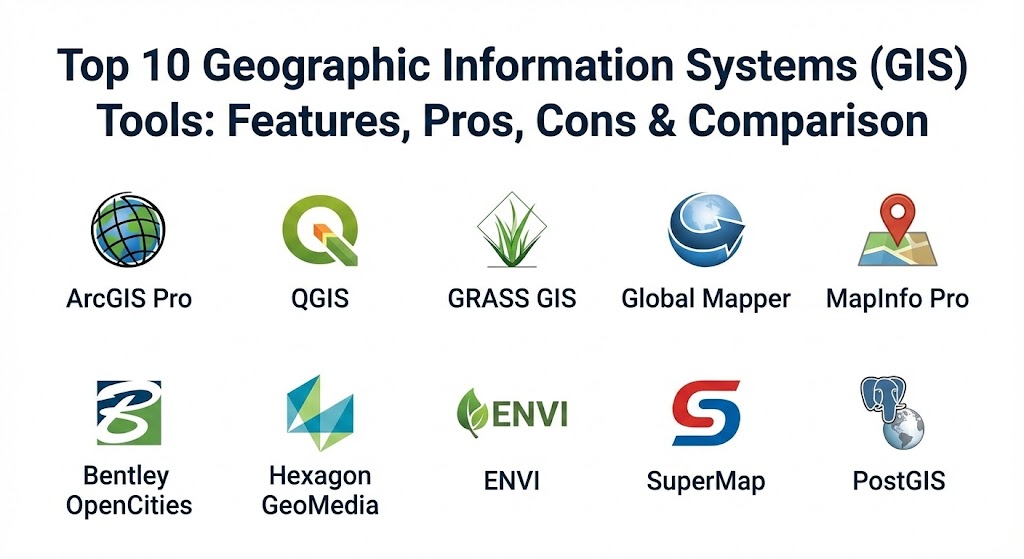
Top 10 Geographic Information Systems (GIS) Tools
1 — ArcGIS Pro (by Esri)
ArcGIS Pro is the industry-standard professional desktop GIS application from Esri. It is a powerful, single-threaded application that allows users to explore, visualize, and analyze data; create 2D maps and 3D scenes; and share their work to ArcGIS Online or ArcGIS Enterprise.
- Key features:
- Advanced 2D and 3D mapping and visualization in a single interface.
- Deep integration with ArcGIS Online for cloud-based collaboration.
- Extensive geoprocessing library with over 1,500 tools.
- Support for Python scripting (ArcPy) for automation.
- High-quality cartographic output and layout tools.
- Real-time data integration through Velocity and GeoEvent Server.
- Pros:
- Most comprehensive feature set in the industry; if a spatial analysis exists, ArcGIS can do it.
- Massive library of “Living Atlas” data available for immediate use.
- Cons:
- High cost of licensing, especially for advanced extensions.
- Steep learning curve for beginners due to the complexity of the ribbon-based UI.
- Security & compliance: SOC 2, HIPAA, GDPR, ISO 27001, and FedRAMP compliant. Features robust SSO and granular user permissions.
- Support & community: World-class technical support; massive user community (Esri Community) and extensive “Esri Academy” training resources.
2 — QGIS (Quantum GIS)
QGIS is the leading open-source GIS software. It is a volunteer-driven project that provides a professional-grade GIS for free, supporting nearly all vector, raster, and database formats.
- Key features:
- Free and open-source under the GNU General Public License.
- Extensible via a massive library of community-developed plugins.
- Native support for PostGIS, SpatiaLite, and MS SQL Server.
- Powerful digitization tools and cartographic composing.
- Integration with GRASS GIS and SAGE for advanced analysis.
- Cross-platform support (Windows, macOS, Linux).
- Pros:
- Zero cost makes it accessible for non-profits, students, and startups.
- Highly customizable; if a feature is missing, there is usually a plugin for it.
- Cons:
- Documentation can sometimes be inconsistent between different community versions.
- Lacks a centralized “enterprise support” line found in proprietary tools.
- Security & compliance: Community-audited code. Complies with open standards (OGC), but specific certifications like SOC 2 are up to the host environment.
- Support & community: Extremely active global community; help is found via Stack Exchange, mailing lists, and local user groups.
3 — GRASS GIS
GRASS (Geographic Resources Analysis Support System) is a powerful open-source GIS used primarily for geospatial data management, image processing, graphics production, and spatial modeling.
- Key features:
- Robust processing engine for raster, vector, and point cloud data.
- Over 350 modules for spatial analysis and map production.
- Advanced image processing tools for satellite and aerial imagery.
- Temporal framework for analyzing time-series data.
- Command-line and GUI interfaces for power users and beginners alike.
- Python API for workflow automation.
- Pros:
- Unrivaled stability and performance for heavy computational modeling.
- Excellent for academic research and high-end scientific analysis.
- Cons:
- The interface is functional but can feel dated and less intuitive than ArcGIS or QGIS.
- Managing the database structure (Location/Mapset) has a learning curve.
- Security & compliance: Open-source transparency; adheres to OGC standards.
- Support & community: Strong academic and research community; comprehensive wiki and manual pages.
4 — Global Mapper (by Blue Marble Geographics)
Global Mapper is an all-in-one GIS software known for being easy to use while providing a surprisingly deep set of tools, particularly for terrain analysis and 3D data.
- Key features:
- Support for over 300 spatial data formats.
- Advanced LiDAR processing and point cloud classification.
- 3D visualization and terrain masking tools.
- Easy-to-use “Digitizer” for vector creation and editing.
- Scripting language for batch file processing.
- Built-in tools for volume calculation and cut-and-fill analysis.
- Pros:
- Very affordable compared to enterprise competitors.
- Exceptionally fast at rendering large datasets and converting formats.
- Cons:
- Less focus on traditional database management than ArcGIS.
- Advanced LiDAR tools require an additional “Pro” module purchase.
- Security & compliance: Standard software security; used extensively in government and defense sectors.
- Support & community: Excellent responsive support team and a very helpful online user forum.
5 — MapInfo Pro (by Precisely)
MapInfo Pro is a desktop GIS specifically designed for business analysts. It excels in data visualization and location intelligence for retail, insurance, and telecommunications.
- Key features:
- “Smart Texturing” and visualization for business demographics.
- Integration with Precisely’s high-quality data products.
- Easy data sharing through the MapInfo Viewer.
- Advanced raster processing engine (Multi-Resolution Raster).
- SQL-like querying for spatial data analysis.
- Support for Bing Maps and other tile services natively.
- Pros:
- Very strong for “Business GIS”—site selection, risk analysis, and marketing.
- The UI is streamlined and modern, making it easier for business users than scientific GIS.
- Cons:
- Not as deep in environmental or scientific modeling as QGIS or Esri.
- Licensing is proprietary and can be pricey for small teams.
- Security & compliance: ISO 27001, SOC 2, and GDPR compliant frameworks.
- Support & community: Strong corporate support and the Precisely Knowledge Communities.
6 — Bentley OpenCities Map
Designed specifically for the infrastructure industry, OpenCities Map (formerly Bentley Map) combines traditional GIS with high-precision engineering and CAD capabilities.
- Key features:
- Native integration with MicroStation and other engineering tools.
- Precision 3D city modeling and “Digital Twin” integration.
- Management of large-scale infrastructure assets (roads, utilities).
- Direct editing of Oracle Spatial and SQL Server data.
- Realistic 3D rendering for urban development presentations.
- Support for mobile field data collection.
- Pros:
- The best choice for engineers who need to bridge the gap between CAD and GIS.
- Incredible precision for surveying and utility mapping.
- Cons:
- Highly specialized; may be “too heavy” for simple demographic mapping.
- High entry price and specialized hardware requirements for 3D work.
- Security & compliance: ISO 27001, SOC 2, and GDPR.
- Support & community: Enterprise-grade support; Bentley Communities provide deep technical deep-dives.
7 — Hexagon GeoMedia
GeoMedia is a versatile GIS platform that emphasizes the ability to extract information from multiple data sources and analyze it in a single environment without data conversion.
- Key features:
- Dynamic data linking (simultaneous access to diverse databases).
- Powerful spatial triggering for real-time awareness.
- Advanced web-map publishing capabilities.
- High-precision photogrammetry and remote sensing extensions.
- Sophisticated 3D data analysis and visualization.
- Used heavily in public safety and infrastructure management.
- Pros:
- Superior performance when connecting directly to disparate databases.
- Very strong for large-scale production mapping and national security.
- Cons:
- Can be complex to set up and configure for multi-user environments.
- Less “mainstream” community than Esri or QGIS, meaning fewer third-party tutorials.
- Security & compliance: Compliant with major international standards; used by many defense and intelligence agencies globally.
- Support & community: High-quality professional support and user conferences.
8 — ENVI (by NV5 Geospatial)
While often categorized as Remote Sensing software, ENVI is a critical GIS tool for extracting information from satellite imagery, hyperspectral data, and LiDAR.
- Key features:
- Industry-leading spectral analysis tools.
- Deep learning and machine learning for object identification.
- Integration with ArcGIS Pro (ENVI for ArcGIS).
- Scientific-grade atmospheric correction and calibration.
- Change detection for monitoring environmental shifts over time.
- Support for over 70 satellite sensors.
- Pros:
- The gold standard for imagery analysis and remote sensing.
- Highly accurate results for environmental monitoring and agricultural health.
- Cons:
- Very expensive; usually restricted to high-end research or corporate use.
- Requires specialized knowledge of physics/geography to use effectively.
- Security & compliance: Varies by deployment; standard enterprise security for desktop.
- Support & community: Excellent documentation and training via NV5 Geospatial.
9 — SuperMap GIS
SuperMap is a leading GIS software provider in the Asian market, offering a comprehensive suite ranging from desktop to cloud and mobile GIS with a focus on Big Data GIS.
- Key features:
- Advanced Big Data spatial analysis and visualization.
- Native AI GIS for image interpretation and spatial prediction.
- Support for massive 3D data (oblique photography, BIM, point clouds).
- Distributed GIS for high-performance computing.
- Cross-platform support for web, mobile, and desktop.
- Integration with blockchain for secure spatial data management.
- Pros:
- Excellent performance on massive datasets and 3D city models.
- Highly innovative in the areas of AI and Big Data integration.
- Cons:
- Smaller presence and community in the Western market compared to Esri.
- Interface and documentation may be less localized in some regions.
- Security & compliance: ISO 27001, GDPR, and localized security standards.
- Support & community: Strong support in Asia; growing online support and training globally.
10 — PostGIS (Spatial Database)
While technically a database extension for PostgreSQL, PostGIS is the “brain” behind many GIS systems. It is the most popular open-source spatial database in the world.
- Key features:
- Adds spatial objects (points, lines, polygons) to the PostgreSQL database.
- Support for thousands of spatial queries (intersections, buffers, distances).
- Extremely high performance for large-scale data sets.
- Native integration with QGIS, ArcGIS, and OpenLayers.
- Support for raster data and 3D objects.
- Adherence to OpenGIS Simple Features Specification.
- Pros:
- The most powerful and cost-effective way to store and query spatial data.
- Essential for web-GIS developers and data scientists.
- Cons:
- Requires knowledge of SQL; it is not a “mapping application” by itself.
- No native GUI for cartography; must be used in conjunction with a GIS client.
- Security & compliance: Inherits the robust security of PostgreSQL (SSL, TDE, granular ACLs).
- Support & community: Massive developer community; help found everywhere from GitHub to StackOverflow.
Comparison Table
| Tool Name | Best For | Platform(s) Supported | Standout Feature | Rating (Gartner Peer Insights) |
| ArcGIS Pro | Enterprise Standard | Windows | Living Atlas / 3D Integration | 4.6 / 5 |
| QGIS | Open Source / Budget | Windows, Mac, Linux | Massive Plugin Library | 4.8 / 5 |
| GRASS GIS | Scientific Research | Windows, Linux, Mac | Temporal Data Analysis | N/A |
| Global Mapper | LiDAR / Terrain | Windows | Format Conversion Speed | 4.5 / 5 |
| MapInfo Pro | Business Analytics | Windows | Smart Visualizations | 4.2 / 5 |
| Bentley OpenCities | Engineering / CAD | Windows | MicroStation Integration | 4.3 / 5 |
| GeoMedia | Multi-Source Integration | Windows | Dynamic Data Linking | 4.2 / 5 |
| ENVI | Remote Sensing | Windows, Linux | Hyperspectral Analysis | 4.4 / 5 |
| SuperMap | AI & Big Data GIS | Windows, Web, Mobile | Native AI GIS Features | 4.5 / 5 |
| PostGIS | Spatial Data Storage | Linux, Windows, Mac | SQL Spatial Queries | 4.9 / 5 |
Evaluation & Scoring of GIS Tools
The value of a GIS tool is determined by how well it handles the “Data-Analysis-Visualization” pipeline. A tool that creates beautiful maps but cannot process complex spatial queries is of limited use to a professional.
| Category | Weight | Evaluation Notes |
| Core Features | 25% | Capacity for vector/raster analysis, 3D support, and geoprocessing. |
| Ease of Use | 15% | UI design, accessibility for non-experts, and cartographic workflow. |
| Integrations | 15% | Ability to connect to databases (PostGIS, SQL), Cloud, and CAD tools. |
| Security & Compliance | 10% | Support for SSO, data encryption, and international standards (ISO/GDPR). |
| Performance | 10% | Speed of rendering, handling of “Big Data,” and stability under load. |
| Support & Community | 10% | Availability of training, documentation, and active user forums. |
| Price / Value | 15% | Cost of entry vs. the ROI provided for specialized tasks. |
Which GIS Tool Is Right for You?
Selecting the right GIS platform depends on your technical expertise and the specific questions you are trying to answer.
- Solo Users & Students: Start with QGIS. It is free, has a massive community for learning, and the skills you learn are transferable to almost any other GIS tool.
- Small to Medium Businesses (SMBs): If you need to perform terrain analysis or work with LiDAR without a massive budget, Global Mapper is a fantastic “Swiss Army Knife.” For business site selection, MapInfo Pro is highly efficient.
- Large-scale Enterprises & Government: ArcGIS Pro is almost certainly the requirement due to its enterprise-wide integration, “Living Atlas” data, and standard-setting support for government compliance.
- Engineering & Construction: If your work starts in CAD, Bentley OpenCities Map ensures that you don’t lose precision when moving into the GIS world.
- Data Scientists & Web Developers: You should focus on PostGIS. Understanding how to manage spatial data at the database level is the most scalable skill in the modern GIS landscape.
Frequently Asked Questions (FAQs)
1. What is the difference between Vector and Raster data? Vector data uses points, lines, and polygons to represent discrete objects (like buildings or roads). Raster data uses a grid of cells (pixels) to represent continuous data (like satellite imagery or elevation).
2. Can I use GIS for free? Yes. QGIS and GRASS GIS are world-class, professional-grade tools that are completely free and open-source.
3. Is GIS hard to learn? The basics of making a map are easy, but spatial analysis requires a solid understanding of coordinate systems, projections, and data structures. It usually takes a few months of consistent use to become proficient.
4. What are Coordinate Reference Systems (CRS)? A CRS is a framework used to define locations on the Earth’s surface. Choosing the wrong CRS is a common mistake that can lead to maps that look distorted or data that doesn’t align correctly.
5. How do I get data for my GIS? You can use open portals like OpenStreetMap, NASA’s Earthdata, or the Esri Living Atlas. Many local governments also provide “Open Data” portals for their specific regions.
6. Do I need a powerful computer to run GIS? For basic 2D mapping, a modern laptop is fine. However, for 3D modeling, LiDAR processing, or satellite imagery analysis, you will need a machine with a powerful GPU and at least 16GB–32GB of RAM.
7. What is Geoprocessing? Geoprocessing is any GIS operation used to manipulate data. Common examples include “Buffering” (creating a zone around a feature) or “Clipping” (cutting out a piece of one layer using another).
8. Can I use GIS on my phone? Yes, many tools like ArcGIS and SuperMap have mobile versions used for “Field Data Collection,” allowing surveyors to input data directly into the system while on-site.
9. What is LiDAR? LiDAR (Light Detection and Ranging) is a remote sensing method that uses light in the form of a pulsed laser to measure ranges to the Earth. It produces highly accurate 3D “point clouds.”
10. Why is PostGIS better than a regular database? A regular database doesn’t understand “where” things are. PostGIS adds spatial functions so you can ask the database questions like “Find all customers within 5 miles of this store location.”
Conclusion
The GIS landscape is broader than ever, ranging from community-driven open-source projects to high-end enterprise suites powered by AI. When choosing your tool, focus on the data you handle most: if it’s satellite imagery, look toward ENVI; if it’s urban infrastructure, look at Bentley; if it’s everything at once, ArcGIS Pro or QGIS are your champions. Ultimately, the “best” GIS is the one that transforms your raw data into actionable location intelligence.