Introduction
Civic engagement platforms are specialized software solutions designed to facilitate two-way communication between public institutions and the people they serve. These tools move beyond simple “one-way” broadcasting (like social media announcements) to create a structured environment for surveys, participatory budgeting, collaborative planning, and sentiment analysis. By providing a centralized hub for community input, these platforms ensure that decision-making is data-driven and inclusive.
The importance of these tools is rooted in the “trust deficit” often seen in modern governance. When residents feel their voices impact local policy, trust in public institutions increases. Key real-world use cases include co-designing public parks, gathering feedback on transit extensions, and allowing citizens to vote on how a portion of the city budget is spent. When evaluating these tools, users should look for WCAG 2.1 accessibility compliance, robust data privacy (GDPR/SOC 2), multi-language support, and the ability to integrate with existing Geographic Information Systems (GIS) and CRMs.
Best for: Local, state, and regional governments, urban planners, public utilities, and non-profit advocacy groups. It is ideal for organizations that need to reach beyond “the usual voices” and engage a representative cross-section of their population.
Not ideal for: Small private businesses or hobbyist groups that do not require formal public consultation or rigorous data auditing. Standard social media or simple poll tools (like Typeform) are usually better suited for low-stakes, non-governmental feedback.
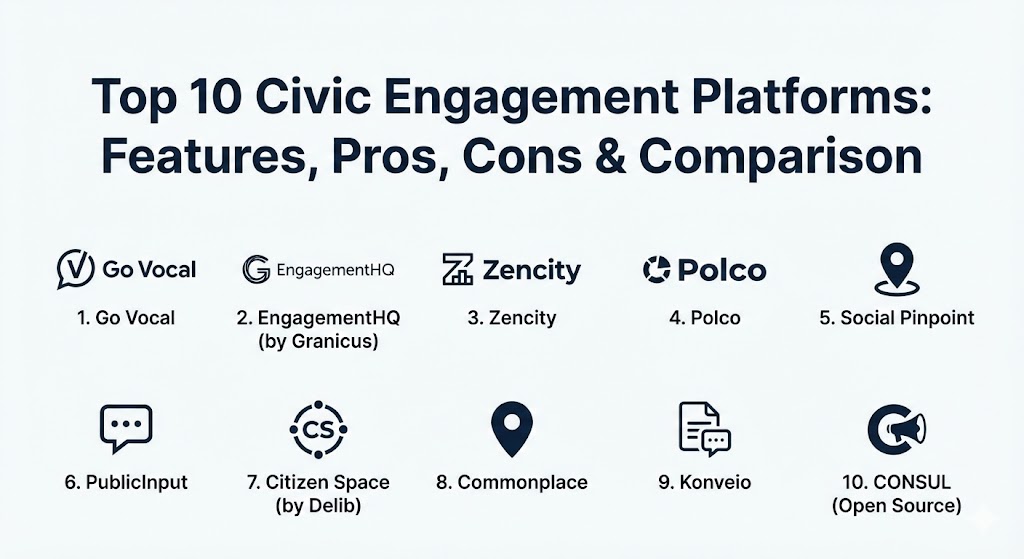
Top 10 Civic Engagement Platforms
1 — Go Vocal (formerly CitizenLab)
Go Vocal is a leading platform geared toward local governments that want to move from passive consultation to active co-creation. It focuses on turning resident input into manageable, real-time data for officials.
- Key features:
- Participatory budgeting modules for community-led spending.
- AI-driven sentiment analysis to categorize thousands of comments automatically.
- Interactive mapping for location-based feedback (e.g., planning new bike lanes).
- Integrated “Workshops” for real-time virtual deliberation.
- Automated reporting and insight dashboards for city staff.
- Pros:
- Exceptionally user-friendly interface for both residents and administrators.
- Strong focus on inclusivity and lowering the barrier to entry for marginalized groups.
- Cons:
- Advanced AI features are locked behind higher-tier pricing.
- Initial setup for complex participatory budgeting can be time-intensive.
- Security & compliance: GDPR compliant, ISO 27001 certified, and supports SSO.
- Support & community: Offers “Engagement Experts” to guide strategy, extensive documentation, and regular webinars for the user community.
2 — EngagementHQ (by Granicus)
EngagementHQ, part of the Granicus suite, is often considered the “Swiss Army Knife” of civic engagement. It provides a massive toolbox of over eight different engagement methods in one central hub.
- Key features:
- Diverse engagement tools: Forums, ideation boards, Q&A, and storytelling.
- 24/7 moderation service to ensure civil and constructive dialogue.
- Participant Relationship Management (PRM) to track engagement over time.
- Detailed demographic reporting and cross-tabulation.
- Seamless integration with other Granicus government modules.
- Pros:
- The sheer variety of tools makes it suitable for almost any type of project.
- Excellent administrative controls for large, multi-departmental organizations.
- Cons:
- The platform can feel overwhelming for small teams with limited projects.
- Higher price point than many standalone or open-source competitors.
- Security & compliance: SOC 2 Type II, FedRAMP (via Granicus), HIPAA, and GDPR.
- Support & community: World-class enterprise support; access to the “EngagementIQ” resource library.
3 — Zencity
Zencity takes a unique approach by focusing on “organic” engagement. Instead of just asking for feedback, it uses AI to listen to what residents are already saying across social media, local news, and 311 lines.
- Key features:
- Organic sentiment tracking across dozens of digital channels.
- Representative community surveys that benchmark against national data.
- Real-time alerts for emerging “hot topics” or PR crises.
- Cross-channel visibility of community needs (e.g., combining social media and survey data).
- Automated reports that summarize “The Resident Voice” for council meetings.
- Pros:
- Eliminates the bias of “the loudest person in the room” by capturing quiet voices online.
- Requires very little effort from the resident to be heard.
- Cons:
- Less focused on direct co-creation (like budgeting) than Go Vocal or Cleo.
- Relying purely on social listening can sometimes miss nuance in offline communities.
- Security & compliance: ISO 27001, GDPR, and rigorous data anonymization protocols.
- Support & community: High-touch customer success teams; regular data insights reports for clients.
4 — Polco
Polco is a data-driven platform that combines a digital engagement tool with a national network of data benchmarks, helping cities see how they stack up against their peers.
- Key features:
- National Research Center (NRC) integration for scientific benchmarking.
- Verified respondent system to ensure feedback comes from real residents.
- Interactive dashboards for tracking “Quality of Life” metrics over years.
- Pre-built survey templates for housing, safety, and economy.
- Community panels for ongoing, longitudinal feedback.
- Pros:
- The ability to compare local results to national averages is invaluable for budgeting.
- High data integrity due to the verification of participants.
- Cons:
- The UI is more functional/traditional and lacks the “flash” of Social Pinpoint.
- Not designed for highly visual, map-based design consultations.
- Security & compliance: SOC 2 compliance and strict privacy protections for verified users.
- Support & community: Access to a deep network of public sector researchers and benchmarking data.
5 — Social Pinpoint
Social Pinpoint is a highly visual, map-based platform designed specifically for urban planning, transit, and environmental projects where geography matters.
- Key features:
- Interactive “Pin-Drop” maps for location-specific comments.
- Visual project timelines and “Story Maps.”
- Collaborative budget simulations and “priority sliders.”
- Branded “Engagement Hubs” for specific long-term initiatives.
- Drag-and-drop tool suite for building custom engagement pages.
- Pros:
- Perfect for planning departments; residents love the visual, map-first approach.
- Extremely mobile-responsive, making it easy to use on-site.
- Cons:
- Less effective for general policy discussions that aren’t tied to a map.
- Pricing can scale quickly if you have many active projects.
- Security & compliance: GDPR compliant and secure cloud hosting.
- Support & community: Offers strategy workshops and has a strong user base in Australia, the UK, and North America.
6 — PublicInput
PublicInput is an all-in-one platform that focuses on the entire engagement lifecycle, from outreach and translation to final reporting.
- Key features:
- Integrated email, SMS, and voice tools for multi-channel outreach.
- Equity mapping to see which neighborhoods are (and aren’t) participating.
- Virtual public meeting tools with live closed captioning.
- CRM-style database to manage all community interactions.
- Robust demographic analysis and weighting tools.
- Pros:
- Excellent for ensuring “Equity and Inclusion” by identifying underserved areas.
- Replaces 3-4 different tools (email, surveys, CRM, meetings) with one platform.
- Cons:
- The broad feature set creates a steeper learning curve for staff.
- Administrative interface can occasionally feel “clunky” due to the volume of data.
- Security & compliance: SOC 2, HIPAA readiness, and FIPS 140-2 compatibility.
- Support & community: Dedicated project managers for enterprise clients and an active user training academy.
7 — Citizen Space (by Delib)
Citizen Space is one of the longest-standing tools in the market, used primarily by national and regional governments for high-stakes formal consultations.
- Key features:
- Sophisticated survey logic for long, complex policy documents.
- “We Asked, You Said, We Did” transparency module.
- Central management of all departmental consultations in one public “portal.”
- Geospatial mapping and interactive PDF feedback.
- Advanced analysis tools for managing thousands of free-text responses.
- Pros:
- Built for transparency; the “Response” module is best-in-class for closing the loop.
- Highly accessible and meets the strictest governmental standards (WCAG 2.1 AA).
- Cons:
- Lacks some of the “gamified” elements (like idea voting) found in Go Vocal.
- The aesthetic is professional and sober, which may not excite younger demographics.
- Security & compliance: ISO 27001, GDPR, and UK Cyber Essentials Plus certified.
- Support & community: Exceptional reputation for support and deep expertise in government policy.
8 — Commonplace
Commonplace is designed to build a “shared sense of place,” focusing on the human-centric side of urban development and regeneration.
- Key features:
- Highly engaging, colorful project pages with rich media (videos/photos).
- Community “Heat Maps” to identify sentiment hotspots.
- Gamified feedback loops to encourage repeat participation.
- Automated social media integration for easier outreach.
- Integrated newsfeeds to keep residents updated on project progress.
- Pros:
- One of the most “friendly” interfaces for citizens, driving higher response rates.
- Great for “Place-making” and neighborhood-level projects.
- Cons:
- Not as robust for complex, multi-year policy consultations.
- The “public-facing” data can be less granular than tools like Polco.
- Security & compliance: GDPR compliant and secure UK-based hosting.
- Support & community: Strategic advice on how to build a “community brand” around your projects.
9 — Konveio
Konveio is a specialized tool that focuses on making document-based engagement interactive. It is perfect for organizations that need feedback on long draft plans or policies.
- Key features:
- Interactive PDF viewer that allows comments on specific lines or images.
- Guided walkthroughs of long, complex documents.
- Discussion threads pinned directly to sections of a draft plan.
- Automated synthesis of document comments.
- Integration with major CMS platforms (WordPress/CivicPlus).
- Pros:
- Solves the problem of “the 300-page PDF” that no one wants to read.
- Dramatically increases the quality of feedback on technical documents.
- Cons:
- Specialized for documents; not an all-purpose engagement hub.
- Requires a separate tool if you want to do participatory budgeting or maps.
- Security & compliance: GDPR compliant and meets high accessibility standards.
- Support & community: Helpful video tutorials and direct access to a nimble engineering team.
10 — CONSUL (Open Source)
CONSUL is the most famous open-source civic engagement platform in the world, originally developed for the city of Madrid. It is now used by hundreds of cities globally.
- Key features:
- Fully open-source and customizable code.
- Modules for citizen proposals, voting, and debates.
- Participatory budgeting and collaborative legislation.
- Transparency and accountability modules.
- Multi-language support and community-led moderation.
- Pros:
- Zero licensing fees; ideal for tech-savvy cities or those on a budget.
- Offers the highest degree of “democratic credibility” as it’s community-owned.
- Cons:
- Requires internal IT resources or a specialized vendor to host and maintain.
- Lacks the polished, dedicated customer support of SaaS products like Go Vocal.
- Security & compliance: Dependent on hosting environment, but built with privacy-first principles.
- Support & community: Massive global community of developers and city admins (CONSUL Project).
Comparison Table
| Tool Name | Best For | Platform(s) Supported | Standout Feature | Rating (Gartner/G2) |
| Go Vocal | Inclusive Co-creation | Web, Mobile | AI-Driven Insights | 4.7 / 5 |
| EngagementHQ | Comprehensive Toolbox | Web, Mobile | 24/7 Moderation | 4.6 / 5 |
| Zencity | Sentiment Analysis | Web, Mobile | Organic Social Listening | 4.5 / 5 |
| Polco | Data Benchmarking | Web, Mobile | National NRC Benchmarks | 4.7 / 5 |
| Social Pinpoint | Urban Planning | Web, Mobile | Interactive Pin-Drop Maps | 4.6 / 5 |
| PublicInput | Equity & Outreach | Web, Mobile | Equity Mapping & CRM | 4.4 / 5 |
| Citizen Space | Formal Consultation | Web | “We Asked, You Said” Module | 4.5 / 5 |
| Commonplace | Place-making | Web, Mobile | Sentiment Heat Maps | 4.5 / 5 |
| Konveio | Document Feedback | Web | Interactive PDF Viewer | 4.9 / 5 |
| CONSUL | Open Source | Web (Self-hosted) | No Licensing Fees | N/A |
Evaluation & Scoring of Civic Engagement Platforms
To determine the true ROI of a platform, organizations should look at how much meaningful data they gather per dollar spent, and how much staff time is saved by automation.
| Category | Weight | Evaluation Criteria |
| Core Features | 25% | Variety of engagement tools (maps, polls, budgeting), automation, and reporting. |
| Ease of Use | 15% | Barrier to entry for residents (no logins required?) and admin interface simplicity. |
| Integrations | 15% | Connections to GIS, CRM, Social Media, and Government CMS (like CivicPlus). |
| Security & Compliance | 10% | Accessibility (WCAG 2.1), data residency, and privacy certifications. |
| Performance | 10% | Mobile responsiveness, site speed, and uptime reliability. |
| Support | 10% | Availability of engagement strategy experts and technical help. |
| Price / Value | 15% | Scalability of the pricing model relative to the population served. |
Which Civic Engagement Platforms Tool Is Right for You?
Selecting the right platform is about matching your community’s demographic and your team’s technical capacity.
- Solo Users & NGOs: If you are a small non-profit, look for tools with a low entry cost like Commonplace or Konveio. If you have an IT volunteer, CONSUL is a powerful free option.
- Small Cities & Towns (SMB Tier): Social Pinpoint or Go Vocal are excellent because they offer pre-built modules that don’t require a large dedicated team to manage.
- Mid-Market / Regional Governments: Polco is essential for those who need to justify their budget with national data. PublicInput is ideal if you need to consolidate multiple communication tools into one.
- Enterprise & Capital Cities: Large metropolitan areas with complex needs usually prefer EngagementHQ for its sheer variety of tools or Citizen Space for its proven record in formal governmental transparency.
- Accessibility and Inclusion: If your main goal is reaching underserved neighborhoods, PublicInput’s equity mapping or Go Vocal’s mobile-first, easy-to-use interface should be your priority.
Frequently Asked Questions (FAQs)
1. What is the difference between civic engagement and social media? Social media is a “one-to-many” broadcast tool where data is siloed and often inflammatory. Civic engagement platforms are “two-way” tools designed to gather structured, actionable data that can be audited and used in official reports.
2. Are these platforms accessible to people with disabilities? Top-tier tools are built to meet WCAG 2.1 AA standards, ensuring they work with screen readers and are easy to navigate for those with motor or visual impairments.
3. Do residents have to create an account to participate? It varies. Many platforms (like Commonplace) offer “no-login” options to lower the barrier, while others (like Polco) require verification to ensure one-person-one-vote integrity.
4. How do these tools handle “trolls” or negative comments? Tools like EngagementHQ provide 24/7 human moderation, while others use AI to flag offensive content before it goes public, ensuring a safe space for dialogue.
5. Can I run multiple projects at the same time? Yes. Most platforms allow you to create separate “hubs” or landing pages for different departments (e.g., one for Parks, one for Transit, one for Finance).
6. Do these tools integrate with GIS (maps)? Yes, tools like Social Pinpoint and PublicInput integrate directly with Esri ArcGIS or other map services to show residents exactly where a project will be located.
7. Is my data stored locally or in the cloud? Most modern platforms are SaaS (Software as a Service) and host data in secure clouds (like AWS or Azure). You can usually choose a data residency (e.g., data stays in the UK, USA, or EU).
8. Can I use these for participatory budgeting? Yes, Go Vocal, EngagementHQ, and CONSUL have dedicated modules where residents can allocate “virtual dollars” to different community projects.
9. How do I get more residents to use the platform? Most platforms offer outreach tools like integrated email, SMS, and QR codes that you can put on physical signs at project sites to drive digital traffic.
10. What is “Sentiment Analysis”? It is an AI feature that reads hundreds of comments and tells you if the overall “vibe” is positive, negative, or neutral, often categorizing them by theme (e.g., “concerns about parking”).
Conclusion
The “best” civic engagement platform is the one that your residents will actually use and your staff can actually manage. Whether you need the scientific rigors of Polco, the visual excitement of Social Pinpoint, or the democratic openness of CONSUL, the goal remains the same: to move from “decide and defend” to “consult and co-create.” By choosing a tool that prioritizes accessibility, data integrity, and transparency, you turn public participation into a competitive advantage for your community.