Introduction
A Municipal Tax Collection System is a specialized financial platform used by local governments (cities, counties, and townships) to automate the billing, tracking, and collection of various taxes and fees. This includes property taxes, business licenses, utility payments, and special assessments.
The importance of these systems lies in their ability to reduce manual errors, increase collection rates through automated reminders, and provide transparent audit trails. Key real-world use cases include real-time revenue forecasting, GIS-integrated property tracking, and self-service citizen portals that allow residents to pay their bills via mobile apps or digital wallets. When evaluating these tools, users should look for strong integration with GIS (Geographic Information Systems), robust compliance reporting, and high-level security for sensitive financial data.
Best for: Local government finance departments, city treasurers, and county tax assessors in municipalities ranging from small towns to metropolitan cities.
Not ideal for: Private corporations or non-profits that do not have statutory taxing authority. While some ERPs listed can handle general billing, they are distinct from specialized municipal systems that must adhere to specific state and local laws.
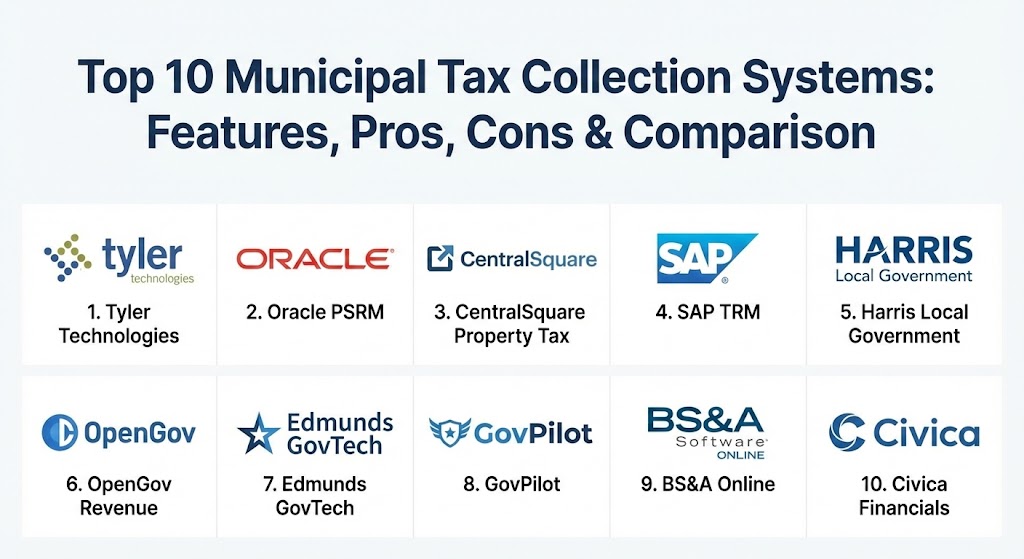
Top 10 Municipal Tax Collection Systems
1 — Tyler Technologies Enterprise ERP (formerly Munis)
Tyler Technologies is the industry heavyweight, providing an all-encompassing ERP solution specifically built for the public sector. Its tax module is renowned for handling the entire lifecycle of property and municipal taxes.
- Key features:
- Integrated Computer-Assisted Mass Appraisal (CAMA).
- Real-time GIS integration for spatial tax analysis.
- Automated delinquency processing and tax sale management.
- Multi-channel citizen payment portals (Mobile, Web, Kiosk).
- State-specific compliance modules for unique regulatory needs.
- Comprehensive general ledger and budgeting integration.
- Pros:
- Deepest feature set in the industry; handles almost any taxing scenario.
- Highly scalable for large counties and metropolitan areas.
- Cons:
- High total cost of ownership (TCO) compared to modular tools.
- Implementation can be long and requires significant staff training.
- Security & compliance: SOC 2 Type II, CJIS compliance, role-based access control, and AES-256 encryption.
- Support & community: Extensive global support network and a massive ecosystem of third-party integrators.
2 — Oracle Public Sector Revenue Management (PSRM)
Oracle’s PSRM is a high-volume revenue management platform designed for state and large municipal governments that need to process millions of transactions with absolute precision.
- Key features:
- High-performance batch processing for massive tax rolls.
- Configurable tax rules engine for complex legislative changes.
- Integrated case management for audits and disputes.
- Advanced analytics for revenue leakage detection.
- Seamless integration with Oracle Cloud Financials.
- Pros:
- Unmatched performance for Tier 1 cities and state-level agencies.
- Extremely flexible rules engine that doesn’t require hard-coding.
- Cons:
- Requires significant IT resources to maintain and configure.
- User interface can be overwhelming for casual users.
- Security & compliance: FIPS 140-2, HIPAA, GDPR, and FedRAMP authorized.
- Support & community: World-class enterprise support with premium “MaxAttention” services available.
3 — CentralSquare Property Tax
CentralSquare offers a unified suite of public administration tools, with its Property Tax module being a standout for its “citizen-first” approach and ease of use.
- Key features:
- Automated bill generation and digital distribution.
- Interactive citizen engagement portal with payment history.
- Advanced reporting and audit-ready financial data.
- Integration with Public Safety and Community Development modules.
- Automated penalties and interest calculations.
- Pros:
- Excellent balance of power and user-friendly interface.
- Strong cloud-native architecture reduces on-premise hardware costs.
- Cons:
- Some modules feel like legacy acquisitions and may have inconsistent UIs.
- Custom reporting can be less intuitive than competitors.
- Security & compliance: SOC 2, role-based security, and secure payment processing.
- Support & community: Robust documentation and a growing user community.
4 — SAP Tax and Revenue Management (TRM)
SAP TRM provides a holistic view of the taxpayer, integrating tax collection with the wider SAP ERP ecosystem to provide real-time financial insights.
- Key features:
- 360-degree view of the taxpayer across all tax types.
- Automated workflow engine for multi-step approvals.
- Real-time financial reporting and business intelligence.
- Global compliance support for multi-national municipalities.
- Predictive analytics for revenue forecasting.
- Pros:
- Best-in-class integration with SAP Finance and General Ledger.
- Highly reliable and auditable for complex government structures.
- Cons:
- Very high implementation cost and complexity.
- Primarily suited for the largest, most complex organizations.
- Security & compliance: ISO 27001, SOC 1/2, and global data privacy compliance.
- Support & community: Global network of SAP certified partners and consultants.
5 — Harris Local Government (SmartFusion)
Designed specifically for small to mid-sized municipalities, SmartFusion is an integrated suite that offers a powerful tax billing and collection module without the enterprise price tag.
- Key features:
- Unified database for tax, utility billing, and payroll.
- Easy-to-use “SmartSearch” for property records.
- Built-in report writer for custom tax rolls.
- Integration with third-party payment gateways.
- Automated demand notices and delinquency letters.
- Pros:
- Shorter implementation time compared to larger ERPs.
- Tailored specifically for the needs of “Main Street” towns.
- Cons:
- Lacks some of the advanced AI/Analytics features of Oracle or SAP.
- UI feels a bit dated compared to modern cloud platforms.
- Security & compliance: SSL encryption and role-based access.
- Support & community: Highly praised personalized customer support for smaller clients.
6 — OpenGov Revenue
OpenGov has disrupted the market with a sleek, cloud-native platform focused on transparency and efficiency, making it a favorite for modern finance directors.
- Key features:
- Real-time revenue dashboards for council members and citizens.
- Automated digital billing and notifications.
- Modern, API-first approach for easy integrations.
- Mobile-optimized portals for field assessments.
- Integrated budget and forecasting tools.
- Pros:
- The most modern and intuitive UI in the municipal space.
- Fast deployment and excellent mobile accessibility.
- Cons:
- Newer to the tax collection space compared to incumbents like Tyler.
- May lack some niche statutory compliance features for specific states.
- Security & compliance: SOC 2 Type II, cloud-native disaster recovery.
- Support & community: Strong focus on “partnering” with cities for digital transformation.
7 — Edmunds GovTech
Edmunds is a staple for East Coast municipalities, known for its deep feature set and reliable on-premise or cloud-hosted solutions.
- Key features:
- Integrated GIS GeoAnalyst for spatial tax analysis.
- Personal property valuation for business assets.
- Tax Increment Financing (TIF) and special district management.
- Automated reconciliations with bank files.
- Robust tax sale and foreclosure management.
- Pros:
- Exceptionally deep knowledge of local government statutory requirements.
- Very loyal user base due to high-touch customer service.
- Cons:
- Can be rigid if your workflow doesn’t match their pre-defined processes.
- Primarily focused on the North American market.
- Security & compliance: Secure transaction logging and role-based security.
- Support & community: Frequent user group meetings and regional training.
8 — GovPilot
GovPilot is a modular platform that focuses on digitizing the paper-heavy processes of local government, including tax assessment and collection workflows.
- Key features:
- 24/7 digital forms for address changes and list requests.
- Parcel-level integration with GIS maps.
- Automated workflow notifications for staff and citizens.
- Integrated cloud storage for property documents.
- Real-time management dashboards.
- Pros:
- Great for cities wanting to modernize specific workflows without a full ERP overhaul.
- Highly flexible and customizable at the “form” level.
- Cons:
- Not a full accounting system; requires integration with a separate GL.
- Pricing can add up quickly if you add many different modules.
- Security & compliance: Data encryption and cloud-based disaster recovery.
- Support & community: Quick response times and a proactive customer success team.
9 — BS&A Online
BS&A is widely regarded for having some of the highest customer satisfaction ratings in the local government software industry, particularly for its Assessing and Tax modules.
- Key features:
- Seamless linkage between Assessing, Tax, and Finance databases.
- Automated demand notices and tax bill printing.
- Powerful mass-update tools for millage rates and exemptions.
- Intuitive “Property Search” for staff and public.
- Detailed audit logs for every transaction.
- Pros:
- The software is frequently described as “first-class” by its users.
- Extremely stable and reliable during peak tax seasons.
- Cons:
- Traditionally focused on certain regions; may have fewer “out-of-the-box” state reports for others.
- Cloud migration is ongoing for some of their legacy on-premise features.
- Security & compliance: Secure transaction processing and detailed audit logging.
- Support & community: Award-winning support team that often feels like an extension of the city staff.
10 — Civica Financials
Civica is a major player in the international market, providing comprehensive financial management solutions tailored to the unique needs of local authorities.
- Key features:
- Holistic financial management (GL, AP, AR, Tax).
- Real-time analytics and business intelligence dashboards.
- Automated VAT and local tax compliance.
- Self-service portals for citizen billing and payments.
- Scalable architecture from small towns to large metros.
- Pros:
- Strong global track record with deep industry expertise.
- Excellent for organizations needing to manage complex multi-entity structures.
- Cons:
- Less presence in the U.S. market compared to Tyler or Harris.
- Can be complex to configure for specific local requirements.
- Security & compliance: ISO 27001 and strict data privacy adherence.
- Support & community: High-quality enterprise support with a global reach.
Comparison Table
| Tool Name | Best For | Platform(s) Supported | Standout Feature | Rating (Gartner/G2) |
| Tyler Enterprise ERP | Large Counties/Cities | Cloud, On-Premise | GIS-Integrated CAMA | 4.1 / 5 |
| Oracle PSRM | Tier 1/State Agencies | Cloud, Hybrid | Rules-Based Engine | 4.3 / 5 |
| CentralSquare | Citizen Engagement | Cloud, SaaS | Self-Service Portal | 4.0 / 5 |
| SAP TRM | SAP-Centric Metros | Cloud, On-Premise | 360-Degree Taxpayer View | 4.5 / 5 |
| Harris (SmartFusion) | Mid-Sized Towns | Cloud-Hosted, On-Prem | All-in-One SMB Suite | 4.0 / 5 |
| OpenGov Revenue | Modern Transparency | Cloud (SaaS) | Real-Time Dashboards | 4.6 / 5 |
| Edmunds GovTech | East Coast Statues | Cloud, On-Premise | GeoAnalyst Integration | 4.2 / 5 |
| GovPilot | Digital Workflows | Cloud (SaaS) | Parcel-Level Automation | 4.5 / 5 |
| BS&A Online | High User Satisfaction | Cloud, On-Premise | Assessing-Tax Linkage | 4.8 / 5 |
| Civica Financials | International Agencies | Cloud, SaaS | Multi-Entity Governance | 4.4 / 5 |
Evaluation & Scoring of Municipal Tax Collection Systems
Selecting a system involves weighing functional needs against technical and budgetary constraints.
| Category | Weight | Evaluation Criteria |
| Core Features | 25% | Property tax billing, utility collection, penalty/interest automation, reporting. |
| Ease of Use | 15% | Staff productivity, citizen portal intuitiveness, and mobile accessibility. |
| Integrations | 15% | GIS compatibility, ERP/GL linkage, and payment gateway support. |
| Security & Compliance | 10% | Statutory reporting, audit logs, encryption, and CJIS/SOC compliance. |
| Performance | 10% | System speed during peak billing seasons and cloud uptime. |
| Support | 10% | Onboarding quality, user community, and vendor responsiveness. |
| Price / Value | 15% | TCO vs. efficiency gains and increased collection rates. |
Which Municipal Tax Collection System Is Right for You?
The decision typically aligns with the size of your municipality and your current IT landscape.
- Small Towns (under 10k residents): Prioritize ease of use and price. Harris (SmartFusion) or GovPilot allow you to digitize without needing a massive IT team.
- Mid-Market Municipalities: Look for deep statutory expertise and strong support. BS&A Online and Edmunds GovTech are regional favorites that offer high reliability.
- Large Cities & Counties: You need performance and integration. Tyler Technologies and CentralSquare offer the broad feature sets required for complex multi-departmental coordination.
- Enterprise/State Level: Oracle PSRM and SAP TRM are built for the massive transaction volumes and complex business rules of Tier 1 agencies.
- Modernization Focus: If your goal is to win over citizens with digital service, OpenGov provides the most modern, transparent experience available today.
Frequently Asked Questions (FAQs)
1. What is the difference between a tax system and a CAMA system? A CAMA (Computer-Assisted Mass Appraisal) system focuses on valuing property, while a tax system focuses on billing and collecting based on those values. Most modern tools like Tyler integrate both.
2. Can these tools handle utility billing too? Most can. Systems like Harris and Tyler are designed as “Universal Billing” platforms that manage taxes, water, sewer, and electric bills in one database.
3. Are these systems cloud-based? Most modern providers (OpenGov, GovPilot) are cloud-native. Legacy providers (Tyler, BS&A) offer both cloud-hosted and on-premise options.
4. How do these systems help with audits? They provide “Immutable Audit Trails.” Every time a value is changed or a payment is posted, the system logs the user, the time, and the reason, making external audits much simpler.
5. Can citizens pay via Apple Pay or Google Pay? Yes, if the system integrates with modern payment gateways. Tools like OpenGov and CentralSquare emphasize these “frictionless” payment options.
6. What is GIS integration in a tax system? It allows staff to click on a digital map and see tax status, ownership, and history for a specific parcel. It is essential for spatial analysis and identifying delinquencies.
7. How long does implementation take? For a small town, it might be 3–6 months. For a large city switching to an ERP like SAP or Oracle, it can take 12–24 months.
8. Do these tools automatically calculate interest and penalties? Yes. You can configure the specific local or state laws regarding delinquency dates and rates, and the system applies them automatically.
9. Can these systems handle “Special Assessment Districts”? Yes. Advanced systems like Edmunds and Tyler allow you to create specific taxing zones for things like downtown improvements or new infrastructure projects.
10. Why is “role-based access control” (RBAC) important? It ensures that a cashier can take payments but cannot change property values, while an assessor can change values but cannot delete payment history, preventing fraud.
Conclusion
Choosing a Municipal Tax Collection System is a long-term commitment that impacts both your internal staff and every resident in your community. The “best” system is the one that bridges the gap between your technical requirements and your service goals. Whether you prioritize the high-performance throughput of Oracle, the citizen-first design of OpenGov, or the local expertise of BS&A, the right choice will stabilize your revenue streams and empower your digital transformation.