Introduction
Government Permitting & Licensing Systems are specialized enterprise software platforms that digitize the end-to-end lifecycle of regulatory applications. These tools serve as the “digital front door” for constituents—including homeowners, contractors, and business owners—allowing them to submit plans, pay fees, and track approvals from any device. Internally, they provide government staff with automated workflows, GIS (Geographic Information System) mapping, and mobile inspection tools that ensure compliance with local and state laws.
These systems are critical for economic development; a city that can issue a building permit in 48 hours rather than 48 days is significantly more attractive to developers and small businesses. Key real-world use cases include building and safety permits, short-term rental registrations, professional trade licensing, and environmental health code enforcement. When evaluating these systems, stakeholders must look for configurable (rather than custom) workflows, deep GIS integration, mobile-first inspector apps, and robust public-facing portals that mimic a modern “Amazon-like” shopping experience.
Best for: Municipalities, state agencies, and regional authorities (ranging from small townships to massive metropolitan areas) that need to replace paper-based systems with a transparent, auditable, and automated digital process. It is ideal for departments focused on community development, planning, and public safety.
Not ideal for: Private corporations that do not have regulatory oversight functions, or extremely small jurisdictions that process fewer than 10 permits a year, where the cost of a specialized enterprise system may outweigh the efficiency gains.
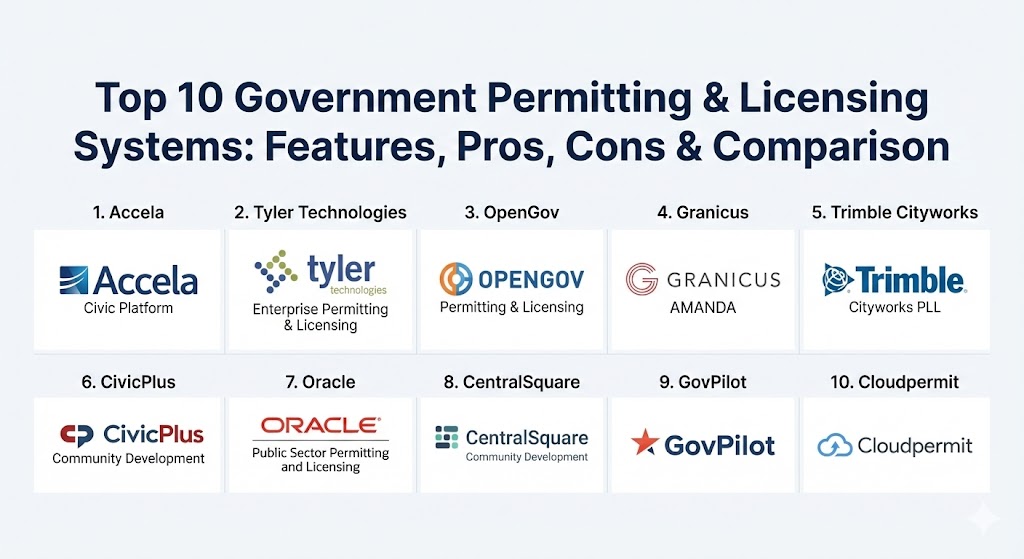
Top 10 Government Permitting & Licensing Systems
1 — Accela Civic Platform
Accela is arguably the most established name in the “GovTech” space, offering a massive, highly flexible cloud platform used by some of the largest cities in the world (e.g., San Francisco, New York, and Dubai).
- Key features:
- Highly configurable workflow engine for any permit or license type.
- Integrated mobile app for field inspectors to sync data in real-time.
- “Citizen Access” portal for 24/7 online applications and payments.
- Deep native integration with Esri GIS for spatial data visualization.
- Automated routing of plans for inter-departmental concurrent review.
- Robust reporting suite for tracking department KPIs and turnaround times.
- Pros:
- Unmatched flexibility to handle the most complex and unique government regulations.
- Large ecosystem of partners and a vast community of users for best-practice sharing.
- Cons:
- High complexity can lead to long implementation times and steep learning curves.
- Often requires professional consultants for initial configuration and major updates.
- Security & compliance: SOC 2 Type II, HIPAA, FedRAMP, and PCI DSS compliant.
- Support & community: Extensive training through “Accela University,” 24/7 enterprise support, and a highly active annual user conference.
2 — Tyler Technologies (Enterprise Permitting & Licensing)
Formerly known as EnerGov, Tyler’s solution is a cornerstone of their comprehensive “Connected Communities” vision, designed to integrate seamlessly with municipal finance and property tax systems.
- Key features:
- End-to-end “Plan to Permit” lifecycle management.
- Integrated “Decision Engine” to automate fee calculations and routing.
- Real-time GIS maps available for both staff and the public.
- Mobile field operations for inspections with offline capabilities.
- Comprehensive case management for code enforcement and litigation.
- Self-service kiosk support for in-person office visitors.
- Pros:
- Seamless data flow if the jurisdiction already uses other Tyler products (like Munis).
- Excellent focus on “inter-agency” communication to reduce silos.
- Cons:
- The user interface can feel more “corporate” and less “modern” than newer SaaS-only rivals.
- Upgrades can be cumbersome in hybrid or on-premise deployment models.
- Security & compliance: ISO 27001, CJIS, and SOC 1/2 compliance; AWS-backed cloud security.
- Support & community: Strong regional user groups and a dedicated client portal with extensive documentation.
3 — OpenGov Permitting & Licensing
OpenGov is the leading “modern” alternative, known for its sleek, cloud-native design and a focus on transparency and rapid deployment.
- Key features:
- 100% no-code workflow builder that allows staff to make changes without IT.
- “Virtual Front Desk” to facilitate digital communication between staff and applicants.
- AI-powered form generation and conditional logic for smart applications.
- Real-time dashboards that show bottlenecks in the approval process.
- Automated renewal reminders via email and text for business licenses.
- Native integration with OpenGov’s Asset Management and Budgeting suites.
- Pros:
- Often has the highest “citizen satisfaction” scores due to its intuitive applicant portal.
- Much faster implementation times (often weeks instead of months) compared to legacy systems.
- Cons:
- While highly flexible, it may lack some of the “deep-legacy” features found in older platforms.
- Best suited for the cloud; not designed for jurisdictions requiring on-premise hosting.
- Security & compliance: SOC 2 Type II, GDPR, and data encryption at rest and in transit.
- Support & community: Highly praised “Success” teams and a growing library of video tutorials.
4 — Granicus (AMANDA)
The AMANDA platform by Granicus is a high-volume enterprise solution favored by large counties and state-level agencies that require massive record scalability.
- Key features:
- High-performance rules engine for complex professional licensing (e.g., medical/legal).
- Robust document management with version control for blueprints and site plans.
- Centralized “Single View” of the constituent across multiple license types.
- Public-facing “Experience Services” designed to drive digital adoption.
- Advanced task sequencing to ensure regulatory steps are never skipped.
- Pros:
- Capable of handling millions of records and thousands of concurrent users.
- Strong alignment with broader “Digital Transformation” initiatives within Granicus.
- Cons:
- Initial configuration is heavy and requires deep business process mapping.
- Can be a “heavier” solution than what is needed by smaller municipalities.
- Security & compliance: FedRAMP authorized, SOC 2, and HIPAA ready.
- Support & community: Strong professional services for architecture and a dedicated support portal.
5 — Trimble Cityworks (PLL)
Cityworks PLL (Permits, Licensing, and Land) is unique because it is built “GIS-centrically,” making it the top choice for public works and land-use departments.
- Key features:
- GIS-native workflows: the “map” is the primary interface, not just an add-on.
- Direct link between permits and infrastructure assets (roads, pipes, parks).
- Integrated inspections that utilize spatial data for optimized routing.
- Powerful “Contractor Portal” for high-volume trade permit applications.
- Native compatibility with the Esri ArcGIS ecosystem.
- Pros:
- Best-in-class for agencies where the physical location of the permit is the most critical data point.
- Simplifies life for inspectors who are already familiar with ArcGIS tools.
- Cons:
- Requires a strong underlying GIS infrastructure to be fully effective.
- The “Permitting” modules may feel less robust than pure-play licensing tools.
- Security & compliance: SOC 2, AWS security standards, and multi-factor authentication (MFA).
- Support & community: Massive presence at GIS conferences and a deeply technical user community.
6 — CivicPlus (Community Development)
CivicPlus, known for its municipal websites, offers a community development suite that prioritizes the “resident experience” and administrative simplicity.
- Key features:
- Drag-and-drop form builder for easy permit creation.
- Integrated payment processing that is PCI compliant.
- “Plan Review” module for digital markup and collaborative comments.
- Automated notification system for status updates and inspection results.
- Mobile app for field staff with photo upload and GPS tagging.
- Pros:
- Great for small-to-midsize cities that want an all-in-one “website + permitting” vendor.
- Lower barrier to entry for staff who are not “power users.”
- Cons:
- May lack the advanced API depth required for complex multi-system integrations.
- Reporting features are adequate but less granular than Accela or Oracle.
- Security & compliance: SOC 2 Type II and SSL/TLS encryption.
- Support & community: Known for high-quality, US-based customer support and a vast “Help Center.”
7 — Oracle Public Sector Permitting and Licensing
Oracle brings its massive technical infrastructure to the public sector with a cloud platform that leverages AI and machine learning to speed up approvals.
- Key features:
- “Guided Navigation” for applicants to reduce errors and incomplete submissions.
- AI-driven “Chatbots” to answer common constituent questions 24/7.
- Seamless integration with Oracle’s ERP and HCM (Human Capital Management).
- High-scale performance for state-wide professional licensing boards.
- Built-in analytics that predict future permit volumes based on historical data.
- Pros:
- Incredible technical “ceiling”—it will never be outgrown by a jurisdiction.
- Backed by Oracle’s world-class security and global data centers.
- Cons:
- Often perceived as an “expensive” premium solution.
- Can be overly complex for departments without dedicated IT support.
- Security & compliance: FedRAMP High, HIPAA, SOC 1/2/3, and ISO 27001.
- Support & community: Global enterprise support and a large network of implementation partners.
8 — CentralSquare Community Development
CentralSquare offers a suite that focuses on the “Public Safety” and “Community Development” connection, ensuring that fire and building departments are in sync.
- Key features:
- Unified “Community Suite” that covers permitting, planning, and code enforcement.
- Strong “Fire Inspection” modules that link to building occupancy data.
- Integrated GIS for spatial analysis and neighborhood tracking.
- Mobile-first design for “Inspectors in the Field.”
- Public portal with “Track My Permit” visual progress bars.
- Pros:
- Excellent for agencies that want a direct data link between building permits and fire safety.
- Very stable, mature product with a reliable feature set.
- Cons:
- The user interface can feel slightly dated compared to cloud-native platforms like OpenGov.
- Customer support response times have seen mixed reviews in recent years.
- Security & compliance: PCI DSS and SOC 2 compliance.
- Support & community: Large user base across North America with regional training events.
9 — GovPilot
GovPilot is a “workflow-driven” platform that offers 100+ pre-built “templated” modules for everything from dog licenses to vacant property registrations.
- Key features:
- “Digital Map” interface for residents to see active permits in their neighborhood.
- Rapid deployment model—go live with specific modules in days.
- Automated workflow “triggers” for internal task assignments.
- Integrated communication tools (Email/SMS) for constituent updates.
- No-code administrative dashboard for managing users and fees.
- Pros:
- Ideal for smaller governments that need to digitize “everything” quickly.
- Very cost-effective “per-module” pricing structure.
- Cons:
- Not designed for highly complex, custom regulatory workflows found at the state level.
- Integration with high-end financial ERPs is less “native” than Tyler or Oracle.
- Security & compliance: SOC 2 compliant, hosted on Microsoft Azure.
- Support & community: Responsive account managers and a “GovPilot University” portal.
10 — Cloudpermit
Cloudpermit is a cloud-based software specifically designed to simplify building permits, planning, and code enforcement for North American municipalities.
- Key features:
- Simple, modern applicant interface that works perfectly on smartphones.
- Interactive map-based permit search for the public.
- Collaborative “Workspace” for architects and builders to work on the same permit.
- Automated inspection scheduling and real-time field results.
- Digital signatures and electronic document review (EDR).
- Pros:
- One of the most “accessible” tools for contractors who move between jurisdictions.
- Minimal hardware requirements—runs entirely in the browser.
- Cons:
- Focus is primarily on building/planning; less emphasis on professional/business licensing.
- Smaller feature set compared to the “massive” platforms like Accela.
- Security & compliance: SOC 2 compliant and TLS 1.2+ encryption.
- Support & community: Growing reputation for hands-on, friendly implementation support.
Comparison Table
| Tool Name | Best For | Platform(s) Supported | Standout Feature | Rating (Gartner/G2) |
| Accela | Large/Complex Cities | Cloud, Mobile App | Deep Regulatory Flexibility | 4.3 / 5 |
| Tyler Tech | Financial Integration | Cloud, Hybrid, Mobile | Connected Municipal Ecosystem | 4.1 / 5 |
| OpenGov | Modern/Fast Growth | Cloud-Native | No-Code Workflow Builder | 4.6 / 5 |
| Granicus | High-Volume Records | Cloud, SaaS | High-Speed Rules Engine | 4.2 / 5 |
| Cityworks | GIS-Native Agencies | Cloud, On-Premise | Built on ArcGIS Platform | 4.4 / 5 |
| CivicPlus | Small/Midsize Cities | Cloud, SaaS | Website + Permit Synergy | 4.0 / 5 |
| Oracle | AI-Driven Enterprises | Cloud (OCI) | Guided Navigation & Chatbots | 4.5 / 5 |
| CentralSquare | Public Safety Focus | Cloud, Hybrid | Permit to Fire Safety Link | 3.9 / 5 |
| GovPilot | Rapid Digitization | Cloud (Azure) | 100+ Templated Modules | 4.4 / 5 |
| Cloudpermit | Contractor Experience | Cloud, Mobile Web | Shared Collaborative Workspace | 4.5 / 5 |
Evaluation & Scoring of Government Permitting & Licensing Systems
When conducting a formal procurement (RFP), it is helpful to use a weighted rubric. The following scoring represents the industry consensus on what constitutes a successful modern system.
| Category | Weight | Evaluation Criteria |
| Core Features | 25% | Configurability of forms, workflow automation, GIS, and mobile inspection tools. |
| Ease of Use | 15% | Intuitiveness for both the general public (applicants) and the internal staff. |
| Integrations | 15% | Ability to connect with Finance (ERP), GIS (Esri), and Document Management (Laserfiche). |
| Security & Compliance | 10% | SOC 2, HIPAA, PCI DSS compliance, and robust audit trails. |
| Reliability | 10% | System uptime, page load speeds, and offline mobile capabilities. |
| Support & Community | 10% | Quality of training materials, response times, and the peer user network. |
| Price / Value | 15% | Upfront implementation costs vs. long-term operational efficiency gains. |
Which Permitting & Licensing Tool Is Right for You?
Selecting a system is a 10-year decision that impacts every department in City Hall.
- Small Municipalities (Pop. <25k): Priority should be on GovPilot or Cloudpermit. You need tools that can be stood up quickly without a team of developers.
- Mid-Market / Fast Growing Cities: OpenGov is the standout here. It allows your staff to adapt workflows as your city grows without calling a consultant for every change.
- Large Metropolitan Areas: Accela or Tyler Technologies are the “safe” legacy choices that can handle the sheer volume and complexity of a large city charter.
- GIS-Heavy Departments: If your public works and planning departments “live” in maps, Cityworks PLL is the only logical choice.
- State-Level Professional Boards: Look toward Oracle or Granicus. These systems are designed for the massive concurrency and complex rule sets of professional licensing (e.g., nurses, contractors, lawyers).
Frequently Asked Questions (FAQs)
1. What is the difference between “Configurable” and “Custom” software?
Configurable software (like OpenGov) allows you to change workflows using a visual interface without coding. Custom software (older legacy systems) often requires writing code, which makes it harder to update and maintain.
2. How does these systems help with “Economic Development”?
By digitizing the process, cities can reduce permit turnaround times by 50% or more. This allows businesses to open faster and developers to start projects sooner, which directly boosts local tax revenue.
3. Do these tools work on mobile devices?
Yes. Modern systems like Accela and Tyler offer dedicated apps for inspectors that allow them to take photos, log results, and GPS-tag locations even when they are offline in the field.
4. Can residents pay for permits with a credit card?
Absolutely. Most modern systems integrate with payment processors like PayPal, Stripe, or specialized gov-tech processors to allow for PCI-compliant online payments.
5. Is “Cloud-Native” better than “On-Premise” for government?
Generally, yes. Cloud-native systems receive automatic updates, have better security than most local server rooms, and allow for “anywhere” access for remote staff and constituents.
6. What is the typical implementation timeline?
It varies. Small systems like GovPilot can be live in weeks. Large enterprise rollouts for cities like Los Angeles or Chicago can take 12 to 24 months to fully migrate all departments.
7. How do these systems handle “Public Records Requests” (FOIA)?
A major benefit of these tools is that they create a central, searchable database. Staff can pull reports or export data for FOIA requests in minutes rather than digging through filing cabinets.
8. Can I integrate my existing GIS maps?
Yes. Almost all top-tier permitting systems integrate with Esri ArcGIS, allowing permits to be linked directly to specific property parcels on a map.
9. What happens to our old paper records?
Most jurisdictions use the transition as an opportunity to digitize active files. “Legacy data migration” is a standard part of the implementation process for almost all vendors.
10. Why is “Multi-Tenancy” important for cloud software?
Multi-tenancy means all customers run on the same version of the code. This ensures that when the vendor releases a new security patch or feature, every city gets it at the same time.
Conclusion
The transition to a digital Permitting & Licensing system is no longer a luxury—it is a baseline expectation for 21st-century governance. While the choice between a massive platform like Accela and a modern SaaS tool like OpenGov depends on your specific regulatory complexity, the “best” tool is ultimately the one that your staff will actually use and that your constituents find helpful. By prioritizing transparency, mobile access, and ease of configuration, government leaders can turn the “bureaucratic red tape” into a streamlined digital highway.