Introduction
Court e-Filing Systems are specialized software-as-a-service (SaaS) platforms that facilitate the secure transmission of legal documents to court clerks and judges. Unlike a simple email attachment, these systems are “court-integrated,” meaning they validate data against specific jurisdictional rules, calculate complex filing fees in real-time, and provide a verified “file-stamped” copy as proof of acceptance. They essentially act as a 24/7 digital intake window for the courthouse.
The importance of these tools is rooted in accuracy and efficiency. Manual filing is prone to human error—a missing signature or an incorrect fee can lead to a rejected filing, which in turn might cause a missed statute of limitations. Key real-world use cases include initiating new civil lawsuits, filing motions in ongoing criminal cases, and managing service of process for high-volume litigation. When evaluating these systems, users should look for multi-court coverage, seamless integration with practice management software (like Clio or MyCase), robust document conversion tools (Word to PDF/A), and transparent, reliable payment processing.
Best for: Law firms of all sizes, independent process servers, government legal departments, and pro se litigants who need to interact with state and federal courts.
Not ideal for: Organizations in jurisdictions that have not yet adopted electronic filing or firms that exclusively handle non-litigation matters (like transactional law) where court interaction is minimal.
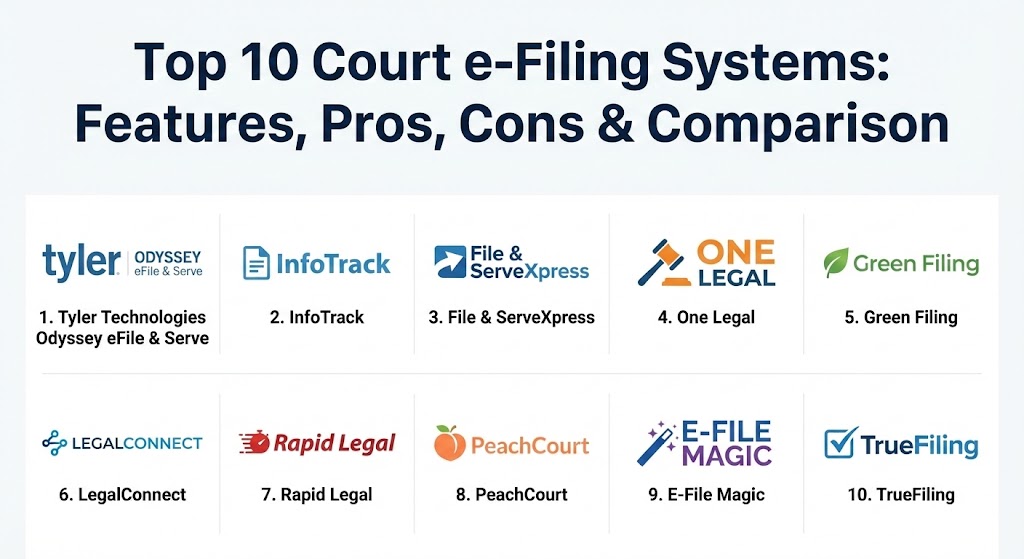
Top 10 Court e-Filing Systems
1 — Tyler Technologies (Odyssey eFile & Serve)
As the dominant player in the industry, Tyler Technologies provides the underlying infrastructure for many official state portals. Their Odyssey system is the “source of truth” for thousands of courts across the U.S.
- Key features:
- Official state-mandated portal for dozens of jurisdictions.
- Real-time integration with Odyssey Case Manager.
- Integrated electronic service (eService) to other parties.
- Financial assessment engine for accurate court fee calculations.
- Support for high-volume batch filing.
- Secure document repository for file-stamped copies.
- Pros:
- Deepest integration possible with the court’s own case management system.
- Often the “default” choice, meaning high reliability in accepted courts.
- Cons:
- The user interface can feel complex and “government-style” compared to private EFSPs.
- Customer support can be slower due to the massive volume of users.
- Security & compliance: SOC 2 Type II, CJIS compliant, and FIPS 140-2 encryption.
- Support & community: Extensive training webinars, self-help knowledge base, and 24/7 critical situation support.
2 — InfoTrack
InfoTrack is a premium integration-first platform that “lives” inside your existing practice management software. It focuses on automating the clerical work associated with filing.
- Key features:
- Seamless “one-click” filing from Clio, MyCase, Smokeball, and NetDocuments.
- Automated expense mapping directly to the client’s matter.
- Court-stamped documents are automatically synced back to the firm’s file.
- Integrated Service of Process and eSignatures.
- Real-time filing status tracking within the case management UI.
- Pros:
- Virtually eliminates manual data entry by pulling information from your case files.
- Simplifies billing by automatically recording court fees as client expenses.
- Cons:
- Transaction fees are higher than basic “direct-to-court” portals.
- Requires a compatible practice management system to see full value.
- Security & compliance: ISO 27001, SOC 2, and advanced data encryption.
- Support & community: Dedicated account managers for larger firms and high-rated live chat support.
3 — File & ServeXpress
File & ServeXpress is a specialized litigation solution with a massive reach, serving over 1,300 courts nationwide. It is built by legal professionals for high-stakes litigation.
- Key features:
- Reach to 1,800+ courts across the United States.
- Advanced “eBinder” for organizing and sharing discovery documents.
- Dedicated “Case Alerts” for tracking new activity in a specific matter.
- Advanced multi-party service of process tools.
- Customizable reporting for law firm administrators.
- Pros:
- Proven reliability in complex, multi-district litigation (MDL).
- The searchable document repository is one of the most robust in the industry.
- Cons:
- The pricing structure can be complicated depending on the jurisdiction.
- The interface has a steeper learning curve for occasional filers.
- Security & compliance: SOC 2 Type II certified; advanced audit trails for every transaction.
- Support & community: 24/7/365 support via phone and email; comprehensive training for new firms.
4 — One Legal
One Legal is a California-centric provider that has expanded nationally, known for its “human-assisted” approach to ensuring filing success.
- Key features:
- “Double-check” services where experts review your filing for common errors.
- Integrated physical process serving for non-electronic jurisdictions.
- Advanced PDF tools for document merging and OCR (Optical Character Recognition).
- Simplified portal for tracking both e-filing and physical service.
- Automated court fee advancing.
- Pros:
- Excellent for avoiding rejections due to technical formatting errors.
- The most user-friendly interface for California-based litigation.
- Cons:
- Service is strongest in CA; features may vary significantly in other states.
- Premium “review” features come with additional costs.
- Security & compliance: PCI-DSS compliant payment processing and SOC 2 data standards.
- Support & community: Renowned customer service with “concierge-level” support available for busy firms.
5 — Green Filing
Green Filing is a streamlined EFSP focused on speed and simplicity. It is often cited as the preferred alternative for those who find the official state portals too cumbersome.
- Key features:
- “Auto-File” capability that populates data from case numbers.
- Mobile-optimized interface for filing on the go.
- Live chat support integrated directly into the filing workflow.
- One-receipt system for multiple document packages.
- Simple, transparent pricing with no hidden monthly fees.
- Pros:
- Significantly faster than official Odyssey portals for experienced users.
- The live chat support is one of the fastest in the legal tech space.
- Cons:
- Lacks the deep enterprise “document management” features of InfoTrack.
- Geographic coverage is more limited than Tyler Technologies.
- Security & compliance: SSL encryption and secure data residency; compliant with state ECF standards.
- Support & community: Highly praised live chat and email support; straightforward video tutorials.
6 — LegalConnect
LegalConnect focuses on empowering attorney service providers, offering a white-labeled platform for businesses that want to provide e-filing to their own clients.
- Key features:
- Centralized operations portal for managing thousands of orders.
- Integrations with top legal apps like NetDocuments and iManage.
- Built-in financial and reporting features for firm-wide tracking.
- Advanced vendor management for process serving.
- SOC 2 & PCI compliant infrastructure.
- Pros:
- The “platform of choice” for companies providing legal support services.
- Extremely scalable for enterprise-level litigation firms.
- Cons:
- Can feel “over-engineered” for a solo practitioner.
- Focus is more on the provider side rather than the individual attorney.
- Security & compliance: SOC 2 Type II, PCI-DSS, and HIPAA-ready environments.
- Support & community: High-level technical support for integration and enterprise onboarding.
7 — Rapid Legal
Rapid Legal is a compliance-focused tool that prides itself on “getting it right the first time,” specifically designed to reduce the 15%+ industry average for filing rejections.
- Key features:
- Integrated document conversion and validation checks.
- Direct integration with Clio Manage for document and expense syncing.
- Dashboard for monitoring status across multiple superior courts.
- Partner success team for large firm onboarding.
- Verified Proof of Service (POS) generation.
- Pros:
- Lower rejection rates due to superior front-end validation.
- Clean, modern dashboard that simplifies complex case tracking.
- Cons:
- Focused heavily on California superior courts.
- Higher transactional fees than basic government-run portals.
- Security & compliance: Advanced AES-256 encryption and SOC 2 compliance.
- Support & community: Strong focus on “partner success” with dedicated support for large-scale filers.
8 — PeachCourt
PeachCourt is the undisputed leader for e-filing in Georgia, offering a “Southern hospitality” approach to digital court interactions.
- Key features:
- Statewide coverage for Georgia civil and criminal cases.
- “Peach Knowledge” self-help center with Georgia-specific rules.
- Integrated eService with “acquiescence” tracking.
- Automated fee calculation including “convenience fee” transparency.
- Guided prompts for self-represented litigants.
- Pros:
- The most intuitive choice for anyone practicing in GA.
- Excellent “plain-language” prompts that reduce user confusion.
- Cons:
- Limited essentially to the Georgia jurisdiction.
- Transaction fees apply even when government-waived in some scenarios.
- Security & compliance: Compliant with Georgia Council of Superior Court Clerks standards; encrypted data transit.
- Support & community: Highly responsive “Peach Team” support based in Georgia.
9 — E-File Magic
E-File Magic focuses on a specific niche of court filing: the submission of tax-related legal forms and high-volume corporate documentation.
- Key features:
- Automated IRS TIN matching for accurate filing.
- Transparent encryption layer using AES-256 for all accounts.
- “Bulk Release” feature for large corporate filing batches.
- PDF previewing without watermarks after order release.
- No registration fees; pay-per-use model.
- Pros:
- Superior security model with unique encryption keys for every customer.
- Very cost-effective for firms handling massive corporate compliance filings.
- Cons:
- Not a general-purpose “civil litigation” tool like One Legal or Tyler.
- The UI is very utility-focused and lacks modern design elements.
- Security & compliance: AES-256 Rijndael algorithm; high-cost Key Derivation Function (KDF) for passwords.
- Support & community: Strong documentation for developers and corporate admins.
10 — TrueFiling
TrueFiling, hosted in Microsoft Azure, is a court-developed solution that aims to bridge the gap between judges, clerks, and attorneys with a “one-stop-shop” philosophy.
- Key features:
- 24/7 access from any mobile device or tablet.
- “One-Click” submission for proposed orders and case initiations.
- Universal integration with any case or document management system.
- Support for the Law Enforcement Agency Portal (LEAP) for criminal filings.
- Electronic Commerce module for purchasing certified copies.
- Pros:
- Excellent for appellate courts and high-level judicial filings.
- Cloud-native performance on Azure ensures very high uptime.
- Cons:
- Availability is limited to specific partner courts.
- May require specific training for clerks and judges to see full benefit.
- Security & compliance: Azure Government Cloud security standards; CJIS and HIPAA compliant.
- Support & community: Professional training tours and robust online user guides.
Comparison Table
| Tool Name | Best For | Platform(s) Supported | Standout Feature | Rating (Gartner / Review) |
| Tyler Odyssey | Official Portals | Web / Mobile | State-Level Integration | 3.9 / 5 |
| InfoTrack | Clio/MyCase Users | Integrated SaaS | Auto-Expense Syncing | 4.8 / 5 |
| File & ServeXpress | National Litigation | Web | 1,800+ Court Reach | 4.4 / 5 |
| One Legal | California Firms | Web | Human Filing Review | 4.6 / 5 |
| Green Filing | Small Firms / Solo | Web / Mobile | Live Chat Workflow | 4.7 / 5 |
| LegalConnect | Service Providers | Web / API | White-Label Platforms | 4.4 / 5 |
| Rapid Legal | Complex Compliance | Web | Low Rejection Rates | 4.6 / 5 |
| PeachCourt | Georgia Practice | Web | GA-Specific Guidance | 4.5 / 5 |
| E-File Magic | Corporate/Tax | Web | Unique AES Key Security | 4.3 / 5 |
| TrueFiling | Judges & Pro Se | Azure Cloud | 24/7 Mobile Access | N/A |
Evaluation & Scoring of Court e-Filing Systems
Legal technology is evaluated by how much it reduces risk and how little it interferes with the attorney’s billable hours.
| Category | Weight | Evaluation Rubric |
| Core Features | 25% | Accuracy of fee calculation, court reach, and document validation. |
| Ease of Use | 15% | Speed of the filing path and quality of the mobile interface. |
| Integrations | 15% | Syncing with Clio, NetDocuments, and firm billing systems. |
| Security | 10% | Encryption standards (AES-256), SOC 2, and audit logs. |
| Performance | 10% | Server uptime and speed of document processing/conversion. |
| Support | 10% | Speed of chat support and quality of jurisdictional training. |
| Price / Value | 15% | Comparison of transaction fees vs. administrative hours saved. |
Which Court e-Filing Systems Tool Is Right for You?
Selecting the right EFSP depends on where you practice and how much you value automation.
- Solo Users & SMBs: If you practice in a single state like California or Georgia, niche players like One Legal or PeachCourt offer superior guidance. For general efficiency, Green Filing provides the best balance of low cost and high-speed support.
- Mid-Market Firms: If your firm already uses a case management system, InfoTrack is the clear winner. The time saved by not having to download documents from Clio and re-upload them to a court portal usually pays for the service fee tenfold.
- Large Enterprises & High-Volume Litigators: File & ServeXpress or LegalConnect are built for the rigors of thousands of monthly filings and provide the administrative reporting needed to manage a large staff of paralegals.
- Security-Conscious Corporate Legal: If your work involves highly sensitive financial data or tax litigation, E-File Magic’s unique encryption model provides a layer of security that standard portals cannot match.
- Budget-Conscious vs. Premium: If you want the lowest possible price, stick with the official state portal (Tyler Odyssey). If you want to ensure your filing isn’t rejected (which costs more in the long run), pay the premium for Rapid Legal or One Legal‘s review services.
Frequently Asked Questions (FAQs)
1. Is e-filing mandatory in all courts?
No, but it is increasingly becoming the standard. Most federal courts (CM/ECF) and many state courts in CA, TX, IL, and GA now mandate electronic filing for attorneys.
2. Can I use one account to file in every state?
Rarely. While companies like File & ServeXpress have wide reach, most EFSPs are state-specific or limited to specific court networks like Tyler’s Odyssey.
3. What happens if my filing is rejected?
You will receive a notification with the clerk’s notes. Most premium tools like Green Filing allow you to edit the existing filing and re-submit rather than starting from scratch.
4. How do I pay court fees through these systems?
Most use a “wallet” system where you store a credit card or ACH info. Some, like One Legal, can “advance” the fees for you and bill your firm later.
5. Are these systems secure for sensitive case data?
Yes. Leading providers use AES-256 encryption and are SOC 2 compliant, ensuring that your data is safer than it would be sitting on a physical desk or in an unencrypted email.
6. Do these tools convert my documents to PDF/A?
Yes, most top-tier tools (like Rapid Legal) automatically convert Word or standard PDF documents to the court-required PDF/A format during the upload process.
7. Can a pro se litigant use these tools?
Yes. Tools like PeachCourt and TrueFiling have specifically designed “guides” and prompts to help non-attorneys navigate the complexities of court rules.
8. What is the difference between an EFSP and an EFM?
An EFM (Electronic Filing Manager) is the court’s backend. An EFSP (Electronic Filing Service Provider) is the user-facing app you use to send files to the EFM.
9. Can I track my opposing counsel’s filings?
Many systems offer “Case Alerts” or “eService,” which notify you the moment any document is filed in a case you are monitoring.
10. What is the most common reason for a rejected filing?
Incorrect fees, missing signatures, and non-searchable PDFs (no OCR) are the top three reasons for rejection across all systems.
Conclusion
The “best” court e-filing system is ultimately defined by its ability to prevent rejections and save time. While the official state portal might be free or cheaper, the administrative hours lost to a complex interface or a rejected filing often outweigh the cost of a premium, integrated provider. For most modern firms, the decision should lead toward tools like InfoTrack for automation or One Legal for accuracy, ensuring that the legal team remains focused on the law, not the logistics of the filing window.