Introduction
Ticket scanning and access tools are a specialized category of event technology designed to validate credentials and manage guest entry in real-time. These solutions typically consist of mobile applications that utilize a smartphone’s camera or dedicated industrial-grade hardware to read QR codes, barcodes, and even NFC (Near Field Communication) or RFID (Radio Frequency Identification) tags. By synchronizing with a central cloud database, these tools prevent “double-entry” fraud, track attendance metrics, and provide organizers with live heatmaps of crowd flow.
The importance of these tools extends beyond mere validation; they are vital for safety compliance, ensuring venues do not exceed capacity limits, and providing a professional first impression. Key real-world use cases include verifying VIP status at exclusive lounges, managing session-based access at multi-track conventions, and facilitating contactless entry in a post-pandemic landscape. When evaluating these tools, users should consider scan speed, offline functionality (crucial for outdoor festivals), multi-device synchronization, and the level of integration with their existing registration and CRM (Customer Relationship Management) platforms.
Best for: Event organizers across all sectors, venue managers, professional conference organizers (PCOs), and marketing agencies. These tools are indispensable for any event where attendance needs to be tracked, revenue needs protecting, or guest flow needs management—from small workshops to stadium-scale concerts.
Not ideal for: Private, informal gatherings where security and attendance data are not concerns (e.g., a small family picnic or an internal team lunch). Additionally, organizations that do not sell tickets or track attendance may find the implementation and cost of dedicated MFT-like scanning tools unnecessary compared to a simple printed guest list.
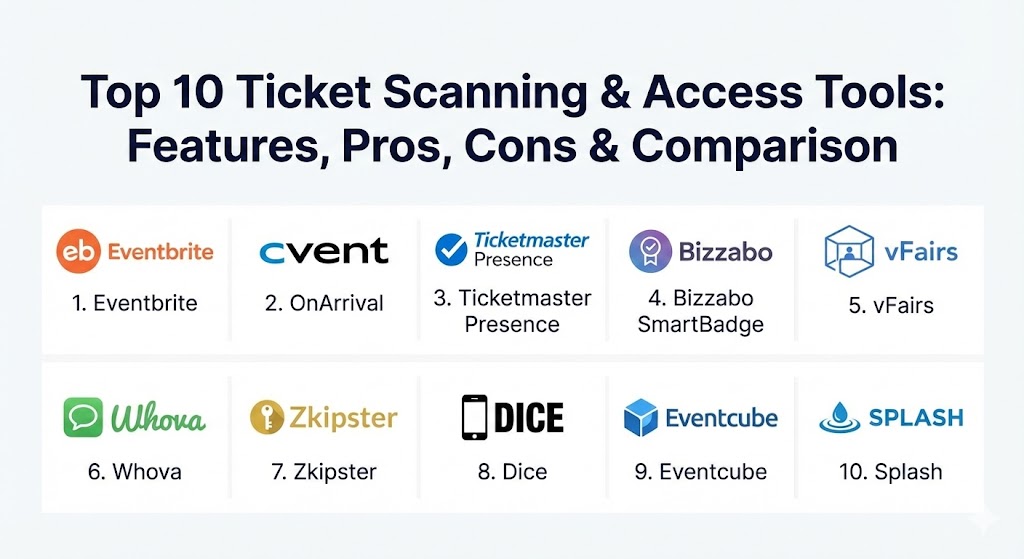
Top 10 Ticket Scanning & Access Tools
1 — Eventbrite Access Control (Organizer App)
Eventbrite is the global giant of self-service ticketing. Its “Organizer” app transforms any smartphone into a powerful entry management tool, making it the go-to choice for small to mid-sized events that need an immediate, reliable solution.
- Key features:
- Rapid QR code scanning using a mobile device’s built-in camera.
- Real-time data sync across multiple devices to prevent duplicate entries.
- Manual guest search and check-in for those who lost their tickets.
- At-the-door ticket sales integration with secure payment processing.
- Live attendance tracking dashboard with “checked-in vs. remaining” stats.
- Offline mode allowing scanning to continue without a stable internet connection.
- Pros:
- Incredible ease of use; volunteers can be trained in less than 60 seconds.
- Zero upfront software cost if you are already using Eventbrite for ticketing.
- Cons:
- Not designed for complex, high-security gate management in massive stadiums.
- Limited customization for the check-in interface.
- Security & compliance: PCI DSS compliant for payments; GDPR and CCPA compliant data handling.
- Support & community: Extensive online Help Center, 24/7 chat support for premium tiers, and a massive global user community.
2 — Cvent OnArrival
Cvent OnArrival is an enterprise-grade solution built for complexity. It is designed for high-stakes corporate events and massive trade shows where data accuracy and professional presentation are non-negotiable.
- Key features:
- Seamless integration with Cvent’s broader Event Management software suite.
- On-demand badge printing upon successful ticket scan.
- Support for “Session Tracking” to monitor attendance at specific breakout rooms.
- Self-service kiosk mode for touchless, attendee-led check-in.
- Advanced signature collection for waivers and NDAs during check-in.
- Multi-gate synchronization for massive venues with dozens of entry points.
- Pros:
- Unmatched reporting depth for post-event ROI analysis.
- Highly professional “kiosk” experience that elevates the brand.
- Cons:
- Significant learning curve; usually requires a dedicated tech lead.
- Expensive, often requiring a broader Cvent subscription.
- Security & compliance: ISO 27001 certified, SOC 2 Type II, HIPAA, and GDPR compliant.
- Support & community: Dedicated account managers, 24/7 phone support, and a comprehensive “Cvent Academy” for training.
3 — Ticketmaster Presence
Ticketmaster Presence is the gold standard for large-scale venues, stadiums, and arenas. It focuses on high-volume throughput and robust anti-fraud technology to manage crowds of 50,000+ people.
- Key features:
- “SafeTix” technology using rotating barcodes to prevent screenshots and fraud.
- Support for tap-and-go entry via Apple Wallet and Google Pay (NFC).
- Venue-wide access zoning (VIP, Backstage, General Admission).
- Real-time crowd flow monitoring to identify gate bottlenecks.
- Integration with venue turnstiles and automated gates.
- Deep identity-based data collection to understand individual attendee behavior.
- Pros:
- The most robust anti-counterfeit technology in the industry.
- Capable of handling extreme high-concurrency scans without lag.
- Cons:
- Only available to venues and organizers within the Ticketmaster ecosystem.
- High barrier to entry for smaller, independent organizers.
- Security & compliance: PCI DSS, SOC 1/2, and industry-leading digital identity protection.
- Support & community: Enterprise-level on-site support teams and dedicated venue management consultants.
4 — Bizzabo (Klik & SmartBadge)
Bizzabo has revolutionized the access control space by moving beyond the phone screen. Their acquisition of Klik brought “SmartBadge” technology into the mix, making access and networking a unified, wearable experience.
- Key features:
- Wearable RFID/NFC “SmartBadges” for touchless entry and session tracking.
- Real-time lead retrieval for exhibitors via badge scanning.
- Heatmapping technology to see where attendees are spending their time.
- Automated “check-in” based on proximity to Bluetooth beacons.
- Integrated mobile app for “person-to-person” networking and access control.
- High-end analytics on attendee journey and engagement levels.
- Pros:
- Provides a “wow factor” that traditional QR codes lack.
- Collects incredibly granular data on physical attendee behavior.
- Cons:
- Higher cost due to the physical hardware (badges/beacons) involved.
- Requires more on-site logistics to distribute and manage wearable tech.
- Security & compliance: GDPR, SOC 2, and CCPA compliant; encrypted data transmission for wearables.
- Support & community: High-touch customer success teams and a robust online resource center.
5 — vFairs
While famous for virtual events, vFairs has built a formidable on-site access control system. It is particularly strong for hybrid events where bridging the gap between physical and digital data is critical.
- Key features:
- QR code scanning for physical check-in and session entry.
- Synchronized registration data between virtual and in-person attendees.
- On-site badge printing and lead capture for exhibitors.
- Mobile app for attendees that doubles as their access credential.
- Real-time attendance reports available on a central web dashboard.
- Integration with popular payment gateways for on-site registration.
- Pros:
- Excellent “hybrid” flexibility—one dashboard for all attendee types.
- Highly responsive customer support that is often praised in reviews.
- Cons:
- The UI can feel slightly busy due to the sheer number of features.
- Better suited for trade shows and conferences than music festivals.
- Security & compliance: ISO 27001 certified, GDPR compliant, and secure data encryption.
- Support & community: 24/7 technical support and dedicated project managers for every event.
6 — Whova
Whova is a favorite for academic and professional conferences. Its access control features are built into its award-winning event app, focusing on making the check-in process a gateway to engagement.
- Key features:
- Fast, reliable QR code scanning for check-in and session tracking.
- “Self-Check-in” feature that uses geofencing to allow attendees to check in.
- Management of complex ticket tiers (early bird, student, VIP, speaker).
- Integrated badge generation and wireless printing.
- Real-time messaging to attendees as they check in.
- Post-event attendance certificates sent automatically to scanned guests.
- Pros:
- Excellent value for money; the app provides 10x more value than just scanning.
- Very high attendee adoption rate due to the app’s networking features.
- Cons:
- Not designed for “anonymous” public events like street fairs.
- The scanner can sometimes struggle with low-quality phone screens.
- Security & compliance: GDPR, HIPAA (for healthcare events), and SOC 2.
- Support & community: Extensive video tutorials and a highly rated customer support team.
7 — Zkipster
Zkipster is the choice for high-end PR agencies, fashion shows, and gala dinners. It is designed for events where the guest list is exclusive and the “vibe” is everything.
- Key features:
- Elegant, high-speed guest list management and check-in.
- Instant “VIP Arrival” notifications sent to staff via SMS or email.
- Seat management and floor plan visualization during check-in.
- High-quality guest photo capture for security and recognition.
- Support for “Plus-One” management and complex relationships.
- Offline mode that syncs the moment the device reconnects.
- Pros:
- The most visually refined and “prestigious” interface on the market.
- Perfect for events where “who is in the room” matters more than “how many.”
- Cons:
- Not intended for mass-market ticketing or large public concerts.
- Premium pricing reflects its status as a boutique solution.
- Security & compliance: GDPR compliant; SOC 2 Type II; enterprise-grade data privacy.
- Support & community: White-glove support and a library of professional event management resources.
8 — Dice (for Venues)
Dice has disrupted the music industry with its mobile-only ticketing. Its access control tools are built to fight scalpers and ensure that tickets remain in the hands of fans.
- Key features:
- Secure, mobile-only tickets that activate only minutes before the event.
- Proprietary “Dice Scan” technology that is virtually impossible to screenshot.
- Waiting list management that automatically re-allocates returned tickets.
- Real-time sales data and fan demographics for venue owners.
- Seamless integration with music streaming data to target fans.
- Simple, ruggedized scanning app for high-volume entry points.
- Pros:
- Effectively eliminates the secondary “scalper” market for your event.
- Built-in marketing engine that helps people “discover” your event.
- Cons:
- “Mobile-only” requirement can be a barrier for less tech-savvy audiences.
- Limited functionality for non-music events (like B2B conferences).
- Security & compliance: PCI DSS, GDPR, and proprietary anti-fraud tech.
- Support & community: Strong emphasis on the “Fan Experience” with 24/7 fan and partner support.
9 — Eventcube
Eventcube is an independent, white-label ticketing platform that gives organizers full control over their branding. Their scanning app is robust and designed for creators who want to own their data.
- Key features:
- Custom-branded ticketing and scanning interfaces.
- Support for multi-day and multi-session access rules.
- Integrated store for managing merchandise pickups alongside entry.
- Real-time reporting on ticket scans by gate and device.
- No-per-ticket fees for “membership” style organizers.
- Highly flexible API for building custom access workflows.
- Pros:
- Allows you to maintain your own brand identity without “Eventbrite” branding.
- Very transparent and fair pricing model for independent promoters.
- Cons:
- Requires a bit more initial setup than “plug-and-play” platforms.
- Lacks the massive “discovery” marketplace of larger competitors.
- Security & compliance: ISO 27001, GDPR, and PCI DSS Level 1.
- Support & community: Personal support from real human beings and a detailed knowledge base.
10 — Splash
Splash is an event marketing platform that treats “check-in” as the final step in a marketing campaign. It is designed for corporate teams that need to track how events impact their sales pipeline.
- Key features:
- Branded, high-touch check-in experience for corporate “VIP” events.
- Real-time sync with CRMs like Salesforce and HubSpot.
- Lead capture tools for sales teams to use at the door.
- Automated post-event follow-up emails triggered by the check-in.
- Unified data view of the attendee’s journey from email click to scan.
- Native iOS and Android apps with beautiful, customizable UIs.
- Pros:
- The best tool for measuring the “ROI” of a marketing event.
- Incredibly intuitive for sales and marketing staff to use.
- Cons:
- Too specialized for general public ticketing or music festivals.
- Can be expensive for organizations not focused on B2B lead generation.
- Security & compliance: SOC 2, GDPR, CCPA, and enterprise SSO support.
- Support & community: Robust professional services and a dedicated customer success model.
Comparison Table
| Tool Name | Best For | Platform(s) Supported | Standout Feature | Rating (Gartner / G2) |
| Eventbrite | Public Events / Small-Mid | iOS, Android, Web | Universal Discovery Market | 4.4 / 5 |
| Cvent OnArrival | Enterprise / Conferences | iOS, Android, Kiosk | On-Demand Badge Printing | 4.3 / 5 |
| Ticketmaster | Stadiums / Large Venues | iOS, Android, Proprietary | SafeTix Anti-Fraud Tech | 4.1 / 5 |
| Bizzabo | Tech Events / Engagement | iOS, Android, Wearables | Klik SmartBadge Analytics | 4.6 / 5 |
| vFairs | Hybrid Trade Shows | iOS, Android, Web | 3D Virtual Environment Sync | 4.7 / 5 |
| Whova | Academic / B2B Confs | iOS, Android, Web | Geofenced Self-Check-in | 4.8 / 5 |
| Zkipster | PR / Exclusive Galas | iOS, Android | VIP Arrival SMS Alerts | 4.7 / 5 |
| Dice | Music / Concerts | iOS, Android (Mobile Only) | Anti-Scalper Mobile Tech | 4.6 / 5 |
| Eventcube | Independent / White-label | iOS, Android, Web | White-Label Branding | 4.5 / 5 |
| Splash | Marketing / Sales Events | iOS, Android, Web | Salesforce/HubSpot Sync | 4.5 / 5 |
Evaluation & Scoring of Ticket Scanning & Access Tools
| Category | Weight | Top Criteria |
| Core Features | 25% | QR/NFC support, offline mode, multi-gate sync, and manual search. |
| Ease of Use | 15% | Volunteer training time, UI clarity, and setup speed. |
| Integrations | 15% | Native connection to CRMs, payment processors, and badge printers. |
| Security & Compliance | 10% | Anti-fraud tech, data privacy (GDPR), and audit logs. |
| Performance | 10% | Scan speed, battery efficiency, and concurrency handling. |
| Support & Community | 10% | On-site availability, chat speed, and documentation. |
| Price / Value | 15% | Cost per scan/ticket vs. the operational ROI. |
Which Ticket Scanning & Access Tool Is Right for You?
Selecting a tool requires matching your operational constraints with your attendee’s expectations.
- Solo Organizers & Local Clubs: If you are running a 50-person workshop, Eventbrite Organizer is likely all you need. It is free for free events and requires no specialized hardware.
- Budget-Conscious / Independent: For those who want to avoid high per-ticket fees, TicketTailor or Eventcube offer flat-fee structures or white-label options that keep costs predictable.
- Conferences & Academic Summits: If networking and session tracking are your goals, Whova is the undisputed champion. It combines access control with an engagement platform that attendees love.
- Enterprise & B2B Marketing: For high-volume lead generation and CRM alignment, Splash and Cvent OnArrival provide the data pipeline necessary to turn a check-in into a sales opportunity.
- High-Security / Mass Volume: If you are managing a stadium or a major music festival, you need Ticketmaster Presence or Dice. These tools are built to withstand the pressure of thousands of people arriving at once while blocking fraudulent digital tickets.
Frequently Asked Questions (FAQs)
1. Can these tools work if the internet goes down? Most professional tools (like Eventbrite, GoAnywhere, and Zkipster) have an “Offline Mode.” They download the guest list to the device locally and sync back to the cloud once a connection is restored.
2. Is a dedicated scanner better than a smartphone? For small events, a smartphone is fine. For high-volume events (1,000+ people), dedicated industrial scanners (like Zebra or Datalogic) are faster, have better batteries, and can read screens even in direct sunlight.
3. How do these tools prevent someone from using a screenshot of a ticket? Tools like Ticketmaster’s “SafeTix” use rotating barcodes that refresh every few seconds. Others use NFC (like Apple Wallet) which cannot be screenshotted at all.
4. Can I print badges at the same time I scan a ticket? Yes, enterprise tools like Cvent OnArrival and vFairs connect via Wi-Fi or Bluetooth to thermal printers to instantly print a badge the moment a guest is scanned.
5. Are these tools GDPR compliant? Reputable tools are GDPR compliant, but the “responsibility” often lies with the organizer to ensure they have the correct data processing agreements in place.
6. Can I scan people into specific rooms, not just the front door? Yes, this is called “Session Tracking.” Tools like Whova and Bizzabo allow you to set up different “access rules” for different rooms within the same venue.
7. What is the typical scan speed? A high-quality tool should scan a QR code in under 1 second. With “tap-and-go” NFC, the process is even faster, often taking less than half a second.
8. Do I need to buy specialized hardware? Not necessarily. Most modern MFT and access tools run on standard iOS and Android devices. You only need specialized hardware for extreme environments or massive crowds.
9. Can I sell tickets at the door using these apps? Many (like Eventbrite and Eventcube) have integrated POS (Point of Sale) features, allowing you to take credit card payments and immediately scan the “new” guest in.
10. How many scanners do I need for my event? A good rule of thumb is one scanner for every 100-150 attendees per hour of entry time. For a 1,000-person event with a 2-hour entry window, you should have at least 4-5 scanning stations.
Conclusion
The choice of a ticket scanning and access tool is ultimately a choice about the “first impression” of your event. If your tech is slow, your lines will be long; if your tech is insecure, your revenue is at risk. Whether you prioritize the speed of Ticketmaster, the engagement of Whova, or the exclusivity of Zkipster, ensure your choice aligns with your infrastructure (Wi-Fi availability) and your team’s technical comfort. In 2026, a “smooth entry” is no longer a luxury—it is an expected standard of professional event management.