Introduction
Stadium Operations Software is a specialized category of enterprise platforms designed to manage, coordinate, and optimize the complex day-to-day operations of sports stadiums, arenas, and large event venues. These tools act as a unified command center, bringing together facility maintenance, workforce scheduling, incident response, fan engagement, and real-time security monitoring into a single digital environment.
The importance of these tools cannot be overstated. In an era where fan experience and safety are the top priorities, even a minor operational hiccup—like a broken elevator or a slow-moving concession line—can result in lost revenue and negative social media sentiment. Key real-world use cases include managing “lost and found” through digital logging, coordinating rapid response teams for medical emergencies, and automating preventive maintenance for stadium lighting and HVAC systems. When evaluating these tools, users should look for mobile responsiveness, the ability to handle extreme peak-load traffic, robust integration with IoT sensors, and a highly intuitive interface that requires minimal training for temporary “gig” workers.
Best for: Operations directors, venue managers, and IT heads at professional sports stadiums (NFL, Premier League, MLB), massive concert arenas, and collegiate athletic departments that host high-attendance events.
Not ideal for: Local recreational parks, high school fields, or small event spaces that only host a few hundred people at a time. For these, a basic project management tool or a simple staff scheduling app is often sufficient.
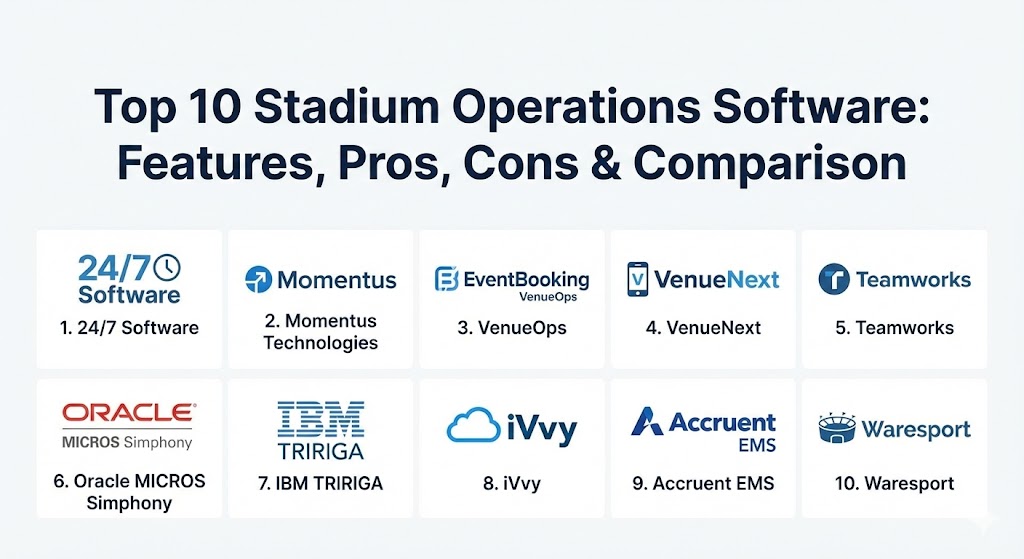
Top 10 Stadium Operations Software Tools
1 — 24/7 Software
Widely considered the gold standard for incident management in the professional sports world, 24/7 Software provides a robust platform for real-time communication between a stadium’s command center and the boots-on-the-ground staff.
- Key features:
- Comprehensive Incident Management System (IMS) for logging and tracking.
- Text-to-Inform module allowing fans to report issues via mobile.
- Computer-Aided Dispatch (CAD) for security and medical teams.
- Integrated “Lost and Found” with public-facing search portals.
- Guard Tour tracking using NFC and QR codes for perimeter security.
- Checkpoint management for ensuring routine facility inspections.
- Pros:
- The most “battle-tested” tool in the industry, used by a majority of major league venues.
- Highly granular reporting that provides indispensable data for insurance claims.
- Cons:
- The user interface can feel slightly dated compared to modern SaaS startups.
- The depth of the system requires a dedicated training period for command center operators.
- Security & compliance: SOC 2 Type II, HIPAA (for medical incident logs), and SSO integration.
- Support & community: Offers 24/7 enterprise-grade support and an extensive library of video training modules.
2 — Momentus Technologies (formerly Ungerboeck)
Momentus is a comprehensive, all-in-one venue management platform that focuses on the entire lifecycle of an event, from the initial booking and contract stage to the final post-game cleanup.
- Key features:
- Unified event calendar for managing games, concerts, and corporate rentals.
- Integrated CRM and financial management for tracking deposits and invoices.
- Exhibitor and vendor portals for coordinating third-party services.
- Floor planning and diagramming tools for concourse and VIP layouts.
- Workforce management for scheduling full-time and seasonal staff.
- Advanced analytics for measuring venue profitability and utilization.
- Pros:
- Eliminates the need for multiple siloed tools (CRM, Finance, Ops).
- Excellent for stadiums that host a high volume of non-sporting events.
- Cons:
- Can be “too much software” for a single-tenant stadium that only hosts one team.
- High initial price point due to the vast enterprise feature set.
- Security & compliance: ISO 27001, GDPR, and PCI DSS compliance for financial transactions.
- Support & community: Global user base with regional conferences and a dedicated customer success manager for enterprise clients.
3 — VenueOps (by EventBooking)
VenueOps is a cloud-native alternative designed to be faster, more intuitive, and lighter than traditional legacy systems. It specializes in event detailing and real-time internal communication.
- Key features:
- Real-time shared calendars with color-coded event status.
- Drag-and-drop event detailing for quick changes in logistics.
- Task management with automated reminders for operations teams.
- Inventory tracking for chairs, tables, and AV equipment.
- Collaborative document sharing for security plans and run-sheets.
- Mobile-optimized view for staff on the stadium floor.
- Pros:
- One of the cleanest and most modern user interfaces in the category.
- Rapid implementation; most venues can be fully onboarded in weeks.
- Cons:
- Lacks some of the “hardened” security and incident features found in 24/7 Software.
- Limited facility maintenance (CMMS) capabilities compared to specialized tools.
- Security & compliance: SOC 2 compliance, encrypted data at rest, and multi-factor authentication (MFA).
- Support & community: Known for highly responsive customer support and an active “Ideas Portal” where users suggest new features.
4 — VenueNext (by Shift4)
VenueNext focuses on the “Fan Experience” side of operations. It is a mobile-first platform that connects a stadium’s mobile app to its point-of-sale (POS) and access control systems.
- Key features:
- Unified mobile wallet for ticketing, F&B, and retail.
- Mobile ordering and “Express Pickup” to reduce concourse wait times.
- Contactless entry and biometric authentication integrations.
- Loyalty program management with real-time push notifications.
- Revenue analytics dashboard for tracking per-capita fan spending.
- Dynamic pricing capabilities for concessions and merchandise.
- Pros:
- Directly increases revenue by making it easier for fans to spend money.
- Provides deep data insights into fan purchasing habits and movement.
- Cons:
- Requires a significant investment in hardware (kiosks, tablets, and Wi-Fi).
- Not a “facility management” tool; it does not handle work orders or security incidents.
- Security & compliance: PCI DSS Level 1, GDPR, and SOC 2.
- Support & community: Strong integration support for stadium IT teams and on-site training for concession staff.
5 — Teamworks
While originally an athlete management tool, Teamworks has expanded to become a critical logistics platform for stadium operations, specifically for coordinating the movements of the teams themselves.
- Key features:
- Centralized scheduling for players, coaches, and facility managers.
- Secure communication channels for sensitive team logistics.
- Travel and itinerary management for visiting teams.
- Document management for playbooks and operational protocols.
- Integrated “Teamworks Hub” for facility usage requests.
- Mobile-first interface designed for high-stress environments.
- Pros:
- The gold standard for collegiate and professional team-side coordination.
- Dramatically reduces the “noise” of fragmented group texts and emails.
- Cons:
- Primarily focused on people, not physical assets or public-facing fans.
- Integration with legacy stadium maintenance software can be limited.
- Security & compliance: SOC 2, HIPAA (for athlete health data), and SSO support.
- Support & community: Famous for its “Pro Services” team that travels on-site for implementation.
6 — Oracle MICROS Simphony
For massive venues where food and beverage operations are the primary source of operational friction, Oracle Simphony is the heavy-duty enterprise solution of choice.
- Key features:
- Enterprise-grade POS designed for high-volume “rush” environments.
- Inventory and waste management across hundreds of concession stands.
- Kitchen Display Systems (KDS) for optimized order preparation.
- Global menu management for consistent pricing across the venue.
- Real-time labor management to adjust staffing based on sales.
- Offline mode for transactions if the stadium network fails.
- Pros:
- Unmatched reliability; the hardware and software are built for abuse.
- Deep financial reporting that helps venues optimize their margins on F&B.
- Cons:
- Extremely complex setup that usually requires a professional IT team.
- High licensing costs and hardware proprietary requirements.
- Security & compliance: PCI DSS, GDPR, and global fiscal compliance modules.
- Support & community: 24/7 global support and an massive ecosystem of third-party integrators.
7 — IBM TRIRIGA
IBM TRIRIGA is a high-level Integrated Workplace Management System (IWMS) used by stadiums to manage the physical health, sustainability, and space utilization of the entire facility.
- Key features:
- AI-driven preventive maintenance scheduling.
- Capital project management for renovations and seat replacements.
- Sustainability and energy usage tracking to reduce carbon footprint.
- Lease and contract management for stadium suites and retailers.
- Space utilization mapping using IoT sensor data.
- Comprehensive asset lifecycle tracking (from purchase to disposal).
- Pros:
- The most powerful tool for long-term facility planning and cost reduction.
- Excellent for venues prioritizing “Smart Stadium” and ESG initiatives.
- Cons:
- Very high learning curve; requires specialized training.
- Excessive for stadiums that do not have complex, year-round maintenance needs.
- Security & compliance: FedRAMP, SOC 1/2/3, ISO 27001, and HIPAA.
- Support & community: Tiered enterprise support with access to IBM’s global network of facility experts.
8 — iVvy
iVvy is a cloud-based solution that excels at the “sales and marketing” side of stadium operations, helping venues monetize their spaces when no games are scheduled.
- Key features:
- Live availability calendar for promoters and event planners.
- Instant quote and contract generation for suite rentals.
- Integrated email marketing tools for venue promotions.
- Visual venue tours and diagramming integrations.
- CRM for tracking corporate lead generation and repeat business.
- Catering management for banquet and VIP services.
- Pros:
- Significantly increases revenue from non-game day events.
- User-friendly interface that feels like modern consumer software.
- Cons:
- Focused strictly on sales/events, not game-day security or maintenance.
- Requires integration with a separate tool for physical facility operations.
- Security & compliance: GDPR, PCI DSS, and encrypted data transfers.
- Support & community: Strong online documentation and excellent onboarding for sales teams.
9 — Accruent EMS
Accruent EMS is a specialized scheduling and resource management tool that ensures the right people and equipment are in the right place at the right time.
- Key features:
- Complex room and space scheduling across the entire stadium.
- Service request workflows for IT, catering, and maintenance.
- Digital signage integration for real-time schedule updates.
- Resource allocation tracking (AV, furniture, equipment).
- Automated approval workflows for space requests.
- Robust reporting on space utilization and labor hours.
- Pros:
- Exceptional at managing “moving parts” in a multi-use facility.
- Simplifies the coordination between different internal departments.
- Cons:
- The interface can be complex for occasional users.
- Best when used in conjunction with a larger ERP or CRM system.
- Security & compliance: SOC 2, SSO, and localized data residency support.
- Support & community: Dedicated user groups and a high-touch customer support model.
10 — Waresport
As a rising star in the 2026 landscape, Waresport is a cloud-native platform that focuses on “Organizational Intelligence,” providing stadiums with AI-driven insights into operational efficiency.
- Key features:
- AI-based scheduling engine that resolves multi-venue conflicts.
- Real-time financial dashboards for revenue forecasting.
- Integrated athlete and staff performance logging.
- Mobile app for simplified internal communications and tasks.
- Scalable infrastructure that adapts to growing sports academies.
- Competition and tournament management modules.
- Pros:
- Highly scalable; grows with the organization from a single field to a multi-stadium complex.
- Uses modern AI to automate the “boring” parts of scheduling and logistics.
- Cons:
- Newer to the market; lacks the decades of trust built by IBM or 24/7 Software.
- Community resources are still growing compared to established rivals.
- Security & compliance: SOC 2 Type II and GDPR ready.
- Support & community: Modern support system with 24/7 chat and video consultations.
Comparison Table
| Tool Name | Best For | Platform(s) Supported | Standout Feature | Rating (Gartner / TrueReview) |
| 24/7 Software | Incident & Security | Web, iOS, Android | Text-to-Inform Reporting | 4.7 / 5 |
| Momentus | All-in-One Venue Mgmt | Cloud / Web | Lifecycle Event Booking | 4.6 / 5 |
| VenueOps | Modern Detailing | Cloud / Mobile | Shared Live Run-Sheets | 4.8 / 5 |
| VenueNext | Fan Mobile Commerce | iOS, Android | Unified Mobile Wallet | 4.5 / 5 |
| Teamworks | Logistics & Staff | iOS, Android, Web | Team-Centric Coordination | 4.8 / 5 |
| Oracle Simphony | F&B / Concessions | Hardware (POS), Cloud | High-Volume Offline Mode | 4.4 / 5 |
| IBM TRIRIGA | Smart Facility Mgmt | Cloud / On-Prem | AI Preventive Maintenance | 4.3 / 5 |
| iVvy | Sales & Suite Rental | Web / Cloud | Live Room Availability | 4.6 / 5 |
| Accruent EMS | Resource Scheduling | Web, Mobile | Space Utilization Mapping | 4.4 / 5 |
| Waresport | AI-Driven Operations | Cloud / Mobile | AI Conflict Resolution | 4.7 / 5 |
Evaluation & Scoring of Stadium Operations Software
The following rubric is used by stadium executives to determine the “fit” of a software solution within their existing infrastructure.
| Category | Weight | Evaluation Criteria |
| Core Features | 25% | Must support event scheduling, facility maintenance, and workforce coordination. |
| Ease of Use | 15% | Critical during live events where staff are under high pressure. |
| Integrations | 15% | Must talk to ticketing, security cameras, POS, and HR software. |
| Security | 10% | Encryption of fan data and secure audit logs for security incidents. |
| Performance | 10% | Zero-latency performance during peak loads of 50,000+ users. |
| Support | 10% | Availability of 24/7 on-call engineers during live game times. |
| Price / Value | 15% | TCO vs. the potential for revenue increase and liability reduction. |
Which Stadium Operations Tool Is Right for You?
Selecting a platform depends largely on your venue’s primary operational “pain point.”
- The Security-First Venue: If your biggest concern is liability, incident response times, and documentation for insurance, 24/7 Software is the non-negotiable choice.
- The Revenue-Focused Arena: If you host diverse events (concerts, corporate galas, trade shows) and need to maximize suite sales, Momentus or iVvy will provide the quickest return on investment.
- The Tech-Savvy “Smart” Stadium: For brand-new venues looking to lead in sustainability and IoT-driven maintenance, IBM TRIRIGA or Waresport offer the futuristic depth required.
- The Fan-Experience Leader: If your goal is to eliminate lines and maximize per-capita spending, VenueNext and Oracle Simphony should be at the top of your list.
- Small to Mid-Sized Facilities: For venues that need a modern feel without the enterprise bloat, VenueOps offers the best balance of features and ease of use.
Frequently Asked Questions (FAQs)
1. What is the difference between Stadium Operations Software and Venue Management? Operations software focuses on the physical work—security, cleaning, and maintenance—whereas Venue Management is a broader term that includes booking, sales, and marketing.
2. Can these tools run without an internet connection? Enterprise tools like Oracle Simphony have an “offline mode” for sales, but most cloud-based operations tools require a stable Wi-Fi or LTE connection for real-time incident reporting.
3. Do I need to buy new hardware to use these? It depends. While VenueNext requires POS terminals and kiosks, many tools like 24/7 Software or VenueOps can run on existing smartphones and tablets.
4. Is there a “free” version of stadium operations software? Generally, no. These are high-security enterprise tools. Some providers like Waresport may offer lower-tier pricing for academies, but full stadium suites require professional licensing.
5. How do these tools help with insurance? By logging every security incident and maintenance check with timestamps and photos, these tools provide an “audit trail” that can significantly lower insurance premiums and legal liability.
6. Can these tools integrate with my ticketing system? Yes, high-end tools (Momentus, VenueNext) typically integrate with Ticketmaster or SeatGeek to provide a unified view of the fan lifecycle.
7. How long does implementation take? Expect 3 to 6 months for a full enterprise rollout. Lightweight tools like VenueOps can be ready in 4 to 6 weeks.
8. Do these tools handle staff payroll? Most do not handle payroll directly but offer integrations with ADP or Workday to send hours-worked data automatically.
9. What is “Work Order Management” in a stadium context? It is the process of assigning tasks (e.g., “fix broken seat in Section 102”) to a technician and tracking the progress until completion.
10. Why is mobile-first design so important for these tools? Because stadium staff are rarely at a desk. They are on the concourse, in the rafters, or in the parking lot; they need to access everything from their mobile device.
Conclusion
Managing a stadium in 2026 is an exercise in managing data as much as it is managing physical crowds. The right Stadium Operations Software transforms a venue from a reactive environment into a proactive one. Whether you prioritize the safety metrics of 24/7 Software, the financial depth of Oracle, or the modern simplicity of VenueOps, the goal remains the same: ensuring that when the gates open, every system works perfectly so the fans can focus on the game. There is no one-size-fits-all “best” tool, but rather a “best fit” for your venue’s unique culture and goals.