Introduction
Capital Project Management Software is a specialized category of enterprise tools designed to manage the entire lifecycle of large-scale, high-cost physical projects. These platforms go beyond simple scheduling; they integrate financial controls, document management, risk mitigation, and field collaboration into a single “source of truth.” In an industry where 90% of “megaprojects” experience cost overruns or delays, these tools are not just a luxury—they are a survival requirement for maintaining fiscal responsibility and operational efficiency.
The importance of CPMS lies in its ability to bridge the gap between the boardroom and the construction site. Key real-world use cases include managing 10-year municipal infrastructure plans, tracking complex change orders in high-tech manufacturing expansions, and ensuring strict regulatory compliance in healthcare developments. When evaluating these tools, users should look for robust cost-control modules, “stage-gate” approval workflows, integration with ERP systems (like SAP or Oracle), and mobile accessibility for field teams.
Best for: Large enterprise owners (universities, hospitals, government agencies), global engineering and construction (E&C) firms, and industrial developers who manage high-value assets and need to minimize financial risk.
Not ideal for: Small service-based businesses, creative agencies, or IT teams focusing on software development. For these users, lightweight project management tools like Asana or Trello are far more efficient and cost-effective.
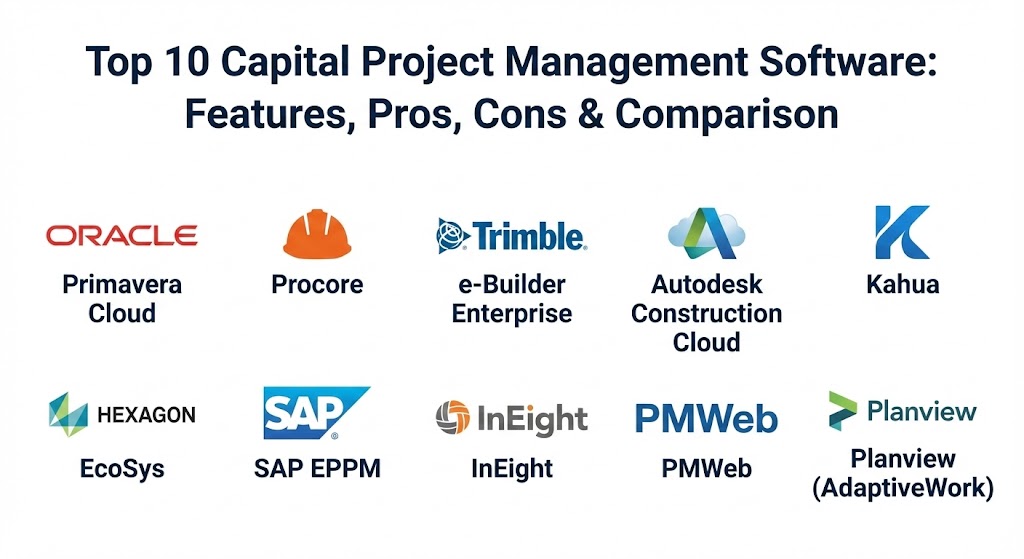
Top 10 Capital Project Management Software Tools
1 — Oracle Primavera Cloud
Oracle Primavera has been the gold standard in the engineering and construction industry for decades. The “Cloud” version modernizes the legacy P6 experience, offering a comprehensive suite for planning, scheduling, resource, and risk management.
- Key features:
- Advanced Critical Path Method (CPM) scheduling for massive projects.
- Integrated risk management with Monte Carlo simulations.
- Real-time portfolio visibility for high-level executive reporting.
- Lean construction task management for field coordination.
- Robust resource and capacity planning across multiple programs.
- Seamless integration with Oracle’s wider Unifier and Aconex ecosystems.
- Pros:
- Unmatched power for handling tens of thousands of tasks in a single schedule.
- The industry’s most trusted tool for “defensible” scheduling in legal disputes.
- Cons:
- Extremely steep learning curve; requires specialized training and dedicated schedulers.
- High cost of ownership makes it prohibitive for smaller organizations.
- Security & compliance: SOC 1/SOC 2, ISO 27001, HIPAA, and FedRAMP authorized for government use.
- Support & community: Extensive global network of certified consultants, a massive user base, and premium enterprise support.
2 — Procore
Procore is the market leader for field-focused construction management. It is designed to connect everyone on a project—from the owner and general contractor to the specialty subcontractors—through a user-friendly mobile interface.
- Key features:
- Comprehensive document management with real-time drawing markups.
- Financial management tools for tracking budgets and change orders.
- Quality and safety modules for site inspections and RFI tracking.
- Excellent mobile app for capturing field data and photos.
- App Marketplace with over 500 integrations.
- Action Plans to standardize quality control processes.
- Pros:
- Highest adoption rate in the field due to its intuitive, modern interface.
- “Unlimited user” pricing model encourages collaboration across all stakeholders.
- Cons:
- Pricing scales based on your annual construction volume, which can become very expensive.
- While strong in construction, it lacks the deep portfolio-level capital planning features of e-Builder.
- Security & compliance: SOC 2 Type II, ISO 27001, GDPR, and NIST 800-171 compliant.
- Support & community: Famous for its “Procore Certification” training and 24/7 responsive customer support.
3 — e-Builder Enterprise (by Trimble)
e-Builder is specifically designed for “owners”—the organizations that pay for the projects. It focuses on the financial governance and long-term capital planning needed by institutions like universities and hospitals.
- Key features:
- Specialized Capital Planning module for multi-year budget forecasting.
- Automated workflow engine to enforce institutional business processes.
- Cost management that tracks every dollar from funding source to invoice.
- Centralized document and communication hub for all project stakeholders.
- Business intelligence (BI) dashboards for executive “health checks” on portfolios.
- Integrated “Schedule” module that syncs with financial data.
- Pros:
- The best tool for proving “where the money went” to boards and taxpayers.
- Significantly reduces the time spent on administrative approval cycles.
- Cons:
- The user interface can feel dated compared to newer “SaaS-native” competitors.
- Can be rigid; making changes to complex workflows often requires technical help.
- Security & compliance: SOC 2 Type II, HIPAA, and FedRAMP (in progress/certified versions available).
- Support & community: Offers dedicated “Client Success Managers” and a structured onboarding program.
4 — Autodesk Construction Cloud
Autodesk Build (part of the Construction Cloud) leverages the company’s dominance in CAD and BIM (Building Information Modeling) to provide a design-centric project management platform.
- Key features:
- Native integration with Revit and AutoCAD for 3D model viewing in the field.
- Project management tools for RFIs, submittals, and daily reports.
- Cost management that bridges the gap between design and budget.
- Asset tracking to manage equipment from installation to commissioning.
- PQP (Pre-qualification) tools to manage subcontractor risk.
- “Tandem” for digital twin handovers to the facility owner.
- Pros:
- Best-in-class for projects that rely heavily on complex 3D modeling and BIM.
- Unified data environment reduces errors between design and construction phases.
- Cons:
- Can be overkill for projects that don’t use 3D models.
- Integration with non-Autodesk design tools can be cumbersome.
- Security & compliance: ISO 27001, 27017, 27018, and SOC 2 Type II compliant.
- Support & community: Backed by the massive Autodesk University ecosystem and a global reseller network.
5 — Kahua
Kahua is a modern, highly configurable platform that allows organizations to “build their own” apps or customize existing ones to fit their specific capital project workflows.
- Key features:
- App-based architecture that allows for modular functionality.
- Multi-company collaboration features that keep data secure but shared.
- Robust document control with automated versioning.
- Flexible cost management that supports complex funding structures.
- Mobile-ready interface for all modules.
- “Kahua for Owners” and “Kahua for GCs” tailored editions.
- Pros:
- Extremely high flexibility; if you have a unique process, Kahua can likely replicate it.
- Modern, clean user interface that is easy to navigate.
- Cons:
- Deep configuration can lead to long implementation times.
- Requires a strong internal admin to manage the “app” ecosystem.
- Security & compliance: SOC 2 Type II and FedRAMP Moderate authorized.
- Support & community: Strong emphasis on its developer network and partner-led implementations.
6 — EcoSys (by Hexagon)
EcoSys is an enterprise project performance software that excels in project controls. It is particularly popular in the oil & gas, energy, and infrastructure sectors where cost control is paramount.
- Key features:
- Integrated project controls (cost, schedule, and progress).
- Portfolio management to prioritize capital investments.
- Earned Value Management (EVM) for accurate performance measuring.
- Scenario modeling to test “what-if” impacts of project changes.
- Advanced change management workflows.
- Out-of-the-box ERP connectors for SAP and Oracle.
- Pros:
- One of the most powerful engines for cost forecasting and performance analytics.
- Highly scalable for the world’s largest, most complex megaprojects.
- Cons:
- It is a very technical tool; not suitable for users looking for a simple task list.
- The implementation requires a significant investment in process design.
- Security & compliance: Enterprise-grade security with support for major global compliance frameworks.
- Support & community: Strong professional services from Hexagon and a deep technical knowledge base.
7 — SAP Enterprise Portfolio and Project Management (EPPM)
For organizations that run their entire business on SAP, the EPPM module is the logical choice to ensure capital projects are perfectly aligned with corporate finance.
- Key features:
- Native integration with SAP S/4HANA Finance and Procurement.
- Portfolio prioritization based on strategic business goals.
- Real-time tracking of capital expenditures (CapEx) against the ledger.
- Resource and capacity management across the global enterprise.
- Commercial project management for billing and contract tracking.
- Project-oriented procurement for large-scale equipment orders.
- Pros:
- Eliminates “data silos” between project management and the finance department.
- Provides a level of financial auditability that no standalone tool can match.
- Cons:
- User experience can be “clunky” compared to modern SaaS construction tools.
- If you don’t already use SAP, this is not a viable standalone option.
- Security & compliance: Inherits SAP’s industry-leading security, including GDPR and ISO certifications.
- Support & community: Massive global support infrastructure and SAP user groups (ASUG).
8 — InEight
InEight is built specifically for the “dirt and steel” of construction. It provides a complete field-to-office platform with a heavy emphasis on estimating and cost control.
- Key features:
- Advanced construction estimating and bidding tools.
- Real-time field productivity tracking (man-hours and quantities).
- Integrated document management and “Virtual Design” (VDC).
- Contract management with automated payment application workflows.
- Risk-adjusted scheduling.
- Powerful dashboards for “cost-to-complete” forecasting.
- Pros:
- Developed by construction professionals for construction professionals.
- Excellent for contractors who need to track precise margins on high-volume work.
- Cons:
- Can be a complex system to “roll out” across a large workforce.
- Some modules feel more polished than others as the platform continues to grow.
- Security & compliance: SOC 2 Type II and various ISO standards.
- Support & community: Known for its “InEight Academy” and hands-on implementation teams.
9 — PMWeb
PMWeb is a comprehensive, all-in-one capital project management solution that is used by some of the largest project owners in the world, including airports and public agencies.
- Key features:
- Full lifecycle management from “Planning” to “Operations.”
- Visual workflow builder that requires no coding.
- Integrated GIS (Geographic Information System) mapping for asset locations.
- Cost management that handles multiple currencies and complex tax rules.
- Asset management module for post-construction facility maintenance.
- Built-in “Online Bidding” portal for subcontractors.
- Pros:
- One of the few tools that is truly “all-in-one,” reducing the need for multiple subscriptions.
- Very strong document control and record-keeping for legal protection.
- Cons:
- The interface, while powerful, can feel a bit like a database from the 2010s.
- Requires a disciplined team to input the high volume of data needed to be effective.
- Security & compliance: Highly configurable access controls; used by major government and defense entities.
- Support & community: Direct support and a network of implementation partners.
10 — Planview (AdaptiveWork)
Planview is the leader in Strategic Portfolio Management. While it is often used for IT, its “AdaptiveWork” (formerly Clarizen) product is highly effective for capital planning and PMO (Project Management Office) governance.
- Key features:
- Strategic “What-If” scenario modeling for capital investment.
- Dynamic resource management to balance workloads across projects.
- Integrated financial planning and actuals tracking.
- Collaborative task management with a focus on agility.
- Automated reporting for “Red/Yellow/Green” project health status.
- Strong integrations with Jira, Salesforce, and ERP systems.
- Pros:
- Excellent for high-level planning and making big decisions about which projects to fund.
- Much easier to adopt for office-based teams than technical construction software.
- Cons:
- Lacks field-specific construction tools (like RFI markups or 3D model viewing).
- Not designed for the “boots-on-the-ground” details of a job site.
- Security & compliance: SOC 2 Type II, ISO 27001, and GDPR compliant.
- Support & community: Massive “Planview Hub” community and extensive enterprise training resources.
Comparison Table
| Tool Name | Best For | Platform(s) Supported | Standout Feature | Rating (Gartner) |
| Oracle Primavera | Schedulers & Megaprojects | Windows, Web, Mobile | Advanced CPM Scheduling | 4.4 / 5 |
| Procore | Site Teams & Contractors | Web, iOS, Android | Ease of Use / Mobile App | 4.8 / 5 |
| e-Builder | Building Owners / Institutional | Web, Mobile | Capital Planning & Governance | 4.4 / 5 |
| Autodesk Cloud | Design-Heavy / BIM Projects | Web, iOS, Android | 3D Model Integration | 4.6 / 5 |
| Kahua | Custom Workflows | Web, Desktop, Mobile | Modular App Architecture | 4.5 / 5 |
| EcoSys | Project Controls / Cost Focus | Web, On-Premise | Earned Value Management | 4.3 / 5 |
| SAP EPPM | SAP-Centric Organizations | Web (S/4HANA) | ERP / Financial Integration | 4.1 / 5 |
| InEight | Estimating & Field Tracking | Web, Mobile | Precision Estimating | 4.4 / 5 |
| PMWeb | All-in-One Asset Management | Web, Mobile | Full Lifecycle (Plan to Ops) | 4.2 / 5 |
| Planview | PMOs & Strategic Planning | Web, Mobile | Strategic Portfolio Alignment | 4.5 / 5 |
Evaluation & Scoring of Capital Project Management Software
When we evaluate these tools, we look at seven critical dimensions. A tool might be great at “Ease of Use,” but if it lacks “Core Features” like cost control, it cannot be considered a true capital project management solution.
| Category | Weight | Key Evaluation Metric |
| Core Features | 25% | Presence of CPM scheduling, cost tracking, and RFI/Submittal workflows. |
| Ease of Use | 15% | Time to train a new user and mobile app responsiveness. |
| Integrations | 15% | Ability to “talk” to ERPs, accounting, and design software. |
| Security & Compliance | 10% | SOC 2 status, data residency options, and FedRAMP availability. |
| Performance & Reliability | 10% | System uptime and ability to handle thousands of line items without lag. |
| Support & Community | 10% | Availability of 24/7 support and quality of self-service documentation. |
| Price / Value | 15% | ROI generated via reduced delays and administrative savings. |
Which Capital Project Management Software Tool Is Right for You?
Choosing the right tool is a strategic decision that will impact your organization for the next 5 to 10 years. Here is how to navigate the choice:
- Roles & Organization Size:
- Owners (Healthcare, Education, Gov): Prioritize e-Builder or Kahua. You need financial defensibility and long-term capital planning.
- General Contractors: Procore or InEight are your best bets. They are built for the fast-paced, high-risk world of field execution.
- Engineering/Megaproject Teams: You cannot live without the scheduling power of Oracle Primavera.
- Budget-Conscious vs. Premium:
- If you have a massive budget and need the best, Oracle and Procore are the leaders. If you need high value and “all-in-one” functionality, look at PMWeb or JSCAPE.
- Feature Depth vs. Ease of Use:
- Procore and Kahua win on user experience. EcoSys and Primavera win on technical depth. Don’t buy a Ferrari (Primavera) if you only need a pickup truck (Procore) for your site teams.
- Integration Needs:
- If you are an “SAP shop,” don’t fight it—SAP EPPM is your best path. If you are a “design shop,” Autodesk is the natural extension of your workflow.
Frequently Asked Questions (FAQs)
1. What is the difference between CPM and standard scheduling?
The Critical Path Method (CPM) identifies the specific sequence of tasks that determines the project’s end date. If a CPM task is delayed, the whole project is delayed. Capital tools like Primavera excel at this, whereas basic tools like Monday.com do not.
2. Why do these tools cost so much more than tools like Asana?
Because they manage financial risk. A $10,000 annual subscription is a rounding error compared to a $10 million cost overrun that could have been prevented by a good cost-control module.
3. Can these tools work offline?
Most top-tier field tools (Procore, Autodesk, InEight) have robust offline modes, allowing workers to take photos and fill out reports in “dead zones” like basements or remote sites, syncing later when they have Wi-Fi.
4. How long does implementation take?
For a mid-sized organization, expect 3 to 6 months. For a global enterprise deploying a tool like SAP or EcoSys, it can take 12 to 18 months to fully align processes and train staff.
5. What is “Earned Value Management” (EVM)?
EVM is a technique that combines measurements of scope, schedule, and cost. It tells you if you are truly on budget based on the work actually performed, not just the money spent.
6. Is cloud or on-premise better for capital projects?
Cloud (SaaS) is now the standard because it allows external contractors to access the system easily. However, defense and government contractors may still require private cloud or on-premise versions for high security.
7. How do these tools help with “handover”?
At the end of a project, the owner needs the “as-built” drawings, manuals, and warranties. Tools like PMWeb and Autodesk automate this, giving the facility manager a digital “owner’s manual” for the building.
8. Can I manage multiple projects at once?
Yes. All these tools are built for “Portfolio Management,” allowing you to see a dashboard of 50 or 500 projects at once to identify which ones are at risk of going over budget.
9. Do I need a full-time administrator for this software?
For enterprise tools (Oracle, Kahua, e-Builder), yes. You will need at least one “Power User” or Admin to manage permissions, workflows, and reporting.
10. What is a “Stage-Gate” process?
It is a governance model where a project must pass a “gate” (approval) before it can move to the next “stage” (e.g., from Design to Construction). This prevents money from being spent prematurely.
Conclusion
The “best” Capital Project Management Software is the one your team will actually use. While the technical power of a tool like Oracle Primavera is immense, its value is zero if your field teams find it too difficult to update. Conversely, a simple tool that lacks cost controls is a liability for a multi-million dollar capital program. Focus on your primary “pain point”—whether it’s financial reporting, field productivity, or design collaboration—and choose the tool that aligns with your organizational culture. In the world of capital projects, the right software is your best insurance policy against the chaos of construction.