Introduction
Punch list management tools are specialized mobile and web applications designed to document and track “non-conformance” items during the final stages of a construction project. They allow inspectors and project managers to walk a job site, snap photos of issues, pin them to specific locations on a digital blueprint, and instantly notify the responsible subcontractor. By centralizing this communication, these platforms eliminate the “he-said, she-said” disputes that often delay project closeouts.
The importance of these tools cannot be overstated in a high-interest, high-cost economic environment. Every day a project sits in the punch phase is a day the owner isn’t generating revenue and the contractor is burning overhead. Key real-world use cases include multi-family housing walkthroughs, quality control for industrial infrastructure, and LEED certification documentation. When evaluating these tools, users should prioritize offline mobile functionality, the ease of photo markup, “one-click” reporting, and the ability to work seamlessly across different device types.
Best for: General contractors managing large commercial builds, specialty subcontractors looking to prove their work is complete, architects performing site walks, and property developers who need a transparent audit trail for final handover.
Not ideal for: One-man “handyman” operations or DIY homeowners who can manage a handful of tasks with a simple notes app or a physical notepad without the need for an enterprise-grade database.
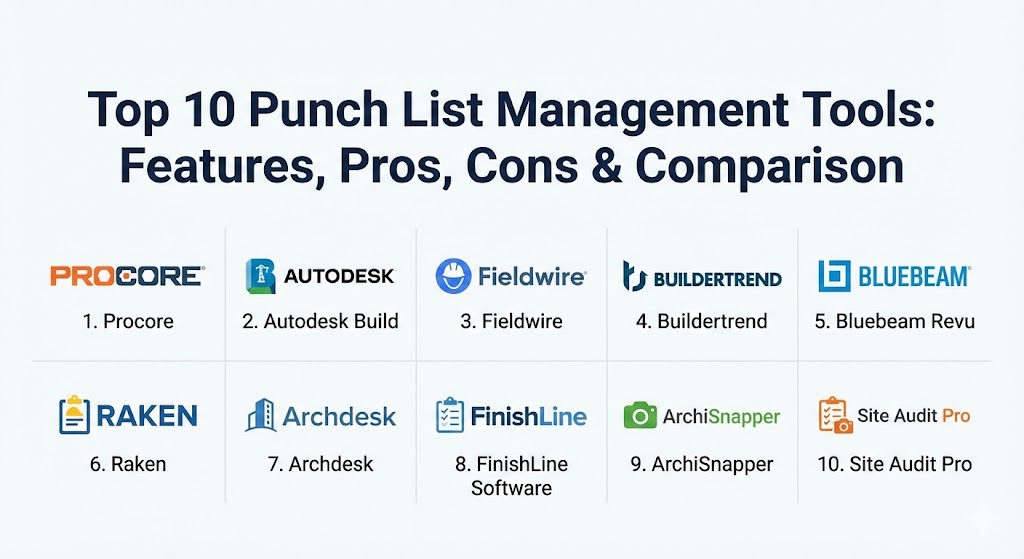
Top 10 Punch List Management Tools
1 — Procore
Procore is the industry-leading construction management platform that treats punch lists as a critical component of its comprehensive project lifecycle suite. It is built to handle the massive data requirements of multi-million dollar projects.
- Key features:
- “Quick Capture” voice-to-text input for hands-free item creation.
- Exact item pinning on 2D drawings and 3D models.
- Automated distribution of punch items to specific subcontractors.
- Real-time status tracking (Open, Pending, Work in Progress, Closed).
- Integration with financial tools to link closeout to final payments.
- Robust offline mode for sites without active Wi-Fi or cellular data.
- Pros:
- Offers the most complete “single source of truth” for large projects.
- The mobile app is exceptionally stable, even with thousands of open items.
- Cons:
- The pricing model (based on annual construction volume) is very high for small firms.
- Significant learning curve due to the sheer number of features.
- Security & compliance: SOC 2 Type II, ISO 27001, FedRAMP authorized, and HIPAA compliant options.
- Support & community: Dedicated 24/7 support, “Procore Certification” training, and a massive community of over a million construction professionals.
2 — Autodesk Build (formerly PlanGrid)
Part of the Autodesk Construction Cloud, Autodesk Build (which integrated the fan-favorite PlanGrid) focuses heavily on the “drawings-first” philosophy. It is designed for teams that live and breathe their blueprints.
- Key features:
- Sheet-based issue tracking with hyperlinked callouts.
- BIM 360 integration for viewing punch items within Navisworks or Revit models.
- Custom “Forms” for standardized quality and safety inspections.
- Activity logs that provide a permanent, unchangeable audit trail.
- Photo and video attachments with GPS metadata.
- “Workflows” that automate the approval process between GC and Architect.
- Pros:
- The gold standard for sheet-based navigation; incredibly fast drawing rendering.
- Seamless data flow from the design phase (AutoCAD/Revit) into the field.
- Cons:
- Licensing can be fragmented between “Build,” “Takeoff,” and “BIM Collaborate.”
- Can be overly complex for residential remodelers or small-scale contractors.
- Security & compliance: ISO 27001, 27017, 27018, and SOC 2 compliant.
- Support & community: Robust online help center, Autodesk University training, and deep integration with global AEC networks.
3 — Fieldwire
Fieldwire is a “field-first” tool that focuses on simplicity and speed for the people actually wearing hard hats. It is particularly popular with subcontractors who need to manage their own internal punch lists.
- Key features:
- Task-based punch lists that behave like a digital Kanban board.
- Plan viewing with automated version control.
- “Mark-as-Complete” notifications sent instantly to the foreman.
- Customizable checklists for repetitive inspections (e.g., room-by-room).
- Reporting engine that generates branded PDF summaries in seconds.
- Direct messaging and photo sharing within the context of a specific task.
- Pros:
- One of the easiest tools for field crews to adopt with zero training.
- Very fast synchronization between mobile devices and the office web portal.
- Cons:
- Lacks the deep financial and “pre-construction” modules of Procore.
- Report customization is somewhat limited compared to enterprise platforms.
- Security & compliance: GDPR compliant, SSO support, and data encryption in transit (TLS 1.2) and at rest.
- Support & community: High-quality email support and a library of “Fieldwire Academy” video tutorials.
4 — Buildertrend
Buildertrend is the premier management tool for residential homebuilders and remodelers. It bridges the gap between technical project management and client-facing communication.
- Key features:
- Client portal where homeowners can see punch list progress and photos.
- Daily logs that automatically feed into final punch list items.
- Integrated scheduling that moves dates based on punch list completion.
- Simple photo markup tools designed for touchscreens.
- Subcontractor login for direct task assignment.
- Financial integration with QuickBooks and Xero.
- Pros:
- Unmatched for client transparency and “soft” management of residential projects.
- Combines sales, marketing, and construction into a single package.
- Cons:
- Not suitable for high-rise commercial or heavy industrial infrastructure.
- The interface can feel overwhelming for very small “mom-and-pop” shops.
- Security & compliance: Standard SSL encryption, role-based access, and regular security audits.
- Support & community: Offers “Buildertrend University” in-person training and dedicated customer success managers.
5 — Bluebeam Revu
While often thought of as a PDF editor, Bluebeam Revu is a staple for punch lists because of its “Precision Markup” capabilities. It is the tool of choice for architects and engineers performing technical “snagging.”
- Key features:
- Custom “Tool Chests” for standardized punch symbols (e.g., electrical, plumbing).
- “Studio Sessions” for real-time collaborative markups on a single PDF.
- Advanced “Visual Search” to find specific icons across hundreds of sheets.
- Column-based “Markup List” that exports to Excel or XML.
- Measurement tools for calculating area, length, and volume of defects.
- Overlay Pages feature to compare original designs vs. field changes.
- Pros:
- The absolute highest level of detail for technical documentation.
- Does not require a per-project fee (subscription or perpetual license options).
- Cons:
- The iPad app is significantly less powerful than the desktop version.
- Requires a more technical “office-style” mindset than field-centric apps.
- Security & compliance: SOC 2, ISO 27001, and document-level password/encryption controls.
- Support & community: Massive “Bluebeam User Group” (BUG) network and extensive technical webinars.
6 — Raken
Raken is widely loved for its “Daily Report” focus, and its punch list feature is designed to be an extension of that daily site documentation. It is perfect for GCs who prioritize field compliance.
- Key features:
- Daily progress videos and photos that can be converted into punch items.
- Simple, large-button mobile interface for data entry on site.
- “Superintendent Dashboard” to view closeout progress across all sites.
- Automated weather tracking to document why specific tasks were delayed.
- Time tracking and safety checklists integrated with punch lists.
- Professional, time-stamped reports that are legally defensible.
- Pros:
- Reduces “admin time” for field supervisors by combining logs and punch lists.
- High adoption rate among workers who traditionally hate technology.
- Cons:
- The punch list module is less specialized than tools like Autodesk Build.
- Lacks deep 3D/BIM integration.
- Security & compliance: SSO integration, secure cloud hosting, and GDPR readiness.
- Support & community: Consistently rated as having one of the most responsive support teams in construction tech.
7 — Archdesk
Archdesk is a modern construction ERP (Enterprise Resource Planning) system that integrates punch list management with the entire financial and operational backbone of a company.
- Key features:
- Full project lifecycle tracking from estimation to handover.
- Custom workflow builder for multi-stage approvals.
- Inventory and resource management linked to task completion.
- Real-time financial dashboards showing the cost of “rework.”
- Document management with granular permission levels.
- Mobile app for on-site inspections and photo capture.
- Pros:
- Provides a holistic “business view” rather than just a “job site view.”
- Extremely customizable to fit specific niche construction workflows.
- Cons:
- Longer implementation time compared to “plug-and-play” punch apps.
- Primarily aimed at European and U.S. mid-market firms; may be “too much” for small jobs.
- Security & compliance: ISO 27001, GDPR, and robust data redundancy protocols.
- Support & community: Offers dedicated implementation specialists and structured onboarding.
8 — FinishLine Software
FinishLine is a highly specialized “niche” tool designed specifically for the inspection and punch list process. It doesn’t try to be a CRM or an accounting tool; it just wants to be the best at closeouts.
- Key features:
- “Plan-to-Field” workflow specifically optimized for high-volume snagging.
- Customizable “Pick-Lists” to speed up data entry for common issues.
- Branded reports that can be customized for specific owners or consultants.
- Dashboard visibility for “items by subcontractor” or “items by floor.”
- Simple offline sync for large building structures (like hotels).
- Pros:
- Very efficient for large-scale, repetitive projects like apartments or hospitals.
- The “no-nonsense” interface is focused solely on clearing items.
- Cons:
- Lacks broader project management features (no scheduling or RFIs).
- The UI feels a bit more “utility-focused” and less modern than Onfleet or Procore.
- Security & compliance: Industry-standard encryption and secure role-based access.
- Support & community: Known for “high-touch” personalized setup and custom report building.
9 — ArchiSnapper
ArchiSnapper is a clean, modern tool designed for architects and engineers who need to create professional field reports and punch lists without the “bloat” of heavy construction software.
- Key features:
- Automated PDF report generation from site photos and notes.
- Location tagging on floor plans with simple numbered icons.
- “Clone” feature to quickly carry over unresolved items to a new report.
- Collaboration portal where contractors can comment on their assignments.
- Simple time-tracking and mileage logs for site visits.
- Pros:
- Creates arguably the most “beautiful” and readable reports in the industry.
- Very affordable for small design firms and solo consultants.
- Cons:
- Not designed for massive, multi-subcontractor coordination at scale.
- Limited offline capabilities for extremely large document sets.
- Security & compliance: GDPR compliant and uses standard secure web protocols.
- Support & community: Excellent documentation and friendly, fast-responding email support.
10 — Site Audit Pro
Site Audit Pro is a mobile-first inspection app that has gained a cult following for its simplicity and affordability. It is a “pure-play” mobile tool for generating audit lists.
- Key features:
- Rapid-fire photo capture with instant annotation.
- PDF and Excel report exporting directly from the phone.
- Customizable categories (Safety, Quality, Punch List, etc.).
- Simple “Project Folders” to organize multiple job sites.
- Works on iPhone, iPad, and Android without requiring a desktop.
- Pros:
- The lowest barrier to entry; you can be “punching” in 60 seconds.
- No ongoing monthly subscription for the basic version (one-time purchase).
- Cons:
- Lacks real-time cloud collaboration between multiple team members.
- No ability to pin items to a blueprint in the basic version.
- Security & compliance: “Local-first” data storage (varies based on sync settings).
- Support & community: Support is primarily handled via email and a help center.
Comparison Table
| Tool Name | Best For | Platform(s) Supported | Standout Feature | Rating (Gartner / G2) |
| Procore | Large GCs / Enterprise | Web, iOS, Android | Quick Capture AI | 4.6 / 5 |
| Autodesk Build | Design-Led / BIM | Web, iOS, Android | Sheet Navigation Speed | 4.5 / 5 |
| Fieldwire | Subcontractors | Web, iOS, Android | Kanban Task View | 4.7 / 5 |
| Buildertrend | Residential / Client | Web, iOS, Android | Homeowner Portal | 4.5 / 5 |
| Bluebeam Revu | Tech Markups / Arch | Windows, iOS | Custom Tool Chests | 4.4 / 5 |
| Raken | Daily Site Compliance | Web, iOS, Android | Daily Log Integration | 4.6 / 5 |
| Archdesk | Comprehensive ERP | Web, iOS, Android | Financial/Cost Linking | 4.4 / 5 |
| FinishLine | High-Volume Closeout | Web, iOS, Android | Specialized “Snagging” | 4.3 / 5 |
| ArchiSnapper | Architects / Engineers | Web, iOS, Android | Professional Report Styling | 4.7 / 5 |
| Site Audit Pro | Solo / Simple Walks | iOS, Android | One-Time Purchase | 4.2 / 5 |
Evaluation & Scoring of Punch List Management Tools
When we evaluate these tools, we look at them through the lens of a project manager who is under pressure to close a site. The following weights represent what truly drives value on a job site.
| Category | Weight | Top Performer |
| Core Features | 25% | Procore (for AI-voice and 3D depth) |
| Ease of Use | 15% | Fieldwire (for field adoption speed) |
| Integrations | 15% | Autodesk Build (for design-to-build flow) |
| Security & Compliance | 10% | Procore (for FedRAMP/Enterprise levels) |
| Performance | 10% | Fieldwire (for lightning-fast sync) |
| Support & Community | 10% | Buildertrend (for high-touch training) |
| Price / Value | 15% | ArchiSnapper (for the design-build niche) |
Which Punch List Management Tool Is Right for You?
Solo Users vs SMB vs Mid-Market vs Enterprise
If you are a Solo Architect or a small consultant, ArchiSnapper or Site Audit Pro will provide the professional results you need without the “enterprise” headache. SMBs (Small-to-Medium Businesses) generally find the most success with Fieldwire or Raken, as they prioritize getting the field crew on board. Mid-Market and Enterprise firms typically require the governance and data depth of Procore or Autodesk Build.
Budget-Conscious vs Premium Solutions
If you are budget-conscious, Site Audit Pro is a one-time purchase, and ArchiSnapper offers low monthly tiers. However, remember that in construction, “cheap software is expensive.” A premium tool like Autodesk Build might cost more upfront, but if it prevents one single $50,000 rework error through better BIM coordination, it has paid for itself for a decade.
Feature Depth vs Ease of Use
If you need extreme feature depth (BIM, ERP, Financials), Archdesk and Procore are your targets. If your biggest hurdle is getting “Old School” foremen to put down their clipboards, choose Fieldwire or Circuit (for routing/dispatch needs). The simpler the tool, the higher the data accuracy you’ll get from the field.
Frequently Asked Questions (FAQs)
1. What is the difference between a punch list and a snag list? The terms are often used interchangeably. “Punch list” is the common term in the U.S., while “Snag list” is more common in the UK, Australia, and parts of Europe. Both refer to a list of work that doesn’t meet contract specifications.
2. Can these tools work without an internet connection? Yes, the top tools (Procore, Fieldwire, Autodesk Build) allow you to capture photos and notes offline. They will automatically sync all data back to the cloud as soon as you re-connect to a network.
3. Do my subcontractors have to pay to use these tools? In most cases (like Procore and Buildertrend), the general contractor pays for the license, and subcontractors can join the project for free to view and close their specific tasks.
4. How do these tools prevent “fake” resolutions? Most platforms allow the GC to require a “verification photo” before an item can be moved to the “Closed” status, ensuring the subcontractor actually fixed the issue.
5. Can I use these for safety inspections too? Absolutely. Most of these tools (especially Raken and Procore) allow you to create different categories for issues, so you can track “Safety Hazards” alongside “Quality Defects.”
6. Do I need a tablet, or is a phone enough? While a phone is fine for quick notes, a tablet (like an iPad) is highly recommended for punch walks because it makes viewing large blueprints and detailed markups significantly easier.
7. What is “Quick Capture”? A feature popularized by Procore that uses AI and voice recognition. You speak the defect into your phone (e.g., “Broken outlet cover, kitchen island”), and the AI automatically creates the task and categorizes it.
8. How do these tools help with legal disputes? By providing a time-stamped, GPS-verified record of every inspection and resolution, these tools provide a “bulletproof” audit trail that is much harder to challenge in court than paper notes.
9. Can these tools handle 3D models (BIM)? Enterprise tools like Autodesk Build and Procore allow you to “drop a pin” on a 3D model, allowing you to visualize exactly where a defect is within a complex mechanical system.
10. Why is “Version Control” important? It ensures that everyone is looking at the most recent set of blueprints. Punching a hole in a wall based on an outdated drawing is a classic (and expensive) construction mistake.
Conclusion
Closing out a construction project is inherently stressful, but it doesn’t have to be chaotic. The “best” punch list management tool for your team is the one that actually gets used in the field. Whether you choose the massive ecosystem of Procore, the sheet-centric speed of Autodesk Build, or the “beautiful” reports of ArchiSnapper, the goal remains the same: a zero-defect handover that gets you paid faster.