Introduction
Mobile workforce apps are comprehensive software platforms designed to facilitate communication, scheduling, task management, and payroll for employees who do not work at a traditional desk. These tools serve as a mobile headquarters, allowing workers to receive real-time updates, clock in from job sites using GPS, and access critical company resources directly from their smartphones or tablets. By digitizing workflows that were once paper-based or scattered across personal messaging apps, these solutions ensure data accuracy and operational transparency.
The importance of these apps lies in their ability to drive “agility at the edge.” In 2026, real-time data is the currency of efficiency. Key real-world use cases include a HVAC technician receiving a high-priority dispatch with full customer history, a retail manager adjusting a shift schedule on the fly to meet foot traffic demands, and a construction firm tracking labor costs against a project budget in real-time. When evaluating these tools, users should prioritize offline functionality, AI-powered scheduling optimization, ease of use for non-technical staff, and robust security protocols that protect sensitive employee data.
Best for: Field service companies (plumbing, electrical, HVAC), logistics and delivery firms, retail and hospitality chains, and healthcare providers with home-visit staff. It is essential for organizations with 10 to 10,000+ employees who need to centralize “deskless” operations.
Not ideal for: Companies where 100% of the staff works from a fixed office location or fully remote “knowledge workers” who primarily use project management tools like Jira or Asana. It is also not a replacement for deep accounting software, though many integrate with it.
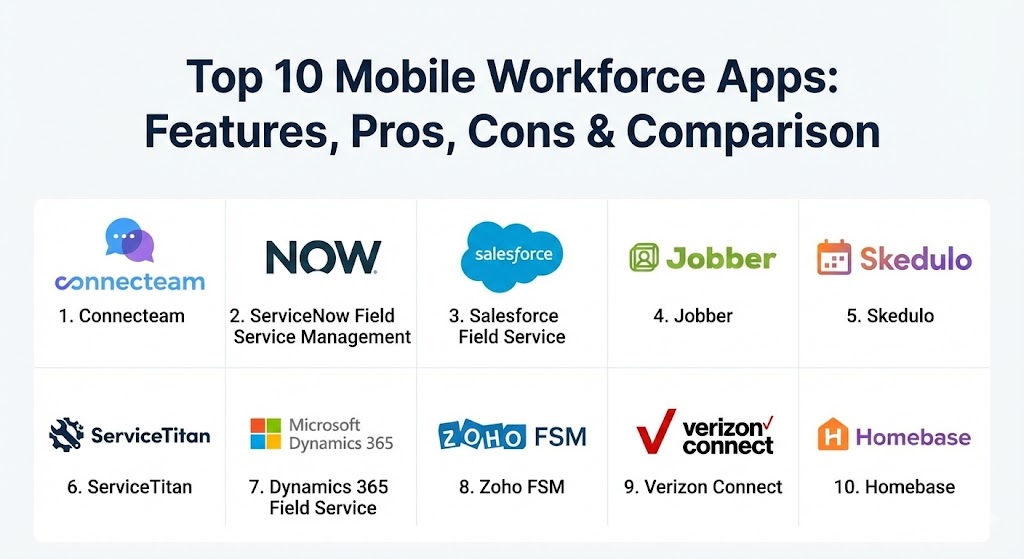
Top 10 Mobile Workforce Apps
1 — Connecteam
Connecteam is widely regarded as the “all-in-one” gold standard for the deskless workforce. It is designed to be a “one-stop-shop” where employees can handle everything from daily checklists and time tracking to professional training and internal social engagement.
- Key features:
- GPS-enabled time clock with geofencing to prevent “buddy punching.”
- Fully customizable digital forms and checklists (e.g., safety audits).
- Shift scheduling with easy “claim-a-shift” and swap features.
- Integrated internal communication channels (1:1, group, and organizational updates).
- Mobile-first knowledge base for SOPs and training manuals.
- AI-powered task management that auto-assigns jobs based on proximity.
- Pros:
- Incredibly intuitive; most employees require zero training to start using the app.
- Exceptionally flexible pricing, including a powerful “Small Business” plan.
- Cons:
- The sheer number of features can feel overwhelming for very basic teams.
- Advanced analytics reporting is restricted to higher-tier enterprise plans.
- Security & compliance: SOC 2 Type II, GDPR, HIPAA, ISO 27001, and SSO integration.
- Support & community: Excellent 24/7 customer support, extensive video tutorials, and a highly active peer-to-peer user community.
2 — ServiceNow Field Service Management
ServiceNow offers an enterprise-grade solution that connects field operations with the broader enterprise service management workflow. It is built for large organizations that need to manage complex, multi-layered service cycles.
- Key features:
- Dynamic scheduling that uses AI to balance technician skills, location, and parts availability.
- Automated work order management with deep asset history.
- Offline-first mobile app ensuring productivity in areas with no cellular signal.
- Visual “Remote Assistant” using AR to help junior techs solve complex issues.
- Predictive maintenance triggers via IoT (Internet of Things) integration.
- Robust inventory and parts management.
- Pros:
- Unmatched scalability for global enterprises with millions of assets.
- Seamlessly integrates with the entire ServiceNow ecosystem (HR, IT, Customer Service).
- Cons:
- High barrier to entry due to cost and implementation complexity.
- The mobile UI can sometimes feel “heavy” compared to simpler SMB apps.
- Security & compliance: FedRAMP, HIPAA, SOC 1 & 2, ISO 27001, and FIPS 140-2.
- Support & community: Dedicated enterprise account managers, professional services, and a massive developer ecosystem.
3 — Salesforce Field Service
Formerly known as Field Service Lightning, this tool is the mobile extension of the Salesforce CRM. It is designed to provide field workers with a 360-degree view of the customer, ensuring every interaction is personalized and data-driven.
- Key features:
- Intelligent appointment assistant that gives customers real-time tech arrival updates.
- AI-driven dispatching (Einstein AI) to optimize routes and reduce travel time.
- Mobile offline capabilities with data synchronization upon reconnection.
- Integrated “inventory-on-wheels” tracking for vehicle-based stock.
- Advanced signature capture and mobile quote generation.
- Deep analytics via Tableau integration.
- Pros:
- The best option for companies already deeply invested in the Salesforce CRM.
- Incredible customization capabilities for complex business processes.
- Cons:
- Licensing costs can grow rapidly as you add more users and modules.
- Requires a dedicated Salesforce administrator for proper setup and maintenance.
- Security & compliance: HIPAA, GDPR, SOC 2, and advanced encryption at rest and in transit.
- Support & community: World-class support through “Trailhead” learning and a global network of implementation partners.
4 — Jobber
Jobber is specifically tailored for small to medium-sized home service businesses (landscaping, cleaning, pest control). It focuses on the “quote-to-cash” cycle, helping small teams look professional and get paid faster.
- Key features:
- Automated “On My Way” texts and appointment reminders for customers.
- Drag-and-drop dispatch calendar with color-coded status updates.
- Mobile invoicing and “InstaPay” for immediate credit card processing in the field.
- Consumer-facing “Client Hub” for quotes, invoices, and scheduling.
- Route optimization to save on fuel and time.
- Multi-app sync with QuickBooks Online and Xero.
- Pros:
- Perfect for businesses transitioning from paper/whiteboards to digital.
- The customer-facing features significantly improve brand professionality.
- Cons:
- Lacks the deep workforce “engagement” features (training, chats) found in Connecteam.
- Reporting is basic compared to enterprise platforms.
- Security & compliance: PCI compliance for payments, standard encryption, and role-based access.
- Support & community: Very responsive phone and chat support; strong focus on “Jobber Academy” for business growth.
5 — Skedulo
Skedulo is a “scheduling first” platform that excels in complex workforce environments where traditional calendaring fails. It is a preferred choice for healthcare and large-scale public sector organizations.
- Key features:
- Advanced “Master Scheduler” for handling thousands of shifts across multiple regions.
- AI-based matching of worker certifications to specific job requirements.
- Mobile app for workers to view schedules, accept jobs, and record notes.
- Comprehensive API for building custom mobile extensions.
- Real-time location tracking for worker safety and dispatch accuracy.
- Shift-swapping and open-market shift bidding.
- Pros:
- Handles the most complex scheduling rules (union rules, certifications) with ease.
- Excellent balance between enterprise power and a clean mobile UI.
- Cons:
- Can be overkill for small teams with simple 9-to-5 schedules.
- Some advanced customizations require technical development resources.
- Security & compliance: SOC 2 Type II, HIPAA, ISO 27001, and GDPR.
- Support & community: High-touch enterprise support and a dedicated developer portal.
6 — ServiceTitan
ServiceTitan is the “operating system” for the trades. It is a massive, feature-rich platform built specifically for residential and commercial service contractors (plumbing, HVAC, Electrical).
- Key features:
- Integrated phone system that pops up customer history upon a call.
- “Good/Better/Best” sales tool to help techs build quotes in the field.
- Marketing Pro module to track ROI on every lead and advertisement.
- Real-time “Technician Scorecards” to track individual performance.
- Automated memberships and recurring service agreement management.
- Direct integrations with major equipment suppliers for parts ordering.
- Pros:
- Deeply verticalized; it speaks the language of trade contractors perfectly.
- The integrated sales tools can significantly increase average ticket sizes.
- Cons:
- One of the most expensive tools in the category.
- The implementation process is long and requires significant staff time.
- Security & compliance: PCI, SOC 2, and standard enterprise-grade security layers.
- Support & community: Extensive training through “ServiceTitan Academy” and a massive community of trade owners.
7 — Microsoft Dynamics 365 Field Service
Part of the broader Dynamics 365 ecosystem, this tool leverages Microsoft’s massive cloud and AI capabilities to provide a proactive, predictive field service experience.
- Key features:
- IoT Central integration for “self-healing” machines and auto-dispatch.
- Connected Field Service for real-time asset monitoring.
- Unified Resource Scheduling (URS) across all service lines.
- Mixed reality support via Microsoft Remote Assist on HoloLens or mobile.
- Deep integration with Microsoft Teams for field-to-office collaboration.
- Power BI dashboards for predictive analytics.
- Pros:
- Unbeatable integration for companies already using the Microsoft 365 stack.
- The AI-driven predictive maintenance is world-class.
- Cons:
- Can be very complex to navigate for non-Microsoft users.
- The mobile app interface is highly functional but not as “modern” as some SaaS rivals.
- Security & compliance: FedRAMP, HIPAA, ISO, SOC 1/2/3, and GDPR.
- Support & community: Massive global network of Microsoft partners and extensive documentation.
8 — Zoho FSM
Zoho FSM (Field Service Management) is the newest heavyweight in the Zoho ecosystem. It provides a highly affordable, yet surprisingly deep solution for growing field service teams.
- Key features:
- Comprehensive work order management from lead to invoice.
- Visual multi-resource scheduler with “skill-based” filtering.
- Mobile app for technicians with offline support and map integration.
- Integrated inventory management across multiple warehouses/trucks.
- Native integration with Zoho Books, CRM, and Inventory.
- Customer portal for appointment tracking and service history.
- Pros:
- Incredible value for money; offers features usually reserved for enterprise tools.
- Part of the Zoho One “operating system for business” ecosystem.
- Cons:
- Still a younger product; some advanced AI features are still in development.
- The mobile app is solid but lacks the “engagement” features of Connecteam.
- Security & compliance: ISO 27001, SOC 2, HIPAA, and GDPR compliant.
- Support & community: Strong community forums and global 24/5 (or 24/7) support depending on the plan.
9 — Verizon Connect (Reveal)
Verizon Connect focuses on the intersection of fleet management and mobile workforce management. It is the go-to for companies where the “vehicle” is as important as the “worker.”
- Key features:
- High-precision GPS vehicle tracking with driver behavior monitoring.
- Integrated dashcams for safety and liability protection.
- Field service scheduling and dispatching modules.
- Automated vehicle maintenance alerts and fuel tracking.
- Worker “Field” app for job management and signature capture.
- Comprehensive “Safety Scorecards” for drivers.
- Pros:
- The best solution for heavy-duty logistics and trucking operations.
- Provides unique visibility into the “hidden costs” of idling and fuel waste.
- Cons:
- Less focus on “engagement” or “training” compared to workforce-only apps.
- Requires hardware installation for full vehicle tracking features.
- Security & compliance: ISO 27001, GDPR, and rigorous data privacy controls for GPS data.
- Support & community: Strong corporate support with dedicated training for large fleets.
10 — Homebase
Homebase is the dominant player for hourly, shift-based teams in retail, food, and beverage. It focuses on the specific needs of managers who have to juggle constantly changing schedules and labor laws.
- Key features:
- Free online schedule builder with “auto-scheduling” based on availability.
- Mobile time clock that works on tablets and smartphones.
- “Cash out” feature allowing employees to access earned wages early.
- Automated compliance alerts for breaks, overtime, and labor laws.
- Team communication via the “Homebase Messenger.”
- Hiring and onboarding tools for high-turnover industries.
- Pros:
- The free version is incredibly generous for very small local businesses.
- The “Earned Wage Access” is a huge perk for employee retention.
- Cons:
- Not suitable for field technicians or complex asset-heavy industries.
- Lacks inventory and work order management.
- Security & compliance: Standard encryption, GDPR-aligned, and secure payroll data handling.
- Support & community: Friendly, responsive support and a great resource blog for small business owners.
Comparison Table
| Tool Name | Best For | Platform(s) Supported | Standout Feature | Rating (Gartner Peer Insights) |
| Connecteam | All-in-One / Deskless | iOS, Android, Web | No-code Digital Forms | 4.8 / 5 |
| ServiceNow FSM | Global Enterprises | iOS, Android, Web | AI Dispatching & IoT | 4.6 / 5 |
| Salesforce Field Service | CRM-centric teams | iOS, Android, Web | Einstein AI Routing | 4.5 / 5 |
| Jobber | Home Service SMBs | iOS, Android, Web | “On My Way” Texts | 4.7 / 5 |
| Skedulo | Complex Scheduling | iOS, Android, Web | Skill-based Job Matching | 4.4 / 5 |
| ServiceTitan | Trade Contractors | iOS, Android, Web | In-field Sales Builder | 4.8 / 5 |
| Dynamics 365 | Microsoft Ecosystem | iOS, Android, Web | Mixed Reality Support | 4.3 / 5 |
| Zoho FSM | Value-seeking SMBs | iOS, Android, Web | Zoho Ecosystem Sync | 4.5 / 5 |
| Verizon Connect | Fleet & Logistics | iOS, Android, Web | Driver Behavior Safety | 4.1 / 5 |
| Homebase | Retail & Hourly | iOS, Android, Web | Early Wage Access | 4.6 / 5 |
Evaluation & Scoring of Mobile Workforce Apps
Selecting the right app requires weighing different operational priorities. Below is the weighted scoring rubric used to evaluate the top performers in this category.
| Category | Weight | Top Performer |
| Core Features | 25% | ServiceNow (Depth), ServiceTitan (Niche) |
| Ease of Use | 15% | Connecteam, Homebase |
| Integrations | 15% | Salesforce Field Service, Jobber |
| Security & Compliance | 10% | Microsoft Dynamics 365, Skedulo |
| Performance & Reliability | 10% | Verizon Connect (GPS Accuracy) |
| Support & Community | 10% | ServiceTitan, Connecteam |
| Price / Value | 15% | Zoho FSM, Connecteam |
Which Mobile Workforce App Is Right for You?
The decision-making process should be driven by the complexity of your workforce and your current technology stack.
- Solo Users & Small Teams: If you are a single operator or have a team of 2-5, a tool like Jobber or Homebase (depending on your industry) is the best starting point. They offer “lite” versions that solve the most immediate pains—scheduling and getting paid—without the enterprise overhead.
- Small to Medium Businesses (SMBs): Organizations in this tier often struggle with “disconnected” information. Connecteam is the ideal solution here because it solves communication and training alongside scheduling. If your team is more sales-focused, Zoho FSM offers incredible value.
- Mid-Market to Large Enterprises: At this scale, you need a “Platform” rather than just an “App.” Skedulo is perfect for high-complexity scheduling needs, while Salesforce Field Service is the logical choice if your mobile workforce needs to be perfectly synced with your sales and marketing data.
- The “Vertical” Choice: If you are a plumber, electrician, or HVAC owner, do not ignore ServiceTitan. It is expensive, but it is built specifically to make your technicians more profitable in a way that generic tools cannot.
- Security & Scalability: If you operate in a highly regulated industry (like public utilities or government), Microsoft Dynamics 365 or ServiceNow are the only tools that offer the necessary compliance certifications and global scale.
Frequently Asked Questions (FAQs)
1. What is the difference between WFM and FSM? Workforce Management (WFM) usually focuses on scheduling, time tracking, and staff engagement. Field Service Management (FSM) includes those things but adds “job” features like work orders, inventory, and customer invoicing.
2. Can these apps work without an internet connection? Most top-tier apps (ServiceNow, Salesforce, Connecteam) have “offline modes” that store data on the device and sync it automatically once the worker is back in range of Wi-Fi or cellular data.
3. Is GPS tracking legal for my employees? In most jurisdictions, yes, provided you have a clear policy and the tracking is for business purposes (like dispatching the closest tech). Many apps allow you to disable tracking outside of “on-the-clock” hours.
4. How much do mobile workforce apps typically cost? SMB tools usually range from $20 to $100 per month for the base platform plus a small per-user fee. Enterprise tools are significantly higher, often starting at $50-$150 per user per month.
5. Do I need to buy my employees smartphones? Many companies use a “BYOD” (Bring Your Own Device) policy where employees use their personal phones. However, for high-security or rugged environments, companies often provide company-issued, ruggedized devices.
6. Can these apps integrate with my accounting software? Yes. Most SMB tools have direct “plug-and-play” integrations with QuickBooks Online and Xero. Enterprise tools typically require a custom API integration with ERPs like SAP or Oracle.
7. How long does it take to get a team up and running? Simple apps like Connecteam or Homebase can be deployed in a single afternoon. Vertical platforms like ServiceTitan or enterprise suites like ServiceNow usually require 3-6 months for a full rollout.
8. Can these tools help reduce turnover? Surprisingly, yes. Features like “Early Wage Access,” clear communication, and digital training make employees feel more supported and professional, which significantly reduces “deskless” churn.
9. What is “Skill-Based Dispatching”? This is a feature in tools like Skedulo where the AI automatically assigns a job to the worker who has the specific certification (e.g., Gas Safety Level 3) required for that task, rather than just the closest worker.
10. What is a common mistake when choosing an app? “Over-buying.” Many companies buy a massive enterprise platform when all they really need is a way to stop using paper checklists. Start with the “must-have” features and scale into the “nice-to-haves.”
Conclusion
The mobile workforce is no longer the “forgotten” segment of IT. In 2026, a high-performing mobile app is the difference between a technician who arrives on time with the right parts and a technician who is lost and frustrated. When choosing your tool, remember that the “best” app is the one your employees will actually use. Prioritize a clean mobile experience and a “single source of truth”—because when your field staff is empowered, your entire business becomes more resilient.
