Introduction
Document redaction tools are specialized software applications designed to permanently remove, mask, or anonymize sensitive information from electronic files. Unlike simple “highlighting” or placing a black box over text—which can often be reversed by tech-savvy individuals—professional redaction tools ensure that the underlying data is scrubbed from the file’s code, including hidden metadata. These tools leverage technologies such as Optical Character Recognition (OCR) to “read” scanned documents and Artificial Intelligence (AI) to automatically identify Personally Identifiable Information (PII) like names, addresses, and credit card numbers.
The importance of these tools cannot be overstated. In high-stakes environments, they provide a defensible, auditable trail that proves an organization has taken the necessary steps to protect privacy. Key real-world use cases include law firms preparing evidence for discovery, healthcare providers sharing patient records for research, and government agencies responding to Freedom of Information Act (FOIA) requests. When choosing a tool, users should evaluate it based on its AI accuracy, the permanence of its redaction (scrubbing vs. masking), bulk processing capabilities, and the depth of its compliance reporting.
Best for: Legal professionals, healthcare administrators, government officials, and data protection officers in medium-to-large enterprises who handle high volumes of sensitive documentation and require automated, high-accuracy workflows.
Not ideal for: Individual users who only need to hide a single piece of information once or twice a year, or organizations with extremely low-security requirements where basic PDF editors or manual review is sufficient and cost-effective.
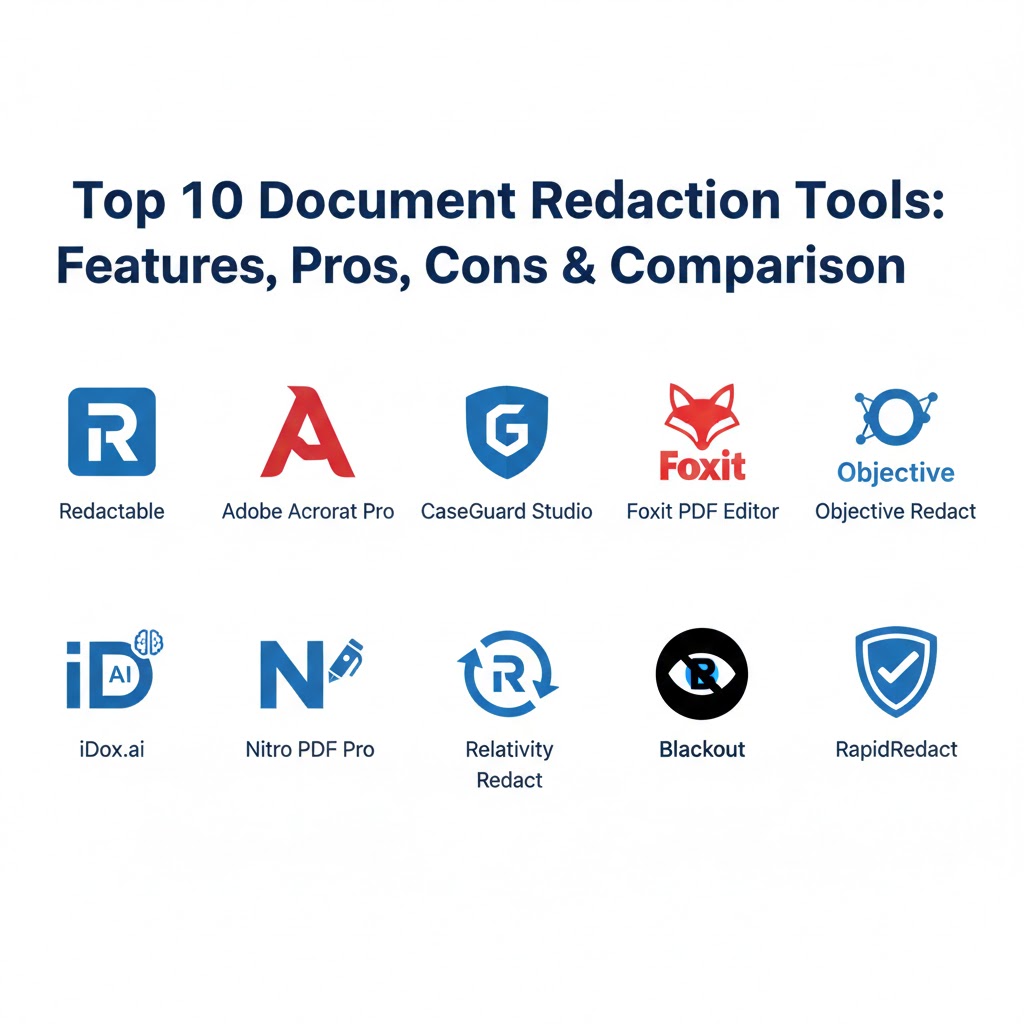
Top 10 Document Redaction Tools
1 — Redactable
Redactable is a cloud-based, AI-powered platform designed for speed and security. It is widely recognized in 2026 as the leading browser-based solution for organizations that want to eliminate “shadow IT” and move away from heavy, locally installed software.
- Key features:
- AI-driven “Auto-Redaction” that identifies PII, PHI, and financial data in seconds.
- Collaborative “TeamSpaces” for multi-user review and approval workflows.
- Advanced OCR engine capable of processing low-quality scans and handwritten notes.
- Deep metadata scrubbing that removes authors, edit history, and hidden tags.
- Integration with major cloud storage providers like Box, Dropbox, and SharePoint.
- Generation of “Redaction Certificates” to provide a legal paper trail.
- Pros:
- No installation required; works entirely within a secure browser environment.
- The AI accuracy reduces manual review time by up to 98% for long documents.
- Cons:
- Requires a stable internet connection for cloud-based processing.
- High-volume batch processing is locked behind higher subscription tiers.
- Security & compliance: SOC 2 Type II, HIPAA, GDPR, and ISO 27001 certified. Uses AES-256 encryption and Zero Trust architecture.
- Support & community: 24/7 live chat support, comprehensive video tutorials, and a dedicated customer success manager for enterprise accounts.
2 — Adobe Acrobat Pro
As the pioneer of the PDF format, Adobe Acrobat Pro remains the standard for general office document management. While it is a multi-purpose tool, its “Sanitize and Redact” features are robust and familiar to millions of users worldwide.
- Key features:
- “Search and Redact” tool to find specific words or phrases throughout a document.
- Pattern matching for automated detection of phone numbers and emails.
- “Sanitize Document” feature to remove hidden information and metadata.
- Customizable redaction marks (colors, overlay text, and exemption codes).
- Integrated with Adobe Document Cloud for secure sharing and signing.
- High-precision manual tools for redacting logos, graphics, and images.
- Pros:
- Deeply integrated into the existing software stacks of almost every major corporation.
- Highly reliable for manual, precision redaction where AI might be overkill.
- Cons:
- The redaction process is more manual and slower than specialized AI-first tools.
- Subscription costs are high for users who only need the redaction module.
- Security & compliance: FIPS 140-2, HIPAA, and GDPR compliant. Offers password protection and certificate-based security.
- Support & community: Massive global user community, extensive documentation, and tiered enterprise support plans.
3 — CaseGuard Studio
CaseGuard Studio is a powerhouse in the on-premise redaction market. Unlike many others, it is a “mixed media” tool, capable of redacting documents, videos, audio, and images within a single, unified interface.
- Key features:
- Native on-premise installation, keeping sensitive data entirely within the local network.
- AI-powered document redaction combined with industry-leading video/audio redaction.
- Automatic “Bates Stamping” for legal and evidence management.
- Support for redacting PST email files and large Excel spreadsheets.
- Built-in translation tools to redact and review documents in over 100 languages.
- “Watcher” folders that automatically redact documents as they are saved to a folder.
- Pros:
- The best choice for law enforcement and government agencies handling diverse media.
- Exceptional security for air-gapped or high-security environments.
- Cons:
- Steeper learning curve due to the complexity of the “Studio” interface.
- High hardware requirements for local AI processing and video rendering.
- Security & compliance: CJIS, HIPAA, and GDPR compliant. Includes detailed tamper-evident audit logs.
- Support & community: Highly praised personalized onboarding and direct access to technical engineers.
4 — Foxit PDF Editor
Foxit PDF Editor (formerly PhantomPDF) has positioned itself as the high-value alternative to Adobe. In 2026, its “Smart Redact” AI plugin has made it a serious contender for enterprises looking for automated redaction at a lower price point.
- Key features:
- “Smart Redact” AI assistant for identifying sensitive patterns automatically.
- Batch redaction tools to apply marks across hundreds of documents simultaneously.
- Integration with “ConnectedPDF” for document tracking and version control.
- Advanced OCR that supports over 40 languages for global document processing.
- White-out and blackout modes for different types of public disclosure.
- Ability to export redaction logs into CSV or XML formats for auditing.
- Pros:
- Often significantly more affordable than Adobe Acrobat for large-scale deployments.
- Faster performance and lower system resource usage on Windows machines.
- Cons:
- The AI features are often sold as an add-on plugin rather than built-in.
- Mobile app functionality is limited compared to the desktop version.
- Security & compliance: ISO 27001, HIPAA, and SOC 2 certified. Supports RMS and S/MIME.
- Support & community: Strong technical knowledge base and responsive global email support.
5 — Objective Redact
Objective Redact is built specifically for public sector organizations and those handling massive “disclosure” requests. It focuses heavily on the “workflow” of redaction—ensuring that nothing is missed before a file is released.
- Key features:
- “Two-Pass” review system to ensure secondary verification before finalization.
- Automated search for regular expressions (Regex) like Social Security numbers.
- Redaction of Excel, Word, and Email files without converting them to PDF first.
- Permanent removal of “hidden” content like speaker notes in PowerPoint.
- Integrated “Exemption Codes” to cite specific legal reasons for each redaction.
- Scalable processing engine built for millions of pages.
- Pros:
- Excellent for FOIA and transparency requests where legal justification is required.
- Maintains a separate “working copy” to preserve the original document.
- Cons:
- The interface is functional but can feel “industrial” and less modern.
- Primarily focused on Windows; limited support for macOS users.
- Security & compliance: FIPS 140-2 and GDPR compliant. Provides a “Redaction Certificate” for every file.
- Support & community: Deep expertise in government and public sector support; offers on-site training.
6 — iDox.ai
iDox.ai is a cloud-native solution from Foxit Software that focuses on extreme speed. It is designed for developers and enterprises that need to embed high-speed PII detection and redaction into their own applications.
- Key features:
- High-speed AI that can analyze a 100-page document in under a minute.
- Robust API for integrating redaction directly into custom ERP or CRM systems.
- Automated document classification to identify sensitive file types (e.g., tax forms).
- Template-based redaction for structured forms like IDs and medical bills.
- Data extraction capabilities to “anonymize” data for research and AI training.
- Centralized management dashboard for tracking usage and accuracy.
- Pros:
- One of the fastest AI engines on the market in 2026.
- Ideal for software companies building privacy into their own products.
- Cons:
- Lacks some of the manual “fine-tuning” tools found in desktop editors.
- Pricing is often based on page volume, which can be difficult to predict.
- Security & compliance: SOC 2, ISO 27001, and HIPAA compliant. Data is encrypted via AES-256.
- Support & community: Developer-focused documentation and high-tier technical integration support.
7 — Nitro PDF Pro
Nitro has long been the favorite of the Microsoft-centric business world. Its redaction tools are designed for simplicity and speed, making it the perfect choice for the everyday office worker.
- Key features:
- “Whiteout” tool for quick masking of non-sensitive areas.
- Permanent redaction of text and images with a single click.
- Search and redact across multiple open files simultaneously.
- Deep integration with Microsoft 365, including Outlook and OneDrive.
- “QuickSign” tool to sign documents immediately after redacting them.
- Automated removal of metadata, bookmarks, and links.
- Pros:
- Extremely intuitive; requires zero training for anyone who has used Word.
- Very reliable for high-volume, repetitive office tasks.
- Cons:
- Lacks the advanced “Deep AI” detection found in Redactable or iDox.ai.
- Only available for Windows (though a Mac version exists, it is less featured).
- Security & compliance: SOC 2 Type II, HIPAA, and GDPR compliant. Supports digital signatures.
- Support & community: Excellent online help center and a growing business community forum.
8 — Relativity Redact
Relativity is the titan of the legal “eDiscovery” industry. Its Redact module is built into its massive legal platform, designed specifically for law firms handling millions of documents for litigation.
- Key features:
- Massive-scale batch redaction across millions of files in a legal case.
- “Native” redaction for Excel files—blacking out cells while keeping the file functional.
- Automated detection of “privileged” communications (e.g., Attorney-Client).
- Integration with “Predictive Coding” to find sensitive data based on context.
- Comprehensive audit trails for courtroom evidence and discovery logs.
- Support for “Anonymization” (replacing names with “Witness 1”, etc.).
- Pros:
- The only choice for true “mega-litigation” and eDiscovery projects.
- Unmatched depth in handling complex file types like multi-tab spreadsheets.
- Cons:
- Part of a very large, expensive ecosystem; not available as a standalone app.
- Requires specialized “Relativity Administrators” to manage effectively.
- Security & compliance: FedRAMP, SOC 2, and HIPAA certified. Military-grade security protocols.
- Support & community: Industry-leading support for the legal profession; extensive certification programs.
9 — Blackout (by Milyli)
Blackout is the specialist’s choice for native file redaction. While most tools turn everything into a PDF to redact it, Blackout allows you to redact Excel and Image files in their original “native” format.
- Key features:
- Native Excel redaction—black out cells, charts, and comments within the .xlsx file.
- Automated pattern matching for credit cards, SSNs, and custom regular expressions.
- Image redaction that uses AI to find and mask faces and license plates.
- Ability to “mass redact” based on a list of terms across thousands of files.
- Works seamlessly as an integration for Relativity users or as a standalone tool.
- Generates a “Redaction Log” that lists every single change made to the file.
- Pros:
- Essential for financial firms that need to share “live” but redacted spreadsheets.
- Saves massive amounts of time by avoiding the PDF conversion process.
- Cons:
- The feature set is very specialized; not a general-purpose document editor.
- Pricing is targeted at the enterprise/legal market and may be high for SMBs.
- Security & compliance: GDPR, HIPAA, and PCI-DSS compliant workflows.
- Support & community: High-touch support with deep technical knowledge of eDiscovery.
10 — RapidRedact
RapidRedact is a veteran in the government and FOIA (Freedom of Information Act) space. It is designed for high-stakes public disclosure where a “missed redaction” could result in a national security incident.
- Key features:
- “One-Click” redaction for PII across diverse file formats (Word, PDF, Excel).
- Integrated FOIA workflow that manages requests from intake to release.
- Built-in OCR that handles large-format documents and blueprints.
- Automatic “Shadow Redaction” detection—finding text that is hidden behind images.
- Permanent removal of “Ghost” text that can remain in file buffers.
- Detailed compliance reports designed for government auditors.
- Pros:
- Extremely focused on “permanence”—guaranteeing that data can never be recovered.
- Very strong for public sector organizations requiring transparency logs.
- Cons:
- The user interface looks and feels like traditional legacy software.
- New feature updates are less frequent than cloud-native competitors.
- Security & compliance: FIPS 140-2, HIPAA, and GDPR compliant. Meets stringent government standards.
- Support & community: Offers specialized government support and dedicated on-site training.
Comparison Table
| Tool Name | Best For | Platform(s) Supported | Standout Feature | Rating (Gartner / G2) |
| Redactable | Modern AI Workflow | Web (Browser-Based) | AI Auto-Redaction Wizard | 4.8 / 5 |
| Adobe Acrobat Pro | General Office Use | Windows, Mac, Cloud | Familiarity & Precision | 4.6 / 5 |
| CaseGuard Studio | Mixed Media (Video/Doc) | On-Premise (Windows) | Mixed Media Redaction | 4.7 / 5 |
| Foxit PDF Editor | Budget-Conscious | Windows, Mac, Web | AI “Smart Redact” Plugin | 4.5 / 5 |
| Objective Redact | Public Disclosure | Windows | Legal Exemption Coding | 4.4 / 5 |
| iDox.ai | Developers / Speed | API, Cloud, Web | Ultra-Fast AI Engine | 4.5 / 5 |
| Nitro PDF Pro | MS Ecosystem | Windows | Zero-Learning Curve UI | 4.5 / 5 |
| Relativity Redact | Litigation / Legal | Enterprise (Web) | eDiscovery Scale | 4.3 / 5 |
| Blackout | Native Excel Redaction | Web / Integrated | Native .xlsx Redaction | 4.6 / 5 |
| RapidRedact | FOIA / Government | Windows | Government Transparency | 4.1 / 5 |
Evaluation & Scoring of Document Redaction Tools
| Category | Weight | Evaluation Criteria |
| Core Features | 25% | AI detection accuracy, bulk processing, metadata scrubbing, and OCR quality. |
| Ease of Use | 15% | The intuitiveness of the interface and the time required for staff onboarding. |
| Integrations | 15% | Compatibility with cloud storage, Microsoft 365, and legal case management systems. |
| Security & Compliance | 10% | Certifications (SOC 2, ISO), encryption standards, and permanent scrubbing. |
| Performance | 10% | Processing speed for large files and system resource usage. |
| Support & Community | 10% | Quality of documentation, availability of live support, and user forums. |
| Price / Value | 15% | Total cost of ownership relative to the security and time savings provided. |
Which Document Redaction Tool Is Right for You?
Choosing the right redaction tool is a balance between Risk, Volume, and Workflow.
- Solo Users & SMBs: If you only handle a few documents a month, Adobe Acrobat Pro or Nitro PDF Pro are often already in your toolkit and will handle basic redaction tasks reliably. If you want a bit more help, Foxit PDF Editor offers a great price-to-performance ratio.
- Modern Distributed Teams: If your team works remotely and you want a tool that “just works” on any computer without an IT install, Redactable is the clear winner. Its cloud-based AI makes it the fastest way for a group to redact and review documents together.
- Law Enforcement & High Security: If you cannot allow data to leave your local network, or if you also need to redact video evidence, CaseGuard Studio is the gold standard for on-premise, mixed-media security.
- Legal & Litigation Firms: For projects involving millions of pages, you need the industrial scale of Relativity Redact. For financial discovery where you must share “live” Excel files, Blackout is an essential specialist tool.
- Government & Public Sector: When transparency and legal citations are required for every black box you draw, Objective Redact or RapidRedact provide the necessary “exemption codes” and audit logs that auditors demand.
Frequently Asked Questions (FAQs)
1. Is “blacking out” text in a regular PDF editor enough?
No. Most standard editors only place a shape over the text. The underlying text still exists in the file’s code and can be copied and pasted into a new document to reveal the “hidden” data. Professional redaction tools permanently scrub the data.
2. Can redaction be reversed?
If done with a professional tool like those listed above, redaction is 100% irreversible. These tools flatten the document into a metadata-free image layer where the redacted information literally no longer exists in the file.
3. What is “Metadata” and why should I care?
Metadata is “data about data”—hidden information like who created the file, when it was edited, and even GPS locations or speaker notes. Redaction tools scrub this data to ensure secrets aren’t accidentally leaked through the file properties.
4. How accurate is AI redaction?
In 2026, top-tier AI (like Redactable or iDox.ai) can reach 98-99% accuracy. However, “human-in-the-loop” review is always recommended for mission-critical documents to catch context-specific sensitive data.
5. Do I need to convert Word or Excel files to PDF first?
Not necessarily. Tools like Blackout and Objective Redact can redact native Microsoft Office files directly, which is crucial for maintaining the functionality of a spreadsheet while hiding sensitive financial details.
6. Is there a free version of these tools?
Most offer a free trial (e.g., Adobe or Redactable), but permanent, secure redaction is almost always a paid feature. “Free” online tools often pose a security risk as they may store your sensitive data on their own servers.
7. Can I redact a scanned document that isn’t searchable?
Yes. You need a tool with “OCR” (Optical Character Recognition). This technology reads the pixels in a scan and converts them into editable text that the redaction software can then analyze.
8. What are “Exemption Codes”?
Commonly used in government and legal workflows, exemption codes are short labels (like “FOIA Exemption b(6)”) that explain the specific legal reason why information was removed from a public document.
9. Can I redact faces in photos using these tools?
Specialized tools like CaseGuard or Blackmarker use AI computer vision to automatically detect and blur faces, license plates, and even computer screens within images and videos.
10. How long does it take to redact a large document?
Manually, it can take hours. With an AI-driven tool like Redactable, the software can scan and suggest redactions for a 50-page document in less than 30 seconds, leaving the human only with the final review task.
Conclusion
The “best” document redaction tool is the one that aligns with your organization’s risk tolerance. In 2026, relying on manual processes is no longer just a burden on your team—it’s a liability. As data privacy laws tighten, the transition to AI-assisted, permanent redaction is the only way to ensure compliance at scale. Whether you need the global accessibility of Redactable, the industrial power of Relativity, or the mixed-media versatility of CaseGuard, investing in a professional redaction tool is a definitive step toward safeguarding your organization’s reputation and your customers’ trust.