Introduction
Meeting transcription tools are software applications that use Artificial Intelligence (AI) and Natural Language Processing (NLP) to convert spoken dialogue from live or recorded meetings into written text. These tools do more than just transcribe; they identify different speakers, summarize key points, and integrate directly with project management software to ensure that decisions made in a call actually turn into tasks.
The importance of these tools lies in their ability to democratize information. By creating a searchable, shareable record of every conversation, organizations can eliminate silos and ensure that even those who couldn’t attend a meeting stay in the loop. Key real-world use cases include sales teams tracking customer pain points, HR departments documenting interviews, and project managers automating the creation of “minutes” for stakeholder reviews. When choosing a tool, users should prioritize transcription accuracy, multi-language support, security protocols, and the quality of AI-generated summaries.
Best for: Project managers, sales teams, journalists, researchers, and executive assistants in companies of all sizes. These tools are life-changing for organizations that struggle with “meeting fatigue” and need a reliable way to capture and archive institutional knowledge.
Not ideal for: Highly sensitive, classified government discussions where no third-party cloud processing is permitted, or for casual one-on-one chats where a written record would hinder the natural flow of a private conversation.
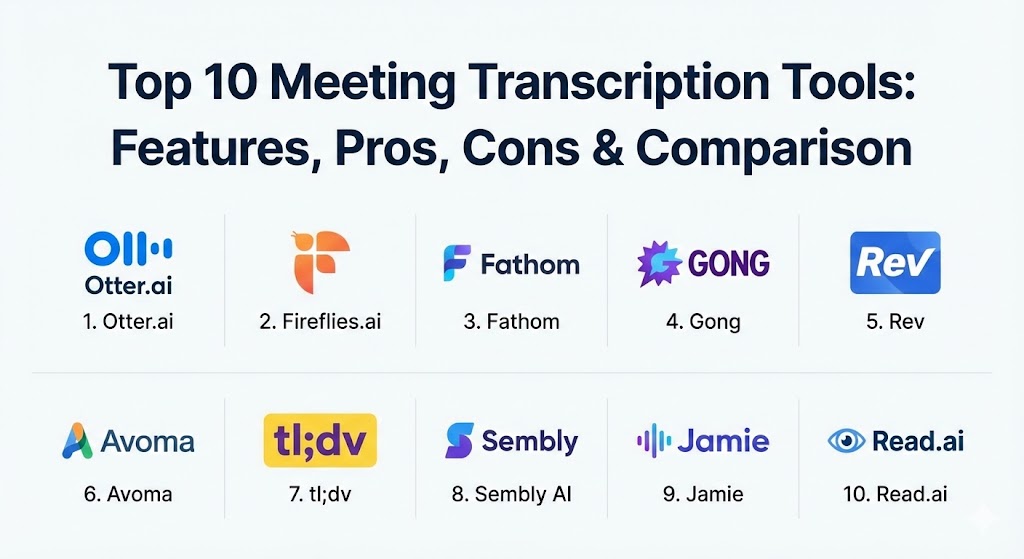
Top 10 Meeting Transcription Tools
1 — Otter.ai
Otter.ai remains a dominant force in 2026, known for its “OtterPilot” which joins meetings automatically to record, transcribe, and share notes. It is widely praised for its real-time capabilities and collaborative features.
- Key features:
- OtterPilot for automated meeting attendance and recording.
- Real-time transcription with live highlights and photos.
- Otter AI Chat for asking questions about meeting content mid-call.
- Automated summary emails sent immediately after the meeting.
- Custom vocabulary for industry-specific terminology.
- Integration with Slack, Salesforce, and HubSpot.
- Pros:
- Unbeatable real-time speed; you can see the text as people speak.
- Excellent mobile app for transcribing in-person meetings or lectures.
- Cons:
- The user interface can feel a bit cluttered for power users.
- Transcription accuracy can dip significantly with heavy accents or background noise.
- Security & compliance: SOC 2 Type II, GDPR, and HIPAA compliant. Data is encrypted at rest and in transit.
- Support & community: Extensive self-help documentation, active community forums, and priority support for enterprise tiers.
2 — Fireflies.ai
Fireflies.ai is a high-energy meeting assistant that focuses heavily on searchability and workflow automation. It is designed to act as a “central nervous system” for all your organization’s conversations.
- Key features:
- Fred the AI Assistant joins calls on any web-conferencing platform.
- Smart Search filters to find action items, questions, and dates.
- Topic Tracker for monitoring specific keywords across all meetings.
- Soundbites feature to create and share short audio clips.
- Sentiment analysis to gauge the “vibe” of a conversation.
- Deep CRM integration (Salesforce, HubSpot, Pipedrive).
- Pros:
- The “Topic Tracker” is incredibly powerful for monitoring brand mentions or competitor names.
- Integrates with almost every major productivity app on the market.
- Cons:
- Initial setup of automated meeting joining can be a bit aggressive.
- The “Pro” and “Business” tiers are necessary to unlock the most valuable features.
- Security & compliance: SOC 2 Type I, GDPR, and HIPAA compliant. Offers 256-bit AES and TLS encryption.
- Support & community: Solid documentation, responsive email support, and a robust API for developers.
3 — Fathom
Fathom has surged in popularity by offering a completely free version for individual users. It focuses on the “Zoom-native” experience, providing high-quality summaries and highlight reels without the friction of a bot.
- Key features:
- Bot-less recording for a more “invisible” meeting experience.
- Instant highlight clips for sharing key moments on Slack.
- Automatic syncing of meeting summaries into CRMs.
- “Fathom for Teams” for centralized access to all company recordings.
- Customizable summary templates for different meeting types.
- Pros:
- The individual version is 100% free with unlimited recording/transcription.
- Generates some of the most concise and accurate summaries in the industry.
- Cons:
- Deepest integration is with Zoom; Teams and Google Meet support is improving but less mature.
- Lacks the “real-time” editing features found in Otter.
- Security & compliance: SOC 2 compliant and GDPR ready. Data is stored securely with high-grade encryption.
- Support & community: Very active user base and helpful onboarding videos; enterprise users get dedicated success managers.
4 — Gong
Gong is the “heavy hitter” of the list, designed specifically for sales and revenue teams. It doesn’t just transcribe; it analyzes conversations to provide “Revenue Intelligence.”
- Key features:
- Deep analysis of sales calls to identify winning behaviors.
- Competitor tracking and market trend identification.
- Coaching dashboards for sales managers.
- Interaction metrics (talk-to-listen ratio, patience score).
- Forecasting and deal risk assessment based on conversation data.
- Pros:
- The analytical depth is unmatched; it’s a goldmine for sales leaders.
- Enterprise-grade security and reliability.
- Cons:
- Extremely high price point, making it inaccessible for small businesses.
- Can feel like “Big Brother” is watching if not implemented with clear transparency.
- Security & compliance: ISO 27001, SOC 2 Type II, GDPR, and HIPAA compliant.
- Support & community: World-class enterprise support and a large “Gong Community” for sales pros.
5 — Rev
Rev is a unique hybrid service that offers both highly efficient AI transcription and “human-perfect” manual transcription for high-stakes recordings.
- Key features:
- World-class AI speech-to-text engine with high accuracy.
- Option for 99%+ accurate human transcription.
- Integrated editor for polishing transcripts manually.
- Foreign language subtitles and captions.
- Rev for Teams for collaborative editing and sharing.
- Pros:
- The go-to choice for journalists or legal teams who need 100% accuracy via human proofing.
- User-friendly web-based editor that is very easy to navigate.
- Cons:
- Human transcription is expensive and takes time (hours vs. seconds).
- Lacks the “AI Assistant” bot features that join live meetings automatically.
- Security & compliance: GDPR and HIPAA compliant; strict NDA protocols for human transcriptionists.
- Support & community: 24/7 customer support and a massive library of guides and tutorials.
6 — Avoma
Avoma positions itself as an “all-in-one” meeting lifecycle assistant. It helps users before the meeting (agendas), during the meeting (transcription), and after the meeting (intelligence).
- Key features:
- Collaborative note-taking that syncs with the transcript.
- Automatic identification of business topics (Pain points, Next steps).
- Playlist creation for onboarding new employees with past calls.
- Meeting templates and pre-built agendas.
- Speaker talk-time tracking and participation metrics.
- Pros:
- Excellent for building a “knowledge library” for training and onboarding.
- Provides a holistic view of the meeting from start to finish.
- Cons:
- The transcription accuracy is good but slightly behind Otter’s English engine.
- Some users find the number of notifications to be overwhelming.
- Security & compliance: SOC 2 Type II, GDPR, and HIPAA compliant.
- Support & community: High-quality help center and personalized onboarding for larger teams.
7 — tl;dv
Short for “too long; didn’t view,” tl;dv is a favorite for Product and UX teams who want to “clip” and share video moments rather than just reading a wall of text.
- Key features:
- Native Zoom and Google Meet recording and transcription.
- “Timestamp” key moments during the live call with a single click.
- AI-powered “Search everything” across all historical meetings.
- Multilingual support for over 25 languages.
- Easy “Reel” creation for compiling highlights from multiple calls.
- Pros:
- The “clipping” feature is perfect for UX researchers sharing user feedback.
- Very generous free tier for basic users.
- Cons:
- The transcriptions can sometimes lack the nuance of more expensive AI engines.
- Lacks the deep revenue intelligence found in Gong or Chorus.
- Security & compliance: GDPR compliant; SOC 2 certification in progress.
- Support & community: Fast email support and a very modern, helpful blog/video library.
8 — Sembly AI
Sembly AI markets itself as a “Professional Secretary,” focusing on turning meetings into professional-grade documents like formal minutes and task lists.
- Key features:
- “Sembly Agent” attends meetings even if the host is absent.
- Automated creation of formal Meeting Minutes.
- Decision tracking and “Action Item” extraction.
- Integration with task managers like Trello and Monday.com.
- Multi-language transcription and translation.
- Pros:
- The formatting of the AI-generated minutes is the most professional in this list.
- Able to “delegate” a meeting to the bot and read the recap later.
- Cons:
- The bot presence in meetings can sometimes be distracting for external clients.
- Advanced analytics are locked behind higher-tier plans.
- Security & compliance: GDPR, SOC 2, and data encryption protocols.
- Support & community: Responsive customer support and a clean documentation site.
9 — Jamie
Jamie is a newer, European-based tool that prides itself on privacy and a “bot-free” experience. It records from your computer’s audio directly rather than sending an invite to an AI assistant.
- Key features:
- No-bot recording (it captures internal audio via a desktop app).
- Offline processing options for extreme privacy.
- AI-generated summaries in multiple styles (Executive, Detailed).
- Supports multiple languages with high accuracy.
- Customizable summary outputs tailored to specific roles.
- Pros:
- The “no-bot” approach is much more professional for client-facing meetings.
- Excellent for privacy-conscious organizations.
- Cons:
- Requires a desktop app installation, which might be blocked by some IT policies.
- Lacks the real-time collaboration features of Otter or Avoma.
- Security & compliance: Fully GDPR compliant with European data hosting.
- Support & community: Personalized support from a growing tech team; clear, direct documentation.
10 — Read.ai
Read.ai focuses on meeting “wellness” and analytics. It transcribes, but it also tells you if people were engaged, if you spoke too fast, and if the meeting was actually productive.
- Key features:
- Engagement and sentiment metrics for all participants.
- Meeting “Leaderboard” to track overall organizational efficiency.
- Automated recap and transcription.
- Speaker coaching tips based on speech patterns.
- Visual “heatmaps” of meeting activity.
- Pros:
- The only tool that truly prioritizes the “effectiveness” of the meeting itself.
- The visual analytics are stunning and very easy for leadership to digest.
- Cons:
- The transcription is a secondary focus and can be less accurate than Rev or Otter.
- The analytical metrics can sometimes feel subjective.
- Security & compliance: SOC 2 and GDPR compliant.
- Support & community: Strong web-based support and a dedicated success team for enterprise.
Comparison Table
| Tool Name | Best For | Platform(s) Supported | Standout Feature | Rating (Gartner Peer Insights) |
| Otter.ai | General Business | Web, iOS, Android, Zoom, Teams | Real-time AI Chat | 4.7 / 5 |
| Fireflies.ai | CRM Automation | Web, All Conferencing Apps | Topic Keyword Tracking | 4.6 / 5 |
| Fathom | Individuals/Zoom | Zoom (Native), Teams, Meet | Free Unlimited Recording | 4.8 / 5 |
| Gong | Enterprise Sales | Web, Major Video Platforms | Revenue Intelligence | 4.7 / 5 |
| Rev | 100% Accuracy | Web, Mobile App | Human Transcription Option | 4.5 / 5 |
| Avoma | Meeting Lifecycle | Web, Major Video Platforms | Playlist Onboarding | 4.6 / 5 |
| tl;dv | Product/UX Teams | Zoom, Google Meet | “Reel” Highlight Creation | 4.7 / 5 |
| Sembly AI | Formal Minutes | Web, All Conferencing Apps | Professional Secretary Bot | 4.5 / 5 |
| Jamie | Privacy / Bot-Free | Windows, macOS | Native System Audio Capture | N/A (Newer Tool) |
| Read.ai | Meeting Analytics | Web, Major Video Platforms | Engagement Heatmaps | 4.4 / 5 |
Evaluation & Scoring of Meeting Transcription Tools
When selecting a tool for your organization, use the following weighted rubric to determine which platform offers the best value for your specific constraints.
| Category | Weight | Evaluation Criteria |
| Core Features | 25% | Accuracy of transcription, speaker ID, and summary quality. |
| Ease of Use | 15% | Intuitiveness of UI, mobile app quality, and setup speed. |
| Integrations | 15% | Native support for CRMs (Salesforce/HubSpot) and Slack. |
| Security & Compliance | 10% | SOC 2, GDPR, HIPAA, and data residency options. |
| Performance | 10% | Real-time speed and stability during high-concurrency calls. |
| Support & Community | 10% | Help center depth, response times, and user community. |
| Price / Value | 15% | Scalability of pricing tiers vs. features provided. |
Which Meeting Transcription Tool Is Right for You?
The right choice depends heavily on your industry and your primary pain point.
- Solo Users vs. SMBs: If you are a freelancer or a small team on a budget, Fathom is unbeatable for Zoom users, while the free version of Otter.ai provides the best multi-platform versatility.
- Sales & Revenue Teams: There is no substitute for Gong if you have the budget; its ability to correlate conversations with actual revenue is transformative. For mid-market sales teams, Fireflies.ai offers similar CRM automation at a lower price point.
- Product & Creative Teams: If your job involves showing rather than just telling, tl;dv is your best bet. Its ability to create video clips of user feedback or sprint reviews is essential for async collaboration.
- Privacy & Legal Professionals: If you are concerned about bots joining your calls or need European-grade privacy, Jamie is the clear winner. For legal transcripts where 100% accuracy is required for court, use Rev’s human-verified service.
- Enterprise & Operations: For large-scale companies looking to fix their “meeting culture,” Read.ai or Avoma provide the high-level metrics needed to see where time is being wasted across the entire organization.
Frequently Asked Questions (FAQs)
1. Is AI transcription 100% accurate?
No. Most top-tier tools achieve 90–95% accuracy. Factors like background noise, technical jargon, and heavy accents can lower this. Always review key transcripts for critical errors.
2. Do I have to ask for permission to record a meeting?
Legally, “two-party consent” laws vary by region (like in California or Germany). Ethically and professionally, it is best practice to always notify participants that an AI assistant is recording.
3. Will these tools join meetings I don’t attend?
Yes, most “assistant” tools (like Otter or Sembly) can be configured to join meetings on your behalf and send you a summary later.
4. How do these tools handle multi-language meetings?
Tools like tl;dv and Notta excel in multilingual environments, supporting over 30 languages. However, accuracy varies; English is typically the most mature engine.
5. Are transcription tools safe for HIPAA-regulated data?
Several tools, including Gong, Otter (Enterprise), and Jamie, offer HIPAA-compliant tiers that include Business Associate Agreements (BAAs) and enhanced security.
6. Can I transcribe a pre-recorded video file?
Yes, tools like Rev and Descript (often used for editing) are excellent for uploading MP4 or MOV files for post-meeting transcription.
7. Why do some tools use “bots” while others don’t?
Bots (like Fred from Fireflies) are easy to deploy across any platform but can be intrusive. Bot-free tools (like Jamie) capture audio from the computer directly but require software installation.
8. Can I search through all my past meetings at once?
Yes, this is one of the greatest benefits. Tools like Fireflies and Otter create a searchable database where you can find every time a specific word was mentioned in the last year.
9. Do these tools integrate with my calendar?
Most integrate with Google Calendar and Microsoft Outlook to automatically see your schedule and know which meetings to join.
10. What is “Sentiment Analysis” in transcription?
It is an AI feature that analyzes the tone of voice and word choice to determine if the meeting was positive, negative, or neutral—very useful for customer success teams.
Conclusion
The market for meeting transcription tools in 2026 is no longer about just getting words on a page. It is about actionable intelligence. Whether you need a free tool for your Zoom calls, a revenue engine for your sales team, or a privacy-first recorder for sensitive clients, the “best” tool is the one that removes the burden of manual work from your team. As you evaluate these options, remember that the most accurate transcript in the world is useless if it doesn’t integrate into the apps where your team actually gets work done.