Introduction
Visitor pre-registration tools are specialized software modules within Visitor Management Systems (VMS) that allow hosts to invite guests and collect essential information—such as NDAs, health screenings, and ID verification—prior to the actual visit. These tools typically send an automated invitation containing directions, parking information, and a unique QR code for a “express” check-in upon arrival.
The importance of pre-registration cannot be overstated. It effectively eliminates lobby congestion, ensures that all legal and safety requirements are met before a guest enters the premises, and provides security teams with a real-time “expected visitors” list. Key real-world use cases range from high-security manufacturing plants requiring safety inductions for contractors to corporate headquarters managing high-profile executive meetings. When evaluating these tools, users should look for seamless calendar integrations (Outlook/Google), touchless check-in capabilities, multi-language support, and robust data privacy compliance features.
Best for: Corporate offices, high-security facilities (government, defense, manufacturing), healthcare institutions, and schools. It is ideal for office managers, security directors, and facilities managers who need to streamline operations and maintain strict audit trails.
Not ideal for: Small businesses with extremely low foot traffic (e.g., 1-2 visitors per week) or temporary pop-up events where a simple physical sign-in sheet might suffice without the cost of a software subscription.
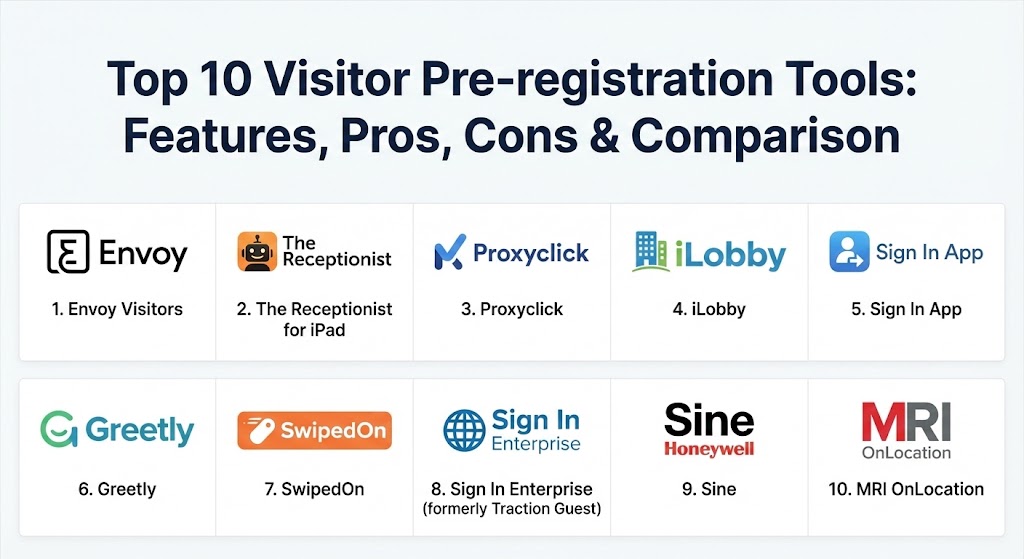
Top 10 Visitor Pre-registration Tools
1 — Envoy Visitors
Envoy is arguably the most recognizable name in modern visitor management. Known for its sleek iPad-based interface, Envoy has redefined the lobby experience for thousands of tech-forward companies globally.
- Key features:
- “Passport” mobile app for seamless, touchless pre-registration.
- Automated host notifications via Slack, Microsoft Teams, and SMS.
- Instant badge printing and photo capture.
- Integrated legal document signing (NDAs, waivers).
- Custom visitor flows based on guest type (e.g., contractor vs. candidate).
- Robust capacity management and space booking integrations.
- Pros:
- Extremely intuitive user interface that requires zero training for guests.
- One of the largest integration ecosystems in the market.
- Cons:
- Pricing can be high for smaller businesses or those needing advanced features.
- Customization options are somewhat limited compared to specialized enterprise tools.
- Security & compliance: SOC 2 Type II, GDPR compliant, SSO, and data encryption at rest/transit.
- Support & community: Extensive documentation, 24/5 live chat, and a large “Envoy Community” for workplace leaders.
2 — The Receptionist for iPad
The Receptionist is famous for its extreme flexibility and “white-label” customization capabilities, making it a favorite for brands that want the software to feel like a native part of their company.
- Key features:
- “Contactless” pre-registration where guests scan a QR code from their invite.
- Customizable buttons and workflows for different visitor categories.
- SMS, email, and Slack notifications for hosts.
- Digital signature capture for legal agreements.
- Two-way communication between the visitor and host via the kiosk.
- Multi-location management from a single dashboard.
- Pros:
- Unmatched customization—you can change almost every visual element.
- Highly praised customer service and onboarding experience.
- Cons:
- Exclusively designed for iPads; no native support for Android tablets.
- The administrative dashboard can feel slightly overwhelming due to the number of options.
- Security & compliance: HIPAA and GDPR ready, SOC 2 compliant, and secure cloud storage.
- Support & community: Dedicated account managers for enterprise tiers and a high-quality knowledge base.
3 — Proxyclick (by Eptura)
Proxyclick is an enterprise-grade solution designed specifically for global organizations with complex security and branding requirements. It focuses heavily on the “entire journey” of a visitor.
- Key features:
- Advanced pre-registration emails with dynamic QR codes.
- Integration with physical access control systems (e.g., Lenel, S2).
- Multi-tenant support for large office buildings.
- “Security Watchlist” integration to flag unwanted visitors.
- Automatic Wi-Fi credential provisioning for guests.
- Custom health and safety questionnaires.
- Pros:
- Superior for global deployments with multi-language and multi-currency support.
- Deeply integrates with building hardware (elevators, turnstiles).
- Cons:
- Setup can be complex and often requires a dedicated implementation phase.
- Higher price point targeted at the mid-market and enterprise segments.
- Security & compliance: ISO 27001, SOC 2 Type II, GDPR, and ISAE 3000 certified.
- Support & community: Global 24/7 enterprise support and professional service consulting.
4 — iLobby
iLobby is the gold standard for high-security and industrial environments. It is built to handle the rigorous compliance needs of manufacturing, aerospace, and government facilities.
- Key features:
- Government-issued ID scanning and verification.
- Integration with “Do Not Admit” (DNA) and international watchlists.
- Automated safety induction videos and quizzes for contractors.
- Multi-factor authentication (MFA) for visitor check-in.
- Offline mode for facilities with inconsistent internet connectivity.
- Emergency evacuation tracking and real-time headcounts.
- Pros:
- Hardened security features that go far beyond standard corporate needs.
- Excellent at managing both “visitors” and “permanent contractors.”
- Cons:
- The UI is functional but lacks the “friendly” aesthetic of Envoy or SwipedOn.
- May be overkill for a standard 20-person corporate office.
- Security & compliance: ITAR, CTPAT, HIPAA, GDPR, and SOC 2 compliant.
- Support & community: Robust technical support with specialized expertise in regulatory compliance.
5 — Sign In App
Sign In App is a versatile, cost-effective solution that has gained massive popularity for its balance of professional features and simple, transparent pricing.
- Key features:
- “Sign In Points” for smartphone-based check-in without a kiosk.
- Advanced pre-registration with custom “Fields” to collect data.
- Companion app for employees to manage their own visitors.
- Language auto-detection based on the visitor’s device settings.
- Integrated fire drill and evacuation management.
- Staff and contractor time-tracking modules.
- Pros:
- Very affordable with a transparent “all-inclusive” feature set.
- The companion app makes it easy for any employee to be a “host.”
- Cons:
- Reporting tools are good but not as deep as Proxyclick or Globalscape.
- Lacks some of the ultra-high-end physical access control integrations.
- Security & compliance: GDPR, ISO 27001, and Cyber Essentials certified.
- Support & community: Friendly, fast support and clear video tutorials.
6 — Greetly
Greetly is a cloud-based visitor management system that focuses on the “unmanned” or “virtual” receptionist model. It is designed for businesses that want a fully digital lobby.
- Key features:
- 100% touchless pre-registration where guests use their own smartphones.
- Instant notification via phone call, SMS, email, Slack, and MS Teams.
- Ability to handle deliveries and mailroom management.
- Highly customizable “receptionist-less” workflows.
- Global search for visitor history and records.
- Flexible hardware support (iPad, Android, and PC).
- Pros:
- One of the few leaders that supports Android tablets natively.
- Extremely fast to set up; can be live in under 10 minutes.
- Cons:
- Fewer enterprise-level security integrations compared to iLobby.
- The design interface is more utilitarian than competitors like Envoy.
- Security & compliance: SOC 2 compliant, GDPR ready, and HIPAA compliant.
- Support & community: Offers 24/7 customer support and an extensive online help center.
7 — SwipedOn
SwipedOn is a favorite for small and medium businesses (SMBs) that want a polished, professional look without a high price tag or complex implementation.
- Key features:
- Simple pre-registration emails with “one-tap” check-in links.
- Health screening and contact tracing questionnaires.
- Digital visitor badges with customizable logos.
- Employee in/out board for simple staff tracking.
- Instant host notifications and “visitor arrival” alerts.
- Clean, minimalist iPad interface.
- Pros:
- Widely considered the easiest tool to set up and use on this list.
- Includes a tree-planting initiative for every new customer—great for CSR.
- Cons:
- Lacks advanced B2B logic (e.g., complex multi-step contractor inductions).
- Integration list is smaller than Envoy or Proxyclick.
- Security & compliance: GDPR, ISO 27001, and SOC 2 Type II compliant.
- Support & community: Famous for “sub-5-minute” response times on live chat.
8 — Sign In Enterprise (formerly Traction Guest)
Sign In Enterprise is a heavyweight in the market, focusing on “Front-of-House” security for Fortune 500 companies with multiple global sites.
- Key features:
- “Experience Editor” for building complex visitor journeys.
- Global administration for managing thousands of kiosks from one location.
- Advanced identity verification and credential provisioning.
- Real-time audit logs and forensic-level reporting.
- Integration with internal HR systems (Workday, SAP).
- High-availability architecture for 24/7/365 uptime.
- Pros:
- The most powerful workflow engine in the category.
- Designed for the “Power Admin” who needs absolute control.
- Cons:
- Pricing is strictly enterprise-focused (expensive).
- Requires a significant investment in time to configure correctly.
- Security & compliance: SOC 2 Type II, ISO 27001, GDPR, HIPAA, and ITAR.
- Support & community: Dedicated customer success managers and 24/7 global support.
9 — Sine (by Honeywell)
Sine is a mobile-first visitor and contractor management tool that leverages Honeywell’s deep history in industrial safety and building automation.
- Key features:
- Geofencing that can automatically sign a guest in when they enter the property.
- Integration with Honeywell’s building management systems.
- Advanced contractor management with document tracking (insurance, licenses).
- Mass emergency alerts and evacuation instructions.
- Mobile app that allows guests to pre-register and check out on the move.
- Instant badge printing via Wi-Fi or Bluetooth.
- Pros:
- The geofencing features feel very futuristic and frictionless for repeat visitors.
- Superior for manufacturing, construction, and industrial sites.
- Cons:
- The mobile-first approach might be confusing for less tech-savvy visitors.
- Dashboard aesthetics are a bit more industrial/technical.
- Security & compliance: GDPR compliant, ISO 27001, and part of the Honeywell Forge secure ecosystem.
- Support & community: Backed by Honeywell’s global service network.
10 — WhosOnLocation (by MRI Software)
Now known as MRI OnLocation, this tool excels in site safety and emergency management, making it indispensable for campuses and large-scale industrial sites.
- Key features:
- Powerful contractor management tracking qualifications and site inductions.
- Real-time visitor dashboard with mapping of guest locations.
- Evacuation management with “Safe Zone” tracking.
- Ability to handle “Hazard” notifications for arriving guests.
- Multi-site management for commercial real estate portfolios.
- Comprehensive reporting on visitor and contractor dwell times.
- Pros:
- One of the best tools for “Emergency Management” and site safety.
- Deeply integrated with the MRI Software real estate ecosystem.
- Cons:
- Can feel overly complex for a simple office check-in.
- Interface is data-heavy and may require more training for front-desk staff.
- Security & compliance: SOC 2, ISO 27001, and GDPR compliant.
- Support & community: High-quality technical support and regular product updates.
Comparison Table
| Tool Name | Best For | Platform(s) Supported | Standout Feature | Rating (Gartner) |
| Envoy Visitors | Modern Corporate Offices | iPad, Web, Mobile | Deep Slack/Teams Integration | 4.8 / 5 |
| The Receptionist | High Customization | iPad, Web | Two-Way Host Messaging | 4.7 / 5 |
| Proxyclick | Global Enterprises | iPad, Web, Mobile | Access Control Integration | 4.7 / 5 |
| iLobby | High-Security Sites | iPad, Web | ID Verification & MFA | 4.6 / 5 |
| Sign In App | SMBs & Multi-Location | iPad, Web, Mobile | Companion App Management | 4.8 / 5 |
| Greetly | Virtual Receptionist | iPad, Android, PC | Touchless QR Check-in | 4.5 / 5 |
| SwipedOn | Small Businesses | iPad, Web | 5-Minute Setup Time | 4.9 / 5 |
| Sign In Enterprise | Global Compliance | iPad, Web | “Experience Editor” Workflow | 4.6 / 5 |
| Sine (Honeywell) | Industrial / Contractor | iOS, Android, Web | Geofencing Sign-in | 4.5 / 5 |
| MRI OnLocation | Safety & Campuses | iPad, Web | Evacuation Management | 4.6 / 5 |
Evaluation & Scoring of Visitor Pre-registration Tools
To help you objectively evaluate these solutions, we have developed a weighted scoring rubric based on industry standards for 2026.
| Category | Weight | Evaluation Criteria |
| Core Features | 25% | Quality of pre-registration invites, QR code functionality, and document signing. |
| Ease of Use | 15% | Intuitiveness for guests and the speed of the check-in process. |
| Integrations | 15% | Compatibility with Slack, Teams, Outlook, and physical access control. |
| Security & Compliance | 10% | Certifications (SOC 2, ISO) and data privacy handling (GDPR/HIPAA). |
| Performance | 10% | Uptime, system speed, and offline capability. |
| Support & Community | 10% | Availability of 24/7 support and quality of documentation. |
| Price / Value | 15% | Features provided relative to the subscription cost. |
Which Visitor Pre-registration Tool Is Right for You?
Selecting the right tool depends on your organization’s unique constraints and goals.
- Solo Users / Micro-Offices: If you just want to look professional, SwipedOn or Sign In App are your best bets. They are affordable and don’t require an IT degree to manage.
- Medium-Sized Tech Firms: If you live in Slack or Microsoft Teams, Envoy is the undisputed champion. It fits perfectly into a fast-paced, hybrid work environment.
- Manufacturing & High-Security: If your main goal is safety and compliance, iLobby or Sine are the standard choices. They focus on identifying “who shouldn’t be here” as much as “who should.”
- Global Corporations: If you have 50+ offices worldwide and need to enforce a single global standard with deep security hardware integration, Proxyclick or Sign In Enterprise are the only true options.
- Budget vs. Premium: If budget is the primary driver, Sign In App offers the most “bang for your buck.” If the visitor experience is the primary driver, Envoy or The Receptionist are worth the premium.
Frequently Asked Questions (FAQs)
1. What is visitor pre-registration exactly?
It is the process of collecting a guest’s name, contact details, and signed legal documents (like NDAs) before they arrive at your facility. This is usually done via an email or SMS link.
2. Can these tools scan driver’s licenses or passports?
Yes. Enterprise tools like iLobby and Sign In Enterprise have built-in OCR (Optical Character Recognition) to scan and verify government-issued IDs at the kiosk.
3. Do visitors have to download an app to pre-register?
Usually, no. Most tools send a web link that works in any mobile browser. However, some tools like Envoy offer a “Passport” app for frequent visitors to speed things up even further.
4. How does the host know when the guest arrives?
The moment the guest scans their QR code or enters their name, the host receives an instant notification via their preferred channel (Slack, Teams, SMS, or email).
5. Is my visitor data secure and private?
Top-tier tools are GDPR and CCPA compliant. They include features to automatically “purge” visitor data after a certain period (e.g., 30 days) to comply with privacy laws.
6. Can I use these tools on an Android tablet?
While most systems are built for iPad, Greetly and Sine are among the few that offer a fully functional native Android application.
7. Can these tools work if the internet goes down?
Many enterprise tools like iLobby have an “offline mode” that stores data locally and syncs with the cloud once the connection is restored.
8. Do these tools handle deliveries and couriers?
Yes, most modern VMS platforms include a “Delivery” button that allows couriers to leave packages and notifies the recipient without requiring a formal check-in.
9. Can I customize the look of the kiosk?
Yes. The Receptionist is particularly famous for this, allowing you to change background images, button colors, and fonts to match your brand.
10. What is a “Touchless Check-in”?
This is a process where the visitor never touches the iPad/tablet. They simply scan a QR code displayed on the screen with their own phone, which opens the registration form on their personal device.
Conclusion
The transition from a paper logbook to a digital visitor pre-registration tool is one of the easiest ways to modernize an office while simultaneously tightening security. The “best” tool isn’t necessarily the one with the most features, but the one that your employees will actually use and your guests will find effortless. As we head into 2026, the focus has shifted from simple “sign-ins” to comprehensive “identity and access management.” Choose a tool that not only fits your lobby today but can scale with your organization’s security needs tomorrow.