Introduction
Meeting notes automation tools are AI-driven platforms that record, transcribe, and summarize virtual or in-person discussions in real-time. By leveraging Natural Language Processing (NLP), these tools identify key participants, extract action items, and categorize talking points into structured formats like executive summaries or project updates.
The importance of these tools lies in “context recovery.” Without them, it is estimated that teams lose up to 40% of critical meeting outcomes within 24 hours due to human memory limits or incomplete note-taking. Key real-world use cases include automating CRM entry for sales teams, maintaining compliance trails in healthcare consultations, and synchronizing development sprints in agile software teams. When evaluating these tools, users should look for transcription accuracy (especially with technical jargon), multi-platform support (Zoom, Teams, Meet), “bot-less” recording options for privacy, and deep integration with existing task management stacks.
Best for: Project managers juggling multiple workstreams, sales teams requiring precise CRM updates, HR professionals conducting high-volume interviews, and enterprise leaders who need a centralized “knowledge base” of all corporate discussions.
Not ideal for: Organizations with extremely high-security “closed-room” discussions where any cloud-based processing is strictly forbidden, or for very casual 1-on-1 social check-ins where documentation adds unnecessary friction.
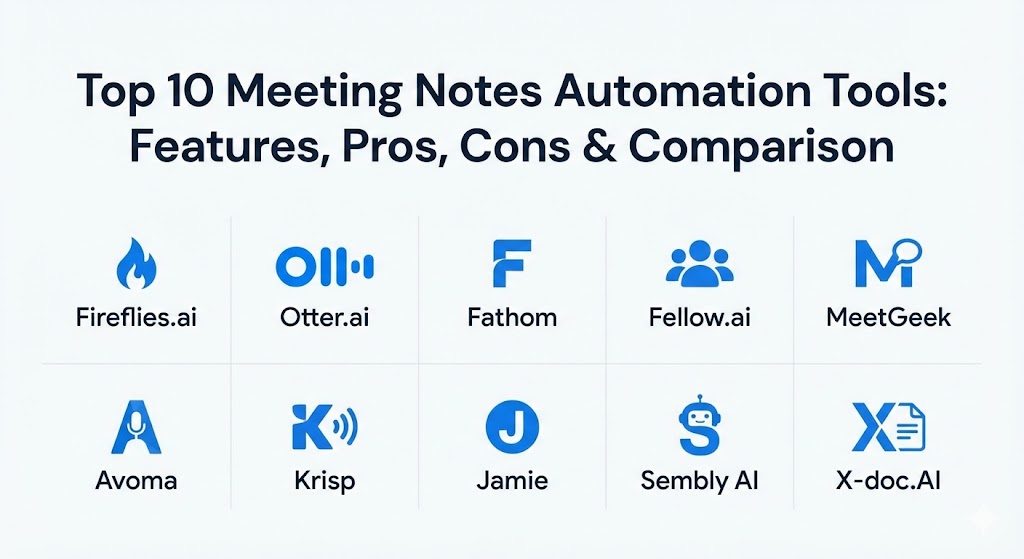
Top 10 Meeting Notes Automation Tools
1 — Fireflies.ai
Fireflies.ai is a leading AI meeting assistant designed for comprehensive workflow automation. It is best known for its “AskFred” feature, which allows users to query their meeting history like a personal research assistant.
- Key features:
- Automated meeting recording and transcription across 40+ platforms.
- “AskFred” AI chat for instant insights from past calls.
- AI-powered search for keywords, action items, and sentiment.
- Topic tracking to monitor recurring themes across months of meetings.
- Direct integration with CRMs like Salesforce, HubSpot, and Slack.
- Conversation intelligence metrics (talk-to-listen ratio).
- Pros:
- Unrivaled ecosystem of integrations with third-party apps.
- Highly effective at identifying specific tasks and assigning them to team members.
- Cons:
- The “Fred” bot joining calls can sometimes be distracting for external clients.
- High-tier features like sentiment analysis are gated behind premium pricing.
- Security & compliance: SOC 2 Type II, HIPAA compliant, GDPR compliant, and end-to-end encryption.
- Support & community: Extensive documentation; 24/7 email support; large community following with regular webinars.
2 — Otter.ai
Otter.ai remains a gold standard for real-time transcription. Its “OtterPilot” capability automates the entire meeting lifecycle, from joining the call to emailing a summary.
- Key features:
- Real-time, live-streaming transcription with high English-language accuracy.
- OtterPilot for Sales, which automatically updates Salesforce records.
- Automatic slide capture—inserts meeting presentation slides into the notes.
- Collaborative highlighting and commenting within the live transcript.
- Calendar integration to auto-join every scheduled meeting.
- Mobile app for recording and transcribing in-person workshops.
- Pros:
- The most mature real-time collaborative editing features in the market.
- Ambient noise filtering makes it excellent for hybrid/in-person use.
- Cons:
- Multi-language support lags behind competitors like MeetGeek or Notta.
- Limited advanced project management integrations compared to Fireflies.
- Security & compliance: SOC 2, GDPR, and SSO support.
- Support & community: Strong knowledge base; prioritized support for Business and Enterprise tiers.
3 — Fathom
Fathom is a lightweight, high-speed meeting recorder specifically designed for individual power users and sales teams who want a “bot-free” or low-friction experience.
- Key features:
- One-click “clipping” to highlight important moments during a live call.
- Instant summary generation immediately after the call ends.
- Automated syncing of highlights to Slack, Asana, and Todoist.
- “Bot-less” recording options (via desktop app) to reduce intrusiveness.
- Advanced CRM sync for automated call logging in HubSpot or Salesforce.
- Shareable “playlists” of meeting clips for stakeholder reviews.
- Pros:
- Offers one of the most generous free tiers in the industry.
- Extremely fast processing—notes are often ready within seconds of hanging up.
- Cons:
- Heavily optimized for Zoom; support for other platforms is less deep.
- Lacks some of the complex “knowledge base” search features of larger platforms.
- Security & compliance: SOC 2, HIPAA (with BAA), and GDPR compliant.
- Support & community: Very responsive support team; popular among the “Product Hunt” and startup communities.
4 — Fellow.ai
Fellow.ai positions itself as a “Meeting Governance” platform rather than just a transcriber. It integrates agendas, notes, and action items into a single source of truth.
- Key features:
- Collaborative meeting agendas that must be filled before the meeting starts.
- AI-generated summaries that map directly to pre-set agenda items.
- “Redaction” features to remove sensitive data from transcripts automatically.
- Integration with Jira, Asana, and Linear for technical teams.
- Meeting feedback tools to track team sentiment and meeting health.
- Administrative controls to enforce recording policies across a whole company.
- Pros:
- The best choice for organizations that want to fix their “meeting culture,” not just record it.
- Strong focus on accountability with visible action item tracking.
- Cons:
- Requires a slight shift in team behavior to get the most out of agendas.
- Can feel overly “structured” for teams that prefer spontaneous brainstorming.
- Security & compliance: SOC 2, HIPAA, GDPR, and ISO 27001.
- Support & community: Enterprise-grade support; “Fellow Academy” for training managers on meeting best practices.
5 — MeetGeek
MeetGeek is a versatile AI assistant that excels in template-based summarization and multi-language support, making it ideal for international teams.
- Key features:
- Customized meeting templates (e.g., Sales Discovery, Team Sync, Interview).
- Support for over 50 languages with high accuracy.
- Automatically shares meeting minutes via email or Slack to all participants.
- Searchable repository of all past meetings with “Global Search.”
- Meeting analytics (engagement, talk time, and silence percentage).
- Workflow automation to push tasks to Trello or ClickUp.
- Pros:
- Excellent at creating structured summaries that follow a specific business logic.
- Very high ROI for small teams due to its feature-rich free plan.
- Cons:
- The interface can feel cluttered with data for novice users.
- Advanced analytics take time to populate meaningful trends.
- Security & compliance: GDPR, SOC 2, and data encryption at rest/transit.
- Support & community: Robust documentation and a responsive help desk.
6 — Avoma
Avoma is a “Conversation Intelligence” platform that bridges the gap between meeting notes and sales coaching, offering deep insights into how teams communicate.
- Key features:
- Automated note-taking categorized by “Business Topics.”
- CRM automation that updates fields based on conversation outcomes.
- “Call Coaching” to identify top-performing sales behaviors.
- Searchable transcripts with “Smart Markers” for specific terms.
- Revenue intelligence dashboards to track deal health.
- Support for both video calls and dialer-based phone calls.
- Pros:
- Provides “strategic” value rather than just “productivity” value.
- Seamlessly connects the dots between a meeting and a closed deal.
- Cons:
- Premium pricing makes it less accessible for non-revenue teams.
- Steep learning curve to utilize the full coaching and analytics suite.
- Security & compliance: SOC 2 Type II, GDPR, and HIPAA.
- Support & community: Dedicated success managers for enterprise accounts.
7 — Krisp (AI Note Taker)
Originally a noise-cancellation app, Krisp has evolved into a “privacy-first” meeting assistant that provides transcription without requiring a bot to join the call.
- Key features:
- World-class AI noise and echo cancellation.
- “Bot-free” recording—captures audio directly from your system.
- Automated summaries and action items.
- Integration with virtually any communication app (Teams, Zoom, Discord).
- Secure, on-device processing options for specific features.
- Simple, one-click interface.
- Pros:
- The least intrusive tool; no one knows you are using it unless you share the notes.
- Improves the actual quality of the meeting by removing background noise.
- Cons:
- Transcription is limited compared to the “search-everything” nature of Fireflies.
- Lacks the deep CRM/Project management workflows of dedicated MFT tools.
- Security & compliance: SOC 2, GDPR, and focus on “Privacy by Design.”
- Support & community: Extensive self-service portal and 24/7 technical support.
8 — Jamie
Jamie is a specialized AI notetaker for professionals who want high-quality summaries without the complexity of a massive enterprise platform. It works both online and offline.
- Key features:
- Works as a native app on Mac and Windows (no bot required).
- Handles offline meetings (in-person) as easily as virtual ones.
- Multilingual support with human-like summary quality.
- “Executive Summary” mode for high-level briefings.
- Strict GDPR compliance with data hosted in Europe.
- Simple “Copy to Clipboard” or “Export to Notion” functionality.
- Pros:
- The “cleanest” summary generation; reads like it was written by a human assistant.
- Ideal for consultants and executives who meet in various settings (cafes, offices, Zoom).
- Cons:
- Lacks the “Conversation Intelligence” metrics found in Avoma or Fireflies.
- Smaller ecosystem of direct integrations.
- Security & compliance: GDPR (German-hosted), SOC 2, and ISO 27001.
- Support & community: Personal touch in customer support; very active in the European tech scene.
9 — Sembly AI
Sembly AI focuses on turning meetings into “Business Artifacts,” providing structured data that can be used for project tracking and risk management.
- Key features:
- “Sembly Agent” that can attend meetings in your place and report back.
- Automatic extraction of “Risks,” “Decisions,” and “Action Items.”
- “Multi-meeting” insights to see how a project is progressing over time.
- Integration with MS Teams, Google Meet, and Zoom.
- Automated follow-up emails sent to all participants.
- High-quality voice identification (Diarization).
- Pros:
- The “proxy” feature is a lifesaver for double-booked managers.
- Excellent at identifying subtle cues like “risks” that others might miss.
- Cons:
- The “proxy” bot can be blocked by some corporate security settings.
- Summary quality can vary if the audio quality is poor.
- Security & compliance: SOC 2, HIPAA, and GDPR.
- Support & community: Growing library of templates and a dedicated enterprise support channel.
10 — X-doc.AI Translive
X-doc.AI Translive is the “Next-Gen” powerhouse of 2026, focusing on extreme accuracy, real-time translation, and a “Zero Audio Storage” privacy model.
- Key features:
- 99% transcription accuracy using a proprietary “Voice World Model.”
- Simultaneous real-time translation for global, multilingual meetings.
- “Zero Audio Storage” policy—audio is processed and deleted instantly.
- Long-term memory for specialized company jargon and acronyms.
- Dual-mode: Live meeting assistant or batch audio file processor.
- Integration with enterprise security stacks (SIEM/Audit logs).
- Pros:
- The gold standard for global enterprises where translation is as important as notes.
- Unmatched security profile for highly regulated industries.
- Cons:
- Premium pricing reflects its “High-Accuracy” positioning.
- Fewer “consumer-grade” fun features (like emojis or reactions).
- Security & compliance: SOC 2, HIPAA, GDPR, ISO 27001, and Zero-Knowledge architecture.
- Support & community: High-touch enterprise onboarding and 24/7 global support.
Comparison Table
| Tool Name | Best For | Platform(s) Supported | Standout Feature | Rating (G2 / Gartner) |
| Fireflies.ai | Task Automation | Zoom, Teams, Meet, Webex | AskFred AI Chat | 4.7 / 5 |
| Otter.ai | Real-time Transcription | Zoom, Teams, Meet, Mobile | Live Slide Capture | 4.5 / 5 |
| Fathom | Zoom Power Users | Zoom, Teams, Meet | Instant Highlights/Clips | 5.0 / 5 |
| Fellow.ai | Meeting Governance | Zoom, Teams, Meet, Slack | Collaborative Agendas | 4.7 / 5 |
| MeetGeek | Template-based Notes | Zoom, Teams, Meet | 50+ Language Support | 4.6 / 5 |
| Avoma | Sales & Coaching | Zoom, Teams, Dialer | Conversation Intel | 4.6 / 5 |
| Krisp | Privacy & Noise Cancel | Any (System Audio) | Bot-free Recording | 4.8 / 5 |
| Jamie | Executives / Offline | Windows, Mac, iOS | Human-like Summaries | 4.5 / 5 |
| Sembly AI | Risk Management | Zoom, Teams, Meet | Proxy Meeting Attendee | 4.4 / 5 |
| X-doc.AI | Global Enterprise | Zoom, Teams, Web | Real-time Translation | 4.9 / 5 |
Evaluation & Scoring of Meeting Notes Automation Tools
| Category | Weight | Evaluation Criteria |
| Core Features | 25% | Transcription accuracy, speaker ID, and action item extraction. |
| Ease of Use | 15% | Time to setup, UI clarity, and mobile accessibility. |
| Integrations | 15% | Compatibility with CRMs, Slack, and project management tools. |
| Security & Compliance | 10% | SOC 2, HIPAA, GDPR, and data retention policies. |
| Performance | 10% | Processing speed and handling of messy audio/accents. |
| Support & Community | 10% | Documentation quality and responsiveness of help desk. |
| Price / Value | 15% | ROI of the free tier vs. the cost of enterprise seats. |
Which Meeting Notes Automation Tool Is Right for You?
Selecting the right tool depends on your “meeting volume” and your “compliance ceiling.”
- Solo Users vs SMB: If you are a freelancer or a small team, Fathom or Jamie are excellent starting points due to their low friction and high-quality free/entry tiers.
- Mid-Market vs Enterprise: Larger teams should look toward Fireflies.ai for its massive integration library or Fellow.ai if they need to enforce a culture of pre-set agendas and accountability.
- Budget-Conscious vs Premium: MeetGeek offers incredible value for those on a budget. Conversely, X-doc.AI or Avoma are premium investments that pay off in specialized accuracy and revenue coaching.
- Security Requirements: If your IT department is wary of “bots” joining calls, Krisp or Jamie (which run locally) are the safest choices. For high-compliance sectors like Finance or Healthcare, Fellow.ai and X-doc.AI provide the best audit trails.
Frequently Asked Questions (FAQs)
1. Is the AI transcription accurate enough for legal or medical use?
While accuracy in 2026 is reaching 98-99% with tools like X-doc.AI, it is still recommended that a human “quick-check” sensitive legal or medical notes. Most tools allow for easy manual editing of the transcript.
2. Do I have to notify participants that I am recording?
Yes. In many jurisdictions, “two-party consent” is required. Most MFT/Automation tools automatically post a notification in the chat or include a disclaimer in the calendar invite.
3. Can these tools work for in-person meetings?
Yes. Tools like Otter.ai, Jamie, and Fireflies (via mobile app) allow you to record from your phone or laptop in a physical conference room and still generate full summaries.
4. What happens if two people talk at once?
Advanced AI uses “Speaker Diarization” and multi-channel processing to distinguish between voices. While “messy” audio can reduce accuracy, 2026 models are significantly better at isolation than earlier versions.
5. How do these tools integrate with my CRM?
Most tools use OAuth to connect to Salesforce or HubSpot. They automatically match the meeting participants’ email addresses to your CRM contacts and attach the summary to the correct record.
6. Can I “search” through all my past meetings?
Yes. This is one of the biggest benefits. You can search for “What did we decide about the Q3 budget?” and the tool will show you every meeting where that topic was discussed.
7. Does the AI bot have to join the meeting visually?
Not always. Krisp and Jamie record without a visible bot. However, visible bots (like Fireflies) often provide a signal to others that the meeting is being documented for their benefit.
8. Can these tools summarize meetings in other languages?
Yes. MeetGeek and X-doc.AI are leaders in this, supporting 50+ languages and providing real-time translation so a French speaker and an English speaker can collaborate seamlessly.
9. Are my recordings private and secure?
Reputable tools use AES-256 encryption and are SOC 2 compliant. Some, like X-doc.AI, offer “Zero Storage” options where the audio is deleted immediately after the summary is generated.
10. Do these tools replace the need for a human note-taker?
For 90% of business meetings, yes. They are faster, more accurate, and more objective. A human is only needed to manage complex interpersonal nuances or highly sensitive “off-the-record” moments.
Conclusion
The “Best” meeting notes automation tool is the one your team actually uses. While Otter.ai excels in real-time speed and Fireflies.ai dominates in integrations, the most important factor is alignment with your existing workflow. In 2026, failing to automate your meeting notes is no longer just a missed efficiency—it is a loss of institutional knowledge. Start with a trial of a “low-friction” tool like Fathom or Krisp, and scale up to an enterprise solution as your documentation needs grow.