Introduction
Secure messaging apps are communication platforms that utilize End-to-End Encryption (E2EE) as their core foundation.2 This technology scrambles data on the sender’s device and only unscrambles it on the recipient’s device, ensuring that service providers, hackers, and even government agencies cannot intercept the plain text.3 Beyond encryption, these tools often focus on metadata minimization—the practice of not recording who you talked to, when, or from where.4
The importance of these tools is highlighted by real-world use cases such as protecting corporate intellectual property, facilitating secure whistleblower communication, and enabling safe coordination in regions with restricted speech.5 When evaluating these apps, users should look for open-source protocols, independent security audits, jurisdictional privacy laws (where the company is based), and features like self-destructing messages or anonymous registration.6
Best for: Privacy-conscious individuals, journalists, activists, legal professionals, and enterprises that handle highly sensitive information or must comply with strict data protection regulations like GDPR or HIPAA.7
Not ideal for: Users who prioritize social media-like “vanity” features over security, or those who need to communicate with a broad, non-technical audience that is unwilling to switch to a new platform.
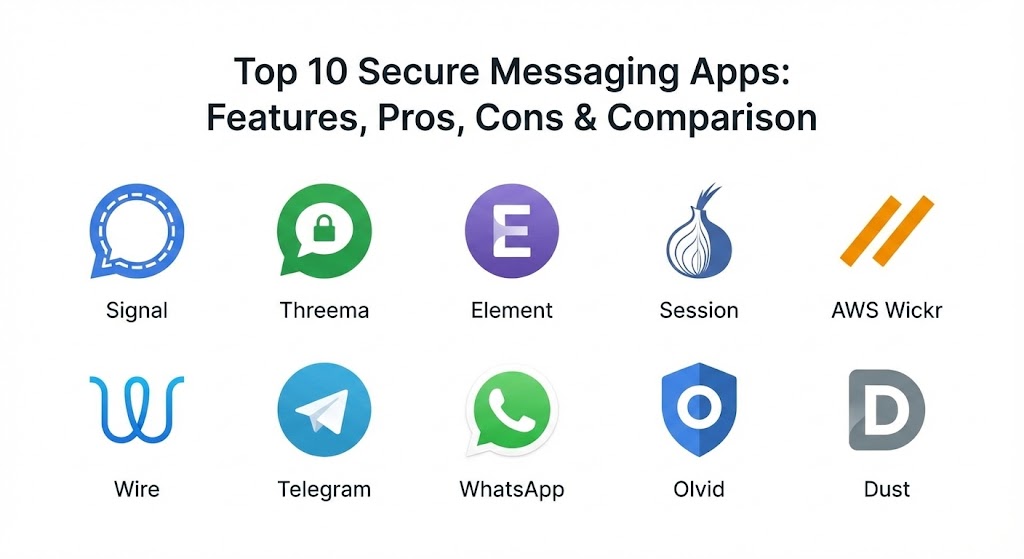
Top 10 Secure Messaging Apps
1 — Signal
Signal is widely considered the “gold standard” of secure messaging.8 Developed by the non-profit Signal Foundation, it uses the peer-reviewed Signal Protocol, which has been adopted by many other apps but is implemented most purely here.9
- Key features:
- Default end-to-end encryption for all texts, calls, and video.10
- Minimal metadata collection (only stores your registration date and last connection).11
- Disappearing messages with customizable timers.12
- “Sealed Sender” technology to hide the sender’s identity from the server.13
- Encrypted group video calls with up to 40 participants.14
- Open-source code that is regularly audited by third parties.15
- Pros:
- Maximum privacy with zero ads or tracking.16
- Non-profit status means user data is never the product.17
- Cons:
- Requires a phone number to register (though phone numbers can now be hidden).18
- Lacks some “fun” features like animated stickers or large-scale social channels.
- Security & compliance: GDPR compliant, E2EE by default, FIPS 140-2 (partially for underlying libraries), and widely audited.19
- Support & community: Extensive online documentation and a massive global community of privacy advocates.20
2 — Threema
Based in Switzerland, Threema is a paid app that emphasizes total anonymity.21 It is unique because it allows users to use the service without providing a phone number or email address.22
- Key features:
- Anonymous ID generation; no personal identifiers required.23
- Secure polling feature for group decision-making.24
- Threema Work version specifically for corporate environments.25
- “Private Chats” feature that can be hidden and password-protected.26
- All servers are located in highly secure Swiss data centers.27
- Fully open-source and regularly audited.28
- Pros:
- The best option for users who want to remain completely anonymous.
- Swiss jurisdiction offers some of the world’s strongest privacy protections.
- Cons:
- It is a paid app (though the cost is a one-time low fee).29
- Smaller user base compared to Signal or WhatsApp.
- Security & compliance: GDPR compliant, ISO 27001 certified (Work version), and Swiss Data Protection Act compliant.30
- Support & community: Professional enterprise support for Threema Work; detailed technical whitepapers available.
3 — Element (Matrix)
Element is a secure, decentralized communication tool built on the Matrix protocol.31 It is designed for those who want to “own” their communication infrastructure rather than relying on a central company.32
- Key features:
- Decentralized architecture allows self-hosting or using public servers.33
- “Bridges” to other apps like Slack, WhatsApp, and iMessage.34
- End-to-end encryption for all rooms and direct messages.35
- Large-scale group collaboration tools similar to Discord or Slack.
- Support for “cross-signing” to verify new devices in a session.
- Open-standard protocol (Matrix) for cross-platform interoperability.36
- Pros:
- No single point of failure; if one server goes down, the network remains.37
- Highly flexible for organizations that need to control their own data.38
- Cons:
- The user interface can be clunky and has a steeper learning curve.39
- Initial setup for self-hosting requires technical expertise.40
- Security & compliance: GDPR compliant, SSO support, and Matrix-standard encryption audits.41
- Support & community: Vibrant developer community; paid enterprise support available through Element.io.42
4 — Session
Session is an “onion-routing” messenger that removes central servers entirely.43 It is a fork of the Signal code but modified for extreme anonymity.
- Key features:
- No phone number or email required for account creation.44
- Uses a decentralized network of nodes to route messages (similar to Tor).45
- Zero metadata collection; servers never know who is talking to whom.
- Built-in file sharing and encrypted group chats.46
- Open-source and focused on censorship resistance.
- Pros:
- Virtually impossible for authorities to block or surveil.
- Truly “set and forget” for maximum privacy.47
- Cons:
- Message delivery can be slower due to onion routing.48
- Lacks voice and video calling features in its most stable versions.49
- Security & compliance: Varies / N/A (Focuses on technical anonymity over traditional corporate compliance).
- Support & community: Strong presence on GitHub and privacy-focused subreddits; community-driven development.50
5 — AWS Wickr
Acquired by Amazon Web Services, Wickr is an enterprise-grade secure messaging solution.51 It is often used by government agencies and military organizations for tactical communications.
- Key features:
- “Burn-on-read” and expiration timers for all messages and files.52
- Wickr RAM (Recall and Audit Module) for high-security environments.53
- Administrative controls for setting company-wide security policies.54
- Secure screen sharing and collaboration tools.55
- No metadata collection (Wickr does not know the content or participants).56
- Detection for screenshots and unauthorized device access.57
- Pros:
- Exceptional administrative oversight for corporate compliance.58
- Backed by the reliability and infrastructure of AWS.59
- Cons:
- The consumer version (Wickr Me) has been discontinued; now focused on AWS users.
- The association with Amazon may be a deterrent for “anti-big-tech” users.
- Security & compliance: FIPS 140-2, HIPAA, SOC 2, and FISMA compliant.
- Support & community: High-tier enterprise support through the AWS Management Console.60
6 — Wire
Wire is a Swiss-based collaboration platform that focuses on transparency and professional utility.61 It is designed for businesses that need more than just chat.
- Key features:
- 100% open-source code for clients and servers.62
- Secure guest rooms for collaborating with external partners.63
- High-quality encrypted audio and video conferencing.64
- “Proteus” encryption protocol based on the Signal Protocol.65
- Ability to register with an email address instead of a phone number.66
- Dedicated versions for government (Wire Red) and enterprise.67
- Pros:
- Excellent balance of consumer-like ease and enterprise-grade security.68
- Strong legal protection due to Swiss headquarters.69
- Cons:
- Stores some metadata about contacts on its servers (unlike Signal).70
- Development has shifted heavily toward the paid enterprise market.
- Security & compliance: GDPR compliant, ISO 27001, and regular independent audits.71
- Support & community: Robust documentation and professional support for paid tiers.72
7 — Telegram
While Telegram is incredibly popular and feature-rich, it is important to note that it is “secure” only in specific modes.73 It behaves more like a social network with messaging capabilities.74
- Key features:
- “Secret Chats” feature provides end-to-end encryption.75
- Massive groups (up to 200,000 members) and broadcast channels.76
- Powerful bot API for automation and business integrations.77
- Self-destructing media and messages in Secret Chats.78
- Cloud-based syncing for standard chats (accessible on all devices).79
- Pros:
- Best-in-class user interface and feature set.
- Ideal for building large public communities or news broadcasting.80
- Cons:
- E2EE is not enabled by default for standard chats.81
- Uses a custom encryption protocol (MTProto) which has faced academic criticism.82
- Security & compliance: GDPR compliant; MTProto security is proprietary but audited.83
- Support & community: Huge global user base and extensive developer documentation.84
8 — WhatsApp (for Business)
WhatsApp is the world’s most used messaging app.85 While owned by Meta, it uses the Signal Protocol for encryption, offering a high level of security for the “average” user.86
- Key features:
- End-to-end encryption is active by default for all communications.87
- WhatsApp Business API for secure customer interaction.88
- “View Once” media and disappearing messages.89
- Biometric lock (FaceID/Fingerprint) for app access.
- Encrypted backups to Google Drive or iCloud (with user-set password).90
- Pros:
- Nearly everyone already has it; no need to convince contacts to switch.91
- High reliability for voice and video calls even on low-bandwidth networks.
- Cons:
- Owned by Meta; collects significant metadata (contact lists, usage patterns).92
- Subject to Facebook’s broader privacy policies and data sharing.
- Security & compliance: GDPR compliant, SOC 2 (for Business API), and HIPAA (via specific providers).93
- Support & community: Extensive FAQ and global user base; enterprise support via Business Solution Providers.94
9 — Olvid
Olvid is a French secure messenger that claims to be the “most secure in the world.” It is unique because it operates without any central server for user directories.95
- Key features:
- No central directory; users exchange keys directly via QR codes or links.
- Encryption for all data, including metadata (even the server doesn’t know who is talking).96
- Certified by ANSSI (French National Cybersecurity Agency).
- Multi-device synchronization without a central cloud.97
- Focused on corporate “siloed” communication.
- Pros:
- Eliminates the risk of a central server breach leaking the user directory.98
- Extremely high theoretical security due to the lack of central infrastructure.
- Cons:
- Adding contacts is more cumbersome than in other apps.
- Very small user base outside of France and specialized industries.
- Security & compliance: ANSSI CSPN certified, GDPR compliant, and no-metadata architecture.99
- Support & community: Technical whitepapers and direct support for enterprise clients.
10 — Dust
Dust (formerly Cyber Dust) is a “zero-trace” messenger that focuses on ephemeral communication.100 It is designed to ensure that messages “dust” into nothingness after being read.101
- Key features:
- Automatic message deletion after 24 hours or immediately upon reading.102
- Screenshot detection and prevention (on Android).103
- No permanent storage of messages on servers or devices.104
- “Blasts” feature for broadcasting messages to followers securely.105
- Ability to un-send any message at any time, removing it from both devices.106
- Pros:
- Excellent for “off-the-record” conversations where no history should exist.
- Simple, focused user interface with high privacy.107
- Cons:
- No voice or video calling features.
- Lack of chat history can be a hindrance for long-term project management.108
- Security & compliance: GDPR compliant, zero-trace architecture.109
- Support & community: Basic email support and FAQ; relatively small user community.110
Comparison Table
| Tool Name | Best For | Platform(s) Supported | Standout Feature | Rating (Gartner Peer Insights) |
| Signal | Personal Privacy | iOS, Android, Desktop | Metadata-Free Architecture | 4.8 / 5 |
| Threema | Anonymous Teams | iOS, Android, Web | No Phone Number Required | 4.7 / 5 |
| Element | Decentralization | iOS, Android, Web, Desktop | Matrix Protocol Integration | 4.5 / 5 |
| Session | Total Anonymity | iOS, Android, Desktop | Onion Routing Network | N/A |
| AWS Wickr | Gov / Military | iOS, Android, Desktop | Burn-on-Read Timers | 4.4 / 5 |
| Wire | Business Collab | iOS, Android, Desktop | Secure Guest Rooms | 4.3 / 5 |
| Telegram | Large Communities | iOS, Android, Desktop | 200k Member Groups | 4.5 / 5 |
| Mass Adoption | iOS, Android, Web | Default E2EE Ubiquity | 4.6 / 5 | |
| Olvid | Zero-Server Trust | iOS, Android | No Central User Directory | N/A |
| Dust | Ephemeral Chat | iOS, Android | “Zero-Trace” Architecture | 4.1 / 5 |
Evaluation & Scoring of Secure Messaging Apps
We evaluate these tools based on a weighted rubric that prioritizes technical security while acknowledging that a tool is only useful if it is actually used.
| Category | Weight | Evaluation Criteria |
| Core Features | 25% | E2EE by default, protocol strength (Signal vs MTProto), and metadata minimization. |
| Ease of Use | 15% | Registration process, UI/UX, and ability to easily find/add contacts. |
| Integrations | 15% | Desktop clients, multi-device sync, and API/Bot support for business. |
| Security & Compliance | 10% | Audits, jurisdiction (Swiss/EU/US), and regulatory certifications (HIPAA/GDPR). |
| Reliability | 10% | Call quality, message delivery speed, and uptime of servers/nodes. |
| Support & Community | 10% | Documentation, active development, and enterprise support response. |
| Price / Value | 15% | Cost vs. features (especially for business tiers). |
Which Secure Messaging App Is Right for You?
Selecting the right app depends on who you are talking to and what you are trying to hide.
- Solo Users vs SMB vs Enterprise: Solo users should stick with Signal for its ease and security.111 SMBs often thrive on Threema Work or Wire due to their professional administrative features.112 Enterprises requiring total control should look at Element (self-hosted) or AWS Wickr.113
- Budget-conscious vs Premium: Most secure apps are free (Signal, Session, WhatsApp). If you are willing to pay for anonymity, Threema is the gold standard.114
- Feature Depth vs Ease of Use: If you want a social experience, Telegram is unmatched, but you must remember to turn on “Secret Chats.”115 For pure simplicity, Signal wins.
- Integration and Scalability: If you need to integrate with your company’s SSO and LDAP, Wire or Element are the most flexible.
- Security and Compliance Requirements: If your organization requires HIPAA or high-level military compliance, AWS Wickr or Threema Work are designed specifically for those audit paths.116
Frequently Asked Questions (FAQs)
1. Is WhatsApp really secure if Meta owns it?
Technically, your messages are secure (Meta cannot read them). However, your metadata (who you message and how often) is collected and used for Facebook’s broader business purposes.
2. Why is “Open Source” important for messaging apps?
Open source means the code can be inspected by independent experts.117 This ensures there are no “backdoors” that allow the company or governments to secretly read your messages.118
3. Do I really need to stop using SMS?
Yes. SMS is not encrypted.119 It is easily intercepted by hackers using “stingray” devices and is stored in plain text by your cellular provider.
4. What is “Metadata” and why should I care?
Metadata is the “data about the data.” Even if a message is encrypted, knowing that you called a whistleblower at 2:00 AM for 30 minutes is often enough to incriminate you.
5. Why do some apps require a phone number?
Phone numbers are used to prevent spam and make it easy to find friends. However, they are also a privacy risk. Apps like Threema and Session solve this by using random IDs.120
6. Can I use these apps on my computer?
Most of the top 10 (Signal, Element, Wire, Telegram) have excellent desktop apps. Some (like Threema) require your phone to be nearby to “bridge” the connection.
7. Are self-destructing messages truly permanent?
They are deleted from the app, but they cannot prevent a recipient from taking a photo of the screen with another camera. They protect against digital forensics, not a dishonest recipient.
8. What is the Matrix protocol?
Matrix is an open standard for decentralized communication.121 It allows different apps to talk to each other, similar to how an Outlook user can email a Gmail user.
9. Is Telegram’s encryption safe?
Telegram’s “Secret Chats” use E2EE, but their protocol (MTProto) is proprietary.122 Most experts prefer the Signal Protocol because it has been more heavily scrutinized.
10. How do I convince my friends to switch?
The best way is to focus on a single app (usually Signal) and explain that it is just as easy to use as WhatsApp but without the tracking.
Conclusion
The “best” secure messaging app is ultimately the one that your contacts are willing to use. While Session and Olvid offer the highest theoretical privacy, they are useless if you have no one to talk to. For most people, Signal remains the perfect balance of world-class security and everyday usability.123 For businesses, the choice should be driven by compliance needs and the desire for administrative control, where Threema Work and AWS Wickr lead the pack.124