Introduction
Focus group management tools are specialized platforms designed to streamline the entire lifecycle of qualitative research, from participant recruitment and scheduling to live moderation and AI-powered analysis. These tools act as a central hub, ensuring that researchers can focus on the conversation rather than the logistics of incentive payments or transcription. In today’s hybrid world, these platforms enable “global” focus groups where a moderator in London can speak to participants in Tokyo and New York simultaneously.
Key real-world use cases include testing a new product prototype, exploring brand sentiment after a PR crisis, or conducting deep-dive UX research for a mobile app. When choosing a tool in this category, users should look for robust participant screening, high-quality video recording with timestamped notes, automated transcription, and integrated incentive management. Security is also paramount, as these sessions often involve sensitive “pre-release” information and private consumer data.
Best for: Market researchers, UX designers, product managers, and enterprise marketing teams who need deep, qualitative insights at scale without the administrative headache of manual coordination.
Not ideal for: Simple “yes/no” polling (where a survey tool is better) or academic researchers on a zero-dollar budget who can manage with basic tools like Zoom and a spreadsheet.
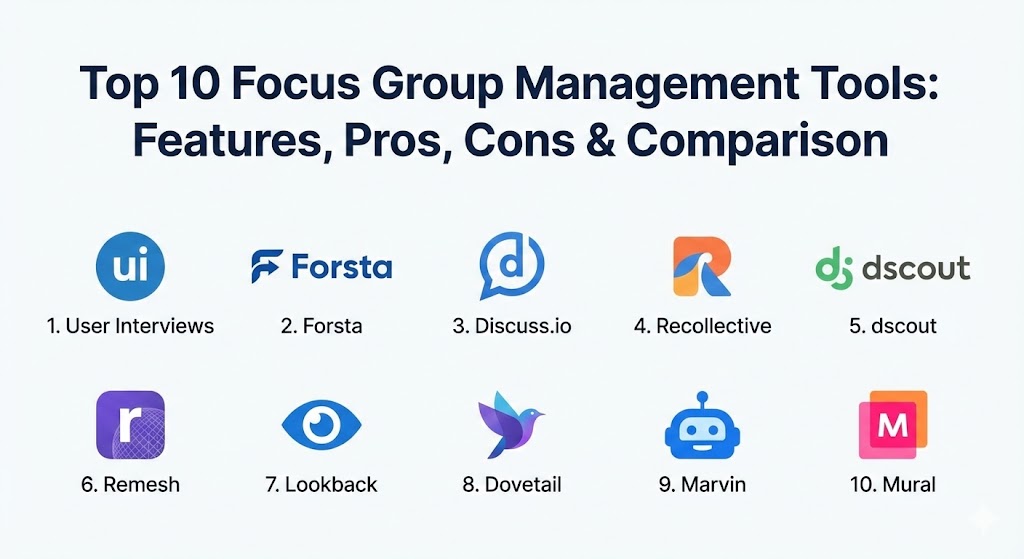
Top 10 Focus Group Management Tools
1 — User Interviews
User Interviews is primarily a powerhouse recruitment and participant management platform. It is designed for teams that need to find high-quality, vetted participants quickly and manage them through a centralized CRM.
- Key features:
- Recruit: Access to a massive pool of over 1 million vetted participants.
- Research Hub: A dedicated CRM to manage your own database of participants.
- Automated Scheduling: Syncs with your calendar to allow participants to book slots.
- Incentive Payments: Automatically handles the distribution of rewards in various currencies.
- Screener Surveys: Robust logic to ensure you only interview the right profiles.
- Integration: Works seamlessly with Zoom, Google Meet, and Lookback.
- Pros:
- The fastest way to find niche participants (e.g., “software developers who use Linux”).
- Handles the “messy” parts of research like no-shows and payment tax forms.
- Cons:
- It is a management/recruitment tool, not a video platform; you still need a recording tool.
- Pricing per participant can add up quickly for large-scale studies.
- Security & compliance: SOC 2 Type II compliant, GDPR ready, and offers SSO for enterprise accounts.
- Support & community: High-quality help center, dedicated project coordinators for enterprise, and a very active blog/community.
2 — Forsta (formerly FocusVision)
Forsta is one of the most established names in the market research industry, providing a full-suite platform that covers everything from traditional focus groups to asynchronous digital communities.
- Key features:
- VideoStreaming: High-definition streaming for remote observers with virtual “backchannels.”
- InterVu: A purpose-built video conferencing tool specifically for focus groups.
- Revelation: An asynchronous “diary” tool for longitudinal studies.
- Live Translation: Support for real-time translators to join the session.
- Smart Summaries: AI-generated transcripts and key takeaway markers.
- Pros:
- The “gold standard” for professional market research agencies.
- Excellent for highly complex, multi-national projects requiring translation.
- Cons:
- The interface can feel quite corporate and “legacy” compared to modern startups.
- The price point is firmly in the enterprise bracket.
- Security & compliance: ISO 27001 certified, HIPAA compliant, and GDPR/CCPA compliant.
- Support & community: 24/7 global support and extensive training via Forsta University.
3 — Discuss.io
Discuss.io is a “smart” video platform built from the ground up for qualitative research. It focuses on helping teams turn hours of video into actionable “insight clips” in minutes.
- Key features:
- Live Meeting Room: Includes observer “invisible” chat and virtual whiteboards.
- Insight Hub: A central repository for all recorded sessions and highlight reels.
- AI-Assisted Analysis: Automatically identifies sentiment and key themes.
- Recruitment Services: Integrated global participant sourcing.
- Translation & Captions: Real-time captioning in over 100 languages.
- Pros:
- The “Highlight Reel” feature is incredible for sharing clips with stakeholders.
- Very low barrier to entry for participants; no software download required.
- Cons:
- The AI sentiment analysis, while helpful, still requires human double-checking.
- Can be overkill for simple one-on-one interviews.
- Security & compliance: GDPR compliant, SOC 2, and data encryption at rest and in transit.
- Support & community: Provides “Concierge” services where they moderate or tech-check for you.
4 — Recollective
Recollective is a versatile platform that excels in both live video focus groups and “asynchronous” communities where participants complete tasks over several days or weeks.
- Key features:
- Asynchronous Activities: Tasks like image/video markup, card sorting, and journals.
- Live Video: Integrated video sessions with recording and transcription.
- Social Interaction: Participants can interact with each other in a controlled “forum” style.
- Gamification: Points and badges to keep participant engagement high.
- Advanced Reporting: Beautifully visualized data boards.
- Pros:
- Best-in-class for “communities” that last longer than a single hour.
- Highly customizable branding for a white-label experience.
- Cons:
- The sheer number of features can lead to a steep learning curve for first-time moderators.
- Setting up complex “missions” requires significant upfront planning.
- Security & compliance: GDPR, CCPA, and HIPAA compliant; data hosted in secure regional data centers.
- Support & community: Excellent onboarding and a dedicated “success” team for enterprise clients.
5 — dscout
dscout is famous for its “Diary Studies.” It allows researchers to see the world through the participant’s eyes via their smartphones, capturing “in-the-moment” reactions.
- Key features:
- Diary Missions: Participants submit video/photo snippets over a period of time.
- Live: A browser-based video tool for real-time focus groups and interviews.
- Express: A tool for quick, “one-question” video responses from a large panel.
- Automatic Transcription: Fast and accurate video-to-text.
- Visual Sorting: Organize submissions by demographic or sentiment.
- Pros:
- Unmatched for “contextual inquiry”—seeing how people actually use products at home.
- The “scout” (participant) mobile app is extremely high-quality and easy to use.
- Cons:
- Primarily mobile-focused; not the best for B2B desktop-based UX testing.
- Recruitment is largely limited to dscout’s own (albeit high-quality) panel.
- Security & compliance: SOC 2 Type II, GDPR, and rigorous participant privacy controls.
- Support & community: Known for their excellent “People Nerds” community and research blog.
6 — Remesh
Remesh is a revolutionary tool that uses AI to conduct a “focus group” with up to 1,000 people at the same time. It feels like a chat interface but works like a massive brain.
- Key features:
- Massive Scale: Engage with hundreds of participants in a single live session.
- AI Consensus: The tool automatically groups similar answers and shows what the majority thinks.
- Real-time Analytics: See demographic breakdowns and sentiment as the chat progresses.
- Post-Session Summaries: AI-generated reports that distill hours of chat into themes.
- Segmentation: Filter responses by age, gender, or custom tags in real-time.
- Pros:
- It bridges the gap between qualitative (the “why”) and quantitative (the “how many”).
- Extremely fast; you get a report almost immediately after the session ends.
- Cons:
- It is a text-based platform; you lose the non-verbal cues of video focus groups.
- Not suitable for deep, personal one-on-one probing.
- Security & compliance: Enterprise-grade security, GDPR compliant, and SSO support.
- Support & community: Professional services team available to help script the “chat” flow.
7 — Lookback
Lookback is a favorite among UX and Product teams. It focuses on the intersection of the participant’s face and their screen, making it ideal for testing prototypes and apps.
- Key features:
- LiveShare: High-quality remote moderated testing with observers.
- Self-Test: Participants complete tasks on their own while being recorded.
- Participant Link: A simple URL for participants to join; no login required.
- Timestamped Notes: Observers can “live-tag” moments during the session.
- Shared Folders: Easy organization of research by project or product feature.
- Pros:
- The most intuitive “screen + face” recording in the industry.
- Observers can “chat” with the moderator without the participant seeing.
- Cons:
- Limited analysis features; it’s a recording tool, not an insight engine.
- Occasional technical glitches with mobile screen-sharing on older devices.
- Security & compliance: GDPR compliant and uses end-to-end encryption for storage.
- Support & community: Responsive email support and a straightforward documentation portal.
8 — Dovetail
Dovetail isn’t where you conduct the focus group; it’s where the focus group lives forever. It is the premier “research repository” that turns messy videos into a searchable library.
- Key features:
- Transcription: High-accuracy automated transcription for uploaded videos.
- Tagging: A robust system to “highlight” and tag themes across dozens of sessions.
- Insight Reports: Build beautiful, interactive “canvases” of your findings.
- Searchable Library: Find every time a user said “too expensive” across five different projects.
- Reels: Easily string together tagged clips into a single video for stakeholders.
- Pros:
- Stops “research amnesia”—data is never lost in a forgotten folder.
- Makes qualitative data feel organized and “quantifiable” through tagging.
- Cons:
- Does not have its own video conferencing tool (you upload from Zoom/Meet).
- Requires a disciplined tagging strategy to be truly effective.
- Security & compliance: SOC 2 Type II, HIPAA, GDPR, and data residency options.
- Support & community: Massive community of researchers and excellent “Method” tutorials.
9 — Marvin
Marvin is an AI-powered qualitative data platform that acts like a “researcher’s assistant,” automating the tedious parts of note-taking and analysis.
- Key features:
- Live Notetaker: A bot that joins your meetings and takes timestamped notes.
- Global Search: Search through audio, video, and text in one go.
- AI Summarization: Generates executive summaries of your focus groups.
- User Personas: Group insights by participant profile automatically.
- Collaboration: Highlight and tag clips with your team in real-time.
- Pros:
- The AI is particularly good at distinguishing between different speakers.
- Very clean, modern interface that is easy to adopt.
- Cons:
- Still a relatively new player; lacks the deep B2B panel integrations of dscout.
- AI summaries can occasionally miss the subtle nuance of sarcasm or irony.
- Security & compliance: GDPR compliant and SOC 2 certified.
- Support & community: Personalized onboarding and a very responsive dev team.
10 — Mural (for Focus Groups)
While Mural is a visual collaboration tool, it has become a staple for “creative” focus groups where participants need to brainstorm, sort cards, or build concepts together.
- Key features:
- Infinite Canvas: A digital whiteboard where participants can place sticky notes and images.
- Facilitation Superpowers: “Summon” participants to a specific spot or start a timer.
- Private Mode: Participants can type their ideas without others seeing (prevents groupthink).
- Voting: Conduct quick, visual polls on different ideas.
- Templates: Hundreds of pre-built boards for journey mapping and brainstorming.
- Pros:
- The best way to keep a focus group interactive and “hands-on.”
- Prevents one dominant voice from taking over the session.
- Cons:
- It is a whiteboard, not a recording tool; you must run it alongside Zoom or Lookback.
- Some older participants may struggle with the digital navigation.
- Security & compliance: ISO 27001, SOC 2 Type II, and GDPR compliant.
- Support & community: “Mural University” offers world-class training on facilitation.
Comparison Table
| Tool Name | Best For | Platform(s) Supported | Standout Feature | Rating (Gartner) |
| User Interviews | Recruitment & CRM | Web (Mobile Responsive) | Vetted Panel of 1M+ | 4.7 / 5 |
| Forsta | Large Agencies | Web, iOS, Android | Multi-lingual Support | 4.6 / 5 |
| Discuss.io | Insight Sharing | Web-based | Highlight Reel Generator | 4.5 / 5 |
| Recollective | Communities | Web, iOS, Android | Asynchronous Activities | 4.4 / 5 |
| dscout | Mobile Ethnography | iOS, Android, Web | Diary Missions | 4.8 / 5 |
| Remesh | Massive Scale | Web-based | AI Group Consensus | 4.7 / 5 |
| Lookback | UX/App Testing | iOS, Android, Web | Remote Screen Sharing | 4.3 / 5 |
| Dovetail | Research Library | Web-based | Thematic Tagging Engine | 4.8 / 5 |
| Marvin | AI Note-taking | Web, Integrated Bots | Live AI Highlighting | 4.6 / 5 |
| Mural | Co-Creation | Web, iPad, Windows | Facilitator Superpowers | 4.6 / 5 |
Evaluation & Scoring of Focus Group Management Tools
When ranking these tools, we look beyond just the “price tag.” We weigh them based on how they solve the actual pains of a researcher.
| Category | Weight | Evaluation Criteria |
| Core Features | 25% | Recruitment, video quality, transcription, and analysis depth. |
| Ease of Use | 15% | Participant onboarding (no-download is a huge plus) and admin UI. |
| Integrations | 15% | How well it plays with Slack, Zoom, and popular CRM systems. |
| Security & Compliance | 10% | HIPAA (for health research) and GDPR are mandatory for enterprise. |
| Performance | 10% | Video lag, transcription accuracy, and AI speed. |
| Support & Community | 10% | Training, human support, and research methodology advice. |
| Price / Value | 15% | Cost relative to the hours of administrative labor saved. |
Which Focus Group Management Tool Is Right for You?
The “perfect” tool depends on your specific research objective and your budget.
- Solo Users & Freelancers: If you are working alone, time is your biggest constraint. Use User Interviews to handle the recruitment and Marvin to handle the note-taking. This allows you to focus 100% on the participant.
- Small to Medium Businesses (SMBs): You need high-impact results without a massive monthly commitment. Lookback is excellent for UX testing, while Dovetail provides an affordable way to keep your research organized as you grow.
- Mid-Market & Rapid Scale: If you are launching new products frequently, dscout is your best friend. It allows you to “live” with your customers through their phones before you launch.
- Enterprise & Market Research Agencies: You need the heavy hitters. Forsta and Discuss.io provide the security, translation, and scale required for global projects.
- Budget-Conscious: You can hack together a great focus group using Mural (free tier) and Zoom, though you will spend more time on manual transcription and coordination.
- The “Scale” Play: If you need to talk to 500 people tonight and have a report by tomorrow morning, Remesh is the only logical choice.
Frequently Asked Questions (FAQs)
1. Can I conduct focus groups on Zoom?
Yes, you can. However, standard Zoom lacks researcher-specific features like “invisible” observer rooms, timestamped research notes, integrated incentive payments, and thematic tagging across multiple sessions.
2. How do these tools help with “Groupthink”?
Advanced tools like Mural and Remesh have “Private Mode” features. This allows participants to submit their answers before seeing what others have said, ensuring you get their authentic, unbiased opinion.
3. Is recruitment included in the software price?
Usually, no. Most platforms charge a software fee, and then a “per participant” recruitment fee. Some platforms like User Interviews allow you to bring your own participants for a lower cost.
4. Are focus group tools HIPAA compliant?
Not all of them. If you are in healthcare, you must specifically look for tools like Forsta or Dovetail that offer HIPAA-compliant hosting and data handling.
5. How long does a typical online focus group last?
Most online sessions last between 60 and 90 minutes. Any longer, and “screen fatigue” sets in, leading to lower-quality responses.
6. Do these tools work on mobile?
Yes, but they vary. dscout is mobile-first, while Forsta and Lookback have dedicated apps. Many modern tools like Discuss.io are web-based, meaning they run in a mobile browser without an app.
7. Can I use these tools for in-person groups?
Yes. Many researchers use Dovetail or Marvin to transcribe and analyze the audio from an in-person session, even if the session wasn’t conducted “inside” the software.
8. What is a “Research Repository”?
It’s a searchable database (like Dovetail) where you store all your research. It prevents different teams from accidentally doing the same research twice and keeps historical insights accessible.
9. How accurate is AI transcription in 2026?
It is currently around 95% accurate for clear audio. However, it can still struggle with heavy accents, technical jargon, or multiple people speaking at once, so a quick human review is always recommended.
10. How do I pay incentives to international participants?
Tools like User Interviews and dscout handle this automatically, converting your payment into local currency or gift cards (like Amazon) that work in the participant’s country.
Conclusion
The evolution of focus group management tools has turned qualitative research from a “luxury” into a scalable, everyday part of the product lifecycle. Whether you are using AI to moderate a chat with a thousand people on Remesh or capturing intimate daily habits on dscout, the goal remains the same: empathy at scale. Choosing the right tool isn’t about the most features—it’s about finding the platform that makes your customers feel comfortable sharing their truth.