Introduction
Copyright registration tools are digital platforms designed to help creators document their ownership, establish a “date of creation” through secure timestamping, and sometimes even facilitate the formal filing process with government bodies like the U.S. Copyright Office. These tools act as a digital notary, providing an immutable audit trail that can be used to issue cease-and-desist notices, resolve DMCA takedown disputes, or pursue statutory damages in legal proceedings.
The importance of these tools lies in their ability to provide proactive defense. Instead of waiting for a violation to occur, creators use these platforms to build an “IP vault” that monitors their work across the web. Key real-world use cases include photographers tracking their images on unauthorized websites, writers timestamping manuscripts before sending them to publishers, and software developers protecting their source code from unauthorized forks. When choosing a tool, users should evaluate the legal weight of the certificates provided, the ease of multi-asset uploads, and whether the tool offers integrated infringement monitoring.
Best for: Professional photographers, digital artists, independent authors, musicians, and small-to-medium-sized creative agencies. It is particularly essential for those whose work is primarily distributed online and is at high risk of unauthorized use.
Not ideal for: Hobbyists with no intention of monetizing their work or large corporations that already have dedicated in-house legal teams and automated internal IP management systems. It is also not a substitute for trademark or patent registration, which protect different types of intellectual assets.
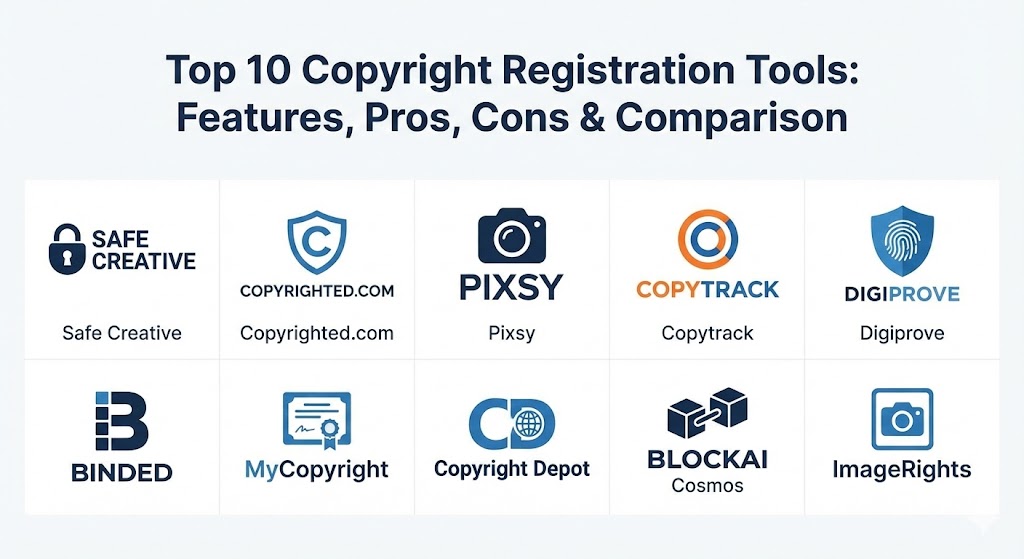
Top 10 Copyright Registration Tools
1 — Safe Creative
Safe Creative is one of the most established global digital copyright registries. It provides a platform for creators to register any type of work, generating a digital certificate with a cryptographic hash that serves as a permanent record of ownership.
- Key features:
- Automated blockchain-based timestamping for all registrations.
- Support for multiple license types, including All Rights Reserved and Creative Commons.
- Public registry profile to showcase and prove ownership to the world.
- Integrated “Copyright NFT” options for digital asset verification.
- Advanced management for different versions and iterations of a work.
- Automated registration via API for high-volume users.
- Pros:
- Provides globally recognized legal proof in compliance with the Berne Convention.
- Very flexible; supports everything from architectural plans to podcasts.
- Cons:
- The free tier is quite limited in terms of storage and certificate validity.
- The interface, while functional, can feel slightly cluttered for beginners.
- Security & compliance: Uses SHA-512 hashing and blockchain technology for immutability; GDPR compliant and supports SSO for enterprise users.
- Support & community: Extensive documentation, a dedicated support ticket system, and a robust blog focused on global copyright laws.
2 — Copyrighted.com
Copyrighted.com offers a streamlined approach to protecting digital content. It is designed to be a “set-and-forget” solution for bloggers and website owners who need to prove when their content was first published.
- Key features:
- Instant digital copyright certificates with unique registration numbers.
- Website protection badges that act as a visual deterrent to thieves.
- Vault storage for keeping original copies of registered files.
- Automated “content monitoring” for specific plan levels.
- Detailed ownership reports ready for legal submission.
- Pros:
- Extremely fast setup process; you can register a work in under two minutes.
- Affordable pricing for individual bloggers and small site owners.
- Cons:
- Lacks the deep infringement “recovery” services found in more specialized tools.
- Primarily focused on digital/web content rather than physical artistic works.
- Security & compliance: SSL encryption for all transfers and secure data centers; standard privacy compliance (GDPR).
- Support & community: Responsive email support and a straightforward FAQ section for common copyright questions.
3 — Pixsy
Pixsy is a specialized tool for photographers and visual artists. It doesn’t just register the work; it uses advanced AI to scan the entire internet to find where your images are being used without permission.
- Key features:
- Automated image monitoring and infringement detection.
- One-click “Takedown” service for unauthorized use on social media or websites.
- Integrated legal network for pursuing compensation in multiple countries.
- Direct integration with the U.S. Copyright Office for formal filings.
- Post-usage licensing tools to turn infringers into paying customers.
- Pros:
- The best tool for turning copyright “defense” into actual revenue.
- Highly intuitive dashboard that prioritizes “matches” by their potential legal value.
- Cons:
- Not suitable for text-based content or music; it is strictly for images.
- Fees are often taken as a percentage of successful legal recoveries.
- Security & compliance: SOC 2 compliant, HIPAA ready for medical photography, and full GDPR transparency.
- Support & community: Expert legal team available for consultations; very active community of professional photographers.
4 — Copytrack
Copytrack is the primary competitor to Pixsy, focusing on “fairness” in the digital image market. It offers a global service that monitors image use and handles the complicated legal process of international licensing enforcement.
- Key features:
- High-accuracy “reverse image search” technology.
- Automated “hit” filtering to ignore authorized use.
- Legal enforcement services in over 140 countries.
- Professional “Commercial Post-Licensing” workflow.
- White-label options for agencies managing multiple photographers.
- Pros:
- No upfront costs for the enforcement side—they only get paid if you do.
- Excellent at navigating the legal nuances of different international jurisdictions.
- Cons:
- The automated scanning can sometimes miss images that have been heavily edited.
- Can be aggressive, which might not suit creators looking for a “gentle” takedown.
- Security & compliance: ISO 27001 certified data handling and strict adherence to international privacy laws.
- Support & community: Multilingual support team and comprehensive onboarding for large portfolio owners.
5 — Digiprove
Digiprove focuses on the technical “proof of existence.” It creates a digital fingerprint of any file, allowing you to prove you had the file in your possession at a specific time without needing to upload the actual content.
- Key features:
- “Self-Digiprove” tool for creating proof locally on your machine.
- Blockchain-anchored timestamping for maximum legal weight.
- No need to upload sensitive content to their servers (privacy-first).
- Browser extensions for instant “proof” of web-based creations.
- Verification service for third parties to check the authenticity of a file.
- Pros:
- Unrivaled for privacy; your actual trade secrets or manuscripts stay on your hard drive.
- Very low cost per “digiprove,” making it great for high-frequency creators.
- Cons:
- Does not offer any infringement monitoring or legal takedown services.
- The user interface is more “technical” and less “creative” than other platforms.
- Security & compliance: Cryptographic hashing ensures content is never exposed; audit logs are standard.
- Support & community: Good technical documentation; support is mostly via email and focused on technical implementation.
6 — Binded
Binded (formerly Blockai) aims to make copyright “the simplest thing in the world.” It focuses on creating a “permanent link” between the creator and their work using blockchain technology.
- Key features:
- Free copyright “vault” for storing and timestamping images.
- Integration with Instagram to automatically register posted images.
- Blockchain certificates that act as immutable proof.
- Simple “Copyright Page” that creators can link to in their bios.
- Pros:
- One of the most modern and “social media friendly” tools on the market.
- Extremely easy to use; literally “drag and drop” to protect.
- Cons:
- Has a smaller feature set compared to “all-in-one” platforms like Safe Creative.
- Its primary focus is on images, making it less useful for authors or developers.
- Security & compliance: Blockchain-based transparency; standard data encryption.
- Support & community: Strong presence on social media; community-driven support model.
7 — MyCopyright
MyCopyright provides a formal-feeling registration service that bridges the gap between digital timestamping and official government filings. It caters to creators who want a “certified” feel for their records.
- Key features:
- Registration of text, music, video, and artistic works.
- Archival storage of the registered assets.
- Generation of “Official Certificates of Registration.”
- Legal support documentation for court proceedings.
- Pros:
- The certificates are professionally designed and highly effective as evidence.
- Good for “bulk” registrations of diverse content types.
- Cons:
- The service can feel a bit redundant if you are already filing with the USCO.
- Pricing is per-registration, which can add up for prolific creators.
- Security & compliance: Secure vaulting with redundant backups; HIPAA and GDPR compliance for sensitive data.
- Support & community: Personalized customer service and a clear onboarding process.
8 — Copyright Depot
Copyright Depot is a veteran service particularly popular in the French-speaking world but with global reach. It offers a very high level of legal security and long-term storage (up to 30 years).
- Key features:
- Guaranteed long-term conservation of the works.
- Immediate “unalterable” timestamping.
- Support for literary, artistic, and scientific works.
- Confidentiality guaranteed; works are encrypted and inaccessible to staff.
- Pros:
- One of the few tools that explicitly guarantees storage for decades.
- Highly respected in European legal circles.
- Cons:
- The website design is quite dated and can be difficult to navigate.
- No automated web-scanning or infringement detection.
- Security & compliance: Strong encryption and “sealed” vaulting; complies with strict European data laws.
- Support & community: Expert-led support; extensive legal background provided in documentation.
9 — Blockai (Cosmos)
Blockai (now moving under the Cosmos ecosystem) uses the power of decentralized ledger technology to provide “absolute” proof of creation. It is the go-to for tech-savvy creators and those in the Web3 space.
- Key features:
- Decentralized timestamping (no single point of failure).
- Publicly verifiable ownership links.
- Metadata-rich registration (author name, creation date, GPS data).
- Integration with decentralized storage like IPFS.
- Pros:
- “Immutable” in the truest sense; once it’s on the ledger, it cannot be changed.
- Great for creators who value decentralization and digital sovereignty.
- Cons:
- Requires some understanding of blockchain/Web3 concepts.
- Legal recognition of blockchain proof varies by country.
- Security & compliance: Decentralized security architecture; inherently transparent and audit-ready.
- Support & community: Active Discord and GitHub communities; documentation is highly technical.
10 — ImageRights
ImageRights is an “all-business” platform for professional agencies and high-end photographers. It focuses on the bridge between registration and the actual filing with the U.S. Copyright Office (USCO).
- Key features:
- Automated “batch” filing with the U.S. Copyright Office.
- Advanced search engine to find infringements globally.
- Integrated “Recovery” team with legal partnerships.
- Detailed analytics on the value of infringed assets.
- Pros:
- Saves hours of manual work by handling the USCO filing process directly.
- Very high success rate in legal settlements due to meticulous documentation.
- Cons:
- High price point; designed for professionals with significant income.
- Exclusive to visual imagery.
- Security & compliance: Enterprise-grade security; SOC 2 and GDPR compliant.
- Support & community: Dedicated account managers for high-volume users.
Comparison Table
| Tool Name | Best For | Platform(s) Supported | Standout Feature | Rating (TrueReviewnow.com) |
| Safe Creative | International Creators | Web, API | Multi-License Support | 4.7 / 5 |
| Copyrighted.com | Bloggers / Sites | Web | Protective Web Badges | 4.4 / 5 |
| Pixsy | Photographer Recovery | Web, Mobile | AI Infringement Scanning | 4.8 / 5 |
| Copytrack | Global Image Rights | Web | 140-Country Legal Net | 4.6 / 5 |
| Digiprove | Privacy / Developers | Web, Browser | Local “Proof” Creation | 4.3 / 5 |
| Binded | Social Media Artists | Web, Instagram | Instagram Auto-Sync | 4.2 / 5 |
| MyCopyright | Certified Records | Web | Professional Certificates | 4.1 / 5 |
| Copyright Depot | Long-term Archiving | Web | 30-Year Storage Guarantee | 4.0 / 5 |
| Blockai / Cosmos | Web3 / Tech Savvy | Web, IPFS | Blockchain Immutability | 4.5 / 5 |
| ImageRights | Professional Agencies | Web, USCO | Automated USCO Filing | 4.7 / 5 |
Evaluation & Scoring of Copyright Registration Tools
To help you decide which tool fits your workflow, we evaluated the market using a weighted rubric. While “Ease of Use” is important for an individual artist, a “Security & Compliance” score is critical for a corporation protecting source code.
| Category | Weight | Evaluation Criteria |
| Core Features | 25% | Timestamping, certificate quality, and infringement monitoring capabilities. |
| Ease of Use | 15% | Onboarding speed, dashboard clarity, and mobile friendliness. |
| Integrations | 15% | Syncing with social media, government offices (USCO), and CMS platforms. |
| Security & Compliance | 10% | Encryption, blockchain validity, and data privacy (GDPR/SOC 2). |
| Performance | 10% | Reliability of the registry and speed of scanning for infringements. |
| Support & Community | 10% | Access to legal experts, documentation, and user forums. |
| Price / Value | 15% | ROI based on successful recoveries or time saved on manual filing. |
Which Copyright Registration Tool Is Right for You?
Selecting the right tool depends on your specific goals: are you trying to prevent theft, or are you trying to get paid for existing theft?
- Individual Creators & SMBs: If you are a blogger or a freelance writer, Copyrighted.com or Safe Creative provide the best “general” protection at an affordable price.
- Professional Photographers: You need more than just a certificate; you need an enforcement arm. Pixsy or Copytrack are the clear winners here, as they do the heavy lifting of finding and pursuing infringers for you.
- Developers & Tech Companies: Privacy is your priority. Digiprove is ideal because you can “fingerprint” your code without ever letting it leave your secure environment.
- Web3 & Digital Native Artists: For those minting NFTs or working in decentralized spaces, Blockai / Cosmos offers the most native and future-proof protection.
- High-Volume Agencies: If you are managing thousands of assets, ImageRights provides the “pro” level of service and automated government filing that you cannot do manually.
Frequently Asked Questions (FAQs)
1. Is a digital copyright certificate as valid as a government registration?
In many cases, yes, for proving priority of creation. However, in the U.S., you must have a formal filing with the U.S. Copyright Office to actually sue someone for statutory damages in federal court.
2. Does copyright registration prevent someone from stealing my work?
No tool can physically stop a copy-paste action. However, registration acts as a deterrent (especially when badges are used) and provides the legal leverage needed to resolve the issue once it happens.
3. Do I have to register every single blog post I write?
Most tools like Copyrighted.com or Safe Creative allow for “batch” or automated registration, meaning you can protect your entire site without manual effort for every post.
4. How does blockchain help with copyright?
Blockchain creates a permanent, time-stamped “hash” of your file. Because it is decentralized, no one can alter the date or ownership record, providing a “perfect” audit trail for courts.
5. Are these tools expensive?
Many have free tiers for basic needs. Professional monitoring and recovery tools like Pixsy often work on a contingency basis, meaning they are “free” until they successfully recover money for you.
6. Can I register a work I didn’t create?
No. Registering work that you do not own the rights to is fraudulent and will be rejected in any legal proceeding.
7. Does digital registration work internationally?
Yes. Under the Berne Convention, copyright protection is reciprocal across most countries. Digital tools provide the “evidence” needed to enforce those rights in different jurisdictions.
8. Can I use these tools for AI-generated content?
Current copyright laws (especially in the U.S.) generally state that works must have a human author. These tools will register the file, but their legal standing in court for “AI-only” work is still a gray area.
9. What is a “DMCA Takedown”?
The Digital Millennium Copyright Act (DMCA) is a U.S. law that allows you to demand that a service provider (like a web host) remove infringing content. Many MFT tools automate this process for you.
10. Do I need a lawyer if I use these tools?
These tools are “pro-se” (do it yourself) for the registration and monitoring phases. However, if an infringement case goes to trial, you will likely still need a specialized IP attorney.
Conclusion
Choosing a copyright registration tool is about moving from a “reactive” to a “proactive” mindset. While the law technically protects your work the moment you create it, the digital landscape is far too vast to police manually. By using a tool like Pixsy for visual art, Digiprove for sensitive code, or Safe Creative for general IP, you are building a wall around your creativity. Remember, the “best” tool isn’t the one with the most features—it’s the one you will actually use every time you hit “publish.”