Introduction
Language flashcard apps are digital learning tools designed to help users master vocabulary and grammar through systematic review. Unlike physical cards, these apps use sophisticated algorithms to track your performance on every single item. If you struggle with a word, the app shows it to you more frequently; if you master it, the interval between reviews stretches from days to months, and eventually years. This “spaced repetition” ensures you study exactly what you are about to forget, maximizing efficiency.
In 2026, these tools have evolved beyond simple text. Modern apps now integrate AI-driven pronunciation coaching, high-definition video of native speakers, and seamless cross-platform syncing. They are used by medical professionals learning technical terms in a second language, diplomats preparing for foreign postings, and students aiming for fluency. When evaluating these tools, users should consider the robustness of the SRS algorithm, the quality of pre-made content libraries, ease of card creation, and mobile accessibility.
Best for: Serious self-taught learners, students preparing for high-stakes exams (like the HSK or JLPT), and professionals needing to acquire specialized vocabulary quickly. It is ideal for those who value scientific efficiency over “edutainment.”
Not ideal for: Learners who prefer conversational immersion over structural study, or those who find highly technical interfaces intimidating. Users looking for a “quick fix” without a daily study habit may find the accumulation of due cards overwhelming.
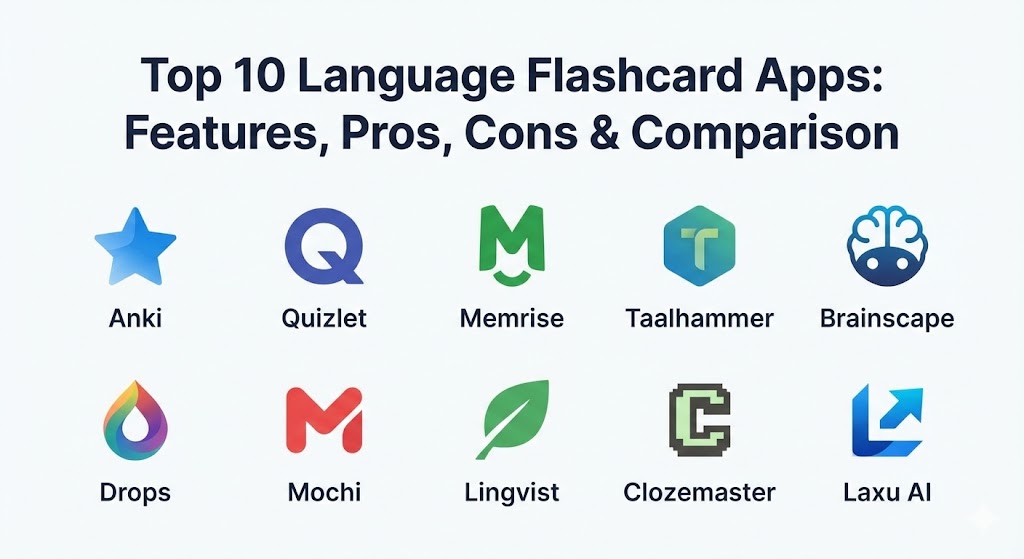
Top 10 Language Flashcard Apps
1 — Anki
Anki is widely considered the gold standard for serious language learners. As an open-source powerhouse, it offers unparalleled customization, allowing users to create complex cards with audio, video, and LaTeX support. Its SRS algorithm is the most battle-tested in the industry.
- Key features:
- Powerful, highly customizable Spaced Repetition System (SRS).
- Access to thousands of free, community-contributed “shared decks.”
- Support for rich media, including images, audio clips, and video.
- Extensive library of user-created add-ons for extra functionality.
- Multi-platform synchronization via AnkiWeb.
- Highly flexible card templates using HTML/CSS for advanced users.
- Detailed progress statistics and “heat maps” for study streaks.
- Pros:
- Completely free for desktop and Android (AnkiDroid) users.
- The most efficient tool for long-term retention of massive datasets.
- Cons:
- Steep learning curve; the interface can feel dated and technical.
- The iOS app is a one-time paid purchase ($24.99) to support development.
- Security & compliance: Open-source transparency; GDPR compliant; data is encrypted during sync.
- Support & community: Massive, dedicated global community; extensive documentation and active forums (Reddit, AnkiWeb).
2 — Quizlet
Quizlet is the most popular flashcard app in the world, favored for its polished interface and massive user-generated content library. In 2026, it has integrated “Q-Chat,” an AI-driven tutor that makes studying feel more like a conversation.
- Key features:
- Millions of pre-made study sets created by other users and teachers.
- Multiple study modes: Learn, Test, Match (game), and Flashcards.
- Q-Chat: An AI-powered tutor for interactive, conversational learning.
- Offline access to study sets (Plus version).
- “Magic Notes” feature that converts lecture notes into flashcards instantly.
- Collaborative “Classes” feature for teachers to track student progress.
- Built-in text-to-speech for 18+ languages.
- Pros:
- Extremely easy to pick up and use with no tutorial required.
- Great for collaborative learning and finding existing materials for popular textbooks.
- Cons:
- The SRS algorithm is less “scientific” and rigorous than Anki’s.
- Many essential features (no ads, offline mode) require a “Quizlet Plus” subscription.
- Security & compliance: SSO integration for schools; SOC 2 compliant; GDPR and COPPA compliant.
- Support & community: Robust help center; professional teacher community; highly responsive social media support.
3 — Memrise
Memrise stands out for its focus on “real-world” language. It uses thousands of short video clips of native speakers in their local environments to teach vocabulary in context, moving beyond simple dictionary definitions.
- Key features:
- “Learn with Locals” video clips for authentic pronunciation and culture.
- AI-powered “MemBot” for practice conversations in a safe environment.
- Mnemonic-based learning to help “sticky” words stay in your head.
- Specialized courses designed by professional linguists.
- Immersive “Pro” mode with offline capabilities.
- Integration of gamified elements to keep users motivated.
- Support for 20+ major languages with curated content.
- Pros:
- Exceptional for learning how people actually speak on the street.
- Highly engaging and less “dry” than traditional flashcard apps.
- Cons:
- Less flexibility for creating your own custom decks compared to Anki.
- The gamification can sometimes feel repetitive for advanced learners.
- Security & compliance: GDPR compliant; standard TLS encryption; private profile settings.
- Support & community: Active user forums; high-quality blog for learning tips; email-based customer support.
4 — Taalhammer
Taalhammer is a modern, AI-centric flashcard app that prioritizes sentence-based learning. Instead of memorizing isolated words, it helps users build “language muscles” by practicing full phrases and grammatical patterns.
- Key features:
- AI-driven “Sentence Miner” that suggests relevant phrases for your level.
- Focused on “Active Production”—making you speak or type full sentences.
- Sophisticated SRS algorithm tailored for sentence-level complexity.
- Hands-free “Listening Mode” for studying while driving or exercising.
- Clean, distraction-free interface optimized for adult learners.
- Detailed analytics on fluency progress and vocabulary depth.
- Pros:
- Much more effective for achieving actual conversation skills than word-only apps.
- The AI content generation saves hours of manual card creation.
- Cons:
- Smaller community compared to giants like Quizlet.
- Premium subscription is required for most advanced AI features.
- Security & compliance: GDPR compliant; encrypted cloud storage; SSO support for enterprise.
- Support & community: Growing community of “serious” learners; direct access to developer feedback.
5 — Brainscape
Brainscape uses a unique “Confidence-Based Repetition” (CBR) system. After each card, you rate your confidence on a scale of 1 to 5. The app then perfectly calculates exactly when to show you that card again based on your cognitive needs.
- Key features:
- CBR system that claims to double the speed of learning.
- Expert-vetted “certified” decks for languages like Spanish, French, and Chinese.
- Simple, efficient card creation tool for mobile and web.
- Collaborative deck editing for study groups or corporate training.
- AI-powered deck generation from PDFs or lecture notes.
- Detailed “Mastery” dashboards to track progress across subjects.
- Pros:
- The confidence rating system is more intuitive for many than traditional SRS.
- High-quality, professionally made content ensures accuracy.
- Cons:
- The free version is somewhat limited in terms of multimedia features.
- The UI is functional but lacks the “fun” factor of gamified apps.
- Security & compliance: SOC 2 Type II; FERPA/GDPR compliant; enterprise-grade data security.
- Support & community: Strong educational blog; comprehensive help center; high-tier support for schools.
6 — Drops
Drops is the visual-first choice for vocabulary building. It limits users to 5-minute sessions a day, turning language learning into a fast-paced, addictive puzzle game with beautiful illustrations.
- Key features:
- 100% visual learning with custom illustrations for every word.
- High-frequency vocabulary focused on practical, everyday use.
- 5-minute daily limit to prevent burnout (can be unlocked with Pro).
- No typing required; all interactions are swipes and taps.
- Support for 45+ languages, including rare and indigenous ones.
- Professional audio recorded by native voice actors.
- Pros:
- Ideal for busy people who “don’t have time” to study.
- The best app for visual learners and children.
- Cons:
- Not suitable for learning grammar or complex sentence structures.
- The 5-minute limit can be frustrating for highly motivated learners.
- Security & compliance: GDPR compliant; data anonymization for analytics; secure payments.
- Support & community: Award-winning design team; active social media presence; responsive help desk.
7 — Mochi
Mochi is a minimalist’s dream, using Markdown for card creation. It is designed for users who want the power of Anki’s SRS but with a much cleaner, modern, and developer-friendly interface that integrates with note-taking.
- Key features:
- Native Markdown support for easy formatting and code blocks.
- Ability to link cards together to create a “knowledge graph.”
- Minimalist, distraction-free UI with dark mode.
- Import/Export compatibility with Anki and CSV files.
- Pro feature: Extract text from images (OCR) to create cards.
- Cloud sync across macOS, Windows, Linux, iOS, and Android.
- Pros:
- Extremely fast and lightweight app performance.
- Perfect for learners who want to combine note-taking with flashcards.
- Cons:
- Smaller library of pre-made decks compared to Quizlet.
- Markdown syntax can be a barrier for non-technical users.
- Security & compliance: GDPR compliant; standard encryption; no data selling policy.
- Support & community: Growing developer community; active Discord channel for support.
8 — Lingvist
Lingvist is a high-speed vocabulary tool that uses AI to map your current knowledge and skip words you already know. It focuses on the most statistically relevant words in a language to get you to 80% comprehension as fast as possible.
- Key features:
- Smart AI that adapts the curriculum in real-time.
- Focus on the 4,000–5,000 most frequently used words.
- “Course Wizard” that creates a custom deck from any text you paste.
- Contextual sentences for every vocabulary word.
- Voice input for practicing pronunciation.
- Native-speaker audio for every single card.
- Pros:
- The fastest way to reach “functional” literacy in a new language.
- Saves time by automatically filtering out words you’ve already mastered.
- Cons:
- Very limited free tier; essentially a premium subscription service.
- Covers fewer languages than Anki or Quizlet (currently ~15).
- Security & compliance: ISO 27001; GDPR compliant; SSO for enterprise clients.
- Support & community: Professional-grade support; scientific approach backed by linguistic research.
9 — Clozemaster
Clozemaster is the “next step” after Duolingo. It uses “cloze” tests (fill-in-the-blank sentences) to teach vocabulary in context. It is designed for intermediate learners who want to bridge the gap to native-level fluency.
- Key features:
- Thousands of sentences pulled from real-world datasets like Tatoeba.
- Retro, 8-bit gamified interface for a nostalgic feel.
- “Fluency Fast Track” courses for various difficulty levels.
- Text-to-speech for every sentence.
- Grammar-focused “Cloze” challenges (e.g., focus on prepositions).
- Leaderboards and leveling system to encourage daily practice.
- Pros:
- Excellent for developing a “feel” for natural sentence structure.
- Massive amount of content available for free users.
- Cons:
- The retro UI might not appeal to everyone.
- Some sentences from public datasets can occasionally be awkward or niche.
- Security & compliance: GDPR compliant; standard web security protocols.
- Support & community: Active Reddit community; direct email support; transparent development roadmap.
10 — Laxu AI
Laxu AI is a newcomer in 2026 that represents the next generation of automation. Instead of creating cards, you simply upload a textbook PDF, an audio recording of a lecture, or a YouTube link, and the AI generates a complete flashcard deck for you.
- Key features:
- Automated flashcard generation from any multimedia source.
- Built-in AI tutor that explains the “why” behind difficult cards.
- Export capabilities to Anki, Quizlet, and CSV formats.
- Real-time transcription of audio into study materials.
- Spaced repetition scheduling built into the generation process.
- Multi-language support for source material.
- Pros:
- Eliminates the #1 pain point of flashcards: the time spent making them.
- The AI explanations act like a 24/7 tutor for grammar questions.
- Cons:
- AI-generated cards still require a quick human review for perfect accuracy.
- Requires a stable internet connection for the AI processing.
- Security & compliance: GDPR compliant; SOC 2 Type II; data is never used for training without consent.
- Support & community: Modern support via chat; extensive video tutorials; community-driven feature requests.
Comparison Table
| Tool Name | Best For | Platform(s) Supported | Standout Feature | Rating (Gartner/TrueReview) |
| Anki | Long-term Mastery | Desktop, Android, iOS, Web | Open-Source Customization | 4.8 / 5 |
| Quizlet | Classroom / Beginners | Web, iOS, Android | Q-Chat AI Tutor | 4.7 / 5 |
| Memrise | Immersive Vocab | Web, iOS, Android | “Learn with Locals” Video | 4.6 / 5 |
| Taalhammer | Sentence Production | Web, iOS, Android | Sentence-Based SRS | 4.5 / 5 |
| Brainscape | Professional Exams | Web, iOS, Android | Confidence-Based Repetition | 4.5 / 5 |
| Drops | Visual Learners | iOS, Android, Web | Visual Association | 4.7 / 5 |
| Mochi | Note-Taking / Markdown | Desktop, iOS, Android | Knowledge Graph Linking | 4.6 / 5 |
| Lingvist | High-Speed Fluency | Web, iOS, Android | Knowledge Mapping AI | 4.4 / 5 |
| Clozemaster | Contextual Practice | Web, iOS, Android | Massive Sentence Database | 4.3 / 5 |
| Laxu AI | Auto-Creation | Web-Based | AI Material Conversion | 4.6 / 5 |
Evaluation & Scoring of Language Flashcard Apps
To determine which app truly leads the pack, we’ve scored them based on seven weighted categories essential for modern learners.
| Category | Weight | Evaluation Criteria |
| Core Features | 25% | Robustness of SRS algorithm, card creation flexibility, and content quality. |
| Ease of Use | 15% | Onboarding speed, UI intuitiveness, and mobile app fluidity. |
| Integrations | 15% | Syncing between devices, API access, and import/export capabilities. |
| Security & Compliance | 10% | Data privacy, encryption, and institutional compliance (GDPR/SOC 2). |
| Performance | 10% | App speed, offline reliability, and battery efficiency. |
| Support & Community | 10% | Help documentation, active forums, and customer service response. |
| Price / Value | 15% | Cost relative to features and the generosity of the free tier. |
Which Language Flashcard App Is Right for You?
The “best” app is the one you will actually open every single day. Consistency is the secret ingredient that no algorithm can replace.
- Solo Users & Serious Hobbyists: If you have the patience to learn the interface, Anki is unbeatable. It is a lifelong tool that stays free and powerful forever. If you want something more “modern,” Mochi offers a similar power level with better design.
- Small to Medium Businesses (SMBs) & Schools: Quizlet and Brainscape are the top choices here. Their “Classes” and collaborative editing features make it easy for a teacher or manager to distribute study sets and track who is actually doing the work.
- Budget-Conscious Learners: Anki (Android/Desktop) and Clozemaster offer the most content for zero dollars. Drops and Quizlet have generous free versions if you don’t mind a few limitations or ads.
- Busy Professionals: Drops (5-minute limit) and Taalhammer (Listening mode) are designed for people who study during their commute or in small gaps between meetings.
- Advanced Learners: Once you’ve finished a basic course (like Duolingo), move to Clozemaster or Lingvist. These tools will push you into the “intermediate plateau” and help you break through to advanced fluency.
Frequently Asked Questions (FAQs)
1. Is digital better than paper flashcards?
Yes, for volume. While paper cards have a tactile benefit, digital apps allow you to manage thousands of cards simultaneously without losing track of when each needs to be reviewed.
2. How many new cards should I learn per day?
For most people, 10–20 new cards a day is the “sweet spot.” Remember, new cards today become review cards tomorrow. If you learn 50 a day, your reviews will soon become unmanageable.
3. What is the “Spaced Repetition System” (SRS)?
SRS is a method where you review information at increasing intervals. It exploits the “spacing effect”—the psychological phenomenon where we learn better when study sessions are spaced out over time.
4. Can I learn a language only using flashcards?
No. Flashcards are a “supplemental” tool. They are amazing for vocabulary, but you still need to listen to native audio, read books, and practice speaking to achieve true fluency.
5. Why is Anki free on Android but paid on iPhone?
Anki for Android is developed by a separate volunteer group. The iOS app (AnkiMobile) is developed by the original creator, and the one-time fee pays for the servers and ongoing development of the entire ecosystem.
6. Are pre-made decks better than making my own?
Usually, making your own cards is better. The act of creating the card is actually your first “study session.” However, pre-made decks are great for specialized lists like “Top 2000 Spanish Verbs.”
7. How do I stop my review cards from piling up?
Consistency is key. If you miss a few days, don’t try to learn new cards. Just focus on clearing your “due” reviews. Most apps allow you to set a daily limit on reviews to keep things sane.
8. Is AI generation accurate for language learning?
It’s about 95% accurate. In 2026, tools like Laxu AI are excellent for speed, but you should always double-check cards against a dictionary or with a native speaker for nuances.
9. Can I use these apps offline?
Most do. Anki, Brainscape, and Pocket (read-later) have robust offline modes. Some, like the free version of Quizlet, require a data connection for certain features.
10. What is the “Cloze” deletion format?
It’s a fancy term for fill-in-the-blank. Instead of “Dog = Perro,” you see “The […..] is barking,” which forces you to think about the word within a natural grammatical context.
Conclusion
In 2026, the barrier to learning a new language has never been lower, thanks to the sophistication of these flashcard apps. Whether you choose the open-source freedom of Anki, the AI-driven conversations of Quizlet, or the visual delight of Drops, the goal remains the same: efficient, long-term retention. The “best” tool isn’t the one with the most features; it’s the one that makes you look forward to your daily study session. Pick a tool that matches your learning style, commit to 15 minutes a day, and watch your vocabulary explode.