Introduction
An RSS Aggregator is a software application or web service that collects and organizes content from multiple online sources into a single, easy-to-read interface. Instead of manually visiting dozens of different websites to check for updates, the aggregator automatically fetches new content as soon as it is published. This technology allows users to stay updated in real-time while maintaining complete control over what they see and how they see it.
The importance of these tools has surged in 2026 as “information fatigue” becomes a significant hurdle for productivity. By centralizing disparate data streams, RSS aggregators eliminate the need for tab-hopping and reduce the risk of missing critical industry updates. Real-world use cases range from market researchers tracking competitor news to content creators sourcing inspiration, and even developers monitoring software release cycles. When evaluating these tools, users should look for strong AI-driven filtering capabilities, multi-platform synchronization, clean reading views, and the ability to handle non-traditional feeds like newsletters and social media handles.
Best for: Journalists, research teams, marketing professionals, and “news junkies” who need to monitor hundreds of sources simultaneously. They are essential for anyone who values a chronological, non-algorithmic feed for professional or educational purposes.
Not ideal for: Casual users who only follow two or three websites, as the manual effort of visiting those sites might be lower than setting up an aggregator. They may also not be suitable for those who prefer AI-curated discovery (like TikTok or Instagram) where the goal is entertainment rather than specific information retrieval.
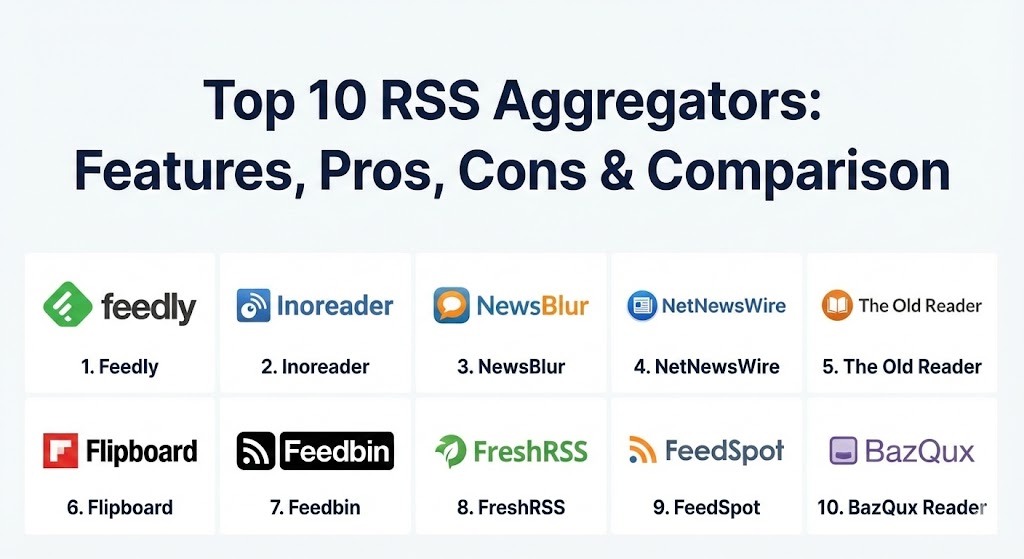
Top 10 RSS Aggregators Tools
1 — Feedly
Feedly remains the industry standard for professional-grade aggregation. It has transitioned from a simple reader to an “AI Research Assistant” platform, catering heavily to teams and enterprise users who need to sift through massive amounts of data.
- Key features:
- Leo AI: An AI assistant that can summarize articles and prioritize feeds based on your interests.
- Team Boards: Collaborative spaces for sharing and annotating curated content.
- Integration with Slack, Microsoft Teams, and Zapier for automated workflows.
- “Power Search” to find specific mentions across millions of potential sources.
- Support for newsletters, Twitter (X), and Reddit feeds in a single view.
- Advanced cybersecurity feeds for monitoring threats in real-time.
- Pros:
- Exceptional AI-powered noise reduction that saves hours of manual reading.
- Seamless cross-device synchronization and a highly polished UI.
- Cons:
- The free tier is quite limited compared to competitors.
- Some of the most powerful AI features are locked behind expensive enterprise tiers.
- Security & compliance: SOC 2 Type II compliant, GDPR compliant, supports SSO (Single Sign-On), and provides end-to-end encryption for team data.
- Support & community: Extensive documentation, a dedicated Slack community for power users, and 24/7 enterprise support for business accounts.
2 — Inoreader
Inoreader is widely considered the ultimate power user tool. It offers a level of granular control and automation that is unmatched by almost any other reader on the market.
- Key features:
- Advanced Automation Rules: Create “If-This-Then-That” scenarios within your feed.
- Global Search: Search for keywords across all public feeds, not just your subscriptions.
- Active Monitoring: Get notified the moment a specific keyword appears anywhere on the web.
- Offline Reading: Cache entire folders for reading without an internet connection.
- Built-in Podcast Player with playback speed controls and progress tracking.
- Custom CSS: Developers can completely reskin the web interface.
- Pros:
- The most robust free tier for power users who want more than 100 feeds.
- Unrivaled archiving capabilities that allow you to keep articles permanently.
- Cons:
- The interface can be overwhelming for beginners due to the sheer number of options.
- High-frequency updates are sometimes restricted to higher-tier plans.
- Security & compliance: GDPR compliant, supports 2FA (Two-Factor Authentication), and provides audit logs for business users.
- Support & community: Responsive email support, a very active user forum, and a detailed “How-to” video library.
3 — NewsBlur
NewsBlur is a “social” news reader that brings people together to talk about the world. It is open-source and provides a unique “Intelligence Trainer” that learns your reading habits.
- Key features:
- Intelligence Trainer: Highlight stories you like and hide those you don’t.
- Original Site View: Renders the actual website inside the reader for better context.
- Blurblogs: A personal blog where you can share and comment on articles with followers.
- Open Source: Users can audit the code or host their own instance.
- Third-party client support: Works with popular apps like Reeder and Unread.
- Pros:
- The “Intelligence Trainer” is remarkably effective at filtering out clickbait.
- Very affordable pricing for the premium version compared to Feedly.
- Cons:
- The visual design feels slightly dated and “web 2.0.”
- The social features are only useful if your friends also use the platform.
- Security & compliance: Standard SSL/TLS encryption; privacy-focused as an open-source project. GDPR compliant.
- Support & community: Strong GitHub presence, active Twitter/X support, and community-driven documentation.
4 — NetNewsWire
NetNewsWire is a legendary name in the Mac and iOS community. It is a fast, free, and open-source RSS reader that prioritizes privacy and “platform-native” performance.
- Key features:
- Native macOS, iOS, and iPadOS applications with high performance.
- Direct Feed Downloads: No middleman server; the app fetches feeds directly.
- Distraction-free “Reader View” that strips out ads and clutter.
- Integration with iCloud, Feedbin, and Feedly for syncing.
- Support for Reddit and Twitter (X) via extensions.
- Pros:
- Completely free with no hidden costs or “pro” versions.
- Respects user privacy more than almost any other tool; no tracking.
- Cons:
- Limited to the Apple ecosystem (no Windows or Android apps).
- Lacks advanced AI features or server-side automation.
- Security & compliance: Extremely high privacy; no user data is collected by the developer. N/A for SOC 2.
- Support & community: Massive community of Apple enthusiasts and a very active GitHub repository for bug reports.
5 — The Old Reader
The Old Reader was born as a response to the closure of Google Reader. It focuses on a clean, simple interface and social sharing among friends.
- Key features:
- Social Stream: See what your friends are reading and sharing.
- OPML Import/Export for easy migration between readers.
- Keyboard Shortcuts designed for speed reading.
- Pocket and Instapaper integration for saving articles.
- Support for up to 100 feeds on the free plan.
- Pros:
- Exceptionally easy to set up; perfect for those who miss the “Google Reader” era.
- Friendly, community-driven atmosphere.
- Cons:
- Very few “modern” features like AI summaries or sophisticated filtering.
- Development pace is slower compared to Feedly or Inoreader.
- Security & compliance: Standard data protection protocols; GDPR compliant.
- Support & community: Email-based support and a dedicated blog for updates.
6 — Flipboard
While often called a “social magazine,” Flipboard is a powerful RSS aggregator that prioritizes visual discovery and beautiful layouts over traditional “list” views.
- Key features:
- Magazine Layout: Flips through stories like a high-end print publication.
- Curated Magazines: Follow collections created by experts and influencers.
- Integration with social media feeds for a unified stream.
- Daily Edition: A curated summary of the world’s most important news.
- Excellent tablet experience with intuitive gesture controls.
- Pros:
- The most visually stunning way to consume news.
- Great for discovering new content you might not have intentionally searched for.
- Cons:
- Not ideal for “clearing the queue” or managing hundreds of professional feeds.
- Can be ad-heavy on the free version.
- Security & compliance: GDPR compliant; standard mobile app security.
- Support & community: Robust help center and a massive global user base.
7 — Feedbin
Feedbin is a premium, privacy-focused RSS reader known for its elegance and reliability. It is a favorite among those who want a “no-nonsense” experience without ads or tracking.
- Key features:
- Newsletter Support: Provides a unique email address to forward newsletters into your feed.
- Podcast Support: High-quality playback interface within the app.
- Twitter (X) Integration: Follow accounts and searches directly.
- Actionable search: Save searches as virtual folders that update automatically.
- Open API for developers to build their own integrations.
- Pros:
- One of the cleanest, most distraction-free interfaces available.
- Very reliable syncing with third-party mobile apps.
- Cons:
- No free tier (paid subscription required from day one).
- Fewer built-in automation features than Inoreader.
- Security & compliance: Privacy-first philosophy; no data selling. GDPR compliant.
- Support & community: Direct support from the founder/developer and a strong niche community.
8 — FreshRSS
FreshRSS is a self-hosted RSS aggregator designed for users who want complete control over their data and server environment.
- Key features:
- Self-hosted: Install it on your own server or Raspberry Pi.
- Multi-user Support: Host an aggregator for your entire family or company.
- Extension System for adding custom functionality and themes.
- Support for various database backends (MySQL, PostgreSQL, SQLite).
- Mobile-responsive web interface that works on any device.
- Pros:
- Completely free and private if you have your own hosting.
- Highly customizable for developers and IT professionals.
- Cons:
- Requires technical knowledge to install and maintain.
- You are responsible for your own backups and security updates.
- Security & compliance: Depends on the host. Supports SSL, 2FA, and granular user permissions.
- Support & community: Vibrant developer community on GitHub and specialized forums.
9 — FeedSpot
FeedSpot is a combined aggregator and marketing platform. It is unique because it includes a massive directory of curated feeds for influencers and PR professionals.
- Key features:
- RSS Directory: Browse 250,000+ curated feeds across 1,500 categories.
- Brand Monitoring: Track mentions of your company or product.
- Email Digest: Receive your favorite feeds as a daily or weekly email.
- Content Scheduler: Share found content directly to social media.
- Collaboration tools for small marketing teams.
- Pros:
- Excellent for professionals who need to find new sources in their niche.
- Simplifies the process of sharing news with a broader audience.
- Cons:
- The interface can feel cluttered and sales-oriented.
- Not as focused on the individual “reading experience” as others.
- Security & compliance: GDPR compliant; standard enterprise encryption.
- Support & community: Responsive customer service and professional onboarding for business users.
10 — BazQux Reader
BazQux is a minimalist, high-speed RSS reader that focuses on full-text extraction and readability. It is designed for those who want to read fast and avoid the “bloat.”
- Key features:
- Full-text extraction: Reads the full article even if the feed only provides a snippet.
- Comments support: Can pull in comments from Reddit, YouTube, and blogs.
- High-speed interface with no animations or heavy scripts.
- Support for social networks and newsletters.
- Clean, typography-focused “Read” mode.
- Pros:
- One of the fastest readers on the market.
- “Full-text” feature is more reliable than many expensive competitors.
- Cons:
- Lacks a free tier (though it has a long trial).
- Minimalist design may be too simple for some users.
- Security & compliance: Privacy-focused; standard encryption. GDPR compliant.
- Support & community: Direct email support and a dedicated development blog.
Comparison Table
| Tool Name | Best For | Platform(s) Supported | Standout Feature | Rating (Gartner/TrueReview) |
| Feedly | Enterprise Research | Web, iOS, Android | Leo AI Assistant | 4.6 / 5 |
| Inoreader | Power Users | Web, iOS, Android | Automation Rules | 4.7 / 5 |
| NewsBlur | Filtering Content | Web, iOS, Android | Intelligence Trainer | 4.4 / 5 |
| NetNewsWire | Apple Enthusiasts | macOS, iOS | 100% Free / Privacy | 4.8 / 5 |
| The Old Reader | Social Reading | Web | Friend Sharing | 4.2 / 5 |
| Visual Discovery | Web, iOS, Android | Magazine Layout | 4.5 / 5 | |
| Feedbin | Privacy & Newsletters | Web (Mobile via App) | Email to RSS | N/A |
| FreshRSS | Tech Professionals | Self-hosted (Web) | Data Ownership | N/A |
| FeedSpot | Marketing & PR | Web, iOS, Android | Feed Directory | 4.3 / 5 |
| BazQux Reader | Minimalists | Web | Full-Text Extraction | N/A |
Evaluation & Scoring of RSS Aggregators
| Criteria | Weight | Description |
| Core Features | 25% | Ability to subscribe to diverse feeds, filtering, and content organization. |
| Ease of Use | 15% | User interface design, onboarding experience, and mobile responsiveness. |
| Integrations | 15% | Support for Slack, Zapier, Read Later apps (Pocket), and social media. |
| Security & Compliance | 10% | Data encryption, 2FA, SSO, and GDPR/SOC 2 status. |
| Performance | 10% | Sync speed, page load times, and offline capabilities. |
| Support & Community | 10% | Quality of documentation and responsiveness of the support team. |
| Price / Value | 15% | Fairness of pricing tiers relative to the features provided. |
Which RSS Aggregator Tool Is Right for You?
Solo Users vs SMB vs Mid-Market vs Enterprise
If you are an individual user looking for a simple way to follow a few dozen blogs, NetNewsWire (for Mac users) or The Old Reader are perfect starting points. They offer the essential experience without the complexity. For SMBs and marketing professionals, Inoreader provides the automation needed to monitor competitors without a full-time researcher. Mid-Market and Enterprise organizations should lean toward Feedly, as its “Leo AI” and “Team Boards” are designed specifically for collaborative research and cybersecurity monitoring at scale.
Budget-Conscious vs Premium Solutions
If budget is your primary concern, NetNewsWire and FreshRSS are the winners, as they are free (though FreshRSS requires a server). For those willing to pay for a premium, distraction-free experience, Feedbin and BazQux offer great value for a flat monthly fee.
Feature Depth vs Ease of Use
If you love “tinkering” and want every possible option, Inoreader is your playground. However, if you find complexity overwhelming and just want to read beautiful articles, Flipboard is the clear choice.
Integration and Scalability Needs
For users who need their RSS feed to trigger actions in other apps (like posting a Slack message when a keyword is found), Feedly and Inoreader have the best API and Zapier integrations.
Security and Compliance Requirements
For high-security environments (Law, Finance, Government), Feedly is the only aggregator that offers SOC 2 Type II compliance, making it the safest choice for corporate deployment.
Frequently Asked Questions (FAQs)
1. Is RSS still relevant in 2026?
Yes, RSS is more relevant than ever. As social media platforms become increasingly algorithm-driven and ad-heavy, RSS provides a way for professionals to bypass the noise and get direct, chronological updates from trusted sources.
2. What is the difference between a “Reader” and an “Aggregator”?
A reader is usually a simple app for consuming feeds, while an aggregator often includes backend services that fetch, store, and process data (like AI summarization or archiving) before showing it to you.
3. Can I follow social media accounts with these tools?
Most premium aggregators like Feedly, Inoreader, and Feedbin allow you to follow Twitter (X), Reddit, and YouTube accounts directly within the app, though some require a paid subscription for this.
4. Is my reading data private?
It depends on the tool. Apps like NetNewsWire and FreshRSS are extremely private. Large cloud-based services like Feedly and Flipboard collect some usage data, though they generally comply with GDPR.
5. How do I move my feeds from one tool to another?
Most tools support OPML (Outline Processor Markup Language). You can export an OPML file from your old tool and import it into the new one to keep all your subscriptions.
6. Do these tools work offline?
Native apps like NetNewsWire and the mobile apps for Inoreader and Feedly support offline caching, allowing you to read your feeds while on a plane or in an area with poor connectivity.
7. Can these tools help me manage email newsletters?
Yes, several tools (specifically Feedbin and Inoreader) provide you with a unique email address. You can subscribe to newsletters using that address, and they will appear in your RSS feed instead of your inbox.
8. What is “Full-Text Extraction”?
Many websites only provide a short summary in their RSS feed to force you to visit their site. Tools like BazQux and Inoreader Pro can “scrape” the full text so you can read the whole article without leaving the app.
9. Are there open-source options?
Yes, NewsBlur, NetNewsWire, and FreshRSS are all open-source. This is ideal for users who value transparency and want to contribute to the software’s development.
10. Which tool is best for research teams?
Feedly is currently the leader for teams. Its “Team Boards” and AI-driven “Leo” assistant are designed for collaborative filtering and internal knowledge sharing.
Conclusion
Choosing the right RSS aggregator is about finding the balance between noise reduction and information discovery. For the professional researcher, a tool like Feedly with its advanced AI is indispensable. For the power user who loves automation, Inoreader is the clear winner. Meanwhile, the casual reader or the privacy advocate might find their home with NetNewsWire or Feedbin.
Ultimately, the “best” tool depends on your specific workflow. If you value speed and simplicity, go minimalist. If you need to manage a firehose of data, go with a tool that offers AI filtering. In 2026, the goal is no longer just to stay informed, but to stay sane in a world of endless information.