Introduction
Chess software refers to any digital application or engine designed to play, analyze, or study the game of chess. Modern solutions typically fall into three categories: engines (the “brains” that calculate moves), GUIs/Interfaces (the “bodies” that allow you to interact with engines), and platforms (integrated web or desktop environments for play and training).
The importance of these tools lies in their ability to provide objective feedback. Humans are prone to emotional bias and fatigue; a top-tier engine like Stockfish 16 remains relentless, spotting tactical nuances that would take a human hours to find. Key real-world use cases include opening preparation (building a “repertoire”), game post-mortems (finding where you went wrong), and tactical drilling. When choosing a tool, evaluate the ELO strength, database size, user interface (UI) intuitiveness, and cloud integration for deep analysis.
Best for: Professional players, ambitious club players, chess coaches, and students of the game who want to accelerate their pattern recognition and theoretical knowledge. It is essential for those participating in over-the-board (OTB) tournaments.
Not ideal for: Absolute beginners who have not yet learned the basic movement of pieces, or casual “coffee house” players who prefer the social aspect of the game over rigorous technical improvement.
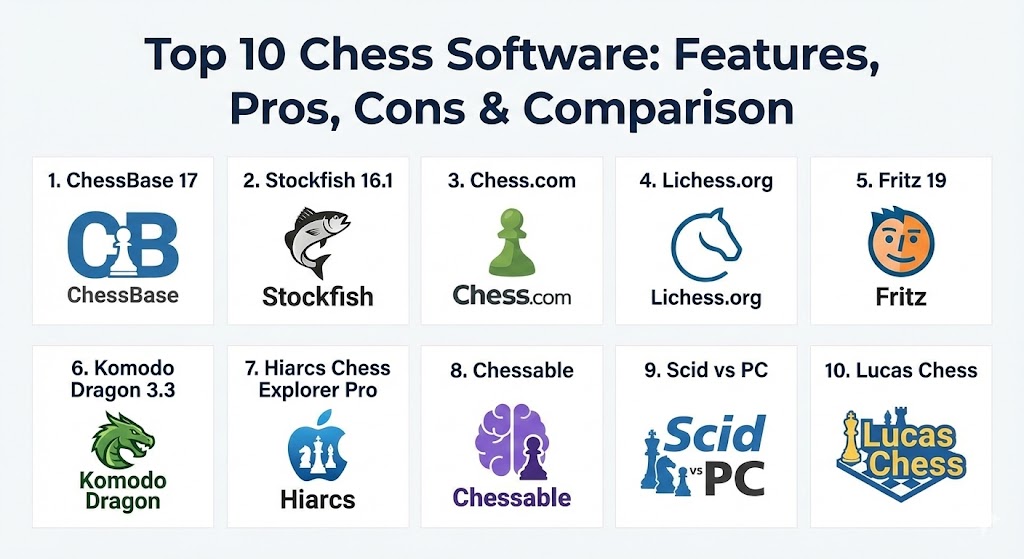
Top 10 Chess Software Tools
1 — ChessBase 17 (and ChessBase 26 Edition)
ChessBase is the undisputed industry standard for professional database management. It is used by nearly every world-class player to store games, prepare for specific opponents, and research opening trends.
- Key features:
- Massive “Mega Database” with over 10 million master games.
- Advanced search filters for specific positions, material balance, and maneuvers.
- Integrated “Buddy” engine analysis that explains tactical ideas in plain language.
- Repertoire management tools to build and test opening lines.
- Cloud database access for syncing work across multiple devices.
- Monte Carlo tree search for exploring practical move choices in the opening.
- Pros:
- The most powerful and comprehensive feature set on the market.
- Superior opponent preparation tools that generate statistical reports in seconds.
- Cons:
- High cost of entry, especially when bundled with the Mega Database.
- Steep learning curve for the advanced administrative features.
- Security & compliance: Proprietary encryption for private databases; GDPR compliant for European users.
- Support & community: Extensive video tutorials, a dedicated support ticket system, and a global professional user base.
2 — Stockfish 16.1
Stockfish is the world’s strongest chess engine. It is open-source and consistently tops the computer chess rating lists (TCEC). In 2026, its implementation of NNUE (Neural Network Updated Efficiently) provides a perfect blend of tactical precision and positional “intuition.”
- Key features:
- Open-source code available for integration into almost any chess GUI.
- Highly optimized NNUE architecture for deep positional understanding.
- Multi-core support that scales across powerful server hardware.
- Syzygy endgame tablebase support for perfect play in 6-piece or 7-piece endings.
- Completely free to use under the GPL license.
- Frequent updates driven by a global community of developers.
- Pros:
- Absolute strongest playing strength, reaching ELO levels beyond 3600.
- Zero cost for the engine itself.
- Cons:
- As a “standalone engine,” it requires a separate GUI (like Arena or ChessBase) to be usable.
- Can be overly “engine-like,” suggesting moves that are difficult for humans to understand or replicate.
- Security & compliance: N/A (Local engine; no data handling/cloud storage required).
- Support & community: Massive GitHub community, active Discord servers, and widespread documentation.
3 — Chess.com (Play & Learn)
The world’s largest online chess platform offers a seamless integration of playing, training, and analysis. Its “Game Review” feature has revolutionized how casual players understand their mistakes.
- Key features:
- “Game Review” with AI-generated explanations and “Brilliant” move markers.
- Thousands of interactive lessons and videos from top Grandmasters.
- Integrated tactics trainer with personalized puzzles.
- Real-time anti-cheat monitoring for competitive play.
- Native mobile apps for iOS and Android with full feature parity.
- “Dr. Wolf” AI coaching for a guided, narrative-based learning experience.
- Pros:
- All-in-one ecosystem—no need for separate databases or engines.
- Highly engaging gamification elements (leagues, streaks, and achievements).
- Cons:
- Most advanced features (like unlimited game reviews) require a monthly subscription.
- Heavily reliant on an internet connection; limited offline functionality.
- Security & compliance: SOC 2 Type II, GDPR, HIPAA (where applicable for data privacy), and robust SSO.
- Support & community: 24/7 customer support, massive active community, and official forums.
4 — Lichess.org
Lichess is a completely free, open-source alternative to commercial platforms. It is beloved by the community for its “no-ads, no-paywalls” philosophy and clean, lightning-fast interface.
- Key features:
- Unlimited free Stockfish 16.1 engine analysis for every game.
- “Studies” feature for collaborative analysis and opening preparation.
- Integrated video library and coordinate training.
- Cloud analysis mode that offloads calculation to powerful community servers.
- Support for multiple variants like Chess960, King of the Hill, and Antichess.
- Open API for developers to build third-party integrations.
- Pros:
- Totally free forever with no hidden costs or subscription tiers.
- Extremely fast and minimalist UI that focuses on the game.
- Cons:
- Fewer curated educational videos compared to the paid giants.
- Game database is smaller than the commercial Mega Database.
- Security & compliance: Open-source transparency, GDPR compliant, and strong data privacy policies.
- Support & community: Volunteer-driven support, active Discord, and a very helpful community forum.
5 — Fritz 19
Fritz is the “human-friendly” counterpart to ChessBase. While ChessBase is for data, Fritz is for training. The 2026 version focuses on “Evolving Play,” helping users practice specific positions against a computer that makes human-like mistakes.
- Key features:
- “Assisted Analysis” which provides subtle hints rather than just giving the best move.
- Guided training against specific opening repertoires.
- Dedicated endgame training modules with automatic difficulty scaling.
- Integration with PlayChess.com for online matches.
- Ability to play against historical personalities (e.g., play like Morphy or Tal).
- Automated blunder detection during live play.
- Pros:
- Excellent for “active learning” rather than passive analysis.
- Built-in tools to create your own chess puzzles from your games.
- Cons:
- Only available natively on Windows (though web versions exist).
- UI can feel cluttered due to the legacy of many integrated tools.
- Security & compliance: Varies / N/A (Standard commercial software standards).
- Support & community: Strong support from the ChessBase ecosystem; widely used by club players.
6 — Komodo Dragon 3.3
Komodo Dragon is the primary competitor to Stockfish. It is known for its “personality”—it often chooses moves that look more like a human’s choice than a computer’s, focusing on long-term positional pressure.
- Key features:
- MCTS (Monte Carlo Tree Search) mode for a more “exploratory” style of play.
- Skill levels tied to human ELO ratings (e.g., set the engine to 1500 ELO).
- Specialized performance in “Chess960” (Fischer Random) variants.
- Multi-PV (Parallel Variation) analysis for seeing the top 5-10 lines at once.
- Optimized for multi-threading on modern CPUs.
- Pros:
- More “human-like” evaluations that are often easier to apply in OTB play.
- Outstanding performance in closed, positional games where Stockfish might struggle.
- Cons:
- Commercial license is required (not free).
- Playing strength is slightly (though negligibly for humans) lower than Stockfish.
- Security & compliance: N/A.
- Support & community: Reliable professional support from the KomodoChess team.
7 — Hiarcs Chess Explorer Pro
Hiarcs is a favorite among Apple users, offering the most polished and native chess experience for macOS, while also being available for Windows. It strikes a balance between power and simplicity.
- Key features:
- The proprietary Hiarcs engine, known for its creative and aggressive style.
- Seamless handling of PGN (Portable Game Notation) files.
- Advanced “Player Explorer” for deep statistical dives into an opponent’s history.
- Integrated opening trees with monthly updates.
- Clean, Retina-display optimized interface.
- Pros:
- The best premium choice for Mac users who find ChessBase difficult to run.
- Very efficient use of system resources.
- Cons:
- Database features are not as deep as ChessBase for ultra-high-level research.
- Engine strength is world-class but usually sits behind Stockfish and Komodo.
- Security & compliance: Standard data encryption; GDPR compliant.
- Support & community: Responsive customer support and a dedicated user forum.
8 — Chessable
Chessable is not a playing engine, but a training platform that uses “MoveTrainer” technology—a science-based approach using spaced repetition to help you memorize openings and patterns.
- Key features:
- Spaced repetition algorithm to ensure long-term memory retention.
- Interactive video courses from elite players like Magnus Carlsen and Anish Giri.
- Repertoire synchronization with your online games.
- Leaderboards and “XP” to keep training sessions competitive.
- Mobile app for training during commutes.
- Pros:
- The absolute best tool for memorizing opening theory and tactical patterns.
- High-quality content curated by world-leading coaches.
- Cons:
- Premium courses can be quite expensive.
- Primarily a “memory” tool; you still need an analysis tool to supplement it.
- Security & compliance: GDPR, SOC 2 (for enterprise/school tiers), and robust privacy controls.
- Support & community: Very active community; “pro” users get priority support.
9 — Scid vs PC
For the budget-conscious professional, Scid (Shane’s Chess Information Database) is the best free alternative to ChessBase. It is a powerful, cross-platform chess database application.
- Key features:
- Fast database engine that handles millions of games.
- Support for UCI (Universal Chess Interface) engines like Stockfish.
- Detailed player statistics and opening graphs.
- Tree view for comparing database moves to your current board.
- Cross-platform support (Windows, Linux, macOS).
- Pros:
- Completely free and highly customizable.
- Extremely lightweight; runs on hardware that would struggle with ChessBase.
- Cons:
- The interface is “old school” and can be intimidating for new users.
- Lacks some of the modern cloud features found in commercial software.
- Security & compliance: N/A (Local software).
- Support & community: Volunteer-maintained; extensive online wiki and user mailing lists.
10 — Lucas Chess
Lucas Chess is a hidden gem in the training world. It is a free Windows application packed with hundreds of training modules, including specialized endgames and tactics.
- Key features:
- Dozens of integrated engines with varying personalities and strengths.
- “Play against a Grandmaster” mode with varying levels of help.
- Specialized “Resilience” training (learn to defend lost positions).
- Tactics trainer that analyzes your specific weaknesses.
- Completely free and open-source.
- Pros:
- Incredible variety of training modes that keep the game fun.
- Excellent for kids and adult improvers alike.
- Cons:
- Only available for Windows.
- The UI is a bit quirky and unique to the developer’s vision.
- Security & compliance: N/A.
- Support & community: Personal support from the developer; small but passionate community.
Comparison Table
| Tool Name | Best For | Platform(s) Supported | Standout Feature | Rating (Gartner/TrueReview) |
| ChessBase 17 | Professional Prep | Windows | Elite Database & Reports | 4.8 / 5 |
| Stockfish 16.1 | Deep Analysis | All (via GUI) | World-Record Strength | 4.9 / 5 |
| Chess.com | Casual & Training | Web, Mobile | Integrated Learning | 4.7 / 5 |
| Lichess.org | Free Play & Study | Web, Mobile | Open-Source & No Ads | 4.9 / 5 |
| Fritz 19 | Human Training | Windows | AI-Assisted Coaching | 4.5 / 5 |
| Komodo Dragon | Positional Play | Windows, Linux, Mac | MCTS Human-Like Logic | 4.6 / 5 |
| Hiarcs Pro | Apple Enthusiasts | macOS, Windows, iOS | Native Mac Optimization | 4.7 / 5 |
| Chessable | Memorization | Web, Mobile | Spaced Repetition | 4.8 / 5 |
| Scid vs PC | Free Database | Windows, Linux, Mac | Fast Search & Lightweight | 4.3 / 5 |
| Lucas Chess | Varied Training | Windows | Massive Module Library | 4.5 / 5 |
Evaluation & Scoring of Chess Software
To determine the rankings above, we used a weighted scoring rubric that considers the needs of the modern 2026 player.
| Criterion | Weight | Evaluation Notes |
| Core Features | 25% | Playing strength, database size, and analysis depth. |
| Ease of Use | 15% | Onboarding, UI modernity, and documentation clarity. |
| Integrations | 15% | Cloud sync, engine compatibility, and PGN export. |
| Security | 10% | Anti-cheat measures (online) and data encryption. |
| Performance | 10% | Calculation speed and stability on standard hardware. |
| Support | 10% | Community activity and official technical support. |
| Price / Value | 15% | Total cost of ownership vs. competitive edge provided. |
Which Chess Software Tool Is Right for You?
Solo Users vs. Professionals
If you are a solo casual player, Chess.com or Lichess are likely all you will ever need. They provide the board, the opponents, and the post-game analysis in one place. However, if you are a professional (or aspiring to be), ChessBase is non-negotiable for building a database of your own games and scouting opponents.
Budget-Conscious vs. Premium
For those who want zero costs, the combination of Lichess (for play) and Scid vs PC (for database) with the Stockfish engine is a “triple threat” that costs $0. If you have a budget, investing in Chessable courses and a ChessBase subscription will provide a faster path to improvement.
Feature Depth vs. Ease of Use
If you want deep, “surgical” analysis, Stockfish and Komodo are the tools. If you find those too complex, Fritz 19 or Lucas Chess provide a more guided experience that focuses on enjoyment and “learning by doing.”
Security and Anti-Cheat
For online competitive play, Chess.com‘s Fair Play systems are the gold standard. For researchers keeping their opening novelties secret, ChessBase‘s local encryption ensures no one else sees your “home cooking” before the tournament starts.
Frequently Asked Questions (FAQs)
1. Is Stockfish really better than Magnus Carlsen?
Yes. Since 2005, no human has been able to beat a top-tier engine in a fair match. Stockfish 16 is rated approximately 3600-3700 ELO, while Magnus Carlsen’s peak rating is 2882.
2. Can I use these tools on my tablet or phone?
Most platforms like Chess.com, Lichess, and Chessable have excellent mobile apps. However, heavy-duty database software like ChessBase is still primarily limited to Windows PCs.
3. What is a “Chess Engine”?
A chess engine is the part of the software that calculates the moves. It doesn’t have a visual board; it just takes a position and outputs a move. You need a GUI (Graphical User Interface) to see and play against it.
4. Why is spaced repetition important for chess?
Chess is a game of pattern recognition. Spaced repetition (used by Chessable) ensures you review patterns just as you are about to forget them, converting short-term knowledge into long-term intuition.
5. How do I get better at tactics?
The “Woodpecker Method” (repeatedly solving the same puzzles) is highly effective. Tools like Chessable and the tactics trainers on Lichess or Chess.com are perfect for this.
6. Do Grandmasters really use ChessBase?
Yes, almost exclusively. It is the repository for all their game files, opening prep, and tournament research.
7. Is there a “best” opening to learn?
There is no single best opening, but software like ChessBase and Opening Tree (on Lichess) can show you which openings are currently scoring the highest at the professional level.
8. Can I run multiple engines at once?
Yes, GUIs like ChessBase or Arena allow you to “run a shootout” between two different engines (e.g., Stockfish vs. Komodo) to see how they evaluate the same position differently.
9. What is a “Brilliant” move on Chess.com?
A “Brilliant” move is typically a sacrifice that the engine initially finds difficult to see but eventually realizes is the best move in the position.
10. Is paying for chess software worth it?
If you are rated under 1200, free tools are more than enough. If you are a serious club player (1500+) or want to compete in tournaments, premium tools pay for themselves in time saved and rating points gained.
Conclusion
The chess landscape in 2026 offers an embarrassment of riches. Choosing the “best” tool is no longer about finding the strongest engine—since they are all stronger than humans—but about finding the interface that matches your learning style.
For total integration and a guided experience, Chess.com wins. For pure database power, ChessBase 17 remains king. For those who believe chess should be free and collaborative, Lichess is the beacon. Ultimately, the best software is the one you actually open every day to train.