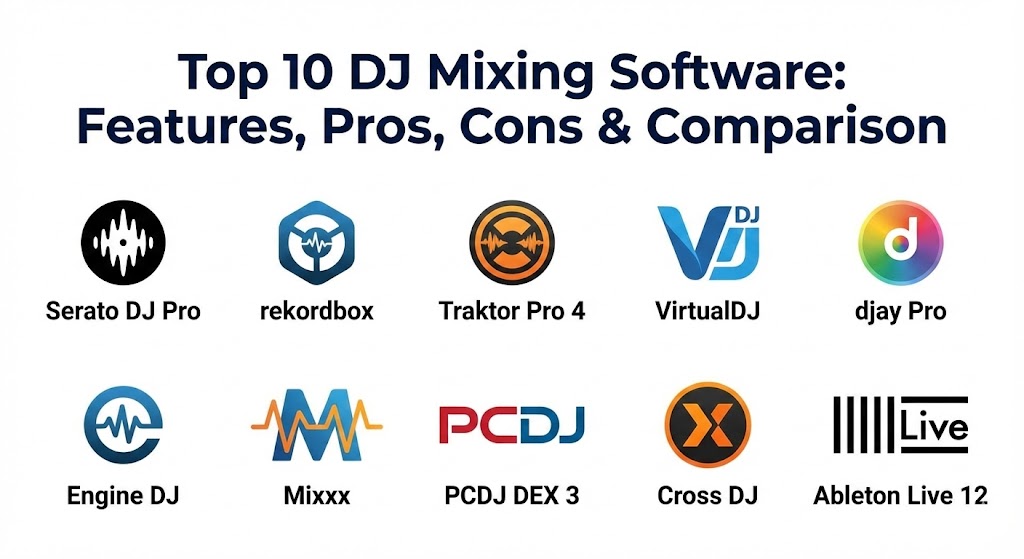
Introduction
DJ Mixing Software refers to specialized digital audio workstations (DAWs) optimized for live performance. These applications simulate traditional hardware—decks, mixers, and effects units—allowing users to blend two or more tracks seamlessly. They are important because they lower the barrier to entry for aspiring artists while providing veteran professionals with creative tools that were physically impossible a decade ago, such as instant cloud library access and predictive phrase syncing.
Key real-world use cases include club performances where low latency is critical, mobile DJing for events like corporate parties, and live streaming where integrated video mixing and social media broadcasting are essential. When choosing a tool in this category, users should evaluate latency performance, hardware compatibility, library management stability, and real-time audio processing quality (Stems).
Best for: Professional club DJs, mobile event entertainers, music producers transitioning to live sets, and hobbyists looking to learn the fundamentals of music theory and rhythm.
Not ideal for: Pure studio producers who do not intend to perform live (who may prefer a traditional DAW like Logic or Pro Tools) or those who strictly use standalone vinyl setups without any digital integration.
Top 10 DJ Mixing Software Tools
1 — Serato DJ Pro
Serato DJ Pro remains the “open-format” gold standard, renowned for its legendary stability and its deep-rooted history in the hip-hop and scratch DJ communities. It is designed for professional performance with a focus on reliability under pressure.
- Key features:
- Serato Stems: Real-time isolation of Vocals, Melody, Bass, and Drums.
- DVS Support: Industry-leading Digital Vinyl System for turntable control.
- Practice Mode: A two-deck interface for mixing without hardware connected.
- Expansion Packs: High-quality FX, video mixing, and “Pitch ‘n Time” for perfect key shifting.
- Streaming Integration: Direct access to Tidal, SoundCloud, Beatport, and Beatsource.
- Day Mode: High-contrast UI for outdoor festival performances.
- Pros:
- Unrivaled stability and low-latency performance on both Mac and Windows.
- Massive hardware ecosystem with “plug-and-play” support for over 100 controllers.
- Cons:
- Most advanced features require a paid “Suite” license or monthly subscription.
- Library management is less “all-in-one” than its competitors for track preparation.
- Security & compliance: SSO via Serato account (Google/Apple), SSL-encrypted cloud sync for library data, and GDPR-compliant privacy settings.
- Support & community: Extensive video tutorials, a massive global user forum, and responsive 24/7 technical ticket support.
2 — Pioneer Rekordbox (AlphaTheta)
Rekordbox is the “Club Standard.” Because Pioneer DJ hardware is found in almost every major nightclub globally, Rekordbox serves as both a performance tool and the essential preparation software for USB-based DJing.
- Key features:
- Cloud Library Sync: Sync your entire collection across multiple devices via Dropbox.
- Edit Mode: Quick track editing to create custom “intro” or “clean” versions.
- AI Assistant: Suggests tracks that fit the current vibe based on key and BPM.
- Lighting Mode: Automatically creates light shows synchronized to your music.
- DVS & Video: Comprehensive support for timecode and visual performance.
- Pros:
- Seamless transition from laptop to club CDJs via USB export.
- The most robust library organization tools (Smart Playlists, MyTag).
- Cons:
- The interface can feel cluttered and overwhelming for beginners.
- High CPU and RAM usage compared to leaner software.
- Security & compliance: SSO integration, encrypted cloud backups, and regular security updates for the AlphaTheta ecosystem.
- Support & community: Professional-tier documentation and a widespread community of pro DJs and technical experts.
3 — Native Instruments Traktor Pro 4
Traktor Pro 4 is the choice for techno and house DJs who view their sets as “live remixes.” It prioritizes creative manipulation over traditional track playback.
- Key features:
- Stem Isolation: Utilizing iZotope RX technology for high-fidelity audio separation.
- Ozone Maximizer: Integrated mastering limiter for a powerful club-ready sound.
- Flexible Beatgrids: Handles tracks with shifting tempos or live drums with ease.
- Remix Decks: Allows DJs to launch up to 64 loops and samples per deck.
- Pattern Player: A mini drum machine to layer custom rhythms over tracks.
- Pros:
- Best-in-class audio quality and professional-grade internal effects.
- One-time purchase model is more affordable than recurring subscriptions.
- Cons:
- The hardware ecosystem is largely limited to Native Instruments’ own controllers.
- Waveform display feels dated compared to the modern aesthetics of Serato or Rekordbox.
- Security & compliance: Native Access SSO for license management; local-first data storage with no mandatory cloud connection.
- Support & community: Dedicated knowledge base and a loyal “power user” community that shares custom MIDI mappings.
4 — VirtualDJ
VirtualDJ is the industry’s most innovative platform, often being the first to introduce features like AI-stems and natural language set building.
- Key features:
- AI Set Building: Type “Build me a 90s hip-hop set” to generate instant playlists.
- Automatic Lyrics: Real-time lyric extraction for karaoke or video displays.
- Universal Mapping: Supports virtually every DJ controller ever made.
- Video & Karaoke: Native support for professional video mixing and hosting.
- Sandbox Mode: Preview the next mix in your headphones without the audience hearing it.
- Pros:
- Extremely lightweight and fast; it can run on older hardware.
- Most feature-rich software on the market, covering audio, video, and lighting.
- Cons:
- Pro licenses are expensive (one-time fee of $299+).
- The default interface is often criticized for looking less “professional” than rivals.
- Security & compliance: Encrypted user data, password-protected broadcast streams, and SSO support.
- Support & community: Excellent “Wiki” documentation and a very active technical support forum.
5 — Algoriddim djay Pro
djay Pro is the leading cross-platform solution, offering a consistent experience across Mac, Windows, iOS, and Android. It is the gold standard for mobile and tablet DJing.
- Key features:
- Neural Mix: Superior real-time stem separation for vocals and instruments.
- Apple Music Integration: First major software to offer full Apple Music streaming support.
- Fluid Beatgrids: Revolutionary engine that perfectly syncs tracks with variable BPM.
- Gesture Control: Use camera-based hand gestures to mix on iPad/iPhone.
- Crossfader Fusion: AI-powered transition styles that automate complex EQ and FX moves.
- Pros:
- Stunning, award-winning user interface that is intuitive for beginners.
- Perfect synchronization across mobile devices and desktop computers.
- Cons:
- Heavy reliance on a subscription-based model.
- Not yet widely accepted in professional club booths compared to Rekordbox.
- Security & compliance: OAuth 2.0 for streaming service logins; biometric security (FaceID/TouchID) on mobile devices.
- Support & community: High-quality FAQ section and direct email support for Pro subscribers.
6 — Engine DJ (Desktop)
Engine DJ is the management software for Denon DJ and Numark hardware. It is unique because its primary purpose is to prepare data for “Standalone” DJ systems that don’t require a laptop.
- Key features:
- Direct Folder Import: Drag and drop music folders directly into the library.
- Stems Pre-Rendering: Prepare high-quality stems on your desktop for standalone playback.
- Smart Playlists: Automatically organize tracks by BPM, Key, or Genre.
- Sync Manager: Rapidly export large libraries to SD cards or SSDs.
- Lightshow Sync: Integrated SoundSwitch controls for DMX lighting.
- Pros:
- Allows DJs to perform without a laptop, using only Denon/Numark screens.
- Very fast library analysis and export times.
- Cons:
- Limited as a “performance” tool on the laptop itself.
- Hardware-specific; only useful if you own compatible standalone gear.
- Security & compliance: Encrypted local database; secure Wi-Fi protocols for cloud streaming on hardware.
- Support & community: Robust official forum and a strong partnership with SoundSwitch for lighting pros.
7 — Mixxx
Mixxx is the most powerful free, open-source DJ software in the world. It is built by a community of DJs and programmers who value transparency and customization.
- Key features:
- Community Mappings: Hundreds of free MIDI mappings for popular controllers.
- Broadcasting: Built-in support for Icecast and Shoutcast radio streaming.
- DVS Included: Professional-grade digital vinyl support for free.
- Skins: Fully customizable graphical interfaces.
- Linux Support: The only major DJ software that runs natively on Linux.
- Pros:
- Completely free with no subscriptions or “Pro” upsells.
- Highly customizable for technical users who want to “tweak” the engine.
- Cons:
- Effects and stem separation are not as polished as paid competitors.
- Lacks native integration with mainstream streaming services like Tidal.
- Security & compliance: Open-source transparency; no data tracking or telemetry by default.
- Support & community: Driven by a dedicated Wiki, GitHub community, and volunteer-run chat rooms.
8 — PCDJ DEX 3
PCDJ DEX 3 is a versatile “all-in-one” solution that caters to the mobile DJ who needs to host karaoke and mix music videos alongside standard audio.
- Key features:
- Karaoke Mode: Advanced singer rotation management and lyrics display.
- Video FX: Transition and overlay effects for professional VJing.
- No-Latency Engine: High-performance audio engine optimized for Windows and Mac.
- Mix Next Button: Automates transitions for background music or dinner sets.
- Sidelist: A secondary queue for managing requests on the fly.
- Pros:
- The best choice for “Multi-Entertainment” DJs (Audio + Video + Karaoke).
- Simple, easy-to-navigate interface that reduces screen clutter.
- Cons:
- Design feels somewhat utilitarian compared to the sleekness of djay Pro.
- Smaller third-party hardware community than Serato.
- Security & compliance: Regular software patches for OS compatibility; GDPR-compliant data handling.
- Support & community: Direct phone and email support, which is rare for DJ software vendors.
9 — Mixvibes Cross DJ
Cross DJ is a reliable, lightweight tool that focuses on the essentials of mixing and cloud library integration.
- Key features:
- Ableton Link: Sync with other music software over a local network.
- Cloud Sync: Access music directly from SoundCloud, Dropbox, and Google Drive.
- Remote Control: Use an iOS/Android device as a remote for the desktop software.
- Smart BPM: Accurate detection and syncing for even the most difficult tracks.
- 4-Deck Mixing: Advanced layering with dedicated FX chains.
- Pros:
- Very affordable with a clean, professional look.
- Excellent mobile app that mirrors the desktop experience perfectly.
- Cons:
- Development cycle can be slower than industry giants like Serato.
- Built-in effects suite is limited compared to Traktor.
- Security & compliance: SSL-encrypted cloud connections; secure account management.
- Support & community: Global user forum and a strong European user base.
10 — Ableton Live 12
While primarily a production tool (DAW), Ableton Live is used by many of the world’s top electronic artists to perform live sets that blur the line between DJing and production.
- Key features:
- Session View: Launch loops and samples in a non-linear grid.
- Warping Engine: The most advanced audio stretching and syncing in the world.
- Vst Support: Use any professional studio plugin in your live set.
- Max for Live: Create your own custom DJ tools and effects.
- Rack Systems: Build complex “Performance Racks” for one-knob control.
- Pros:
- Unlimited creative potential; you can build a set from scratch in real-time.
- Perfect for “hybrid” DJs who want to play their own produced stems.
- Cons:
- Steepest learning curve of any tool on this list.
- Not designed for traditional “track A to track B” mixing (no virtual platters).
- Security & compliance: Industry-standard license protection; SOC 2 compliant data practices for corporate enterprise accounts.
- Support & community: World-class documentation, certified trainers, and thousands of online tutorials.
Comparison Table
| Tool Name | Best For | Platform(s) Supported | Standout Feature | Rating (TrueReviewnow) |
| Serato DJ Pro | Open-Format / Pro Club | Windows, macOS | Legendary DVS Stability | 4.8 / 5 |
| Rekordbox | Club Standard (Pioneer) | Windows, macOS, iOS | CDJ Export Workflow | 4.7 / 5 |
| Traktor Pro 4 | Techno / Live Remixing | Windows, macOS | iZotope Stems / Limiter | 4.6 / 5 |
| VirtualDJ | Innovation / Karaoke | Windows, macOS | AI Natural Language Build | 4.5 / 5 |
| djay Pro | Mobile / Apple Users | iOS, Android, Desktop | Neural Mix / Apple Music | 4.7 / 5 |
| Engine DJ | Standalone Performance | Windows, macOS (Export) | Laptop-Free DJing | 4.4 / 5 |
| Mixxx | Open Source / Linux | Linux, Windows, macOS | Fully Free & Open Source | 4.3 / 5 |
| PCDJ DEX 3 | Video / Karaoke / Mobile | Windows, macOS | Singer Rotation Management | 4.2 / 5 |
| Cross DJ | Lightweight Cloud Sync | Windows, macOS, iOS | Ableton Link / Cloud Sync | 4.1 / 5 |
| Ableton Live | Live Performance/Prod | Windows, macOS | Advanced Clip Launching | 4.9 / 5 |
Evaluation & Scoring of DJ Mixing Software
| Category | Weight | Evaluation Criteria |
| Core Features | 25% | Stems quality, beatgrid accuracy, and FX variety. |
| Ease of Use | 15% | UI design, intuitiveness, and learning curve. |
| Integrations | 15% | Hardware support and streaming service connectivity. |
| Security | 10% | Account protection, data privacy, and stability. |
| Performance | 10% | Latency, CPU efficiency, and crash resistance. |
| Support | 10% | Quality of community and technical response. |
| Price / Value | 15% | Licensing model (Subscription vs. Purchase). |
Which DJ Mixing Software Tool Is Right for You?
Selecting the right software is a personal journey based on your gear, your music style, and your professional goals.
- Solo Beginners: Start with djay Pro on an iPad or Mixxx on a laptop. They offer the most immediate fun with the lowest cost of entry.
- Aspiring Club DJs: You essentially must learn Rekordbox. Since Pioneer equipment is the industry standard, knowing how to prepare your music for their ecosystem is mandatory for professional gigs.
- Wedding & Event (Mobile) DJs: VirtualDJ or PCDJ DEX 3 are your best friends. They handle music requests, video, and karaoke more efficiently than club-focused tools.
- Creative Performers: If you want to “remix” live or play your own tracks as stems, Traktor Pro 4 or Ableton Live offer the deepest creative toolkits.
- Budget-Conscious: Mixxx provides professional features for zero cost. For a paid “buy-it-once” model, Traktor or VirtualDJ (Pro license) are better long-term values than subscriptions.
Frequently Asked Questions (FAQs)
1. Is it better to buy DJ software or subscribe?
Subscribing (like Rekordbox/Serato) gives you instant access to all updates and expansions. Buying (like Traktor) is better for those who want to own their tools without recurring costs.
2. Do I need a controller to use this software?
Most software has a “Laptop Mode” or “Keyboard Mapping,” but a physical controller is highly recommended for tactile control of EQ, faders, and platters.
3. Can I use Spotify with DJ software?
No, Spotify removed DJ integration years ago. However, djay Pro now supports Apple Music, and most others support Tidal, Beatport, and SoundCloud Go+.
4. What are “Stems” in DJ software?
Stems use AI to split a song into four parts (vocals, drums, bass, melody) in real-time, allowing you to mix the vocals of one song with the beat of another effortlessly.
5. Which software is best for scratching?
Serato DJ Pro is widely considered the best for scratching and turntablism due to its superior DVS engine and high-torque platter response.
6. Does DJ software work on Chromebooks?
Generally, no. Most pro DJ software requires Windows or macOS. However, web-based tools and some Android versions of djay Pro can work on high-end Chromebooks.
7. How much RAM do I need for DJing?
For modern software with Stems, 16GB of RAM is the recommended minimum. 8GB can work for basic mixing but may experience stutters during intensive AI processing.
8. Can I DJ with just an iPad?
Yes. Algoriddim djay Pro is a professional-grade app that, when paired with a compact controller, provides a setup powerful enough for professional gigs.
9. Is free software like Mixxx good enough for professional use?
Yes. Mixxx is stable and features everything from DVS to broadcasting. The only downside is the slightly less polished effects compared to paid rivals.
10. What is “Beatgrid” and why does it matter?
A beatgrid is a digital map of the beats in a song. If the grid is accurate, the software can perfectly “sync” two tracks together, leaving the DJ free to focus on effects and transitions.
Conclusion
In 2026, the “best” DJ mixing software is defined by how well it complements your performance style. If you crave club-standard reliability, Rekordbox and Serato are the clear leaders. If you are an innovator looking to push the boundaries of AI and video, VirtualDJ and djay Pro are unmatched. Ultimately, your software is an extension of your musical ear—choose the one that makes the technical side “disappear” so you can focus on the dancefloor.