Introduction
Bookmark managers are specialized software applications or browser extensions designed to store, categorize, and retrieve web links and digital assets. While every browser comes with a built-in bookmarking feature, these native tools often lack the depth required for modern workflows. Professional-grade bookmark managers provide a centralized hub where users can use tags, folders, visual previews, and even full-text search to tame the chaos of the internet.
Beyond mere storage, these tools are essential for maintaining productivity. They allow you to close unnecessary tabs—saving system memory—without the “fear of missing out” on important data. Key real-world use cases include researchers managing hundreds of citations, designers building mood boards, and marketing teams sharing curated resource lists. When evaluating a bookmark manager, users should prioritize cross-platform synchronization, ease of capture, search power (including the ability to search within the content of saved pages), and the robustness of the privacy and security framework.
Best for: Knowledge workers, researchers, content creators, and “tab hoarders” who need a centralized system to manage their digital lives. It is the perfect solution for teams who need to collaborate on shared resources and individuals looking to build a long-te1rm personal knowledge ba2se.
Not ideal for: Casual web users who only save one or two links a month, or those who prefer to keep their browser environment completely minimalist without third-party extensions.
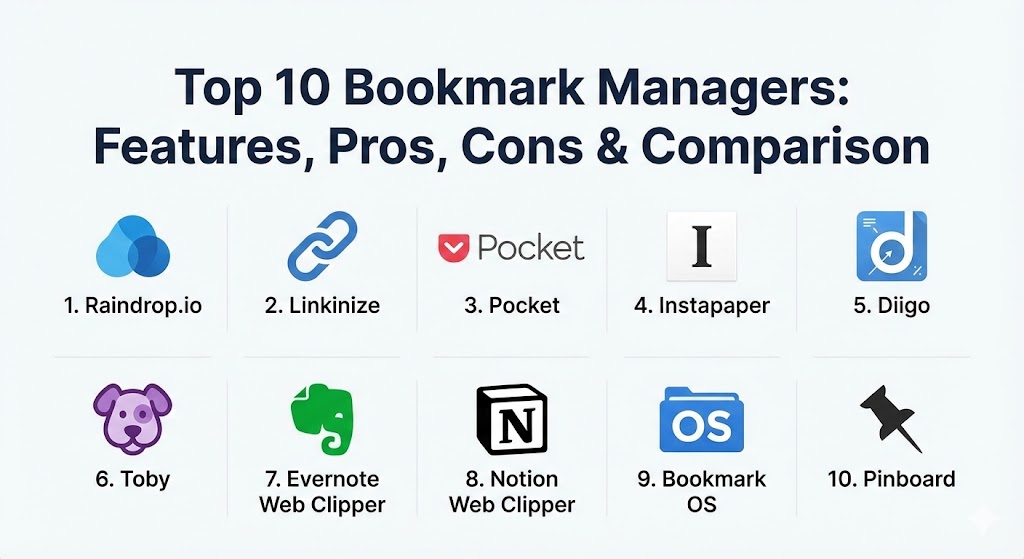
Top 10 Bookmark Managers Tools
1 — Raindrop.io
Raindrop.io is widely considered the gold standard for visual bookmarking. It offers a sleek, modern interface that makes organizing links feel more like curating an art gallery than managing a database.
- Key features:
- Visual card, masonry, and list views for every collection.
- Full-text search that indexes the content of saved pages and files.
- Automatic broken link and duplicate detection to keep libraries clean.
- Nested collections and tags for deep hierarchical organization.
- Integration with IFTTT and Zapier for automated workflows.
- Capability to upload PDFs and images directly into the manager.
- Pros:
- Stunning user interface that is both beautiful and highly functional.
- Exceptional free tier that covers the needs of most individual users.
- Cons:
- The visual previews can occasionally fail for sites with heavy paywalls.
- Full-text search and permanent library backups are locked behind the Pro version.
- Security & compliance: GDPR compliant; uses 256-bit AES encryption for data at rest.
- Support & community: High-quality documentation and a very active community of designers and developers sharing organizational templates.
2 — Linkinize
Linkinize is a high-performance tool built specifically for teams and professionals who require a higher degree of structure and privacy-first collaboration.
- Key features:
- Team-based workspaces with granular user permissions.
- Public sharing pages to host curated resource lists for clients.
- Advanced tagging system that eliminates the need for messy nested folders.
- Privacy-focused architecture with zero ads or trackers.
- “Fast Search” browser extension for instant link retrieval.
- Enterprise-ready admin controls for managing large teams.
- Pros:
- The most robust choice for professional team alignment and resource sharing.
- Minimalist, distraction-free UI that prioritizes speed.
- Cons:
- Lacks the “visual flair” and masonry views found in creative-focused tools.
- Primary value is in its team features, making it potentially overpowered for solo hobbyists.
- Security & compliance: SOC 2 Type II compliant; GDPR compliant; SSO (Single Sign-On) integration available for enterprise.
- Support & community: Dedicated enterprise support channels and a professional knowledge base for onboarding large teams.
3 — Pocket
Owned by Mozilla, Pocket (formerly Read It Later) is the industry leader for “read-later” functionality, focusing on consuming content in a distraction-free environment.
- Key features:
- Strips away ads and clutter to provide a clean reading experience.
- Offline access on mobile devices for reading during commutes.
- Text-to-speech feature that lets you “listen” to your bookmarks.
- Smart recommendations based on your interests and saved content.
- Tagging system for basic categorization and search.
- Integration with over 500 apps including Twitter and Flipboard.
- Pros:
- The best tool for pure content consumption and distraction-free reading.
- Massive ecosystem of third-party integrations.
- Cons:
- Limited organizational depth; not ideal for complex research projects.
- The free version contains sponsored content in the recommendation feed.
- Security & compliance: GDPR compliant; standard data encryption; SOC 2 (via Mozilla).
- Support & community: Massive global user base and extensive help center support with 24/7 ticket availability.
4 — Instapaper
Instapaper is the primary rival to Pocket, offering a more minimalist, typography-focused experience for those who value the written word above all else.
- Key features:
- Optimized reading view with customizable fonts and spacing.
- Ability to highlight text and add notes directly onto saved articles.
- “Speed Reading” tool that flashes words to help you consume text faster.
- Send-to-Kindle functionality for long-form reading on e-readers.
- Folder-based organization for managing different reading lists.
- Full-text search across all saved articles (Premium feature).
- Pros:
- Completely ad-free experience, even on the free tier.
- The most “focused” tool for long-form reading and academic annotation.
- Cons:
- The interface can feel a bit dated to those who prefer modern visuals.
- Fewer third-party integrations compared to the massive Pocket ecosystem.
- Security & compliance: Standard data encryption; GDPR compliant.
- Support & community: Comprehensive documentation and a dedicated, long-standing user base.
5 — Diigo
Diigo (Digest of Internet Information, Groups and Other stuff) is a powerhouse for researchers and students, focusing on web annotation and knowledge management.
- Key features:
- Sticky notes and highlights that “stick” to the actual live webpage.
- “Outliner” tool for organizing links and notes into a structured research paper.
- Group collaboration features for shared research projects.
- Archiving feature that saves a “snapshot” of the page in case it goes offline.
- Mobile app that allows for on-the-go research and annotation.
- Pros:
- Unrivaled for academic research and collaborative knowledge building.
- Powerful annotation tools that turn the web into an editable notebook.
- Cons:
- The user interface is functional but feels like a relic from the early 2010s.
- Steep learning curve for those who just want a simple link saver.
- Security & compliance: Standard SSL; GDPR compliant.
- Support & community: Strong presence in the education sector with numerous guides for teachers and students.
6 — Toby
Toby blurs the line between a bookmark manager and a tab manager. It replaces your browser’s “New Tab” page with organized collections, making it ideal for managing active projects.
- Key features:
- One-click “Save Session” that bookmarks all open tabs instantly.
- Drag-and-drop interface for moving links between collections.
- Replaces the default new tab page for immediate access to links.
- Collaboration features for teams to share specific workspaces.
- Search functionality that queries across all your saved collections.
- Pros:
- The absolute best tool for managing “active” daily projects.
- Prevents browser slowdown by letting you close tabs without losing them.
- Cons:
- Replaces your new tab page, which some users find intrusive.
- Limited as a long-term archival tool compared to Raindrop.io.
- Security & compliance: Standard data encryption; GDPR compliant.
- Support & community: Great documentation and a growing user base of productivity enthusiasts.
7 — Evernote Web Clipper
For those who already use Evernote as their primary note-taking tool, the Web Clipper is an indispensable extension that turns the entire web into an Evernote notebook.
- Key features:
- Multiple clipping modes: full page, simplified article, or just a bookmark.
- Markup tools to draw on screenshots before saving them.
- Ability to specify tags and notebooks at the moment of capture.
- OCR (Optical Character Recognition) makes text inside saved images searchable.
- Syncs instantly with the main Evernote application across all platforms.
- Pros:
- Seamlessly integrates your bookmarks into your existing notes and tasks.
- The “simplified article” mode is excellent for archiving clean copies of data.
- Cons:
- Evernote can feel bloated if you are only looking for a lightweight link manager.
- Free version has strict device limits and monthly upload quotas.
- Security & compliance: SOC 2 Type II; GDPR and HIPAA compliant options for enterprise.
- Support & community: Massive global community with 24/7 premium support for paid users.
8 — Notion Web Clipper
Notion has become the workspace of choice for many modern builders. Its web clipper allows you to save bookmarks directly into your Notion databases, making them part of your wider workflow.
- Key features:
- Save links directly into specific Notion databases or pages.
- Automatically pulls in metadata like page titles and cover images.
- Integrates with Notion’s powerful “Relations” and “Rollups” for organization.
- Collaborative by nature; bookmarks are instantly visible to your team.
- No limit on the number of links you can save.
- Pros:
- Infinite customization; you can build your own custom bookmark manager.
- Perfect for builders who want their bookmarks to be an active part of their project management.
- Cons:
- Requires a Notion setup; the clipper is useless as a standalone tool.
- Can be slower to use compared to specialized tools like Toby or Raindrop.
- Security & compliance: SOC 2 Type II; ISO 27001; GDPR compliant.
- Support & community: Cult-like following with thousands of shared templates and community-led guides.
9 — Bookmark OS
Bookmark OS is a unique tool that uses a desktop-inspired interface (folders and icons) to manage your digital resources. It’s perfect for those who want their bookmarks to feel like files on their computer.
- Key features:
- Desktop-like UI with folders, icons, and a taskbar.
- Built-in task manager and note-taking features.
- AI-powered auto-tagging to help organize links without manual effort.
- “Visual View” that creates screenshots of every saved site.
- Duplicate finder and broken link checker.
- Pros:
- The most familiar and intuitive interface for “folder-heavy” organizers.
- Consolidates bookmarks, tasks, and notes into one single view.
- Cons:
- The desktop metaphor might feel redundant for users who prefer “Search-first” workflows.
- Mobile app experience is not as polished as Raindrop or Pocket.
- Security & compliance: Standard SSL; GDPR compliant.
- Support & community: Responsive single-developer support and detailed “how-to” guides.
10 — Pinboard
Pinboard is the anti-social bookmarking tool. It is a text-based, ultra-fast, minimalist service designed for people who value speed and data longevity over flashy visuals.
- Key features:
- Bare-bones, text-based interface for maximum speed.
- “Full Archival” version saves a permanent copy of every page you bookmark.
- Powerful API that allows developers to build their own tools on top of it.
- Zero ads and zero third-party tracking.
- Privacy-first; your bookmarks are private by default.
- Pros:
- The fastest bookmarking tool in existence with near-zero latency.
- Reliable for long-term archiving; links never “break” if you pay for the archival tier.
- Cons:
- The UI looks like it belongs in the 1990s.
- Requires a one-time or annual fee; there is no free tier.
- Security & compliance: Varies / N/A (Highly focused on privacy and user data portability).
- Support & community: Small but highly dedicated community of developers and power users.
Comparison Table
| Tool Name | Best For | Platform(s) Supported | Standout Feature | Rating (TrueReviewnow.com) |
| Raindrop.io | Visual Organizers | Web, Mobile, Desktop | Visual Masonry View | 4.8 / 5 |
| Linkinize | Teams & Pros | Web, Extensions | Enterprise Controls | 4.9 / 5 |
| Reading Later | Web, Mobile | Offline Content Mode | 4.7 / 5 | |
| Instapaper | Minimalist Readers | Web, Mobile, Kindle | Typography Focus | 4.5 / 5 |
| Diigo | Research/Academia | Web, Extensions | Live Web Annotation | 4.4 / 5 |
| Toby | Active Projects | Browser Extension | Tab Session Saving | 4.6 / 5 |
| Evernote Clipper | Existing Note-takers | Web, Extensions | Note App Integration | 4.5 / 5 |
| Notion Clipper | Database Builders | Web, Extensions | Database Linking | 4.7 / 5 |
| Bookmark OS | Folder Lovers | Web | Desktop-like UI | 4.4 / 5 |
| Pinboard | Minimalists | Web, API | Archival Permanence | 4.3 / 5 |
Evaluation & Scoring of Bookmark Managers
Choosing a bookmark manager involves balancing several competing priorities. The following scoring rubric evaluates these tools based on their ability to serve professional and personal users alike.
| Category | Weight | Evaluation Criteria |
| Core Features | 25% | Ability to tag, folder, search, and capture links effortlessly. |
| Ease of Use | 15% | The intuitiveness of the interface and the speed of the browser extension. |
| Integrations | 15% | Compatibility with mobile apps, third-party services (IFTTT), and browsers. |
| Security & Compliance | 10% | Encryption standards, privacy policies, and compliance with GDPR/SOC 2. |
| Performance | 10% | Sync speed across devices and reliability of the cloud storage. |
| Support & Community | 10% | Quality of documentation and availability of customer support. |
| Price / Value | 15% | The breadth of the free tier versus the cost of the premium subscription. |
Which Bookmark Manager Tool Is Right for You?
The “right” tool depends entirely on your personal organizational style and technical environment.
- Solo Users vs. SMB vs. Enterprise: If you are a solo user, Raindrop.io or Pocket offer the best individual experience. Small teams should look toward Linkinize or Notion for shared workspaces, while Enterprises will require the security and SSO capabilities of Linkinize or Evernote Business.
- Budget-conscious vs. Premium: If you want a free tool that does almost everything, Raindrop.io’s free tier is unbeatable. If you are willing to pay for speed and permanence, Pinboard or the Raindrop Pro plan are the best investments.
- Feature Depth vs. Ease of Use: Toby is the easiest to use but has less depth. Diigo has immense depth for researchers but takes time to master.
- Integration and Scalability: Those already using an ecosystem (Notion, Evernote, Mozilla) should stick with the native clipper to reduce “tool fatigue.”
- Security Requirements: If privacy is your #1 priority, Pinboard or self-hosted options are preferred. For corporate compliance, Linkinize is the standout.
Frequently Asked Questions (FAQs)
1. Is it safe to save passwords in a bookmark manager?
No. Bookmark managers are designed for URLs and content, not sensitive credentials. Use a dedicated password manager like Bitwarden or 1Password for that purpose.
2. Can I import my existing browser bookmarks into these tools?
Yes, almost all modern bookmark managers support importing an HTML file exported from Chrome, Firefox, Safari, or Edge.
3. What happens if a bookmarked website goes offline?
Standard bookmark managers will lead to a 404 error. However, premium versions of tools like Raindrop.io, Pinboard, and Diigo can save a permanent “snapshot” of the page.
4. Do these tools slow down my browser?
Most extensions are lightweight, but having dozens of extensions can impact performance. Tools like Toby actually speed up your browser by allowing you to close memory-heavy tabs.
5. Are there free versions available for teams?
Most tools offer a limited free version for teams (e.g., sharing a single folder). For full collaborative power, you typically need a paid “Pro” or “Business” plan.
6. Can I use these tools on my phone?
Yes. Pocket, Raindrop, and Evernote have dedicated mobile apps. Others utilize “Share Sheets” or web apps to allow mobile bookmarking.
7. Is my data private in a bookmark manager?
Most reputable tools use encryption and are GDPR compliant. However, some (like Pocket) may use your data to suggest recommendations unless you opt-out.
8. How do I find “broken links” in a massive library?
Pro-tier tools like Raindrop.io and Bookmark OS include automated “Broken Link Checkers” that scan your library and flag dead pages.
9. Can I share a single bookmark without sharing my whole library?
Yes. Most tools allow you to copy a link or share a specific folder/collection while keeping the rest of your library private.
10. What is a “Read-it-later” app versus a bookmark manager?
Read-it-later apps (Pocket, Instapaper) are for temporary storage of articles you intend to consume soon. Bookmark managers are for long-term organization and retrieval.
Conclusion
Selecting a bookmark manager is an investment in your future productivity. Whether you prefer the visual elegance of Raindrop.io, the team-centric power of Linkinize, or the research-heavy tools of Diigo, the goal remains the same: transforming the overwhelming noise of the internet into a structured, personal library of knowledge. The best tool is the one you will actually use consistently—so start with a free trial and find the workflow that makes your digital life feel managed.