Introduction
Digital reading and annotation apps are specialized software tools designed to enhance the consumption and retention of digital content. Unlike standard e-readers that focus solely on the visual experience of reading, these applications provide a layer of interactivity. They allow users to extract key insights, organize thoughts through tags or folders, and export findings to external note-taking systems. This transformation from passive consumption to active engagement is what defines “active reading.”
The importance of these tools is highlighted in an age of information overload. By using these apps, professionals can manage high volumes of documentation without losing track of critical details. Real-world use cases include students preparing for exams by mind-mapping their textbooks, legal professionals reviewing discovery documents for specific evidence, and researchers managing hundreds of citations for a peer-reviewed paper. When evaluating these tools, users should focus on cross-platform synchronization, the versatility of annotation types (handwritten vs. typed), integration with third-party apps, and the robustness of the search functionality.
Best for: Students, researchers, legal professionals, knowledge workers, and life-long learners who need to process large amounts of information and transform it into actionable insights.
Not ideal for: Casual readers who only consume fiction for entertainment or individuals who prefer a purely tactile experience with physical paper and highlighters.
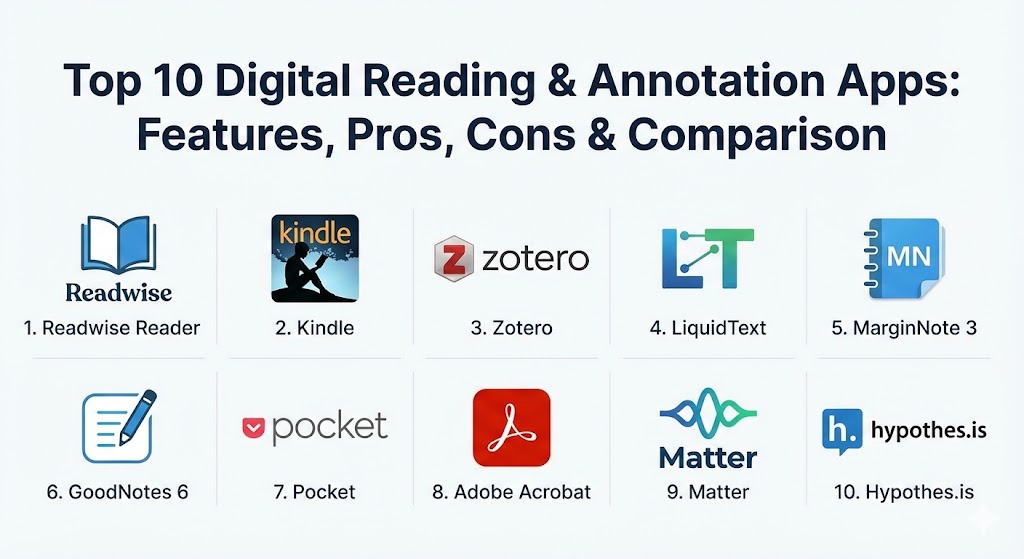
Top 10 Digital Reading & Annotation Apps
1 — Readwise Reader
Readwise Reader is a powerful, all-in-one “read-it-later” and annotation hub designed specifically for power users and knowledge workers who want to centralize their reading workflow. It bridges the gap between various content sources like newsletters, PDFs, and web articles.
- Key features:
- Unified inbox for newsletters, RSS feeds, PDFs, and web articles.
- High-speed, keyboard-centric interface for efficient processing.
- Ghostreader AI for summarizing long documents and asking questions.
- Text-to-speech with high-quality, natural-sounding voices.
- Deep integration with Note-taking apps like Notion, Obsidian, and Logseq.
- Support for YouTube transcript annotations and highlights.
- “Daily Review” feature to resurface past highlights for better retention.
- Pros:
- The most robust integration ecosystem for personal knowledge management (PKM).
- Extremely fast performance across web, iOS, and Android platforms.
- Cons:
- Higher price point compared to simple bookmarking apps like Pocket.
- Steeper learning curve due to the density of professional features.
- Security & compliance: SOC 2 Type II compliant; GDPR ready; standard SSL encryption for data in transit.
- Support & community: High-quality documentation, very active Discord community, and responsive email support.
2 — Kindle (App & Ecosystem)
The Amazon Kindle app is the global standard for long-form reading, offering a massive ecosystem of content and a distraction-free environment. While primarily an e-reader, its annotation features have become a staple for non-fiction readers.
- Key features:
- High-quality typography and adjustable reading themes.
- Seamless synchronization of highlights and notes across all devices.
- “Popular Highlights” feature showing insights from the global community.
- Integrated dictionary, Wikipedia search, and translation tools.
- X-Ray feature for tracking characters, terms, and key themes.
- Support for personal documents via the “Send to Kindle” service.
- Pros:
- Access to the world’s largest library of e-books and professional content.
- Exceptional reliability and cross-platform consistency.
- Cons:
- Annotation export is often limited by digital rights management (DRM).
- Lacks advanced organization features like tagging or mind-mapping.
- Security & compliance: Amazon’s standard data protection; 2-Factor Authentication (2FA) support.
- Support & community: Massive global user base; extensive self-service help articles and 24/7 customer chat.
3 — Zotero
Zotero is a free, open-source research assistant designed to help users collect, organize, cite, and share research. It is the premier choice for academics who need to manage thousands of PDF annotations and bibliographies.
- Key features:
- Automatic metadata extraction for web pages and PDF files.
- Built-in PDF reader with color-coded highlighting and note-taking.
- Integration with Word, LibreOffice, and Google Docs for citation.
- Shared libraries for collaborative research projects.
- Advanced tagging and smart-folder organization.
- Mobile app for iOS to read and annotate on the go.
- Support for third-party plugins to extend functionality (e.g., ZotFile).
- Pros:
- Completely free and open-source, ensuring you always “own” your data.
- Unrivaled for managing complex citations and academic bibliographies.
- Cons:
- The desktop user interface feels a bit dated compared to modern SaaS apps.
- Free cloud storage is limited (though users can use their own WebDAV).
- Security & compliance: Varies / Open-source audits; local-first data storage options; standard web encryption for syncing.
- Support & community: Extremely loyal academic community; highly active forums with developer participation.
4 — LiquidText
LiquidText is a unique annotation tool that treats your documents and notes as a unified workspace. It is designed for those who need to see the “big picture” by physically connecting ideas across multiple files.
- Key features:
- Multi-document workspace for viewing several PDFs side-by-side.
- “Pinch to contract” feature to hide irrelevant text and see highlights together.
- Visual linking system to draw lines between different excerpts.
- Infinite workspace for sprawling notes and mind maps.
- High-quality handwriting support with Apple Pencil.
- Integrated browser for researching while you annotate.
- Pros:
- Unrivaled for synthesizing information from 100+ page reports or legal briefs.
- Unique visual interface that helps the human brain see patterns that a linear scroll would miss.
- Cons:
- Can feel cluttered on smaller screens like a standard smartphone.
- The free version is quite limited, requiring a Pro purchase for serious use.
- Security & compliance: ISO 27001-2022 Certified; GDPR compliant; supports robust password-based file encryption.
- Support & community: Dedicated email channel; private client community forum; live onboarding webinars for Enterprise users.
5 — MarginNote 3
MarginNote 3 is a comprehensive “e-reading notebook” that integrates e-reading, mind-mapping, and flashcards into a single workflow. It is particularly popular among medical and engineering students.
- Key features:
- Automatic mind-map generation from PDF highlights.
- Integrated web research within the document viewer.
- Anki-style flashcard creation directly from notes.
- OCR (Optical Character Recognition) for images and scanned PDFs.
- Support for ePub and PDF formats with a split-screen view.
- Hashtags and multi-dimensional organization for complex topics.12
- Pros:34
- The best tool for students who need to turn a textbook into a study guide.56
- Powerful synchronization between the mind map and the original source text.78
- Cons:910
- The interface is notoriously compl11ex and can be overwhelming for beginners.12
- Primary development focus is on Apple devices; the Windows version is les13s featured.
- Security & compliance: iCloud-based syncing; adheres to standard Apple security protocols; GDPR compliant.
- Support & community: Responsive customer support through the app; active user community on Reddit and dedicated forums.
6 — GoodNotes 6
GoodNotes 6 is the premier digital paper app, designed for people who prefer the tactile feel of handwriting over typing. It transforms an iPad into a versatile notebook and PDF annotation station.
- Key features:
- Best-in-class handwriting engine with vector-based ink.
- AI-powered spellcheck and word completion for handwriting.
- Marketplace for digital planners, stickers, and specialized templates.
- Collaborative document sharing with real-time editing.
- Global search that reads both typed text and your own handwriting.
- Audio recording that syncs with your notes as you write them.
- Pros:
- The most natural “pen-on-paper” feel for those using a stylus.
- Excellent organization system using realistic-looking digital notebooks.14
- Cons:15
- Not ideal for those who prefer purely typed notes or long-form web reading.16
- Subscription-based model for the latest AI features can be off-putting.17
- Security & compliance: ISO 27001 certified; SAML SSO support for business teams; HIPAA and 18GDPR ready.
- Support & community: Massive YouTube and Pinterest community for “digital planning”; strong technical documentation.
7 — Pocket
Pocket is the veteran of the “read-it-later” category, focusing on a clean, distraction-free reading experience for web articles. It is designed for casual users who want to save content on their desktop and read it on their mobile device later.
- Key features:
- One-click browser extension for saving articles from any website.
- “Article View” which strips away ads and distracting web elements.
- Permanent Library feature for archiving articles (Premium).
- Tag-based organization for managing diverse reading lists.
- Text-to-speech for listening to articles while commuting.
- Discovery feed with curated recommendations from across the web.
- Pros:
- Universal compatibility and a massive ecosystem of 3rd-party integrations.
- Very lightweight and starts up instantly on older mobile devices.
- Cons:
- Lacks advanced annotation features like mind-mapping or AI summaries.
- The development pace is slower than newer competitors like Readwise or Matter.
- Security & compliance: GDPR compliant; standard data encryption; multi-factor authentication for accounts.
- Support & community: High-quality help center; active social media presence; responsive email support for Premium users.
8 — Adobe Acrobat Reader
Adobe Acrobat is the industry standard for PDF management. While often seen as a simple viewer, its modern mobile and cloud versions offer enterprise-grade annotation tools for professional collaboration.
- Key features:
- Robust commenting and “sticky note” tools for document review.
- Drawing tools for freehand markups and highlight colors.
- Fill & Sign feature for handling official forms and contracts.
- Cloud-based document sharing with “track responses” feature.
- High-quality OCR for making scanned documents searchable and annotatable.
- Liquid Mode for optimizing PDF layouts for mobile screens.
- Pros:
- The most reliable rendering of complex PDF layouts and forms.
- The “safe bet” for corporate environments requiring strict compliance.
- Cons:
- Feature-heavy and can feel “bloated” or slow compared to agile startups.
- Many advanced features are locked behind an expensive Creative Cloud subscription.
- Security & compliance: SOC 2 Type II; HIPAA, GDPR, ISO 27001; enterprise-grade SSO and audit logs.
- Support & community: Massive enterprise support infrastructure; exhaustive documentation and training certifications.
9 — Matter
Matter is a modern, “reading-first” app that emphasizes high-quality typography and a social discovery experience. It is designed for those who want a premium, aesthetic reading environment for their newsletters and articles.
- Key features:
- “Readable” newsletters by connecting your email inbox.
- Widely considered the best-looking reading app on the market today.
- The “Listen” feature is significantly better than competitors’ robotic voices.
- Social features to see what your professional peers are highlighting.
- High-quality Safari extension and “Read on Matter” bookmarklet.
- Support for ePubs and synced highlights to Notion/Obsidian.
- Pros:
- Exceptional user experience with a focus on visual and audio polish.
- Fast and fluid interface that encourages a daily reading habit.
- Cons:
- Requires a subscription for core features like syncing and high-quality audio.
- Less focus on deep document analysis compared to tools like LiquidText.
- Security & compliance: SOC 2 Type II compliant; GDPR ready; data encryption at rest and in transit.
- Support & community: Growing community of tech-savvy professionals; responsive support via the mobile app.
10 — Hypothes.is
Hypothes.is is a unique tool that brings the annotation layer directly to the web. It allows for “social annotation,” where groups can discuss and mark up any web page or PDF publicly or privately.
- Key features:
- Browser-based annotation without needing to download a separate file.
- Public annotation layer for open scholarly discussion.
- Private groups for classroom or team-based collaboration.
- Support for PDF and HTML annotation.
- Open-source framework designed for transparency and longevity.
- Integration with Learning Management Systems (LMS) like Canvas and Blackboard.
- Pros:
- The best tool for collaborative reading and classroom discussion.
- No need for a dedicated mobile app; it works wherever you have a browser.
- Cons:
- Less ideal for personal, long-term archiving of a private library.19
- Does not have the polished “read-it-later” features of Pocket or Matter.20
- Security & compliance: GDPR compliant; SOC 2 (enterprise version); open-source security audit21s.
- Support & community: Strong presence in the education and open-web communities; high-quality documentation.
Comparison Table
| Tool Name | Best For | Platform(s) Supported | Standout Feature | Rating (TrueReviewnow) |
| Readwise Reader | Knowledge Workers | iOS, Android, Web | YouTube Transcript Notes | 4.9 / 5 |
| Kindle | Long-form E-books | iOS, Android, Mac, PC | Mass Content Library | 4.8 / 5 |
| Zotero | Academic Research | iOS, Mac, PC, Linux | Citation Management | 4.7 / 5 |
| LiquidText | Deep Document Analysis | iPad, Mac, Windows | Multi-doc Workspace | 4.8 / 5 |
| MarginNote 3 | Students & Study | iOS, Mac | Auto-Mind Mapping | 4.6 / 5 |
| GoodNotes 6 | Stylus & Handwriting | iOS, Android, Windows | AI Handwriting Check | 4.7 / 5 |
| Casual Web Reading | iOS, Android, Web | Huge App Ecosystem | 4.5 / 5 | |
| Adobe Acrobat | Enterprise Teams | iOS, Android, Desktop | Official Form Support | 4.4 / 5 |
| Matter | Aesthetic & Audio | iOS, Web | Natural Voices | 4.7 / 5 |
| Hypothes.is | Social Web Annotation | Web-based | Browser-Layer Markup | 4.3 / 5 |
Evaluation & Scoring of Digital Reading & Annotation Apps
To provide a structured look at how these tools perform, we have scored them based on seven weighted categories crucial for digital reading workflows in 2026.
| Category | Weight | Description |
| Core Features | 25% | Includes highlighting, tagging, note-taking, and file format support. |
| Ease of Use | 15% | The learning curve and intuitiveness of the user interface. |
| Integrations | 15% | Compatibility with Notion, Obsidian, and other productivity tools. |
| Security & Compliance | 10% | Data privacy standards, GDPR/HIPAA readiness, and encryption. |
| Performance | 10% | Speed of syncing, app responsiveness, and stability under load. |
| Support & Community | 10% | Quality of documentation and the activity of the user base. |
| Price / Value | 15% | The quality of the free tier vs. the cost of premium subscriptions. |
Which Digital Reading & Annotation Apps Tool Is Right for You?
Selecting the right tool depends on your specific goals and the type of content you read most frequently.
Solo Users vs. Professionals
- Solo Learners: If you are managing your own learning, Readwise Reader or Matter offer the most modern, personalized experiences.
- Enterprise/Legal: If you work in a corporate environment requiring audit trails and HIPAA/GDPR standards, Adobe Acrobat or LiquidText Enterprise are the safest bets for compliance.
Budget-Conscious vs. Premium Solutions
- Budget: Zotero is completely free for local use and offers the most power without a price tag. FatSecret (for nutrition) and Pocket (for reading) offer the strongest free versions.
- Premium: If you are willing to pay ~$10/month for productivity, Readwise Reader provides a significantly faster and more integrated experience than free alternatives.
Feature Depth vs. Ease of Use
- Data Geeks: If you want to mind-map every chapter, MarginNote 3 is for you.
- Casual Readers: If you just want to save an article for the plane, Pocket or Instapaper remain the gold standards for simplicity.
Integration and Scalability Needs
- If your goal is a “Personal Knowledge Management” system where every highlight goes into an Obsidian database, Readwise Reader and Zotero are the essential pillars of that workflow.2223
Frequently Asked Questions (FAQs)2425
1. Can I use these apps on an E-ink device like a Kindle or Boox?2627
Many apps like Pocket and Instapaper have native Kindle integration. For full Android-base28d E-ink tablets 29(like Boox or Supernote), you can install the Android versions of Readwise, Zotero, or Matter directly.
2. Are my highlights searchable across all my documents?
Most of the tools on this list, including Readwise Reader, Zotero, and MarginNote, offer global search that allows you to find specific keywords across every PDF or article you’ve ever annotated.
3. Do these apps work offline?
Yes. Pocket, Readwise, and Adobe Acrobat download your content to your device, allowing you to read and annotate without an internet connection. Changes sync once you’re back online.
4. Can I export my notes to Word or Notion?
Yes. High-end tools like Readwise have automated syncs to Notion. Others, like Zotero and MarginNote, allow you to export your notes in Markdown, PDF, or Word formats.
5. Which app is best for handwritten notes with an Apple Pencil?
GoodNotes 6 and Notability are the industry leaders for handwriting. For deep research with a stylus, LiquidText is superior because it allows you to link excerpts visually.
6. Is my data secure in these apps?
Most use industry-standard SSL encryption. If you handle sensitive client data, prioritize tools like Adobe Acrobat or LiquidText Enterprise, which are SOC 2 and ISO 27001 certified.
7. Are there free versions available?
Yes. Zotero and Hypothes.is are essentially free. Pocket and Adobe Reader have very generous free tiers, while Readwise and Matter are primarily subscription-based.
8. Can I annotate YouTube videos?
Readwise Reader is currently the leader in this niche, allowing you to highlight the text of a YouTube transcript and save it alongside your written articles.
9. Can I share my annotations with a team?
Yes. Hypothes.is is built for social annotation. Adobe Acrobat and GoodNotes 6 also offer robust “Invite to Collaborate” features for shared document markups.
10. Do these apps support ePub and PDF formats?
Almost all the apps listed support PDF. Support for ePub is standard in Kindle, Readwise Reader, and Matter, but less common in academic-focused tools like Zotero.
Conclusion
Digital Reading & Annotation Apps have transformed from simple “highlighters” into essential cognitive tools that help us navigate the modern information landscape. The best tool for you depends on whether you value the tactile feel of handwriting (GoodNotes 6), the speed of a digital library (Readwise Reader), or the depth of academic research (Zotero). By choosing a tool that fits your specific workflow, you can move beyond mere reading and start building a valuable, searchable library of your own insights.