Introduction
Personal Knowledge Management (PKM) tools are software applications designed to help individuals collect, organize, relate, and retrieve information. Unlike simple note-taking apps, PKM tools focus on the “networked” nature of thought, allowing users to create bi-directional links between notes to simulate the way the human brain works. This methodology allows for “emergent” knowledge, where the value of the system grows exponentially as more connections are made.
The importance of these tools lies in their ability to reduce cognitive load. By offloading raw data to a reliable digital system, users can focus their “first brain” on creative synthesis and problem-solving. Key real-world use cases include researchers managing thousands of citations, content creators building an idea factory, and students organizing complex academic subjects. When choosing a tool, evaluation criteria should include the “file-over-app” philosophy (data portability), the ease of capturing data on the go, the visual representation of connections (graph views), and the balance between structured hierarchy and fluid networking.
Best for: Researchers, writers, software developers, students, and life-long learners who deal with high volumes of information and need to connect ideas over long periods. It is also ideal for small teams who want to build a shared internal wiki or knowledge base.
Not ideal for: Individuals who only need a simple, temporary grocery list or quick reminders. If your goal is “transactional” note-taking (deleting the note after the task is done), these robust systems may introduce unnecessary friction compared to a basic mobile notepad.
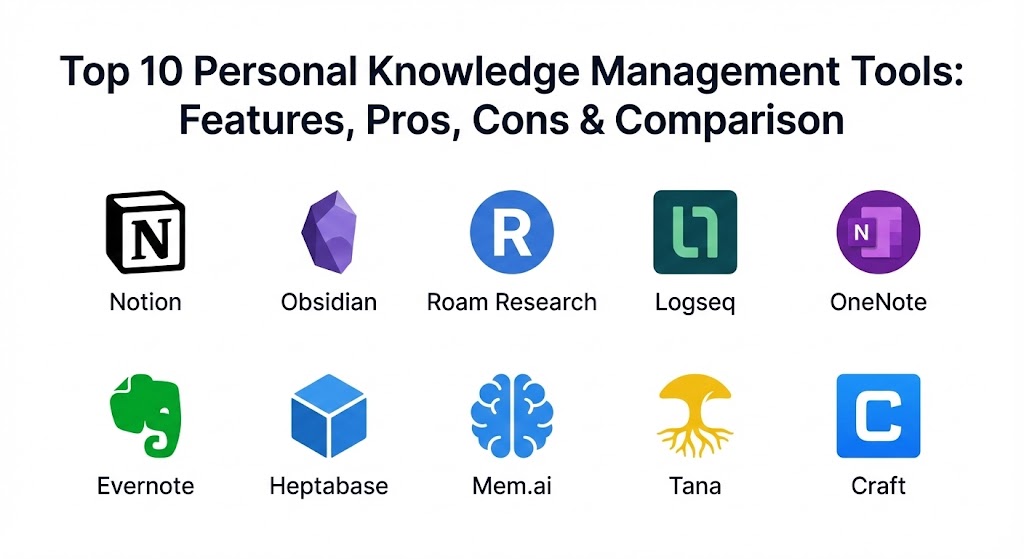
Top 10 Personal Knowledge Management Tools
1 — Notion
Notion is an all-in-one workspace that blends notes, databases, and project management into a single, highly customizable canvas. It is designed for those who want to build their own bespoke organizational system from the ground up using a “block-based” architecture.
- Key features:
- Powerful database system with multiple views (Gallery, Board, Table, Calendar).
- Block-based editor allowing for embedded media, code, and web bookmarks.
- Notion AI for summarizing notes, drafting content, and database automation.
- Collaborative workspaces with granular permission levels.
- Extensive template gallery created by a massive global community.
- Integration with thousands of apps through its robust API.
- Synced blocks that update content across multiple pages simultaneously.
- Pros:
- Unmatched versatility; it can replace a dozen other tools for projects and notes.
- Aesthetics are clean and professional, making it easy to share pages as websites.
- Cons:
- The learning curve can be steep for users who find “infinite choice” overwhelming.
- Performance can lag in very large databases or when offline access is needed.
- Security & compliance: SOC 2 Type II, GDPR compliant, SSO/SAML for enterprise, and data encryption at rest and in transit.
- Support & community: Massive community (Reddits, YouTube channels, consultants), extensive documentation, and responsive enterprise support teams.
2 — Obsidian
Obsidian is a powerful, local-first knowledge base that works on top of a local folder of plain text Markdown files. It is the gold standard for users who prioritize data longevity, privacy, and “networked thought.”
- Key features:
- Bi-directional linking and a visual “Graph View” of your entire knowledge base.
- Local-first storage; you own your files and can open them in any text editor.
- Massive plugin ecosystem (1,000+) allowing for endless customization.
- Canvas feature for infinite whiteboard-style spatial thinking.
- Daily Notes and Zettelkasten-ready workflow out of the box.
- “Properties” for structured metadata within plain text files.
- Support for CSS snippets to completely re-theme the application.
- Pros:
- Extremely fast and lightweight; handles tens of thousands of notes with ease.
- Complete privacy; your data never leaves your computer unless you choose to sync it.
- Cons:
- Mobile syncing requires a paid “Obsidian Sync” subscription or technical workarounds.
- Can be intimidating for non-technical users who aren’t familiar with Markdown.
- Security & compliance: Naturally HIPAA/GDPR friendly because data is local. Encryption is available through the paid Sync service.
- Support & community: One of the most passionate communities in the PKM space; highly active Discord and forum.
3 — Roam Research
Roam Research pioneered the “networked thought” movement with its focus on bi-directional links and an outliner-based structure. It is designed for researchers who want to see their ideas “multiply” over time through automated backlinking.
- Key features:
- Daily Notes centric workflow that encourages low-friction capture.
- Block-level referencing; every bullet point is its own unique entity.
- Powerful querying system to find specific intersections of tags and links.
- Sidebar for viewing multiple notes side-by-side for comparison.
- Inline “attributes” for creating structured data within outlines.
- Graph overview for visualizing the macro-connections of your brain.
- Pros:
- Revolutionary for discovery; you often find connections you didn’t realize you made.
- The “Daily Note” focus eliminates the friction of deciding “where” to put a note.
- Cons:
- Very high subscription price compared to competitors.
- Development pace has slowed down relative to newer apps in the space.
- Security & compliance: Encryption at rest; GDPR compliant. Does not currently offer SOC 2 or HIPAA-specific certifications.
- Support & community: The “Roam Cult” (Roamans) community is small but fiercely loyal and academically focused.
4 — Logseq
Logseq is an open-source, privacy-focused outliner that combines the best of Roam’s networked bullets with Obsidian’s local-first Markdown files. It is the premier choice for privacy advocates who love outlining.
- Key features:
- Outliner-first interface that treats every bullet as a block.
- Built-in Flashcards (Spaced Repetition System) for learning and memorization.
- PDF Annotation: Link specific text from a PDF directly to your notes.
- Local-first Markdown and Org-mode support.
- Built-in Task Management with priority levels and scheduled dates.
- Query engine based on Datalog for highly advanced data retrieval.
- Pros:
- Free and open-source, ensuring you will never lose access to the software.
- Outstanding for researchers who need to annotate and link directly to PDFs.
- Cons:
- Still in “beta” (as of 2026), meaning occasional bugs or UI inconsistencies.
- The mobile app is not yet as polished as its desktop counterpart.
- Security & compliance: Top-tier privacy due to local storage; GDPR and HIPAA compliant by default for local users.
- Support & community: Strong developer-centric community on GitHub and Discord; good documentation.
5 — Microsoft OneNote
OneNote is the “digital binder” that provides a freeform canvas for notes. It is a staple in the corporate and education worlds, especially for those who use styluses and tablets for handwritten notes.
- Key features:
- Freeform canvas: Place text, images, and ink anywhere on the page.
- Deep integration with the Microsoft 365 ecosystem (Outlook, Teams, Excel).
- Optical Character Recognition (OCR) to search for text within images/handwriting.
- Audio recording with time-stamped note-taking.
- Password-protected sections for sensitive information.
- Built-in Math assistant for solving and graphing equations.
- Pros:
- Completely free for most users and included in enterprise licenses.
- The best ink/handwriting experience on the market (iPad/Surface).
- Cons:
- Lacks modern PKM features like bi-directional linking and graph views.
- The search functionality can sometimes feel slower than Markdown-based apps.
- Security & compliance: Enterprise-grade security; HIPAA, GDPR, ISO, and SOC 2 compliant via Microsoft 365.
- Support & community: Massive global corporate support; extensive Microsoft Learn documentation.
6 — Evernote
After its acquisition by Bending Spoons, Evernote has undergone a massive modernization effort. It remains the best “all-in-one” web clipper and file cabinet for users who want reliable, multi-device search.
- Key features:
- Best-in-class Web Clipper for saving articles, PDFs, and images.
- Advanced search that includes text inside images and handwritten notes.
- “Home” dashboard that aggregates notes, tasks, and calendar events.
- Tasks integration with reminders and due dates.
- Shared notebooks for basic team collaboration.
- Audio note-taking with real-time transcription.
- Pros:
- The most reliable sync and search functionality for high-volume filing.
- Great for users who don’t want to “build” a system and just want to “file” things.
- Cons:
- The free tier is now extremely limited (maximum 50 notes).
- Can feel bloated for users who prefer a minimalist writing environment.
- Security & compliance: SOC 2 Type II, GDPR, and encryption in transit/at rest.
- Support & community: Decades-old community; robust support center and professional certified consultants.
7 — Heptabase
Heptabase is a visual PKM tool that treats knowledge management as a spatial problem. It is designed for those who think better on a whiteboard than in a document list.
- Key features:
- Map-based organization: Place your notes on infinite whiteboards.
- Powerful PDF side-by-side annotation and “highlight to note” capture.
- Card-based system: Every note is a “card” that can live on multiple maps.
- Bi-directional links that connect cards across different whiteboards.
- Timeline view for managing projects and daily tasks.
- Fast, local-first performance with cloud sync.
- Pros:
- Revolutionary for visual learners; helps you see the “big picture” of a project.
- Makes the process of “writing a paper” or “building a course” highly intuitive.
- Cons:
- Paid subscription only; no permanent free tier.
- Mobile app is focused on capture, not the full whiteboard experience.
- Security & compliance: Data is stored locally and synced via encrypted cloud; GDPR compliant.
- Support & community: High-touch support from the founders; active and welcoming Discord.
8 — Mem.ai
Mem is the first PKM tool built from the ground up with Artificial Intelligence at its core. It is designed to be a “self-organizing” workspace that eliminates the need for folders and tags.
- Key features:
- Mem X: AI that automatically links related notes as you type.
- Chat with your Second Brain: Ask the AI questions about your stored knowledge.
- “Smart Edit” for transforming or summarizing your notes via AI.
- Integrated calendar for linking notes to specific meetings.
- Low-friction capture via SMS, WhatsApp, and email.
- Pros:
- The best tool for people who hate “organizing” and just want to write.
- The AI search is spookily accurate at finding old thoughts.
- Cons:
- High reliance on the cloud; privacy-conscious users may feel uneasy.
- AI suggestions can sometimes be irrelevant or distracting.
- Security & compliance: SOC 2 compliant; data is encrypted but processed by AI models.
- Support & community: Modern support via Intercom; active “Mem Insider” community.
9 — Tana
Tana is the “operating system for your life” that uses “Supertags” to turn unstructured notes into a powerful database. it is designed for those who want the power of Notion databases with the fluidity of a Roam outliner.
- Key features:
- Supertags: Turn a bullet point into a structured database item instantly.
- Live Queries: Display blocks based on tags, dates, or complex logic.
- Tana Capture: A dedicated mobile app for voice, text, and image capture.
- Fields and schemas that allow for massive data consistency.
- Collaborative workspaces with “Tana for Teams.”
- Deep AI integration for extracting data from notes into fields.
- Pros:
- The most powerful organizational tool on the market for structured data.
- Eliminates the need to duplicate data across different pages.
- Cons:
- Can be incredibly complex to set up; requires a “builder” mindset.
- Currently cloud-only, which may be a dealbreaker for local-first purists.
- Security & compliance: SOC 2 Type II, GDPR, and modern cloud security protocols.
- Support & community: Vibrant “Tana Navigators” community; excellent video tutorials.
10 — Craft
Craft is a document-first PKM tool that prioritizes design, aesthetics, and the joy of writing. It is the best choice for those who need to share their knowledge with others in a professional format.
- Key features:
- Block-based document structure with nested “pages inside pages.”
- Stunning visual design with high-quality typography and layouts.
- Deep Apple ecosystem integration (Catalyst, Shortcuts, Widgets).
- Craft AI Assistant for brainstorming and formatting.
- External sharing: Turn any document into a beautiful web page in one click.
- Offline-first native performance on Mac and iOS.
- Pros:
- The best writing experience of any tool on this list.
- Sharing features are leagues ahead of Obsidian or Roam.
- Cons:
- Networked thought features (backlinks) are present but less powerful than Obsidian.
- The Windows and Web versions are not as feature-rich as the Mac version.
- Security & compliance: GDPR compliant, SOC 2 Type II, and SSO available for Business plans.
- Support & community: Strong presence on Slack and social media; professional-grade support.
Comparison Table
| Tool Name | Best For | Platform(s) Supported | Standout Feature | Rating (TrueReviewnow.com) |
| Notion | Teams / All-in-one | Web, iOS, Android, Mac, Win | Databases & Templates | 4.7 / 5 |
| Obsidian | Privacy / Markdown | Mac, Win, Linux, iOS, Android | Local Graph View | 4.8 / 5 |
| Roam Research | Networked Thought | Web, iOS, Android | Block-level Ref | 4.4 / 5 |
| Logseq | Open-source Outliner | Mac, Win, Linux, Android | PDF Annotation | 4.5 / 5 |
| OneNote | Corporate / Tablets | All Platforms | Digital Ink / Stylus | 4.2 / 5 |
| Evernote | Web Clipping | All Platforms | Search inside Images | 4.1 / 5 |
| Heptabase | Visual Learners | Mac, Win, Web | Spatial Whiteboard | 4.7 / 5 |
| Mem.ai | AI-driven Capture | Web, iOS, Android | Self-organizing AI | 4.3 / 5 |
| Tana | Structured Data | Web, Mobile Capture | Supertags | 4.6 / 5 |
| Craft | Writing / Aesthetics | Mac, iOS, Web, Win | Visual Document Design | 4.8 / 5 |
Evaluation & Scoring of Personal Knowledge Management Tools
The following table evaluates the top contenders based on the 2026 weighted scoring rubric to give you an objective view of their strengths.
| Category | Weight | Notion | Obsidian | Roam | Heptabase | Tana |
| Core Features | 25% | 9/10 | 10/10 | 8/10 | 9/10 | 10/10 |
| Ease of Use | 15% | 7/10 | 6/10 | 6/10 | 8/10 | 5/10 |
| Integrations | 15% | 10/10 | 8/10 | 7/10 | 6/10 | 7/10 |
| Security & Comp | 10% | 9/10 | 10/10 | 7/10 | 8/10 | 8/10 |
| Performance | 10% | 6/10 | 10/10 | 7/10 | 9/10 | 8/10 |
| Support & Comm | 10% | 10/10 | 10/10 | 8/10 | 9/10 | 9/10 |
| Price / Value | 15% | 9/10 | 10/10 | 5/10 | 7/10 | 7/10 |
| TOTAL SCORE | 100% | 8.4 | 8.9 | 7.1 | 8.2 | 8.0 |
Which Personal Knowledge Management Tool Is Right for You?
The “perfect” PKM tool is a myth; the right choice depends on your cognitive style and your technical requirements.
Solo Users vs. SMB vs. Enterprise
- Solo Users: You have the most freedom. Obsidian is the best for those who want a lifelong system, while Heptabase is better if you are currently writing a book or thesis.
- SMB / Teams: Notion is the king of small team wikis. Craft is excellent for boutique agencies that need to send beautiful documents to clients.
- Enterprise: Microsoft OneNote and Evernote (Enterprise) are the safest bets for large-scale deployments due to their compliance certifications and admin controls.
Budget-Conscious vs. Premium
- Budget: Logseq, Obsidian, and OneNote offer incredible value (with free tiers that are genuinely useful).
- Premium: Roam Research, Tana, and Mem.ai are expensive but offer cutting-edge features that can save hours of manual organization.
Feature Depth vs. Ease of Use
- Simplicity: Evernote and Craft are intuitive. You can start typing and feel organized immediately.
- Complexity: Tana and Obsidian require time. You are essentially building your own software within their platforms.
Frequently Asked Questions (FAQs)
1. What is the Zettelkasten method?
It is a note-taking system where ideas are written on small, discrete “cards” and linked together. Modern tools like Obsidian and Roam are designed specifically to digitize this 20th-century method.
2. Should I choose a local-first or cloud-based tool?
Choose local-first (Obsidian, Logseq) if you want privacy and 100% ownership of your files. Choose cloud-based (Notion, Tana) if you need easy collaboration and access from any web browser.
3. Is AI in PKM tools safe for sensitive data?
Tools like Mem.ai and Notion AI process your data on their servers. If you are working on trade secrets or sensitive medical data, a local-first tool like Obsidian is much safer.
4. Can I move my data if I change my mind?
Markdown-based tools (Obsidian, Logseq) offer the best portability. Database-heavy tools (Notion, Tana) are harder to leave, as their unique structures don’t always translate perfectly to other apps.
5. What is a bi-directional link?
A standard link goes from Page A to Page B. A bi-directional link means that when you are on Page B, the app automatically shows you that Page A is talking about it.
6. Do I need a PKM tool if I already use a task manager?
Yes. A task manager tells you what to do. A PKM tool helps you store the knowledge you need to actually do the work effectively.
7. Can these tools help with “Information Overload”?
Yes, by providing a “holding tank” for information. You don’t have to remember everything; you just have to remember how to find it in your Second Brain.
8. Which tool is best for students?
Logseq (for its flashcards and PDF highlighting) and Notion (for its free student premium plan) are the top choices for academia.
9. Are these tools better than folders?
Folders are “mutually exclusive” (a file lives in one place). PKM tools use tags and links so an idea can exist in multiple contexts at once, which is much more flexible.
10. How long does it take to set up a Second Brain?
You can start in 10 minutes, but it takes about 3 months of consistent use to see the “emergent” benefits where the system starts suggesting connections to you.
Conclusion
Personal Knowledge Management is not about the tool; it is about the habit. Whether you choose the minimalist, local-first power of Obsidian or the structured, AI-enhanced world of Tana, the goal remains the same: to create a digital partner for your mind. Your “Second Brain” should be a place where ideas go to grow, not to die. When choosing, prioritize a tool that matches how you naturally think—whether that is through visual maps, structured lists, or fluid outlines. The best system is the one you actually enjoy using every single day.