Introduction
Time blocking is a time management method where you divide your day into specific chunks of time—”blocks”—each dedicated to a specific task or group of tasks. Instead of working from an open-ended list of things you hope to get to, you decide when each item will happen. Time blocking apps facilitate this by integrating your task lists directly with your calendar, ensuring that your ambitions are bounded by the reality of the 24-hour day.
The importance of these tools in 2026 cannot be overstated. With the rise of “deep work” as a competitive advantage, the ability to protect four hours of uninterrupted focus from meeting intrusions is vital. Key real-world use cases include protecting “Focus Time” for developers, ensuring managers have blocks for 1-on-1s, and helping students balance coursework with extracurriculars. When choosing a tool, users should evaluate it based on calendar integration (does it sync with Outlook/Google?), automation (can it move tasks if a meeting runs long?), ease of capture (how fast can you add a task?), and cross-platform reliability.
Best for: High-performance professionals, neurodivergent individuals (especially those with ADHD), remote team leads, and project managers who need to balance heavy execution with frequent meetings. It is ideal for anyone whose day feels like “reactive firefighting” and who wants to shift to “proactive planning.”
Not ideal for: Roles that require 100% spontaneity (e.g., emergency responders or certain customer support roles), or individuals who find rigid schedules anxiety-inducing. For these users, a simple “Now/Next” list or a basic time tracker may be more effective.
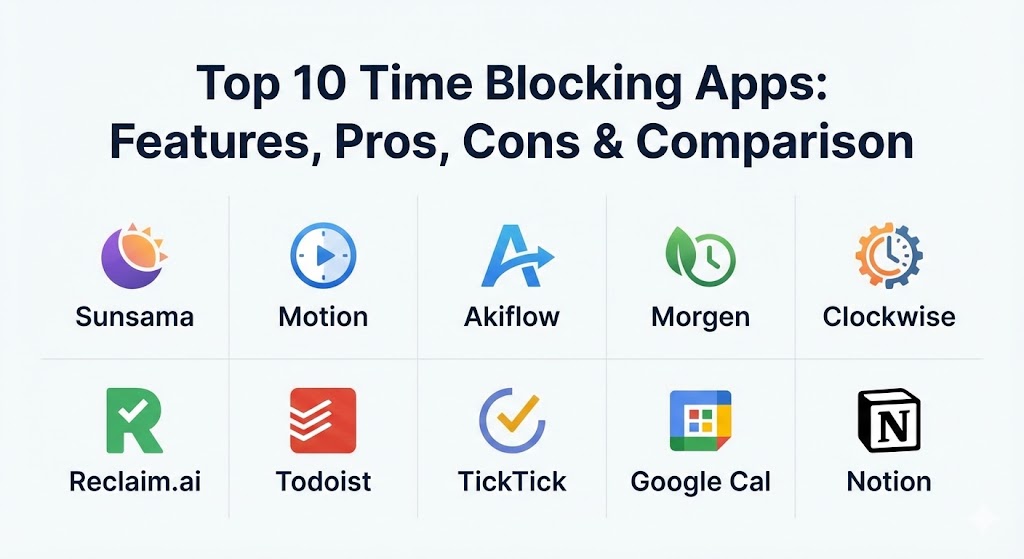
Top 10 Time Blocking Apps
1 — Sunsama
Sunsama is often described as the most “human” of the time-blocking apps. It is designed not just to help you work more, but to help you work better and more mindfully. It focuses on a daily ritual where you plan your day every morning and reflect every evening.
- Key features:
- Guided Daily Planning: A step-by-step morning routine to prioritize tasks.
- Unified Inbox: Pulls tasks from Trello, Jira, Asana, Gmail, and Slack.
- Drag-and-Drop Calendar: Easily turn any task into a time block.
- Focus Mode: A minimalist timer that hides everything except the current task.
- Workload Limits: Warns you if you’ve scheduled more than 8 hours of work.
- Evening Reflection: Prompts you to review what was accomplished and what wasn’t.
- Pros:
- Exceptional at preventing burnout by encouraging realistic daily goals.
- The most beautiful and calming interface in the productivity space.
- Cons:
- One of the most expensive options with no permanent free tier.
- Lacks AI-driven “auto-scheduling”; all blocks must be placed manually.
- Security & compliance: SOC 2 Type II compliant, GDPR aligned, and uses industry-standard AES-256 encryption.
- Support & community: High-quality documentation; responsive email support; a small but highly loyal community of productivity enthusiasts.
2 — Motion
Motion represents the “AI-first” wave of time blocking. It is built for the busy professional who doesn’t want to spend 30 minutes every morning planning their day, but rather wants a tool that “fixes” their schedule automatically.
- Key features:
- AI Intelligent Scheduler: Automatically places tasks in open slots on your calendar.
- Re-Optimization: If a meeting runs over, Motion shifts your entire day in seconds.
- Meeting Booking Pages: Integrated “Calendly-style” links that respect your work blocks.
- Project Management: Built-in kanban and list views for larger team projects.
- Priority Levels: Tells the AI which tasks must happen first.
- Deadline Awareness: Automatically moves tasks earlier if a deadline is approaching.
- Pros:
- Drastically reduces “planning overhead” through automation.
- Perfect for people with highly unpredictable schedules that change hourly.
- Cons:
- The “black box” nature of AI can sometimes place tasks in inconvenient spots.
- Steep pricing for individuals compared to more manual tools.
- Security & compliance: SOC 2 Type II, GDPR, and SSO support for Enterprise plans.
- Support & community: Extensive video tutorials; active LinkedIn user base; priority support for Business tiers.
3 — Akiflow
Akiflow is a “command center” for power users. It is designed to be the single place where you capture every task from every corner of your digital life and quickly assign them a time slot.
- Key features:
- Universal Inbox: Native integrations with almost every major work tool (ClickUp, Notion, etc.).
- Keyboard Shortcuts: A “keyboard-first” design allows for lightning-fast scheduling.
- Command Bar: Hit a shortcut anywhere on your OS to capture a task instantly.
- Time Slots: Group multiple small tasks into a single “Admin” or “Emails” block.
- Smart Labels: Organize tasks by project or energy level.
- Availability Sharing: Quickly send snippets of your open blocks to others.
- Pros:
- Best-in-class for consolidating “fragmented” tasks across 5+ different apps.
- Extremely fast performance with zero lag during heavy drag-and-drop sessions.
- Cons:
- Mobile app is functional but lacks the power of the desktop experience.
- Dense interface can feel overwhelming for beginners.
- Security & compliance: Google and Microsoft OAuth for secure login; GDPR compliant.
- Support & community: Very active Slack community; weekly “Office Hours” webinars with the founders.
4 — Morgen
Morgen is a sleek, multi-platform calendar and task manager that excels at managing multiple calendar accounts (Google, Outlook, iCloud) in a single view.
- Key features:
- Multi-Calendar Sync: Overlay work, personal, and side-hustle calendars seamlessly.
- Drag-to-Block: Drag tasks from your sidebar directly onto the timeline.
- Scheduling Links: Built-in booking system that updates as you block time.
- Open Stack: Supports Linux, alongside Windows, Mac, iOS, and Android.
- Task Priority: Custom categories to distinguish between “must-do” and “nice-to-do.”
- AI Assistant (Beta): Suggests optimal times for specific types of work.
- Pros:
- The best option for users who live on Linux or need deep cross-OS support.
- Clean, native-feeling design that integrates perfectly with system dark modes.
- Cons:
- The free version is quite limited for heavy time-blockers.
- Advanced automation features are still in the early stages compared to Motion.
- Security & compliance: GDPR compliant; locally stored task data option for privacy.
- Support & community: Extensive help center; responsive Discord community for power users.
5 — Clockwise
Clockwise is unique because it focuses on the “organizational” aspect of time blocking. It is designed to find and protect time for entire teams by moving meetings to create “Focus Time.”
- Key features:
- Focus Time Protection: Automatically moves flexible meetings to create 2+ hour focus blocks.
- Team Analytics: Reports on how much “Focus Time” vs. “Meeting Time” each person has.
- Slack Integration: Updates your status based on your current time block.
- Lunch Protection: Automatically blocks out time for breaks across the team.
- Smart Scheduling: Finds the “least disruptive” time for a new meeting.
- Personal Focus Goals: Set a target for how many focus hours you want per week.
- Pros:
- The only tool that solves time blocking at the company level, not just for the individual.
- Makes it culturally acceptable to stay “offline” during focus blocks.
- Cons:
- Less effective for solo freelancers who don’t have internal meetings to “move.”
- Can feel intrusive if the team doesn’t buy into the “automated moving” logic.
- Security & compliance: SOC 2 Type II, ISO 27001, and enterprise-grade SSO/SAML.
- Support & community: Dedicated account managers for Enterprise; extensive whitepapers on productivity.
6 — Reclaim.ai
Reclaim is an “intelligent” calendar assistant for Google Calendar users that bridges the gap between a to-do list and a habit tracker. It is highly effective at making time for “recurring” needs.
- Key features:
- Smart Habits: Automatically finds time for recurring things like “Exercise” or “Coding.”
- Task-to-Calendar Sync: Pulls tasks from Jira, Todoist, and ClickUp.
- Buffer Time: Automatically adds travel or transition time between blocks.
- Priority Scoring: Ensures your most critical goals are scheduled first.
- Decompression Time: Adds mandatory breaks after long meeting blocks.
- Privacy Controls: Syncs personal events to work calendars as “Busy” blocks.
- Pros:
- Best-in-class for managing work-life balance through “Habits.”
- Very affordable pricing for the level of automation provided.
- Cons:
- Currently only supports Google Calendar (Outlook support is limited).
- The interface can feel a bit cluttered compared to Sunsama.
- Security & compliance: GDPR, Google Cloud Security verified, and regular third-party audits.
- Support & community: Large library of “Reclaim Guides”; active Twitter/X presence.
7 — Todoist
While primarily a task manager, Todoist has introduced deep calendar integrations in 2026 that allow it to function as a highly capable time-blocking tool for those who prefer a “list-first” approach.
- Key features:
- Two-Way Calendar Sync: Real-time updates between Todoist and Google/Outlook.
- Natural Language Input: Type “Block 2 hours for report tomorrow at 10am” to schedule.
- Kanban Boards: Visualize project phases before blocking them.
- Labels and Filters: Create a view of “Deep Work Only” tasks.
- Productivity Visualization: Daily and weekly “Karma” goals.
- Team Collaboration: Assign tasks and view shared project timelines.
- Pros:
- Extremely fast and available on every conceivable device (including smartwatches).
- Lowest barrier to entry for someone moving from a basic to-do list.
- Cons:
- No automatic “re-scheduling” logic; if you miss a block, you move it manually.
- Lacks the “unified inbox” from multiple other apps (it only manages Todoist tasks).
- Security & compliance: SOC 2, GDPR, and data encryption at rest and in transit.
- Support & community: One of the largest productivity communities in the world; endless templates available.
8 — TickTick
TickTick is the “Swiss Army Knife” of productivity. It combines a to-do list, a calendar, a Pomodoro timer, and a habit tracker into one integrated package.
- Key features:
- Built-in Pomodoro Timer: Start a focus session directly from a time block.
- Eisenhower Matrix: Sort tasks by urgency and importance within the app.
- Habit Tracker: Block time for daily routines like drinking water or meditating.
- Calendar View: Drag-and-drop task scheduling (Premium only).
- White Noise: Integrated sounds to help with focus during work blocks.
- Voice Input: Capture tasks on the go with high accuracy.
- Pros:
- Incredible value for money; one of the most affordable “Pro” versions.
- Having the Pomodoro timer inside the blocked task is a massive workflow win.
- Cons:
- The user interface can feel a bit “busy” due to the high number of features.
- Syncing with external calendars can occasionally be slower than Akiflow.
- Security & compliance: Standard encryption; GDPR alignment; privacy-focused data handling.
- Support & community: Active Reddit community; detailed “Help Center” articles.
9 — Google Calendar
Google Calendar remains the foundation for millions. In 2026, it is no longer just a meeting tool; its “Tasks” integration has turned it into a surprisingly effective free time-blocking solution.
- Key features:
- Integrated Tasks: Side-panel tasks can be dragged directly onto the calendar.
- Appointment Schedules: Allows others to book time that you haven’t blocked.
- Working Location: Tells the team where you are during specific blocks.
- Color Coding: Visual layers for “Focus,” “Admin,” and “Meetings.”
- Gmail Integration: Turn emails into tasks/blocks with one click.
- Shared Calendars: View team availability while you plan your own blocks.
- Pros:
- Completely free for personal use and standard in almost every business.
- Zero “sync lag” since most other apps are just syncing to Google.
- Cons:
- Lacks advanced automation like auto-moving tasks or AI prioritization.
- No native “unified inbox” for other tools like Jira or Asana.
- Security & compliance: Enterprise-grade security (ISO 27001, SOC 2, HIPAA, GDPR).
- Support & community: Massive global documentation; enterprise support through Google Workspace.
10 — Notion
Notion is the ultimate “DIY” time-blocking tool. In 2026, its new “Notion Calendar” (formerly Cron) provides a bridge between your database-heavy workspace and your daily schedule.
- Key features:
- Database Linking: Link a time block directly to a 20-page research doc.
- Notion Calendar integration: Overlay your Notion databases onto a professional calendar.
- Custom Templates: Build a bespoke time-blocking system from scratch.
- Properties and Tags: Track “Energy Level” or “Project Code” for every block.
- Team Synced Views: Share a “Project Roadmap” that lives on the team calendar.
- AI Content Assistant: Use AI to break a “Big Task” into smaller sub-blocks.
- Pros:
- Unmatched flexibility; if you don’t like how a tool works, you can rebuild it in Notion.
- The only tool that keeps your “Work” (the documents) and your “Schedule” in one place.
- Cons:
- Requires a significant time investment to set up and maintain.
- The mobile app can be slower than dedicated calendar apps like Morgen.
- Security & compliance: SOC 2 Type II, ISO 27001, GDPR, and SSO support.
- Support & community: The most creative community in productivity; thousands of free templates.
Comparison Table
| Tool Name | Best For | Platform(s) Supported | Standout Feature | Rating (TrueReviewnow.com) |
| Sunsama | Mindful planning | Web, Mac, Win, iOS, Android | Daily Planning Ritual | 4.8 / 5 |
| Motion | Automated scheduling | Web, iOS, Android | AI Task Re-optimizer | 4.6 / 5 |
| Akiflow | Power users | Web, Mac, Win, iOS, Android | Keyboard-First Command Bar | 4.7 / 5 |
| Morgen | Linux & Multi-Cal | Mac, Win, Linux, iOS, Android | Multi-Calendar Overlay | 4.5 / 5 |
| Clockwise | Teams & Meetings | Web, Extension | Focus Time Auto-Shield | 4.4 / 5 |
| Reclaim.ai | Habits & GCal | Web (Google Only) | Adaptive Habit Scheduling | 4.6 / 5 |
| Todoist | List-lovers | All Platforms | Natural Language Input | 4.8 / 5 |
| TickTick | Pomodoro focus | All Platforms | Integrated Pomodoro Timer | 4.5 / 5 |
| Google Cal | Budget/Simple | Web, iOS, Android | Universal Ecosystem | 4.3 / 5 |
| Notion | DIY/Knowledge | Web, Mac, Win, iOS, Android | Database-to-Calendar Sync | 4.7 / 5 |
Evaluation & Scoring of Time Blocking Apps
When we evaluate these tools, we use a weighted scoring rubric that prioritizes the actual workflow of a busy professional over “flashy” features.
| Criteria | Weight | Scoring High Point |
| Core Features | 25% | Presence of drag-and-drop, task-calendar sync, and focus modes. |
| Ease of Use | 15% | Speed of task capture and intuitiveness of the interface. |
| Integrations | 15% | Native connectivity with tools like Slack, Jira, and Gmail. |
| Security & Compliance | 10% | Encryption standards and SOC 2/GDPR status. |
| Performance | 10% | Lack of lag, fast sync times, and mobile app stability. |
| Support & Community | 10% | Quality of documentation and responsiveness of support. |
| Price / Value | 15% | Balance of monthly cost vs. time saved through automation. |
Which Time Blocking App Is Right for You?
Selecting a tool from the list above requires an honest assessment of your “Digital Psychology.”
Solo Users vs. SMB vs. Enterprise
- Solo Users: Focus on Sunsama or TickTick. You need a tool that keeps you grounded and doesn’t require complex team permissions.
- SMBs: Morgen or Akiflow are excellent for small teams that need to coordinate across different calendar types without the high cost of enterprise solutions.
- Enterprise: Clockwise is the gold standard here. It is built to navigate the “Meeting Hell” of a 500-person organization.
Budget-Conscious vs. Premium
- Budget: TickTick (Pro is ~$3/mo) or Google Calendar (Free) are your best bets.
- Premium: If your time is worth $100+/hour, the $20–$30/month for Motion or Sunsama is an easy investment that pays for itself in one saved hour per month.
Feature Depth vs. Ease of Use
- Simplicity: Todoist is the easiest to start with.
- Depth: Notion and Akiflow offer the most power for users willing to climb the learning curve.
Frequently Asked Questions (FAQs)
1. What is the difference between time blocking and time tracking?
Time blocking is proactive (planning what you will do), while time tracking is reactive (recording what you did). Best practice is to use a blocking app that has built-in tracking like TickTick or integrates with one.
2. Can I use these apps with both Outlook and Google Calendar?
Most premium tools like Motion, Sunsama, and Akiflow support both. However, Reclaim.ai is currently exclusive to Google Calendar, so check compatibility before purchasing.
3. Is AI scheduling actually reliable?
In 2026, AI scheduling (like in Motion) is very reliable for “floating” tasks with no fixed time. However, for critical deadlines, most experts still recommend manual review to ensure the AI hasn’t scheduled your deep work at 11 PM.
4. How do I handle meetings that run long?
Tools with “auto-optimization” like Motion or Clockwise will automatically shift your subsequent blocks. If using a manual tool like Todoist, you’ll need to drag the blocks yourself.
5. Are these apps safe for confidential work calendars?
Yes, if they are SOC 2 compliant. Tools like Clockwise and Google Calendar are used by major corporations because they have the necessary enterprise security guardrails.
6. Can I use time blocking if I have a “reactive” job?
Yes! Instead of blocking specific tasks, block “Reactive Chunks” (e.g., a 2-hour block for “Inbound Support”). This gives you a boundary so you don’t feel like you’re failing when you can’t get to other work.
7. Do I need a specialized app, or is a paper planner better?
Digital apps excel at “rescheduling.” On paper, if your 9 AM meeting runs late, you have to erase and rewrite your whole day. Digital apps do this in one tap.
8. Can these apps help with ADHD?
Many users with ADHD find Sunsama particularly helpful because of its “Daily Planning” ritual, which reduces the overwhelming feeling of a massive to-do list by focusing on only what is possible today.
9. Why are some apps so expensive?
Tools like Motion aren’t just calendars; they are complex algorithms running in the background to solve the “scheduling puzzle.” You are paying for the R&D of the automation, not just the interface.
10. How long does it take to build a time-blocking habit?
Most experts say it takes about 2 weeks of consistent “Daily Rituals” before time blocking feels natural. Start with a tool like Sunsama that forces you to do the ritual every morning.
Conclusion
In the landscape of 2026, time is the ultimate currency. Choosing the right time blocking app isn’t just about finding a place to list your chores—it’s about choosing an ally in the fight for your focus. Whether you need the robotic efficiency of Motion, the mindful ritual of Sunsama, or the DIY flexibility of Notion, the best tool is the one you will actually open every single morning. Remember: a plan is only as good as your willingness to follow it, but a great app makes following it the path of least resistance.