Introduction
Personal Journal and Diary Apps are specialized software platforms designed to facilitate the recording of daily thoughts, experiences, and emotions. Unlike general note-taking apps, these tools are built with specific features like mood tracking, daily prompts, location tagging, and multi-media support to create a rich, chronological narrative of a user’s life. They serve as a private sanctuary where individuals can practice “brain dumping,” track habit progress, and process complex emotions through writing.
The importance of these apps lies in their ability to provide structure to our inner lives. Research in psychology consistently shows that expressive writing can lower stress levels, improve immune function, and enhance cognitive processing. Key real-world use cases include managing anxiety through CBT-style prompts, documenting travel adventures with integrated GPS and photos, and professional journaling to track career milestones and performance reviews. When evaluating these tools, users should look for end-to-end encryption, ease of data export (to prevent vendor lock-in), cross-platform availability, and the quality of the writing experience.
Best for: Individuals focused on self-improvement, travelers wanting to document journeys, patients tracking health symptoms, and professionals seeking a private space for “work-out-loud” reflections. It is ideal for anyone from students to retirees who values a chronological record of their life.
Not ideal for: Users requiring collaborative document editing (where tools like Google Docs are better), or those strictly seeking project management software. If your primary goal is building a public blog or a shared knowledge base for a company, a personal diary app will likely feel too restrictive and private.
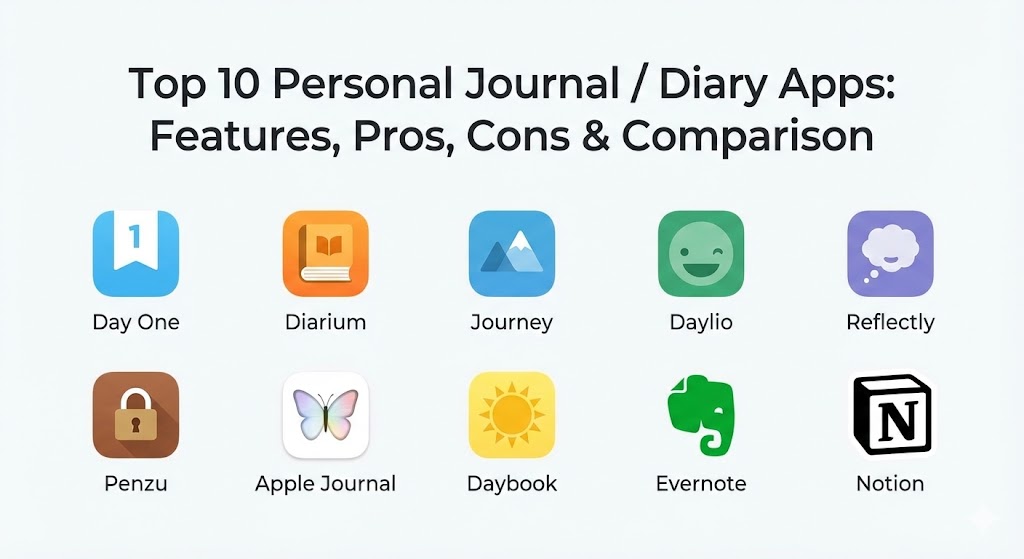
Top 10 Personal Journal / Diary Apps
1 — Day One
Day One is widely considered the industry standard for digital journaling. It offers a refined, award-winning interface that balances a vast feature set with a clean, distraction-free writing environment.
- Key features:
- End-to-end encryption with a private key system.
- Unlimited journals for different aspects of life (Work, Personal, Health).
- Automatic metadata collection (location, weather, step count, music playing).
- “On This Day” feature for revisiting past memories.
- Support for video, audio recordings, and handwritten sketches.
- IFTTT and Apple Shortcuts integration for automated journaling.
- Pros:
- The most polished user experience in the category with beautiful typography.
- Extremely robust sync across the Apple ecosystem and Android.
- Cons:
- Most advanced features are locked behind a monthly/yearly subscription.
- Can feel overwhelming for users who just want a simple text box.
- Security & compliance: End-to-end encryption (E2EE), Passcode/Biometric lock, and GDPR compliance.
- Support & community: High-quality documentation, responsive email support, and a massive community of long-term users.
2 — Diarium
Diarium is a powerhouse for users who want deep integration with their existing digital life. It is particularly noted for being the most comprehensive journaling app available for Windows users while maintaining parity on mobile.
- Key features:
- Integration with system calendars, fitness trackers (Google Fit/Apple Health), and social media.
- Daily notifications that prompt you to write.
- Ability to attach files, photos, videos, and audio.
- Automatic weather and location tagging.
- Advanced search and filtering based on tags or mood.
- Support for “Cloud Sync” using your own storage (OneDrive, Dropbox, WebDAV).
- Pros:
- No subscription model; offers a one-time purchase for the Pro version.
- Exceptional integration with Windows and a very “native” feel on PC.
- Cons:
- The UI is functional but lacks the “emotional” or artistic design of Day One.
- Sync setup can be slightly more technical as it relies on third-party cloud accounts.
- Security & compliance: Local storage options, app lock, and GDPR compliance.
- Support & community: Excellent developer-led forums and detailed FAQ sections.
3 — Journey
Journey is a platform-agnostic tool designed to encourage “mindful journaling.” It positions itself as a wellness coach as much as a diary, offering guided programs and motivational quotes.
- Key features:
- “Journey Coach” providing daily prompts and mindfulness programs.
- Support for Google Drive sync as the primary backup.
- “Zapier” integration to automate entries from other apps.
- Publication feature to turn journal entries into blog posts.
- Multi-media support including “Atlas” view for travel logs.
- Mood tracking with sentiment analysis over time.
- Pros:
- Available on almost every platform (Web, Windows, Mac, Linux, Android, iOS).
- Great for beginners who need the “nudge” of a guided prompt.
- Cons:
- The subscription cost is higher than some more specialized competitors.
- Some users may find the wellness/coaching features distracting from pure writing.
- Security & compliance: Passcode/Fingerprint lock, Google Cloud security, and GDPR compliant.
- Support & community: Extensive online help center and email-based customer support.
4 — Daylio
Daylio is a unique entry that caters to people who find writing difficult. It is a “micro-journaling” app where you record your day using icons and moods rather than long-form text.
- Key features:
- Icon-based entry system for activities and moods.
- Advanced statistics and charts to show mood patterns over weeks or years.
- Custom activity creation to track specific habits (e.g., “Drank Water,” “Gym”).
- Goal-setting module to build positive habits.
- Automatic backup to cloud services.
- Mood map and yearly “pixels” view.
- Pros:
- Takes less than 10 seconds to create an entry.
- Visual data representation is the best in the industry for spotting lifestyle trends.
- Cons:
- Not ideal for long-form, descriptive writing.
- No native desktop app; primarily designed for mobile-first use.
- Security & compliance: PIN/Biometric lock and local-first data privacy.
- Support & community: Large social media presence and active user feedback loop.
5 — Reflectly
Reflectly uses Artificial Intelligence to act as a personal mental health companion. It asks users specific questions based on their previous entries to help them dig deeper into their thoughts.
- Key features:
- AI-driven daily questions and reflection prompts.
- Personalized mood tracking and wellness insights.
- Visualized data on what makes you happy or stressed.
- Minimalist, “Gen-Z” friendly aesthetic and interface.
- Daily motivational quotes and affirmations.
- Pros:
- Excellent for identifying correlations between activities and emotional states.
- Highly engaging and interactive, reducing “blank page” syndrome.
- Cons:
- Can feel repetitive if the AI doesn’t have enough data to work with.
- Subscription-heavy model for access to all insights.
- Security & compliance: Biometric lock and standard data encryption.
- Support & community: Mobile-focused support and active Instagram-based community.
6 — Penzu
Penzu is one of the oldest players in the market, focusing heavily on privacy and the “classic” feel of an old-school paper diary but with military-grade security.
- Key features:
- Custom “covers” and page backgrounds to mimic physical notebooks.
- Double password protection (locking the app and specific journals).
- “Reminisce” emails to remind you of past entries.
- Tagging and categorization for easy retrieval.
- Cross-platform sync between web and mobile.
- Pros:
- High level of security makes it a favorite for those with very sensitive data.
- Extremely simple and focused strictly on the writing experience.
- Cons:
- The UI feels dated compared to modern competitors like Day One or Reflectly.
- Lacks modern integrations like fitness tracking or GPS automation.
- Security & compliance: 256-bit AES encryption, SOC 2, and HIPAA-ready (for Pro users).
- Support & community: Ticket-based support and a detailed knowledge base.
7 — Apple Journal
Introduced natively in recent iOS versions, Apple Journal is designed to be the most convenient entry point for iPhone users, leveraging the phone’s “Suggestions” engine.
- Key features:
- “Journaling Suggestions” API that uses on-device machine learning to suggest entries.
- Deep integration with Photos, Music, Workouts, and Podcasts.
- One-tap entry creation from share sheets in other apps.
- Simple, distraction-free interface.
- iCloud-based syncing with end-to-end encryption.
- Pros:
- Completely free and built into the operating system.
- The suggestion engine is incredibly smart at prompting reflections on recent events.
- Cons:
- Only available on iPhone (no Mac or iPad version as of early 2026).
- Very limited in terms of export options or advanced formatting.
- Security & compliance: End-to-end encryption, local processing of suggestions, and HIPAA/GDPR alignment.
- Support & community: Apple’s standard global support network and documentation.
8 — Daybook
Daybook is a lightweight, cross-platform journal app that stands out for its simplicity and its integration with voice assistants like Alexa and Google Assistant.
- Key features:
- Voice-to-journal capabilities using Alexa and Google Assistant.
- Support for “Guided Journaling” templates.
- Passcode and fingerprint security.
- Calendar view for easy navigation.
- Ability to add images and tags.
- Pros:
- One of the few apps that makes voice journaling a primary feature.
- Free version is quite generous compared to others.
- Cons:
- Lacks the advanced data visualization found in Daylio or Journey.
- The app can occasionally be slower than native-built apps like Day One.
- Security & compliance: Cloud-based encryption and standard PIN lock.
- Support & community: Email support and a growing user base on Android.
9 — Evernote (Journaling Mode)
While Evernote is a general note-taking tool, many power users utilize its “Daily Notes” and template features to build a massive, searchable lifetime archive.
- Key features:
- Powerful search engine capable of searching text within photos and handwriting.
- “Web Clipper” to add articles or inspirations to your diary.
- Professional templates for daily logs and gratitude journals.
- Multi-device sync across every imaginable platform.
- Task and calendar integration within the notes.
- Pros:
- Unmatched search and archival capabilities.
- Best for people who want their journal to live alongside their work and projects.
- Cons:
- Does not have the “mood tracking” or GPS automation of specialized apps.
- Recent price hikes have made it expensive for casual users.
- Security & compliance: SSO, 2FA, SOC 2, and GDPR compliant.
- Support & community: Large-scale enterprise support, user forums, and certified consultants.
10 — Notion (Journaling Databases)
Notion allows users to build their own bespoke journaling system from scratch. It is the tool of choice for “The Data Nerd” who wants to build a custom life-operating system.
- Key features:
- Database-driven journaling (filter by mood, date, or category).
- Custom templates that can be shared or downloaded.
- Integration of journals into broader life-planning dashboards.
- Support for “Notion AI” to summarize months or suggest improvements.
- Collaborative features (if you want a shared couple’s journal).
- Pros:
- Infinite customization—you can track whatever metrics you want.
- Looks beautiful on both desktop and mobile when designed well.
- Cons:
- High learning curve; you have to “build” your journal first.
- Lacks “quick entry” convenience; it takes more clicks to start a thought.
- Security & compliance: SOC 2 Type II, ISO 27001, and GDPR compliant.
- Support & community: Massive “Notion Community” with thousands of free journaling templates.
Comparison Table
| Tool Name | Best For | Platform(s) Supported | Standout Feature | Rating (Gartner / TrueReview) |
| Day One | Premium Writing | iOS, Android, Mac | E2EE & Typography | 4.8 / 5 |
| Diarium | Windows/Cross-Platform | Win, Mac, iOS, Android | Multi-Source Integration | 4.7 / 5 |
| Journey | Mindful Coaching | Web, All OS, Cloud | Journey Coach | 4.6 / 5 |
| Daylio | Fast/No-Writing | iOS, Android | Icon-Based Tracking | 4.9 / 5 |
| Reflectly | AI Reflection | iOS, Android | AI Mental Health Daily | 4.5 / 5 |
| Penzu | Max Privacy | Web, iOS, Android | Military-Grade Encryption | 4.2 / 5 |
| Apple Journal | Ecosystem Users | iOS (Native) | Suggestion Engine | 4.3 / 5 |
| Daybook | Voice Journaling | Web, Mobile, Alexa | Voice Assistant Sync | 4.4 / 5 |
| Evernote | Archive/Search | Web, All OS | Web Clipper & Archiving | 4.1 / 5 |
| Notion | Customization | Web, All OS | Database Flexibility | 4.7 / 5 |
Evaluation & Scoring of Personal Journal / Diary Apps
To help you decide, we have evaluated these tools using a weighted rubric that reflects what matters most to the modern digital diarist.
| Category | Weight | Evaluation Criteria |
| Core Features | 25% | Presence of mood tracking, multimedia support, and daily prompts. |
| Ease of Use | 15% | Speed of creating an entry and intuitiveness of the interface. |
| Integrations | 15% | Ability to pull data from Health apps, GPS, and social media. |
| Security | 10% | Encryption standards (E2EE), biometric locks, and privacy policies. |
| Performance | 10% | App stability, sync speed, and offline access capability. |
| Support | 10% | Quality of documentation and customer service responsiveness. |
| Price / Value | 15% | Fairness of subscription models or availability of a free tier. |
Which Personal Journal / Diary App Is Right for You?
Selecting the perfect app depends heavily on your lifestyle and your technical comfort level.
Solo users vs. SMB vs. Mid-market vs. Enterprise
While these are primarily personal tools, they do have organizational applications:
- Solo Users: Most of these apps are designed for individuals. Day One and Diarium are the leaders here.
- SMB / Teams: If you are a team leader encouraging “reflective practice,” Notion is the best choice because you can create shared templates for the team while keeping actual entries private.
- Enterprise: For high-security environments where data must be auditable but private, Evernote or Penzu offer the compliance levels needed.
Budget-conscious vs. Premium solutions
- Budget: Apple Journal (Free) and Diarium (One-time purchase) are the best for those who hate monthly subscriptions.
- Premium: Day One and Journey offer the most features but require a recurring financial commitment.
Feature depth vs. Ease of use
- Simplicity: If you hate typing, go with Daylio. Its icon-based system is friction-free.
- Depth: If you want to track your entire life—from what you ate to your heart rate—Notion or Evernote provide the infinite canvas you need.
Integration and Scalability needs
If you plan on journaling for the next 50 years, you must consider scalability. Look for tools that allow for easy PDF or JSON export. Day One and Diarium are excellent at ensuring your data remains yours, even if the app eventually goes out of business.
Security and Compliance requirements
For those journaling about highly sensitive legal or personal matters, Penzu or Day One (with E2EE enabled) are non-negotiable. Ensure that you own the encryption keys so that even the app developers cannot read your entries.
Frequently Asked Questions (FAQs)
1. Is digital journaling as effective as paper journaling?
Research suggests that the act of reflection is what matters most. Digital journaling offers advantages like searchability, media attachments, and reminders that paper cannot match, making it easier to maintain a long-term habit.
2. Can these apps help with my mental health?
Many apps, particularly Reflectly and Journey, use Cognitive Behavioral Therapy (CBT) techniques and prompts that help users reframe negative thoughts and practice gratitude, which are proven to improve mental well-being.
3. What happens to my data if the company goes out of business?
This is a common concern. Always choose an app that offers “Export to PDF” or “Export to JSON.” Apps like Diarium and Day One have robust export features that allow you to keep a local copy of your entire history.
4. Are these apps secure enough for my most private thoughts?
Most premium apps use at least 256-bit AES encryption. For maximum security, choose an app with End-to-End Encryption (E2EE), where only you hold the key to decrypt the data.
5. How much time does it take to journal daily?
With micro-journaling apps like Daylio, it takes seconds. For long-form apps, most users find that 10–15 minutes of “unstructured writing” is sufficient to gain the benefits of reflection.
6. Can I switch from one app to another?
It depends. Many apps can import “Day One” or “JSON” formats. However, moving between highly specialized apps like Daylio and Notion can be difficult because the data types (icons vs. databases) are so different.
7. Can I add photos and videos to my entries?
Yes, almost all the top 10 apps support photos. Some, like Day One and Diarium, also support video and audio clips, allowing you to create a “vlog-style” private diary.
8. Do I need an internet connection to journal?
Most of these apps allow for offline entry. They will store your entry locally on your device and sync it to the cloud once you are back online.
9. Is my journal data used for advertising?
Reputable apps like Day One and Penzu explicitly state in their privacy policies that your data is never sold or used for ads. Always avoid “completely free” apps that don’t have a clear monetization strategy.
10. What is a “daily prompt”?
A daily prompt is a question or suggestion provided by the app (e.g., “What are you grateful for today?”) to help you start writing when you don’t know what to say.
Conclusion
The evolution of personal journaling tools in 2026 has provided us with a diverse array of options to capture our human experience. Whether you prefer the AI-driven insights of Reflectly, the data-heavy customization of Notion, or the simple, elegant prose of Day One, there is a tool designed to fit your rhythm.
When choosing your digital diary, remember that the “best” tool is the one you will actually use every day. Don’t get bogged down by features you don’t need; instead, focus on the privacy, the writing experience, and the long-term accessibility of your memories. Journaling is an investment in your future self, and the right app acts as the perfect vault for that investment.