Introduction
Family organization apps are specialized productivity tools designed to synchronize schedules, tasks, and communication within a household. Unlike traditional project management software built for the office, these apps prioritize ease of use, visual clarity, and collaborative features that cater to users of all ages. They typically integrate shared calendars, real-time grocery lists, chore charts, and even secure document storage.
The importance of these tools lies in their ability to reduce domestic friction. When everyone knows who is picking up the kids or what is for dinner, “communication breakdowns” disappear. Key real-world use cases include managing complex co-parenting schedules, tracking recurring household maintenance, and gamifying chores to encourage children’s participation. When evaluating these tools, users should prioritize cross-platform synchronization (iOS, Android, and Web), the intuitiveness of the interface, and the level of privacy offered for family data.
Best for: Busy households with school-aged children, multi-generational families living together, and co-parents who need a neutral, organized platform for coordination. It is also ideal for families managing household staff or caregivers who need access to specific schedules.
Not ideal for: Single individuals or couples with very predictable schedules who might find the additional features of a family-specific app redundant compared to a standard digital calendar or a simple notes app.
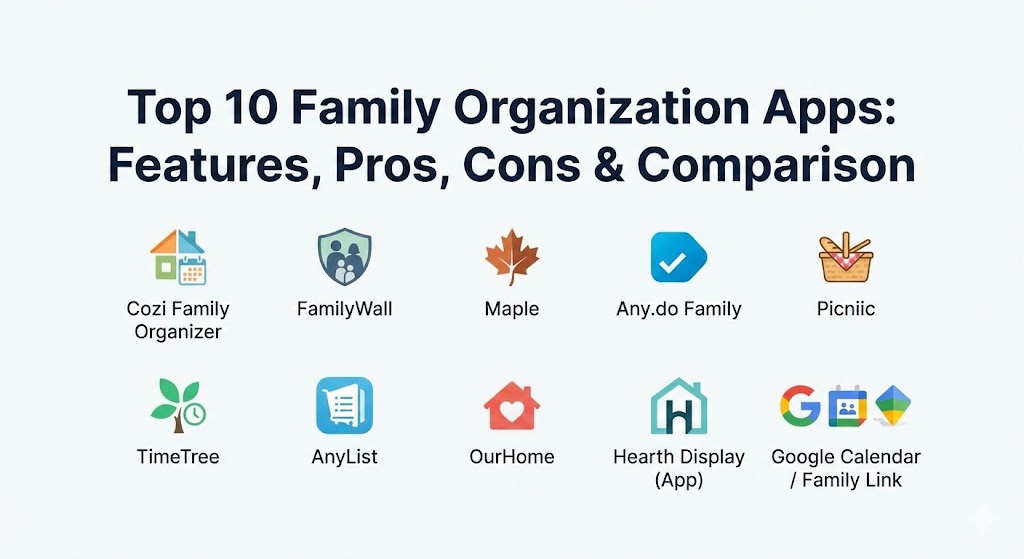
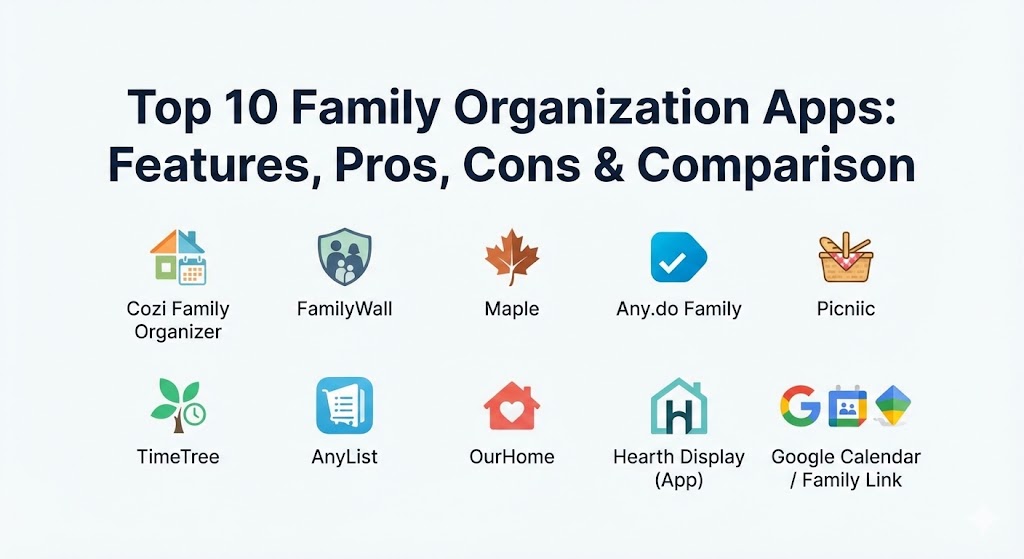
Top 10 Family Organization Apps
1 — Cozi Family Organizer
Cozi is often considered the “gold standard” of family organizers. It has survived the test of time by focusing on a simple, color-coded calendar system that even the least tech-savvy family members can navigate easily.
- Key features:
- Shared color-coded calendar that integrates with other digital calendars.
- Real-time shared grocery lists and to-do lists.
- Recipe box for meal planning and ingredients-to-list conversion.
- Family Journal for capturing and sharing daily milestones.
- “Today” view that gives a snapshot of everyone’s daily agenda.
- Automated weekly agenda emails sent to all family members.
- Pros:
- Extremely reliable syncing across multiple devices and platforms.
- The free version is robust enough for most basic family needs.
- Cons:
- The free version is supported by ads, which can be distracting.
- The interface, while functional, feels a bit dated compared to 2026’s AI-driven competitors.
- Security & compliance: Uses SSL encryption for data transfer. COPPA compliant for child safety. GDPR compliant for users in relevant regions.
- Support & community: Comprehensive online help center, email support for Gold members, and a very active community blog with organizational tips.
2 — FamilyWall
FamilyWall is a highly comprehensive “private social network” for families. It goes beyond simple scheduling by including finance management, location sharing, and a secure “Locker” for important documents.
- Key features:
- Integrated family calendar with import functionality for Outlook/Google.
- Grocery and shopping lists with barcode scanning.
- Finance manager for tracking household budgets and shared expenses.
- Real-time location tracker with safe-zone notifications.
- Secure document locker for IDs, medical records, and insurance info.
- Shared photo and video gallery.
- Pros:
- One of the most “all-in-one” solutions available, reducing the need for multiple apps.
- Excellent location-sharing features for peace of mind with older children.
- Cons:
- Can feel overwhelming initially due to the sheer number of sub-menus.
- High-end features like finance and location tracking require a premium subscription.
- Security & compliance: End-to-end encryption for the Locker feature. GDPR and CCPA compliant.
- Support & community: In-app tutorials, direct customer support tickets, and localized documentation.
3 — Maple
Maple is a modern, AI-enhanced family assistant that launched with a focus on reducing the mental load. In 2026, it stands out for its “smart” recommendations, such as suggesting recipes based on your grocery list or auto-generating chore schedules.
- Key features:
- AI-powered “Assistant” that helps organize tasks and projects.
- “Folders” for specific family topics (e.g., Vacation Planning, School Info).
- Integrated marketplace for household services.
- Automated meal planning and grocery integration.
- Shared notes and collaborative document editing.
- Real-time chat threads associated with specific tasks.
- Pros:
- The AI assistant significantly reduces the time spent on manual data entry.
- Very sleek, modern UI that feels like a professional productivity tool.
- Cons:
- The AI features can occasionally misinterpret complex family requests.
- Requires a consistent internet connection for AI processing.
- Security & compliance: SOC 2 compliant. Uses modern SSO (Single Sign-On) and industry-standard encryption.
- Support & community: Excellent onboarding flow, active Discord community for power users, and 24/7 chat support.
4 — Any.do Family
While Any.do began as a personal task manager, its Family Plan has become a powerhouse for households that prioritize task execution and a clean, minimalist aesthetic.
- Key features:
- Shared family calendar with a unique “Next” view for upcoming events.
- WhatsApp integration for adding tasks and reminders via chat.
- Smart grocery lists that automatically categorize items by aisle.
- Daily Planner (Any.do Moment) to help families prioritize the day.
- Cross-platform support including Apple Watch and Wear OS.
- Focus mode for deep work or study for children.
- Pros:
- The WhatsApp integration is a game-changer for families who live in chat apps.
- Beautifully designed interface that minimizes visual clutter.
- Cons:
- Lacks some “niche” family features like location tracking or document lockers.
- The focus is more on “tasks” than “memories” or “connection.”
- Security & compliance: SSO, AES-256 encryption, and GDPR compliance.
- Support & community: High-quality video documentation and a responsive global support team.
5 — Picniic
Picniic bills itself as the “Operating System for Families.” It offers a dashboard-style interface that provides a bird’s-eye view of everything happening in the home.
- Key features:
- Centralized dashboard with widgets for calendar, lists, and news.
- Unique “Info Locker” for encrypted storage of family secrets/passwords.
- Meal planner with a large database of kid-friendly recipes.
- Integration with high-end digital home displays (like Hearth).
- Automated school news feed integration (where available).
- Productivity scores for family members to track chore completion.
- Pros:
- The dashboard layout is excellent for tablet use in a kitchen or common area.
- Strong emphasis on family security and private data storage.
- Cons:
- Development updates have been slower compared to some newer AI rivals.
- The mobile experience can feel a bit cramped compared to the tablet view.
- Security & compliance: Bank-level encryption for the Info Locker. ISO 27001 certified.
- Support & community: Dedicated email support and a robust library of “How-To” articles.
6 — TimeTree
TimeTree is built on the philosophy that “sharing a calendar is sharing a life.” It is a specialized tool that focuses almost exclusively on scheduling, making it the best choice for families with high-velocity calendars.
- Key features:
- Multiple shared calendars for different purposes (e.g., Kids, Work, Home).
- Comment and photo sections within every single calendar event.
- “Keep” feature for notes and lists that don’t have a specific date yet.
- Public calendars for local community or school events.
- Ability to share specific events with people outside the family via link.
- Smart event suggestions based on your history.
- Pros:
- Unrivaled for pure scheduling; the ability to chat inside an event is vital.
- Free to use with a very unobtrusive ad model.
- Cons:
- Lacks broader household features like chores, budgets, or meal planning.
- Not a “complete” household management system.
- Security & compliance: Standard data encryption; privacy-focused with no third-party data selling.
- Support & community: Large international user base and extensive FAQ in multiple languages.
7 — AnyList
AnyList is the premier tool for families who organize their lives around the kitchen and the grocery store. It is the best-in-class solution for meal planning and shopping synchronization.
- Key features:
- Instant syncing of grocery lists across all family members’ devices.
- Recipe import from websites with one-click ingredient adding.
- Meal planning calendar with support for leftovers and recurring meals.
- Siri and Alexa integration for hands-free list management.
- Ability to organize lists by store and by specific aisle.
- Photos for list items to ensure the “right” brand is bought.
- Pros:
- The most reliable “instant” sync in the industry; no more double-buying milk.
- Recipe scaling features make it easy to adjust for guests.
- Cons:
- Focused strictly on food and lists; no calendar or chore tracking.
- Requires a subscription for the web version and recipe importing.
- Security & compliance: Standard SSL encryption. GDPR compliant.
- Support & community: Very responsive developer support and a straightforward documentation site.
8 — OurHome
OurHome is a unique entry that focuses on the “labor” of family life. It gamifies household tasks and chores to make responsibility fun for children.
- Key features:
- Gamified chore system where kids earn points for completing tasks.
- Rewards center where points can be traded for family-approved treats.
- Goal-setting features for both kids and adults.
- Shared grocery list and calendar.
- No-ads experience even on the free version.
- “Penalty” system for overdue tasks (optional).
- Pros:
- Highly effective at motivating children and teaching responsibility.
- Completely free to use, which is rare for such a specialized tool.
- Cons:
- The interface is more “playful” and may not appeal to families with only teenagers.
- Lacks advanced features like finance or location tracking.
- Security & compliance: COPPA compliant (essential for an app used by children).
- Support & community: Email-based support and a community of parents sharing reward ideas.
9 — Hearth Display (App)
Hearth began as a hardware-first company (a physical wall-mounted display), but their companion app has become a top-tier organizer in its own right for families who want a digital command center.
- Key features:
- Visual routine builder for kids (morning/evening checklists).
- “Hearth Link” which allows parents to text a photo of a flyer to the app to auto-create an event.
- Minimalist, calm interface designed to reduce digital anxiety.
- To-do lists that can be assigned to specific family members.
- Streak tracking for habits and chores.
- Secure, invitation-only family network.
- Pros:
- The “photo-to-event” feature is the best implementation of OCR for families.
- Designed by experts to be “neuro-inclusive” for families with ADHD.
- Cons:
- Best used in conjunction with their physical display, which is expensive.
- The feature set is still expanding and may feel lighter than FamilyWall.
- Security & compliance: SOC 2 Type II. Encrypted data storage and strict privacy protocols.
- Support & community: White-glove onboarding for hardware users; excellent concierge-style support.
10 — Google Calendar / Family Link
For many, the “default” is the best. By combining Google Calendar with Family Link, households can create a robust (and free) organization ecosystem.
- Key features:
- Shared “Family” calendar created automatically with a Google Family Group.
- Device management and screen time limits via Family Link.
- Shared Google Keep notes for grocery and to-do lists.
- Shared Google Photos albums for automatic face-grouping of kids.
- Location sharing via Google Maps integration.
- YouTube Premium and Play Store family library sharing.
- Pros:
- Likely already integrated into your existing digital life.
- High-end security and reliability backed by Google’s infrastructure.
- Cons:
- Features are fragmented across multiple apps (Calendar, Keep, Maps, Link).
- Lacks the specialized “family-specific” features like chore gamification or meal planning.
- Security & compliance: Industry-leading security. ISO/IEC 27001, SOC 2/3, HIPAA (for enterprise, can be configured).
- Support & community: Massive global help community and standard Google Support channels.
Comparison Table
| Tool Name | Best For | Platform(s) Supported | Standout Feature | Rating (TrueReviewnow / Gartner) |
| Cozi | Classic Scheduling | iOS, Android, Web | 3-Color Coded Calendar | 4.7 / 5 |
| FamilyWall | All-in-One Utility | iOS, Android, Web | Secure Doc Locker | 4.8 / 5 |
| Maple | AI-Driven Support | iOS, Android | AI Household Assistant | 4.6 / 5 |
| Any.do Family | Minimalist Tasking | iOS, Android, Web, Watch | WhatsApp Integration | 4.5 / 5 |
| Picniic | Home Command Center | iOS, Android, Tablet | Centralized Dashboard | 4.4 / 5 |
| TimeTree | High-Volume Events | iOS, Android, Web | In-Event Chatting | 4.7 / 5 |
| AnyList | Grocery & Meals | iOS, Android, Web, Mac | Aisle-by-Aisle Sorting | 4.9 / 5 |
| OurHome | Chore Gamification | iOS, Android, Web | Point/Reward System | 4.5 / 5 |
| Hearth App | Calm Organization | iOS, Android | Photo-to-Event (OCR) | 4.8 / 5 |
| Google Family | Ecosystem Users | iOS, Android, Web | Native OS Integration | 4.3 / 5 |
Evaluation & Scoring of Family Organization Apps
Choosing the right tool for your home requires looking at specific weighted criteria. A tool that is powerful but too difficult for a 10-year-old to use will ultimately fail in a family environment.
| Category | Weight | Evaluation Criteria |
| Core Features | 25% | Calendar sync, list sharing, task assignment, and meal planning. |
| Ease of Use | 15% | Intuitiveness for children and seniors; speed of the UI. |
| Integrations | 15% | Compatibility with Google, Outlook, Siri, Alexa, and WhatsApp. |
| Security & Privacy | 10% | Encryption levels and COPPA (Child Privacy) compliance. |
| Performance | 10% | Sync reliability and offline access capabilities. |
| Support | 10% | Help documentation, onboarding guides, and customer response time. |
| Price / Value | 15% | Cost of the premium tier relative to the features offered. |
Which Family Organization App Is Right for You?
The “right” choice depends on your family’s specific pain points and tech-savviness.
- Small Families or Couples: Start with TimeTree or Any.do. You likely don’t need complex chore gamification yet, and these tools offer the best scheduling experience.
- The “Grocery-First” Family: If your primary source of stress is the grocery store and meal prep, AnyList is non-negotiable. It does one thing better than anyone else.
- The Busy Household with Kids: Cozi or FamilyWall are the standard choices here. They cover all bases and are built to handle the chaos of school schedules and sports.
- Tech-Forward & AI-Ready: If you want the app to help you think and not just track, Maple is the future. Its AI assistant can take a lot of the planning off your plate.
- Gamifying Responsibility: If you are struggling to get your children to help around the house, OurHome provides the best psychological incentive through its reward system.
- Neuro-Diverse Households: Hearth is specifically designed with visual routines and a calm interface that works exceptionally well for families with ADHD or sensory processing needs.
Frequently Asked Questions (FAQs)
1. Can these apps import my existing Google or Outlook calendars?
Yes, almost all top-tier apps like Cozi, FamilyWall, and TimeTree allow you to “read” your work calendars within the family app, so you never double-book.
2. Are family organization apps safe for my children?
The apps listed here are generally COPPA compliant, meaning they follow strict rules regarding children’s data. Apps like FamilyWall also offer location tracking that is strictly private to the family group.
3. Do these apps work offline?
Most allow you to view your calendar and lists offline, but you will need an internet connection to sync changes so other family members can see them.
4. Can I use these apps for co-parenting?
Yes. Many co-parents use FamilyWall or Cozi as a neutral ground to share schedules and expenses without needing direct, high-conflict communication.
5. How much do these apps typically cost?
Most offer a free tier. Premium versions usually range from $15 to $50 per year for the entire family, often adding features like location history and document storage.
6. Can I assign chores to my kids through the app?
Apps like OurHome and FamilyWall have dedicated chore modules where you can assign tasks, set due dates, and even provide rewards.
7. Do I need a tablet for these to work?
While not required, many families find that having a dedicated “command center” tablet in the kitchen running Picniic or FamilyWall makes the system much more effective.
8. Can these apps help with meal planning?
Yes, AnyList and Cozi are particularly strong in this area, allowing you to save recipes and automatically add the necessary ingredients to your shared grocery list.
9. What happens if I lose my phone?
Because these apps are cloud-based, your data is safe. You simply log into your account on a new device, and all your family’s schedules and lists will be there.
10. Is it hard to get my family to actually use the app?
The biggest mistake is over-complicating it. Start with just one feature—like the grocery list—and once the family sees the benefit, slowly introduce the calendar and chores.
Conclusion
In 2026, the best family organization app is not the one with the most features, but the one your family actually uses. Whether you prioritize the AI-assisted planning of Maple, the gamified chores of OurHome, or the rock-solid reliability of Cozi, the goal remains the same: to reduce the mental load and make room for more quality time. When choosing, start with a free trial of two different styles—perhaps one dashboard-style app and one list-focused app—to see which fits your family’s unique rhythm.