Introduction
Meal planning apps are software solutions designed to help individuals and families organize their weekly eating schedules, manage recipes, and automate grocery shopping. By centralizing the planning process, these tools eliminate decision fatigue and ensure that every ingredient purchased has a dedicated purpose. In an era where food costs and health consciousness are at an all-time high, these apps have become essential for maintaining both a budget and a balanced diet.
The importance of these tools lies in their ability to provide structure to our most fundamental daily habit: eating. Key real-world use cases include automating “zero-waste” grocery lists where ingredients overlap between meals, tracking precise macronutrients for fitness goals, and managing complex family schedules where different members have varying dietary restrictions. When choosing a tool in this category, users should evaluate the app based on its recipe import capabilities, the intelligence of its automated shopping lists, dietary customization depth, and its ability to sync across multiple household devices.
Best for: Busy professionals looking to save time, fitness enthusiasts tracking specific macros, large families managing diverse tastes, and eco-conscious shoppers aiming to minimize food waste.
Not ideal for: Individuals who prefer complete spontaneity in their cooking, those who predominantly eat out or use meal delivery services, or professional chefs who require industrial-scale inventory management systems.
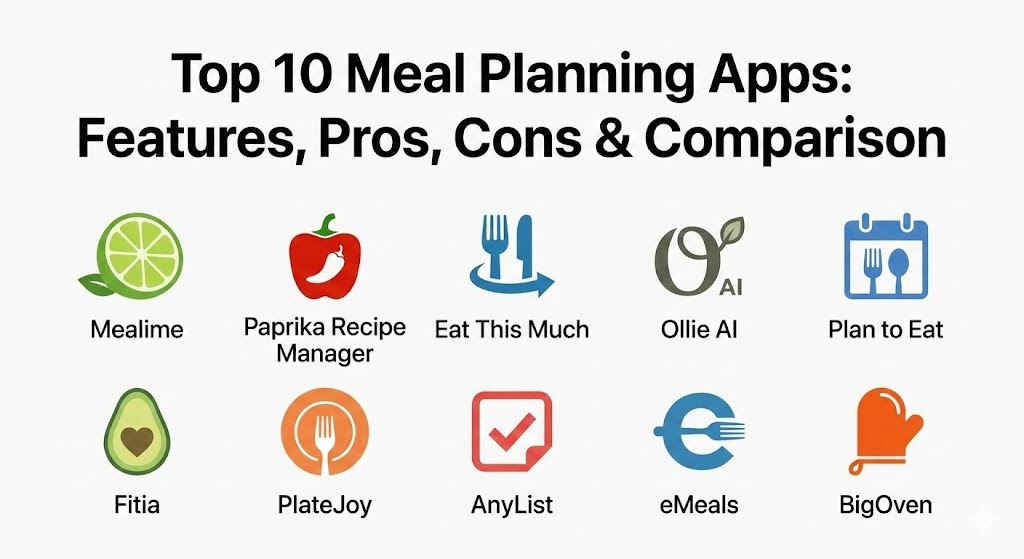
Top 10 Meal Planning Apps
1 — Mealime
Mealime is a highly streamlined meal planning app specifically built for the “busy but health-conscious” demographic. It focuses on 30-minute recipes that share ingredients to reduce grocery costs and kitchen time.
- Key features:
- Personalized meal plans based on dozens of specific dietary profiles (Keto, Paleo, Vegan, etc.).
- Intelligent grocery lists that automatically categorize items by supermarket aisle.
- Integrated grocery delivery through major retail partners like Walmart and Instacart.
- Step-by-step “Hands-Free” cooking mode to prevent screen smudges.
- Waste-reduction algorithm that pairs recipes with overlapping ingredients.
- Calorie and macro filtering for specific nutritional targets.
- Seamless integration with Apple Health and Google Fit.
- Pros:
- The most user-friendly interface for people who hate complex planning.
- Significant reduction in food waste due to smart ingredient overlapping.
- Cons:
- The recipe database, while high quality, is smaller than some competitors.
- Advanced nutritional tracking is locked behind the “Pro” subscription.
- Security & compliance: GDPR compliant, uses industry-standard SSL encryption, and supports Apple/Google SSO.
- Support & community: Robust help center with video tutorials and a responsive email support team.
2 — Paprika Recipe Manager
Paprika is the “power user’s” choice for those who already have a massive collection of recipes and need a sophisticated system to organize and execute them. It is a one-time purchase tool that excels in offline functionality.
- Key features:
- “Best-in-class” recipe clipper that strips ads and clutter from any website.
- Smart grocery list consolidation that combines similar ingredients (e.g., “2 eggs” and “3 eggs”).
- Interactive pantry manager to track what you already have in stock.
- Multi-device cloud sync that works across Windows, macOS, iOS, and Android.
- Tools to scale recipe portions up or down instantly.
- “Cook Mode” that keeps the screen awake and highlights the current step.
- Offline access to your entire recipe library and shopping lists.
- Pros:
- No recurring subscription fee, which is increasingly rare in 2026.
- Unrivaled ability to “scrape” data from even the most cluttered food blogs.
- Cons:
- Requires separate purchases for different platforms (e.g., iOS vs. Windows).
- Does not provide a built-in library of curated recipes; you must find your own.
- Security & compliance: Uses Paprika Cloud Sync with end-to-end encryption for user data.
- Support & community: Detailed online user guide and a very loyal long-term user community on social media.
3 — Eat This Much
Eat This Much is often described as “autopilot for your diet.” It uses an AI-driven generator to create complete daily meal plans based on your exact calorie, macro, and budget targets.
- Key features:
- Automatic meal plan generation based on caloric and macronutrient goals.
- “Regenerate” button to instantly swap a meal you don’t like for another fitting your macros.
- Budget tracking that allows you to set a price ceiling for your weekly groceries.
- Support for intermittent fasting schedules and custom meal timings.
- Extensive database of branded food items and restaurant meals.
- Print-ready grocery lists and meal calendars.
- Progress tracking with weight and body fat percentage logs.
- Pros:
- Perfect for those with strict fitness goals who want to stop “thinking” about macros.
- Extremely fast generation of plans, taking only seconds to plan a full week.
- Cons:
- The AI can sometimes suggest repetitive or “utility” meals (e.g., a bowl of plain nuts).
- UI can feel a bit data-heavy and utilitarian compared to more visual apps.
- Security & compliance: GDPR and HIPAA compliant (for nutritional data handling); supports SSO.
- Support & community: Active Reddit community and direct developer support for technical issues.
4 — Ollie AI
Ollie AI is a newcomer in 2026 that has quickly become a favorite for families. It acts as a “conversational” kitchen assistant, learning your family’s preferences and schedule through natural interaction.
- Key features:
- Generative AI interface that plans meals based on “What’s in the fridge” photos.
- Schedule-aware planning (e.g., “Make a 15-min meal on Tuesday because of soccer practice”).
- Family profile system that manages multiple allergies and “picky eater” settings in one plan.
- Dynamic grocery list that updates in real-time as family members “check off” items.
- Predictive pantry tracking that estimates when you’ll run out of staples like milk.
- Integration with smart kitchen appliances for automated pre-heating.
- Voice-controlled cooking assistant for completely hands-free guidance.
- Pros:
- The most intelligent personalization available; it actually learns your tastes over time.
- Excellent at managing the logistical chaos of multi-member households.
- Cons:
- High subscription price compared to non-AI competitors.
- Requires a constant internet connection for the AI features to function.
- Security & compliance: SOC 2 Type II certified; strict data privacy controls for family/child data.
- Support & community: 24/7 AI-driven chat support supplemented by human “Kitchen Experts.”
5 — Plan to Eat
Plan to Eat is a web-and-app hybrid that focuses on the “Planning” and “Shopping” pillars of the kitchen. It is designed for users who want a digital version of the traditional “pen and paper” calendar.
- Key features:
- Drag-and-drop meal calendar with a clean, desktop-friendly interface.
- Browser extension for one-click recipe importing from thousands of sites.
- Grocery list builder that organizes items by “Store” and “Aisle.”
- “Staples” list for items you buy every week regardless of the plan.
- Cooking view with built-in timers and clear, high-contrast text.
- Ability to share your recipe book and calendar with friends or family.
- Extensive tagging system to organize recipes by “Quick,” “Kids,” “Slow Cooker,” etc.
- Pros:
- Best-in-class desktop experience for those who like to plan on a big screen.
- Highly flexible; it doesn’t force you into a specific diet or methodology.
- Cons:
- No “discovery” feature; you are responsible for finding and importing all recipes.
- The mobile app is strong but feels slightly secondary to the web experience.
- Security & compliance: Standard SSL/TLS encryption; no sharing of personal data with third parties.
- Support & community: Friendly, human-centric support team and an active blog with planning challenges.
6 — Fitia
Fitia has gained international acclaim for its massive, nutritionist-verified food database, which specifically addresses the cultural and regional accuracy gaps found in generic Western trackers.
- Key features:
- Dietitian-verified database of over 1 million foods, including global and regional cuisines.
- AI-powered meal generation with a focus on “Metabolic Eating” and muscle retention.
- Calorie tracking via voice, photo, or barcode scanning.
- Smart grocery lists that automatically adjust based on portion changes.
- Integration with wearable devices for real-time calorie burn adjustments.
- Specialized “Latin American” and “International” food accuracy.
- Family plans that allow up to six users to share one subscription.
- Pros:
- Unmatched accuracy for users who eat a diverse, international diet.
- Combines professional-grade nutritional tracking with high-end meal planning.
- Cons:
- The sheer amount of data can be overwhelming for casual users.
- Some of the best international database features are restricted to the Premium tier.
- Security & compliance: GDPR compliant; data is encrypted at rest and in transit.
- Support & community: In-app AI coach available 24/7 for nutritional and technical questions.
7 — PlateJoy
PlateJoy is the “concierge” of meal planning. It starts with a comprehensive lifestyle quiz to create a highly personalized, custom-tailored experience that feels like having a personal nutritionist.
- Key features:
- Deep personalization including cooking appliances owned and time available.
- Specialized tracks for medical needs (Diabetes-friendly, Heart Health, etc.).
- “Digital Pantry” that remembers what ingredients you already have.
- Direct grocery integration with major delivery services.
- Large-scale meal prep options for those who want to cook only once or twice a week.
- Expert-curated recipes that focus on whole foods and high-quality ingredients.
- Optional “Health Coaching” add-ons for personalized guidance.
- Pros:
- Exceptional for those with specific medical or health-driven dietary needs.
- High-quality, chef-tested recipes that rarely miss on flavor.
- Cons:
- One of the most expensive monthly subscriptions in the category.
- No free version available beyond the initial trial period.
- Security & compliance: HIPAA compliant for health-related user data; ISO 27001 certified.
- Support & community: High-touch customer support with professional nutritionists on staff.
8 — AnyList
AnyList began as a simple list-sharing app but has evolved into a powerhouse for collaborative household meal planning. It is widely considered the best tool for couples and families who “shop together.”
- Key features:
- Instant, real-time syncing between devices (if you add milk, your partner sees it instantly).
- Recipe import from the web with automatic ingredient parsing.
- Calendar view to assign recipes to specific days or meals.
- Ability to add photos to items to ensure the “right brand” is purchased.
- Location-based reminders (alerts you to your grocery list when you’re near the store).
- Voice integration with Siri and Alexa for hands-free list additions.
- “Stores” feature to organize items based on where you actually shop.
- Pros:
- Best-in-class syncing and reliability; it almost never glitches in the store.
- Extremely simple to use for non-tech-savvy family members.
- Cons:
- Lacks built-in nutritional tracking or macro counting.
- No AI-based meal generation; planning is entirely manual.
- Security & compliance: GDPR compliant; supports biometric login (FaceID/TouchID).
- Support & community: Extensive knowledge base and very active development with frequent updates.
9 — eMeals
eMeals is designed for people who want the convenience of a meal kit (like HelloFresh) but at grocery store prices. They provide curated, weekly menus that “push” directly to your online grocery cart.
- Key features:
- Weekly menus designed around “themes” (Budget, Quick & Healthy, Kid-Friendly).
- Partnership with major retailers (Kroger, Walmart, Amazon, Instacart) for one-click shopping.
- Choice of 15+ different food styles that you can switch between at any time.
- Integrated “Lunch” and “Breakfast” plans to cover the whole day.
- Occasional “Occasions” menus for holidays and special events.
- Nutritional information provided for every meal.
- Streamlined app interface focused on “Plan -> Shop -> Cook.”
- Pros:
- Drastically reduces decision fatigue by providing pre-set menus.
- The best “one-click” grocery cart integration in the industry.
- Cons:
- Not very flexible if you want to mix and match individual recipes frequently.
- Subscription can feel redundant if you don’t use their specific menus.
- Security & compliance: PCI compliant for payment processing; standard data encryption.
- Support & community: Strong customer service team and a helpful “Getting Started” guide.
10 — BigOven
BigOven is a social-focused app with a massive database of over 1 million recipes. It is perfect for home cooks who love discovery and social sharing of their culinary creations.
- Key features:
- “Use Up Leftovers” tool that suggests recipes based on 3 ingredients you have.
- Social feed to follow friends and see what they are cooking.
- Recipe clipper and specialized “Recipe Scan” to digitize handwritten cards.
- Weekly meal planning calendar with drag-and-drop functionality.
- Grocery list consolidation with aisle-sorting.
- Editorial content, “how-to” videos, and holiday-themed guides.
- “Kitchen Pantry” tool to track inventory levels.
- Pros:
- The best tool for those who love browsing and discovering new recipes.
- The “Use Up Leftovers” tool is a genuine money-saver for frugal cooks.
- Cons:
- The free version is heavily supported by ads which can be intrusive.
- Mobile app UI can feel cluttered compared to Mealime or Ollie.
- Security & compliance: Standard data protection protocols; GDPR compliant.
- Support & community: Massive user community with millions of reviews and shared photos.
Comparison Table
| Tool Name | Best For | Platform(s) Supported | Standout Feature | Rating (TrueReviewnow.com) |
| Mealime | Busy Professionals | iOS, Android, Web | Zero-Waste Ingredients | 4.8 / 5 |
| Paprika | Recipe Organization | iOS, Android, Mac, Win | One-Time Purchase / Scraper | 4.9 / 5 |
| Eat This Much | Macro Tracking | iOS, Android, Web | AI Plan Generator | 4.6 / 5 |
| Ollie AI | Families | iOS, Android, Web | Conversational AI Assistant | 4.7 / 5 |
| Plan to Eat | Desktop Planners | Web, iOS, Android | Multi-platform Calendar | 4.5 / 5 |
| Fitia | Cultural Accuracy | iOS, Android | International Food Database | 4.9 / 5 |
| PlateJoy | Medical/Dietary Needs | iOS, Android, Web | Lifestyle Quiz Tailoring | 4.7 / 5 |
| AnyList | Shared Grocery Lists | iOS, Android, Mac | Real-time Family Sync | 4.9 / 5 |
| eMeals | Simplicity | iOS, Android, Web | Push-to-Cart Shopping | 4.4 / 5 |
| BigOven | Recipe Discovery | iOS, Android, Web | “Use Up Leftovers” Tool | 4.3 / 5 |
Evaluation & Scoring of Meal Planning Apps
To determine which app provides the most value, we evaluated them based on the following weighted rubric, which prioritizes core functionality and the “real-world” friction points of kitchen management.
| Category | Weight | Evaluation Criteria |
| Core Features | 25% | Recipe importing, calendar management, and grocery list automation. |
| Ease of Use | 15% | UI/UX design, mobile friction, and the learning curve for new users. |
| Integrations | 15% | Syncing with grocery retailers, Health apps, and smart kitchen devices. |
| Security & Compliance | 10% | Data privacy, SSO support, and adherence to regulations like GDPR/HIPAA. |
| Performance | 10% | App speed, offline capability, and cross-device syncing reliability. |
| Support & Community | 10% | Help documentation, customer service response, and user community size. |
| Price / Value | 15% | Subscription cost vs. features; presence of free tiers or one-time buys. |
Which Meal Planning App Tool Is Right for You?
Solo Users vs SMB vs Mid-market vs Enterprise
While meal planning is largely a consumer-focused category, the “scale” of your household matters:
- Solo Users: Focus on Mealime or Eat This Much. You need speed and minimal waste, not complex sharing features.
- Small/Medium Households (Families): AnyList and Ollie AI are the leaders here. The ability for multiple people to contribute to the list and see the plan is paramount.
- Large Households/Community Groups: BigOven and Plan to Eat allow for the largest volume of recipe storage and sharing, making them ideal for managing high-volume needs.
Budget-conscious vs Premium Solutions
- Budget: Paprika is the winner in the long run because of its one-time purchase model. Smartcat and Mealime also offer robust free versions that are highly usable without a subscription.
- Premium: If you have the budget, Ollie AI and PlateJoy offer a level of concierge-style automation and personalization that simply isn’t available in cheaper tools.
Feature Depth vs Ease of Use
- Depth: Choose Eat This Much or Fitia. These tools are built for data-hungry users who want to see every gram of fiber and micronutrient.
- Ease of Use: Choose eMeals or AnyList. These apps prioritize the “get in and get out” philosophy, making them perfect for those who find technology in the kitchen distracting.
Security and Compliance Requirements
If you are managing dietary needs for a medical condition, prioritize PlateJoy or Fitia. Their adherence to HIPAA-style data handling and nutritionist-verified databases provides an extra layer of safety and trust.
Frequently Asked Questions (FAQs)
1. Can I use these apps if I have multiple allergies?
Yes. Modern apps like Mealime, PlateJoy, and Ollie AI allow you to exclude specific ingredients (e.g., “no cilantro,” “no shellfish”) globally so they never appear in your suggested plans.
2. Do I have to pay for a subscription to get a grocery list?
Most apps (like Mealime and AnyList) offer grocery lists in their free versions. However, features like “Auto-sync to Instacart” or “Aisle Sorting” are often reserved for premium tiers.
3. Is it possible to import recipes from social media like TikTok or Instagram?
Apps like Paprika and Plan to Eat have advanced scrapers that can often pull text from links, but video-based platforms still require some manual entry. In 2026, Ollie AI is the leader in “seeing” a recipe from a screenshot.
4. How do these apps help reduce food waste?
They do this through “Ingredient Overlapping”—for example, if one recipe uses half an onion, the app will prioritize another recipe for the same week that uses the other half.
5. Are meal planning apps better than meal kits like Blue Apron?
They are more work (you still have to shop and prep), but they are significantly cheaper—often saving families 40-60% on their weekly food bill while offering more variety.
6. Can I plan for just 3 days a week instead of 7?
Absolutely. Flexibility is a core feature. Most users only plan for 4-5 nights and leave the weekends for leftovers or dining out.
7. Do these apps work offline while I’m in the grocery store?
Paprika and AnyList have excellent offline modes. If you’re in a store with a “dead zone,” your list will still be accessible and checkable.
8. Can I share my meal plan with my babysitter or roommate?
Yes, most family-oriented apps like AnyList and Cozi (integrated with many planners) allow for shared access via a simple invite link.
9. Will these apps tell me the cost of my groceries before I go?
Eat This Much and Mealime provide estimated costs. However, these are estimates based on national averages; real-world costs will vary by location and store brand.
10. What is the biggest mistake people make when starting with these apps?
The biggest mistake is “Over-planning.” Don’t try to plan 21 meals in your first week. Start with 3 dinners and 1 shopping list to build the habit without feeling overwhelmed.
Conclusion
The evolution of meal planning apps in 2026 has transformed the kitchen from a place of stress into one of efficiency and health. Whether you choose the AI-driven personalization of Ollie AI, the macro-focused automation of Eat This Much, or the organizational purity of Paprika, the result is the same: more time, less waste, and better nutrition. The “best” tool is ultimately the one that removes the most friction from your specific lifestyle. Start small, experiment with a few trials, and discover how a little bit of digital planning can lead to a much more flavorful life.