Introduction
Nutrition tracking apps are digital platforms—accessible via smartphones, wearables, and web browsers—designed to record daily food intake, analyze nutrient composition, and provide insights into dietary habits. At their core, these tools utilize massive databases of whole foods and branded products, allowing users to log meals with high precision. By breaking down meals into calories, macronutrients (protein, fats, carbohydrates), and micronutrients (vitamins and minerals), these apps offer a holistic view of one’s metabolic health.
The importance of these tools lies in their ability to provide objective feedback. Most individuals tend to underestimate their caloric intake and overestimate their protein or fiber consumption. Nutrition apps eliminate this guesswork. Key real-world use cases range from competitive bodybuilders fine-tuning their macros to individuals managing hypertension through sodium tracking, or even families simply trying to improve their overall food quality. When evaluating these tools, users should consider the accuracy of the food database, the ease of logging (such as barcode scanning or AI photo recognition), and the depth of the analytical reports provided.
Best for: Individuals seeking weight loss or muscle gain, athletes optimizing performance, and patients needing to monitor specific nutrients for health conditions. They are also highly beneficial for nutritionists and personal trainers who need to monitor client adherence remotely.
Not ideal for: Individuals with a history of disordered eating or those who find quantitative tracking leads to unhealthy obsession. They may also be unnecessary for people with highly intuitive eating patterns who maintain optimal health without digital intervention.
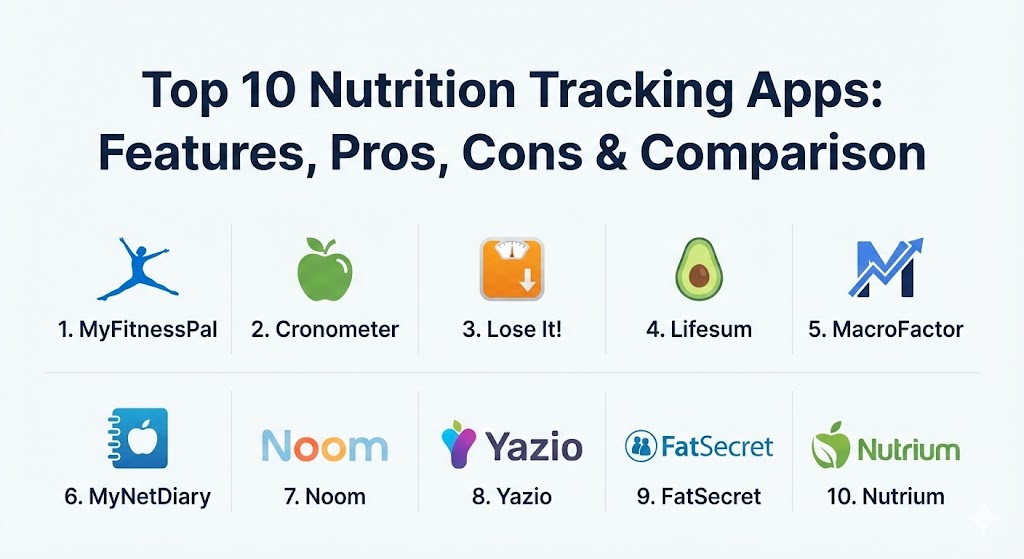
Top 10 Nutrition Tracking Apps
1 — MyFitnessPal
MyFitnessPal remains the most dominant force in the nutrition tracking industry. Known for its colossal database, it is often the first choice for anyone starting a fitness journey. It combines extensive social features with a deep integration ecosystem.
- Key features:
- Access to a database of over 14 million global food items.
- High-speed barcode scanner for packaged goods (Premium).
- Integration with over 50 fitness apps and wearable devices.
- Custom macro and calorie goals tailored to weight targets.
- Recipe importer to calculate nutrition for home-cooked meals.
- Community forums and social feeds for peer motivation.
- Pros:
- Unmatched database size ensures you can find almost any branded product.
- Large community provides endless motivation and recipe ideas.
- Cons:
- Basic features like the barcode scanner are increasingly being moved behind a paywall.
- User-generated entries in the database can lead to occasional accuracy issues.
- Security & compliance: GDPR compliant, SSO integration (Apple/Google), and standard industry encryption.
- Support & community: Extensive help center, robust user community, and 24/7 ticketing for premium subscribers.
2 — Cronometer
Cronometer is widely considered the “gold standard” for those who prioritize data accuracy and detailed micronutrient tracking. Unlike other apps that rely on user-submitted data, Cronometer prioritizes verified, lab-analyzed sources.
- Key features:
- Tracks up to 82 micronutrients, including vitamins, minerals, and amino acids.
- Database entries are vetted by staff to ensure scientific accuracy.
- Detailed charts for biometrics like blood glucose, sleep, and heart rate.
- Support for specialized diets like Keto, Paleo, and Vegan.
- Fasting timer to integrate intermittent fasting with nutrient tracking.
- Professional version available for dietitians to manage clients.
- Pros:
- Superior data integrity; every entry is lab-verified.
- The best tool for individuals managing medical conditions or deficiencies.
- Cons:
- The user interface can feel clinical and overwhelming for beginners.
- The food database is smaller than MyFitnessPal’s since it is curated.
- Security & compliance: HIPAA compliant (Pro version), GDPR compliant, and AES-256 data encryption.
- Support & community: Detailed technical documentation and a high-quality blog focused on nutritional science.
3 — Lose It!
Lose It! focuses on the “fun” side of weight loss, utilizing gamification and a highly intuitive interface to keep users engaged. It is designed to make the chore of logging feel more like a game.
- Key features:
- “Snap It” photo recognition for logging meals via camera.
- Personalized weight loss plans based on a target date.
- Smart calorie budgets that adjust based on exercise and progress.
- Challenges and badges to reward consistent logging.
- Integration with major wearables like Garmin and Fitbit.
- Direct sync with smart scales for automated weight tracking.
- Pros:
- One of the most user-friendly and visually appealing interfaces.
- Gamification elements significantly improve long-term adherence for many users.
- Cons:
- The free version is heavily supported by ads.
- Deep micronutrient tracking is not as robust as Cronometer.
- Security & compliance: SOC 2 compliant, GDPR, and standard data privacy protocols.
- Support & community: Strong social challenges and a responsive customer support team via email.
4 — Lifesum
Lifesum is a lifestyle-oriented app that focuses on “holistic health” rather than just calorie counting. It uses a beautiful, minimalist design to encourage better habit formation.
- Key features:
- “Life Score” that provides feedback on your overall health based on weekly data.
- Curated meal plans for specific lifestyles (e.g., Clean Eating, High Protein).
- Habit trackers for water intake, exercise, and vegetable consumption.
- Visual barcode scanner and recipe library.
- Integration with Apple Health and Google Fit for a unified view.
- Personalized macro targets based on the user’s current “Life Score.”
- Pros:
- Excellent design that makes the app a pleasure to use daily.
- Focuses on food quality and habits rather than just numerical restriction.
- Cons:
- Advanced meal plans and the “Life Score” require a premium subscription.
- Not the best choice for power users who want raw, clinical data.
- Security & compliance: GDPR compliant and uses standard SSL/TLS encryption for data in transit.
- Support & community: High-quality onboarding and a very active Instagram and social presence.
5 — MacroFactor
MacroFactor is a relative newcomer that has taken the “fitness geek” world by storm. It uses an adherence-neutral algorithm that calculates your expenditure based on your weight trends and intake.
- Key features:
- Dynamic Total Daily Energy Expenditure (TDEE) calculator.
- Adherence-neutral coaching; the app never “shames” you for overeating.
- High-speed logging workflow designed for efficiency.
- Evidence-based algorithms that adjust targets weekly.
- No duplicate entries in the database; every item is verified.
- Smart weight-trending analysis to ignore temporary water fluctuations.
- Pros:
- The most scientifically advanced coaching algorithm on the market.
- Reduces “tracking stress” by focusing on trends rather than daily perfection.
- Cons:
- No free version; requires a monthly or annual subscription.
- Might be “too much data” for someone who just wants to log occasionally.
- Security & compliance: Standard data encryption and privacy protection; GDPR compliant.
- Support & community: Extremely high-quality subreddit community and direct access to the developers.
6 — MyNetDiary
MyNetDiary is a highly polished and feature-rich app that often flies under the radar. It is particularly strong for those managing diabetes, offering a specialized version of the app for that purpose.
- Key features:
- Comprehensive diabetes tracker with blood glucose and insulin logging.
- Advanced “GPS-like” guidance to keep you on your weight target.
- Built-in dietitian-approved recipes and meal plans.
- Voice-activated logging for hands-free entry.
- High-quality barcode scanner and food-grading system.
- Seamless sync with almost all health platforms (Samsung Health, Garmin, etc.).
- Pros:
- Exceptionally fast and responsive user interface.
- The specialized medical tracking (Diabetes/Hypertension) is best-in-class.
- Cons:
- The “Maximum” subscription is required for the best features.
- The sheer number of icons and charts can be confusing at first.
- Security & compliance: ISO 27001 (certified infrastructure), GDPR, and HIPAA-friendly features.
- Support & community: Regular webinars, a professional dietitian blog, and 24/7 technical support.
7 — Noom
Noom is less of a “tracker” and more of a “behavior change” platform. It uses psychological principles to help users understand why they eat, rather than just what they eat.
- Key features:
- Daily 5–10 minute lessons based on Cognitive Behavioral Therapy (CBT).
- Color-coded food system (Green, Yellow, Orange) to teach caloric density.
- 1-on-1 coaching and group support (Premium).
- Weight and water tracking integrated with food logging.
- Focus on “Non-Scale Victories” (NSVs).
- Personalized psychological quizzes to identify your “eating triggers.”
- Pros:
- Unmatched for long-term weight loss via fundamental habit change.
- Excellent for those who have failed with traditional “willpower-based” diets.
- Cons:
- The food database is often criticized for being less accurate than competitors.
- One of the most expensive options on this list.
- Security & compliance: SOC 2, HIPAA compliant, and GDPR compliant.
- Support & community: High-touch coaching model with direct human interaction.
8 — Yazio
Yazio is a European powerhouse that specializes in combining calorie tracking with intermittent fasting. It is the perfect tool for those who use time-restricted eating as their primary strategy.
- Key features:
- Over 20 different fasting timers (16:8, 5:2, OMAD).
- Large database of international recipes and cuisines.
- Automated macro and calorie adjustments based on activity.
- “Challenges” module for things like “No Sugar” or “No Chocolate.”
- Minimalist, modern dashboard with easy-to-read progress charts.
- Ability to create “Custom Meals” and save frequent items.
- Pros:
- The best integration of fasting and nutrition in a single app.
- Excellent for international users who need diverse food databases.
- Cons:
- Many of the most popular fasting plans are locked behind the Pro version.
- Less focus on deep micronutrient analysis.
- Security & compliance: GDPR compliant (German-based company), ISO 27001 standards.
- Support & community: Large user base in Europe with extensive localized documentation.
9 — FatSecret
FatSecret is the “unsung hero” for budget-conscious users. While it may not have the flashy UI of Lifesum, it offers many premium features for free.
- Key features:
- 100% free barcode scanner (rare in 2026).
- Simple, no-frills food and exercise diary.
- Professional tools to share your journal with doctors or trainers.
- Image recognition for food logging.
- Large community where users share photos and journals for accountability.
- Support for Google Fit, Fitbit, and Samsung Health.
- Pros:
- The best free app on the market; very few paywalls.
- Extremely lightweight and doesn’t drain battery like some AI-heavy apps.
- Cons:
- The user interface looks dated compared to modern competitors.
- Fewer “coaching” or “educational” features.
- Security & compliance: GDPR compliant and standard data protection measures.
- Support & community: Long-standing community forum with deep archives of advice.
10 — Nutrium
Nutrium represents the “professional” tier of this category. It is designed for nutritionists and dietitians to manage their clients’ diets through a dedicated mobile app.
- Key features:
- Direct messaging between health professional and client.
- Automated meal plans sent from the professional directly to the app.
- Real-time monitoring of client food logs by the dietitian.
- Integrated appointment scheduling and payments.
- Sophisticated nutritional analysis for professional-grade reporting.
- Compliance tracking for specific medical dietary protocols.
- Pros:
- The bridge between professional advice and daily execution.
- High level of accountability since a professional is monitoring your data.
- Cons:
- You typically cannot use this standalone; you need to be part of a professional’s practice.
- Primarily designed for enterprise/professional workflows.
- Security & compliance: Fully HIPAA and GDPR compliant; designed for healthcare environments.
- Support & community: Enterprise-grade support for professionals and specialized training.
Comparison Table
| Tool Name | Best For | Platform(s) Supported | Standout Feature | Rating (Gartner / TrueReview) |
| MyFitnessPal | General Reach | iOS, Android, Web | 14M+ Food Database | 4.6 / 5 |
| Cronometer | Precision Accuracy | iOS, Android, Web | 82+ Micronutrients | 4.8 / 5 |
| Lose It! | Gamification | iOS, Android, Web | “Snap It” Photo Logging | 4.5 / 5 |
| Lifesum | Aesthetic Habit Tracking | iOS, Android, Watch | “Life Score” Health Metric | 4.7 / 5 |
| MacroFactor | Science-Driven Macros | iOS, Android | Adherence-Neutral TDEE | 4.9 / 5 |
| MyNetDiary | Polish & Diabetes | iOS, Android, Watch | Diabetes Medical Tracker | 4.8 / 5 |
| Noom | Psychology & Habit Change | iOS, Android | CBT-based Daily Lessons | 4.4 / 5 |
| Yazio | Intermittent Fasting | iOS, Android, Watch | Integrated Fasting Timers | 4.6 / 5 |
| FatSecret | Budget-Conscious Users | iOS, Android | Free Barcode Scanner | 4.3 / 5 |
| Nutrium | Professional Coaching | iOS, Android, SaaS | Dietitian-Client Sync | 4.7 / 5 |
Evaluation & Scoring of Nutrition Tracking Apps
To help you understand how these tools are ranked, we have evaluated them against a weighted scoring rubric based on the core needs of a 2026 health consumer.
| Category | Weight | Description |
| Core Features | 25% | Database accuracy, macro/micro depth, and logging speed. |
| Ease of Use | 15% | Interface design, onboarding quality, and learning curve. |
| Integrations & Ecosystem | 15% | Compatibility with wearables (Apple/Garmin) and other health apps. |
| Security & Compliance | 10% | Data privacy, GDPR/HIPAA adherence, and encryption standards. |
| Performance & Reliability | 10% | App stability, syncing speed, and offline functionality. |
| Support & Community | 10% | Availability of help, documentation, and user forums. |
| Price / Value | 15% | Cost-to-feature ratio and the strength of the free tier. |
Which Nutrition Tracking App Is Right for You?
Choosing an app depends on your personality type and your specific physiological goals. Use this guide to narrow down your choice:
- Solo Users vs. Professional Management: If you are self-motivated, MyFitnessPal or MacroFactor are perfect. If you need external accountability, Noom (via digital coaching) or Nutrium (via a real dietitian) are the better paths.
- Budget-Conscious vs. Premium: If you refuse to pay a subscription, FatSecret is the only logical choice that still offers a barcode scanner. If you are willing to invest in your health, MacroFactor offers the best ROI for body composition results.
- Feature Depth vs. Ease of Use: Cronometer offers the deepest data but the hardest UI. Lifesum is the easiest to use but the least detailed. Decide if you are a “data geek” or a “lifestyle tracker.”
- Integration and Scalability: If you have an Apple Watch and a Garmin bike computer, MyFitnessPal and MyNetDiary have the most robust “sync everything” capabilities.
- Security and Compliance: For users with medical conditions (Diabetes, Kidney Disease), MyNetDiary or Cronometer are essential due to their focus on verified data and medical compliance.
Frequently Asked Questions (FAQs)
1. Are nutrition apps actually accurate?
They are as accurate as the user and the database. Apps like Cronometer that use lab-verified data are highly accurate, while apps relying on user-submitted data may have errors. Always double-check labels for branded items.
2. Can these apps help with medical conditions like diabetes?
Yes, particularly MyNetDiary and Cronometer. They allow for tracking of blood glucose, insulin, and micronutrients like sodium or potassium which are critical for medical diets.
3. Do I have to track my food forever?
No. Most people use these apps as an “educational phase” for 3–6 months to learn about portion sizes and nutrient density. Once you’ve calibrated your “internal compass,” you can often switch to intuitive eating.
4. Is my data safe in these apps?
Modern apps utilize high-level encryption. However, for maximum safety, choose apps that are GDPR or HIPAA compliant, as they are legally required to handle your health data with extreme care.
5. What is the best app for intermittent fasting?
Yazio is the industry leader for combining fasting and nutrition. Lose It! also offers basic fasting timers in its premium version.
6. Why do some apps charge for a barcode scanner?
Database maintenance and API fees for barcode services have become expensive. Companies like MyFitnessPal moved this to “Premium” to cover these rising operational costs.
7. Can these apps track my water intake?
Yes, almost all the apps on this list (especially Lifesum and MyNetDiary) have dedicated water tracking modules with reminders.
8. Do these apps work without an internet connection?
Most allow you to log food while offline, but you typically need a connection to search the global database or sync with your wearable devices.
9. What is a “verified” food database?
A verified database means the nutritional information has been cross-checked with official sources (like the USDA) rather than being manually entered and potentially guessed by another user.
10. How do these apps calculate my calorie needs?
They use standardized formulas (like Mifflin-St Jeor). However, MacroFactor is unique because it calculates your actual needs based on how your weight reacts to what you eat over time.
Conclusion
The evolution of nutrition tracking apps has turned the smartphone into a powerful tool for metabolic health. Whether you prefer the clinical precision of Cronometer, the psychological support of Noom, or the pure efficiency of MacroFactor, the right tool is the one that you can stick with consistently. Remember that the “best” tool is simply the one that removes the most friction from your daily life. Use these apps to educate yourself, but never let the numbers overshadow the simple joy of eating well.