Introduction
A citation and reference manager is a specialized software tool designed to help researchers collect, organize, and format bibliographic information. At its core, it acts as a personal database where you can store PDFs, extract metadata (such as authors, publication dates, and DOIs), and generate perfectly formatted citations in thousands of different styles—ranging from APA and MLA to niche journal-specific formats.
The importance of these tools lies in their ability to streamline the “Cite While You Write” process. Instead of spending hours manually typing out a works-cited page, a researcher can insert a citation with a single click, and the software automatically builds the bibliography at the end of the document. Beyond formatting, these tools serve as powerful knowledge management systems, allowing users to annotate PDFs, tag documents for quick retrieval, and collaborate with teams across the globe. When evaluating a reference manager, key criteria include browser integration quality, the robustness of the PDF metadata extraction engine, cloud synchronization reliability, and the depth of the citation style library.
Best for: Academic researchers, PhD candidates, university students, and professional writers in the legal, medical, or scientific fields. These tools are indispensable for anyone managing a literature review or writing high-stakes reports where source attribution is critical.
Not ideal for: Casual bloggers or students writing a single one-page essay once a year. In these cases, simple web-based citation generators (which do not require software installation or library management) are often faster and more appropriate.
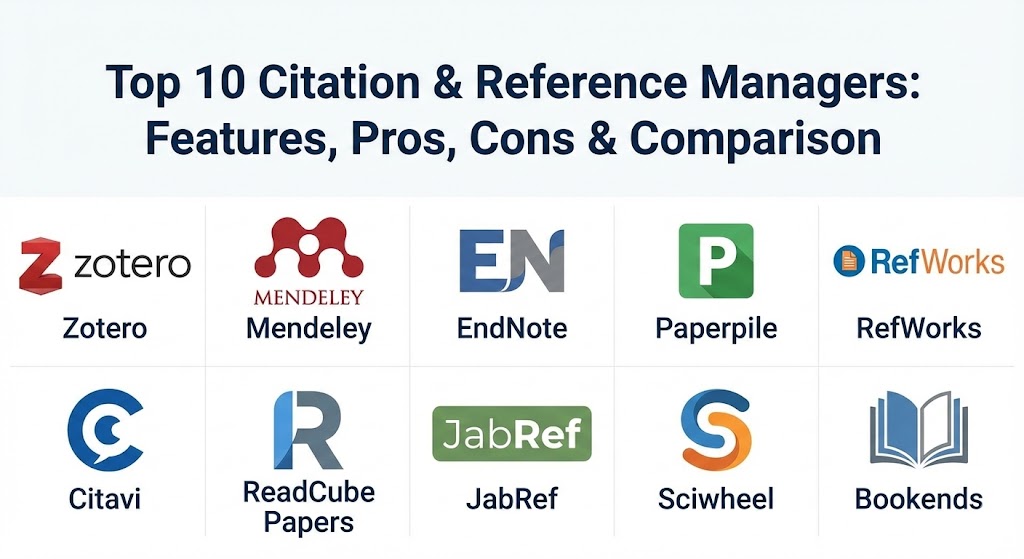
Top 10 Citation & Reference Managers
1 — Zotero
Zotero is a powerful, open-source reference manager designed for researchers, students, and academics who prioritize flexibility and data ownership. It is widely regarded as the “gold standard” for those who want a tool that is free (with paid storage options) and highly customizable through a vast ecosystem of community-developed plugins.
- Key features:
- Automatic reference capture directly from web browsers with “one-click” saving.
- Advanced PDF management, including automatic file renaming and full-text indexing.
- Support for over 10,000 citation styles via the Citation Style Language (CSL).
- Powerful synchronization that allows access to your library across multiple computers.
- Collaborative group libraries for sharing sources and annotations with teams.
- “Cite While You Write” plugins for Microsoft Word, LibreOffice, and Google Docs.
- Extensive community plugin support (e.g., ZotFile for tablet syncing).
- Pros:
- It is open-source and non-profit, ensuring your data is not locked into a proprietary corporate ecosystem.
- The browser connector is arguably the most reliable and intelligent in the industry.
- Cons:
- The base storage limit (for syncing files) is relatively small, requiring a subscription for large PDF libraries.
- The user interface can feel a bit “classic” or dated compared to modern SaaS applications.
- Security & compliance: GDPR compliant, utilizes end-to-end encryption for synchronization, and allows for completely local (offline) storage.
- Support & community: Exceptional documentation; extremely active community forums where developers frequently interact with users; no formal enterprise phone support.
2 — Mendeley
Mendeley, owned by the publishing giant Elsevier, is a comprehensive reference manager that doubles as an academic social network. It is designed for researchers who need a streamlined, modern experience with strong cross-platform synchronization and social discovery features.
- Key features:
- Intelligent metadata extraction that automatically pulls citation info from dropped PDFs.
- Cloud-based synchronization that ensures your library is identical on web and desktop.
- Mendeley Cite, a modern add-in for Microsoft Word that works across devices.
- Private group collaboration allowing up to 25 members to share and annotate PDFs.
- Research discovery tools that suggest new papers based on your current library.
- Integrated PDF viewer with highlighting and sticky-note capabilities.
- Web Importer tool to save references while browsing.
- Pros:
- Offers a very generous 2GB of free cloud storage, which is higher than most competitors.
- The “suggest” feature is excellent for discovering relevant literature you might have missed.
- Cons:
- Integration with Google Docs is significantly weaker than its Microsoft Word counterpart.
- Owned by Elsevier, which can be a point of contention for researchers who prefer open-access advocates.
- Security & compliance: ISO 27001 certified, GDPR compliant, and utilizes secure SSO for institutional logins.
- Support & community: High-quality official support hub; extensive video tutorials; a large global user base but limited community-driven customization.
3 — EndNote
EndNote is the industry powerhouse, often provided by large research institutions and universities. It is a premium, enterprise-grade tool built for researchers who require maximum control over massive libraries (tens of thousands of references) and highly complex citation styles.
- Key features:
- “Cite While You Write” for Microsoft Word, Apple Pages, and Google Docs.
- Advanced library sharing with permissions for up to 400 collaborators.
- Powerful “Journal Matching” tool that suggests the best journals for your manuscript.
- Automated full-text PDF searching and attachment for your entire library.
- Sophisticated reference organization with “Smart Groups” and hierarchical tagging.
- Unlimited cloud storage with the premium version.
- Dedicated iPad application for mobile research and annotation.
- Pros:
- The most powerful citation style editor on the market; if a style exists, EndNote can handle it.
- Robust performance when handling extremely large libraries that might crash lighter tools.
- Cons:
- It is the most expensive tool on this list, with a high upfront cost or subscription.
- The learning curve is steep, requiring significant time to master its advanced features.
- Security & compliance: SOC 2 compliant, HIPAA ready (for medical researchers), and supports enterprise-level SSO.
- Support & community: Professional 24/5 customer support; formal training certifications; extensive webinars and institutional workshops.
4 — Paperpile
Paperpile is a modern, cloud-native reference manager built specifically for the Google ecosystem. It is designed for researchers who do most of their work in the Chrome browser and write primarily in Google Docs.
- Key features:
- Seamless integration with Google Drive for PDF storage and organization.
- Lightweight Chrome extension for importing references from PubMed, ArXiv, and Google Scholar.
- Native, high-performance “Cite While You Write” for Google Docs.
- Automatic metadata cleanup that fixes broken or incomplete reference data.
- Support for shared folders for team collaboration.
- PDF annotation tools that work directly in the browser.
- Recently added support for Microsoft Word via a dedicated desktop app.
- Pros:
- The fastest and most “invisible” workflow for Google Docs users.
- Very affordable pricing model, making it a favorite for independent scholars.
- Cons:
- Heavily dependent on the Google Chrome browser and Google ecosystem.
- Lacks some of the deep “offline” database capabilities of EndNote or Zotero.
- Security & compliance: GDPR compliant, utilizes Google’s secure authentication infrastructure, and does not store your passwords.
- Support & community: Very responsive email support; clear, visual documentation; active and transparent roadmap on their community forum.
5 — RefWorks
RefWorks is a purely web-based reference management solution, often managed at the institutional level by university libraries. It focuses on accessibility and ease of use, ensuring students can access their research from any computer without installing software.
- Key features:
- 100% cloud-based; nothing to install except a small browser plugin.
- Institutional central management, allowing libraries to push specific styles to students.
- RefWorks Citation Manager (RCM) for seamless Word and Google Docs integration.
- Multi-language support for international research teams.
- Direct export from hundreds of academic databases and library catalogs.
- PDF viewer with collaborative annotation features.
- Simple “drag-and-drop” PDF importing with metadata extraction.
- Pros:
- Zero-maintenance for the user; everything is updated and managed in the cloud.
- Excellent for university-wide deployments where IT support is centralized.
- Cons:
- Offline access is limited, which can be a dealbreaker for travelers.
- Some users find the web interface to be slower than native desktop applications.
- Security & compliance: ISO 27001, GDPR, and Section 508 (Accessibility) compliant.
- Support & community: Backed by Ex Libris (ProQuest) with comprehensive institutional support and training materials.
6 — Citavi
Citavi is unique because it is more than just a reference manager—it is a “knowledge organizer.” It is designed for researchers who want to manage not just their sources, but their thoughts, outlines, and task lists in one integrated environment.
- Key features:
- Knowledge Organizer for managing quotations, ideas, and insights.
- Integrated task planner for tracking research deadlines and milestones.
- Powerful outline generator that helps you structure your paper before you write.
- Support for searching thousands of library catalogs directly within the software.
- Advanced PDF annotation that links specific quotes to your knowledge base.
- Team collaboration with cloud or local server storage options.
- Comprehensive citation style support.
- Pros:
- Unrivaled for the “thinking and outlining” phase of a major project like a dissertation.
- The task management feature is built specifically for academic workflows.
- Cons:
- Historically Windows-focused, though a web version is now available for Mac users.
- Can feel “over-engineered” if you only need a simple list of references.
- Security & compliance: GDPR compliant, offers on-premise server options for high-security environments, and ISO certified.
- Support & community: High-quality professional support; detailed manual; and an active user community in Europe.
7 — ReadCube Papers
ReadCube Papers (often just called “Papers”) focuses on the reading experience. It is designed for researchers who want a beautiful, high-tech interface that prioritizes PDF discovery, reading, and intelligent recommendations.
- Key features:
- “Enhanced PDF” reader that overlays supplemental data and hyperlinked citations.
- SmartCite tool for Word and Google Docs with support for 9,000+ styles.
- Personalized recommendations that suggest new articles based on your reading habits.
- Browser-based syncing across desktop, web, and mobile (iOS/Android).
- Automated metadata matching with a proprietary database of over 100 million articles.
- Team libraries with unlimited storage in the enterprise version.
- Cross-platform tags and “smart lists” for dynamic organization.
- Pros:
- Offers the best reading experience on tablets and mobile devices.
- The “Enhanced PDF” feature significantly speeds up the process of checking a paper’s citations.
- Cons:
- It is a subscription-only service; there is no permanent free tier.
- Some users find the automated metadata matching to be occasionally over-eager.
- Security & compliance: SOC 2 Type II compliant, GDPR, and HIPAA ready.
- Support & community: 24/7 priority support for teams; extensive video library; and a polished, professional support site.
8 — JabRef
JabRef is the premier tool for the LaTeX community. It is an open-source, cross-platform manager that uses BibTeX as its native file format, making it the natural choice for mathematicians, engineers, and computer scientists.
- Key features:
- Native BibTeX and BibLaTeX support; your database is a simple text file.
- Powerful citation key generator for customized, consistent keys.
- Integration with external editors like Emacs, TeXstudio, Vim, and WinEdt.
- Advanced search and filter functions based on LaTeX syntax.
- Metadata fetching based on DOI, ISBN, and PubMed ID.
- Completely offline-first design with optional SQL database syncing for teams.
- Support for managing 20 different types of attachments per entry.
- Pros:
- Completely free and highly customizable via Java-based extensibility.
- Perfect for version control (like Git) because the library is a simple text file.
- Cons:
- Not suitable for users of Microsoft Word or Google Docs (unless using specialized plugins).
- Requires a technical mindset and familiarity with BibTeX syntax.
- Security & compliance: Open-source transparency, local-first data storage, and GDPR compliant.
- Support & community: Strong GitHub-based community; detailed user documentation; very popular in the STEM fields.
9 — Sciwheel
Sciwheel (formerly F1000Workspace) is a cloud-based manager that focuses on collaboration and research discovery, particularly in the life sciences. It is built to be intuitive and fast, with a focus on streamlining the writing process.
- Key features:
- Web-based interface with a highly responsive browser extension.
- “Smart Citation” suggestions that appear as you type in Google Docs or Word.
- Ability to highlight and comment on web pages, not just PDFs.
- Shared projects with real-time collaborative annotation.
- Integration with Slack and other communication tools for teams.
- Automated daily recommendations of new papers in your field.
- Simple mobile app for reading on the go.
- Pros:
- The citation suggestion engine is remarkably accurate at predicting what you want to cite.
- The browser extension handles web-based sources better than many legacy tools.
- Cons:
- The mobile application is somewhat basic compared to ReadCube or EndNote.
- Pricing can be high for individual users not covered by an institution.
- Security & compliance: GDPR compliant, SOC 2 ready, and utilizes high-grade encryption for all data transfers.
- Support & community: Efficient in-app chat support; comprehensive onboarding guides for new researchers.
10 — Bookends
Bookends is a long-standing favorite specifically for the macOS ecosystem. It is a robust, high-performance reference manager designed for Mac power users who want deep integration with the Apple operating system.
- Key features:
- Native macOS application with support for Apple Silicon and iCloud sync.
- Integrated web search for dozens of academic databases within the app.
- Support for “Static Groups” and “Smart Groups” (similar to Apple Music).
- Advanced “live” formatting of citations as you write in Word or Mellel.
- Powerful PDF annotation and organizing tools.
- Highly customizable “Term Lists” for consistent journal and author names.
- Dedicated iOS app that syncs perfectly via iCloud.
- Pros:
- Extremely fast and responsive on Mac hardware; no “Java lag” or web latency.
- One-time purchase option available, which many users prefer over subscriptions.
- Cons:
- Strictly for macOS and iOS; no Windows or Linux support.
- The interface, while powerful, has a traditional “utility” feel that may overwhelm beginners.
- Security & compliance: Utilizes Apple’s secure iCloud infrastructure for data storage and syncing.
- Support & community: Exceptionally fast developer response times; very loyal “Mac-centric” user community.
Comparison Table
| Tool Name | Best For | Platform(s) Supported | Standout Feature | Rating (G2 / Gartner) |
| Zotero | Open-source advocates | Win, Mac, Linux, iOS | Community Plugins | 4.5 / 5 |
| Mendeley | Collaborative teams | Win, Mac, Web | Discovery Engine | 4.3 / 5 |
| EndNote | Enterprise researchers | Win, Mac, iOS | Style Customization | 4.1 / 5 |
| Paperpile | Google Docs users | Chrome, Web, iOS, Android | Drive Integration | 4.7 / 5 |
| RefWorks | University students | Web-based | Library Integration | 4.0 / 5 |
| Citavi | Knowledge management | Win, Web | Thought Organizer | 4.6 / 5 |
| ReadCube Papers | Mobile reading | Win, Mac, iOS, Android | Enhanced PDF | 4.8 / 5 |
| JabRef | LaTeX / STEM users | Win, Mac, Linux | Native BibTeX | 4.5 / 5 |
| Sciwheel | Life Sciences | Web, Win, Mac, Mobile | AI Suggestions | 4.4 / 5 |
| Bookends | macOS power users | Mac, iOS | macOS Native Speed | 4.7 / 5 |
Evaluation & Scoring of Citation & Reference Managers
When selecting a tool, it is essential to weight your specific needs. A student might prioritize “Ease of Use,” while a research lab might prioritize “Security & Compliance.”
| Criteria | Weight | Evaluation Notes |
| Core Features | 25% | Metadata extraction, citation style volume, and “Cite While You Write” reliability. |
| Ease of Use | 15% | Intuitiveness of the interface and the speed of the onboarding process. |
| Integrations | 15% | Support for Word, Google Docs, LaTeX, and mobile synchronization. |
| Security & Compliance | 10% | Encryption standards, GDPR/HIPAA compliance, and institutional SSO support. |
| Reliability | 10% | Stability of the sync engine and performance under heavy library loads. |
| Support & Community | 10% | Quality of documentation and availability of customer or community help. |
| Price / Value | 15% | Free tiers vs subscription costs relative to the features provided. |
Which Citation & Reference Manager Tool Is Right for You?
The decision-making process should be driven by your writing environment and your budget.
- Solo Users vs. Enterprise: If you are a solo researcher, Zotero or Paperpile offer the most control for the lowest price. For large labs or medical departments, EndNote or RefWorks are better suited for managing hundreds of institutional licenses and ensuring security compliance.
- Budget-Conscious vs. Premium: Zotero and JabRef are the leaders for those on a $0 budget. If you are willing to pay for a “premium” experience, ReadCube Papers and Sciwheel provide the most modern, polished interfaces that save time through AI-driven automation.
- Google Docs vs. Microsoft Word: This is a critical divide. If you live in Google Docs, Paperpile is the clear winner. If you are a hardcore Word user, EndNote or Mendeley offer the most robust, long-standing plugins.
- Feature Depth vs. Ease of Use: If you just want to “save a PDF and cite it,” Mendeley is very beginner-friendly. If you want to “outline a 500-page book with cross-referenced notes and task lists,” Citavi is the only tool that can truly handle that level of complexity.
- Security & Compliance: For researchers handling sensitive patient data or proprietary industrial secrets, EndNote and Citavi (on-premise) provide the highest levels of enterprise-grade security and compliance documentation.
Frequently Asked Questions (FAQs)
1. Can I switch from one reference manager to another later?
Yes. Almost all reference managers support exporting your library as a .RIS or .BibTeX file. You can simply export from one and import into another, although you may need to re-link your PDFs manually in some cases.
2. Is it safe to store my references in the cloud?
Most reputable tools use high-level encryption for their cloud sync. However, if you are working with classified or highly sensitive data, tools like Zotero, JabRef, or Citavi Desktop allow you to keep your library entirely offline.
3. Do these tools work with Google Scholar?
Yes, most have a browser extension that recognizes when you are on a Google Scholar results page and allows you to import multiple references at once with a single click.
4. What happens if I stop paying for a subscription?
This varies. With Mendeley, your data is still accessible, but you can’t add more files once you hit the limit. With ReadCube Papers, your account usually reverts to a “read-only” mode where you can view but not add or cite new sources.
5. How do these tools handle duplicates?
The best tools, like Zotero and EndNote, have built-in “Duplicate Detection” features that scan your library for identical titles or DOIs and allow you to merge them into a single, clean entry.
6. Do I need an internet connection to use a reference manager?
Most desktop apps (Zotero, EndNote, Mendeley Desktop) work perfectly fine offline. You only need the internet to sync across devices or to search for new references online.
7. Can I create my own citation style if it’s not in the list?
Yes, but it varies by tool. EndNote has a very powerful (though complex) style editor. Zotero and Paperpile use the CSL editor, which is an open-web standard for creating styles.
8. Are reference managers compatible with tablets (iPad/Android)?
EndNote, ReadCube Papers, and Zotero have high-quality, native tablet apps. Others, like Paperpile, have web-based viewers that work well in mobile browsers.
9. Why should I use a manager instead of Word’s built-in citation tool?
Microsoft Word’s built-in tool is very basic. It cannot store PDFs, it doesn’t have a web importer, and it doesn’t automatically update your library when new articles are published. A dedicated manager is far more powerful for real research.
10. Do I still need to check the references manually?
Yes! While these tools are 99% accurate, metadata from websites can sometimes be messy. You should always do a final “sanity check” to ensure names and dates are correctly capitalized and formatted.
Conclusion
Choosing a citation and reference manager is one of the most important infrastructure decisions a researcher can make. While Zotero wins on flexibility and EndNote wins on sheer power, the “best” tool is ultimately the one that integrates most seamlessly into your existing writing habits. Whether you prioritize the AI-driven discovery of Sciwheel, the reading experience of ReadCube Papers, or the open-source purity of JabRef, the goal remains the same: to get the software out of the way so you can focus on the research itself.