Introduction
Writing assistance tools encompass a broad category of software designed to improve the quality, clarity, and effectiveness of written communication. These solutions range from real-time grammar and style editors to generative AI platforms that can draft entire documents based on a few prompts. In a digital-first economy, these tools are vital because they bridge the gap between “having an idea” and “communicating it effectively,” ensuring that language barriers or grammatical slips do not undermine professional credibility.
Key real-world use cases include marketing teams scaling content production without losing brand consistency, non-native speakers communicating with native-level fluency in corporate environments, and novelists using AI to overcome writer’s block. When evaluating these tools, users should look for contextual accuracy, platform versatility (mobile vs. desktop), security of data, and the ability to integrate seamlessly with existing workflows like Slack, Google Docs, or Microsoft Word.
Best for: Professional writers, marketing agencies, corporate communications teams, students, and non-native English speakers. It is especially beneficial for large enterprises that need to enforce a unified “Brand Voice” across thousands of employees.
Not ideal for: Purely analog writers or those in highly sensitive, “air-gapped” environments where any cloud-based data transmission is strictly prohibited. It may also be overkill for casual, personal journaling where stylistic perfection is not a priority.
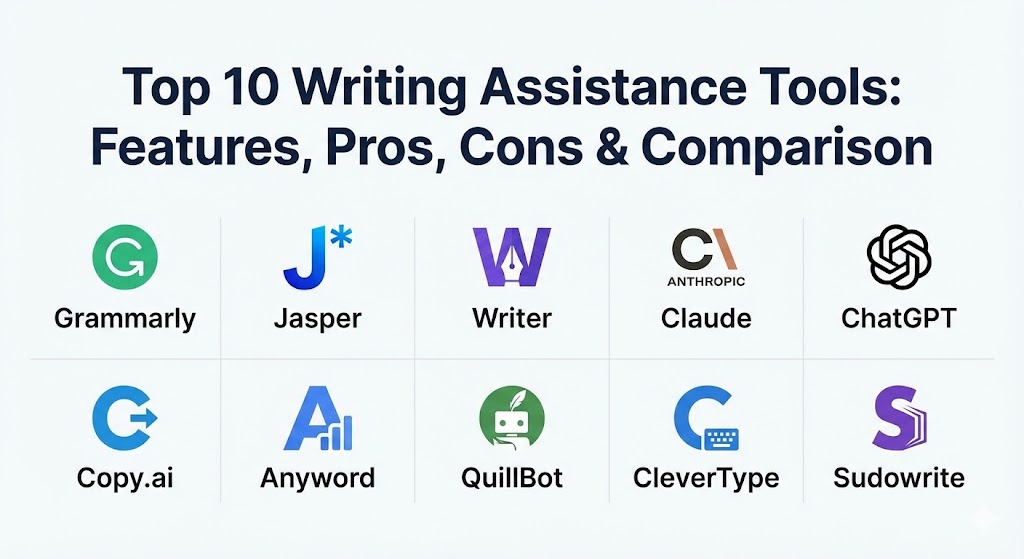
Top 10 Writing Assistance Tools
1 — Grammarly
Grammarly remains the undisputed heavyweight of the industry. In 2026, it has transitioned from a reactive correction tool to a proactive writing partner that anticipates a user’s intent across every digital interface.
- Key features:
- Real-time grammar, punctuation, and contextual spelling corrections.
- Advanced tone detection and “Tone Rewrite” suggestions to shift from formal to casual.
- Grammarly Business “Brand Voice” rules for enterprise-wide consistency.
- Integrated generative AI (GrammarlyGO) for brainstorming and drafting.
- Plagiarism checker with a database of billions of web pages.
- Comprehensive writing statistics and readability scores.
- Pros:
- Unmatched platform availability (browser, desktop, mobile, and deep integrations).
- Highly accurate suggestions that understand the nuance of professional versus creative writing.
- Cons:
- The generative AI features can sometimes feel “bolted on” compared to native AI writers.
- Premium and Business tiers are significantly more expensive than basic competitors.
- Security & compliance: SOC 2 Type II, GDPR, HIPAA, and ISO 27001 compliant. Data is encrypted in transit and at rest.
- Support & community: Extensive knowledge base, 24/7 email support, and a massive community of over 30 million users.
2 — Jasper
Jasper is the premier choice for marketing teams. It is built specifically to help brands create high-performance content at scale while ensuring every word feels like it was written by their internal team.
- Key features:
- Brand Voice training: Upload company assets to teach the AI your specific style.
- “Campaigns” feature to generate multi-channel content (ads, blogs, emails) from one brief.
- Integration with Surfer SEO for real-time search engine optimization.
- 50+ templates for specific use cases like Amazon listings or YouTube scripts.
- Team collaboration folders and permission management.
- Image generation (Jasper Art) to accompany written content.
- Pros:
- The best tool for maintaining a specific, consistent brand persona across multiple writers.
- Streamlines the entire content lifecycle from brainstorming to SEO optimization.
- Cons:
- Steeper learning curve due to the sheer number of features and templates.
- Expensive for solo users compared to general-purpose AI tools.
- Security & compliance: SOC 2 Type II compliant; offers isolated data environments for enterprise customers.
- Support & community: Active “Jasper Academy” for training, a vibrant Facebook community, and dedicated account managers for Enterprise.
3 — Writer
Writer is an enterprise-grade platform that prioritizes compliance, security, and data transparency. It is the “safe” choice for regulated industries like finance, healthcare, and law.
- Key features:
- Self-hosted LLM options for organizations that cannot use public cloud AI.
- “Knowledge Graph” to connect the AI to your internal company data securely.
- Inclusive language and legal compliance checks.
- Snippets library for pre-approved, reusable company messaging.
- Detailed analytics on brand voice adherence across departments.
- Custom “App” builder for specific internal writing workflows.
- Pros:
- Does not train its public models on your data, ensuring total intellectual property protection.
- Deeply customizable style guides that go far beyond basic grammar.
- Cons:
- Minimum seat requirements make it inaccessible for very small teams or solo users.
- The interface is geared toward admins and managers, not just creative writers.
- Security & compliance: HIPAA, PCI DSS, SOC 2 Type II, GDPR, and Privacy Shield.
- Support & community: High-touch onboarding, professional services for custom model tuning, and enterprise-level SLA support.
4 — Claude (by Anthropic)
Claude has emerged as the “writer’s AI.” Known for its long context window and remarkably human-sounding prose, it is the tool of choice for those who find other AIs too robotic or formulaic.
- Key features:
- 200k+ context window (capable of processing entire books in seconds).
- Sophisticated reasoning and nuance that avoids typical AI clichés.
- “Artifacts” window for real-time editing of code, documents, and websites.
- Ability to ingest images, PDFs, and charts for data-heavy writing.
- Multi-language fluency with a high degree of cultural nuance.
- Constitutional AI framework for safer, more ethical outputs.
- Pros:
- Produces the most “human” and creative output among general-purpose models.
- Excellent at following complex, multi-step stylistic instructions.
- Cons:
- Lacks a built-in grammar checker or real-time editor like Grammarly.
- Mobile experience is primarily web-based or through a limited app.
- Security & compliance: SOC 2 Type II compliant; data deletion policies for Pro and Enterprise users.
- Support & community: Extensive developer documentation and a growing community of “prompt engineers.”
5 — ChatGPT (OpenAI)
ChatGPT is the most versatile tool on the list. While not a dedicated writing assistant in the traditional sense, its “GPTs” (custom assistants) allow users to build their own specialized writing editors.
- Key features:
- Massive library of custom GPTs specialized for specific writing tasks.
- Voice mode for dictating and brainstorming out loud.
- Advanced data analysis for summarizing spreadsheets into reports.
- Web browsing capabilities for real-time fact-checking and research.
- DALL-E integration for visual storytelling.
- Support for nearly every language and coding format.
- Pros:
- The most powerful and flexible tool for a wide range of tasks beyond just writing.
- Huge user base means there are endless community-made templates and prompts.
- Cons:
- Can produce repetitive or generic “AI-sounding” text if not prompted carefully.
- Lacks native “in-line” editing tools for Word or Google Docs.
- Security & compliance: SOC 2, SOC 3, GDPR, CCPA, and Enterprise-tier data privacy controls.
- Support & community: Extensive help center, global user forums, and a massive ecosystem of third-party tutorials.
6 — Copy.ai
Copy.ai has shifted its focus toward “GTM (Go-to-Market) Automation,” helping sales and marketing teams automate the repetitive writing tasks that clog their workflows.
- Key features:
- “Workflows” to automate tasks like turning a webinar into a blog post and 10 social tweets.
- Infobase: A central repository for company facts and product details.
- Multi-language support for global marketing localized by region.
- Brand Voice consistency across all generated assets.
- Direct integrations with CRM tools like Salesforce and HubSpot.
- Pros:
- The best tool for high-volume, repetitive marketing and sales copy.
- The workflow automation saves hours of manual “copy-pasting” between apps.
- Cons:
- Less focused on “long-form” quality compared to Claude or Jasper.
- Can feel a bit “template-heavy” for users who want complete creative freedom.
- Security & compliance: SOC 2 Type II and GDPR compliant.
- Support & community: Excellent onboarding videos, weekly webinars, and a responsive chat support team.
7 — Anyword
Anyword is the “data-driven” writing assistant. It uses predictive analytics to tell you how well your copy will perform before you ever hit “publish.”
- Key features:
- Predictive Performance Score for ads, emails, and website copy.
- Target Audience Personas: Tailor content for “C-Suite” vs. “Gen Z” specifically.
- Continuous optimization: Connects to your ad accounts to learn what works.
- Data-backed “Brand Rules” to enforce specific phrasing.
- Meta and Google Ad policy checker to avoid account bans.
- Pros:
- Removes the guesswork from marketing by providing a numerical score for copy effectiveness.
- Excellent for performance marketers who care about CTR and conversion rates above all.
- Cons:
- The interface is very clinical and analytical; not great for “soulful” writing.
- One of the higher price tags in the mid-market segment.
- Security & compliance: Enterprise-level security protocols and GDPR compliance.
- Support & community: Focuses on one-on-one strategy sessions for high-tier customers.
8 — QuillBot
QuillBot is the premier choice for students, academics, and researchers. It specializes in paraphrasing and summarizing complex information.
- Key features:
- Seven distinct paraphrasing modes (Standard, Fluency, Creative, etc.).
- Integrated Citation Generator for APA, MLA, and Chicago styles.
- Co-Writer: An all-in-one environment for research, note-taking, and drafting.
- Translator supporting 30+ languages.
- Summarizer that turns long articles into digestible bullet points.
- Pros:
- Extremely affordable; often the “budget king” for students.
- The “Fluency” mode is exceptional for non-native speakers to polish their drafts.
- Cons:
- Limited generative AI capabilities compared to Jasper or ChatGPT.
- The free version is quite restricted in terms of character count.
- Security & compliance: GDPR compliant. Not suitable for high-security enterprise data.
- Support & community: Helpful student-focused blog and a very active YouTube channel for tutorials.
9 — CleverType
CleverType has carved out a niche as the leading “Mobile-First” writing assistant. It integrates directly into the smartphone keyboard, providing AI power everywhere you type.
- Key features:
- AI Keyboard: Real-time grammar and tone adjustment in WhatsApp, Slack, and Email.
- Instant translation in 40+ languages directly from the keyboard.
- Smart reply features for quick responses on social media.
- Custom “AI Assistants” for different mobile contexts (Work vs. Personal).
- Voice-to-text with advanced GPT-4o transcription accuracy.
- Pros:
- The only tool on this list that treats mobile as the primary, rather than secondary, platform.
- Seamless—you don’t have to switch apps to get AI assistance.
- Cons:
- Not suitable for long-form document creation on a desktop.
- Privacy-conscious users may be wary of a third-party keyboard app.
- Security & compliance: Encryption for all keystrokes; does not store sensitive passwords/bank info.
- Support & community: Primarily community-driven through app store feedback and a dedicated subreddit.
10 — Sudowrite
Sudowrite is the outlier: it is designed specifically for fiction writers. While other tools focus on “clarity,” Sudowrite focuses on “description” and “creativity.”
- Key features:
- “Describe” feature: Adds sensory details (sight, sound, smell) to any sentence.
- Story Engine: Generates thousands of words based on a plot outline.
- Character and World-Building brainstorming tools.
- “Rewrite” function to change the pace or intensity of a scene.
- Canvas: A visual mapping tool for plotting complex novels.
- Pros:
- The only tool that understands the “show, don’t tell” rule of creative writing.
- Invaluable for genre writers (Sci-Fi, Romance, Thriller) needing specialized tropes.
- Cons:
- Useless for business, technical, or academic writing.
- Can lead to “lazy writing” if authors rely too heavily on the generative engine.
- Security & compliance: Basic GDPR compliance; no enterprise-grade security focus.
- Support & community: Extremely tight-knit community of novelists on Discord and Slack.
Comparison Table
| Tool Name | Best For | Platform(s) Supported | Standout Feature | Rating (Gartner/TrueReview) |
| Grammarly | Professional Clarity | Web, Desktop, Mobile | Tone Rewriting | 4.6 / 5 |
| Jasper | Marketing Teams | Web, Browser Ext. | Brand Voice Training | 4.7 / 5 |
| Writer | Enterprise Security | Web, Desktop, API | Knowledge Graph | 4.3 / 5 |
| Claude | High-Quality Prose | Web, API | Context Window (200k) | 4.5 / 5 |
| ChatGPT | Versatility | Web, Mobile, App | Custom GPTs | 4.7 / 5 |
| Copy.ai | GTM Automation | Web | Workflow Automation | 4.4 / 5 |
| Anyword | Data-Driven Ads | Web | Performance Scoring | 4.5 / 5 |
| QuillBot | Students / Academics | Web, Browser Ext. | Paraphrasing Modes | 4.5 / 5 |
| CleverType | Mobile Users | iOS, Android | AI Keyboard | 4.4 / 5 |
| Sudowrite | Fiction Writers | Web | Sensory Descriptions | 4.6 / 5 |
Evaluation & Scoring of Writing Assistance Tools
To determine which tool offers the most value, we have evaluated them across seven key metrics, weighted by their importance to a professional workflow.
| Criteria | Weight | Evaluation Notes |
| Core Features | 25% | Grammar accuracy, tone detection, and generative drafting capabilities. |
| Ease of Use | 15% | Intuitiveness of the UI and the smoothness of the onboarding process. |
| Integrations | 15% | Compatibility with Google Docs, Word, Slack, and browsers. |
| Security | 10% | Enterprise readiness, data encryption, and compliance certifications. |
| Reliability | 10% | Consistency of output and uptime of the AI models. |
| Support | 10% | Quality of documentation and responsiveness of the help team. |
| Price / Value | 15% | Affordability relative to the feature set and ROI for businesses. |
Which Writing Assistance Tool Is Right for You?
Selecting the right tool depends on your role, your environment, and your ultimate goals for your text.
- Solo Users vs. SMB vs. Mid-Market vs. Enterprise:
- Solo users should look at Grammarly or ChatGPT for their general-purpose versatility.
- SMBs and Mid-Market firms usually find the best ROI with Jasper or Copy.ai for content marketing.
- Enterprises with strict legal requirements must choose Writer to ensure their data isn’t used to train public models.
- Budget-Conscious vs. Premium Solutions:
- If budget is tight, QuillBot or the free tier of ChatGPT are powerful enough for 90% of basic needs.
- If time is money, the premium price of Jasper or Anyword pays for itself through increased conversion rates and faster drafting.
- Feature Depth vs. Ease of Use:
- CleverType and Grammarly offer “low-friction” experiences—they help you where you already type.
- Sudowrite and Claude require more active “prompting” and effort but produce much deeper, more creative results.
- Security and Compliance:
- Never use basic consumer tools for sensitive corporate data. Always verify that your chosen tool offers a DPA (Data Processing Agreement) and complies with SOC 2 standards.
Frequently Asked Questions (FAQs)
1. Are writing assistance tools truly accurate?
In 2026, they are highly accurate for grammar and style, but they still hallucinate facts. Always verify citations, dates, and names provided by generative AI tools.
2. Will using these tools make me a worse writer?
On the contrary, most users find that seeing constant suggestions helps them recognize their own bad habits, eventually making them more conscious of clarity and tone even when writing without the tool.
3. Are these tools safe for confidential content?
Only if you use “Enterprise” or “Business” tiers. Consumer versions of free AI tools often use your data for training purposes. Tools like Writer are specifically designed for high-confidentiality environments.
4. Can I use these for academic writing?
Yes, but with caution. QuillBot is excellent for refining your own ideas, but using generative AI to write your entire thesis is considered plagiarism by most universities. Always check your institution’s specific policy.
5. Which tool is best for non-native speakers?
Grammarly and QuillBot are exceptional for non-native speakers. They provide context as to why a certain change is suggested, which serves as a real-time language tutor.
6. Do these tools work on mobile phones?
Yes. While most have mobile apps, CleverType is the only one that replaces your keyboard to work inside every single app you use on your phone.
7. How do “Brand Voice” features work?
You upload examples of your previous writing. The AI analyzes your sentence length, vocabulary, and tone to create a “digital twin” of your writing style for all future content.
8. Is there a difference between AI writing and an MFT tool?
Yes. AI writing assistants create or edit content. MFT (Managed File Transfer) tools move that content securely between systems. They are entirely different software categories.
9. Can these tools write in different languages?
Most modern tools like ChatGPT, Claude, and CleverType support over 40+ languages with high degrees of grammatical accuracy.
10. What is the biggest mistake people make with these tools?
The “Set it and Forget it” approach. The most successful users treat these tools as assistants, not replacements. Always do a final “human pass” to add personality and verify accuracy.
Conclusion
The “best” writing assistance tool doesn’t exist in a vacuum—it only exists in relation to your specific needs. If you are a marketer, Jasper is your champion. If you are a corporate admin, Writer is your shield. If you are simply looking to be clearer in your daily emails, Grammarly remains the gold standard. As we move deeper into 2026, the competitive advantage will go to those who learn to wield these tools with nuance, using the AI to handle the “bricks” while they provide the “architecture.”