Introduction
Terminology Management Tools, often referred to as Termbase Systems (TBS), act as a centralized, “source of truth” database for an organization’s linguistic assets. Unlike a simple dictionary, these tools store “concepts” rather than just words. Each entry in a TMT might include the approved term, its definition, forbidden synonyms (to avoid brand dilution), usage examples, and translations into dozens of languages.
The importance of these tools is multi-faceted. In highly regulated sectors like medical devices, aerospace, or legal services, a mistranslated term can lead to regulatory rejection, multi-million dollar fines, or even safety hazards. In marketing, inconsistency creates consumer confusion and weakens brand identity. By automating “active term recognition,” these tools alert translators and content creators in real-time if they are using an outdated or incorrect term. When evaluating TMTs, organizations should look for concept-oriented modeling, robust workflow approval processes, deep integration with Computer-Assisted Translation (CAT) tools, and the ability to scale as the company’s language portfolio grows.
Best for: Language Service Providers (LSPs), global enterprises with large technical documentation needs, marketing departments in multinational corporations, and organizations in highly regulated industries (Healthcare, Legal, Finance).
Not ideal for: Small businesses with single-language operations or organizations that rarely translate content. For these users, a simple, well-maintained spreadsheet or a basic shared glossary in a cloud document may be more than sufficient.
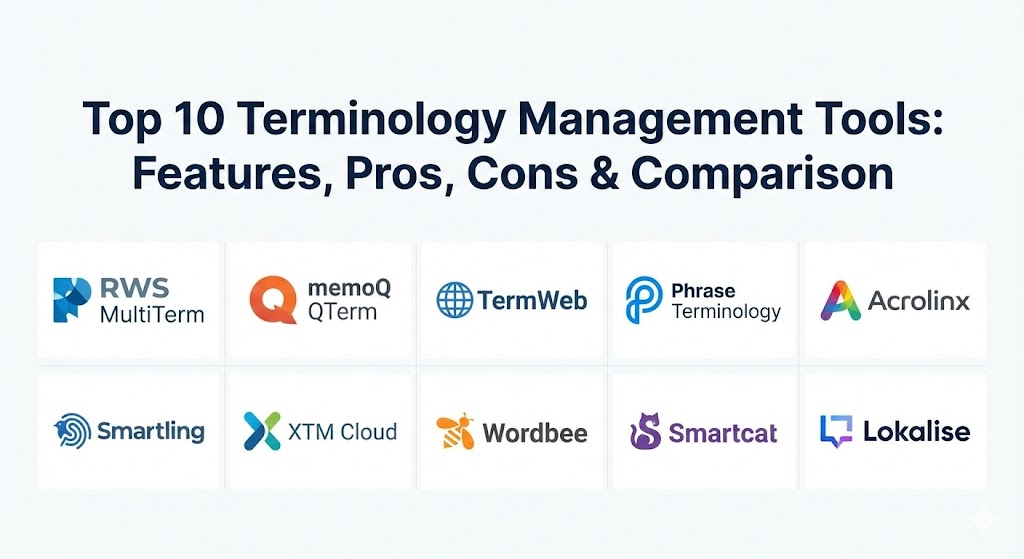
Top 10 Terminology Management Tools
1 — RWS MultiTerm
RWS MultiTerm (formerly SDL MultiTerm) is widely considered the “gold standard” and the most mature terminology management solution in the translation industry. It is designed for professional terminologists and large-scale enterprises that require a highly structured, concept-oriented database.
- Key features:
- Concept-oriented database structure (one entry per concept, multiple terms).
- Seamless integration with Trados Studio and RWS Language Cloud.
- Highly customizable entry templates with support for unlimited metadata.
- Advanced search capabilities including fuzzy, wildcard, and synonym matching.
- Support for multimedia attachments (images, audio) within term entries.
- Collaborative workflows with role-based access controls for global teams.
- Desktop and server-based deployment options.
- Pros:
- Unrivaled flexibility in how data can be structured and categorized.
- The most widely supported format (SDLTB) across other translation tools.
- Cons:
- Significant learning curve; the interface can be intimidating for non-experts.
- The desktop version can feel heavy and slower compared to modern cloud-first tools.
- Security & compliance: ISO 27001, SOC 2, and GDPR compliant; supports SSO and encrypted data storage.
- Support & community: Extensive documentation, dedicated RWS University training courses, and a massive global community of certified professionals.
2 — memoQ QTerm
QTerm is the high-end terminology management module integrated into the memoQ TMS (Translation Management System). It is designed to turn simple glossaries into sophisticated, collaborative linguistic assets.
- Key features:
- Web-based interface for easy access by non-translators (subject matter experts).
- Concept-based structure allowing for rich metadata and usage notes.
- Real-time terminology suggestions directly within the memoQ editor.
- Customizable layouts to show different information to different user roles.
- Terminology extraction tool to identify new terms from existing documents.
- History tracking for every change made to a termbase entry.
- Pros:
- Excellent balance between professional-grade depth and a modern, usable interface.
- The “In-country review” workflow is particularly strong for local market approval.
- Cons:
- Requires a memoQ TMS license to unlock its full potential.
- Initial configuration of custom fields can be time-consuming for large datasets.
- Security & compliance: HIPAA and GDPR compliant; supports private cloud and on-premises deployments.
- Support & community: Excellent customer support with rapid response times; active user community on social platforms and forums.
3 — TermWeb (by Interverbum Tech)
TermWeb is a specialized, web-based terminology management system that focuses on making terminology accessible across the entire enterprise, not just the translation department.
- Key features:
- 100% web-based architecture requiring no local installation.
- Deep integration with authoring tools like Adobe InDesign, MS Word, and FrameMaker.
- Advanced workflow management for term approval and lifecycle control.
- Concept-based modeling with support for unlimited languages per concept.
- API-first design for custom integrations with CMS and ERP systems.
- “Term Mining” from legacy content to build databases quickly.
- Pros:
- Ideal for organizations that want to enforce terminology at the source (content creation) rather than just during translation.
- Very scalable; handles millions of terms without performance degradation.
- Cons:
- As a specialized standalone tool, it may represent an additional “silo” if not integrated properly.
- Pricing is geared toward mid-market and enterprise budgets.
- Security & compliance: SOC 2 Type II, ISO 27001, and GDPR compliant.
- Support & community: High-quality professional services for onboarding and custom implementation.
4 — Phrase Terminology
Phrase (formerly Memsource) offers a modern, cloud-native approach to terminology management as part of its wider Localization Suite. It is designed for agile teams who prioritize speed and ease of use.
- Key features:
- Real-time term recognition in the Phrase Web Editor and Desktop Editor.
- Automated Quality Assurance (QA) checks to flag forbidden or missing terms.
- Simple “instant” termbase creation with a few clicks.
- Support for TBX (Terminology Box) and Excel import/export.
- AI-assisted term extraction from existing translation memories.
- Collaborative commenting and voting on new term suggestions.
- Pros:
- One of the most user-friendly interfaces in the market; requires minimal training.
- Exceptional performance and syncing speeds for distributed global teams.
- Cons:
- Lacks some of the ultra-deep linguistic metadata fields found in MultiTerm.
- Terminology features are deeply tied to the Phrase ecosystem.
- Security & compliance: SOC 2, ISO 27001, GDPR, and HIPAA compliant.
- Support & community: Extensive online help center, video tutorials, and a responsive ticket-based support system.
5 — Acrolinx
Acrolinx is unique on this list because it is an AI-powered content governance platform. While it manages terminology, its primary goal is to ensure that all corporate content aligns with brand, style, and legal guidelines before it is even translated.
- Key features:
- AI-driven “Content Sidebar” that gives writers real-time feedback on terminology.
- Centralized “Terminology Manager” that governs terms across the entire company.
- Integration with virtually every major authoring tool (Google Docs, Word, GitHub).
- Analytics dashboard showing “content health” and terminology consistency scores.
- Automated checking for inclusive language and brand tone.
- Concept-based termbase with rich relationship mapping.
- Pros:
- The only tool that truly prevents terminology errors at the source.
- Excellent for maintaining brand voice in massive organizations with thousands of writers.
- Cons:
- Extremely high cost; strictly an enterprise-level solution.
- Can be seen as restrictive by creative writers who find the “rules” intrusive.
- Security & compliance: SOC 2, HIPAA, GDPR, and ISO 27001; highly secure enterprise cloud.
- Support & community: Dedicated customer success managers and robust enterprise onboarding programs.
6 — Smartling
Smartling is a cloud-based TMS that excels in visual context and automation. Its terminology management is designed to be highly visible and actionable for translators working in a fast-paced, agile environment.
- Key features:
- Visual context preview that shows translators exactly where a term appears in the UI.
- Real-time glossary enforcement within the Smartling CAT tool.
- Automated term extraction from new content strings.
- Collaboration portal for internal reviewers to suggest and approve terms.
- Support for “forbidden” terms and character limits for UI constraints.
- Dynamic glossary updates that reflect immediately across all active projects.
- Pros:
- The best tool for software and app localization where visual context is critical.
- Simplifies the complex task of term management for non-linguist reviewers.
- Cons:
- Terminology management is not available as a standalone product.
- Higher pricing tiers are required for advanced automation features.
- Security & compliance: PCI DSS, SOC 2, HIPAA, and GDPR compliant.
- Support & community: Award-winning support team and a very active customer advocacy program.
7 — XTM Cloud
XTM Cloud is an enterprise-grade TMS known for its scalability and powerful terminology management features that cater specifically to large-scale, multi-vendor localization programs.
- Key features:
- XTM Terminology: A web-based terminology management module with concept-based modeling.
- Integration with XTM Align for extracting terms from legacy documents.
- Real-time terminology validation during the translation process.
- Support for complex workflows including multi-stage linguistic approval.
- Advanced reporting on termbase usage and translator adherence.
- Collaborative chat and commenting directly on term entries.
- Pros:
- Exceptionally scalable; built for companies managing dozens of languages.
- Very strong multi-tenant features for companies using multiple translation agencies.
- Cons:
- The UI can feel quite technical and “busy” for occasional users.
- Requires a certain level of expertise to configure the advanced workflow rules.
- Security & compliance: ISO 27001, SOC 2, and GDPR compliant.
- Support & community: Comprehensive documentation and professional training sessions for enterprise clients.
8 — Wordbee
Wordbee is an all-in-one TMS and CAT tool that offers a highly collaborative and flexible web-based terminology management environment, particularly popular with mid-sized translation agencies.
- Key features:
- Unified workspace for managing glossaries and termbases in the cloud.
- Concept-oriented structure with support for custom fields and metadata.
- Global “Search and Replace” across multiple termbases.
- Real-time term highlighting and suggestions in the translation editor.
- Workflow module for term harvesting, translation, and validation.
- Excel-like interface for bulk editing and data cleaning.
- Pros:
- Excellent value for money; packs many enterprise features into a more affordable package.
- Very easy to import and export data in various industry-standard formats.
- Cons:
- Performance can occasionally lag with extremely large termbases (500k+ entries).
- The interface is functional but lacks the sleekness of “modern” competitors like Lokalise.
- Security & compliance: GDPR-ready, ISO 27001, and supports SSO.
- Support & community: Known for very responsive and personalized customer support.
9 — Smartcat
Smartcat is a collaborative platform that combines a TMS with a freelancer marketplace. Its terminology features are designed to be accessible, collaborative, and free to use for teams of any size.
- Key features:
- Free unlimited termbases for all users (on most plans).
- Collaborative, real-time editing of glossaries by multiple users.
- Automated term suggestions during the translation process.
- Simple import/export functionality via Excel or TBX.
- Integration with the Smartcat marketplace for termbase translation.
- Basic QA checks to ensure terminology consistency.
- Pros:
- Unbeatable entry cost—ideal for startups and small teams.
- Very low barrier to entry; you can be up and running in minutes.
- Cons:
- Lacks advanced professional features like concept-based modeling or complex workflows.
- Not suitable for organizations requiring strict terminology governance or audit trails.
- Security & compliance: SOC 2, SOC 3, and GDPR compliant.
- Support & community: Active online community and helpful documentation.
10 — Lokalise
Lokalise is a developer-centric localization platform that has gained massive popularity in the tech world. Its terminology management (glossaries) is built to fit perfectly into CI/CD pipelines and software development workflows.
- Key features:
- Lightweight, fast glossary management with real-time term detection.
- Deep integration with GitHub, Bitbucket, and Jira.
- “Glossary term suggestions” that appear as developers/translators work.
- Automated screenshots that provide visual context for terms in software.
- Bulk-management tools for cleaning up and organizing large glossaries.
- API and CLI access for automating glossary updates.
- Pros:
- Far and away the best choice for software engineering and product teams.
- Extremely fast and modern UI that feels like a developer tool, not a legacy app.
- Cons:
- Glossary features are somewhat basic compared to traditional tools like MultiTerm.
- Not designed for “academic” terminology management or complex linguistic research.
- Security & compliance: SOC 2 Type II, GDPR, and ISO 27001.
- Support & community: High-quality live chat support and extensive technical documentation.
Comparison Table
| Tool Name | Best For | Platform(s) Supported | Standout Feature | Rating (Gartner / Review) |
| RWS MultiTerm | Professional Terminologists | Desktop, Server, Cloud | Concept-Oriented Depth | 4.5 / 5 |
| memoQ QTerm | Mid-Large Enterprises | Cloud, On-Premise | In-Country Review Portal | 4.6 / 5 |
| TermWeb | Enterprise-wide Governance | Web-based / Cloud | Source-Content Integration | 4.4 / 5 |
| Phrase Terminology | Agile / Fast-Growth Teams | Cloud-native | Speed and Ease of Use | 4.7 / 5 |
| Acrolinx | Brand Governance | Cloud | AI Content Guidance | 4.3 / 5 |
| Smartling | Software / UI Localization | Cloud | Real-time Visual Context | 4.8 / 5 |
| XTM Cloud | Global Multi-Vendor Scale | Cloud | Multi-agency Scalability | 4.5 / 5 |
| Wordbee | Mid-market LSPs | Cloud | Price-to-Feature Ratio | 4.2 / 5 |
| Smartcat | Startups / Small Teams | Cloud | Free Collaborative Base | 4.4 / 5 |
| Lokalise | Developers / Product Teams | Cloud | Dev-Pipeline Integration | 4.8 / 5 |
Evaluation & Scoring of Terminology Management Tools
To help you objectively choose a tool, we have evaluated the market using a weighted scoring rubric that reflects the priorities of a modern global organization.
| Category | Weight | Evaluation Criteria |
| Core Features | 25% | Support for concept-based modeling, metadata depth, term extraction, and automated QA. |
| Ease of Use | 15% | Intuitiveness of the UI, quality of the web portal, and training requirements. |
| Integrations | 15% | Compatibility with CAT tools, authoring tools (Word/InDesign), and dev pipelines. |
| Security | 10% | Encryption, SSO support, and compliance with data privacy laws (GDPR/HIPAA). |
| Performance | 10% | Stability when handling large datasets and speed of real-time term recognition. |
| Support | 10% | Documentation quality, support response times, and community size. |
| Price / Value | 15% | Licensing costs relative to the ROI in terms of consistency and time savings. |
Which Terminology Management Tool Is Right for You?
Solo Users vs SMB vs Mid-market vs Enterprise
- Solo Users/Freelancers: If you use Trados, MultiTerm Desktop is included and is the professional standard. If you want something lightweight, Smartcat offers a great free entry point.
- SMBs: Look for a balance of power and simplicity. memoQ QTerm or Phrase are excellent choices that grow with you without requiring a dedicated terminologist.
- Mid-Market: If you have complex review cycles, Wordbee or XTM Cloud provide the workflow governance you need without the “enterprise” price tag of Acrolinx.
- Enterprise: For massive scale and strict branding, Acrolinx or TermWeb are the leaders in ensuring everyone in the company stays “on-brand.”
Budget-conscious vs Premium
If budget is the primary concern, Smartcat is the clear winner. However, if you are losing money due to inconsistent branding or regulatory errors, a “premium” investment in RWS MultiTerm or Acrolinx usually pays for itself within the first year through reduced rework.
Feature Depth vs Ease of Use
For those who need deep linguistic detail (gender, number, case, part of speech), MultiTerm is unmatched. For teams that just want their translators to use the right word and move on, Lokalise or Smartling are far more efficient.
Integration and Scalability Needs
If your terminology needs to live inside your software code, choose Lokalise. If it needs to live inside your translation agency’s workflow, XTM Cloud is built for that exact multi-vendor scenario.
Frequently Asked Questions (FAQs)
1. What is the difference between a glossary and a termbase?
A glossary is usually a simple list of terms and their definitions. A termbase is a sophisticated database that follows “concept-oriented” modeling, storing metadata, forbidden terms, and multiple translations under a single concept ID.
2. Can I just use Excel for terminology management?
Technically, yes, but Excel lacks “active term recognition.” This means translators have to manually search for words, which is slow and prone to error. Real TMTs highlight terms automatically as you type.
3. How much do terminology management tools cost?
Costs range from free (Smartcat) to over $50,000 per year for enterprise governance platforms (Acrolinx). Most mid-market TMS-integrated tools cost between $150 and $500 per user per year.
4. What is Term Extraction?
Term extraction is a feature that uses AI and NLP to scan your existing documents and identify frequently used nouns and phrases that should be in your termbase, saving you hundreds of hours of manual entry.
5. Why is “Forbidden Terms” a feature?
Consistency is as much about what you don’t say. Forbidden terms prevent writers from using outdated product names, competitor trademarks, or confusing synonyms that dilute your brand.
6. Is cloud-based terminology management safe for sensitive data?
Yes, most enterprise cloud tools are SOC 2 and ISO 27001 certified. However, for extreme security (e.g., Defense or Finance), tools like RWS MultiTerm or memoQ offer on-premises versions.
7. Does terminology management help with SEO?
Absolutely. By ensuring your keywords are translated consistently across all web pages and meta-tags, you improve your “relevance” score in foreign search engines like Google and Baidu.
8. Who should be responsible for terminology?
In a small team, the Lead Translator or Marketing Manager. In a large enterprise, a dedicated Terminologist or a “Language Lead” typically manages the approval workflows.
9. Can these tools handle non-alphabetical languages like Chinese or Arabic?
Yes, all modern TMTs support Unicode and can handle right-to-left (RTL) languages and character-based systems with ease.
10. What is a TBX file?
TBX (Terminology Box) is the international standard (ISO 30042) for exchanging terminology data. Most reputable tools allow you to export your data as TBX so you aren’t locked into a single vendor.
Conclusion
The choice of a terminology management tool is not merely a technical decision; it is a strategic investment in your global brand equity. Whether you opt for the industrial-strength depth of RWS MultiTerm, the developer-first speed of Lokalise, or the AI-governance of Acrolinx, the goal remains the same: ensuring your message is clear, consistent, and compliant in every language. The “best” tool is the one that your team will actually use, as an empty termbase is the most expensive tool of all.