Introduction
Video encoding is the process of compressing raw video data into a digital format (like H.264 or AV1) to make it small enough for storage or transmission. Transcoding takes this a step further, converting an already encoded file into a different format, bitrate, or resolution. This is essential for Adaptive Bitrate Streaming (ABS), where a video player automatically switches between quality levels based on the viewer’s internet speed. Without these tools, video files would be too massive to stream, and compatibility issues would prevent users on older devices from accessing content.
Key real-world use cases include Broadcasters preparing content for Over-the-Top (OTT) platforms, social media companies optimizing user-generated content, and security firms compressing high-resolution surveillance footage. When evaluating these tools, users should look for codec support (H.265, VP9, AV1), processing speed (GPU acceleration), API flexibility for automation, and cloud-native scalability.
Best for: Media and entertainment companies, e-learning platforms, software developers building video apps, and large-scale enterprises with extensive internal video libraries. It is also vital for live streamers and content creators who need to reach diverse global audiences.
Not ideal for: Casual users who only occasionally share short clips on social media (where native platform uploaders handle the work) or businesses that do not use video as a core part of their operations or marketing strategy.
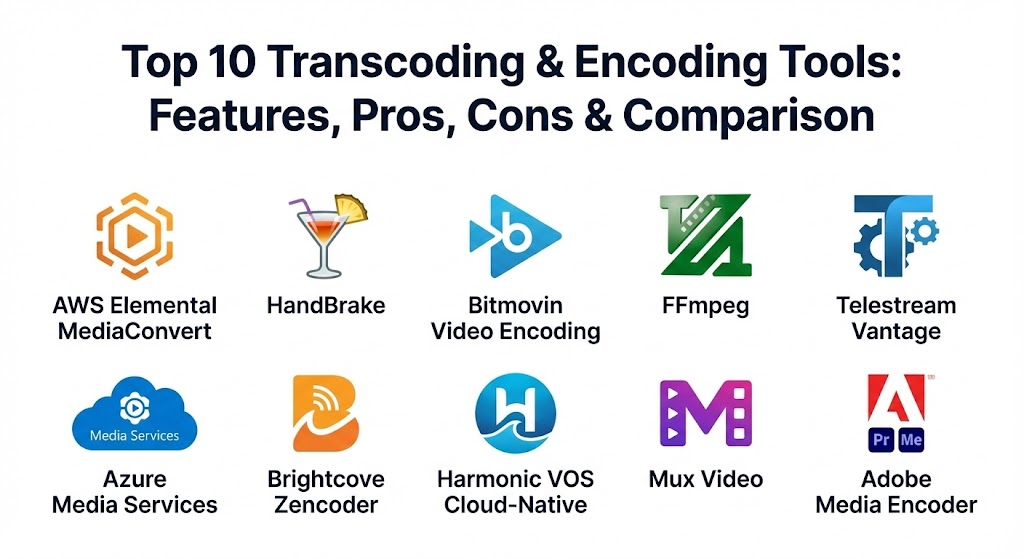
Top 10 Transcoding & Encoding Tools
1 — AWS Elemental MediaConvert
AWS Elemental MediaConvert is a file-based video transcoding service that provides broadcast-grade features. Part of the Amazon Web Services ecosystem, it is designed for scale and deep integration with cloud storage.
- Key features:
- Extensive support for professional formats like Apple ProRes and Avid DNxHR.
- Automated resource provisioning for high-volume batch processing.
- Quality-Defined Variable Bitrate (QVBR) to optimize video quality and file size.
- Advanced audio features including Dolby Atmos and multi-language track support.
- Seamless integration with Amazon S3, CloudFront, and CloudWatch.
- Support for HDR (High Dynamic Range) standards like HDR10 and HLG.
- Pros:
- Unmatched scalability; it can handle thousands of concurrent jobs without infrastructure management.
- Pay-as-you-go pricing model allows for cost control based on actual usage.
- Cons:
- The interface and configuration options can be overwhelming for beginners.
- Cloud-only nature means it is not suitable for air-gapped or purely on-premises workflows.
- Security & compliance: SOC 1/2/3, GDPR, HIPAA, ISO 27001, and AWS Identity and Access Management (IAM) for granular access control.
- Support & community: Tiered AWS support plans, extensive technical documentation, and a massive developer community.
2 — HandBrake
HandBrake is a legendary open-source tool that has become the go-to solution for local video conversion. While it lacks cloud-native features, its power and price tag (free) make it a staple for individual creators and small teams.
- Key features:
- Built-in presets for a wide range of devices (Android, iOS, PlayStation, etc.).
- Supports nearly any video source, including DVD and Blu-ray sources (non-protected).
- Hardware-accelerated encoding via Intel QuickSync, NVIDIA NVENC, and AMD VCE.
- Batch queuing for processing multiple files locally.
- Advanced video filters (Deinterlacing, Decomb, Denoise).
- Subtitle support (VobSub, Closed Captions, SRT).
- Pros:
- Completely free and open-source with no hidden subscriptions or watermarks.
- High level of manual control over bitrates and encoder settings.
- Cons:
- Not designed for high-volume automated enterprise workflows or live streaming.
- The user interface, while functional, feels dated compared to modern SaaS platforms.
- Security & compliance: Local-only processing ensures data residency; however, as open-source software, formal compliance certifications like SOC 2 are N/A.
- Support & community: Extensive volunteer-driven community forums and a comprehensive online manual.
3 — Bitmovin Video Encoding
Bitmovin is a cloud-based encoding powerhouse known for its speed and innovation. It pioneered the use of “split-and-stitch” processing to encode high-resolution video faster than real-time.
- Key features:
- Massive parallel processing that splits long videos into small chunks for simultaneous encoding.
- Per-title encoding to tailor compression settings to the specific complexity of a video.
- Multi-codec support including AV1, HEVC, and VP9.
- Robust API and SDKs for developers (Java, Python, Node.js, etc.).
- Integrated player and analytics suite for an end-to-end video pipeline.
- Multi-cloud deployment options (AWS, Azure, Google Cloud).
- Pros:
- Incredible processing speed that is ideal for time-sensitive news or sports content.
- Highly optimized for reducing bandwidth costs without sacrificing visual quality.
- Cons:
- Premium pricing can be high for low-volume users.
- Requires developer expertise to fully leverage the API-first architecture.
- Security & compliance: SOC 2 Type II, GDPR, and AES-128/256 encryption.
- Support & community: High-touch enterprise support with dedicated account managers and technical Slack channels.
4 — FFmpeg
FFmpeg is not just a tool; it is the framework that powers many other entries on this list. It is a command-line utility for handling multimedia files and is the gold standard for technical users.
- Key features:
- Support for virtually every codec and format in existence (legacy and modern).
- Complex filter graphs for advanced manipulation (watermarking, overlays, concatenation).
- Real-time streaming capabilities (RTMP, HLS, DASH).
- Highly portable, running on Linux, macOS, and Windows.
- Ability to extract, edit, and re-mux streams without full re-encoding.
- Hardware acceleration support across all major GPU vendors.
- Pros:
- The most powerful and flexible tool available; if a format exists, FFmpeg can handle it.
- Zero cost and no licensing restrictions for commercial use.
- Cons:
- Steep learning curve due to the lack of a graphical user interface (GUI).
- Requires significant technical knowledge to build stable automated pipelines.
- Security & compliance: Varies based on deployment; being open-source, it is as secure as the infrastructure it runs on.
- Support & community: Massive developer community, mailing lists, and countless tutorials across the web.
5 — Telestream Vantage
Telestream Vantage is a high-end, enterprise-grade media processing platform designed for complex broadcast and production workflows. It focuses on automation and workflow orchestration.
- Key features:
- Visual workflow designer for drag-and-drop automation of complex tasks.
- Intelligent “Analysis-Driven” processing to make decisions based on video properties.
- Extensive support for professional broadcast formats (MXF, IMF, GXF).
- Quality control (QC) integration to flag issues automatically.
- Hybrid deployment options (on-premises and cloud).
- Advanced metadata handling and enrichment.
- Pros:
- Excellent for highly complex business logic (e.g., “if video has black bars, crop them”).
- Deeply integrated into the broadcast and professional post-production ecosystem.
- Cons:
- Very high cost of entry; strictly an enterprise-level investment.
- Requires significant training to master the workflow design capabilities.
- Security & compliance: ISO 27001, SOC 2, and high-level data encryption standards.
- Support & community: Premium enterprise support with global availability and professional services.
6 — Azure Media Services
Microsoft’s entry into the space, Azure Media Services, provides a cloud platform for encoding, content protection, and streaming. It is the logical choice for organizations already built on the Azure stack.
- Key features:
- Dynamic Packaging to deliver content in HLS, DASH, or Smooth Streaming on-the-fly.
- Content Protection (DRM) integration for PlayReady, Widevine, and FairPlay.
- Live event streaming with automatic cloud DVR capabilities.
- Video Indexer for AI-powered insights (transcription, face detection, sentiment).
- Scalable encoding reserved units for predictable performance.
- Pros:
- Seamless integration with other Azure services like Blob Storage and Active Directory.
- Strong emphasis on security and digital rights management (DRM).
- Cons:
- Can be more expensive than standalone transcoders due to the “platform” ecosystem.
- The documentation can sometimes lag behind rapid service updates.
- Security & compliance: FedRAMP, HIPAA, GDPR, SOC 1/2/3, and ISO 27001.
- Support & community: Comprehensive Microsoft support tiers and a large developer ecosystem.
7 — Brightcove Zencoder
Zencoder is a cloud-based transcoding API that emphasizes simplicity and reliability. It was one of the first “API-first” transcoding services and remains a favorite for its ease of integration.
- Key features:
- Simple REST API that developers can integrate in minutes.
- Support for high-resolution 4K and UHD transcoding.
- Advanced video features like 360-degree video and VR support.
- Automatic retries and error handling to ensure job completion.
- Compatibility with almost any cloud storage provider (not just S3).
- Detailed performance monitoring and reporting.
- Pros:
- extremely reliable with high uptime and fast turnaround times.
- Simple, flat-rate pricing tiers that are easy to understand for budgeting.
- Cons:
- Lacks some of the more advanced “workflow orchestration” found in Vantage or Bitmovin.
- Limited on-premises options for companies with strict data residency.
- Security & compliance: SOC 2, GDPR, and end-to-end TLS encryption.
- Support & community: Solid documentation and responsive email/ticket-based support.
8 — Harmonic VOS Cloud-Native
Harmonic is a powerhouse in the television broadcasting world. Their VOS platform brings their legendary video quality and reliability into the cloud-native era.
- Key features:
- Integrated playout, graphics, and encoding for live TV channels.
- Unrivaled video quality optimization (EyeQ) for bandwidth reduction.
- Support for ATSC 3.0 and other modern broadcast standards.
- Real-time monitoring and switching for high-availability live feeds.
- Unified management for broadcast and OTT delivery.
- Pros:
- Industry-leading video quality; often used for major global sporting events.
- “One-stop-shop” for broadcasters needing to bridge traditional TV and streaming.
- Cons:
- Extremely high complexity; requires dedicated broadcast engineering staff.
- Cost is prohibitive for anything other than large-scale media companies.
- Security & compliance: ISO 27001, SOC 2, and broadcast-level redundancy protocols.
- Support & community: 24/7/365 mission-critical support with global field engineers.
9 — Mux Video
Mux Video is an API-first video platform that abstracts the complexity of transcoding and delivery. It is built by the creators of Video.js and Zencoder, focusing on developer experience.
- Key features:
- “Just-in-time” transcoding that eliminates the need to pre-encode files.
- Per-title encoding optimized for every individual upload automatically.
- Built-in analytics (Mux Data) to monitor “Quality of Experience” for viewers.
- Simple API: post a URL to a video, and Mux handles the rest.
- Low-latency live streaming capabilities.
- Pros:
- The fastest time-to-market for developers building video features.
- Excellent documentation and “developer-friendly” culture.
- Cons:
- Less manual control over specific encoder flags compared to FFmpeg or HandBrake.
- The cost-per-minute model can grow quickly with high-traffic applications.
- Security & compliance: SOC 2 Type II, GDPR, and support for signed URLs for content security.
- Support & community: Active developer community and responsive technical support.
10 — Adobe Media Encoder
Adobe Media Encoder is the “invisible workhorse” for creative professionals. While it can function as a standalone transcoder, it is primarily used as the background processing engine for Premiere Pro and After Effects.
- Key features:
- Direct export from Adobe Creative Cloud apps without interrupting editing.
- Extensive preset library for social media (YouTube, Vimeo, TikTok, etc.).
- Match Source settings to automatically detect and replicate input properties.
- Support for high-end camera formats (RED, ARRI, Sony RAW).
- Integrated publishing to FTP sites and social platforms.
- GPU acceleration via Adobe Mercury Playback Engine.
- Pros:
- Essential for anyone already using Adobe Creative Cloud.
- Very easy to use for non-technical creators who need professional results.
- Cons:
- Only available via a Creative Cloud subscription (no standalone purchase).
- Not suitable for automated, server-side, or cloud-native bulk workflows.
- Security & compliance: Enterprise SSO integration and Adobe’s standard cloud security frameworks.
- Support & community: Massive user base, endless YouTube tutorials, and official Adobe support forums.
Comparison Table
| Tool Name | Best For | Platform(s) Supported | Standout Feature | Rating (Gartner/TrueReview) |
| AWS MediaConvert | Cloud Enterprise | AWS (Cloud) | Quality-Defined VBR | 4.6 / 5 |
| HandBrake | Individual Creators | Windows, Mac, Linux | Free & Open Source | 4.8 / 5 |
| Bitmovin | Fast Cloud Encoding | Multi-Cloud | Parallel “Split” Encoding | 4.5 / 5 |
| FFmpeg | Developers/Power Users | Cross-platform (CLI) | Infinite Format Support | 4.9 / 5 |
| Telestream Vantage | Broadcasters | Windows / Hybrid | Workflow Orchestration | 4.4 / 5 |
| Azure Media Services | Microsoft Ecosystem | Azure (Cloud) | Dynamic Packaging | 4.5 / 5 |
| Zencoder | Simple Batch API | SaaS (Cloud) | Reliability & Ease of Use | 4.3 / 5 |
| Harmonic VOS | Live TV / OTT | Cloud-Native | EyeQ Video Quality | 4.7 / 5 |
| Mux Video | App Developers | SaaS (Cloud) | Just-in-Time Transcoding | 4.6 / 5 |
| Adobe Media Encoder | Creative Pros | Windows, Mac | Creative Cloud Integration | 4.7 / 5 |
Evaluation & Scoring of Transcoding & Encoding Tools
| Category | Weight | Evaluation Criteria |
| Core Features | 25% | Format support, codec efficiency, hardware acceleration, and HDR handling. |
| Ease of Use | 15% | GUI quality or API documentation, ease of configuration, and preset quality. |
| Integrations | 15% | Compatibility with storage (S3/Azure), CMS, and delivery networks (CDNs). |
| Security & Compliance | 10% | Encryption standards, DRM support, and regulatory certifications (SOC2/GDPR). |
| Performance | 10% | Transcoding speed, stability under load, and turnaround time. |
| Support & Community | 10% | Availability of experts, community resources, and official support response. |
| Price / Value | 15% | Cost-effectiveness based on throughput and quality of results. |
Which Transcoding & Encoding Tool Is Right for You?
Solo Users vs SMB vs Mid-Market vs Enterprise
- Solo Users: Stick with HandBrake for local files or Adobe Media Encoder if you are an editor. They offer the best balance of control and price.
- Small Businesses (SMB): Mux Video or Zencoder allow you to implement video without hiring a video engineer.
- Mid-Market: Bitmovin or AWS MediaConvert provide the scalability needed as your library grows.
- Enterprise/Broadcast: Telestream Vantage or Harmonic are the industry standards for complex, mission-critical operations.
Budget-Conscious vs Premium Solutions
If budget is the primary concern, FFmpeg and HandBrake are unbeatable because they are free. However, remember that “free” tools often have a higher hidden cost in terms of the time required to configure and maintain them. Premium solutions like Bitmovin or AWS charge for the convenience, speed, and support they offer.
Feature Depth vs Ease of Use
Developers will love FFmpeg for its depth but hate its complexity. Marketing teams will love Adobe Media Encoder for its simplicity but find it useless for automating a website’s video uploads. Identify who will be using the tool daily before making a purchase.
Frequently Asked Questions (FAQs)
1. What is the difference between encoding and transcoding?
Encoding is the first compression of raw video (e.g., from a camera). Transcoding is converting an already-encoded video into a different format or lower resolution for various devices.
2. Why should I use cloud transcoding instead of local?
Cloud transcoding (like AWS) can process hundreds of files simultaneously. Local transcoding is limited by your computer’s hardware and can take much longer for large batches.
3. What is the most efficient video codec today?
AV1 is currently the most efficient “next-gen” codec, offering high quality at low bitrates, though it is slower to encode. H.264 remains the most compatible across all devices.
4. Can these tools handle live streaming?
Some can. Tools like FFmpeg, Azure Media Services, and Harmonic are designed for real-time live encoding, whereas HandBrake is strictly for pre-recorded files.
5. Do I need a specialized GPU for transcoding?
While not strictly required (CPUs can do the work), using a GPU (NVIDIA/AMD) can speed up transcoding by 5x to 10x, making it essential for high-volume workflows.
6. What is “Adaptive Bitrate Streaming” (ABS)?
ABS creates multiple versions of a video at different qualities (e.g., 4K, 1080p, 720p). The player then chooses the best one based on the user’s current internet speed.
7. Is FFmpeg safe to use for commercial projects?
Yes, it is released under LGPL/GPL licenses. Most major streaming services use FFmpeg as part of their backend infrastructure.
8. How do I protect my videos from being stolen?
Look for tools that support DRM (Digital Rights Management) like Azure Media Services or Bitmovin. They encrypt the video and require a license key for playback.
9. Why is my transcoded video larger than the original?
This usually happens if the bitrate is set too high or if you are converting a highly compressed format into a “lossless” or high-quality professional format like ProRes.
10. What is a “Container” vs. a “Codec”?
A codec (H.264) is how the video is compressed. A container (.MP4 or .MKV) is the “wrapper” that holds the video, audio, and subtitle streams together.
Conclusion
The “best” transcoding tool is rarely a single winner; it is the one that fits your specific workflow. If you need ultimate power and have a technical team, FFmpeg is your foundation. If you need broadcast-grade quality for a TV network, Harmonic or Vantage are the leaders. For most modern web applications, the API-first simplicity of Mux or AWS MediaConvert offers the best path to scale. Remember that as video resolutions climb to 8K and beyond, the efficiency of your encoding tool will directly dictate your storage and bandwidth costs.