Introduction
Media Server Software is a specialized category of applications designed to organize digital media files stored on a local computer or Network Attached Storage (NAS) and stream them seamlessly to other devices. These tools act as a bridge between your raw files and your viewing hardware, such as Smart TVs, smartphones, gaming consoles, and tablets. By automatically fetching metadata—like movie posters, actor biographies, and Rotten Tomatoes scores—these tools transform a cluttered folder of files into a professional, Netflix-style streaming interface.
The importance of these tools lies in their ability to perform “transcoding.” This process dynamically converts high-resolution files into a format that a receiving device can handle, ensuring that a massive 8K video file can play smoothly on a mobile phone even over a limited data connection. Key real-world use cases include building a private home theater, hosting a personal music streaming service (a “private Spotify”), and securely sharing media with friends and family across the globe. When evaluating these tools, users should prioritize hardware transcoding support, cross-platform client availability, metadata accuracy, and the robustness of the remote access security.
Best for: Cinephiles with large physical disc backups, audiophiles seeking high-fidelity playback, tech-savvy households with multiple users, and privacy-conscious individuals who want to avoid the data tracking inherent in commercial streaming services.
Not ideal for: Casual viewers who are satisfied with standard streaming subscriptions (Netflix, Disney+, etc.) and do not own a collection of digital files, or those who lack a dedicated “always-on” computer or NAS to host the server software.
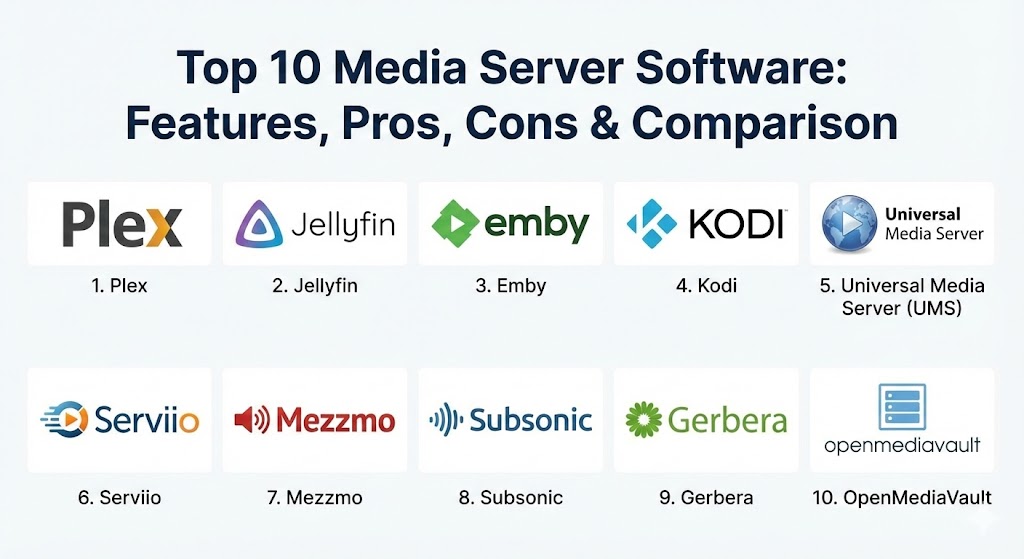
Top 10 Media Server Software Tools
1 — Plex
Plex is widely considered the gold standard of media server software. It offers the most polished, user-friendly experience on the market, designed to make your personal media collection look and feel exactly like a professional streaming service with minimal setup.
- Key features:
- Extensive client support for almost every device (TVs, consoles, mobile, VR).
- Automated metadata scraping for movies, TV shows, and music.
- “Plex Pass” features including hardware-accelerated transcoding.
- Integrated ad-supported “Live TV” and on-demand movies.
- Sonic Analysis for music, providing sophisticated playlist generation.
- Remote access that works out-of-the-box without complex port forwarding.
- User-sharing capabilities with granular parental controls.
- Pros:
- The most intuitive user interface in the industry, requiring zero technical skill for end-users.
- Reliability of remote streaming is unmatched, even on fluctuating mobile networks.
- Cons:
- Proprietary software; the company has faced criticism for increasing data collection and forced social features.
- Best features (hardware transcoding and offline mobile sync) are locked behind a monthly or lifetime “Plex Pass.”
- Security & compliance: Supports SSO via Google/Apple, end-to-end encrypted connections, and detailed access logs. GDPR compliant regarding user data management.
- Support & community: massive user community; extensive official documentation; 24/7 automated support and active forums for troubleshooting.
2 — Jellyfin
Jellyfin is the leading open-source alternative to Plex and Emby. Born from a fork of Emby when it went proprietary, Jellyfin remains 100% free with no “premium” tiers or hidden features, making it the top choice for privacy purists.
- Key features:
- Completely free and open-source (GPL license) with no tracking or “call home” features.
- Support for hardware acceleration (NVENC, QuickSync, AMF) included for free.
- Built-in Live TV and DVR functionality.
- Extensive plugin system for custom metadata and site integration.
- Support for multiple user profiles with custom home screen layouts.
- Native clients for Android TV, Roku, and iOS.
- Pros:
- Total privacy—your data never touches a corporate server for authentication.
- No features are paywalled; if the software can do it, you have access to it.
- Cons:
- Remote access setup is more technical (often requires a reverse proxy or VPN).
- The user interface and client apps are less polished compared to Plex.
- Security & compliance: No centralized accounts; all authentication is local. GDPR compliant by design (no data collection).
- Support & community: Very active developer community on Reddit and Matrix; documentation is excellent but geared toward intermediate users.
3 — Emby
Emby strikes a balance between the polish of Plex and the flexibility of Jellyfin. It is highly regarded for its robust server-side management tools and excellent performance on low-power hardware like older NAS units.
- Key features:
- Powerful web-based management console with deep customization.
- Automated “Cinema Mode” for custom trailers and intros.
- Emby Premiere enables hardware transcoding and “Cover Art” plugins.
- Fast, efficient metadata management and library scanning.
- Dedicated “Emby Theatre” app for high-end home theater PCs.
- Syncing features for offline viewing on mobile devices.
- Pros:
- Server management is more detailed and powerful than Plex’s offerings.
- Highly optimized for large libraries (10,000+ movies) with minimal lag.
- Cons:
- Many core features require the “Emby Premiere” subscription.
- The ecosystem of free plugins has shrunk since the transition to proprietary code.
- Security & compliance: AES encryption for streaming; supports SSO via specific plugins. HIPAA/GDPR compliance varies by self-hosting configuration.
- Support & community: Strong official forums where developers frequently interact with users; professional enterprise support options available.
4 — Kodi
While Kodi is primarily a media player, it includes robust server capabilities via UPnP and DLNA. It is the go-to tool for users who want complete control over their interface through skins and third-party add-ons.
- Key features:
- Infinite customization through a massive library of skins and themes.
- Support for local PVR (Personal Video Recorder) and TV tuners.
- Ability to act as a DLNA server to share libraries with other devices.
- “Library Export” features for managing metadata locally (.nfo files).
- Massive ecosystem of unofficial add-ons for various niche content types.
- Pros:
- The most powerful player in the world; it can play virtually any file format in existence.
- 100% free and open-source with no corporate overreach.
- Cons:
- Not a “centralized” server in the same way Plex is; managing multiple instances can be difficult.
- Does not support transcoding; the client device must be powerful enough to play the raw file.
- Security & compliance: Minimal security features as it is designed for local network use; no central data collection.
- Support & community: One of the largest communities in the software world; decades of tutorials and forum posts available.
5 — Universal Media Server (UMS)
Universal Media Server is a Java-based tool focused on one thing: getting your files to play on any device with zero configuration. It is based on the old PS3 Media Server and excels at high-quality transcoding.
- Key features:
- Automatic, real-time transcoding for virtually any device.
- Support for DLNA, UPnP, and HTTP/HTTPS streaming.
- Integration with OpenSubtitles for automated subtitle fetching.
- Overlays for virtual folders to organize media by quality or date.
- Dynamic bitrate adjustment based on network speed.
- Pros:
- Incredibly simple to use—it finds your devices and starts working immediately.
- Completely free and frequently updated by a dedicated team.
- Cons:
- The web interface is basic and lacks the “Netflix-style” visual appeal of Plex.
- Remote access (outside the home network) is difficult to configure.
- Security & compliance: Basic password protection; no cloud-based telemetry.
- Support & community: Active forums and GitHub repository; documentation is clear but focused on technical specs.
6 — Serviio
Serviio is a media server designed to stream to “renderer” devices like Smart TVs, Blu-ray players, and game consoles. It is known for its stability and its ability to handle very old hardware profiles.
- Key features:
- Device-specific “Profiles” to ensure perfect playback on older Smart TVs.
- Support for streaming online content (RSS feeds, live streams) to local devices.
- Automated metadata extraction using online databases.
- Pro version includes a web-based player for browser streaming.
- Alexa skill integration for voice-controlled media.
- Pros:
- Excellent for households with older TVs that have limited codec support.
- Lightweight enough to run on a very basic PC without slowing it down.
- Cons:
- The free version is quite limited; most useful features are in the “Pro” edition.
- Interface feels somewhat dated compared to modern 2026 standards.
- Security & compliance: Basic user authentication; no centralized data tracking.
- Support & community: Good documentation; community forums are helpful for device-specific troubleshooting.
7 — Mezzmo
Mezzmo is a high-performance Windows-based media server that focuses on providing the highest possible audio and video quality. It is a favorite among audiophiles who need support for obscure audio formats.
- Key features:
- Multi-threaded transcoding designed for high-end CPU architectures.
- Support for gapless music playback and high-resolution audio.
- “Pre-transcoding” feature to convert files before you want to watch them.
- Advanced parental controls and user restrictions.
- Native Android client app with high-bitrate support.
- Pros:
- Provides arguably the best playback quality for high-fidelity audio enthusiasts.
- The pre-transcoding feature is excellent for saving CPU power during peak hours.
- Cons:
- Windows only (server-side); no native Linux or NAS OS support.
- It is a paid product with no significant free tier.
- Security & compliance: Standard local encryption; GDPR compliant.
- Support & community: Professional email support; active user base in the home theater community.
8 — Subsonic
Subsonic is the ultimate server for music collectors. While it handles video, its primary focus is on managing massive music libraries and providing a private streaming experience similar to Spotify.
- Key features:
- Highly optimized for libraries with hundreds of thousands of songs.
- Supports on-the-fly resampling to save bandwidth on mobile.
- Integrated “Jukebox” mode for controlling music on the server itself.
- Support for podcasts and internet radio streaming.
- Massive ecosystem of third-party mobile apps (DSub, Play:Sub).
- Pros:
- The most stable and efficient tool for pure music streaming.
- Allows you to share your music with friends via a simple URL.
- Cons:
- Video support is secondary and lacks the polish of dedicated video servers.
- The development of the original Subsonic has slowed (many users prefer the Airsonic fork).
- Security & compliance: HTTPS support; LDAP integration for enterprise-level user management.
- Support & community: Very mature community; extensive documentation for server hardening.
9 — Gerbera
Gerbera is a lightweight, open-source UPnP media server that runs primarily on Linux. It is the modern successor to MediaTomb and is designed for users who want a “headless” server that consumes almost no resources.
- Key features:
- Extremely low memory and CPU footprint.
- Flexible metadata extraction via custom Lua scripts.
- Web-based interface for library management.
- Supports transcoding via external tools like FFmpeg.
- Runs on everything from a Raspberry Pi to a high-end Linux server.
- Pros:
- The best choice for low-power “edge” devices or home-built routers.
- Highly customizable for Linux power users who enjoy scripting.
- Cons:
- Very high learning curve; requires knowledge of Linux and command-line interfaces.
- Lacks native client apps (relies on third-party DLNA players).
- Security & compliance: N/A (local network focus); no telemetry.
- Support & community: Strong presence on GitHub; documentation is technical and comprehensive.
10 — OpenMediaVault (OMV) with Media Plugins
OpenMediaVault is actually a NAS Operating System based on Debian, but it is frequently used as a “Media Server” because of its tight integration with Docker and media-specific plugins.
- Key features:
- Comprehensive file-level storage management (RAID, ZFS, SnapRAID).
- One-click installation of Plex, Jellyfin, or Emby via Docker.
- Integrated web interface for managing the entire server OS.
- Support for BitTorrent and Usenet downloaders (Radarr, Sonarr).
- Highly extensible via a massive plugin ecosystem.
- Pros:
- It builds the entire foundation for a media server, including disk management.
- Incredibly stable and used as the “base” for many DIY media server builds.
- Cons:
- Overkill if you just want to stream a few files from your main PC.
- Requires a dedicated machine or a virtual machine to act as the OS.
- Security & compliance: Standard Linux security (SSH, Fail2Ban); highly secure if configured correctly.
- Support & community: Massive community of “HomeLab” enthusiasts; extensive YouTube and forum guides.
Comparison Table
| Tool Name | Best For | Platform(s) Supported | Standout Feature | Rating (TrueReviewnow.com) |
| Plex | All-in-one Ease | Win, Mac, Linux, NAS | Remote Access | 4.9 / 5 |
| Jellyfin | Privacy / Open Source | Win, Mac, Linux, NAS | 100% Free HW Transcoding | 4.8 / 5 |
| Emby | Admin Control | Win, Mac, Linux, NAS | Library Management | 4.6 / 5 |
| Kodi | Customization | Win, Mac, Android, iOS | Skinning Engine | 4.7 / 5 |
| Universal Media Server | Fast Transcoding | Win, Mac, Linux | Auto-Device Detection | 4.4 / 5 |
| Serviio | Older Devices | Win, Mac, Linux, NAS | Legacy Device Profiles | 4.2 / 5 |
| Mezzmo | Audio Quality | Windows | Pre-transcoding | 4.3 / 5 |
| Subsonic | Large Music Libraries | Win, Mac, Linux | Audio Optimization | 4.5 / 5 |
| Gerbera | Raspberry Pi / Linux | Linux, Unix | Tiny Resource Usage | 4.1 / 5 |
| OpenMediaVault | DIY NAS Build | Linux (Debian) | Docker Integration | 4.8 / 5 |
Evaluation & Scoring of Media Server Software
To accurately judge these tools, we apply a weighted rubric that reflects the priorities of a modern 2026 user.
| Category | Weight | Evaluation Criteria |
| Core Features | 25% | Transcoding quality, metadata accuracy, and device compatibility. |
| Ease of Use | 15% | Installation process, UI design, and remote access setup. |
| Integrations | 15% | Support for external players, DVR, Live TV, and home automation. |
| Security & Compliance | 10% | Encryption, privacy policies, and local authentication options. |
| Performance | 10% | Library scanning speed, streaming latency, and resource usage. |
| Support & Community | 10% | Quality of documentation and responsiveness of the user base. |
| Price / Value | 15% | Cost vs. features, especially regarding hardware acceleration. |
Which Media Server Software Tool Is Right for You?
Choosing the right tool is a matter of matching your technical comfort level with your specific hardware.
- Solo Users vs. SMB (Home-based): If you are a single user on a budget, Jellyfin is the clear winner as it provides enterprise-level features (like hardware transcoding) for zero cost. For households with non-technical family members, Plex is the only choice because its interface is familiar to anyone who has used Netflix.
- Budget-conscious vs. Premium: If you refuse to pay a subscription, your path leads to Jellyfin or Universal Media Server. If you are willing to pay for a “Lifetime Pass” to get the absolute best experience and remote stability, Plex is a worthy investment.
- Feature Depth vs. Ease of Use: Kodi offers the most depth and customization but is difficult to sync across multiple rooms. Plex offers less customization but “just works” on every device you own.
- Integration and Scalability: If you plan on building a massive, multi-drive storage system, starting with OpenMediaVault as your base OS and running Plex or Jellyfin in a Docker container is the most scalable path.
- Security and Compliance: For users who are deeply concerned about corporate data harvesting, Jellyfin or Gerbera are the only solutions that ensure your viewing habits remain 100% private and local.
Frequently Asked Questions (FAQs)
1. Is it legal to host my own media server?
Hosting a media server is completely legal as long as you own the content you are streaming. Ripping your own Blu-rays for personal use is a common practice, though laws vary by region regarding the bypassing of DRM (Digital Rights Management).
2. Do I need a powerful computer to run a media server?
Not necessarily. If your devices can play the files directly (Direct Play), even a Raspberry Pi is sufficient. However, if you need to “transcode” (change the file format on the fly), you will need a modern CPU or a GPU that supports hardware acceleration.
3. What is hardware-accelerated transcoding?
This is a feature where the server uses the dedicated power of a Graphics Card (GPU) or Intel’s QuickSync to convert video files. It is much faster and more efficient than using the main CPU, allowing for multiple simultaneous 4K streams.
4. Can I watch my media server while I’m away from home?
Yes. Tools like Plex make this very easy through their own relay servers. Open-source tools like Jellyfin require you to set up a VPN (like Tailscale) or a reverse proxy to access your server securely from the internet.
5. How much storage do I need for a 4K movie library?
A single high-quality 4K Blu-ray rip can take up 50GB to 100GB of space. A modest collection of 100 movies would require at least 8TB to 10TB of storage, including space for the OS and backups.
6. Does media server software support 8K video?
In 2026, most top-tier tools like Plex, Jellyfin, and Emby support 8K playback, provided your client device (TV or monitor) and your home network (Wi-Fi 7 or 10Gbps Ethernet) can handle the massive data throughput.
7. Can I share my library with friends?
Yes. Plex and Emby have built-in user management systems. You simply invite a friend via their email address, and they can see your library on their own devices. Note that your upload speed must be fast enough to support their stream.
8. What is the difference between DLNA and a dedicated Client App?
DLNA is an old, basic protocol that lets devices “see” files but often lacks metadata (posters, descriptions) and doesn’t support transcoding well. Dedicated apps (like the Plex app) provide a rich, interactive interface and better playback control.
9. Can these tools record live TV?
Yes, tools like Plex, Emby, and Jellyfin support DVR functionality. You will need a digital tuner (like an HDHomeRun) and an antenna to capture the signal and save it to your hard drives.
10. What is the best OS for a media server?
Linux (specifically Ubuntu or Debian) is widely considered the most stable and efficient OS for media servers. However, Windows is much easier to set up for beginners, and dedicated NAS OSs like OpenMediaVault offer a great middle ground.
Conclusion
The “best” media server software is the one that removes the friction between you and your content. If you want a hands-off, premium experience and don’t mind a proprietary ecosystem, Plex remains the undisputed king. If you are a privacy-first user who enjoys the ethos of open-source software, Jellyfin has matured into a formidable rival that offers incredible value.
Ultimately, the goal of a media server is to preserve your digital legacy. By taking your media off the cloud and bringing it home, you ensure that your library remains accessible, high-quality, and entirely yours—no matter how the streaming landscape shifts in the years to come.