Introduction
A Video Management Platform (VMP) is an integrated software solution designed to ingest, store, organize, and distribute video content across a variety of digital channels. Unlike basic video hosting, a VMP acts as a “Video CMS,” providing advanced tools for metadata management, internal and external security, AI-driven searchability, and deep audience analytics. In 2026, these platforms have evolved to become the backbone of “video-first” strategies, enabling seamless streaming to any device, anywhere in the world.
The importance of VMPs lies in their ability to turn raw footage into accessible knowledge. Real-world use cases are vast: a retail giant using synchronized video for corporate communications, a medical institution leveraging interactive video for surgical training, or a marketing firm tracking exactly when a prospect stopped watching a demo. When evaluating these platforms, users should look for high-performance CDNs (Content Delivery Networks), robust API architectures for integration, advanced accessibility features like automated captioning, and stringent data residency compliance.
Best for: Large enterprises with complex internal communication needs, higher education institutions, media companies launching OTT (Over-the-Top) services, and marketing departments that require data-driven insights into viewer behavior.
Not ideal for: Individual creators or very small businesses who only need to host a handful of videos for a local audience. In these cases, free or low-cost consumer platforms may be more appropriate and less complex to manage.
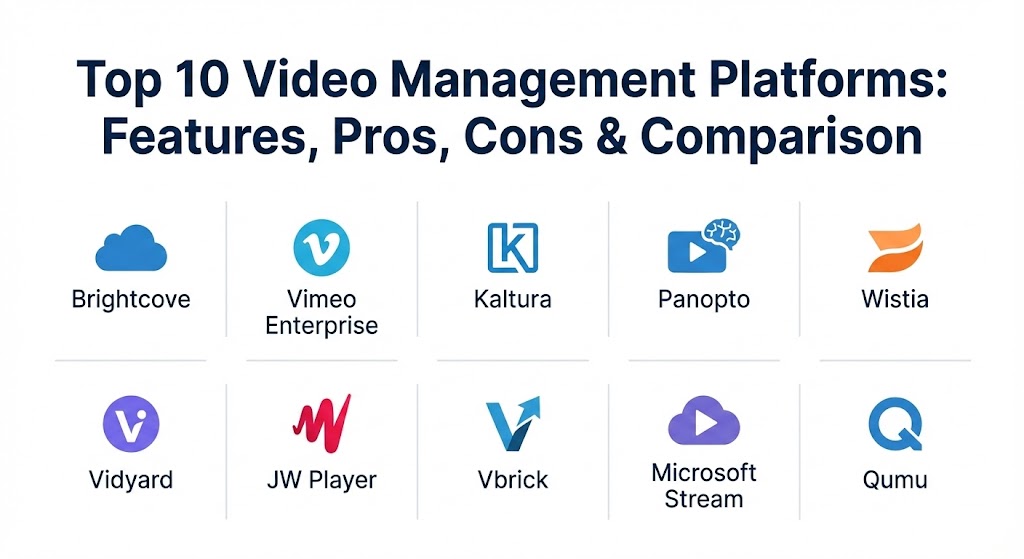
Top 10 Video Management Platforms
1 — Brightcove
Brightcove is often considered the “gold standard” for enterprise-grade video hosting and streaming. It is designed for large organizations that demand 99.99% uptime and a highly customizable player that can be embedded anywhere from a mobile app to a smart TV.
- Key features:
- Intelligent Video Cloud for automated encoding and high-speed delivery.
- Robust OTT (Over-the-Top) solutions for launching branded streaming services.
- Comprehensive ad-tech integrations for monetization (SSAI and VAST).
- Detailed viewer engagement heatmaps and performance metrics.
- Live streaming with server-side ad insertion and cloud DVR.
- Broad multi-DRM (Digital Rights Management) support for content protection.
- Extensive marketplace of integrations for CMS and CRM platforms.
- Pros:
- Unrivaled scalability and reliability for global, high-traffic events.
- Extremely professional and customizable video player branding.
- Cons:
- One of the most expensive options on the market, often out of reach for SMBs.
- The platform is feature-rich, which leads to a steep learning curve for new admins.
- Security & compliance: SOC 2 Type II, GDPR, HIPAA-ready, SSO (SAML), and AES encryption.
- Support & community: 24/7 global support tiers, extensive documentation, and a dedicated account management model for enterprise clients.
2 — Vimeo Enterprise
Vimeo has moved far beyond its origins as a creative community hub. Its Enterprise version provides businesses with a sleek, high-end platform for internal communication, town halls, and marketing, all while maintaining the high aesthetic quality the brand is known for.
- Key features:
- Branded video galleries and centralized “Video Library” for teams.
- Advanced live production tools including polls, Q&A, and live chat.
- High-quality 8K and HDR playback support.
- Lead generation tools integrated directly into the video player.
- Custom permissions and folder-level access controls.
- Built-in AI editing tools for quick content repurposing.
- Pros:
- Exceptionally intuitive user interface that requires almost no training.
- Great balance between professional aesthetic and powerful backend features.
- Cons:
- Bandwidth and storage caps can be restrictive on lower enterprise tiers.
- Customer support response times can vary depending on the specific contract level.
- Security & compliance: ISO 27001, GDPR, SSO, and password-protected private link options.
- Support & community: Dedicated account managers for enterprise; active community forums and high-quality “Vimeo School” documentation.
3 — Kaltura
Kaltura is the “open-source” giant of the VMP world, offering a modular platform that is incredibly flexible. It is a favorite among universities and massive corporations that need to build custom video workflows and integrate them deeply into existing systems like an LMS (Learning Management System).
- Key features:
- Highly modular “Video Experience” cloud with dozens of plugins.
- Interactive video paths and in-video quizzing for education.
- Kaltura Pitch for personalized video messaging in sales.
- eCDN (Enterprise Content Delivery Network) for efficient behind-the-firewall delivery.
- Deep integrations with Blackboard, Canvas, and Moodle.
- MediaSpace, a “YouTube-like” private portal for organizations.
- Pros:
- Incredible flexibility; if you can imagine a video workflow, Kaltura can build it.
- Strongest choice for the education sector due to deep LMS integrations.
- Cons:
- The interface can be overly complex and sometimes feels cluttered.
- Implementation often requires significant technical resources or professional services.
- Security & compliance: SOC 2, HIPAA, FERPA, GDPR, and FedRAMP (for government).
- Support & community: Extensive developer portal, 24/7 support, and a large global user community.
4 — Panopto
Panopto focuses heavily on “Knowledge Management.” It is designed to capture everything from a simple screen share to a complex multi-camera lecture and turn it into a searchable, interactive asset.
- Key features:
- AI-powered “Smart Search” that finds spoken words or text inside videos.
- Remote recorder capability for scheduling automated recordings.
- Multi-stream video player (view speaker and slides simultaneously).
- Detailed analytics at the individual student or employee level.
- Automatic captioning and multi-language translation.
- Native integrations with Zoom and Microsoft Teams.
- Pros:
- The best search functionality in the industry—find a specific slide in seconds.
- Seamlessly manages the transition from live stream to on-demand archive.
- Cons:
- The video player and backend UI can feel a bit “academic” and less modern.
- Not primarily designed for high-end external marketing or OTT needs.
- Security & compliance: SOC 2, HIPAA, GDPR, and SSO support.
- Support & community: Strong documentation and onboarding programs; highly responsive technical support.
5 — Wistia
Wistia is the VMP for the modern marketing team. It prioritizes video SEO, lead generation, and aesthetic appeal, helping businesses turn their video viewers into paying customers.
- Key features:
- “Turnstile” email gates to capture leads mid-video.
- Advanced Video SEO that automatically injects schema markup.
- A/B testing for video thumbnails and content.
- Custom “Channels” that look like a branded Netflix interface.
- CRM integrations with HubSpot, Marketo, and Salesforce.
- Soapbox integration for quick screen and webcam recording.
- Pros:
- The most marketing-centric analytics available (heatmaps for every viewer).
- Beautiful, ad-free player that keeps users on your site, not YouTube.
- Cons:
- Can become very expensive as your video count and bandwidth grow.
- Lacks some of the deep “internal” security features found in enterprise-only tools.
- Security & compliance: GDPR, SSO for Advanced plans, and basic encryption.
- Support & community: Excellent “Wistia Learning” blog and video series; fast email support.
6 — Vidyard
Vidyard is built for sales and corporate messaging. It focuses on “Video for Sales,” enabling reps to send personalized videos to prospects and track exactly how they engage with the content.
- Key features:
- Personalized video elements (Prospect’s name inside the video).
- Browser extension for rapid screen and webcam capture.
- Direct integrations with sales tools like Outreach and SalesLoft.
- Real-time notifications when a prospect watches a video.
- Centralized “Marketing Hub” for managing all brand assets.
- In-video Calls to Action (CTAs) that link directly to booking pages.
- Pros:
- Exceptional for outbound sales teams looking to increase response rates.
- Very easy to use for non-technical sales professionals.
- Cons:
- Higher pricing for teams that need full administrative control.
- The analytics are more focused on “who watched” than “how the server performed.”
- Security & compliance: SOC 2 Type II, GDPR, and SSO integration.
- Support & community: Dedicated customer success managers for larger teams; helpful “Vidyard Academy.”
7 — JW Player
JW Player started as the first open-source video player and has grown into a powerful end-to-end VMP. It is the backbone for many digital media publishers who need to deliver high-quality video to millions of users.
- Key features:
- World-class HTML5 player with rapid load times and customization.
- Multi-CDN approach for reliable global delivery.
- Real-time video analytics and viewer insights.
- Video recommendation engine to drive higher engagement.
- Native SDKs for iOS, Android, and Smart TVs.
- Extensive ad-monetization tools and support for VAST/VPAID.
- Pros:
- Extremely lightweight and fast player performance.
- Great for publishers who need a reliable, high-volume delivery system.
- Cons:
- Some features require significant developer knowledge to implement.
- Not as “all-in-one” for internal corporate training as other platforms.
- Security & compliance: DRM support, encryption, and GDPR compliance.
- Support & community: Robust developer documentation and community support; 24/7 enterprise assistance.
8 — Vbrick
Vbrick is the leader in “Enterprise Video Content Management” (EVCM). It specializes in delivering secure live and on-demand video inside the corporate firewall using advanced networking technology.
- Key features:
- Industry-leading eCDN (Enterprise CDN) for reducing bandwidth consumption.
- Full integration with Cisco, Microsoft, and Zoom ecosystems.
- Unified platform for live town halls and video-on-demand.
- Automated transcription and translation for global workforces.
- Advanced audit logs and compliance reporting.
- Rev platform for social-style enterprise video sharing.
- Pros:
- The best solution for companies with thousands of employees on a single network.
- High-security focus that meets government and financial standards.
- Cons:
- The user interface is more “corporate” and can feel less creative.
- Can be a complex and lengthy implementation process.
- Security & compliance: FedRAMP, SOC 2, HIPAA, GDPR, and FIPS-compliant encryption.
- Support & community: Professional services for network architecture; standard enterprise support tiers.
9 — Microsoft Stream
Microsoft Stream is the “free” (included) VMP for organizations already invested in the Microsoft 365 ecosystem. In 2026, it has matured into a powerful tool that integrates video into the daily workflow of Office apps.
- Key features:
- Deep integration with SharePoint, Teams, and Viva.
- Automatic transcription and speaker identification.
- In-video comments and @mentions for collaboration.
- Screen recording and simple editing directly in the browser.
- “Video Search” that works across the entire Microsoft 365 tenant.
- Mobile app for recording and viewing on the go.
- Pros:
- “Zero additional cost” for most businesses already using Microsoft 365.
- Easiest deployment for organizations already standardized on Microsoft.
- Cons:
- Limited external sharing capabilities compared to Brightcove or Vimeo.
- Fewer advanced monetization or marketing tools.
- Security & compliance: ISO 27001, SOC 2, HIPAA, and GDPR (managed via M365).
- Support & community: Standard Microsoft 365 support and a massive global user base.
10 — Qumu
Qumu is a veteran in the video space, offering a robust, highly secure platform specifically for global 2000 companies. It focuses on the “Workplace of the Future,” enabling hybrid teams to share knowledge effortlessly.
- Key features:
- Path-optimized video delivery for complex global networks.
- Browser-based video creation and editing for employees.
- Comprehensive analytics for live and on-demand content.
- Secure “External Portal” for partner and customer communication.
- Seamless integration with Slack, Teams, and Jive.
- Scalable cloud or on-premise deployment options.
- Pros:
- Very reliable for massive-scale live events across distributed teams.
- Excellent focus on accessibility and multi-language support.
- Cons:
- Sometimes slow to release new, “trendy” creative features.
- Interface can be a bit more utilitarian than modern SaaS rivals.
- Security & compliance: SOC 2, HIPAA, GDPR, and high-level SSO/Identity management.
- Support & community: High-touch enterprise support and architecture consulting services.
Comparison Table
| Tool Name | Best For | Platform(s) Supported | Standout Feature | Rating (Gartner Peer Insights) |
| Brightcove | High-end OTT / Media | Web, Mobile, TV, Cloud | Global Delivery Network | 4.5 / 5 |
| Vimeo Enterprise | Town Halls / Marketing | Web, Mobile, Apps | High Aesthetic Quality | 4.6 / 5 |
| Kaltura | Education / Custom Work | Web, Mobile, On-Prem | Modular API Flexibility | 4.4 / 5 |
| Panopto | Knowledge Sharing | Web, Mobile, Desktop | AI-Powered Search | 4.5 / 5 |
| Wistia | Video Marketing | Web, Mobile | Video SEO & Lead Gen | 4.7 / 5 |
| Vidyard | Sales Enablement | Web, Browser Ext. | Personalized Video | 4.3 / 5 |
| JW Player | Publishers / Developers | Web, Mobile, SDKs | Lightweight Player | 4.2 / 5 |
| Vbrick | Corporate Networking | Web, Mobile, eCDN | eCDN Bandwidth Saving | 4.4 / 5 |
| Microsoft Stream | Internal Collaboration | M365, Web, Teams | Microsoft Ecosystem | 4.1 / 5 |
| Qumu | Global 2000 Internal | Web, Mobile, Hybrid | Global Distribution | 4.4 / 5 |
Evaluation & Scoring of Video Management Platforms
When selecting a VMP, it is important to weight the features based on your specific business goals. A marketing firm will value lead generation over eCDN technology, while a bank will prioritize security above all else.
| Category | Weight | Evaluation Criteria |
| Core Features | 25% | Player customization, storage, encoding quality, and basic management tools. |
| Ease of Use | 15% | Intuitiveness for both administrators and the end-viewers. |
| Integrations | 15% | Compatibility with CRMs, LMSs, and corporate communication tools. |
| Security & Compliance | 10% | Data residency, encryption, SSO, and DRM capabilities. |
| Performance | 10% | Load times, global delivery speed, and live stream stability. |
| Support & Community | 10% | Quality of documentation and availability of technical assistance. |
| Price / Value | 15% | The ROI generated compared to the subscription cost. |
Which Video Management Platforms Tool Is Right for You?
Selecting the right platform depends on your organizational structure and what you intend to do with your video content.
- Solo Users vs SMB: If you are a small business looking to improve marketing, Wistia or Vimeo are your best bets. They offer powerful features without the need for a full IT team to manage them.
- Mid-Market vs Enterprise: Larger companies needing to coordinate internal communications should look at Vbrick or Qumu. For those launching external-facing video services or apps, Brightcove is the industry leader.
- Budget-Conscious vs Premium: If you are already paying for Microsoft 365, Microsoft Stream is essentially free and a great place to start. If you have a significant budget and need a “white-glove” experience, Brightcove is the premium choice.
- Feature Depth vs Ease of Use: Kaltura offers the deepest feature set but requires technical expertise. Vidyard and Vimeo offer a more “plug-and-play” experience.
- Specific Use Cases:
- Education: Panopto or Kaltura.
- Sales Teams: Vidyard.
- Publishing/Media: JW Player.
Frequently Asked Questions (FAQs)
1. What is the difference between a VMP and YouTube?
YouTube is a social discovery platform where YouTube owns the audience and data. A VMP is a private infrastructure where you own the player, the branding, and the data, and there are no competing ads.
2. Why do I need an eCDN?
In an office with 500 people, if everyone tries to watch a live town hall at once, it can crash the local internet. An eCDN (like those from Vbrick or Qumu) caches the video locally so only one stream enters the building.
3. Is video security really necessary?
For public marketing videos, no. But for corporate strategy meetings, surgical procedures, or proprietary training, security features like SSO and DRM are critical to prevent leaks.
4. How does AI improve Video Management?
AI is used for automatic transcription, object recognition, and “smart search.” This allows users to search for a specific word and jump exactly to the timestamp where it was spoken.
5. Can I migrate my videos from one platform to another?
Yes, most enterprise VMPs offer migration services. However, it can be a complex process involving metadata mapping, so it’s best to choose the right platform from the start.
6. Do VMPs support 4K or 8K video?
Most modern platforms (like Vimeo and Brightcove) support 4K. 8K support is becoming more common in 2026, though bandwidth requirements for viewers remain high.
7. Can I monetize my videos with these tools?
Yes. Platforms like JW Player and Brightcove are built for ad-monetization, while others like Kaltura support subscription models (SVOD).
8. Is Microsoft Stream enough for a large company?
It is excellent for internal sharing. However, if you need to host public-facing webinars, branded marketing channels, or highly customized players, you will likely need a third-party VMP.
9. What is a “Multi-CDN” approach?
This means the platform uses multiple delivery networks (like Akamai, Cloudflare, etc.) and automatically switches to the fastest one for each viewer’s location to ensure no buffering.
10. How long does implementation usually take?
For a simple SaaS solution like Wistia, it takes minutes. For an enterprise-wide deployment like Kaltura or Vbrick, it can take 3 to 6 months including training and network configuration.
Conclusion
The “best” Video Management Platform is rarely a universal winner; it is the one that aligns with your organization’s specific DNA. Whether you prioritize the marketing-heavy analytics of Wistia, the academic depth of Panopto, or the global reliability of Brightcove, the goal remains the same: making video a productive asset rather than a storage burden. As we move deeper into 2026, the platforms that offer the best balance of AI-driven searchability and secure, frictionless delivery will continue to lead the market.