Introduction
Digital proofing tools are specialized software platforms designed to streamline the review and approval process for creative content, including videos, static designs, documents, and web banners. These tools provide a “single source of truth” where every comment and revision is tracked in real-time. By moving away from unstructured communication, organizations can significantly reduce the number of revision cycles and ensure that brand standards are consistently met before any asset goes live.
The importance of digital proofing lies in its ability to eliminate ambiguity. Instead of a vague email saying, “Make the logo bigger,” a reviewer can drop a pin exactly on the logo in a high-resolution file and provide a specific instruction. Key real-world use cases include ad agencies managing client feedback on video campaigns, legal teams reviewing sensitive documents for compliance, and internal marketing departments coordinating global product launches. When evaluating these tools, users should focus on file-type versatility, automation capabilities, version comparison features, and the ease of use for external guest reviewers.
Best for: Creative agencies, in-house marketing teams, video production houses, and heavily regulated industries (like pharma or finance) that require a strict audit trail of all approvals. It is ideal for teams managing high volumes of visual content across multiple stakeholders.
Not ideal for: Solo freelancers with very few clients or teams that only work with simple text documents where standard track-changes in a word processor suffice. It may also be overkill for organizations that do not produce visual or multimedia assets.
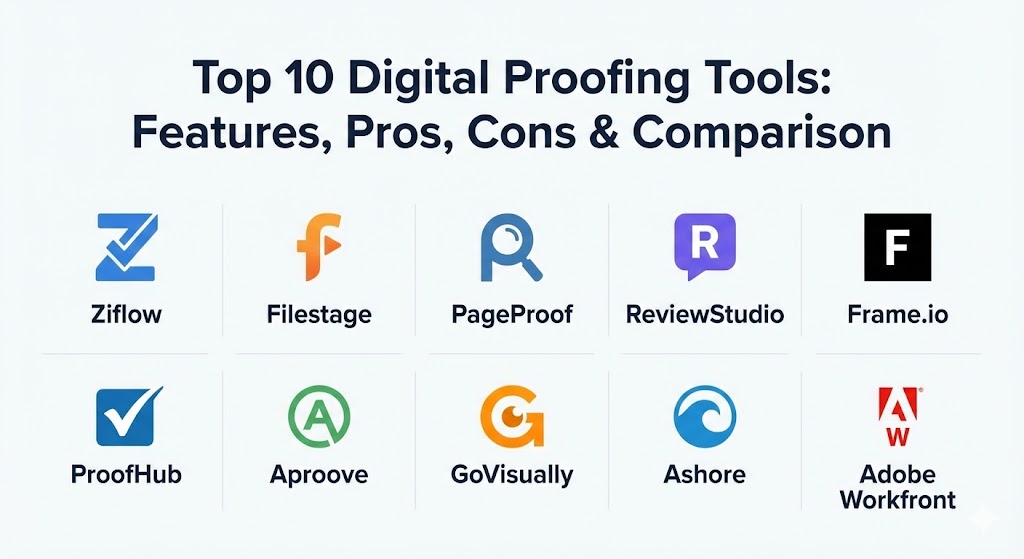
Top 10 Digital Proofing Tools
1 — Ziflow
Ziflow is an enterprise-grade online proofing platform designed to handle complex workflows for high-output creative teams. It is widely recognized for its robust automation and its ability to handle over 1,200 different file types, from static images to interactive HTML5 banners.
- Key features:
- Support for 1,200+ file formats including video, web, and rich media.
- Advanced workflow automation that triggers actions based on approval stages.
- Side-by-side and pixel-level version comparison tools.
- Automated reminders and deadline tracking for reviewers.
- Deep integrations with project management tools like Jira, Asana, and Monday.com.
- Guest reviewer access that does not require an account or login.
- Pros:
- The most comprehensive feature set for enterprise-level automation and scale.
- Highly granular permission settings for complex internal and external teams.
- Cons:
- The pricing structure can be high for smaller teams.
- The sheer depth of features creates a steeper learning curve for new administrators.
- Security & compliance: SOC 2 Type II, GDPR, HIPAA, and ISO 27001 compliant. Offers SSO (SAML), data encryption at rest and in transit, and detailed audit logs.
- Support & community: Industry-leading documentation and a dedicated “Ziflow University” for onboarding. Enterprise accounts receive a dedicated success manager and 24/7 global support.
2 — Filestage
Filestage is a streamlined review and approval platform that prioritizes a “calm” and intuitive user experience. It focuses on making the feedback loop as simple as possible for clients and stakeholders who may not be tech-savvy.
- Key features:
- One-click approval process for reviewers.
- Organized “Steps” or “Stages” to manage different departments (e.g., Creative, Legal, Client).
- Integrated to-do lists that automatically generate from comments.
- Version stacking that allows users to flip through revisions instantly.
- Smart notifications that group alerts to prevent inbox clutter.
- Mobile-responsive design for reviewing assets on the go.
- Pros:
- Exceptionally easy for external clients to use without any prior training.
- Very fast setup time; teams can be up and running in minutes.
- Cons:
- Lacks some of the deep technical automation found in more complex tools.
- Reporting features are more basic compared to enterprise competitors.
- Security & compliance: GDPR compliant with servers based in the EU (Germany). Includes AES-256 encryption and customizable password protection for proof links.
- Support & community: Known for highly responsive chat support and a rich library of best-practice templates for different industries.
3 — PageProof
PageProof is a powerful, design-focused proofing tool that stands out for its unique “encryption-first” approach and its “triple-checked” philosophy. It is built specifically to handle everything from social media posts to complex packaging designs.
- Key features:
- PageProof Intelligence for automated link checking and spell checking within files.
- ColorSep technology for checking color separation plates in print files.
- Rulers and gridline overlays for precision design reviews.
- “Smart Compare” that highlights even the smallest pixel differences between versions.
- Support for 3D content and specialized packaging formats.
- Native Adobe Creative Cloud extensions for designers.
- Pros:
- The most specialized tools for print and packaging professionals.
- A very fair “unlimited users” pricing model on several plans.
- Cons:
- The interface can feel a bit crowded due to the high number of technical design tools.
- Video proofing features, while good, are not as specialized as dedicated video tools.
- Security & compliance: ISO 27001 certified. Features patented “at-rest” encryption where PageProof cannot even see the content of your files.
- Support & community: Excellent localized support in multiple time zones and an active user community focused on creative operations.
4 — ReviewStudio
ReviewStudio is a versatile proofing solution that caters to a wide range of creative disciplines, including photography, advertising, and video production. It is highly regarded for its “Present Mode,” which allows for real-time synchronized review sessions.
- Key features:
- Synchronized “Live Review” sessions for remote collaborative meetings.
- Task management features that allow users to assign specific comments to team members.
- Customizable branding for client-facing review portals.
- Advanced video proofing with frame-accurate commenting and drawing.
- Support for HTML5, websites, and multipage PDF documents.
- Robust API for custom integrations into existing agency stacks.
- Pros:
- The “Present Mode” is a game-changer for agencies that do live pitch or feedback sessions.
- Very competitive pricing for mid-sized teams.
- Cons:
- The user interface feels a bit dated compared to modern “SaaS” aesthetics.
- The mobile experience is functional but not as polished as the desktop version.
- Security & compliance: SOC 2 compliant options, GDPR adherence, and SSO availability for enterprise tiers.
- Support & community: High marks for personalized customer service and a very detailed technical knowledge base.
5 — Frame.io (by Adobe)
Frame.io is the industry standard for video-specific proofing. Now a part of Adobe Creative Cloud, it is the primary tool for Hollywood studios, YouTubers, and commercial production houses to review video content.
- Key features:
- Frame-accurate commenting and on-screen drawing tools.
- High-speed file uploads with global accelerated transfer technology.
- Direct integration into Premiere Pro, After Effects, and DaVinci Resolve.
- Cloud-to-Camera (C2C) features that allow footage to be reviewed as it’s being filmed.
- Version stacks that keep timelines clean and organized.
- Support for high-dynamic-range (HDR) video playback.
- Pros:
- Unrivaled video playback performance and specialized post-production features.
- Seamless workflow for Adobe users, as it is built directly into the creative apps.
- Cons:
- Less effective for non-video assets like complex PDFs or HTML5 banners.
- Can become very expensive as storage needs grow.
- Security & compliance: SOC 2 Type II and TPN (Trusted Partner Network) certified for high-security film production.
- Support & community: Massive community of video professionals and extensive Adobe-backed enterprise support.
6 — ProofHub
ProofHub is a comprehensive project management platform that includes a powerful, built-in digital proofing tool. It is designed for teams that want to manage their entire project lifecycle and review process in one place.
- Key features:
- Unified project management, time tracking, and proofing.
- Markup tools for adding clear, visual feedback to documents and designs.
- Simple “Approve” or “Request Changes” buttons for quick decision-making.
- Threaded discussions associated with specific proofs.
- Custom roles and permissions to control stakeholder access.
- Built-in file versioning to track history.
- Pros:
- Great value for teams that need both project management and proofing without paying for two tools.
- Flat-fee pricing with no per-user costs.
- Cons:
- The proofing features are not as specialized as “best-of-breed” tools like Ziflow.
- Lacks advanced automation and specialized video post-production tools.
- Security & compliance: HIPAA and GDPR compliant. Uses 256-bit SSL encryption and offers IP restrictions and SSO.
- Support & community: Fast email and chat support; includes a helpful onboarding guide for new teams.
7 — Aproove
Aproove is an enterprise-level work management and proofing platform that focuses on high-volume production and strict regulatory compliance. It is often used by large retailers and financial institutions.
- Key features:
- Powerful “Live Workflow Engine” that automates complex business processes.
- Smart Review AI that automatically identifies changes in text and layout.
- Support for 180+ file formats with high-fidelity rendering.
- Advanced color management and measurement tools for print accuracy.
- Personalized dashboards for every stakeholder.
- Deep audit trails that capture every action for compliance purposes.
- Pros:
- Highly scalable for massive organizations with thousands of assets.
- Exceptional workflow logic that can handle non-linear approval paths.
- Cons:
- The setup is very complex and usually requires a formal implementation phase.
- Not suitable for small teams due to the administrative overhead and price.
- Security & compliance: SOC 2, HIPAA, GDPR, and ISO 27001. Provides advanced encryption and customizable security protocols.
- Support & community: Enterprise-grade support with professional services for custom workflow design.
8 — GoVisually
GoVisually is a user-friendly proofing tool that targets small agencies and freelance designers who need a fast, affordable way to get client sign-off on designs and videos.
- Key features:
- Drag-and-drop file uploading for images, PDFs, and video.
- “Private comments” for internal team discussions that clients can’t see.
- Visual revision history to track changes over time.
- Unlimited reviewers on most plans.
- Mobile-optimized for reviewing on smartphones and tablets.
- Integration with Slack for real-time feedback notifications.
- Pros:
- Very modern, clean, and intuitive interface.
- Extremely affordable compared to enterprise proofing solutions.
- Cons:
- Lacks advanced workflow automation (no “if-this-then-that” logic).
- No specialized tools for print separation or complex HTML5.
- Security & compliance: GDPR compliant; uses AWS for secure data storage with standard encryption.
- Support & community: Responsive email support and a straightforward knowledge base.
9 — Ashore
Ashore is a proofing tool built specifically for high-volume creative agencies. It focuses on automating the “chasing” of clients and keeping the feedback process moving without manual intervention.
- Key features:
- Automated “reminders” that pester clients until they take action.
- Custom-branded reviewer portals for a professional appearance.
- Approval checklists that ensure reviewers acknowledge specific terms.
- Detailed analytics on how long clients take to review files.
- Support for white-labeling the entire platform.
- Clean, distraction-free review interface.
- Pros:
- The best tool for agencies struggling with slow client response times.
- Very strong white-labeling options for maintaining brand consistency.
- Cons:
- Fewer markup tools (e.g., no shapes or measurement tools) compared to Ziflow.
- Pricing is a bit higher on a per-user basis than GoVisually.
- Security & compliance: Standard data encryption and GDPR compliance; offers audit logs for approval history.
- Support & community: Known for friendly, US-based customer support and a helpful blog on creative operations.
10 — Adobe Workfront (Proofing)
Adobe Workfront is a massive Enterprise Work Management (EWM) platform. Its proofing capabilities (formerly Workfront Proof) are deeply integrated into its project management and resource planning modules.
- Key features:
- Integrated proofing within a massive enterprise project ecosystem.
- Automated routing that sends proofs to the right person based on workload.
- Support for complex, multi-stage approval hierarchies.
- High-fidelity viewing of massive files and complex spreadsheets.
- Advanced reporting on creative throughput and bottleneck identification.
- Deep connectivity with Adobe Creative Cloud and Experience Manager.
- Pros:
- Ideal for organizations that need proofing to be a small part of a much larger work management system.
- The strongest reporting and resource management capabilities in the category.
- Cons:
- Far too complex for teams that only need a simple proofing tool.
- High cost and long implementation timelines.
- Security & compliance: FedRAMP authorized, SOC 2, HIPAA, and GDPR compliant. Military-grade security infrastructure.
- Support & community: Comprehensive enterprise support, professional services, and a global user conference (Adobe Summit).
Comparison Table
| Tool Name | Best For | Platform(s) Supported | Standout Feature | Rating (Gartner/TrueReview) |
| Ziflow | Enterprise Automation | Web, Desktop | 1,200+ File Type Support | 4.7 / 5 |
| Filestage | Ease of Use / Clients | Web, Mobile | 部门-based Approval Steps | 4.6 / 5 |
| PageProof | Print & Packaging | Web, Adobe CC | Smart Compare & ColorSep | 4.8 / 5 |
| ReviewStudio | Real-time Meetings | Web, Mobile | Present Mode (Synced Rev) | 4.5 / 5 |
| Frame.io | Professional Video | Web, iOS, Premiere | Frame-Accurate Drawing | 4.8 / 5 |
| ProofHub | Project Mgmt + Proofing | Web, iOS, Android | Flat-Fee Pricing | 4.4 / 5 |
| Aproove | High-Volume Enterprise | Web, Cloud | AI Compliance Checker | 4.3 / 5 |
| GoVisually | Freelancers / SMBs | Web, Mobile | Simplicity & Price | 4.6 / 5 |
| Ashore | Client Management | Web | Automated Chaser Emails | 4.4 / 5 |
| Adobe Workfront | Global Enterprise | Web, Mobile | Holistic Resource Mgmt | 4.2 / 5 |
Evaluation & Scoring of Digital Proofing Tools
When choosing a digital proofing tool, we evaluate based on a weighted rubric that reflects the priorities of modern creative teams. Below is how the top tools are generally measured by industry consultants.
| Category | Weight | Evaluation Criteria |
| Core Features | 25% | Annotation tools, version comparison, file support, and approval workflows. |
| Ease of Use | 15% | The experience for external “guest” reviewers who don’t have an account. |
| Integrations | 15% | Connection with Adobe CC, Slack, and Project Management (PM) tools. |
| Security | 10% | SSO, SOC 2 compliance, and audit trails for legal/regulatory needs. |
| Performance | 10% | Upload speeds, video playback smoothness, and high-res file rendering. |
| Support | 10% | Availability of live chat, knowledge base, and enterprise SLAs. |
| Price / Value | 15% | Licensing model (per-user vs flat-fee) relative to feature depth. |
Which Digital Proofing Tool Is Right for You?
Selecting the right tool depends heavily on your team’s specific output and the technical comfort of your stakeholders.
- Solo Freelancers vs. SMBs: If you are a single designer or a small boutique shop, GoVisually or Filestage are your best options. They offer professional-looking client portals without the “bloat” of enterprise software.
- Video-First Teams: If 80% of your work is video, Frame.io is practically mandatory. Its integration with editing software like Premiere Pro saves hours of manual work every week.
- Enterprise & Complex Workflows: Large organizations with strict legal requirements need Ziflow or Aproove. These tools allow you to build automated paths where a file cannot go to the client until it has been “green-lit” by Legal and Internal QA.
- Print & Packaging Designers: PageProof is the clear winner here due to its specialized tools for color separation and high-fidelity PDF inspection.
- Budget-Conscious Teams: If you need to manage unlimited users on a budget, ProofHub (with its flat fee) or GoVisually (on their entry-level plans) provide the best value.
- Integration Needs: If your team already lives inside a specific project management ecosystem, check for native integrations. Ziflow and Filestage have the most robust “connectors” for tools like Asana, Monday.com, and ClickUp.
Frequently Asked Questions (FAQs)
1. Is digital proofing better than using Google Drive comments?
Yes. While Google Drive is great for text, it lacks specialized tools for frame-accurate video feedback, side-by-side version comparison, and structured approval workflows that ensure the right person signs off at the right time.
2. Can external clients see internal team comments?
Most professional tools (like Ziflow, ReviewStudio, and GoVisually) offer “internal-only” comment settings. This allows your creative team to debate changes privately before presenting a unified front to the client.
3. Do my clients need to create an account to review a file?
In the best tools, the answer is no. You simply send them a secure link, and they can comment and approve immediately. This is critical for maintaining high response rates from busy stakeholders.
4. How does digital proofing help with compliance?
Tools like Aproove and Ziflow provide a complete audit trail. If a mistake is made on a published ad, you can look back and see exactly who approved that version, what the comments were, and when the final sign-off happened.
5. What is “Pixel-Level Comparison”?
This is a feature where the software overlays two versions of a design and highlights exactly which pixels have changed. It is incredibly useful for ensuring that a designer made every requested edit without accidentally moving something else.
6. Does digital proofing software support video?
Yes, but the quality varies. Dedicated tools like Frame.io and ReviewStudio offer frame-accurate playback, meaning you can comment on exactly 01:12:04 rather than just a general timestamp.
7. Can I white-label these tools?
Many platforms (especially Ashore and ReviewStudio) allow you to replace their logo with your own and use a custom URL, ensuring your clients see your agency’s brand throughout the review process.
8. What is a “Review Workflow”?
This is a pre-defined path a file takes. For example: Stage 1 (Internal Team), Stage 2 (Manager), Stage 3 (Legal), and Stage 4 (Client). The file automatically moves to the next stage only after the current stage is approved.
9. How do these tools handle version control?
Instead of having multiple files like “Logo_Final_v2_REALLY_FINAL.png,” these tools “stack” versions. You have one project link, and you can simply toggle between Version 1, 2, and 3 in the same window.
10. Are digital proofing tools expensive?
They range from $20/month for freelancers to thousands of dollars per month for large enterprise deployments. Most teams find the cost is quickly offset by the time saved in reducing revision cycles.
Conclusion
Digital proofing has transformed from a “nice-to-have” luxury into an essential component of the modern creative stack. By centralizing feedback, automating the follow-up process, and providing a clear audit trail, these tools allow creative teams to spend less time on administration and more time on the work that actually matters.
When choosing a tool, remember that the technical features are only half the battle. The most important factor is the reviewer experience. If your clients find the tool difficult to use, they will revert to email, and your process will break down. Choose a tool that matches your team’s technical needs but, above all, makes it incredibly easy for your stakeholders to say “Approved.”