Introduction
IVR Design Tools are visual development environments—often featuring drag-and-drop interfaces—that enable IT teams and CX managers to orchestrate how a caller moves through an automated phone system. These tools handle the logic behind call routing, speech recognition (ASR), text-to-speech (TTS), and integration with backend databases to provide personalized self-service. Instead of writing thousands of lines of code, users can “draw” a call flow, connecting blocks that represent greetings, data inputs, menu options, and agent transfers.
The importance of these tools cannot be overstated. A well-designed IVR reduces “Zero-Out” rates (where frustrated callers immediately try to reach an agent), lowers operational costs by resolving queries through self-service, and improves First Call Resolution (FCR) by routing callers to the most qualified agent. Key real-world use cases include automated prescription refills in healthcare, balance inquiries in banking, and appointment scheduling for service industries. When evaluating these tools, users should look for ease of visual mapping, natural language processing (NLP) capabilities, depth of CRM integration, and real-time analytics to identify where callers are dropping off.
Best for: Customer support leads, contact center managers, and DevOps teams at mid-market to enterprise companies. It is especially critical for industries with high call volumes like retail, finance, healthcare, and telecommunications that need to scale their support without exponentially increasing headcount.
Not ideal for: Small businesses with extremely low call volumes (e.g., 5-10 calls a day) or solopreneurs. For these users, the basic “Auto-Attendant” features built into standard VoIP services like Google Voice or basic Zoom Phone plans are usually more than sufficient and significantly cheaper.
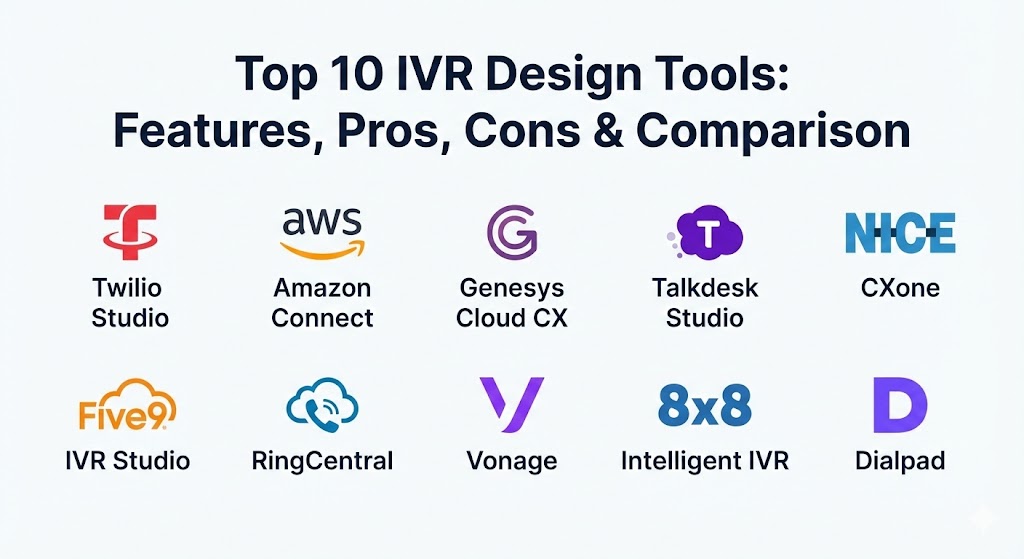
Top 10 IVR Design Tools
1 — Twilio Studio
Twilio Studio is a low-code visual interface designed for developers and business users to build, scale, and iterate on communication workflows. It acts as the orchestration layer for Twilio’s powerful communication APIs, allowing for highly customized IVR journeys that can easily transition into SMS or WhatsApp conversations.
- Key features:
- Drag-and-drop visual canvas for building complex, multi-branched call flows.
- Extensive library of “Widgets” for gathering input, making HTTP requests, and triggering sub-flows.
- Seamless integration with Twilio Autopilot for conversational AI and NLP.
- Real-time debugging tools and execution logs to trace caller paths.
- Omnichannel transitions (e.g., “Press 1 to receive this info via text”).
- Liquid Template Language support for dynamic, personalized greetings based on CRM data.
- Global telephony scale with local numbers in over 100 countries.
- Pros:
- Unmatched flexibility; if you can conceive a logic flow, you can build it.
- Pay-as-you-go pricing model is highly cost-effective for businesses with variable call volumes.1
- Cons:2
- Requires a base level of “developer logic” to master the more advanced HTTP request widgets.3
- Documentation is vast but can be overwhelming for total non-technical beginners.4
- Security & compl5iance: ISO 27001, SOC 2 Type II, GDPR, and HIPAA-compliant versions available via Business Associate Agreements (BAA).
- Support & community: Robust developer documentation, a massive global community, and professional support plans ranging from “Developer” to “Enterprise.”
2 — Amazon Connect (Contact Flow Builder)
Amazon Connect’s IVR designer is a cloud-native, visual “Contact Flow Builder” that leverages the broader AWS ecosystem. It is designed to be highly modular, allowing businesses to treat their contact center as a set of LEGO-like services that can be scaled instantly.
- Key features:
- Visual drag-and-drop editor for creating “Contact Flows.”
- Deep, native integration with AWS Lambda for real-time database lookups.
- Integration with Amazon Lex for high-level conversational AI (NLU).
- High-quality Text-to-Speech (TTS) via Amazon Polly in dozens of languages.
- Automated customer sentiment analysis through Contact Lens.
- Real-time analytics and historical reporting built directly into the dashboard.
- Dynamic routing based on customer attributes or previous interactions.
- Pros:
- Extremely cost-effective for large organizations due to its strict per-minute usage pricing.
- Inherits the world-class reliability and security of the AWS global infrastructure.
- Cons:
- The UI can feel “industrial” and less polished than dedicated CX platforms like Talkdesk.
- Initial setup requires some AWS knowledge, particularly around IAM roles and Lambda functions.
- Security & compliance: PCI DSS, HIPAA, SOC 1/2/3, ISO/IEC 27001/27017/27018, and GDPR.
- Support & community: AWS Support (Standard, Business, Enterprise tiers) and an extensive network of AWS Partners/Consultants.
3 — Genesys Cloud CX (Architect)
Genesys Cloud CX features “Architect,” a powerful and highly visual IVR design tool focused on enterprise-grade orchestration. It is designed for complex environments that require high levels of availability and sophisticated multi-channel routing logic.
- Key features:
- Hierarchical flow design that allows for “Global” and “Local” logic reuse.
- Built-in “Execution History” for granular troubleshooting of failed calls.
- Predictive AI routing that matches callers with agents based on predicted outcomes.
- Native Natural Language Understanding (NLU) through Genesys Dialog Engine.
- Out-of-the-box integrations with Salesforce, Zendesk, and Microsoft Dynamics.
- Multi-versioning support with easy “rollback” to previous IVR iterations.
- Advanced scheduling logic for holiday routing and business hours.
- Pros:
- One of the most intuitive interfaces for managing very large, multi-language menus.
- Strong emphasis on reliability; built specifically for high-volume enterprise traffic.
- Cons:
- Pricing is on the higher end, often requiring long-term commitments.
- The platform is so feature-rich that the learning curve for “Architect” can be steep.
- Security & compliance: HIPAA, PCI DSS Level 1, SOC 2, GDPR, and FedRAMP authorized.
- Support & community: Extensive “Genesys University” training programs and a highly active online community portal.
4 — Talkdesk Studio
Talkdesk Studio is a cloud-native IVR designer that prioritizes speed of deployment and ease of use. It is widely considered one of the most user-friendly tools on the market, allowing business users to make real-time changes without IT intervention.
- Key features:
- “Clicks-not-code” interface for building and modifying call journeys.
- Talkdesk AI Trainer for improving the accuracy of voice self-service over time.
- “One-click” integrations with 80+ business applications via the Talkdesk AppConnect.
- Visual debugging that highlights errors in the flow before publishing.
- Seamless hand-off from IVR to chat or SMS.
- Contextual data passed to agents so they see exactly what the caller did in the IVR.
- Automated quality management (QM) triggers based on IVR interactions.
- Pros:
- Rapid implementation; a functional IVR can be built and live in under an hour.
- Highly polished and modern user interface that managers actually enjoy using.
- Cons:
- Less flexible than Twilio or AWS Connect for highly custom, non-standard API calls.
- Advanced AI features often require “Elite” tier licensing.
- Security & compliance: SOC 2, ISO 27001, GDPR, HIPAA, and PCI DSS.
- Support & community: Dedicated Customer Success Managers (CSMs) for enterprise accounts and a robust online knowledge base.
5 — NICE CXone (Studio)
NICE CXone Studio is an industry-leading IVR design platform often found in global 2000 companies. It provides deep levels of customization and is known for its “all-in-one” approach to Workforce Engagement Management (WEM) and IVR.
- Key features:
- Visual script-building interface with over 200 pre-built “actions.”
- Deep integration with NICE Enlighten AI for sentiment and intent detection.
- Native self-service bots that can handle complex transactional tasks.
- Sophisticated voice biometrics for secure, password-free caller authentication.
- Advanced historical reporting with “Cradle-to-Grave” call tracking.
- High-availability architecture with a 99.99% uptime guarantee.
- Dynamic menu options that change based on the caller’s current account status.
- Pros:
- Unrivaled for compliance and security in highly regulated sectors like banking.
- Includes powerful workforce optimization tools that tie directly into IVR performance.
- Cons:
- The interface can feel dated and “heavy” compared to modern SaaS competitors.
- Professional services are often recommended for initial setup and complex migrations.
- Security & compliance: FedRAMP, HIPAA, PCI DSS, SOC 2, and GDPR.
- Support & community: 24/7 global support and a massive ecosystem of specialized consulting partners.
6 — Five9 (IVR Studio)
Five9’s IVR Studio is designed to bridge the gap between simple automated menus and intelligent virtual assistants (IVAs). It is particularly strong for outbound-focused contact centers and those utilizing intensive CRM integrations.
- Key features:
- Visual flow designer with a focus on “intelligent routing” to the best-skilled agent.
- Integration with Google Cloud Contact Center AI (CCAI) for advanced NLU.
- Native “Visual IVR” options that send a link to the caller’s smartphone for self-service.
- Robust Salesforce integration (Service Cloud Voice support).
- Automated callback options to reduce hold times.
- Real-time supervisor dashboards for monitoring IVR queue health.
- Comprehensive reporting on “IVR Abandonment” rates.
- Pros:
- Excellent balance of advanced features and administrative ease of use.
- “Visual IVR” is a standout feature for improving the mobile user experience.
- Cons:
- Some administrative functions still rely on a legacy Java-based application.
- Total cost of ownership can rise quickly with add-on AI modules.
- Security & compliance: SOC 2, HIPAA, PCI DSS, and GDPR.
- Support & community: Strong onboarding programs and 24/7 technical support access.
7 — RingCentral (IVR Editor)
RingCentral offers a multi-level IVR editor that is part of its broader UCaaS and CCaaS platform. It is best suited for organizations that want their office phone system and their customer service IVR on a single, unified bill.
- Key features:
- Visual IVR editor for creating up to 250 levels of sub-menus.
- Support for multi-site IVRs (different menus for different branch locations).
- Integrated “Call Whisper” and “Barge-in” for supervisors during agent hand-offs.
- Bulk import/export of IVR prompts and audio files.
- Time-based routing (Business hours vs. After-hours) with holiday exceptions.
- Direct “VIP” routing based on caller ID matching.
- Seamless integration with Microsoft Teams and Google Workspace.
- Pros:
- Simplifies administration by keeping internal and external comms in one tool.
- Very high reliability with a “five-nines” (99.999%) uptime reputation.
- Cons:
- The “Advanced” IVR features are actually powered by NICE (in the Contact Center plan), which can create a disjointed admin experience.
- Custom API integrations are more limited compared to Twilio or AWS.
- Security & compliance: FISMA, HIPAA, PCI DSS, SOC 2 Type II, and ISO 27001.
- Support & community: 8×8 University, 24/7 phone/chat support, and a robust partner network.
8 — Vonage (AI Studio)
Vonage AI Studio is a low-code, conversational AI designer that allows companies to build IVRs, chatbots, and SMS bots in a single interface. It is one of the newest and most “AI-first” tools on this list.
- Key features:
- No-code visual interface for building conversational voice and messaging flows.
- Native Natural Language Processing (NLP) that understands intent, not just keywords.
- “Human-in-the-loop” handoffs that pass context from the AI to a live agent.
- Global deployment across Vonage’s massive telephony network.
- Real-time insights into which IVR nodes are causing the most friction.
- Support for dozens of languages and regional accents.
- Deep integration with Salesforce and Microsoft Dynamics.
- Pros:
- One of the best tools for building truly conversational, non-linear menus.
- Excellent for modernizing legacy IVRs without replacing the entire phone system.
- Cons:
- As a newer tool, some niche enterprise integrations are still being developed.
- Analytics dashboards are slightly less customizable than Genesys or NICE.
- Security & compliance: SOC 2, ISO 27001, HIPAA, and GDPR.
- Support & community: Comprehensive developer portal and 24/7 technical assistance.
9 — 8×8 (Intelligent IVR)
8×8 provides an “Intelligent IVR” as part of its eXperience Communications Platform. It focuses on delivering high-quality audio and a clutter-free administrative experience for SMBs and mid-market companies.
- Key features:
- Visual call flow designer with a focus on simplicity and “at-a-glance” management.
- Native integration with 8×8’s speech analytics and sentiment tools.
- Automated customer surveys triggered immediately after an IVR exit.
- Unified admin portal for both UCaaS (office phones) and CCaaS (IVR).
- “VIP Routing” logic to ensure top clients never wait in a queue.
- Cloud-based recording and transcription of IVR data inputs.
- Multi-language support with professional voice talent options.
- Pros:
- The minimalist interface reduces training time for new administrators.
- Outstanding global call quality and low latency.
- Cons:
- Lacks some of the “deep-tech” customization options found in AWS Connect.
- Advanced reporting features are locked behind higher-tier “X-Series” plans.
- Security & compliance: FISMA, HIPAA, PCI DSS, SOC 2, and ISO 27001.
- Support & community: 8×8 University and global 24/7 enterprise support.
10 — Dialpad (IVR Settings/Studio)
Dialpad leverages its “Dialpad AI” to provide one of the most intelligent, yet simple, IVR experiences on the market. It is built for a mobile-first, remote workforce.
- Key features:
- Real-time AI transcription of IVR interactions.
- “In-Queue Callback” options that allow callers to save their place in line.
- Automated CSAT (Customer Satisfaction) surveys built into the flow.
- Visual menu editor that supports “Smart Dialer” integrations.
- Time-based routing that handles complex multi-timezone operations.
- Sentiment analysis that can alert supervisors if a caller is angry before they even reach an agent.
- Native integration with Slack for real-time alerts.
- Pros:
- Speech recognition is significantly more accurate than many legacy competitors.
- Very modern “SaaS-native” feel; setup is remarkably fast.
- Cons:
- The tool is built for simplicity, so highly complex “logic-heavy” enterprise flows may be harder to implement.
- Limited support for legacy hardware or on-premises telephony.
- Security & compliance: SOC 2 Type II, HIPAA, GDPR, and ISO 27001.
- Support & community: Extensive self-help resources, 24/7 chat support, and dedicated implementation managers for large teams.
Comparison Table
| Tool Name | Best For | Platform(s) Supported | Standout Feature | Rating (Gartner) |
| Twilio Studio | Developers & Custom IVR | Cloud / API-First | No-code “Widget” Canvas | 4.6 / 5 |
| Amazon Connect | AWS-Native Enterprises | AWS Cloud | Pay-as-you-go Pricing | 4.5 / 5 |
| Genesys Cloud CX | Enterprise Orchestration | Cloud / Hybrid | Predictive AI Routing | 4.7 / 5 |
| Talkdesk Studio | Ease of Use & Speed | Cloud / SaaS | One-click Integrations | 4.7 / 5 |
| NICE CXone Studio | Compliance & Big Data | Cloud / Enterprise | Voice Biometrics | 4.6 / 5 |
| Five9 IVR Studio | Outbound & Salesforce | Cloud / SaaS | Visual Mobile IVR | 4.5 / 5 |
| RingCentral IVR | Unified Communications | Multi-Platform | 99.999% Uptime SLA | 4.4 / 5 |
| Vonage AI Studio | Conversational AI | Cloud / SaaS | Low-code NLU Flows | 4.3 / 5 |
| 8×8 Intelligent IVR | SMB & Mid-Market | Cloud / SaaS | Clutter-free UI | 4.5 / 5 |
| Dialpad AI IVR | Mobile-First Teams | Cloud / Mobile | Real-time AI Transcripts | 4.4 / 5 |
Evaluation & Scoring of IVR Design Tools
To help you objectively evaluate these tools, we have applied a weighted scoring rubric based on the criteria that matter most to enterprise buyers.
| Criteria | Weight | What We Look For |
| Core Features | 25% | Visual flow designer, NLU/NLP, TTS quality, and routing logic depth. |
| Ease of Use | 15% | The “drag-and-drop” experience, UI responsiveness, and learning curve. |
| Integrations | 15% | Native CRM/ERP support and the openness of the API ecosystem. |
| Security & Compliance | 10% | HIPAA/PCI DSS readiness, SOC 2 status, and data encryption. |
| Reliability | 10% | Uptime SLAs, global telephony footprint, and disaster recovery. |
| Support & Community | 10% | Documentation quality, support response times, and peer communities. |
| Price / Value | 15% | Transparency of pricing and TCO (Total Cost of Ownership). |
Which IVR Design Tool Is Right for You?
The “right” tool is rarely about which has the most features; it’s about which matches your team’s technical resources and your business goals.
By Organization Size
- Solo & SMB: If you have limited IT resources, Talkdesk or 8×8 are the best choices. They are “plug-and-play” and don’t require you to manage server infrastructure.
- Mid-Market: RingCentral and Five9 offer a great balance of enterprise power with a manageable administrative overhead.
- Large Enterprise: Genesys Cloud CX and NICE CXone are the industry titans designed to handle thousands of concurrent calls across multiple global sites with strict compliance requirements.
By Technical Resource
- Developer-Led Teams: If you want to build truly unique experiences—like an IVR that pulls data from a proprietary custom database—Twilio Studio or Amazon Connect offer the most raw power.
- Business-Led Teams: If the Customer Service Manager will be the one updating menu options, Talkdesk Studio or Vonage AI Studio are significantly more accessible.
By Budgetary Strategy
- Predictable Monthly Spend: Most “per user, per month” providers like 8×8 or RingCentral allow for easy annual budgeting.
- Variable/Scaling Spend: If your business is seasonal (e.g., retail during the holidays), Amazon Connect or Twilio are ideal because you only pay for the minutes you actually use.
Frequently Asked Questions (FAQs)
1. What is an IVR design tool?
It is a software platform (usually visual) that allows users to create and manage the automated voice menus and routing logic that callers experience when they phone a business.
2. Does IVR design require coding?
Modern tools are “low-code” or “no-code,” meaning you use a visual canvas to drag and drop elements. However, highly complex integrations (like calling an external API) may still require some basic developer knowledge.
3. What is the difference between IVR and IVA?
IVR (Interactive Voice Response) is typically menu-driven (“Press 1 for…”). IVA (Intelligent Virtual Assistant) is AI-driven and uses Natural Language Processing to allow callers to speak naturally (“I’m calling about my late flight”).
4. Can these tools integrate with my CRM?
Yes, most top-tier tools offer native integrations with Salesforce, Zendesk, and HubSpot. This allows the IVR to recognize the caller and provide personalized info like “Your order is scheduled for delivery today.”
5. How secure are these systems?
Most enterprise IVR tools are highly secure, offering SOC 2 compliance, data encryption at rest/transit, and PCI DSS compliance for handling credit card information over the phone.
6. Are cloud-based IVR tools reliable?
Yes. In fact, most cloud providers offer higher uptime (99.99% or 99.999%) than on-premises legacy systems because they utilize global, redundant data centers.
7. Can an IVR tool handle multiple languages?
Yes, most tools support “multi-language flows” where the system can either ask the caller to choose a language or automatically detect it based on the caller’s phone number prefix.
8. What is “Visual IVR”?
Visual IVR is a feature (found in tools like Five9) that sends a digital link to a caller’s smartphone, allowing them to navigate a menu on their screen instead of listening to audio prompts.
9. Why do callers “Zero-Out” in an IVR?
This usually happens because the menu is too long, the options are confusing, or the system fails to understand the caller’s voice. High-quality design tools help minimize this through better UX and AI.
10. How much do IVR design tools cost?
Costs vary from a few cents per minute (AWS/Twilio) to $75–$150+ per user per month for comprehensive contact center suites (Genesys/NICE).
Conclusion
The evolution of IVR from a “necessary evil” to a powerful customer engagement tool has been driven by the quality of the software used to build it. Whether you prioritize the developer-centric flexibility of Twilio, the cost-efficiency of Amazon Connect, or the all-in-one enterprise power of Genesys, the key is to choose a tool that empowers you to iterate quickly. The “best” IVR is one that respects the caller’s time, resolves their issue efficiently, and provides a seamless bridge to a human agent when needed.