Introduction
In-product messaging platforms are specialized tools that enable teams to deliver targeted content—such as modals, tooltips, slideouts, and banners—directly within a web or mobile application. Unlike external communication channels, these messages are contextual, appearing based on a user’s real-time behavior, account status, or lifecycle stage. The primary goal is to drive “time-to-value,” ensuring users discover key features and overcome friction without leaving the product.
The importance of these platforms is rooted in user experience (UX) and retention. By guiding a user through a complex workflow with a well-timed tooltip or announcing a new feature via a native-looking slideout, businesses can significantly reduce churn. Key real-world use cases include onboarding new sign-ups with interactive tours, gathering sentiment data through Net Promoter Score (NPS) surveys, and driving upsells by highlighting premium features at the moment of intent. When evaluating these tools, teams should look for ease of use (no-code editors), depth of segmentation logic, A/B testing capabilities, and the impact on application performance.
Best for: Product managers, growth marketers, and customer success teams in SaaS, Fintech, and E-commerce industries. It is ideal for mid-market to enterprise companies that need to scale user education and product adoption without constantly tapping into limited engineering resources.
Not ideal for: Bare-bones early-stage startups where the product UI is changing daily, or for simple, single-page websites where basic documentation or a “Contact Us” button is sufficient. It is also not a replacement for high-level marketing automation tools like HubSpot or Marketo for top-of-funnel lead generation.
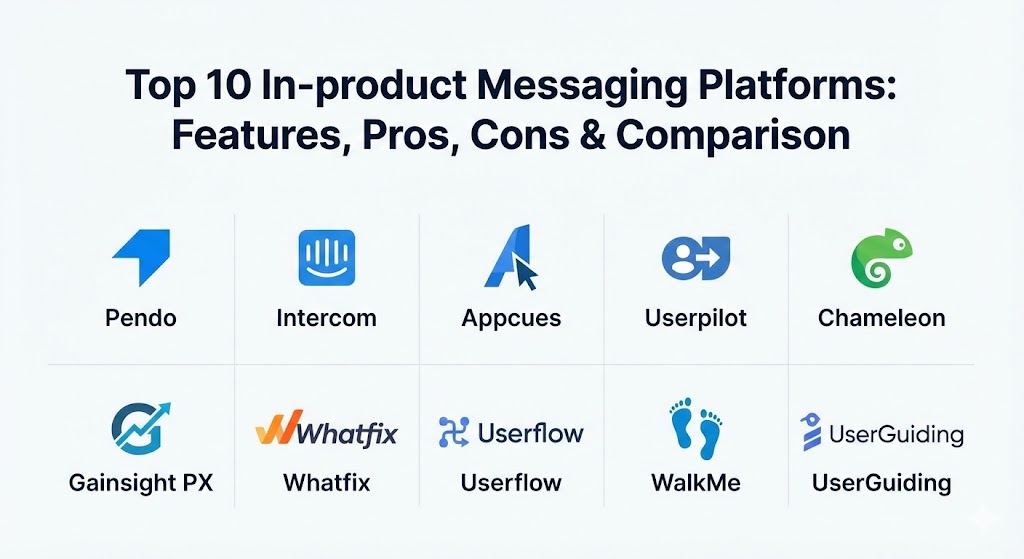
Top 10 In-product Messaging Platforms
1 — Pendo
Pendo is a comprehensive product experience platform that combines powerful in-app messaging with deep product analytics. It is designed to help teams understand how users navigate their software and then use those insights to build better guides.
- Key features:
- “Visual Design Studio” for creating guides without writing code.
- Deep behavioral analytics that track every click and page load.
- Native NPS and in-app polling for qualitative feedback.
- Multi-app support to manage messaging across a suite of products.
- Resource Center that acts as an on-demand help hub for users.
- Retroactive data tagging to analyze past behavior without pre-configuring events.
- Sophisticated segmentation based on both usage data and account metadata.
- Pros:
- The integration of analytics and messaging in one tool allows for highly data-driven campaigns.
- Excellent scalability for large enterprise environments with multiple product lines.
- Cons:
- The pricing is often opaque and can be significantly higher than specialized onboarding tools.
- The learning curve for the advanced analytics features can be quite steep for non-technical users.
- Security & compliance: SOC 2 Type II, GDPR, HIPAA, and ISO 27001 compliant. Includes SSO and granular role-based access controls.
- Support & community: Extensive documentation through “Pendo Academy,” a dedicated customer success manager for higher tiers, and a very active user community.
2 — Intercom
Intercom is primarily known as a customer service leader, but its “Proactive Support” and “Series” features make it a powerhouse for in-product messaging. It focuses on human-like conversations and seamless transitions from automated messages to live support.
- Key features:
- “Series” visual campaign builder for orchestrating journeys across in-app and email.
- Fin AI Agent for automated, conversational support within the messenger.
- Product Tours that provide interactive, step-by-step guidance.
- Banners and “Checklists” to guide users toward specific milestones.
- Real-time triggers based on “User Events” (e.g., clicked a button, reached a limit).
- Integrated help center that can be launched directly from the in-app chat.
- Pros:
- Provides a truly unified experience where messaging, support, and marketing live in one inbox.
- The UI is industry-leading, making it very easy for marketing teams to design beautiful messages.
- Cons:
- Costs can escalate rapidly as user volume or “message seats” increase.
- The focus on “chat” can sometimes distract from more complex, guided UI onboarding needs.
- Security & compliance: SOC 2, GDPR, and HIPAA support (on Expert plans). End-to-end encryption for sensitive data.
- Support & community: Robust help center, 24/7 live chat support, and a massive ecosystem of third-party integrations.
3 — Appcues
Appcues is widely considered the pioneer of the “no-code” onboarding movement. It focuses specifically on helping non-technical teams create beautiful, effective in-app experiences that look like they were built by engineers.
- Key features:
- Point-and-click “Chrome Extension” editor for building guides on top of your app.
- Flow Analytics to see exactly where users drop off in an onboarding sequence.
- Checklists that gamify the user experience with progress bars.
- Sophisticated A/B testing to determine which message variants drive more action.
- “Events Explorer” to track user actions without needing developer instrumentation.
- Mobile-specific onboarding carousels for iOS and Android applications.
- Pros:
- The most intuitive builder in the market; anyone can create a guide in minutes.
- Highly reliable and doesn’t slow down the parent application’s load time.
- Cons:
- Analytics are “good” but not as deep as specialized platforms like Pendo or Mixpanel.
- Pricing starts relatively high for very small businesses or startups.
- Security & compliance: SOC 2 Type II, GDPR, and HIPAA compliant. Data is encrypted at rest and in transit.
- Support & community: Known for “Appcues University” and a very responsive support team with deep expertise in product-led growth (PLG).
4 — Userpilot
Userpilot is a growth-focused platform designed specifically for SaaS companies looking to drive product adoption through contextual in-app experiences. It emphasizes “triggering” the right message at the right moment.
- Key features:
- Conditional logic that shows messages based on what a user just did.
- “Resource Centers” that integrate search, docs, and interactive flows.
- Native NPS and micro-surveys with localized language support.
- AI writing assistant to help refine in-app copy and tone.
- Feature tagging that allows teams to track UI engagement without code.
- Sophisticated dashboard for tracking “Aha!” moments and conversion goals.
- Pros:
- Offers the best balance of features and price for mid-market SaaS companies.
- The visual editor is exceptionally fast and rarely suffers from “finicky” element selection.
- Cons:
- Currently focuses primarily on web applications, with limited support for native mobile.
- The UI of the main dashboard can occasionally feel cluttered due to the density of features.
- Security & compliance: GDPR, SOC 2 Type II, and ISO 27001. Support for SSO and custom data retention policies.
- Support & community: High-touch onboarding for new customers and a very helpful blog/community focused on user onboarding best practices.
5 — Chameleon
Chameleon is the platform of choice for teams that prioritize design and customization. It is built for companies that want their in-product messages to feel 100% native to their unique branding and UI.
- Key features:
- Deep CSS customization and styling options for all UI patterns.
- “Debugger” tool to understand exactly why a message did (or didn’t) show to a user.
- Sophisticated “Launchers” that act as customizable in-app menus.
- Multi-page flows that can traverse different URLs seamlessly.
- Integrations with Segment, Amplitude, and Mixpanel for advanced data syncing.
- “HelpBar” feature for an AI-powered, searchable interface.
- Pros:
- Offers the most granular styling controls, ensuring messages never look like “pop-ups.”
- The “Debugger” is a life-saver for troubleshooting complex targeting logic.
- Cons:
- The learning curve is slightly higher due to the depth of the customization options.
- Can be pricier for high-traffic applications compared to entry-level competitors.
- Security & compliance: SOC 2, GDPR, and HIPAA. Compliant with strict data privacy standards for enterprise customers.
- Support & community: Excellent technical support and a “Chameleon Benchmark Report” that provides industry-wide data on engagement.
6 — Gainsight PX
Gainsight PX (Product Experience) is the in-product messaging arm of the Gainsight ecosystem. It is purpose-built for Customer Success teams who want to correlate in-app behavior with customer health and retention.
- Key features:
- “Product Mapper” to create a structured hierarchy of your features for tracking.
- Automated “Engagement Throttling” to prevent over-messaging users.
- Integrated email engagements to reach users who have gone dormant.
- Predictive analytics that flag users at risk of churning.
- Deep “Account-level” reporting, essential for B2B enterprise software.
- Omni-channel journeys that bridge the gap between web, mobile, and email.
- Pros:
- Unmatched for B2B enterprises that need to manage “Account Health” alongside individual usage.
- Powerful automation that can trigger messages based on complex customer health scores.
- Cons:
- Very high operational complexity; often requires a dedicated “Product Ops” person to manage.
- The builder interface can feel rigid and “enterprise-heavy” compared to more agile tools.
- Security & compliance: ISO 27001, SOC 2, HIPAA, and GDPR. Built for the world’s largest financial and healthcare institutions.
- Support & community: World-class enterprise support and the legendary “Pulse” community for customer success professionals.
7 — Whatfix
Whatfix is a Digital Adoption Platform (DAP) that goes beyond simple messaging. It is designed to guide employees and customers through complex enterprise software like Salesforce, Workday, or custom ERPs.
- Key features:
- “Self-Help” widgets that provide contextual answers based on the current page.
- “Task Lists” to ensure users complete required training or setup steps.
- Automated “Smart Content” creation that turns guides into PDFs or videos.
- “Mirror” feature to create interactive sandboxes for training.
- Multi-format support (web, desktop, and mobile).
- AI-powered analytics that identify where users are struggling in a workflow.
- Pros:
- The best choice for internal employee onboarding on complex legacy systems.
- Responsive customer service that often assists in building the initial guides.
- Cons:
- The UI for building guides can be more technical than the “drag-and-drop” competitors.
- Can feel like “overkill” for a simple, modern SaaS application.
- Security & compliance: SOC 2 Type II, ISO 27001, GDPR, and HIPAA. Often used in highly secure government and financial sectors.
- Support & community: 24/7 global support and a robust professional services team for large-scale implementations.
8 — Userflow
Userflow is a modern, lightweight platform that prides itself on speed. It is a favorite among startups and mid-market growth teams who value a clean interface and a “fast” time-to-value.
- Key features:
- A incredibly fast, logic-based flow builder that works in a sidebar.
- “Checklists” and “Resource Centers” that are easy to style.
- Native support for “Versioning” and “Environments” (Dev vs. Production).
- Integrated NPS and multi-question surveys.
- Lightweight snippet that minimizes impact on app performance.
- “Attributed Data” that allows you to see exactly which flow led to which action.
- Pros:
- Probably the fastest implementation in the category; you can be live in under an hour.
- Transparent, fair pricing that scales well with growth.
- Cons:
- Lacks some of the ultra-deep behavioral analytics found in Pendo or Gainsight.
- Targeted primarily at web apps; mobile support is less mature.
- Security & compliance: SOC 2 Type II and GDPR compliant. Data is securely partitioned and encrypted.
- Support & community: Excellent documentation and a very efficient, direct support channel.
9 — WalkMe
WalkMe is the undisputed giant of the Digital Adoption space. It is an enterprise-grade solution designed to manage digital transformation across hundreds of different applications within a single organization.
- Key features:
- “WalkMe Workstation” for guidance across any software an employee touches.
- AI-driven “UI Intelligence” that predicts where users will fail.
- Cross-application workflows (e.g., guide a user from a CRM to a Billing tool).
- Sophisticated data validation to prevent users from entering “bad data.”
- Deep, enterprise-wide analytics on software ROI and adoption.
- “Session Replay” to see exactly where users get stuck in real-time.
- Pros:
- Unrivaled for massive organizations with complex, multi-software tech stacks.
- Provides the deepest possible insights into how an entire workforce uses technology.
- Cons:
- Extremely expensive and usually requires a long-term contract.
- Requires significant technical resources to set up and maintain at scale.
- Security & compliance: FedRAMP (for government), ISO 27001, SOC 2, HIPAA, and GDPR.
- Support & community: Global professional services, dedicated account teams, and a formal certification program.
10 — UserGuiding
UserGuiding is a budget-friendly, no-code solution aimed at startups and SMBs. It provides the essential features of in-product messaging without the enterprise price tag.
- Key features:
- Browser-extension-based builder for quick guide creation.
- Basic checklists and tooltips for onboarding.
- “Product Updates” standalone hub for release notes.
- User segmentation based on simple triggers and attributes.
- Basic analytics dashboard showing guide completion rates.
- Simple localization tools for global audiences.
- Pros:
- Exceptional value for money; perfect for teams just starting with in-app messaging.
- Very easy to set up for teams without any coding background.
- Cons:
- Analytics and segmentation are limited compared to the “Pro” tools.
- Does not support mobile applications.
- Security & compliance: GDPR compliant and offers DPA/SLA for enterprise customers.
- Support & community: Responsive email and chat support with a library of helpful video tutorials.
Comparison Table
| Tool Name | Best For | Platform(s) Supported | Standout Feature | Rating (Gartner) |
| Pendo | Enterprise Analytics | Web & Mobile | Unified Data + Messaging | 4.5 / 5 |
| Intercom | Unified Support/Growth | Web & Mobile | “Series” Campaign Builder | 4.4 / 5 |
| Appcues | Rapid Onboarding | Web & Mobile | Intuitive Editor | 4.6 / 5 |
| Userpilot | Mid-market Growth | Web | Contextual Trigger Logic | 4.6 / 5 |
| Chameleon | Native Customization | Web | Advanced Debugger & CSS | 4.4 / 5 |
| Gainsight PX | Customer Success | Web & Mobile | Account Health Correlation | 4.4 / 5 |
| Whatfix | Employee Training | Web, Desktop, Mobile | Automated Content Export | 4.6 / 5 |
| Userflow | Startups & Speed | Web | Logic-based Flow Builder | 4.8 / 5 |
| WalkMe | Digital Transformation | Web, Desktop, Mobile | UI Intelligence / Cross-App | 4.5 / 5 |
| UserGuiding | Budget-Conscious | Web | Value for Money | 4.5 / 5 |
Evaluation & Scoring of In-product Messaging Platforms
When selecting a platform, we use a weighted rubric to ensure that “flashy” features don’t overshadow core operational stability and long-term value.
| Category | Weight | Evaluation Criteria |
| Core Features | 25% | Variety of UI patterns (modals, tooltips, checklists), segmentation depth, and NPS tools. |
| Ease of Use | 15% | No-code builder quality, speed of implementation, and interface intuitiveness. |
| Integrations | 15% | Ecosystem depth (CRMs, CDPs, Analytics platforms) and API availability. |
| Security & Compliance | 10% | SOC 2, HIPAA, GDPR readiness, and data encryption standards. |
| Performance | 10% | Impact on page load speeds and reliability of message delivery. |
| Support & Community | 10% | Quality of documentation, training materials, and support response times. |
| Price / Value | 15% | Transparency of pricing and ROI potential for different business sizes. |
Which In-product Messaging Platform Is Right for You?
The “right” platform is a function of your technical debt, your user volume, and your ultimate business goal (e.g., higher conversion vs. lower support tickets).
- Solo Users vs SMB vs Mid-market vs Enterprise: * SMBs should look at Userflow or UserGuiding for speed and cost-efficiency.
- Mid-market teams with complex growth goals thrive on Appcues or Userpilot.
- Enterprises needing cross-app guidance or deep data integration must consider WalkMe, Pendo, or Gainsight PX.
- Budget-conscious vs Premium Solutions: * If budget is the primary constraint, UserGuiding offers the essentials.
- If you have the budget and need a “Rolls Royce” solution with every possible bell and whistle, Pendo or Intercom are the winners.
- Feature Depth vs Ease of Use: * Chameleon offers deep features but requires more effort.
- Appcues is the king of ease of use but may lack the advanced data-crunching of Pendo.
- Integration and Scalability Needs: * If you use Segment, Amplitude, or HubSpot heavily, check the Chameleon or Userpilot integration lists first.
- Pendo scales the best for companies with dozens of different products.
- Security and Compliance Requirements: * If you are in Healthcare or Finance, only consider tools with explicit HIPAA and SOC 2 Type II certifications (like Pendo, Intercom, or WalkMe).
Frequently Asked Questions (FAQs)
1. Will an in-product messaging tool slow down my application?
Most modern platforms use a lightweight JavaScript snippet that loads asynchronously. While the impact is usually negligible (under 100ms), it’s important to choose tools like Appcues or Userflow that are optimized for high performance.
2. Do I need a developer to set these up?
For the initial installation, a developer needs to add a single line of code (the snippet). After that, marketing and product teams can usually build, target, and launch messages entirely without code.
3. What is the difference between a modal and a tooltip?
A modal is a large pop-up that dims the background and demands immediate attention (great for big announcements). A tooltip is a small, contextual bubble attached to a specific UI element (ideal for guiding a user through a form).
4. Can I use these tools for mobile apps?
Yes, but not all of them. Pendo, Intercom, and WalkMe have strong native mobile support. Tools like Userpilot and UserGuiding are currently focused primarily on web-based applications.
5. How do I avoid “annoying” my users with too many messages?
Use platforms with “throttling” or “frequency capping” features (like Gainsight PX or Pendo). These ensure that a user doesn’t see more than one or two guides per session, preventing notification fatigue.
6. Can I A/B test in-app messages?
Absolutely. Advanced tools like Appcues and Userpilot allow you to show two different versions of a tour or modal to different groups and automatically track which one leads to better feature adoption.
7. Is in-app messaging better than email for onboarding?
Generally, yes. In-app messages reach the user while they are already in the product and ready to take action. Email is better for re-engaging users who have already left or haven’t logged in for a while.
8. What is a “Resource Center” in this context?
A Resource Center is an in-app widget (usually a small icon in the corner) that users can click to access a menu of guides, search the knowledge base, or see the latest product updates on demand.
9. How does pricing typically work?
Pricing is usually based on “Monthly Active Users” (MAU). Some tools also charge based on the number of “flows” you have active or the number of team members using the platform.
10. Can these tools help with GDPR compliance?
Yes. You can use in-app messages to show cookie consent banners, collect privacy preferences, or announce updates to your Terms of Service in a way that ensures every user sees and acknowledges them.
Conclusion
The shift toward “Product-Led Growth” means your software must be its own best teacher. In-product messaging platforms have evolved from simple pop-up builders into sophisticated engines of user behavior. Whether you choose the analytical depth of Pendo, the conversational warmth of Intercom, or the agile speed of Userflow, the key is to start small. Focus on one high-friction point in your user journey, solve it with a contextual guide, and iterate. The “best” tool isn’t the one with the most features—it’s the one your team will actually use to create a better experience for your customers.