Introduction
A Crisis Management Platform is a centralized software solution designed to help organizations prepare for, respond to, and recover from critical incidents. These platforms integrate emergency communication, task management, situational awareness, and business continuity planning into a single interface. By providing a “single source of truth,” they ensure that all stakeholders—from executives to frontline responders—are aligned during high-pressure situations.
The importance of these tools lies in their ability to eliminate the “fog of war” that often accompanies emergencies. Key real-world use cases include coordinating the evacuation of a corporate campus during a wildfire, managing a global product recall, or orchestrating an IT disaster recovery plan after a ransomware hit. When evaluating these tools, users should prioritize multi-channel notification speed (SMS, voice, app, email), geographic information system (GIS) mapping for situational awareness, ease of use under stress, and robust mobile accessibility.
Best for: Large enterprises with global footprints, government agencies, healthcare systems, and high-risk industries like energy or manufacturing. It is also vital for Business Continuity (BC) managers, Chief Security Officers (CSO), and PR teams managing brand reputation.
Not ideal for: Very small businesses with a single location where simple group messaging apps may suffice, or organizations that do not have a dedicated team to manage and maintain the platform’s data and response protocols.
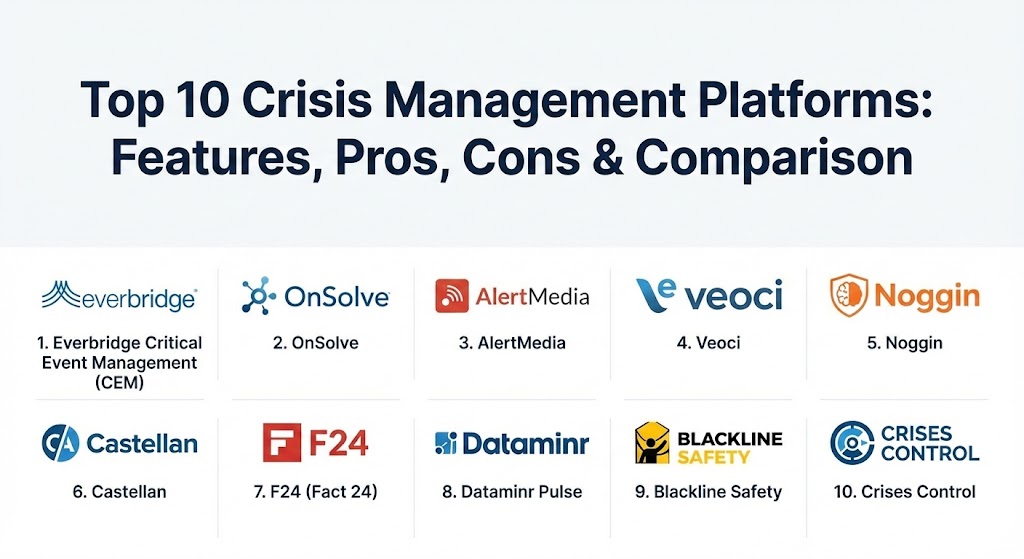
Top 10 Crisis Management Platforms
1 — Everbridge Critical Event Management (CEM)
Everbridge is arguably the most recognized name in the critical event management space. Its platform is designed to identify and assess digital and physical threats, locate people and assets at risk, and act to mitigate damage.
- Key features:
- Multi-modal mass notification reaching users via over 100 communication channels.
- Visual Command Center providing global threat intelligence feeds.
- Incident Management with pre-defined playbooks and automated workflows.
- Integrated Risk Intelligence that filters noise to show relevant local threats.
- Mobile app for responders to check in, receive tasks, and upload photos.
- Crisis-specific collaboration tools including secure chat and conference bridging.
- Post-incident reporting and “hot wash” analytics for compliance.
- Pros:
- Unmatched reliability and scale, capable of sending millions of messages per minute.
- Extensive library of integrations with HRIS, IT, and building security systems.
- Cons:
- The platform is highly complex and requires significant training for administrators.
- Pricing is at the premium end of the market, which may be prohibitive for mid-sized firms.
- Security & compliance: SOC 2 Type II, ISO 27001, FedRAMP authorized, GDPR compliant, and HIPAA compatible. Includes SSO and end-to-end encryption.
- Support & community: Offers 24/7/365 global enterprise support, an extensive “Everbridge University” for training, and a robust community of practice.
2 — OnSolve (formerly Critical Event Management)
OnSolve provides a high-speed, AI-powered platform that focuses on speed and precision. Its “OnSolve Risk Intelligence” uses machine learning to identify incidents faster than traditional news sources.
- Key features:
- AI-driven risk intelligence that identifies threats based on proximity to assets.
- High-speed mass notification with automated language translation.
- Dynamic mapping that visualizes the intersection of threats and personnel.
- Integrated “Send Word Now” technology for reliable alerting.
- Crisis-specific task management and digital playbooks.
- Cross-platform situational reporting for executive briefings.
- Pros:
- Excellent at “noise reduction,” only alerting you to threats that actually impact your locations.
- The interface is more modern and intuitive than some older legacy competitors.
- Cons:
- Some advanced features are only available in the higher-tier “CEM” packages.
- Integration with smaller, niche third-party apps can sometimes be a manual process.
- Security & compliance: SOC 2, HIPAA, GDPR, and ISO 27001. State and local government (SLG) compliant.
- Support & community: Comprehensive onboarding, dedicated success managers for enterprise accounts, and a large library of self-service documentation.
3 — AlertMedia
AlertMedia has gained massive popularity for its focus on user experience and simplicity. It provides an all-in-one solution for emergency communication and threat intelligence that doesn’t feel like “enterprise bloat.”
- Key features:
- Intuitive, two-way messaging across SMS, Voice, App, and Email.
- Real-time global threat monitoring managed by an in-house team of analysts.
- Interactive maps showing employee locations relative to active threats.
- “Event Pages” that serve as a centralized hub for all crisis updates.
- Mobile-first design allowing admins to launch alerts from anywhere.
- Lone worker safety features, including check-ins and panic buttons.
- Pros:
- Often cited as having the easiest-to-use interface for both admins and end-users.
- Exceptionally fast implementation times compared to larger competitors.
- Cons:
- While powerful, it lacks some of the deeply granular IT workflow automation of Everbridge.
- Analytics dashboards are helpful but less customizable than platform-heavy rivals.
- Security & compliance: SOC 2 Type II, GDPR, HIPAA, and SSO integration. Data is encrypted at rest and in transit.
- Support & community: Highly rated customer support with sub-minute response times; extensive knowledge base and client webinars.
4 — Veoci
Veoci is a highly flexible, no-code platform that originated in the aviation industry. It is designed to mirror the complex organizational structures of government and emergency management teams.
- Key features:
- Virtual Emergency Operations Center (vEOC) with “digital war rooms.”
- No-code form and workflow builder for highly specific incident tracking.
- Integrated asset and resource management during emergencies.
- Multi-agency coordination tools for large-scale public-private response.
- GIS mapping with real-time data overlays.
- Automated task assignments based on roles and incident types.
- Pros:
- Unrivaled flexibility; you can build almost any custom workflow without a developer.
- Strong collaboration features that feel like a “secure Slack for crises.”
- Cons:
- The high level of customization means the initial setup requires a clear strategy.
- The mobile app is functional but can feel cluttered due to the platform’s depth.
- Security & compliance: SOC 2, ISO 27001, HIPAA, and GDPR. Used extensively by airports and universities with strict compliance needs.
- Support & community: Deep domain expertise in emergency management; provides collaborative implementation and 24/7 support.
5 — Noggin
Noggin is a resilience-focused platform that manages the full lifecycle of a crisis, from risk assessment and business continuity to incident response and recovery.
- Key features:
- Integrated business continuity and crisis management modules.
- Automated incident logging and situational reporting.
- Advanced risk register for identifying vulnerabilities before a crisis hits.
- “Common Operating Picture” (COP) dashboards for multi-site monitoring.
- Contact management with smart groups for targeted alerting.
- Compliance tracking and audit logs for regulatory review.
- Pros:
- Excellent for organizations that want to integrate BC planning and crisis response in one tool.
- The modular approach allows you to buy only what you need.
- Cons:
- Some users find the navigation less modern than “SaaS-native” competitors.
- Reporting can be complex to configure for non-technical users.
- Security & compliance: ISO 27001, SOC 2, and GDPR. Strong emphasis on data residency and privacy.
- Support & community: Offers professional services for implementation and a comprehensive customer portal with technical guides.
6 — Castellan (part of Riskonnect)
Castellan focuses on “operational resilience.” It bridges the gap between managing a crisis and ensuring that the business stays operational during and after the event.
- Key features:
- Automated Business Impact Analysis (BIA) and continuity plan management.
- Integrated mass notification and incident response workflows.
- Mobile access to all continuity plans, even when offline.
- Threat monitoring with impact analysis (shows which business processes are at risk).
- Exercise and drill management for team readiness testing.
- Unified risk management dashboard.
- Pros:
- Best-in-class for bridging “planning” and “doing”—plans automatically activate during incidents.
- Very strong for internal compliance and governance.
- Cons:
- The focus on business continuity means the “mass alert” features are slightly less robust than dedicated alert tools.
- Pricing is enterprise-level.
- Security & compliance: SOC 2, HIPAA, and GDPR. Hosted in highly secure data centers.
- Support & community: Strong educational focus with webinars and whitepapers; proactive customer success team.
7 — F24 (Factor24)
F24 is Europe’s leading crisis management and notification platform. It is particularly strong for organizations that need to navigate the strict data privacy landscape of the EU.
- Key features:
- “CIM” (Crisis Information Management) for professional incident handling.
- Automated notification and mobilization of response teams.
- Secure, high-availability conference calls and team chats.
- Data-sovereign hosting within European data centers.
- Integrated media monitoring to manage the PR aspect of a crisis.
- Support for multi-lingual alerts and interface.
- Pros:
- The preferred choice for GDPR-conscious organizations due to its German origins.
- Extremely high system availability (99.9%+) with redundant infrastructure.
- Cons:
- Less brand awareness and fewer direct support staff in North America compared to Everbridge.
- Integration ecosystem is more focused on European software standards.
- Security & compliance: ISO 27001, GDPR, and TISAX (automotive industry standard).
- Support & community: Multilingual support teams, detailed documentation, and regional user workshops.
8 — Dataminr Pulse
Dataminr Pulse is unique because its primary strength is AI-powered “first alerts.” It uses public data (Twitter, sensors, police scanners) to notify you of an event before it hits the mainstream news.
- Key features:
- Real-time AI alerts for global and local threats.
- Integration with mass notification systems via API.
- Visual dashboards showing threat proximity to your specific assets.
- “Corporate Risk” module tailored for physical and digital security.
- Collaborative workflows for analyzing and vetting alerts.
- Detailed trend analysis for recurring regional threats.
- Pros:
- Provides the “earliest possible” warning, giving teams precious minutes to prepare.
- Covers a massive breadth of risks, from cyber breaches to civil unrest.
- Cons:
- It is primarily an “Intelligence” tool; you usually need another tool (like AlertMedia) for the actual response.
- Can produce “false positives” if the AI filtering isn’t tuned correctly for your needs.
- Security & compliance: SOC 2, GDPR, and strict adherence to public data privacy laws.
- Support & community: 24/7 global support, dedicated account management, and extensive training modules.
9 — Blackline Safety (Loner/G7)
While different from a standard CMP, Blackline Safety is essential for industrial crisis management. It focuses on the physical safety of workers in high-risk environments.
- Key features:
- Wearable safety devices (G7) with cellular and satellite connectivity.
- Real-time GPS tracking and fall detection.
- Two-way voice communication and text-to-voice messaging.
- Gas detection (H2S, LEL, CO) integrated into the crisis dashboard.
- “Blackline Live” cloud-based monitoring and alerting software.
- Automated SOS and silent alarms.
- Pros:
- The only way to manage a crisis involving lone workers in remote areas without cell service.
- Combines hardware and software for a complete “protection-to-response” loop.
- Cons:
- Focused strictly on health and safety (HSE); not suitable for PR or IT crises.
- Requires a significant investment in physical hardware.
- Security & compliance: ISO 9001, SOC 2, and intrinsically safe certifications (ATEX/IECEx).
- Support & community: Excellent industrial-grade support; onsite training and global service centers.
10 — Crises Control
Crises Control is an agile, cost-effective platform designed for mid-market companies that need a professional response tool without the “Big Enterprise” price tag.
- Key features:
- Multi-channel mass notification (Push, Email, SMS, Voice).
- Integrated “SOS” button for employees to signal distress.
- Task management with “Accept/Reject” workflow for team members.
- Library of pre-built incident templates for common crises.
- Virtual “War Room” for secure document sharing and chat.
- Geofencing to alert only those within a specific danger zone.
- Pros:
- Transparent, tiered pricing that is very accessible for SMBs and mid-market firms.
- Quick setup—teams can be live and trained in a matter of days.
- Cons:
- Lacks the deep AI-driven risk intelligence found in OnSolve or Everbridge.
- Reporting is sufficient but lacks deep custom-query capabilities.
- Security & compliance: ISO 27001, GDPR, and HIPAA. UK Government G-Cloud approved.
- Support & community: Fast-growing community; provides personal onboarding and 24/7 technical assistance.
Comparison Table
| Tool Name | Best For | Platform(s) Supported | Standout Feature | Rating (Gartner Peer Insights) |
| Everbridge | Global Enterprises | Web, iOS, Android | 100+ Alert Channels | 4.6 / 5 |
| OnSolve | AI-Driven Risk Intel | Web, iOS, Android | Risk Intelligence AI | 4.5 / 5 |
| AlertMedia | Ease of Use / UX | Web, iOS, Android | In-House Intelligence | 4.8 / 5 |
| Veoci | Custom Workflows | Web, iOS, Android | No-Code Flexibility | 4.7 / 5 |
| Noggin | Compliance / Resilience | Web, iOS, Android | Risk Register Integration | 4.4 / 5 |
| Castellan | Business Continuity | Web, iOS, Android | BIA to Action Link | 4.5 / 5 |
| F24 | GDPR / European Firms | Web, iOS, Android | CIM Coordination Hub | 4.7 / 5 |
| Dataminr | Proactive Warning | Web, API | AI First-Alerts | 4.6 / 5 |
| Blackline Safety | Lone Worker Safety | Hardware, Web | Wearable Gas Detection | 4.4 / 5 |
| Crises Control | Mid-Market / Value | Web, iOS, Android | Modular Task Flow | 4.5 / 5 |
Evaluation & Scoring of Crisis Management Platforms
When selecting a platform, it is helpful to look at it through a weighted rubric. The following table represents how most enterprise procurement teams evaluate these solutions.
| Category | Weight | Evaluation Criteria |
| Core Features | 25% | Mass alerting speed, task management, GIS mapping, and playbooks. |
| Ease of Use | 15% | Can an admin launch an alert in 30 seconds while under pressure? |
| Integrations | 15% | Does it connect to HRIS (Workday), IT (ServiceNow), and maps? |
| Security & Compliance | 10% | SOC 2, ISO 27001, GDPR, and data residency requirements. |
| Performance | 10% | System uptime and notification delivery success rates. |
| Support | 10% | 24/7 availability and quality of emergency implementation services. |
| Price / Value | 15% | TCO (Total Cost of Ownership) relative to functionality. |
Which Crisis Management Platform Tool Is Right for You?
The “right” platform depends heavily on your industry, your geographic distribution, and the specific threats you face.
- Solo Users & Very Small Businesses: You generally do not need a full CMP. Use professional group messaging (Signal, Telegram) and ensure you have an offline “emergency contact” list.
- Small to Mid-Market (SMB): If you are cost-conscious but need professional standards, Crises Control or AlertMedia are excellent starting points. They offer the critical notification features without overwhelming your staff.
- High-Compliance/European Firms: If you operate in the EU or handle sensitive data, F24 or Noggin are superior choices due to their focus on data sovereignty and strict privacy standards.
- Global Enterprises: For complex operations with thousands of employees, Everbridge or OnSolve are the standard. They provide the scale needed to manage multiple simultaneous crises across different time zones.
- Industrial & Field Services: If your primary risk is field-based (oil rigs, construction, mining), Blackline Safety combined with a tool like AlertMedia provides the best physical and digital coverage.
- Proactive Security Teams: If your strategy is based on “prevention,” Dataminr Pulse is a mandatory add-on to whatever communication tool you choose.
Frequently Asked Questions (FAQs)
1. What is the difference between an Emergency Notification System (ENS) and a CMP?
An ENS just sends alerts (SMS, Voice). A CMP (Crisis Management Platform) handles the entire process, including task lists, situational maps, document storage, and post-crisis reports.
2. Do these platforms work if the internet goes down?
Most use “cloud-native” infrastructure that is independent of your local network. Many also have mobile apps that work over cellular data and some even support satellite messaging for extreme cases.
3. How long does it take to implement a CMP?
A simple notification tool like AlertMedia can be live in days. A full enterprise CEM like Everbridge can take 3 to 6 months to integrate with all your internal HR and security systems.
4. Are these tools GDPR compliant?
Most are, but European-based tools like F24 are often preferred by EU firms because they guarantee that data never leaves European borders, which is a critical regulatory concern.
5. Can I use these for daily IT incident management?
Yes. Many organizations use their CMP for “high-priority” IT incidents (like server outages) to coordinate the technical response team, even if it’s not a “life-safety” emergency.
6. Do I need to buy a separate threat intelligence feed?
Some tools (like Everbridge and AlertMedia) include built-in threat feeds. Others (like Dataminr) are specialized feeds that you must integrate into your communication tool.
7. How do these tools find employee locations?
They typically use three methods: your HR database (static office location), “last known” location from your last check-in, or real-time GPS (if the employee opts-in via the mobile app).
8. Can a CMP manage my PR and social media response?
While they don’t post to Twitter for you, they act as the “back office” where your PR team can store approved statements, track media mentions, and coordinate with the legal department.
9. What is the “SOS” or “Panic Button” feature?
This is a mobile app feature that allows an employee to trigger an alert to the company’s security team. It usually sends their GPS location and can even record a short audio/video clip of the situation.
10. How much do these platforms cost?
Pricing is almost always based on “user count” and “feature modules.” For a mid-sized company, expect to pay anywhere from $5,000 to $25,000 per year, while large enterprise contracts can exceed $100,000.
Conclusion
A Crisis Management Platform is more than just a piece of software; it is a commitment to organizational resilience. In the heat of an emergency, your team will rely on the tools you’ve put in place today. Whether you prioritize the high-speed intelligence of OnSolve, the user-friendly nature of AlertMedia, or the flexibility of Veoci, the goal is the same: to protect your people, your assets, and your reputation. The “best” tool is the one that your team can use effortlessly when the pressure is at its highest.