Introduction
Visitor Management Software is a digital platform designed to oversee the end-to-end journey of a guest entering a facility. This technology replaces manual processes with automated check-ins, often via a kiosk or a touchless QR code on a visitor’s smartphone. At its core, a VMS identifies who is in the building, why they are there, and whom they are visiting, while simultaneously ensuring that all legal and safety requirements are met before the guest even steps past the lobby.
The importance of these tools extends beyond mere record-keeping. In an era of heightened security concerns and strict data privacy regulations like GDPR and CCPA, a VMS provides a “single source of truth” for facility managers. It enables instant host notifications, automatic badge printing, and the digital execution of Non-Disclosure Agreements (NDAs). Furthermore, in the event of an emergency, the software acts as a real-time roll call, ensuring that every person—staff and visitor alike—is accounted for during an evacuation.
Key evaluation criteria for choosing a VMS include ease of use for the visitor, the depth of integration with access control systems (like electronic gates or doors), the flexibility of the check-in workflow, and the robustness of the data encryption used to protect visitor privacy.
Best for: Corporate headquarters, manufacturing facilities with high safety standards, hospitals, schools, and government buildings. It is particularly beneficial for Operations Managers, Security Directors, and Receptionists in mid-to-large-sized organizations that see a steady flow of contractors and guests.
Not ideal for: Small storefronts or home offices where the visitor volume is negligible or the environment is entirely informal. Organizations with zero physical premises (fully remote) or those that operate in public spaces where “checking in” is not culturally or legally appropriate would also find these tools unnecessary.
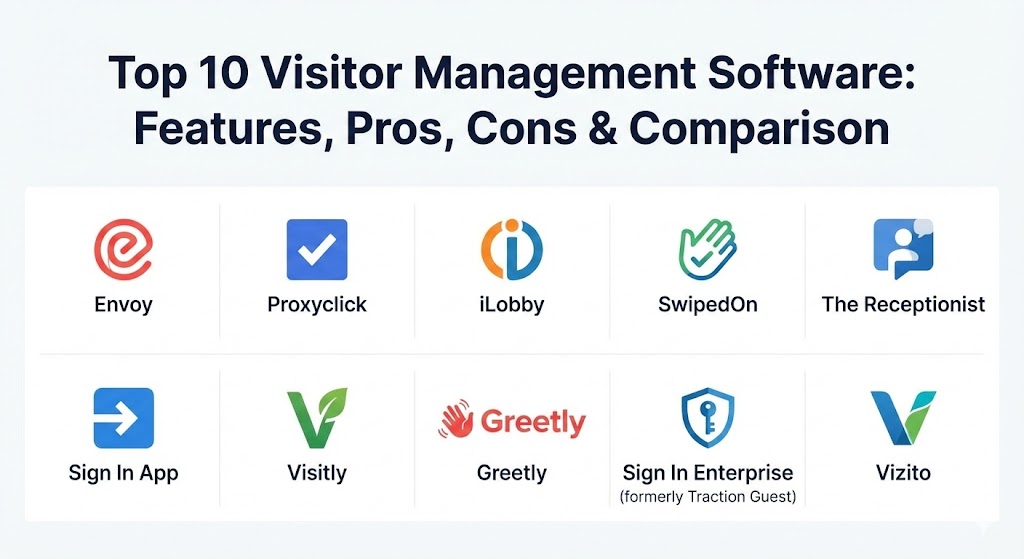
Top 10 Visitor Management Software Tools
1 — Envoy
Envoy is widely regarded as the market leader in the modern workplace experience category. Its “Visitors” product set the standard for what a sleek, iPad-based check-in process should look like, focusing heavily on user interface design and cross-platform notifications.
- Key features:
- Touchless check-in via mobile app or QR code.
- Instant host notifications via Slack, Microsoft Teams, and SMS.
- Automated badge printing and visitor photo capture.
- Document signing (NDAs, safety waivers) directly on the iPad.
- Integrated “Envoy Protect” for health and safety screening.
- Comprehensive dashboard for multi-location management.
- Watchlist and blocklist screening to flag unauthorized guests.
- Pros:
- Exceptionally intuitive interface that requires almost no visitor instruction.
- Massive ecosystem of integrations, including Kisi, Brivo, and Cisco Meraki.
- Cons:
- Pricing can be significantly higher than competitors for smaller teams.
- Some advanced security features are gated behind the most expensive tiers.
- Security & compliance: SOC 2 Type II, GDPR, CCPA, and data encryption at rest and in transit.
- Support & community: Extensive online help center, 24/5 live chat, and a highly active community of workplace experience professionals.
2 — Progress Proxyclick
Proxyclick is a high-end enterprise solution that prioritizes global compliance and sophisticated brand experiences. It is designed for multi-national corporations that need to manage visitors across hundreds of global sites with a single, unified policy.
- Key features:
- Multilingual support for global visitor sign-in.
- Pre-registration emails with custom directions and QR codes.
- Deep integration with Microsoft 365 and Google Workspace calendars.
- Customizable visitor “flows” based on guest type (contractor vs. VIP).
- Integrated ID scanning for document verification.
- Advanced analytics and reporting for facility utilization.
- Remote front-desk capabilities for unmanned lobbies.
- Pros:
- Highly flexible and capable of handling complex, logic-based check-in requirements.
- Excellent focus on data privacy and sovereign cloud hosting options.
- Cons:
- The setup process can be time-consuming for smaller offices.
- Not the most cost-effective option for businesses with only one location.
- Security & compliance: ISO 27001, SOC 2, HIPAA, GDPR, and SSO support.
- Support & community: Dedicated account managers for enterprise clients and 24/7 global support.
3 — iLobby
iLobby is the preferred choice for industrial, manufacturing, and high-security sectors. It specializes in regulatory compliance and rigorous screening, ensuring that every person on-site has the correct credentials and safety certifications.
- Key features:
- Automated screening against government-denied parties lists.
- Compliance document management for contractors and vendors.
- Safety video presentations during the check-in process.
- Real-time emergency evacuation management and roll call.
- Integrated hardware options including heavy-duty kiosks and thermal scanners.
- Automatic legal document storage and expiration alerts.
- Work order and delivery management integration.
- Pros:
- “Industrial-grade” reliability and focus on safety-first environments.
- Superior reporting for organizations undergoing frequent audits.
- Cons:
- The interface is functional but lacks the modern “aesthetic” of tools like Envoy.
- Hardware dependencies can make the initial implementation more expensive.
- Security & compliance: ITAR, CTPAT, GDPR, HIPAA, and SOC 2 Type II.
- Support & community: 24/7 technical support and white-glove onboarding for enterprise customers.
4 — SwipedOn
SwipedOn offers an elegantly simple and affordable visitor management solution that is particularly popular among small to mid-sized businesses (SMBs). It covers the essentials of visitor and employee sign-in with a focus on value and ease of setup.
- Key features:
- Quick iPad-based sign-in for visitors and employees.
- Digital visitor logbook that replaces all paper records.
- Evacuation management via a dedicated mobile “roll call” app.
- Photo capture and badge printing for visitor identification.
- Catering and coffee request notifications for hosts.
- Visitor pre-registration and arrival alerts.
- Delivery and package management module.
- Pros:
- One of the most cost-effective solutions for the feature set provided.
- Setup takes minutes rather than hours or days.
- Cons:
- Fewer complex integrations compared to enterprise-tier competitors.
- Customization options for the check-in workflow are somewhat limited.
- Security & compliance: GDPR, HIPAA, and data encryption.
- Support & community: Highly rated customer support with sub-5-minute response times.
5 — The Receptionist
The Receptionist is a cloud-based visitor management system known for its flexibility and “cheerful” user interface. It is designed to scale with growing businesses and offers a wide range of customization for different lobby experiences.
- Key features:
- Customizable “buttons” on the sign-in screen for various visitor types.
- Two-way communication between the guest and the host via SMS/Email.
- Automated badge printing with wireless printer support.
- Legal document signing and digital storage.
- Employee in/out tracking for hybrid work environments.
- Contactless sign-in with QR codes.
- Comprehensive visitor logs with search and export features.
- Pros:
- Exceptional customer service and a focus on “personal” account management.
- No contracts; month-to-month pricing is standard.
- Cons:
- Reporting dashboards are not as granular as high-end enterprise tools.
- Lacks some of the more advanced “access control” hardware integrations.
- Security & compliance: SOC 2, GDPR, and secure data hosting.
- Support & community: Award-winning “Radical Support” team and extensive online training modules.
6 — Sign In App
Sign In App is a versatile and modern workplace management platform. It positions itself as a holistic solution for managing visitors, staff, and contractors, with a strong emphasis on flexibility across various devices.
- Key features:
- Sign In App Companion for employee check-ins and desk booking.
- Visitor pre-registration and smartphone invitations.
- Custom health and safety questionnaires.
- Badge design tool for highly customized visitor IDs.
- Multi-site management with centralized data control.
- Integrated fire drill and evacuation tools.
- Offline mode for areas with spotty internet connectivity.
- Pros:
- Pricing is per site with unlimited users, making it highly scalable.
- The mobile “Companion” app is one of the best for employee engagement.
- Cons:
- Some users find the initial admin setup slightly complex.
- Certain hardware accessories are only available in specific regions.
- Security & compliance: Cyber Essentials, ISO 27001, GDPR, and SOC 2.
- Support & community: Strong UK and international support teams and a regular cadence of product updates.
7 — Visitly
Visitly is a flexible and affordable visitor management solution that prides itself on being a “fast” and “safe” way to manage a lobby. It is tailored for schools, offices, and shared workspaces that need a no-fuss digital receptionist.
- Key features:
- Fast visitor sign-in with ID scanning and photo capture.
- Instant host notifications via email, SMS, and Slack.
- Emergency alerts and evacuation management.
- Custom questions and visitor categorization.
- Badge printing and historical visitor logs.
- Support for multiple iPad kiosks per location.
- Pre-registration and QR code check-in.
- Pros:
- Very low learning curve for both administrators and guests.
- Attractive pricing for schools and non-profit organizations.
- Cons:
- Lacks the deep enterprise analytics found in Proxyclick or Envoy.
- Interface customization is more basic than some competitors.
- Security & compliance: GDPR and HIPAA compliant; uses AWS for secure hosting.
- Support & community: Direct email support and a detailed online knowledge base.
8 — Greetly
Greetly is a highly customizable “digital receptionist” that focuses on automating the front office. It differentiates itself by offering a fully touchless experience that can be customized to mirror an organization’s brand identity perfectly.
- Key features:
- Fully white-labeled interface to match company branding.
- Unlimited visitor check-ins on all plan levels.
- Voice, call, and text notifications for hosts.
- Delivery management and package alerts.
- Integration with Active Directory and HRIS systems.
- Legal document signing and data capture.
- Multi-language support for diverse visitor populations.
- Pros:
- Simple “per-location” pricing with no hidden per-visitor fees.
- High level of customization for the check-in questions and logic.
- Cons:
- The dashboard reporting can feel a bit simplistic for large enterprises.
- Some users report a slight lag in notifications on slower networks.
- Security & compliance: GDPR, HIPAA, and SSO/SAML 2.0.
- Support & community: 24/7 customer support and an easy-to-navigate help portal.
9 — Traction Guest (Sign In Enterprise)
Traction Guest, now known as Sign In Enterprise, is a sophisticated visitor management system built specifically for the needs of enterprise security teams and regulated environments. It focuses on the “visitor journey” through data-driven insights.
- Key features:
- Logic-driven visitor workflows (if/then scenarios).
- Robust watchlist screening and identity verification.
- Enterprise-level security reporting and audit logs.
- Global, centralized administrative control for multi-site deployments.
- Integration with major access control platforms like Lenel and Genetec.
- Secure document signing and archiving.
- Visitor analytics for optimizing facility operations.
- Pros:
- Powerful enough for the world’s most demanding high-security facilities.
- Outstanding ability to integrate into complex IT stacks.
- Cons:
- Requires a significant investment in both time and budget.
- Overkill for companies that just need a simple sign-in sheet.
- Security & compliance: SOC 2 Type II, ISO 27001, HIPAA, and GDPR.
- Support & community: Enterprise-grade support with dedicated success managers.
10 — Vizito
Vizito is a clean, modern visitor management platform that prioritizes a seamless user experience. It is a solid all-rounder that works well for offices, reception areas, and events that need a quick, reliable check-in system.
- Key features:
- Tablet and web-based registration options.
- Custom branding and multilingual support.
- Automated badge printing and photo capture.
- Host notifications via SMS, email, and messaging apps.
- Privacy-focused logs with automatic data deletion options.
- Integrated NDA and document signing.
- Pre-registration and invitation management.
- Pros:
- Modern, “lightweight” feel that visitors appreciate.
- Flexible pricing that fits small businesses and growing companies.
- Cons:
- Lacks some of the more niche “industrial” features of iLobby.
- Fewer third-party app integrations than Envoy.
- Security & compliance: GDPR compliant and secure data storage in European data centers.
- Support & community: Responsive customer support and a helpful blog with best practices.
Comparison Table
| Tool Name | Best For | Platform(s) Supported | Standout Feature | Rating (Gartner / TrueReview) |
| Envoy | Modern Workplaces | iOS, Android, Web | Ecosystem & UI | 4.2 / 4.7 |
| Proxyclick | Global Enterprises | iOS, Web | Global Compliance | 4.3 / 4.6 |
| iLobby | Industrial/Security | iOS, Android, Kiosk | Regulatory Screening | 4.4 / 4.8 |
| SwipedOn | SMBs / Simplicity | iOS, Android, Web | Ease of Setup | N/A / 4.8 |
| The Receptionist | Growing Teams | iOS, Web | Two-way Communication | N/A / 4.9 |
| Sign In App | Staff & Visitor Mgmt | iOS, Android, Web | Companion App | N/A / 4.7 |
| Visitly | Schools/Non-profits | iOS, Web | Cost Efficiency | N/A / 4.6 |
| Greetly | White-labeling | iOS, Android, Web | Unlimited Check-ins | N/A / 4.7 |
| Sign In Enterprise | High Security | Web, iOS | Complex Logic Flows | 4.6 / 4.5 |
| Vizito | General Offices | Web, iOS, Android | Modern UX | N/A / 4.5 |
Evaluation & Scoring of Visitor Management Software
We evaluated the top solutions using a weighted rubric designed to reflect the most critical needs of modern facility managers and IT security leads.
| Category | Weight | Evaluation Criteria |
| Core Features | 25% | Check-in speed, host notifications, badge printing, and document signing. |
| Ease of Use | 15% | Intuitive interface for visitors and a simple dashboard for admins. |
| Integrations | 15% | Compatibility with Slack, Teams, calendars, and access control systems. |
| Security & Compliance | 10% | Data encryption, GDPR/HIPAA compliance, and watchlist screening. |
| Performance | 10% | App stability, notification speed, and cloud uptime reliability. |
| Support | 10% | Response times, quality of documentation, and onboarding assistance. |
| Price / Value | 15% | Transparent pricing model and overall ROI for the organization. |
Which Visitor Management Software Tool Is Right for You?
Choosing the right software depends heavily on your specific operational environment and the “level of friction” you want your visitors to experience.
- Solo Users and Small Offices: If you just want to get rid of the paper logbook, SwipedOn or Visitly are the easiest transitions. They are affordable, simple to set up, and provide the basic safety features every office needs.
- SMBs and Growing Businesses: If you need a bit more flexibility and want to integrate with your existing office tech (like Slack or Teams), Envoy or The Receptionist are fantastic. They offer a polished look that makes your office feel modern and professional.
- Mid-Market and Enterprise: For those managing multiple locations with specific compliance needs, Proxyclick and Sign In App offer the scalability and multi-site management features necessary to maintain high standards across the board.
- Industrial and High-Security Facilities: If your visitors are mostly contractors and you have strict safety and regulatory requirements (like ITAR or CTPAT), iLobby and Sign In Enterprise are the clear winners. They are built for security first and aesthetics second.
- Budget-Conscious Organizations: Greetly stands out for its unlimited check-ins on all plans, ensuring you never have a surprise bill at the end of a busy month. Visitly also offers highly competitive pricing for schools and smaller institutions.
Frequently Asked Questions (FAQs)
1. What is the difference between a Visitor Management System and an Access Control System?
A Visitor Management System (VMS) handles the identification, registration, and logging of guests. An Access Control System (ACS) manages the physical hardware (locks, turnstiles, and scanners) that allows or denies entry. Modern VMS tools often integrate with ACS to automatically grant visitors access to certain doors.
2. Can I use these tools on any tablet?
Most VMS providers support iPad (iOS), while some also offer Android compatibility. However, many enterprise features—like specialized printer connections—are often optimized for iPad. Always check the vendor’s hardware requirements before purchasing.
3. Is it possible to have a completely touchless sign-in process?
Yes. Most modern VMS solutions allow visitors to scan a QR code on a lobby kiosk with their own smartphone. This takes them to a web-based sign-in form, eliminating the need to touch a communal iPad.
4. How does the host notification system work?
When a guest checks in, the software identifies the “host” they are visiting. The system then automatically sends an alert to the host via SMS, Email, Slack, Microsoft Teams, or even a direct phone call, depending on the software’s capabilities.
5. Are these systems compliant with GDPR and CCPA?
Yes, the top tools listed here are built with data privacy in mind. They include features like automatic data deletion (right to be forgotten), visitor privacy mode (hiding names from other guests), and secure encryption.
6. Can I print visitor badges with these tools?
Absolutely. Most systems integrate with wireless or Bluetooth badge printers (like Brother or Dymo). You can even customize the badges with the visitor’s photo, host name, and expiration time.
7. Do I need an internet connection to use Visitor Management Software?
While these are cloud-based systems, some tools like Sign In App offer an offline mode that stores visitor data locally and syncs it with the cloud once the connection is restored.
8. Can I use a VMS for employee tracking?
Yes, many systems (like SwipedOn and Envoy) have added “employee sign-in” features. This helps offices track daily attendance and capacity, which is vital for hybrid work and fire safety.
9. How do these tools help in an emergency?
Most VMS tools have an “Evacuation” feature. In an emergency, an administrator can pull up a real-time list of everyone on-site on their mobile device to conduct a roll call at the assembly point.
10. Is there a free trial available?
Most providers offer a 14-day or 30-day free trial. This allows you to test the interface, set up a few test visitor flows, and ensure the notifications are working correctly before you commit to a subscription.
Conclusion
The shift toward digital visitor management is a win-win for both organizations and their guests. Organizations gain enhanced security, streamlined operations, and detailed audit trails, while visitors enjoy a modern, professional, and efficient arrival experience.
When choosing the “best” visitor management software, there is no one-size-fits-all answer. A high-security manufacturing plant has fundamentally different needs than a boutique marketing agency. The key is to prioritize your “must-have” features—whether that is industrial-grade screening, sleek UI design, or simple cost-effectiveness—and choose a tool that can scale as your workplace evolves.