Introduction
Strategic planning tools are specialized software solutions designed to help organizations define their long-term vision, set actionable objectives, align various departments, and track progress toward key results. Unlike project management software, which focuses on individual tasks and timelines, strategic planning tools focus on the “why” and the “outcomes.” They offer a centralized “source of truth” that bridges the gap between executive strategy and front-line execution.
The importance of these tools lies in their ability to foster transparency and accountability. In a traditional setup, strategic plans often gather dust in a digital folder. Strategic planning tools bring these plans to life through real-time dashboards, automated status updates, and alignment mapping. Key real-world use cases include managing corporate OKRs (Objectives and Key Results), orchestrating digital transformation initiatives, and managing the complex integration of mergers and acquisitions. When evaluating these tools, users should look for features like strategy visualization (logic maps), robust reporting, ease of integration with existing work tools, and the flexibility to adapt to different strategic frameworks like Balanced Scorecard or Hoshin Kanri.
Best for: Executives, Chief Strategy Officers, Project Management Offices (PMOs), and department heads in mid-sized to enterprise-level organizations. They are particularly valuable for industries facing high regulatory change or rapid market shifts, such as healthcare, finance, and technology.
Not ideal for: Small startups with fewer than ten employees where verbal alignment is still highly effective, or teams that only need to manage simple, short-term task lists without a broader corporate context.
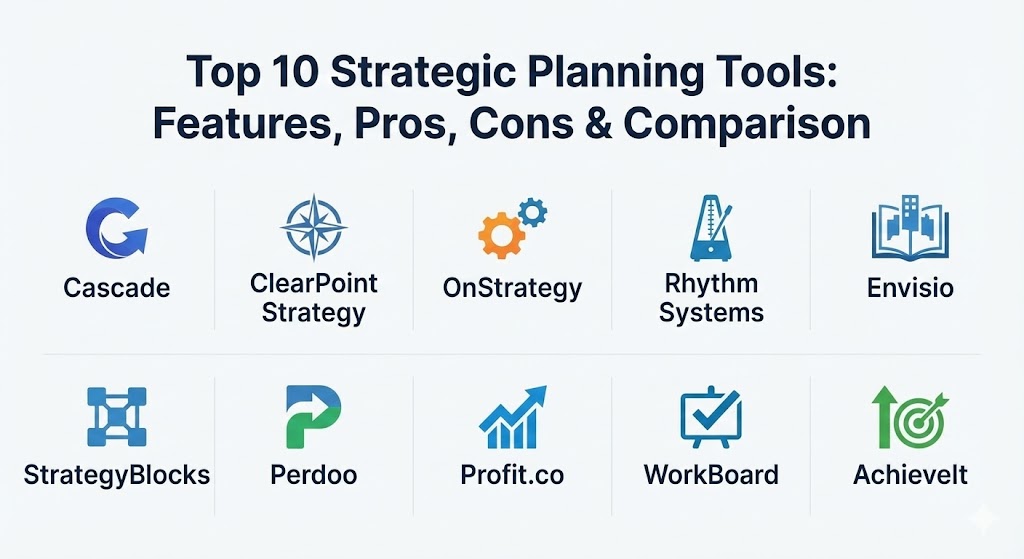
Top 10 Strategic Planning Tools
1 — Cascade Strategy
Cascade is a comprehensive strategy execution platform that prides itself on being “built for the real world.” It focuses on breaking down silos and ensuring that every employee understands how their work contributes to the organization’s overarching goals.
- Key features:
- Automated strategy snapshots and PDF reporting for board meetings.
- Strategic alignment mapping to visualize dependencies across teams.
- Pre-built strategy templates for various industries and use cases.
- Real-time dashboards with “health” indicators for every objective.
- Integration with over 1,000+ apps via Zapier and native connectors.
- Goal tracking that supports both qualitative and quantitative metrics.
- Pros:
- Highly flexible; it can adapt to almost any strategic framework.
- Excellent visual interface that makes complex plans look clean and approachable.
- Cons:
- The pricing is on the higher end, making it a significant investment.
- Some users find the sheer number of configuration options slightly overwhelming at first.
- Security & compliance: SOC 2 Type II, GDPR compliant, SSO integration, and data encryption at rest and in transit.
- Support & community: Extensive knowledge base, dedicated success managers for enterprise tiers, and “Strategy Fest” community events.
2 — ClearPoint Strategy
ClearPoint Strategy is a robust reporting and management platform designed to help organizations track their performance against their strategic plans. It is particularly well-known for its deep customization and reporting capabilities.
- Key features:
- Automated data loading from multiple sources to eliminate manual entry.
- Highly customizable “briefing books” for leadership reviews.
- Support for Balanced Scorecard, OKRs, and custom frameworks.
- Strategy maps that show the causal links between different objectives.
- Granular permission settings for different levels of the organization.
- Version control and audit logs for all strategic plan changes.
- Pros:
- Best-in-class reporting features that save dozens of hours in meeting prep.
- Exceptional customer support that acts as an extension of your strategy team.
- Cons:
- The user interface feels more “data-heavy” and less modern than some competitors.
- Steeper learning curve for administrators who want to master custom calculations.
- Security & compliance: SOC 2, HIPAA compliance options, GDPR, and ISO 27001 standards.
- Support & community: Known for high-touch customer success, comprehensive training webinars, and an annual user conference.
3 — OnStrategy
OnStrategy is built for organizations that need a full-lifecycle solution—from the initial planning workshops to the final execution phase. It focuses on clarity and simplicity to ensure the plan actually gets done.
- Key features:
- Strategy “health checks” and guided planning wizards.
- Performance dashboards tailored for executives and board members.
- Cascading goals that link corporate, team, and individual levels.
- Integration with Microsoft Teams and Slack for “strategy where you work.”
- Automated reminders and notifications for status updates.
- Benchmarking tools to track performance against industry standards.
- Pros:
- Very intuitive for non-technical users, ensuring high adoption rates.
- Great balance between “planning” features and “execution” tracking.
- Cons:
- Advanced analytics are somewhat limited compared to enterprise-only tools.
- Not as much flexibility for extremely complex, multi-layered global structures.
- Security & compliance: SSO, 256-bit SSL encryption, SOC 2, and GDPR compliant.
- Support & community: Offers professional consulting services alongside the software, plus a robust library of strategy resources.
4 — Rhythm Systems
Rhythm Systems is unique because it combines software with a proven methodology (the Rhythm of Work). It is designed to help high-growth companies execute their long-term and short-term plans with precision.
- Key features:
- Quarterly and annual planning modules to keep teams synchronized.
- “Red/Yellow/Green” status tracking for instant visual health checks.
- Collaborative “think” folders for brainstorming future strategies.
- Integration with CRM and ERP systems for data-driven goal tracking.
- Strategy visualizations that show long-term “Winning Moves.”
- Meeting management tools to keep executive sessions focused.
- Pros:
- Strongly encourages the right habits and cadences for strategic success.
- The interface is designed specifically for high-growth executive teams.
- Cons:
- The tool is heavily opinionated toward its own methodology.
- May feel too rigid for companies that want to invent their own framework.
- Security & compliance: Varies by tier; supports SSO and industry-standard encryption.
- Support & community: High-touch coaching and consulting are often bundled with the software.
5 — Envisio
Envisio is a leader in the public sector and local government space. It focuses on transparency, community trust, and ensuring that strategic plans translate into public value.
- Key features:
- Public-facing dashboards to share progress with citizens and stakeholders.
- Performance management and budgeting alignment tools.
- Analytics that track social impact and community outcomes.
- Automated reporting for city councils and government boards.
- Workforce planning and alignment modules.
- Role-based access for complex multi-departmental organizations.
- Pros:
- The absolute best choice for government and non-profit transparency.
- Excellent for managing plans that have thousands of small, public-facing milestones.
- Cons:
- Not as well-suited for private-sector commercial sales or competitive strategy.
- Can be complex to set up for smaller non-profit entities.
- Security & compliance: SOC 2, CJIS (Criminal Justice Information Services) compliance, and GDPR.
- Support & community: Specialized support team with deep experience in public sector administration.
6 — StrategyBlocks
StrategyBlocks is a highly visual strategic planning tool that uses a “block” metaphor to represent different parts of a strategy. It excels at showing how small actions build toward massive outcomes.
- Key features:
- Drag-and-drop strategy visualization for building complex logic maps.
- Risk management integration directly into strategic objectives.
- Cascading KPIs that roll up into high-level organizational goals.
- Comparison views to see how different strategy iterations perform.
- Customizable dashboards for different stakeholder groups.
- Strong emphasis on visual aesthetics and presentation-ready data.
- Pros:
- One of the best tools for visual thinkers and “big picture” leaders.
- Very easy to identify “orphaned” projects that don’t support the strategy.
- Cons:
- Can become visually cluttered if the strategy has too many moving parts.
- Data integration capabilities are not as deep as some legacy platforms.
- Security & compliance: SSO, SOC 2, and 128/256-bit encryption.
- Support & community: Online documentation is solid; personalized onboarding for mid-market clients.
7 — Perdoo
Perdoo is a specialist in the OKR (Objectives and Key Results) framework. It is designed to help companies of all sizes stay focused and aligned through a simple, science-based approach to goal setting.
- Key features:
- Roadmap visualization that connects the “Ultimate Goal” to daily tasks.
- “Check-in” automation to keep teams updated on progress.
- Resource library and templates specifically for OKR beginners.
- Integration with Slack, Microsoft Teams, and Jira.
- Engagement analytics to see which teams are falling behind on updates.
- Peer-to-peer recognition for reaching strategic milestones.
- Pros:
- Very clean, modern UI that employees actually enjoy using.
- The “free” version is surprisingly capable for small teams.
- Cons:
- Limited features for non-OKR frameworks like Balanced Scorecard.
- Reporting is focused on progress rather than deep financial analytics.
- Security & compliance: GDPR compliant, SOC 2 Type II, and SSO support.
- Support & community: Extensive “OKR Academy” and a vibrant community of strategy professionals.
8 — Profit.co
Profit.co is an all-in-one execution platform that covers OKRs, task management, and employee engagement. It is highly flexible and scales well from small teams to large enterprises.
- Key features:
- Over 400+ pre-built KPIs to choose from for goal setting.
- Integrated performance reviews and 360-degree feedback.
- Strategy alignment maps and dependency tracking.
- Customizable dashboards for every level of the organization.
- Weekly “pulse” surveys to gauge employee sentiment toward goals.
- Task management that links directly to key results.
- Pros:
- Highly feature-rich; replaces the need for separate engagement and task tools.
- Offers a very granular level of control over goal calculations.
- Cons:
- The interface can feel “busy” due to the high density of features.
- It takes time to set up all the different modules (Engagement, OKRs, Tasks).
- Security & compliance: SOC 2, GDPR, ISO 27001, and HIPAA compliance options.
- Support & community: 24/7 live support and a massive library of video tutorials.
9 — WorkBoard
WorkBoard is an enterprise-grade platform focused on “Strategy Execution Management.” it is built for massive, high-growth organizations that need to align thousands of people simultaneously.
- Key features:
- Executive “Mission Control” dashboards for real-time visibility.
- Integrated meeting management with automated action items.
- Advanced OKR coaching and management tools.
- Strategic business review templates.
- Workforce capacity and alignment insights.
- Robust integrations with corporate data warehouses.
- Pros:
- Built for the scale and complexity of Fortune 500 companies.
- Excellent for transforming the way meetings are run in an organization.
- Cons:
- Pricing is enterprise-only and usually requires a significant commitment.
- Too heavy and complex for small or even many mid-market firms.
- Security & compliance: SOC 2 Type II, ISO 27001, GDPR, and FedRAMP readiness.
- Support & community: “Expert-led” onboarding and specialized strategy coaching services.
10 — AchieveIt
AchieveIt focuses on the “Execution Gap”—the space between planning and results. It is highly regarded for its ability to automate the manual collection of status updates across diverse organizations.
- Key features:
- Automatic update requests that reach out to users via email.
- Multi-plan views to see all organizational initiatives in one place.
- Advanced filtering and tagging for complex reporting needs.
- Tree-view and list-view visualizations of the strategic plan.
- History tracking and audit trails for accountability.
- Executive-ready report generation in seconds.
- Pros:
- Drastically reduces the “chasing people for updates” time for PMOs.
- Very easy for end-users who only need to provide a quick status update.
- Cons:
- The UI is more functional than beautiful.
- Less focused on “brainstorming” and more focused on “tracking.”
- Security & compliance: SOC 2, HIPAA, and GDPR compliant.
- Support & community: Dedicated execution experts and a well-regarded customer success program.
Comparison Table
| Tool Name | Best For | Platform(s) Supported | Standout Feature | Rating (Gartner / TrueReview) |
| Cascade | Enterprise Alignment | Web, iOS, Android | Strategy Alignment Maps | 4.6 / 5 |
| ClearPoint | Detailed Reporting | Web | Automated Briefing Books | 4.7 / 5 |
| OnStrategy | SMB Planning | Web, Mobile | Strategy Health Checks | 4.4 / 5 |
| Rhythm Systems | High-Growth Teams | Web | Methodology-Driven Framework | 4.8 / 5 |
| Envisio | Public Sector | Web | Public Transparency Dashboards | 4.9 / 5 |
| StrategyBlocks | Visual Thinkers | Web | Visual Strategy Logic blocks | 4.2 / 5 |
| Perdoo | OKR Focus | Web, Mobile, Slack | Roadmap Visualization | 4.5 / 5 |
| Profit.co | Engagement + OKRs | Web, Mobile, Apps | 400+ Pre-built KPIs | 4.7 / 5 |
| WorkBoard | Fortune 500 Scale | Web, Mobile | Executive Mission Control | 4.3 / 5 |
| AchieveIt | Execution Tracking | Web, Mobile | Automated Data Collection | 4.5 / 5 |
Evaluation & Scoring of Strategic Planning Tools
To help you decide, we have evaluated the overall category based on industry standards and user expectations.
| Criteria | Weight | Evaluation Score (Avg) | Rationale |
| Core Features | 25% | 9.0/10 | Most tools now offer excellent goal cascading and dashboarding. |
| Ease of Use | 15% | 7.5/10 | Strategic tools are inherently complex; the learning curve remains high. |
| Integrations | 15% | 8.0/10 | Connectivity with Slack, Teams, and Jira is now standard. |
| Security & Compliance | 10% | 9.5/10 | High standards (SOC 2) are mandatory for enterprise data. |
| Performance | 10% | 8.5/10 | Reliability is high, though mobile experiences vary. |
| Support & Community | 10% | 9.0/10 | Strategy vendors often provide high-touch consulting. |
| Price / Value | 15% | 7.0/10 | These tools are expensive, but the ROI on better execution is massive. |
Which Strategic Planning Tool Is Right for You?
Choosing the right tool is a strategic decision in itself. Here is a quick guide to narrow down your search:
Solo Users vs SMB vs Mid-Market vs Enterprise
- Solo/Micro-teams: You likely don’t need a dedicated tool. Stick to a simple OKR template in a spreadsheet.
- SMBs: OnStrategy or Perdoo offer the best balance of features and simplicity for teams of 20-100.
- Mid-Market: Cascade or Profit.co provide the scalability and customization required for mid-sized firms.
- Enterprise: WorkBoard or AchieveIt are the heavy hitters designed for thousands of users and complex reporting lines.
Budget-Conscious vs Premium Solutions
- Budget: Perdoo has an excellent free-to-low-cost entry point.
- Premium: ClearPoint Strategy and Cascade command premium prices but offer extensive automation and support.
Feature Depth vs Ease of Use
- Simplicity: If you want your team to actually use the tool without training, OnStrategy is a top contender.
- Depth: If you need to map complex risks, financial roll-ups, and departmental dependencies, StrategyBlocks or ClearPoint are better.
Integration and Scalability Needs
If your team lives in Jira or Salesforce, look for a tool like Profit.co or Cascade that offers deep, native integrations rather than just basic Zapier connections.
Security and Compliance Requirements
If you are in healthcare or government, Envisio or ClearPoint (with HIPAA options) are non-negotiable due to their specialized compliance postures.
Frequently Asked Questions (FAQs)
1. What is the difference between project management and strategic planning tools?
Project management tools (like Asana or Trello) focus on the “how” and “when” of tasks. Strategic planning tools focus on the “what” and “why,” connecting those tasks to the organization’s high-level goals.
2. How long does it take to implement a strategic planning tool?
A typical implementation takes 4 to 12 weeks. This includes importing existing plans, setting up alignment, and training the leadership team on the new “rhythm” of updates.
3. Do these tools work with the Balanced Scorecard?
Yes, most enterprise tools like ClearPoint Strategy and Cascade are designed to support Balanced Scorecard (BSC), OKRs, Hoshin Kanri, and custom frameworks simultaneously.
4. Can I use these tools for personal goal setting?
While you could, they are designed for organizational complexity and are usually too expensive and “heavy” for individual personal use.
5. How much do these tools typically cost?
Pricing usually starts at around $20–$50 per user per month, often with a minimum seat count. Enterprise plans are usually customized and can cost $10,000 to $50,000+ per year.
6. Is it hard to migrate my plan from Excel to a strategic tool?
Most vendors offer “bulk upload” features. However, the hardest part is usually cleaning up the data and ensuring that goals are written in a measurable format before importing.
7. Can these tools help with employee engagement?
Yes! By showing employees exactly how their work impacts the company’s success, these tools significantly boost engagement and a sense of purpose.
8. Do these tools offer mobile apps?
Most do, but they are generally used for viewing dashboards and providing quick status updates rather than the initial complex strategic mapping.
9. What is the most common mistake when buying these tools?
Buying a tool before you have a solid strategy. Software won’t fix a bad plan; it only accelerates a good one. Ensure your strategy is sound before digitizing it.
10. Is an OKR tool the same as a strategy tool?
An OKR tool (like Perdoo) is a subset of strategic planning. While OKRs are a great way to execute, a full strategy tool often includes risk management, long-term visioning, and financial alignment.
Conclusion
The “best” strategic planning tool is the one that your team will actually use. No matter how advanced the analytics or how beautiful the dashboards, a tool only provides value if it becomes a regular part of your organizational culture. When choosing, prioritize alignment—both in terms of software features and your team’s willingness to embrace a new way of working.
Strategic planning is no longer a once-a-year event; it is a continuous process of learning and adapting. With the right tool, your strategy becomes a living document that guides every decision, from the boardroom to the front line.